To solve character inconsistency in Kling 3.0, use the "Bind Subject" (Element Reference) feature in Image-to-Video mode. Put a clear photo into the system. Turn on the "Bind Subject" button to fix the face and clothing. Then, use the "Multi-Shot" storyboard tool. This keeps the character's look the same for the whole 15-second video.
Understanding the Kling 3.0 "Element Reference" Breakthrough
The jump from version 2.6 to Kling 3.0 represents a fundamental shift in how image to video AI handles identity. In earlier iterations, an image was merely a "starting frame"—the AI would look at the first picture and then "hallucinate" the rest of the movement. This often led to character drift, where a subject’s face or clothing would morph inconsistently as the video progressed.
The Shift from 2.0 to 3.0: The "Spatial Anchor"
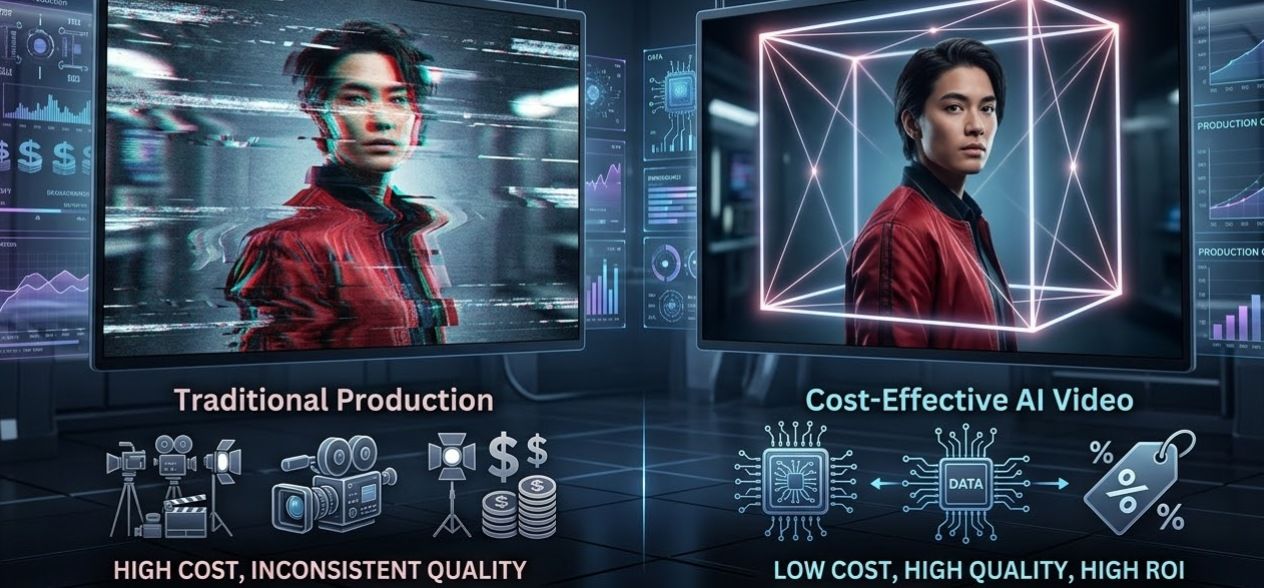
Your photo is handled as a 3D anchor by Kling 3.0's new engine. It does not just copy the first frame. Instead, the AI maps the character in a 3D way. This helps the model know that a jacket should look the same even when the person turns. For companies trying to save money on video ads, this is a big deal. It stops the need for costly reshoots caused by weird AI errors.
Why Character Drift Happens
Technically, drift occurs due to latent space randomness. Without strict parameters, the AI's "diffusion" process takes the path of least resistance to create motion, often losing track of fine details. Kling 3.0’s Element Binding suppresses this randomness by locking specific "tokens" (like eye color or hair style) to the reference image, ensuring the character remains recognizable across different shots.
Comparison: Professional AI Video vs. Traditional Production
When comparing professional AI video vs. traditional production, the return on investment for AI video marketing becomes clear. Traditional shoots for a 15-second character-driven ad can cost thousands in talent and wardrobe fees. Using cost-effective AI video tools for business like Kling 3.0 reduces these costs to a fraction of the price while maintaining high-fidelity results.
Kling 2.6 vs. Kling 3.0 Consistency Benchmarks
| Feature | Kling 2.6 | Kling 3.0 |
| Logic Engine | Frame-by-Frame | Unified Spatial Anchor |
| Identity Retention | High Drift (50%+) | Low Drift (<10%) |
| Max Resolution | 1080p | Native 4K |
| Binding Depth | Visual Only | Structural & Element Binding |
Step-by-Step Workflow: A Professional Kling 3.0 Workflow
Character inconsistency has long been the "Achilles' heel" of generative media. In Kling 3.0, solving this requires a strategic 3-pillar approach that integrates high-quality source assets, structural binding, and precise negative prompting.
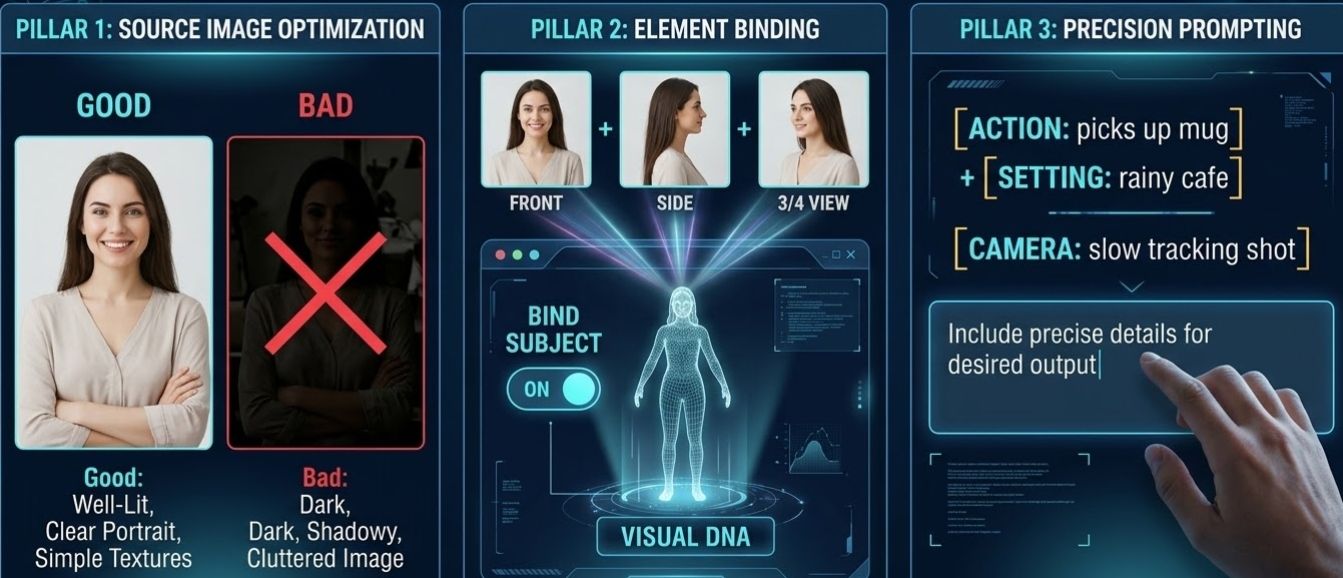
Pillar 1: Source Image Optimization
Good videos begin with a solid "Master" image. To get the best look in Image-to-Video mode, make sure your source file follows these rules:
- Even Lighting: Stay away from dark shadows. The AI might think they are permanent marks on the face.
- Clear Facial Geometry: A direct or three-quarter view works best for the 3D mapping algorithm.
- Simple Textures: While Kling 3.0 is powerful, solid colors or simple fabrics prevent the outfit from "morphing" during movement.
Pillar 2: The Element Binding Process
Once your image is ready, utilize the "Bind Subject" (Element Reference) feature. This acts as a digital anchor, treating the subject as a persistent 3D entity rather than a 2D reference.
- Manual UI: Toggle "Bind Subject to Enhance Consistency" in the settings.
- Expert Tip: Put 3 or 4 reference photos in the Element Library. Use shots from the front and the side. This builds a "Visual DNA" for your character. It stops their look from changing even when the camera spins all the way around them.
Pillar 3: Precision Prompting: Positive & Negative
Most people make the mistake of describing the character over and over. Since the person is already "set," use your prompt space only for [Action] + [Setting] + [Camera Path].
The Motion Prompt Template:
"Subject [Action, e.g., picks up a coffee mug] in a [Environment, e.g., rainy cafe], [Camera Movement, e.g., slow tracking shot], 4K cinematic lighting."
The "Guardrail" Negative Prompts:
To further reduce the video production budget by eliminating failed renders, use these "Negative Element" templates to lock in identity:
| Goal | Negative Keywords to Use |
| Facial Integrity | de-aging, morphing features, shifting jawline, glasses (if none) |
| Wardrobe Lock | changing clothes, shifting color, disappearing accessories, tie disappearing |
| Motion Stability | extra limbs, blurry limbs, distorted joints, flickering background |
To help you maintain a professional standard in your AI cinematography, I have developed two specialized "Negative Prompt Templates." These are designed to be copied and pasted directly into the Negative Elements field of Kling 3.0 to lock in character identity and prevent the common "drift" seen in 2026 AI video models.
- The Corporate/Professional Template
Focus: Clean look, same clothes, and neat grooming.
Main Goal: Stop the AI from changing the fashion or "fixing" the face during talking parts.
- Negative Prompt: glasses, sunglasses, facial hair, beard, changing clothes, suit color shift, missing tie, open collar, messy hair, sweat, skin changes, de-aging, fewer wrinkles, messy office, moving desk items, extra fingers, bad hands, shifting tie patterns.
- Why this works: In business videos, "suit drift" is a big problem. It happens when a jacket or tie changes look between shots. This setup keeps the professional outfit exactly the same.
- The Fantasy/Cinematic Template
Focus: Armor integrity, persistent scars/markings, and environmental stability.
Primary Goal: Prevent magical artifacts or intricate armor from "morphing" into different shapes during high-motion action shots.
- Negative Prompt: modern clothing, sneakers, glasses, shifting armor plating, morphing sword hilt, changing cape color, glowing eyes (unless prompted), disappearing scars, shifting tattoos, flickering jewelry, modern background elements, car, power lines, blurry limbs, extra limbs, distorted weapon, changing hair length.
- Why this works: Fantasy characters often have high-detail assets. This prompt prevents the AI from "simplifying" the character's gear during complex movements like a sword swing or a 180-degree pan.
Pro Implementation Tip: When using these templates in Kling 3.0, remember the "Anchor Rule": Use these negative prompts in conjunction with the Element Library. If you have bound your character to an Element ID, the negative prompt acts as a secondary "guardrail" to ensure the AI doesn't deviate from that stored data.
Scaling with Kling 3.0 API: From Creator to Production
For businesses aiming to reduce video production budget with AI, the real magic happens behind the scenes. While the Kling web interface is great for single clips, professional teams are migrating to the Kling 3.0 API to unlock industrial-scale output.
The Advantage of API Access:
Stop clicking manually. Use batch processing to queue up hundreds of videos at once. This keeps your work moving fast. Add webhooks so your system knows the second a video finishes. This creates a fully automated editing pipeline. You can skip the usual task limits and keep your production running without any waiting.
Multi-Shot Schema Control:
The API introduces "Storyboard-level" control through the guidances array. This allows a single request to define a sequence of up to 6 scenes—such as a Wide Shot transitioning into a Dolly Zoom—while maintaining 100% subject continuity. By locking the character's "DNA" across these shots, you achieve a level of professional AI video vs traditional production that was previously impossible without a physical film crew.
Who it is for:
- Content Agencies: Create tons of social media ads using the same virtual characters.
- App Developers: Add high-quality image-to-video AI tools right into your own apps.
- E-commerce Brands: Make "lifestyle" videos for thousands of items quickly and for less money.
Recommended Platforms for API Integration
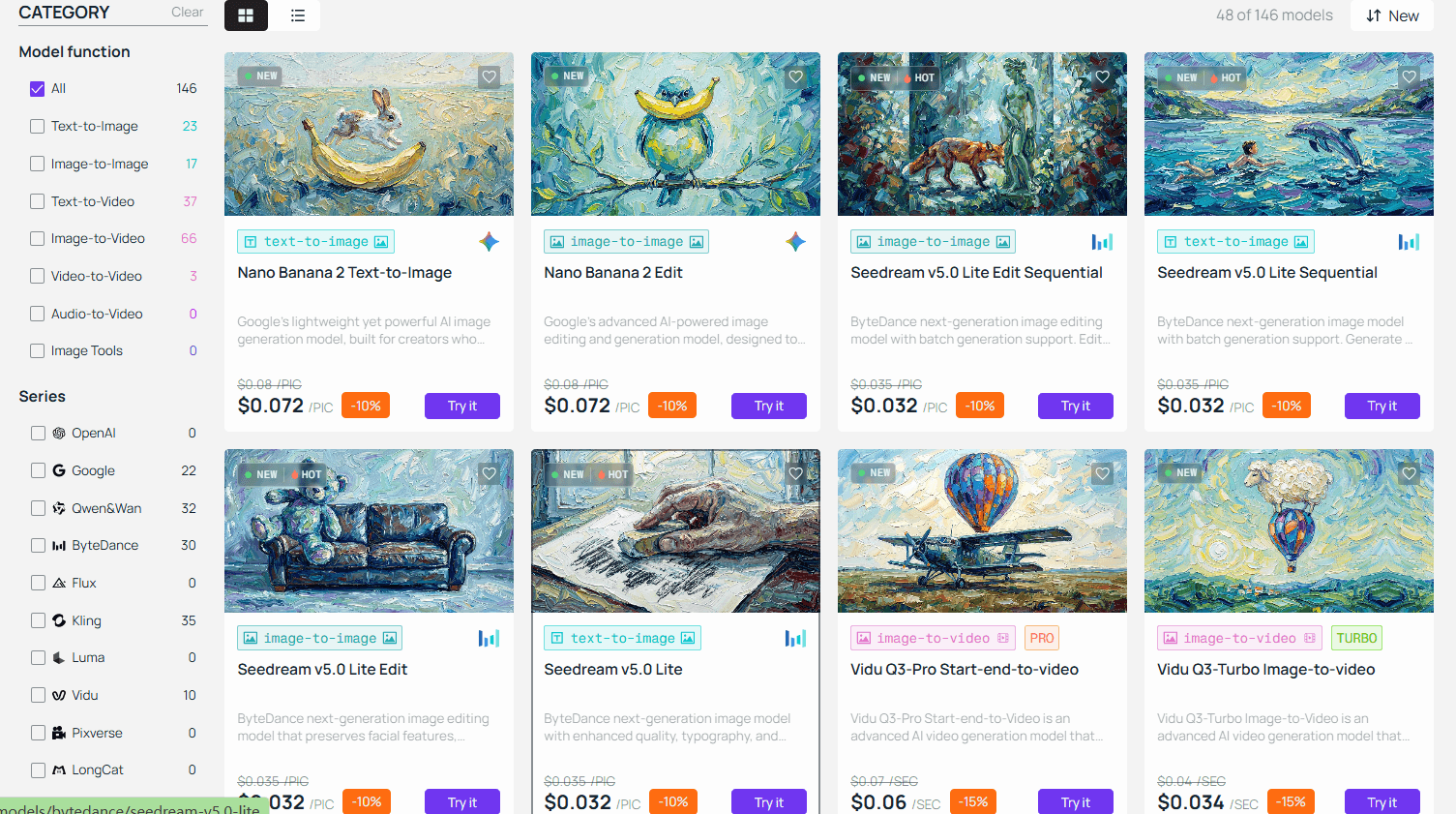
Picking the best gateway is key. It helps you get the most value out of your AI video marketing.
- Direct Access: The official Kling API is ideal for enterprise builds requiring deep, dedicated integration.
- Atlas Cloud: As a premier "Unified AI Hub," Atlas Cloud is one of the most cost-effective AI video tools for business. It offers:
- Zero-Maintenance Infrastructure: No need to manage complex GPU queues or rotation of auth tokens.
- Consolidated Billing: Pay for your Kling 3.0, Gemini, and Runway usage through a single dashboard.
- Developer Sandbox: Use the Atlas Playground to fine-tune image_reference and seed parameters before writing a single line of production code.
Sample API Payload: 3-Shot "Storyboarding" Sequence
plaintext1{ 2 "model": "kwaivgi/kling-v3.0-pro/image-to-video", 3 "input": { 4 "start_image_url": "https://your-server.com/assets/hero_main.jpg", 5 "image_reference": [ 6 "https://your-server.com/assets/hero_front.jpg", 7 "https://your-server.com/assets/hero_side.jpg", 8 "https://your-server.com/assets/hero_back.jpg", 9 "https://your-server.com/assets/hero_detail_outfit.jpg" 10 ], 11 "duration": 15, 12 "cfg_scale": 0.8, 13 "motion_has_audio": true, 14 "negative_prompt": "glasses, beard, changing clothes, de-aging, flickering background", 15 "guidances": [ 16 { 17 "index": 0, 18 "duration": 5, 19 "prompt": "Shot 1: A far shot shows the character walking down a bright, rainy street at night. The neon lights glow on the wet ground. The camera slowly moves inward with a cinematic feel." 20 }, 21 { 22 "index": 1, 23 "duration": 5, 24 "prompt": "Shot 2: A mid-shot shows the character pausing to check a hologram in their hand. [Sound: Low electronic hum and falling rain.]" 25 }, 26 { 27 "index": 2, 28 "duration": 5, 29 "prompt": "Shot 3: Extreme close-up on eyes reflecting the blue hologram. Character speaks: 'The data is here.' [Voice: Deep male, calm tone.]" 30 } 31 ] 32 } 33}
Key Developer Implementation Notes:
- Subject Binding via image_reference: Notice we provided 4 distinct angles. According to the Atlas documentation, these act as "anchors" for the 3.0 Pro model, preventing the character's facial features or outfit from shifting between Shot 1 and Shot 3.
- The guidances Array: Unlike traditional APIs where you send one prompt for one clip, Kling 3.0 uses this array to treat the 15-second generation as a single "scene." The AI handles the transitions (cuts) between shots internally.
- Native Audio Sync: By setting "motion_has_audio": true, the Video 3.0 Omni engine generates spatial sound effects and lip-syncing based on the text descriptions provided in the shot prompts.
- Background Task Handling: After you ping the https://api.atlascloud.ai/api/v1/model/generateVideo endpoint, you will get a task_id. Do not just sit and wait for the final file. Instead, review the status every 20 to 30 seconds. You may finish a high-quality 15-second clip in up to five minutes.
Other Choices: 302.ai and PiAPI offer great pay-as-you-go models that are ideal for quick prototyping and seasonal marketing for companies looking for flexibility without monthly commitments.
| Feature | Traditional Production | Kling 3.0 API (via Atlas) |
| Cost per Minute | $1,000 - $50,000 | ~$5 - $18(This is the current price range) |
| Turnaround Time | Weeks/Months | Minutes |
| Scalability | Limited by Crew | Infinite |
Conclusion
As businesses use image to video AI to reduce video production budget with AI, the return on investment for AI video marketing has never been clearer. We are entering an era where automated video editing software and Kling 3.0 make cinematic consistency accessible to everyone.
Have you mastered character continuity yet? Share your consistent character creations with us in the comments below.
FAQ
Q1: How can I prevent my character’s face from "morphing" during 15-second clips?
The most effective way is to use Element Binding. Instead of relying only on a text prompt, upload your character to the Kling Element Library using 3–4 reference images from different angles (front, side, and profile). In the Image-to-Video settings, select "Bind Elements" to lock these features. This gives the AI a "visual anchor" that prevents facial features from shifting, even during complex camera pans or lighting changes.
Q2: Does Kling 3.0 support consistent character voices along with visuals?
Yes. One of the standout features of the 3.0 Omni update is Native Voice Binding. When you create a character element in your library, you can now record or upload a 3–8 second voice sample. Kling will then extract that specific vocal "DNA," ensuring that whether your character is whispering in a close-up or shouting in an action shot, their voice remains perfectly consistent and natively lip-synced.
Q3: Can I maintain character consistency across multiple different shots?
You can definitely do that. Use the Multi-Shot Storyboarding tool in the API or Pro UI to create up to six different shots at once. The model treats these shots as one single scene instead of separate pieces. Everything looks uniform from start to finish. Your character's outfit, hair, and look stay perfectly matched. This happens even when the camera angle flips from a far shot to a tight zoom.