In the rapidly shifting landscape of the Generative AI Model, we are witnessing a transition from "magic tricks" to "professional tools." For content strategists and video editors, the primary hurdle has always been AI video consistency issues. Until recently, generating a 10-second clip was a gamble; maintaining Character consistency in AI video across multiple shots was nearly impossible.
The Evolution of "Reference-Based" AI Video
The Paradigm Shift: From "Blind Prompting" to "High-Precision Directing"
For the past two years, AI video generation felt like "blind prompting." You would type a descriptive paragraph and hope the AI interpreted your vision correctly. Seedance 2.0 represents a fundamental shift. It permits reference-based direction rather than just words.
Imagine telling a sketch artist what a face looks like versus giving them a clear photo. That is the power of these tools. Multimodal inputs let creators pin down exact visual styles. This keeps your product branding perfectly consistent through every part of a new campaign.
The Seedance Edge: Identity Locking and Motion Transfer
What sets Seedance 2.0 apart from its competitors is its ability to handle Identity Locking and Motion Transfer simultaneously. While other models might struggle to keep a character's face the same when they start dancing, Seedance 2.0 utilizes a "Reference Cluster" to bind specific traits to the generated output. This makes it an essential tool for Visual identity in marketing, where consistency is non-negotiable.
| Feature | Seedance 2.0 Capability | Marketing Impact |
| Subject Persistence | Maintains intricate facial features and clothing patterns. | Essential for character consistency AI video. |
| Motion Physics | Realistic fluid dynamics and gravity-defying hair movement. | High-end aesthetic for luxury product ads. |
| Prompt Adherence | Follows complex, multi-layered text instructions. | Reduces "trial and error" costs for agencies. |
| Resolution | Native support for high-definition cinematic ratios. | Ready for social media and digital billboards. |
Core Value Prop: The 12-Input Advantage
Seedance 2.0 supports up to 12 multimodal inputs, including:
- Text: For setting the scene and mood.
- Images: For character faces, clothing textures, and environment styles.
- Video: For specific camera movements or physical choreography.
- Audio: (In developer versions) For synchronizing rhythm and timing.
This level of frame-level control is what transforms an AI tool into a professional digital cinematography suite.
How to Obtain Access: Consumer vs. Enterprise Routes
Accessing Seedance 2.0 depends on your specific needs—whether you are an individual hobbyist or a corporation looking to integrate AI into a global visual identity in marketing campaign.
Method 1: The Creator Path (Jimeng/Dreamina)
For independent creators and social media influencers, the most direct route is through Jimeng (formerly known as Dreamina), ByteDance’s flagship creative suite.
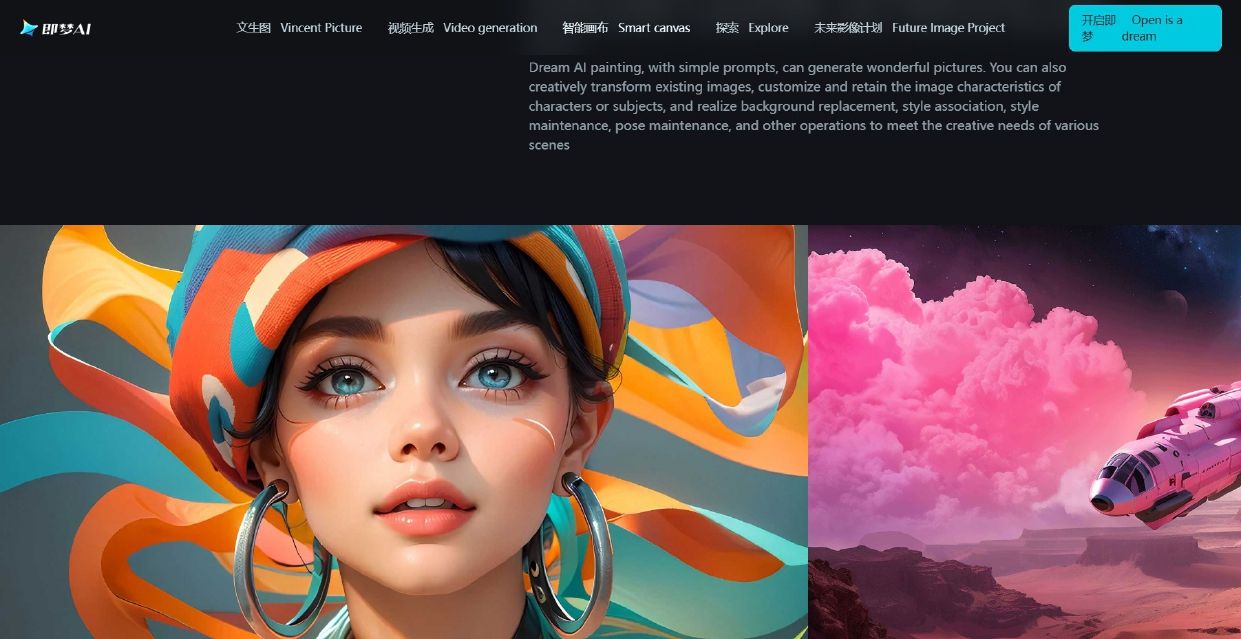
- Access Portal: jimeng.jianying.com
- Login Requirements: A valid Douyin, Chinese version of TikTok account is mandatory.
- The "Credit" System: Jimeng operates on a daily refresh of free credits. High-resolution exports and priority rendering typically require a "Pro" subscription.
Pro Tip: Jimeng is excellent for rapid prototyping. If you are testing a new product branding strategy, you can generate 10-15 variations of a concept in minutes to see how the lighting interacts with your virtual product.
Method 2: The Enterprise/Developer Route (API & Cloud)
For businesses that require high-volume output or custom app integration, the "consumer" web interface is often too restrictive. This is where professional cloud providers come in.
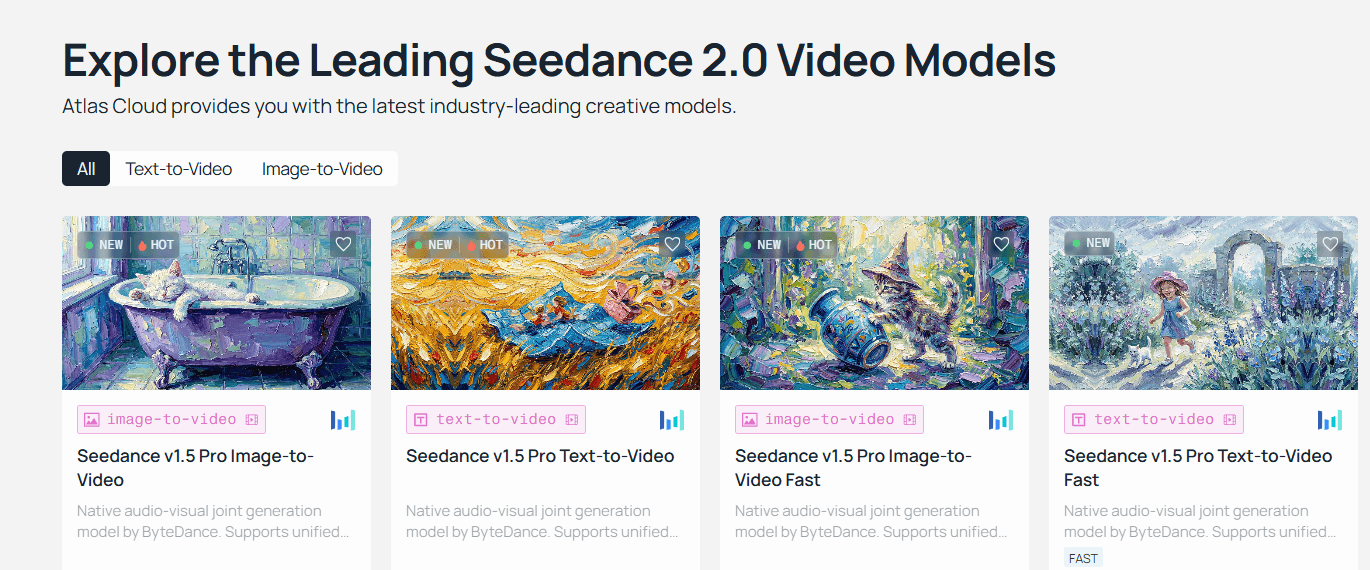
Case Example: Atlas Cloud (atlascloud.ai)
Platforms like Atlas Cloud act as a bridge, providing high-speed, scalable access to the VolcEngine (BytePlus) ecosystem. According to Atlas Cloud’s Seedance Documentation, users can bypass many of the regional hurdles associated with direct Chinese accounts while gaining professional-grade stability.
Why Choose Enterprise Access?
- Higher Concurrency: Run multiple video generations simultaneously.
- API Integration: Connect Seedance 2.0 directly to your own CMS or marketing dashboard.
- Commercial Rights: Clearer pathways for usage rights in paid advertisements.
Seedance 2.0 Tutorial: Navigating the Enterprise Console
To initiate Seedance 2.0 via a professional cloud environment, follow these steps:
- Login to Console: Access your provider's dashboard (e.g., VolcEngine or Atlas Cloud).
- Locate ModelArk: Navigate to the ModelArk section, which serves as the model repository.
- Select Vision Model: Filter by category to find Vision Models.
- Deploy Doubao-Seedance-2.0: Select the latest version to generate your API keys.
Example: Basic API Request Structure (Python)
Python
plaintext1import requests 2 3api_url = "https://api.atlascloud.ai/v1/video/generations" 4headers = { 5 "Authorization": "Bearer YOUR_API_KEY", 6 "Content-Type": "application/json" 7} 8 9data = { 10 "model": "doubao-seedance-2.0", 11 "prompt": "Cinematic close-up of a high-tech watch, neon lighting, water droplets on the glass, 4k, hyper-realistic", 12 "image_url": "https://yourlink.com/product_photo.jpg", # For Image-to-Video"consistency_level": "high" 13} 14 15response = requests.post(api_url, json=data, headers=headers) 16print(response.json())
Method 3: Mobile & Global Workarounds
If you prefer working on-the-go, ByteDance has integrated the Seedance engine into several mobile ecosystems:
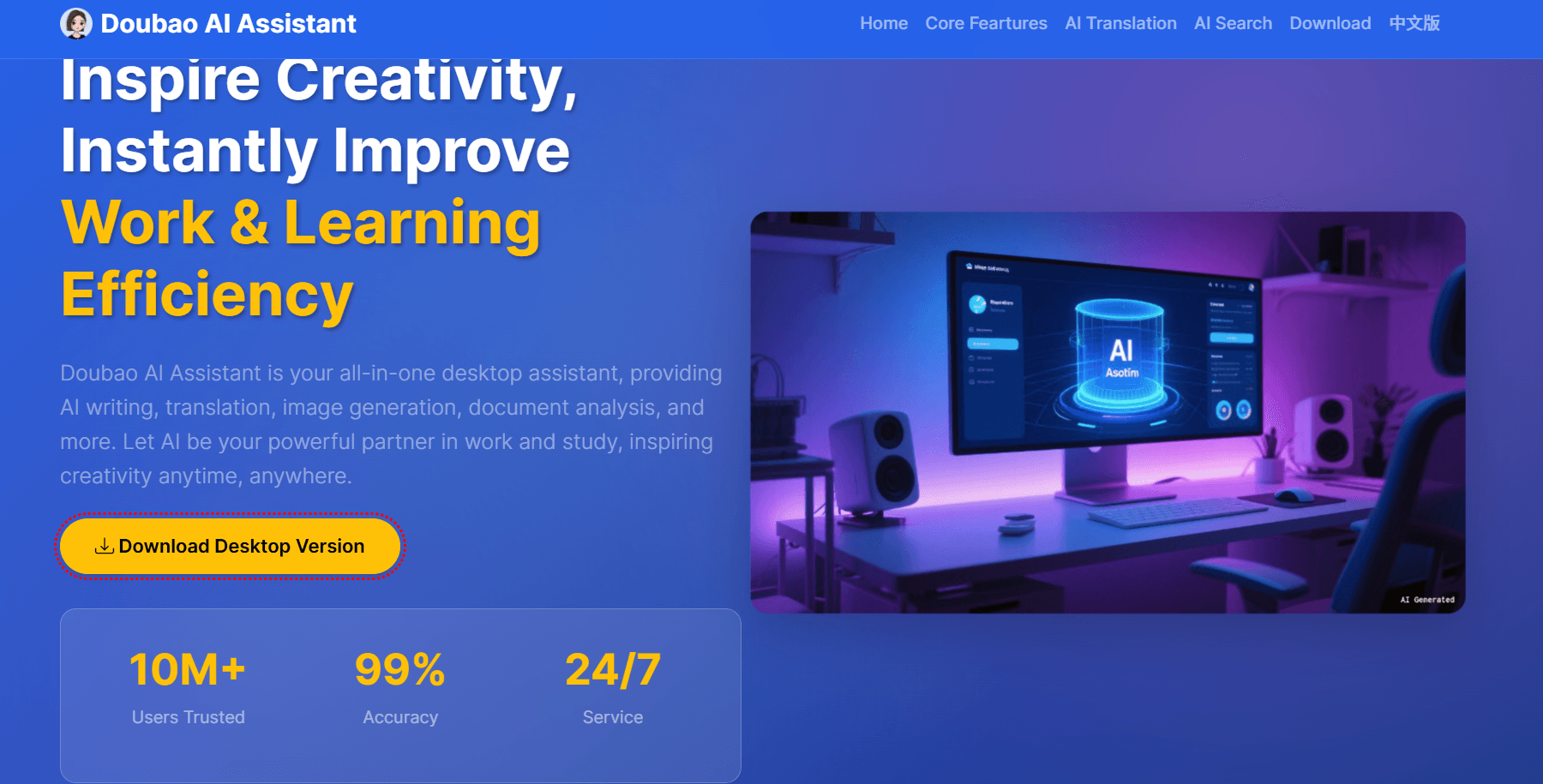
- Doubao App: The primary AI assistant in China. It features a "Video Generation" module where users can input simple prompts.
- Xiao Yunque: A developer-focused mobile tool for testing model parameters.
Regional Considerations: Users outside of mainland China may face "Identity Verification" prompts. Often, these require a Chinese phone number (+86). For global marketing teams, utilizing an international provider like Atlas Cloud is the recommended way to circumvent these network requirements and ensure 24/7 uptime.
Operation Guide: Setting Up Your "Digital Set" with Seedance 2.0
Transitioning from experimental AI art to professional-grade production requires more than just a good prompt; it requires a structured workflow. In this section, we break down the mechanics of the Seedance 2.0 tutorial for setting up what we call a "Digital Set." By treating the AI interface like a film studio, you can bypass common AI video consistency issues and deliver high-impact results for any product branding strategy.
Aspect Ratio Strategy: Choosing Your Canvas
In multimodal AI marketing, the medium dictates the message. Seedance 2.0 supports a variety of aspect ratios, but choosing the right one at the start is critical because "re-cropping" AI video later often leads to a loss in resolution and quality.
Comparison of Primary Aspect Ratios
| Aspect Ratio | Primary Use Case | Strategy for Brands |
| 9:16 (Vertical) | TikTok, Instagram Reels, Shorts | Best for high-energy mobile ads and visual identity in marketing focused on Gen Z. |
| 16:9 (Cinematic) | YouTube, TV, Desktop Banners | Ideal for storytelling, brand documentaries, and high-fidelity cinematic trailers. |
| 1:1 (Square) | Instagram Feed, LinkedIn, Meta Ads | Great for product-focused close-ups where the subject needs to remain centered. |
| 21:9 (Ultrawide) | Theatrical Teasers | Specialized for "epic" world-building or high-end luxury advertisements. |
Pro Tip: If your product branding strategy spans multiple platforms, generate in 16:9 first. Seedance 2.0’s "World Model" logic ensures that the peripheral details are rich enough that you can often crop into a 9:16 frame without losing the core character consistency AI video elements.
Asset Loading Logic: The Reference Cluster
The standout feature of this Generative AI Model is its ability to ingest a "Reference Cluster." Unlike older models that relied on a single image, Seedance 2.0 allows for a structured hierarchy of inputs to lock in your brand’s look.
Organizing the Reference Cluster (9 Images + 3 Videos)
To maximize the multimodal engine, you should populate your 12-slot asset limit strategically:
- The 9-Image Identity Stack:
- Slot 1-3: Character/Product "Mugs" (Front, Profile, 45-degree angle).
- Slot 4-6: Style & Lighting (Color palette, shadow depth, grain).
- Slot 7-9: Environment/Background (The specific "set" where the action occurs).
- The 3-Video Motion Stack:
- Video 1: Movement Reference. This defines how your character walks or how a product spins.
- Video 2: Camera Reference. Use this for a handheld shake, a whip-pan, or a dolly zoom.
- Video 3: VFX/Atmosphere. This provides a reference for smoke, rain, or lens flares.
The "Golden Ratio": Identity vs. Motion
One of the biggest hurdles in AI image to video workflows is "Identity Drift"—where a face starts looking like a different person as soon as they move. To counter this, professional editors use the Golden Ratio of Conditioning.
The Golden Ratio: 70% Identity Reference + 30% Motion Reference.
When using the @ command system in Seedance 2.0, you must weight your prompt to favor identity. If you give the AI too much "Motion Reference," it will prioritize the movement of the source video over the features of your product, causing the logo or face to "melt."
Prompt Implementation Example:
To maintain character consistency AI video results, use the following structure: "@Image1 (70% weight) provides the exact facial features and clothing of the subject. Reference the walking motion of @Video1 (30% weight) but do not change the subject's face."
Technical Constraints & Cinematic Standards
To achieve professional results, you must work within the native limits of the hardware. Seedance 2.0 is built for cinematic motion, which follows specific industry rules.
Interpreting 24fps (The Cinematic Standard)
Seedance 2.0 defaults to 24fps (frames per second). In film, this is the magic number that creates "motion blur" that looks natural to the human eye.
- Avoid 60fps for Drama: Generating at higher frame rates can often result in the "Soap Opera Effect," making your AI video look cheap or hyper-realistic in an uncanny way.
- Physics Adherence: At 24fps, Seedance 2.0’s physics engine correctly calculates the "weight" of objects. A glass shattering at 24fps will have the correct motion blur on the flying shards.
The 15-Second Duration Limit
Currently, the model has a single-generation limit of 15 seconds. While this may seem short, it is actually the industry standard for a social media “hook.”
| Generation Strategy | Technique | Use Case |
| The One-Shot | A single 15s continuous take. | High-end product showcase. |
| The Multi-Shot | Using the prompt to command "Shot 1... Shot 2... Shot 3..." | A complete 15s commercial with cuts. |
| The Extension Loop | Using the "Extend" feature to add 5s increments. | Long-form storytelling (60s+). |
Practical Guide: The "Director" Prompt Formula
When you are ready to hit generate, use this "Operation Code" style for your prompt to ensure all assets are utilized:
The Manual Override Code:
Plaintext
plaintext1/model: seedance-2.0 2/ratio: 16:9 3/assets: @Image1(Subject), @Image2(Environment), @Video1(Camera) 4PROMPT: @Image1 is a CEO standing in the center of @Image2. 5Action: Walking toward camera with a confident smile. 6Camera: Replicate the slow dolly-in from @Video1. 7Lighting: 4k cinematic, soft rim light, 24fps.
By following this Seedance 2.0 tutorial and respecting the AI video consistency issues inherent in the tech, you can transform a simple generative AI model into a full-scale production house. Whether you are building a visual identity in marketing or a complex multimodal AI marketing funnel, these "Digital Set" rules are your blueprint for success.
The "Secret Code": Mastering @-Tag Syntax in Seedance 2.0
If previous AI video tools were like pulling a slot machine lever and hoping for the best, Seedance 2.0 is like stepping onto a professional movie set with a full crew. The key to this transition from "random generation" to "intentional direction" lies in a powerful new feature: the @-Tag Syntax.
For marketing professionals and content creators, mastering this "secret code" is the only way to effectively solve AI video consistency issues and execute a truly cohesive product branding strategy.
The Logic of Binding: How the "Director" Thinks
The core breakthrough of the Seedance 2.0 Generative AI Model is its quad-modal architecture. Unlike traditional models that prioritize text and treat images as secondary "hints," Seedance 2.0 uses a system called Binding Logic.
When you upload a file, the model doesn't just look at it—it "binds" the specific tokens of that file to your text prompt. The @ symbol acts as a bridge, telling the AI exactly which part of your prompt should be governed by which uploaded asset. This allows for a level of multimodal AI marketing precision previously unavailable to the public.
| Component | Role in the "Binding" Process |
| Text Prompt | The "Director’s Instructions" (Actions, mood, lighting). |
| Reference Assets | The "Actors & Set" (Fixed visual and auditory data). |
| @-Tag Syntax | The "Connection" (Linking instructions to specific assets). |
Reference Roles & Syntax Breakdown
To master the Seedance 2.0 tutorial, you need to know how each tag works. For one generation, you can upload 12 files at once: 9 images, 3 videos, and 3 audio clips.
@Image: The Identity Lock
The @Image tag is primarily used for Character consistency AI video. By tagging an image, you tell the model: "This is the constant."
- Primary Use: Locking facial features, clothing textures, or specific product logos.
- Pro Tip: Use @Image1 for the subject's face and @Image2 for a high-resolution texture of the product material.
@Video: The Action Sync
If you've ever tried to describe a complex "dolly zoom" or a specific "martial arts kick" with text, you know how difficult it is. @Video solves this via Action Transfer.
- Primary Use: Replicating camera tracking, specific choreography, or physics (like the way a liquid pours).
- Syntax Rule: The AI will extract the motion path from the video but apply the visuals from your images or text.
@Audio: Rhythmic Guidance
Seedance 2.0 is a native audio-visual model. It doesn't just add music after the video is done; it generates the video to the audio.
- Primary Use: Matching camera cuts to a beat or ensuring lip-sync matches a voice-over.
- Impact: This is essential for visual identity in marketing where the "vibe" and pacing of a commercial are as important as the visuals.
The "Director’s Template" Matrix
To help you get started, we have developed a matrix of "Director’s Templates." These are proven prompt structures that utilize AI image to video technology with maximum control.
A. Character Consistency Template
Use this when you need a character to remain identical across different scenes of a brand story.
- The Stack: @Image1 (Front view) + @Image2 (Side profile).
- Prompt Example:
"Using the character identity in @Image1 and @Image2, show the character walking through a futuristic office. Maintain the exact jacket texture from @Image1. Cinematic lighting, 4k."
B. Action Transfer Template
Use this for high-precision motion, such as a product reveal or a complex human movement.
- The Stack: @Image1 (The Product) + @Video1 (The desired motion).
- Prompt Example:
"Apply the 360-degree rotation path of @Video1 to the product shown in @Image1. The background should be a clean marble surface with soft shadows. Ensure @Image1's logo remains sharp and unwarped."
C. The Full Multimodal "Hero" Spot
For a complete 15-second commercial, you can combine all three.
- The Stack: @Image1 Product + @Video1 Dynamic Camera + @Audio1 High-energy track.
- Prompt Example:
"A high-impact commercial for @Image1. Replicate the aggressive tracking shot from @Video1, hitting the visual transitions on the heavy bass drops of @Audio1. Style: Neon-noir, high contrast."
Practical Guide: Operation Codes for Developers
If you are accessing Seedance 2.0 via an API, such as through Atlas Cloud, your "code-style" prompts will look a bit different. Below is a practical example of how to structure a request to ensure the @-tags are recognized by the model.
Operation Code Example:
JSON
plaintext1{ 2 "model": "doubao-seedance-2.0", 3 "prompt": "The subject in @Image1 performs the choreography from @Video1. Atmosphere: Soft morning light, 24fps.", 4 "images": ["url_to_character_face.jpg"], 5 "videos": ["url_to_dance_reference.mp4"], 6 "audio": ["url_to_background_track.mp3"], 7 "control_settings": { 8 "identity_strength": 0.85, 9 "motion_fluidity": "high" 10 } 11}
Best Practice Tips for @-Tagging
To avoid "jelly-like" movements or character morphing, adhere to these factual guidelines based on recent model benchmarks:
- Resolution Matters: Always use 2K or 4K reference images. If @Image1 is blurry, the Character consistency AI video will fail as the AI tries to "hallucinate" the missing details.
- Tag Hierarchy: The model weights tags based on their order. If the subject is your priority, place @Image1 at the very beginning of your prompt.
- Avoid Contradictions: Do not ask for "fast motion" in your text prompt if your @Video1 reference is a "slow-motion" clip. This creates a "logic loop" that results in flickering.
- Duration Sync: Ensure your @Audio1 and @Video1 references are the same length as your desired output (e.g., 10 seconds) to ensure the Rhythmic Guidance is accurate.
By mastering this Seedance 2.0 tutorial and the @ tagging system, you move from being a user of AI to being a true digital director. This level of control is what will define the next generation of multimodal AI marketing.
Pro Tips for High-Quality Output
To truly excel in Multimodal AI marketing, you need to think like an editor, not just a prompter.
Humanizing the Prompt
Avoid robotic, comma-separated lists. AI models are increasingly trained on natural language.
- Robotic: "Woman, @Image1, dancing, @Video1, sunset, 4k, cinematic."
- Humanized: "Taking the visual identity of the woman in @Image1, recreate the graceful contemporary dance seen in @Video1, set against the warm glow of a Mediterranean sunset."
The Iteration Loop
Never commit to a 15-second render immediately.
- Run a 4-second "test take" to see if the identity lock holds.
- Adjust weights if the face is drifting.
- Once the style is locked, render the full duration.
If you are publishing this content online, remember that search engines are now "reading" video metadata and transcripts.
- Tip: Use structured schema markup for your videos.
- Tip: Include clear, descriptive alt-text that mentions your core keywords like Seedance 2.0 and Visual identity in marketing.
Troubleshooting: Solving Common "Bloopers"
Even with a senior-level setup, AI can be finicky. Below are common problems and solutions.
Problem: "Why is my character morphing?"
- The Cause: Conflict between your text prompt and the @Image reference. If your prompt says "a tall man" but @Image1 is a "short man," the AI will hallucinate a middle ground.
- The Solution: Cut down on wordy details about your subject. Let the @Image tag handle the visual work. Use a sharp, high-resolution photo without any watermarks.
Problem: "The movement is too jittery."
- The Cause: The motion in @Video1 is too complex for the current frame rate or resolution.
- The Solution: Simplify the motion reference. Use clips with high contrast between the subject and the background. Ensure the reference video's frame rate matches your output 24fps.
Problem: "Prompt Ignored."
- The Cause: Overcrowding the prompt with too many keywords.
- The Solution: Use the "Prompt Humanization" technique. Instead of listing 50 adjectives, use 2-3 strong verbs and clear @-Tag anchors.
Market Comparison: Seedance 2.0 vs. The "Big Three"
How does Seedance 2.0 stack up against the competition in the AI image to video space?
td {white-space:nowrap;border:0.5pt solid #dee0e3;font-size:10pt;font-style:normal;font-weight:normal;vertical-align:middle;word-break:normal;word-wrap:normal;}
| Model | Core Strength | Control Level | Best Use Case |
| Seedance 2.0 | Multimodal Ref | High (Directorial) | Consistent characters & precise action |
| Kling 3.0 | Motion Fluidity | Medium-High | Complex human anatomy & 4K/60fps |
| Sora | Physics Realism | Low-Medium | World-building & cinematic B-roll |
| Veo 3.1 | Google Ecosystem | Medium | Integrated workflows & native audio |
While Sora excels at "dream-like" physics and Kling offers incredible smoothness, Seedance 2.0 is the only model that gives you the "Director’s Chair" by allowing you to force the AI to follow your specific visual references.
Conclusion: The Future of AI Cinematography
Seedance 2.0 is more than just another Generative AI Model; it is a bridge between AI randomness and professional precision. By mastering the @-Tag syntax and leveraging enterprise routes like Atlas Cloud, creators can finally solve the age-old problem of AI video consistency issues.
Whether you are building a Product branding strategy or a cinematic short film, the ability to "direct" rather than just "prompt" is the future of digital storytelling.
Have you tried the @-Tag system yet? Share your first result or a "Secret Code" that worked for you in the comments below!
FAQ
Is Seedance 2.0 free?
The consumer version (Jimeng) offers limited free daily credits. Professional and high-volume usage usually requires a paid subscription or an enterprise API account through VolcEngine or partners like Atlas Cloud.
How to use Seedance API?
To use the API, you must register a developer account on VolcEngine. Once verified, you can access the "ModelArk" section to generate API keys. For a more streamlined international experience, visiting Atlas Cloud is recommended for documentation and easy integration.
Can I use Seedance 2.0 for commercial branding?
Yes, provided you use the enterprise/developer version which typically includes commercial usage rights. Always check the specific terms of service on the platform you are using (Jimeng vs. VolcEngine) to ensure compliance with your Product branding strategy.