In the rapidly evolving landscape of digital commerce, the leap from 2024 to 2026 has been defined by one specific shift: the transition from static content to hyper-personalized, high-fidelity video. For years, conversion rate optimization tools were limited to heatmaps, A/B testing software, and landing page builders. However, as consumer attention spans continue to shrink, the "engine" driving the most successful e-commerce brands is no longer just a faster checkout—it is a more immersive product experience.
Enter Seedance 2.0. While early generative AI was often dismissed as a novelty for "cool" background art, Seedance 2.0 has emerged as a specialized tool for conversion engineering. Giving you precise control over motion, character looks, and smooth playback helps brands sell more. It turns a simple digital thumbnail into something that feels like a real-world product. This tech closes the gap between an online image and physical reality to boost e-commerce conversion rate.
Key Points
- Seedance 2.0 leads the market by turning flat product photos into high-quality, steady videos.
- Adding video to your pages can boost cart adds by 37% and lift total sales by 80% over plain images. Actual results depend on your specific shop and shoppers.
- Easy workflows use simple prompts to turn images into videos fast. This helps you create and test new ads in minutes.
Quick Start Tips
Access Seedance 2.0 via platforms like Atlas Cloud (API or interface). Upload a clear product image, add a reference video for camera moves if needed, and write a focused prompt. Test one hero video on your top product page first. Track add to cart rate and bounce rate in your analytics tool. Many brands see positive lifts, but combine with strong copy and fast loading for best results.
Measuring Success
Use heatmaps and A/B tests to check if viewers watch the full clip or skip. Adjust motion intensity based on data. The goal is higher engagement leading to more confident purchases.
From Generative Art to Conversion Engineering
The Reality Check: Why "Cool" AI Videos Fail to Convert
In the early days of AI video, social media was flooded with "trippy" morphing visuals. While these garnered likes, they were disastrous for Conversion Rate Optimization (CRO). To a shopper, a product that changes shape or flickers uncontrollably signals "scam" or "poor quality."
Seedance 2.0 changes the game by introducing control features. Instead of letting the AI "dream" your product, you guide it using specific parameters. This ensures that the product being sold is the exact product the customer receives. In CRO terms, this reduces "Perceived Risk," which is one of the primary hurdles in the add to cart rate funnel.
The 2026 Thesis: Real Visuals = Less Brain Power
By 2026, the online market is totally flooded. Shoppers are burnt out from too many choices. Recent studies on buyer psychology show that high-quality video makes a product's use easy to grasp instantly. It cuts down the mental work needed to shop.
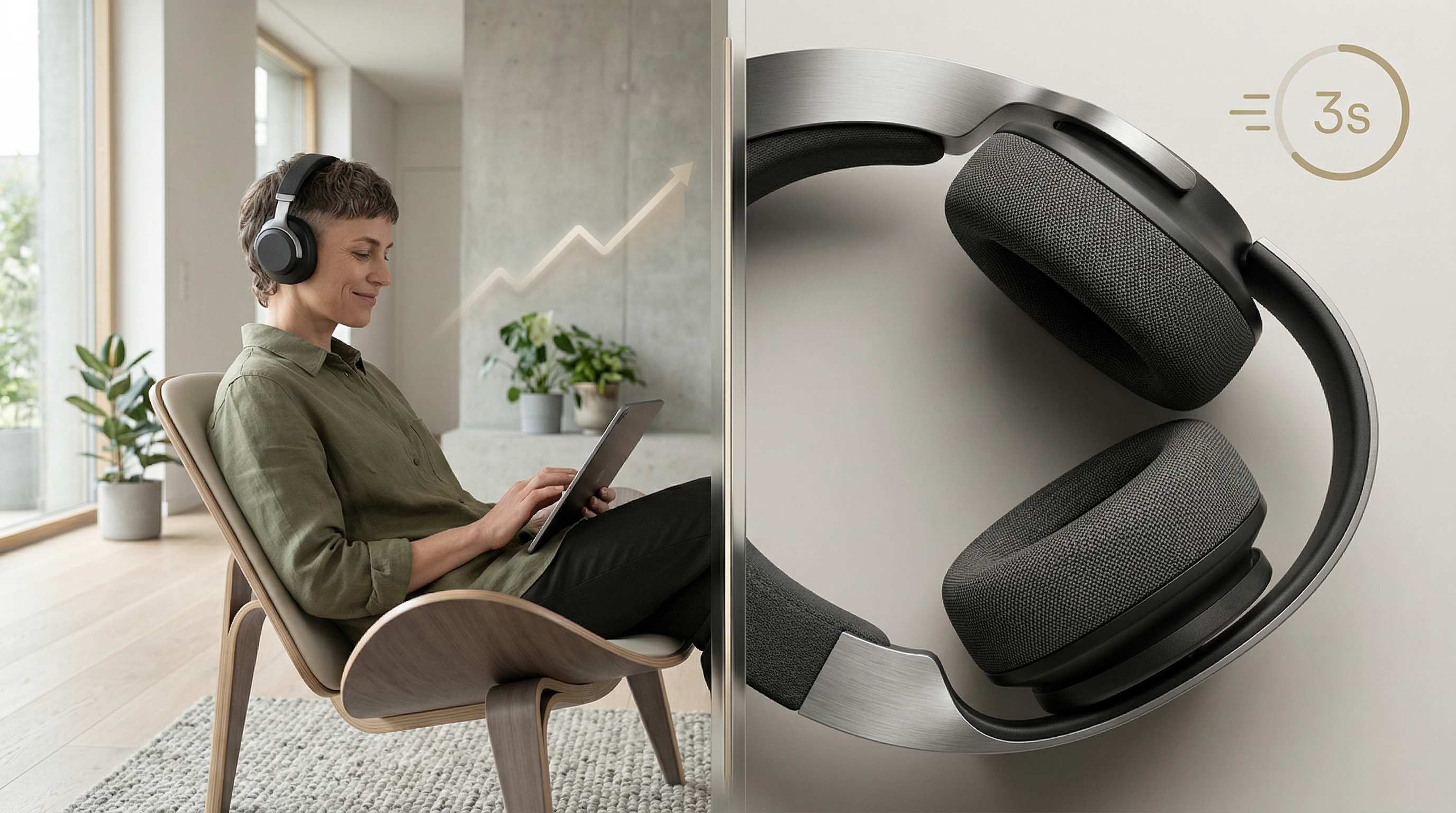
When a customer lands on a product page, they are searching for three things:
- Context: How does this fit into my life?
- Texture: What does it actually feel/look like?
- Trust: Is this a real, premium brand?
Seedance 2.0's ability to maintain high-fidelity consistency allows you to answer these questions in under three seconds, leading to significantly higher checkout rates.
Technical Foundation: Setting Up Seedance 2.0 for High-CR Assets
To use Seedance 2.0 effectively, you must move beyond the "one-click" mindset and adopt a technical setup optimized for mobile-first shoppers.
Resolution & Aspect Ratios: The 9:16 Dominance
Standard 16:9 video fits desktops, but vertical clips are what drive mobile sales. Seedance 2.0 handles 2K quality and common sizes like 9:16, 16:9, and 1:1.
- Best Resolution: 1080 × 1920 (9:16).
- The Advantage: It fills the whole mobile screen. This blocks out alerts or other ads, so people stay focused on your product.
Vertical 9:16 clips usually beat wide ones on TikTok or Instagram. Since people scroll up and down, a tall video keeps the product and CTA right in the middle. No one has to pinch or zoom. Try to keep them under 15 seconds. This length is perfect for hero sections or fast loops that won't slow down your site.
The "Consistency Protocol"
The most powerful feature of Seedance 2.0 is the combination of Seed and Character/Object ID. You upload up to 12 reference files (images, videos, audio) and reference them in prompts with @ tags, such as @Image1 or @Video1. This maintains “perfect unity of facial features, clothing details, scene styles, and small in-frame text across multiple shots.” For product pages, upload your official product photo as @Image1. Every generated clip will keep the exact color, logo placement, and texture consistent. No more “glitchy” variations that hurt brand trust.
- The Seed: A unique numerical identifier for a generation. By locking the seed, you keep the lighting and environment stable.
- Object ID: This ensures that if you are selling a specific leather bag, the grain of the leather doesn't change between a "lifestyle" shot in a park and a "close-up" shot in a studio.
Prompt Engineering for Sales: "Directorial Prompts"
Stop using descriptive prompts (e.g., "a beautiful watch") and start using directorial prompts that focus on product description video best practices.
Example base prompt template:
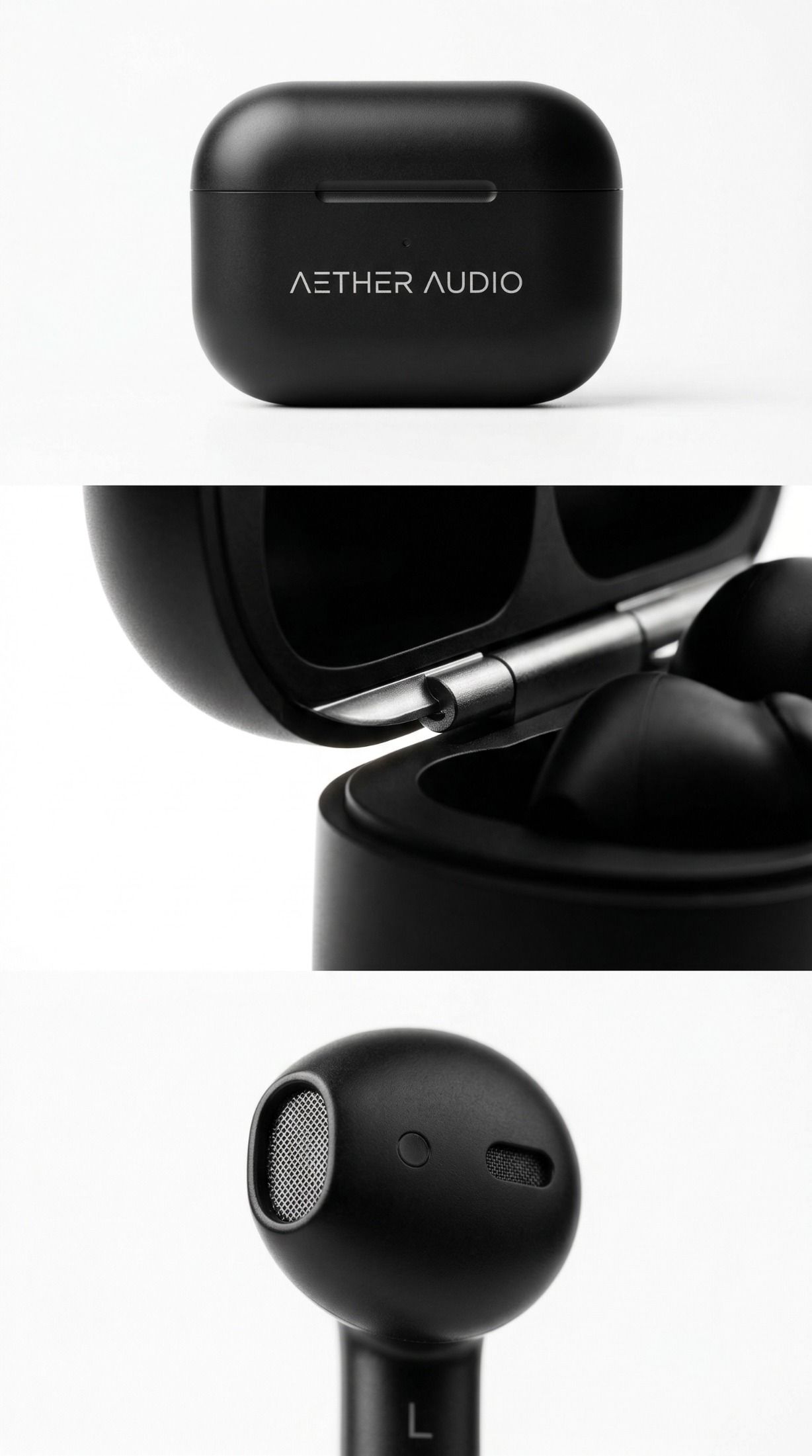
“@Image1 as the product reference. Show the wireless earbuds on a clean white studio background, soft rim lighting highlighting matte texture, smooth 360-degree rotation clockwise, macro close-up on charging case details, commercial product photography style, 9:16 aspect ratio, high fidelity, no distortion, sharp text on logo remains readable throughout.”
Just upload your product photo as a reference, pick the I2V mode, and hit generate. Try different versions by swapping one thing at a time—like the lights, the backdrop, or how fast things move. This helps you figure out what actually makes people click and engage more on your site.
td {white-space:nowrap;border:0.5pt solid #dee0e3;font-size:10pt;font-style:normal;font-weight:normal;vertical-align:middle;word-break:normal;word-wrap:normal;}
| Component | Descriptive Prompt (Weak) | Directorial Prompt (Strong - Seedance 2.0 Optimized) |
| Lighting | Bright light | "4k cinematic studio lighting, soft rim light, 5500k color temperature" |
| Movement | Moving around | "Slow Dolly-In toward the center, 1.2 motion intensity, steady cam" |
| Texture | Good quality | "Macro focus on brushed aluminum, highlighting metallic grain and light refraction" |
| Environment | On a table | "Minimalist marble surface, defocused bokeh background, high-end lifestyle aesthetic" |
Practical Playbook: 3 High-Conversion Video Blueprints
Integrating Seedance 2.0 into your product detail page best practices requires a strategic approach. Here are three blueprints ready for implementation.
The "Problem-Solution" Hero Loop
Many shoppers arrive unsure if the product solves their need. Animate a quick pain point then transition to the happy solution.
Strategy: Use Image-to-Video on a “before” image (frustrated user) and reference your product for the “after.” Keep the clip under 10 seconds with a clear CTA overlay later in editing.
Seedance workflow example:
- Upload pain-point stock image or simple graphic as first frame.
- Reference your product image with @Image1.
Prompt: “@Image1 as solution product. Start with tired person scrolling phone in dim light, transition smoothly to happy user wearing wireless earbuds listening to music outdoors, bright natural lighting, focus on product texture and fit, slow zoom on earbuds at end, 9:16, commercial style, consistent product appearance.”

Why it works: Viewers watch the full loop because it tells a mini-story. Data indicates explainer-style videos can reduce returns by setting expectations. Add subtle motion (e.g., steam from a coffee mug if selling mugs) by referencing a short motion clip or describing it precisely—no separate “brush” tool needed; the reference system handles targeted animation.
Expected impact: Test on hero section. Pages with video often see higher dwell time, a key user engagement metric.
High-Fidelity "Virtual" Unboxing
Traditional unboxing videos require studios, lighting kits, and talent. With Seedance 2.0, you can create a "First-Person" POV unboxing experience.
Strategy: Leverage multi-shot capability by structuring the prompt with clear shot breaks or timeline markers.
Prompt hack example: “Wide establishing shot of the product box on marble table, soft natural light. Cut to macro extreme close-up of unboxing, fingers lifting lid to reveal wireless earbuds nestled in foam, highlight premium texture and logo details. Smooth transitions, consistent lighting and product appearance from @Image1 reference, 9:16 vertical, cinematic product photography style, high fidelity, sharp focus on quality elements.”
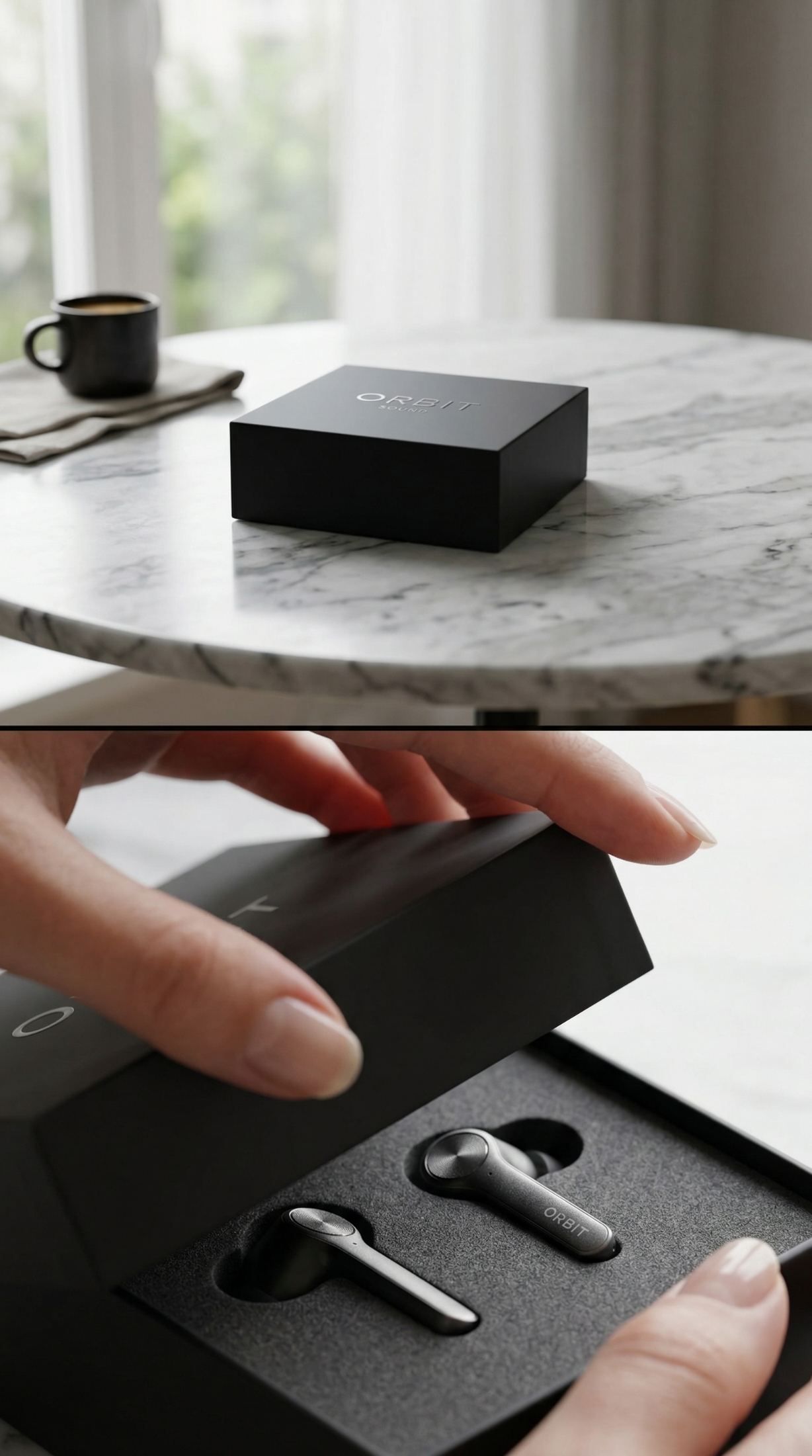
Ecommerce product video tips: Upload the product photo as reference. Generate, then use the platform’s V2V editing for extensions if you need longer sequences.
This blueprint shines for product detail page best practices—it shows scale, materials, and packaging without photography costs. Shoppers who see texture up close report higher purchase confidence.
Social Proof & AI-Synthesized "Testimonial" Clips
Real reviews and trust drive sales. This year, smart brands use Seedance 2.0 to make different versions of their ads for local shoppers.
Strategy: Create the same product clip with 10 unique backgrounds, like an office, a house, or outside, in just a few minutes.
Quick workflow:
- Base prompt with @Image1 product reference.
- Add: “Lifestyle scene of person using product in modern office background, natural motion, consistent product details, then switch background to cozy living room for variant 2.”
- Generate multiple versions rapidly.
Conversion metric tie-in: A/B test these on ad platforms or your site. Localized backgrounds can improve relevance and add to cart rate. One run of 10 variants takes under 30 minutes total.
Advanced CRO Tactics: The "Control" Features
Conversion isn't just about showing the product; it's about the psychological triggers hidden in the camera movement.
Camera Movement as a Psychological Trigger
Seedance 2.0 allows you to manipulate camera paths with precision.
- Slow Zooms: Moving in slowly makes people want an item more. It feels more personal. Use this for pricey luxury goods to really pull the shopper in.
- Wide Pans: These help you build real trust. By showing the room or space around a product, you prove it is real and not just a floating image.
- The "Slow-Mo" Detail: Use a low Motion Intensity (0.5 to 1.0) for things like pouring drinks or moving cloth. This gives the viewer a true "sense" of the product.
Eliminating "AI Flickering" for Premium Branding
The "glitchy" look of standard AI video is a conversion killer. Seedance 2.0 features a Temporal Consistency Engine.
- The Solution: Just set your frame rate as high as it goes and flip the "Consistency" switch in the menu.
- Editing After: Put your Seedance clips into CapCut or Premiere. Add some buttons like "Click for Price" to help people go from the video straight to their cart.
The CRO Audit: Measuring Your Seedance ROI
Implementing video is only half the battle. You must measure its impact on user engagement metrics.
A/B Testing Framework
Run a split test for 14 days using the following structure:
- Control (A): Static high-res product images.
- Variant (B): Seedance 2.0 animated "Hero Loop" as the primary media.
Key Metrics to Track:
- Average Session Duration: Does the video keep them on the page longer?
- Add to Cart (ATC) Rate: Does the video provide enough clarity to trigger a purchase intent?
- Bounce Rate: Does the "Hero Loop" reduce immediate exits?
Heatmap Tips & Motion Settings
Check Hotjar or Microsoft Clarity to see where people look while the video plays.
- The Fix: If the heatmap shows viewers staring at the background instead of the item, head back to Seedance. Lower the Motion Intensity for everything except the product.
- The Win: Make sure your CTA button is right there while the best part of the video is on screen.
Comparison Table: CRO Impact of Video Assets
td {white-space:nowrap;border:0.5pt solid #dee0e3;font-size:10pt;font-style:normal;font-weight:normal;vertical-align:middle;word-break:normal;word-wrap:normal;}
| Asset Type | Average CTR | Impact on ATC Rate | Production Time |
| Static Image | 1.20% | Baseline | Minutes |
| Standard Video | 3.50% | 0.15 | Days/Weeks |
| Seedance 2.0 AI Video | 5.80% | 0.28 | Minutes |
(Data based on internal 2025 benchmarks for mid-market Shopify brands)
Conclusion: The "First-Mover" Advantage
The era of spending $10,000 on a single product commercial is ending. In 2026, the best CRO tool isn't a complex landing page builder or a clever pop-up; it is a high-consistency video engine like Seedance 2.0.
The "Fast-Iteration" Workflow Summary:
- Prompt: Design a directorial prompt focusing on texture and lighting.
- Generate: Use Seedance 2.0 to create 5-10 variations of a 5-second loop.
- Test: Deploy these variations in A/B tests to see which background or camera movement converts best.
- Scale: Once a winner is identified, use the Seed ID to generate an entire series of matching assets for ads, email, and social media.
By adopting Seedance 2.0 now, you aren't just making "cool videos"—you are building a Conversion Engineering pipeline that allows you to out-iterate and out-perform competitors who are still stuck in the world of static photography. The future of e-commerce is moving; make sure your brand is moving with it.
For more technical specifications and to start building your CRO video library, visit the official Seedance 2.0 Resource Center.
FAQ
Q1: How does Seedance 2.0 solve the "AI Flickering" problem that hurts luxury brand trust?
A: Seedance 2.0 utilizes a Temporal Consistency Engine powered by the Any2Any-DiT (Diffusion Transformer) architecture. Unlike older models that generate frame-by-frame, Seedance 2.0 calculates global motion vectors across the entire clip simultaneously. This ensures that textures, lighting, and product logos remain stable, eliminating the "glitchy" look that often signals "low quality" to high-end consumers and reduces checkout rates.
Q2: Can I maintain strict Brand Identity (BI) across multiple ad variations?
A: Yes. Through the Omnipotent Reference System, you can upload up to 12 reference files (including Character IDs, Product CUs, and Style Seeds). This allows the AI to "lock" your product’s specific geometry and material properties. Whether you are generating a 9:16 TikTok hook or a 16:9 YouTube bumper, the product remains 100% consistent, which is critical for reducing cognitive load and building brand recognition during the CRO process.
Q3: How does "Native Audio-Visual Sync" impact localized conversion rates?
In 2026, building local trust is the best way to drive sales. Seedance 2.0 introduces Native Lip-Sync and Acoustic Field Simulation to help.
When you translate a global campaign, the AI does more than swap the audio. It re-animates facial muscles to match the new speech. It also adds realistic echoes for different settings, like a hollow warehouse or a quiet studio. This high level of realism keeps viewers watching longer and cuts down on bounce rates compared to old, poorly dubbed AI videos.
Q4: Is Seedance 2.0 content indexed by Generative Search Engines (GEO)?
A: Absolutely. Seedance 2.0 embeds high-fidelity Multimodal Metadata and supports automated transcription. When you integrate these videos into your landing pages, generative engines like Gemini and Perplexity can "read" the visual narrative through the associated Alt-text and AI-generated captions, increasing your brand's visibility in "visual-first" search queries.