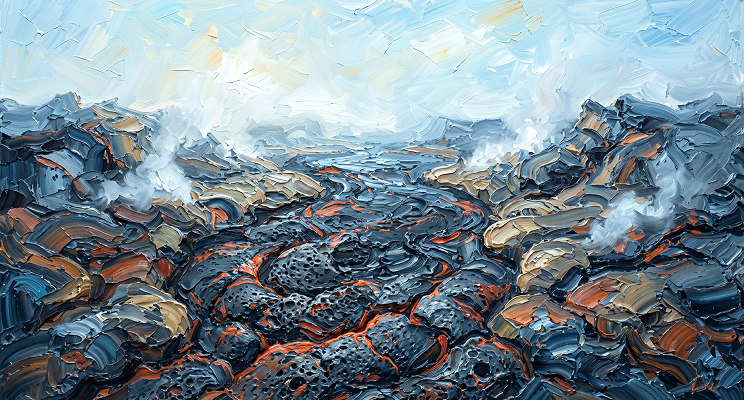
Old AI motion tools were full of glitches and body horror. 🫠
The biggest flaws? Bad hands, zero facial emotion, and bodies that stretched like rubber bands.
Enter Kling 2.6. It completely fixes motion control:
1️⃣ Crisp Details: Perfect fingers & micro-expressions. No more blur.
2️⃣ Anatomy Lock: Smart rigging keeps body proportions 100% consistent. No warping.
We ran 4 Extreme "Gauntlet" Tests to prove it. The results are wild. 👇
01 The Data: Leaving the Competition in the Dust
After watching the intro, you might be asking: "There are plenty of models out there that support video reference. Wan has solid motion control, too. So why claim that Kling 2.6 is leagues ahead?"
Watch the side-by-side comparison below, and the answer will be obvious 👇:
[Analysis Breakdown] This boxing-inspired dance routine presents a major stress test: the rapid arm weaving combined with the rhythmic groove of the torso.

Kling 2.6 Motion Control delivers a masterclass performance. Look at the hand-roll motion at the 0:09 mark: Kling doesn't just replicate the trajectory perfectly; it actually captures the kinetic energy—you can feel the momentum driving from the shoulder muscles. It maximizes rhythmic fidelity while maintaining absolute structural integrity, with zero warping or collapse.
Now, if you think that Kobe clip was just a fluke—or that we just got lucky and 'cherry-picked' a perfect seed—take a look at this official blind test chart. The data speaks for itself.
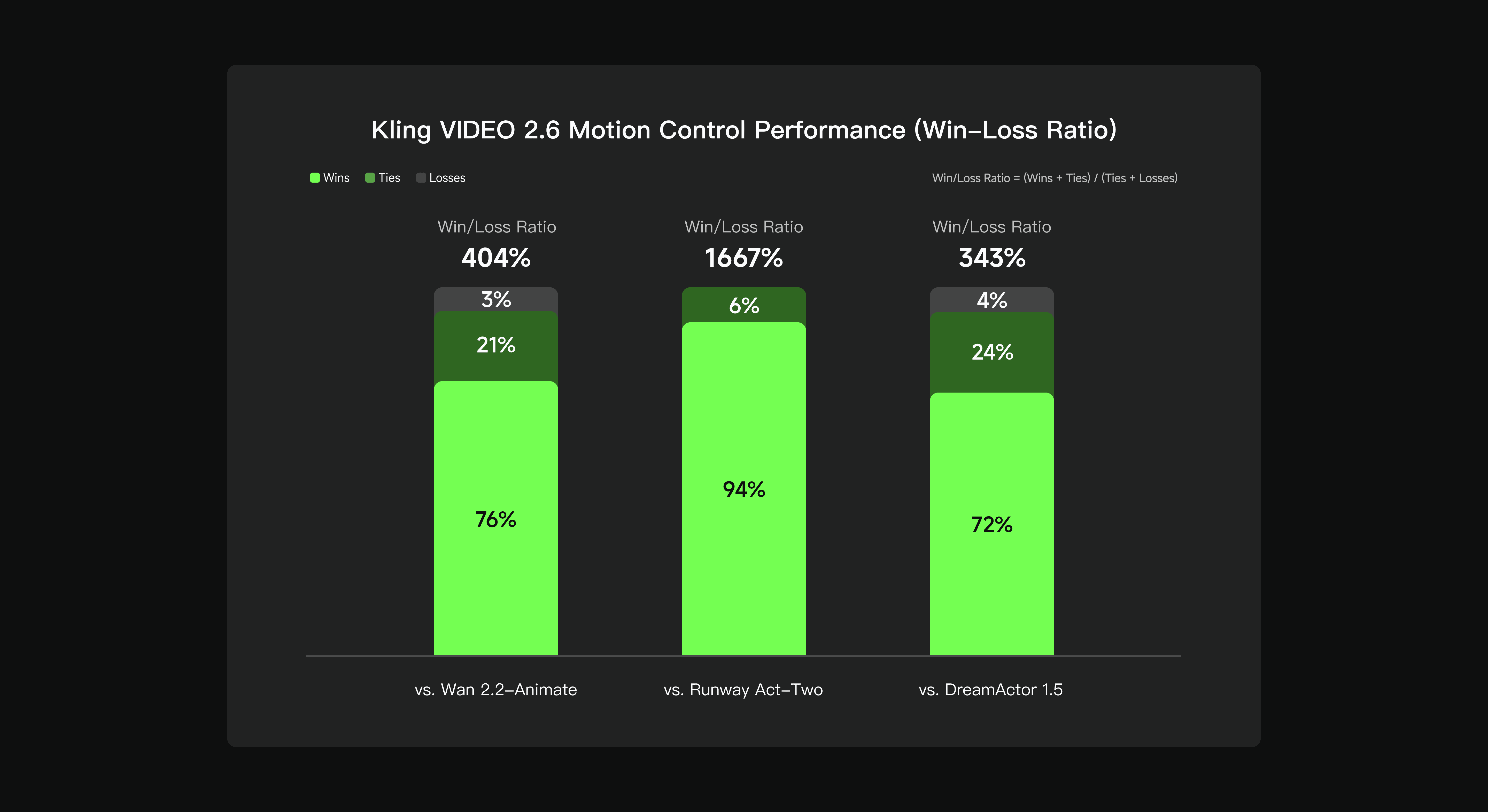
The logic is simple: Green means Kling wins, Dark Green is a tie, and that tiny sliver of Grey at the top? That’s the only place it lost.
Look at the left side against Wan 2.2. Wan is a tough competitor, which is why you see more Dark Green (about 21% ties). But even then, Kling dominates with a massive 76% win rate.
As for Runway in the middle? Kling’s win rate skyrockets to 94%. It’s an absolute blowout. This matches exactly what we felt during our testing: when it comes to range of motion and precision, Runway has been left in the dust.
02 Deep Analysis: Resolving 5 Major Bottlenecks
Previously, AI video control relied heavily on Motion Brushes and Prompts. This required manual masking and drawing directional arrows—a tedious process limited to basic panning or shaking effects.Subsequent "Video Reference" methods appeared, but they often failed to balance prompt adherence with precise motion replication.
Kling 2.6 overcomes this hurdle via deep semantic mapping in a Video-to-Video context. The concept is elegant: you provide the static image (the Visual Identity) and a reference video (the Motion Soul).
This effectively functions as an invisible MoCap (Motion Capture) suit for your character. The barrier to entry is gone—no expensive studio equipment is required; a casual video shot on a smartphone works perfectly.
Perfectly synchronized movements, expressions, and lip sync

Masterful performance of complex motions
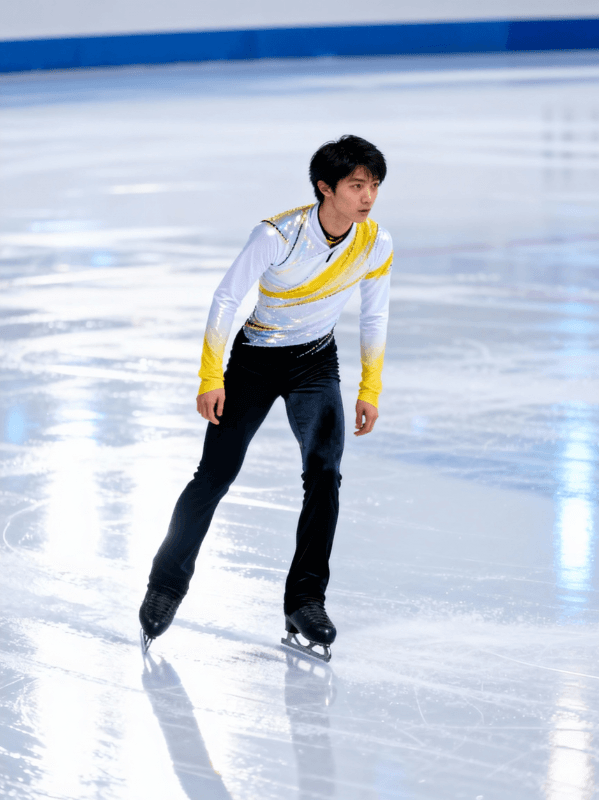
Precision in hand performances

30s one-shot action

Scene details at your command
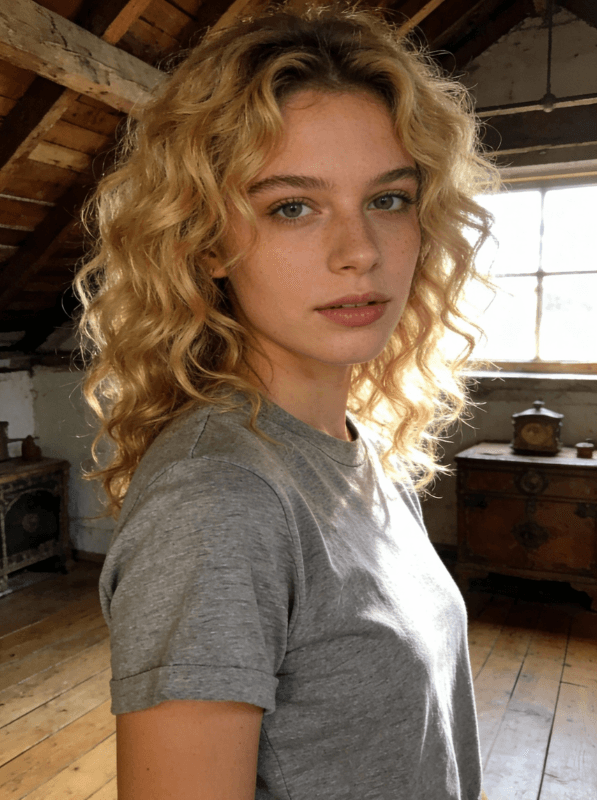
03 Zero Barriers: Compute Freedom for Everyone
After seeing these massive upgrades, you might feel a mix of excitement and anxiety: "To pull off this level of motion control, do I need to buy a top-tier GPU costing thousands of dollars? Do I need to code like a developer just to set up the local environment?"
The answer is no.
We are at a tipping point in tech where barriers to creation are vanishing. The only things holding creators back are compute bottlenecks and complicated installation processes.
That is exactly why Atlas Cloud exists.
We handle the complex deployment and heavy lifting, so you can focus purely on creative freedom. Breaking down this final wall costs less than a cup of coffee. We are bringing Hollywood-grade VFX out of expensive workstations and into your daily life.
The tools are ready. The rest is up to your imagination. Click to launch Atlas Cloud and start your directorial journey. 🚀
On Atlas Cloud, you can:
- See output quality vs cost side by side
- Decide which model gives the best ROI for your specific workflow
How to Use Models on Atlas Cloud
Atlas Cloud lets you use models side by side — first in a playground, then via a single API.
Method 1: Use directly in the Atlas Cloud playground
Method 2: Access via API
Step 1: Get your API key
Create an API key in your console and copy it for later use.
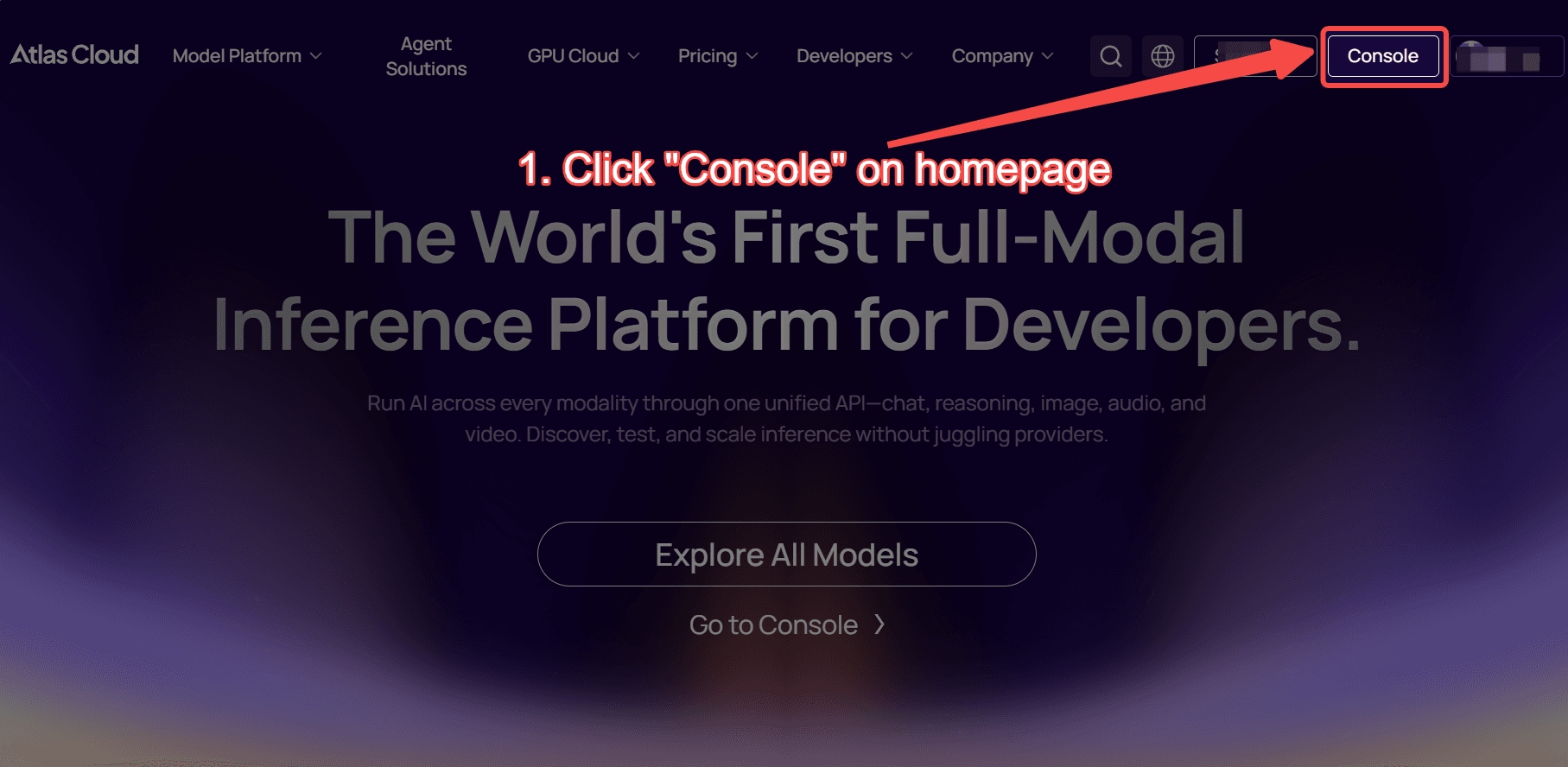
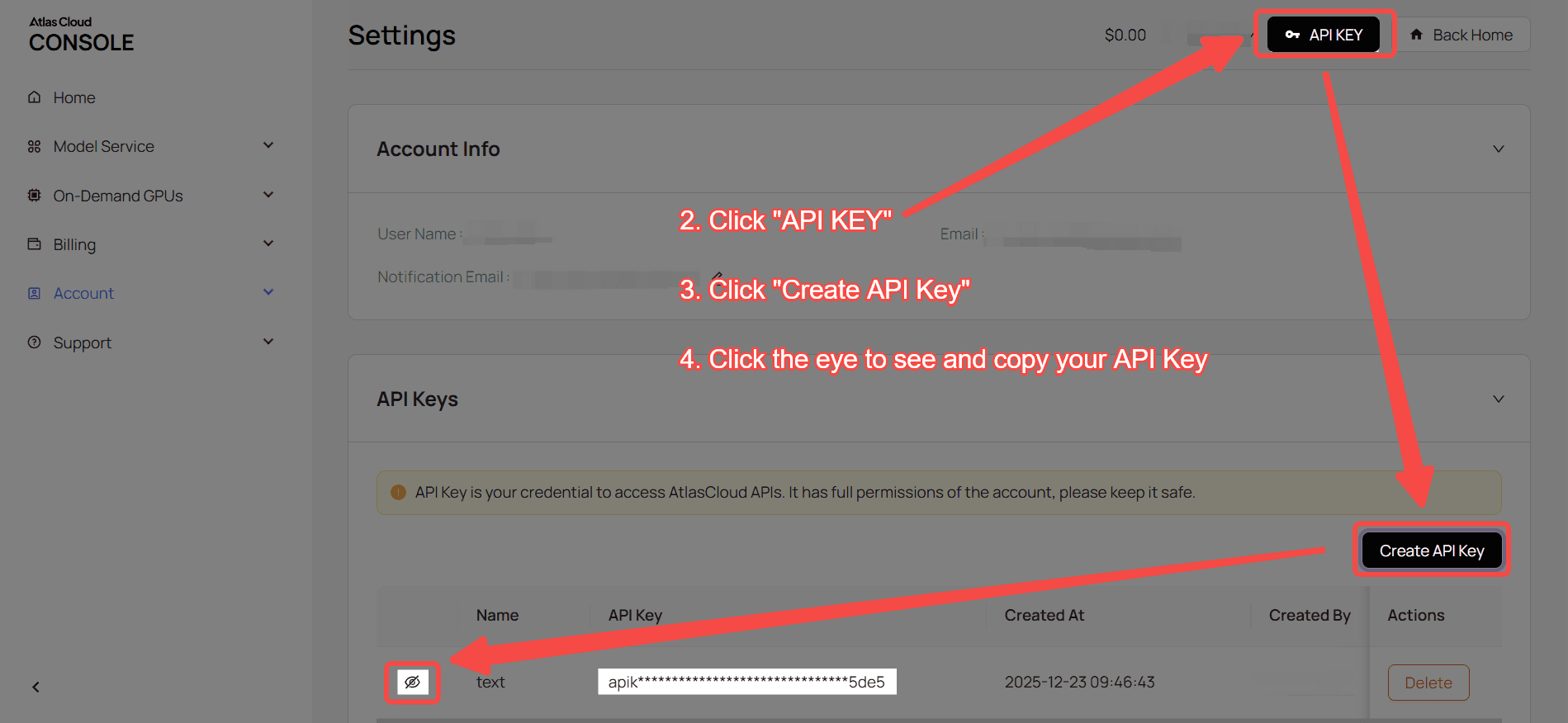
Step 2: Check the API documentation
Review the endpoint, request parameters, and authentication method in our API docs.
Step 3: Make your first request (Python example)
Example: generate a video with kwaivgi/kling-v2.6-std/motion-control
plaintext1import requests 2import time 3 4# Step 1: Start video generation 5generate_url = "https://api.atlascloud.ai/api/v1/model/generateVideo" 6headers = { 7 "Content-Type": "application/json", 8 "Authorization": "Bearer $ATLASCLOUD_API_KEY" 9} 10data = { 11 "model": "kwaivgi/kling-v2.6-std/motion-control", 12 "character_orientation": "video", 13 "image": "https://static.atlascloud.ai/media/images/dc0051d2c757c405abcc66db9e73731b.jpg", 14 "keep_original_sound": True, 15 "prompt": "Replace the characters in the video with the characters from the image, while strictly maintaining the characters' movements.", 16 "video": "https://static.atlascloud.ai/media/videos/29538d8995e0a9ba017469aab11b2172.mp4" 17} 18 19generate_response = requests.post(generate_url, headers=headers, json=data) 20generate_result = generate_response.json() 21prediction_id = generate_result["data"]["id"] 22 23# Step 2: Poll for result 24poll_url = f"https://api.atlascloud.ai/api/v1/model/prediction/{prediction_id}" 25 26def check_status(): 27 while True: 28 response = requests.get(poll_url, headers={"Authorization": "Bearer $ATLASCLOUD_API_KEY"}) 29 result = response.json() 30 31 if result["data"]["status"] in ["completed", "succeeded"]: 32 print("Generated video:", result["data"]["outputs"][0]) 33 return result["data"]["outputs"][0] 34 elif result["data"]["status"] == "failed": 35 raise Exception(result["data"]["error"] or "Generation failed") 36 else: 37 # Still processing, wait 2 seconds 38 time.sleep(2) 39 40video_url = check_status()