Remember when AI video generation was just short, grainy clips? The "8-second toy era" is over. Welcome to the era of native 4K and multi-shot, high-fidelity AI video. For professional filmmakers, it's no longer just about generating a single cool shot; it's about control, consistency, and professional-grade quality.
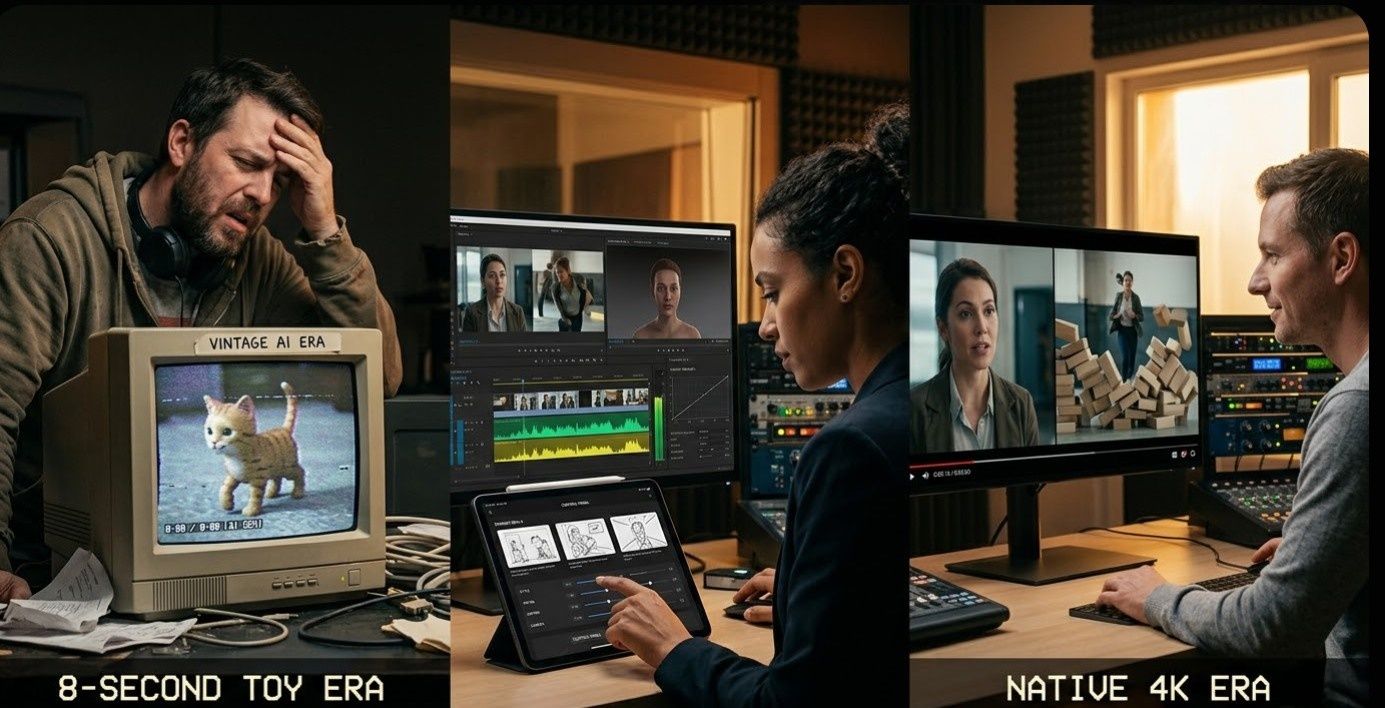
Two main tools lead the market today:
- Runway Gen-4: This is the go-to "Creative Suite" for movie makers. It gives you deep control and keeps the same style across all your scenes. It also includes AI storyboards and easy API links to fit right into your work.
- Kling 3.0: This is the new "Production Workhorse" from Kuaishou. It is famous for real-world physics and built-in sound. This includes great lip-syncing and audio that moves with the characters.
| Project Type | Recommended AI | Key Strength |
| Narrative Control & Storytelling | Runway Gen-4 | Granular shot control and stylistic consistency. |
| Raw Realism, Action, & Audio | Kling 3.0 | Native physics and integrated audio synthesis. |
Image-to-Video Core: Fidelity & Physics
When you pick an image-to-video AI tool, your specific needs matter most. High quality and real-world physics are always the top goals. Let’s look at how Runway Gen-4 and Kling 3.0 deal with these key parts.
Runway Gen-4: Production-Ready Video with Cinematic Flair
Runway Gen-4 hits the main points for pro movies: top quality and a steady look. For creative studios, keeping one vision across many shots is key. It is the real gap between a rough draft and a finished film.
Advanced Scene Interpretation
Gen-4 does not merely "animate" an image; it interprets the underlying cinematic data. By analyzing a single-image input, the model understands:
- Lighting Profiles: Maintains consistent light direction and quality across camera moves.
- Color Palette: Preserves color grading and "mood" established in the source frame.
- Depth of Field: Correctly renders bokeh and focal planes during dynamic transitions.
Precise Spatial Control
For narrative-driven projects, "random" movement is a deal-breaker. Gen-4 provides:
- Directed Camera Paths: You can guide the camera exactly where you want without losing any small details.
- Aesthetic Continuity: This helps you tell a smooth story without having to struggle with the AI to keep the style the same.
Nuanced Performance & Motion
The model is fine-tuned for realism that feels "earned" rather than synthetic:
- Emotional Shifts: Capable of translating simple prompts into subtle, realistic changes in character expressions.
- Organic Backgrounds: Environmental changes move naturally, ensuring the background feels integrated with the foreground action.
Kling 3.0: High-Impact Realism and Fluid Physics
Kling 3.0 distinguishes itself through its Unified Training Framework, a system designed to bridge the gap between AI generation and the laws of physics. For professionals in advertising and VFX, this model provides the raw realism necessary for high-stakes production.
The Power of Unified Training
Unlike models that process visuals and motion separately, Kling’s framework simultaneously optimizes visual data and physical parameters. This results in:
- Physics Adherence: A stronger connection to real-world gravity, inertia, and material density.
- Detail Retention: highly detailed frames that don't move too much.
- Resolution: Without the need for external upscaling, native 4K at 60 fps output, broadcast-quality action.
Excellence in Complex Simulations
Kling 3.0 excels in scenarios where material interaction often fails in other models. It is the preferred choice for simulating:
- Fluid Dynamics: Water splashes and flows much like it in real life. Liquid moves naturally.
- Fabric & Textiles: Clothes ripple and fold softly. Fabrics react to the wind or how a person moves.
Professional Application: Avoiding the "Uncanny Valley"
For commercial and VFX work, the precision of texture and motion is non-negotiable. Kling 3.0 is specifically valuable for:
- Action Sequences: Making highly dynamic scenes look convincing rather than "rubbery."
- Character Interactions: Ensuring that when a character touches an object, the physical reaction looks earned and life-like.
- Product Visuals: Showcasing textures—from silk to steel—with spot-on accuracy to maintain brand integrity.
Key Comparison: Precision vs. Raw Realism
In the end, your choice depends on what your project needs: perfect control and a steady look or lifelike physics and real motion. To sum it up:
| Feature | Runway Gen-4 | Kling 3.0 |
| Primary Strength | Precision and Stylistic Consistency | High-Impact Physical Realism and Fluid Motion |
| Fidelity Focus | Cinematic lighting, detail retention across shots | Material textures, native high-frame-rate output |
| Physics Handling | Capable for subtle, controlled movements | Often superior for complex simulations (hair, fabric, water) |
| Ideal Use Cases | Narrative films, stylistic music videos, conceptual storyboarding | Commercials, action sequences, VFX-heavy projects |
While both represent significant leaps forward in image-to-video capabilities, understanding these nuanced differences will guide professional users to the right tool for their specific creative vision.
Professional Workflow: "AI Director" vs. "Creative Control"
When we move beyond a single impressive clip, the real battle in professional AI video production begins: how do these tools fit into a collaborative, demanding filmmaking workflow? Runway and Kling offer drastically different philosophies on this. Runway leans towards precision Creative Control, providing a granular suite of tools for artists. Kling 3.0, conversely, leans into automated Native Multimodal Generation, acting almost like a built-in "AI Director" that prioritizes automated sequence assembly.

Runway Gen-4: Unparalleled "Creative Control" and Performance Mapping
Runway Gen-4 remains the "Creative Suite" of choice for directors who demand precision at every stage. Rather than generating sequences, Gen-4 focuses on perfect individual shots that fit a Master Storyboard.
Two key features define Runway's superior workflow control:
- Precision Director Mode: Runway allows filmmakers to draw and define exact camera paths, velocities, and zooms in 3D space relative to the subject. You don't just prompt for "camera move," you script it. For complex VFX plates, this precision is mandatory.
- Act-Two (Character Consistency): Runway’s revolutionary feature for high-end character work. It solves a primary challenge in professional AI video production: maintaining human performance. "Act-Two" allows a filmmaker to map the human performance/gestures/expressions of an actual actor or a crude reference video directly onto a generated character, achieving cinematic continuity previously impossible with generative video alone.
Kling 3.0: The Automated "AI Director" with Multi-Shot Logic
Kling 3.0 introduces a powerful workflow tool designed for speed and rapid iteration: the Multi-Shot Feature. This is where Kling acts as an "AI Director." Instead of asking for a single angle, Kling allows you to generate a 15-second sequence containing up to 6 distinct camera cuts from one consistent prompt or starting image.
The model understands basic filmmaking logic—"establishing shot to close-up to reaction shot"—and attempts to execute it in a single generation pass. This sequence is output as a unified video file, ready for the timeline. While still in early adoption stages for complex narrative work, this is incredibly efficient for roughing out scenes or conceptualizing a standard sequence.
- Sample Scene Request: A single input image of a hacker at a desk.
- Kling 3.0 Output Sequence (Hypothetical Example):
- Establishing Shot: Wide of the entire room (3 seconds).
- Cut to Close-Up: The hacker's hands typing (2 seconds).
- Cut to Medium Close-Up: Intense face shot (3 seconds).
- Cut to Shot Reverse Shot: What's on the screen (4 seconds).
- Cut to Extreme Close-Up: A sweat droplet (1 second).
- Final Reaction Shot: Smirk (2 seconds).
While powerful for rapid visualization and maintaining excellent visual consistency across cuts, this method prioritizes the AI's directorial decisions over granular control.
Workflow Integration: Suite vs. Raw Generation
Beyond single features, Runway offers a more mature "full suite" experience (integrating in-painting, color grading, and existing Magic Tools) compared to Kling's focus on raw sequence generation. Runway also boasts robust API Integration, allowing production studios to automate repetitive tasks or integrate the AI engine into their custom pipelines, critical for scaling content and managing Return on Ad Spend.
| Workflow Philosophy | Kling 3.0 ("AI Director") | Runway Gen-4 ("Creative Control") |
| Primary Approach | Integrated multi-cut sequence output. | Granular control over single complex shots. |
| Camera Control | AI automated sequencing ("Shot List"). | Manually defined, high-precision camera paths. |
| Performance Control | Text-prompt based physics/emotion. | "Act-Two" mapping for human performance/gestures. |
| Character Consistency | Very good visual consistency across shots. | High-precision performance mapping for narrative. |
| Integration | Efficient for fast sequence layout. | Full ecosystem integration and API Integration. |
Pro Tip: The "Hybrid Workflow" for Maximum Efficiency
For the most demanding projects, many directors are now adopting a hybrid approach to maximize their Return on Ad Spend:
- Design in Runway: Use Runway Gen-4's AI-powered storyboarding and reference tools to "bake" your character's look and wardrobe.
- Animate in Kling: Export your high-consistency character images and bring them into Kling 3.0 to animate high-physics action or scenes requiring synchronized bilingual dialogue and high lip-sync accuracy.
- Synthesize Audio: Use Kling’s spatial audio synthesis to add immersive sound directly into the 15-second output, then refine the final cut in Runway’s editing suite.
By leveraging the precision of one and the raw physics of the other, filmmakers can finally bridge the gap between AI experimentation and professional output.
The "Holy Grail": Character & Object Consistency
The biggest hurdle for professional AI video production has always been "flicker"—that distracting moment when a character’s face or a prop’s texture changes between shots. In 2026, both Runway and Kling have addressed this with sophisticated identity-preservation tech, though their methods cater to different creative needs.
Runway Gen-4: Narrative Continuity through Multi-Image References
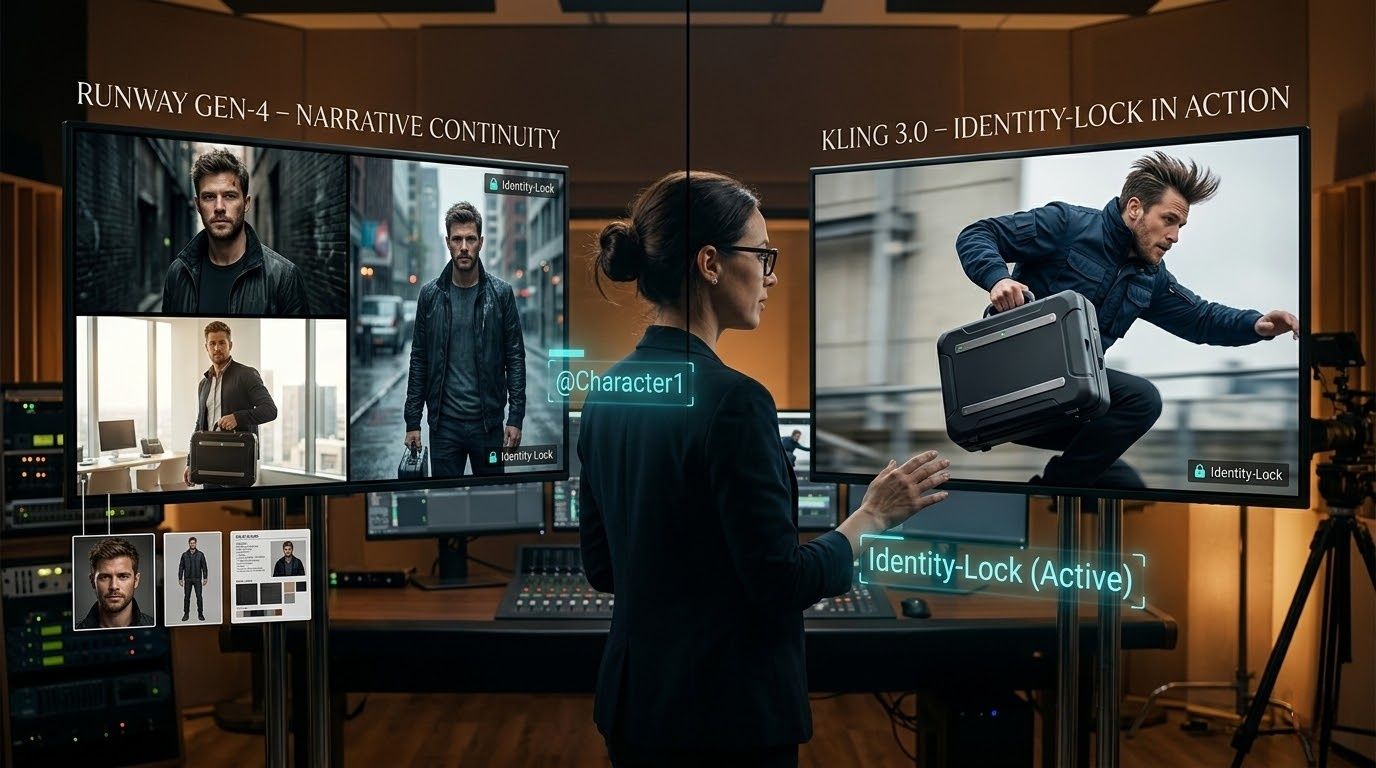
Runway Gen-4 tackles the consistency problem by allowing creators to "lock" an identity using up to three reference images. This is essential for long-form narrative filmmaking where a protagonist must look identical in a dark alley, a bright office, and a rain-soaked street.
Runway’s system uses "Subject-Scene-Style" triads instead of just one text prompt. You upload a clear headshot, a full-body photo, and a style guide. This creates a digital "actor" that stays the same. It stops the "shapeshifter" problem. Features like scars, jewelry, or clothes stay stable even when the camera moves around.
- Pro Tip: Type the @ sign in your prompt to pick a specific reference, like @Character1 in a suit.
- Top Uses: Indie movies, web series, and premium brand ads.
Kling 3.0: "Identity-Lock" for High-Action Sequences
Kling 3.0 approaches consistency through its "Identity-Lock" and element-binding features. Kling’s strength lies in its ability to maintain subject integrity during extreme physical motion. While some models lose character features when a subject runs or jumps, Kling’s Native Multimodal Generation tracks every pixel to ensure the clothing ripples and the hair sways without losing the core identity.
In Kling's 15-second multi-shot sequences, "Identity-Lock" works across the entire "AI Director" pass. If your first shot establishes a specific prop—like a futuristic briefcase—Kling maintains that item's geometry and color across subsequent close-ups and action shots.
Comparison: Consistency Features
| Feature | Runway Gen-4 | Kling 3.0 |
| Reference System | Up to 3 reference images (Subject/Scene/Style). | "Identity-Lock" via single image or "Element Binding." |
| Narrative Depth | Strongest for long-form continuity across varied scenes. | Exceptional for action-heavy, 15-second sequences. |
| Object Stability | Focuses on stylistic and lighting consistency. | High adherence to physical geometry and textures. |
| Primary Workflow | Frame-by-frame precision with storyboards. | Single-pass "AI Director" shot sequences. |
Sound & Delivery: Beyond the Silent Film
Early AI video forced people to "stitch" silent shots with outside sound tools. By 2026, we have entered the age of Native Multimodal Generation. For pro filmmakers, this means the AI does more than just "paint" a frame. It "thinks" about the sound, the talk, and the final broadcast in one single step.
Runway Gen-4: The Post-Production Powerhouse
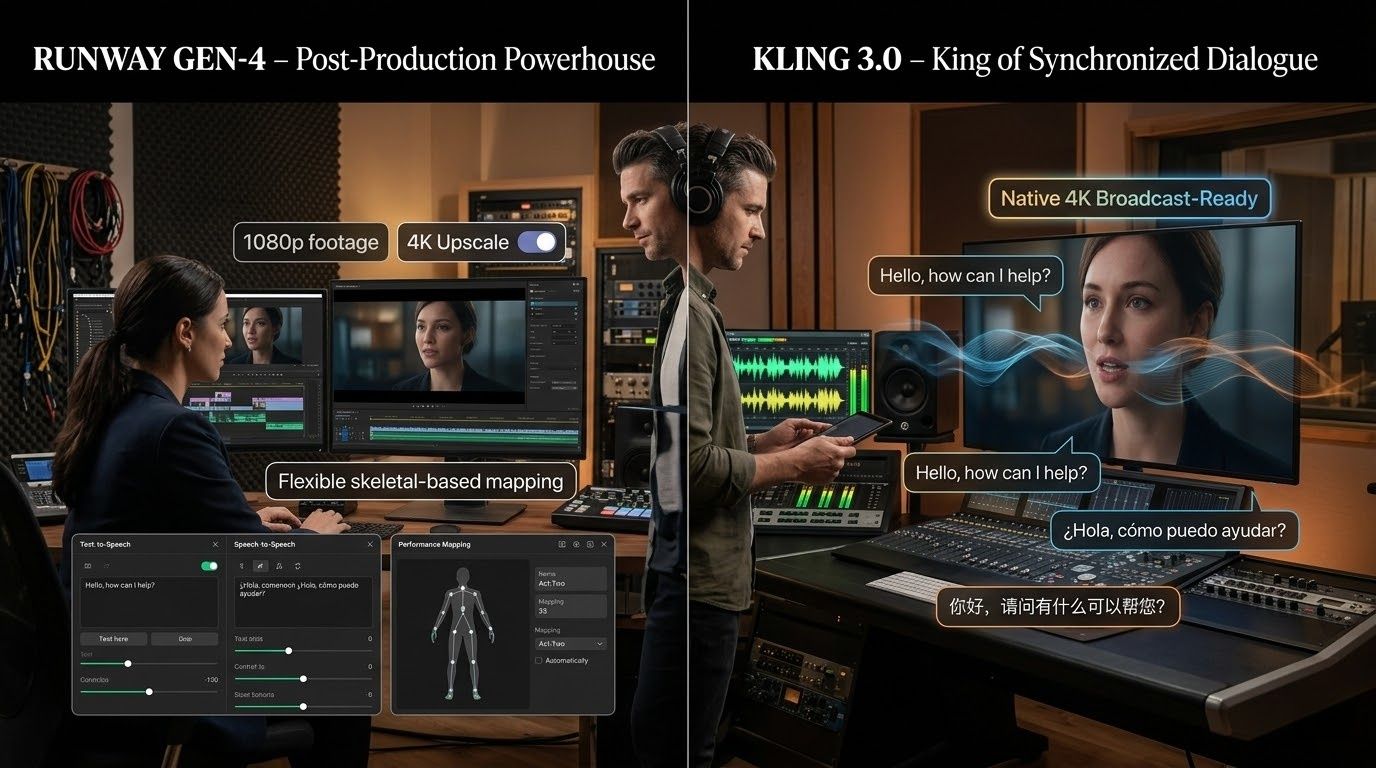
Runway Gen-4 handles sound as a key part of its "Creative Suite." You don't just get a "fixed" audio clip. It gives you a full timeline to edit. Both Text-to-Speech and Speech-to-Speech tools sit right in your workflow. This lets directors fix a voice or a tone long after the video is finished.
While Runway originally focused on 1080p outputs, Gen-4.5 has pushed into the 4K territory. However, it still leans toward a "High-Quality HD First" philosophy, offering 4K as an export or upscaling option on Pro plans. For filmmakers who prefer an iterative "Act-Two" workflow—mapping human performances onto characters—Runway's flexibility is hard to beat.
Kling 3.0: The King of Synchronized Bilingual Dialogue
Kling 3.0 sets a high bar with its Unified Training Framework, which co-generates audio and video in one pass. This model is particularly dominant for dialogue-heavy scenes. The new audio engine now handles synced bilingual talk. Characters can flip between English and Spanish or Chinese in one take. Their lip movements stay perfectly in time with every word they say.
Kling 3.0 does more than just match lips. It adds real spatial sound. If someone moves across the screen, the audio follows them. This deep realism is key to keeping high ad profits on social media. People scroll past the second they hear stale or fake audio.
- Key Advantage: Native 15-second multi-shot sequences with integrated SFX, ambient hums, and emotional dialogue synchronization.
- Format: Supports direct Native 4K output. Unlike older models that require third-party upscaling (which often introduces artifacts), Kling 3.0 renders at 4K resolution from the start, preserving skin textures and fabric ripples for broadcast-ready delivery.
Technical Analysis: Audio & Resolution Specifications
| Feature | Kling 3.0 | Runway Gen-4 / 4.5 |
| Audio Generation | Native & Co-generated (Single Pass) | Integrated Suite (Separate Layering) |
| Dialogue Support | Multilingual & Bilingual (Native) | TTS / Custom Voice Cloning |
| Audio Quality | Spatial audio synthesis & Ambience | Clean Studio TTS & Sound Effects |
| Max Resolution | Native 4K (No Upscale Needed) | 1080p Native / 4K Export Upscale |
| Lip-Sync Accuracy | High (Integrated with Physics) | High (Driven by Audio Reference) |
Practical Guide: Implementing Native Audio
For projects requiring rapid delivery of commercials, use the following prompt logic in Kling 3.0 to trigger its native audio engine:
Prompt Example: "A high-fashion model walking through a rainy Tokyo street. Native audio: sounds of rain hitting the pavement and distant neon hum. Character speaks in a bilingual mix of English and Japanese: 'The future is here, isn't it?'"
The Verdict on Sound: If your project relies on "one-click" delivery with perfect environmental sounds and complex dialogue, Kling 3.0 is the production workhorse. If you need a full "Director's Suite" where you can swap voices and fine-tune every beat on a timeline, Runway Gen-4 remains the industry standard for professional AI video production.
Pricing & Accessibility
Choosing between Runway and Kling often comes down to your production volume and how you prefer to manage your budget.
Subscription vs. Credits
- Runway’s Unlimited Plan: At $95/month (billed monthly), this is the "peace of mind" choice for high-volume batching. While it offers unlimited generations in "Explore Mode," pros should be aware of potential queue throttling during peak hours.
- Kling’s Credit System: Kling 3.0 follows a stricter consumption model. Its "Premier" tier costs $92/month for approximately 400 standard videos. While the cost-per-shot is higher, many pros find the "one-and-done" quality of Kling's physics worth the premium to avoid multiple iterations.
- Sustainability: Kling offers daily replenishing credits for hobbyists, making it easier to test features, whereas Runway’s free tier is a one-time trial of 125 credits.
The API Strategy: Efficiency at Scale
Professional studios are increasingly bypassing web interfaces for API Integration to handle 50+ shots simultaneously. Atlas Cloud has emerged as a premium gateway for these workflows.
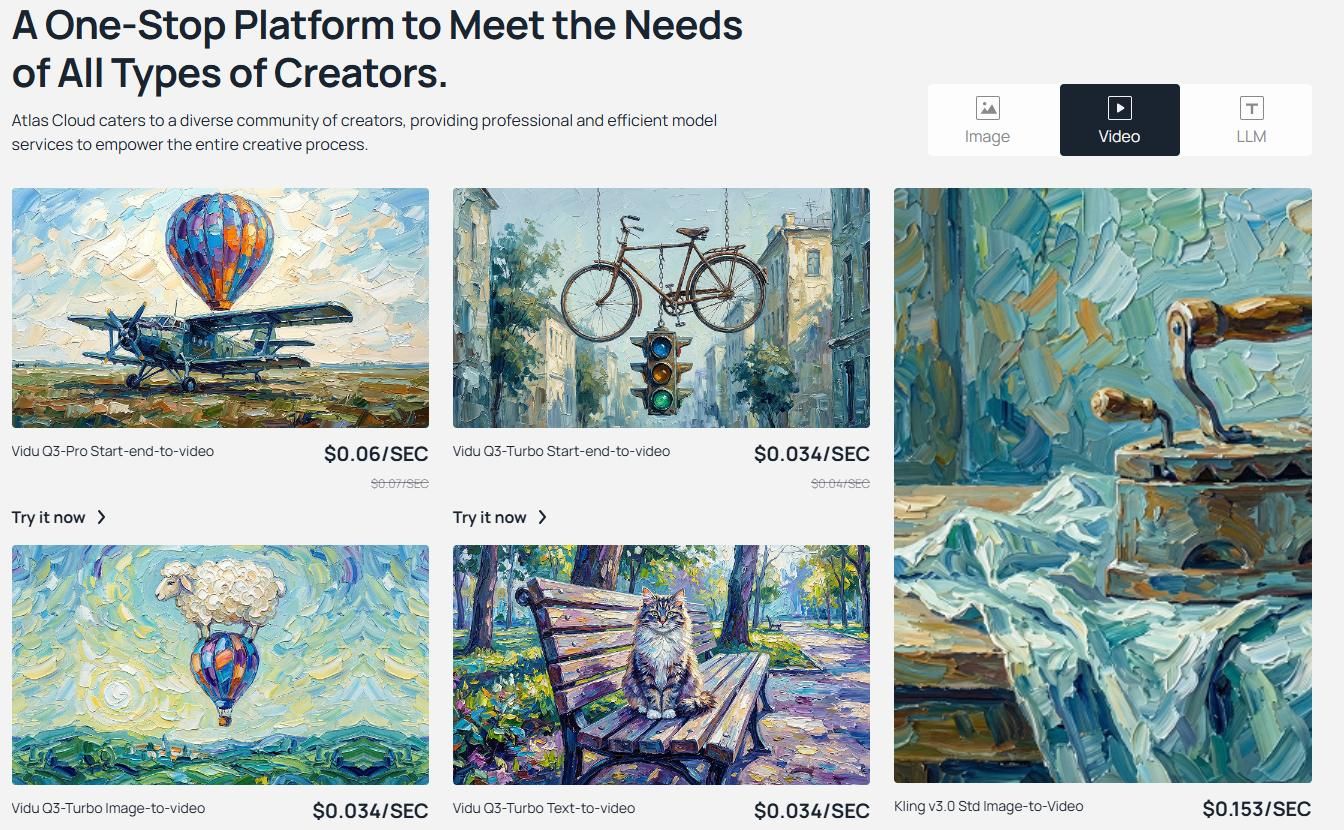
- Unified Access: Atlas Cloud simplifies global production. Instead of managing region-locked accounts for Kuaishou (Kling's parent), pros use a single, OpenAI-compatible API key.
- Cost Efficiency: Using a "Pay-as-you-go" model, Kling 3.0 Pro on Atlas Cloud typically costs $0.204 per second (Note: this is the current price)of video. This allows for precise Return on Ad Spend (ROAS) tracking without high monthly commitments.
- Native Multimodal Support: By setting "sound": True, you trigger the spatial audio synthesis and lip-sync accuracy features native to the Kling 3.0 model.
- Scalability: Unlike the web interface, this script can be wrapped in a loop to render an entire shot list (50+ clips) simultaneously in the background.
Operational Workflow via API
The API allows for asynchronous processing—Request a shot, receive a Task ID, and use a webhook to get the video once rendered. Developers can also use specific parameters like face_consistency: true or image_reference (supporting up to 4 angles) to lock character identities via code.
| Plan/Provider | Entry Price | Key Benefit for Pros |
| Runway Unlimited | $95/mo | Predictable monthly cost; ideal for endless iteration. |
| Kling Premier | $92/mo | Exceptional physics and native ultra HD output. |
| Atlas Cloud API | $0.204/sec(now) | Enterprise uptime (99.9%); easy OpenAI-style integration. |
To use the professional workflow we discussed, the Atlas Cloud API is your best bet for scaling up AI video production. It is fully OpenAI-compatible. This means you can plug it into your current Python setup in just a few minutes.
Below is a production-ready Python script for Kling 3.0 on Atlas Cloud. It uses an asynchronous polling pattern. This setup is key for handling many renders at once while keeping your ad spend profitable.
Python Example: Automating Kling 3.0 via Atlas Cloud
Python
plaintext1import requests 2import time 3 4# Step 1: Start video generation 5generate_url = "https://api.atlascloud.ai/api/v1/model/generateVideo" 6headers = { 7 "Content-Type": "application/json", 8 "Authorization": "Bearer $ATLASCLOUD_API_KEY" 9} 10data = { 11 "model": "kwaivgi/kling-v3.0-std/image-to-video", 12 "cfg_scale": 0.5, 13 "duration": 5, 14 "end_image": "example_value", 15 "image": "https://static.atlascloud.ai/media/images/33f6728e234eddd53aac4bc74f8dc6ff.jpg", 16 "negative_prompt": "example_value", 17 "prompt": "A minimal cube slowly moving in a dark void.\nSoft ambient lighting highlights its clean edges.\nSmooth, steady motion with a seamless loop.\nHigh contrast, ultra clean composition, 4K.", 18 "sound": False 19} 20 21generate_response = requests.post(generate_url, headers=headers, json=data) 22generate_result = generate_response.json() 23prediction_id = generate_result["data"]["id"] 24 25# Step 2: Poll for result 26poll_url = f"https://api.atlascloud.ai/api/v1/model/prediction/{prediction_id}" 27 28def check_status(): 29 while True: 30 response = requests.get(poll_url, headers={"Authorization": "Bearer $ATLASCLOUD_API_KEY"}) 31 result = response.json() 32 33 if result["data"]["status"] in ["completed", "succeeded"]: 34 print("Generated video:", result["data"]["outputs"][0]) 35 return result["data"]["outputs"][0] 36 elif result["data"]["status"] == "failed": 37 raise Exception(result["data"]["error"] or "Generation failed") 38 else: 39 # Still processing, wait 2 seconds 40 time.sleep(2) 41 42video_url = check_status()
Which One Should You Use?
The battle between Runway Gen-4 and Kling 3.0 shows that AI video is now a serious tool for pros. We are moving past simple tests and into real production. The "winner" really depends on what your specific project needs to get done.
| Choose Runway Gen-4 If... | Choose Kling 3.0 If... |
| You require AI-powered storyboarding and narrative continuity. | You need Native multimodal generation with 4K 60fps. |
| You need Act-Two for precise performance capture. | You prioritize complex physics (hair/water) and realism. |
| You utilize API integration for custom studio pipelines. | You need spatial audio synthesis and lip-sync accuracy. |
To maximize Return on Ad Spend, don't choose one. Use Runway to direct the scene and Kling to execute the high-fidelity action.
FAQ
Can Kling 3.0 really handle synchronized bilingual dialogue?
Yes. Unlike previous models that required separate dubbing, Kling 3.0 uses native multimodal generation. This helps characters keep their lip-sync perfect even when they switch languages mid-sentence. It also includes spatial audio synthesis. This makes sure the voice always matches where the character is standing in the 3D scene.
Which platform offers better API integration for studio workflows?
While both offer APIs, Runway Gen-4 is often preferred for enterprise scalability. Its API integration allows for AI-powered storyboarding and batch processing, which is vital for agencies tracking Return on Ad Spend. However, Kling 3.0 via gateways like Atlas Cloud is closing the gap for high-physics tasks.
Is there a "Hybrid Workflow" for professional AI video production?
Absolutely. Many pros use the following 3-step stack:
- Step 1: Use Runway Gen-4 to lock character consistency and scene layout.
- Step 2: Animate the high-action sequences in Kling 3.0 for superior physics.
- Step 3: Perform final "Act-Two" performance mapping in Runway.