Qwen-Image Series Now Live on Atlas Cloud! Experience Max-Level Visuals & Powerful Editing
Hey everyone, Atlas Cloud here.
We are thrilled to announce that the highly anticipated Qwen-Image model series is officially live on Atlas Cloud! This update introduces the series' latest iterations. Whether you are a creator chasing the ultimate image quality or a designer requiring precise control, you’ll find the perfect tools for your workflow right here.
This launch focuses on two major pillars: the flagship Qwen-Image Text-to-Image series and the robust Qwen-Image Edit series. Let’s dive into their stunning performance! 👇
01 Flagship Debut: Qwen-Image Text-to-Image Series
First up, let us introduce Qwen-image/text-to-image-max.
This is the flagship text-to-image model from Alibaba Cloud, engineered to deliver top-tier visual quality, exceptional prompt adherence, and rich artistic detail. As the pinnacle of the Qwen-Image family, the Max version precisely understands complex text descriptions, translating them into high-resolution masterpieces suitable for professional workflows.
Compared to previous foundation models, the Max version delivers three key leaps forward:
🌟 1. Enhance Human Realism
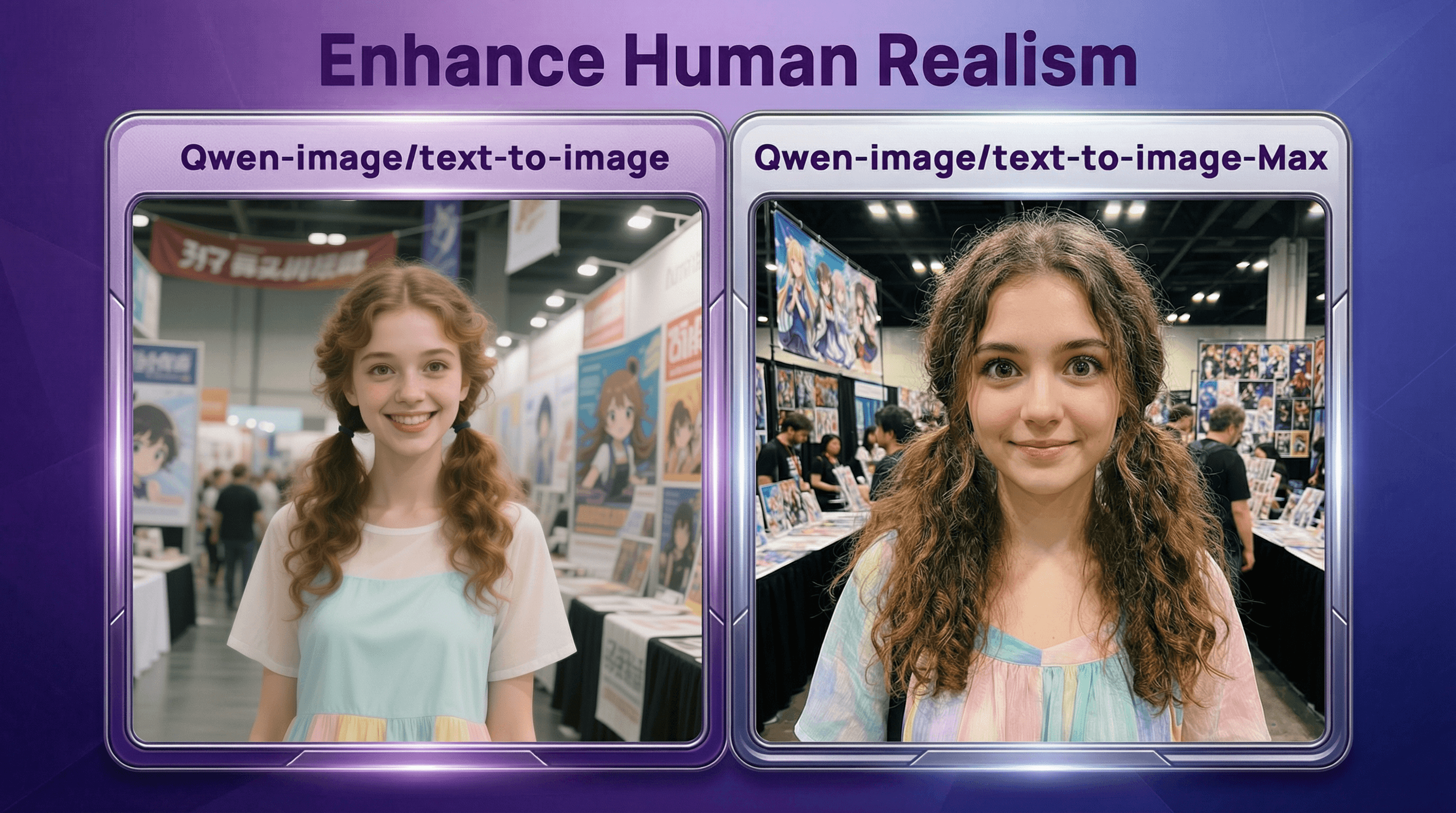
The Max version significantly reduces that artificial "plastic" looks common in AI generation, drastically improving overall photorealism.
- Detail Comparison: In previous versions, hair strands often blurred together, losing texture. In contrast, renders individual strands of hair with precision, presenting a natural, distinct, and authentic look.text
1Qwen-image/text-to-image-max
plaintext1Prompt Example: 2A 20-year-old Western woman with exquisite, cute features and large, bright brown eyes—her gaze is lively, with a happy or slightly smiling expression. Her natural curly long hair is either down or tied in twin tails. She has fair skin and light makeup, highlighting her youthful vitality. She is wearing a cute modern dress or loose casual wear in bright, soft colors—lightweight fabric, simple cut. She stands indoors at an anime convention, surrounded by banners, posters, or booths. Typical indoor lighting—not deliberately staged, the whole image looks like a casual photo taken with an iPhone: simple composition, but overflowing with fresh, youthful charm.
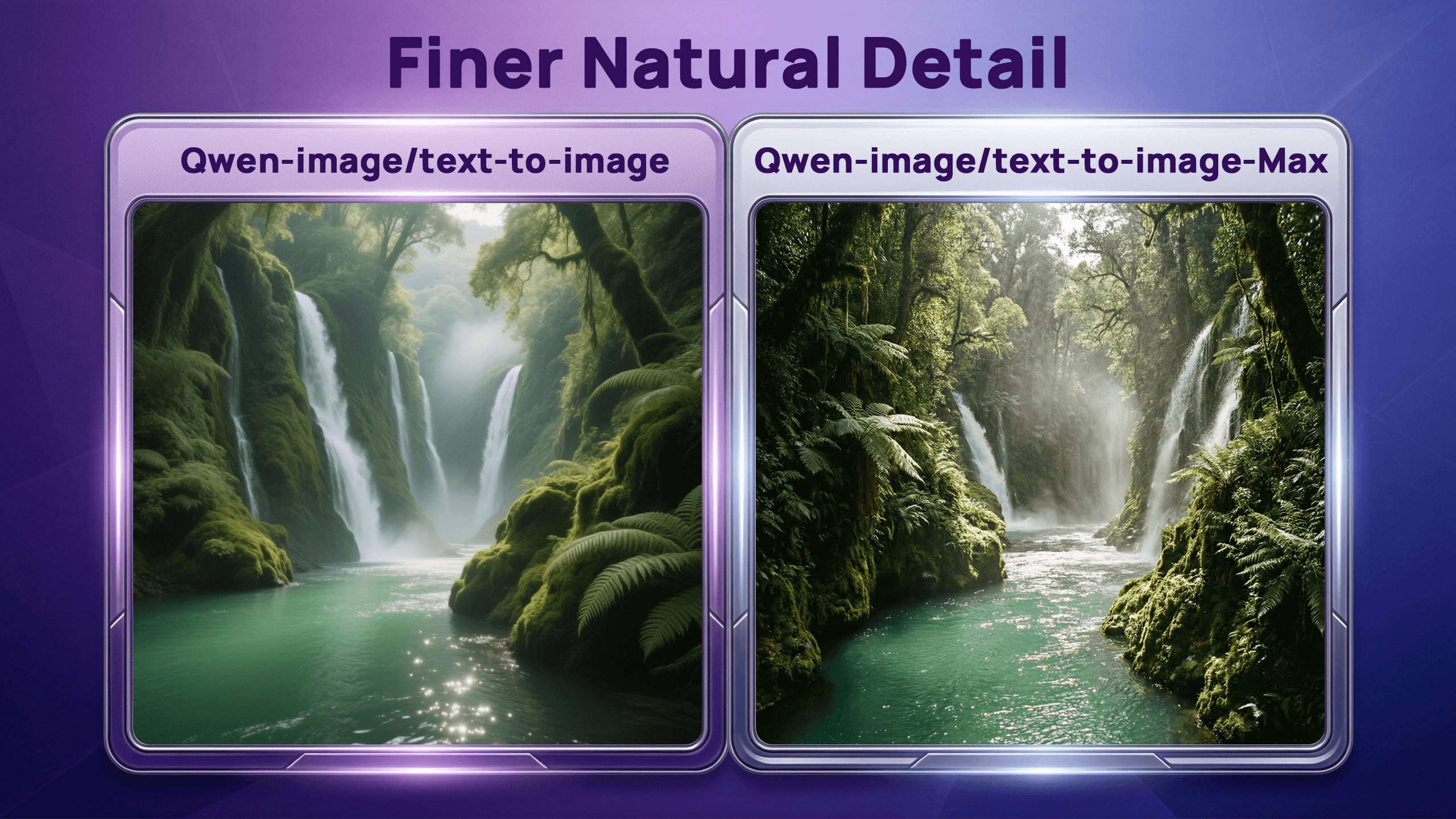
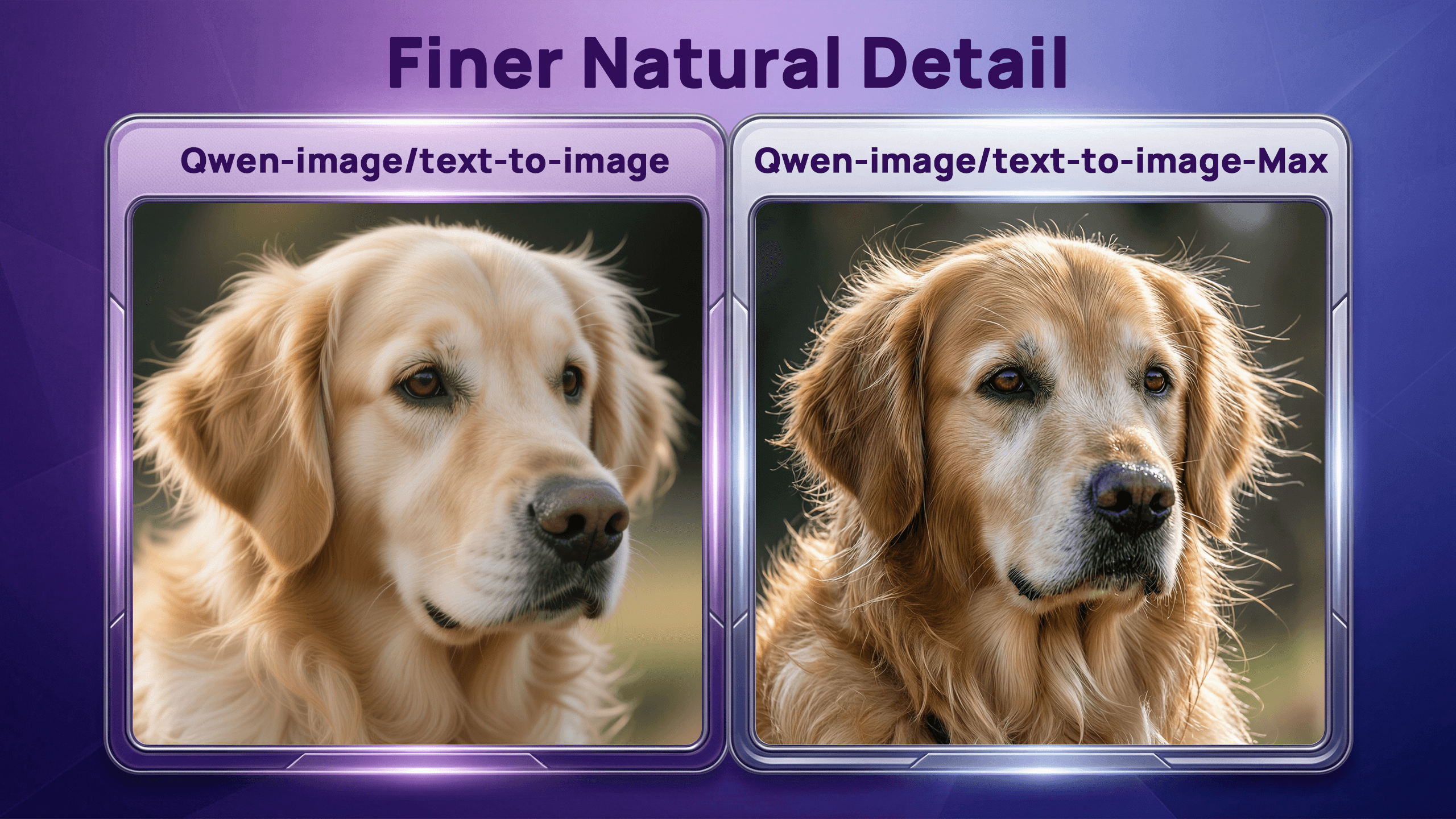
🌲 2. Finer Natural Detail
It’s not just portraits—Max reaches new heights in rendering landscapes, animal fur, and natural elements. Whether it's complex forest textures or the coat of a wild animal, it presents astonishingly rich details.
plaintext1Prompt Example: 2A turquoise river winds through a lush canyon. Thick moss and dense ferns cover the rock walls; multiple waterfalls cascade from high above, shrouded in mist. At noon, sunlight filters through the dense canopy, casting dappled, shimmering spots on the river surface. The air feels moist and fresh, full of the primitive vitality of the jungle. No people, text, or artificial traces in the scene.
plaintext1Prompt Example: 2A hyper-realistic close-up of a Golden Retriever taken outdoors in soft daylight. The fur detail is exquisite: every strand is distinct, with colors transitioning naturally from warm gold to pale cream, and delicate highlights at the tips; a gentle breeze gives the fur a subtle fluffiness. The undercoat is soft and dense, while the guard hairs are long and distinct, with visible layering. The eyes are moist and expressive; the nose is slightly wet with fine highlights. The background is in soft focus (bokeh) to highlight the dog's tactile texture and vivid expression.
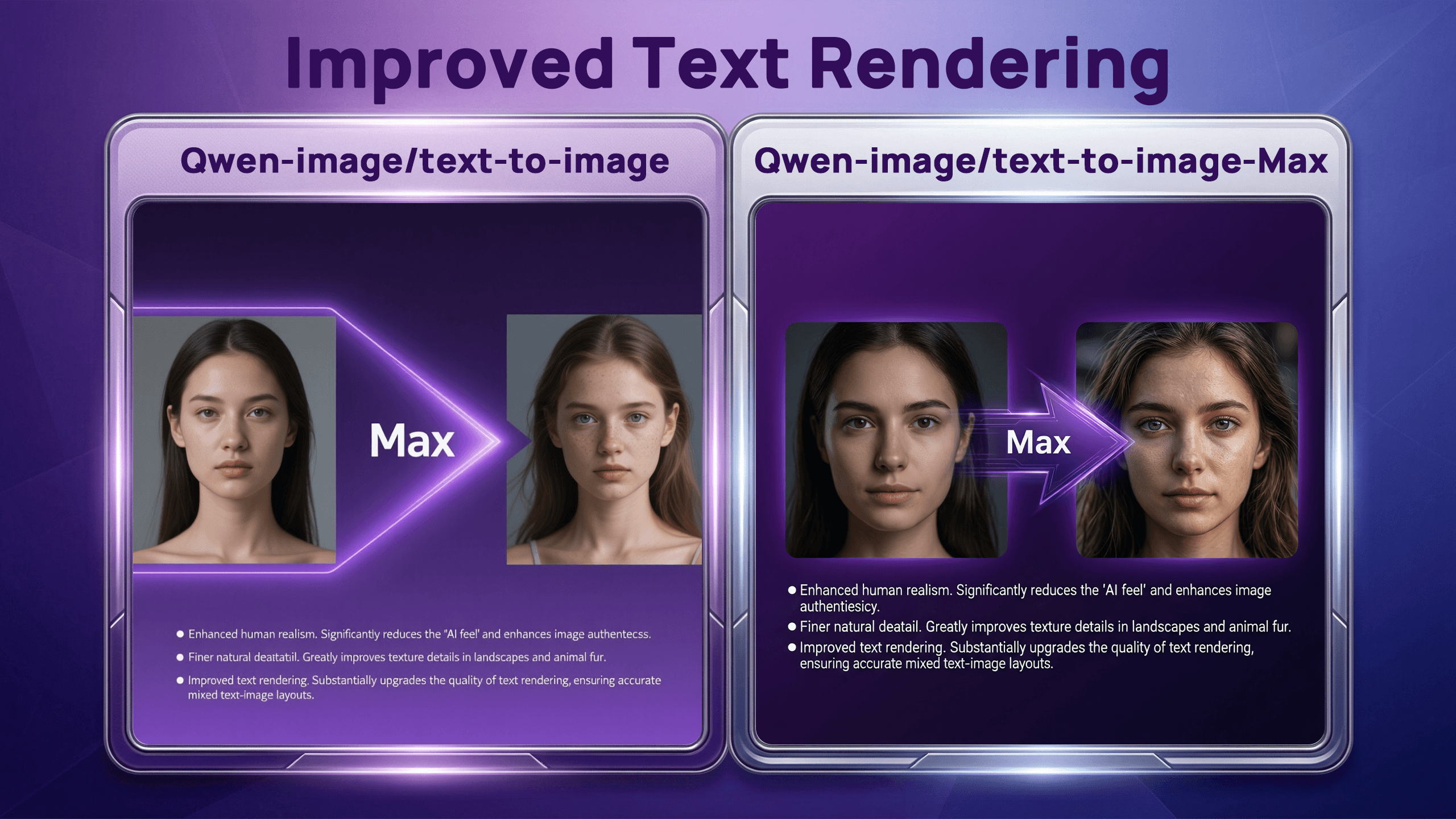
🔡 3. Improved Text Rendering
Text generation has long been a pain point for AI, but
1Qwen-image/text-to-image-maxplaintext1Prompt Example: 2A background with a deep purple gradient. The main subject features a horizontal side-by-side comparison. The visual focus is on the central upgrade area. On the left is a female portrait, face smooth but lacking detail and texture; on the right is a highly realistic young female portrait with visible skin pores, subtle light and shadow changes, clear hair strands, bright eyes, and a natural expression, achieving near-photographic quality. A smooth, streamlined purple arrow connects the two images, designed with a high-tech feel, displaying "Max" in bold white font in the center. The arrow is surrounded by a faint glow to enhance the sense of motion. Below the image, there are three lines of white explanatory text.
💡 Flexible Choice: Qwen-image/text-to-image-plus
A high-value alternative. If you are optimizing for cost, we also offer the
1Qwen-image/text-to-image-plus- Best for: Rapid ideation, daily illustrations, and creations not requiring extreme micro-details.
- Limitation Note: Compared to Max, the Plus version may be slightly less sharp or logical when handling "highly complex multi-subject compositions" or "ultra-fine textures."
02 Precision Editing: Qwen-Image Edit Series
Beyond generation, we are bringing you powerful editing tools with Qwen-image/edit-plus.
This is an advanced image editing model supporting multi-image input/output. It handles precise text modification, object addition/removal/movement, style transfer, and detail enhancement. As an enhanced version, its standout feature is a significant boost in consistency.
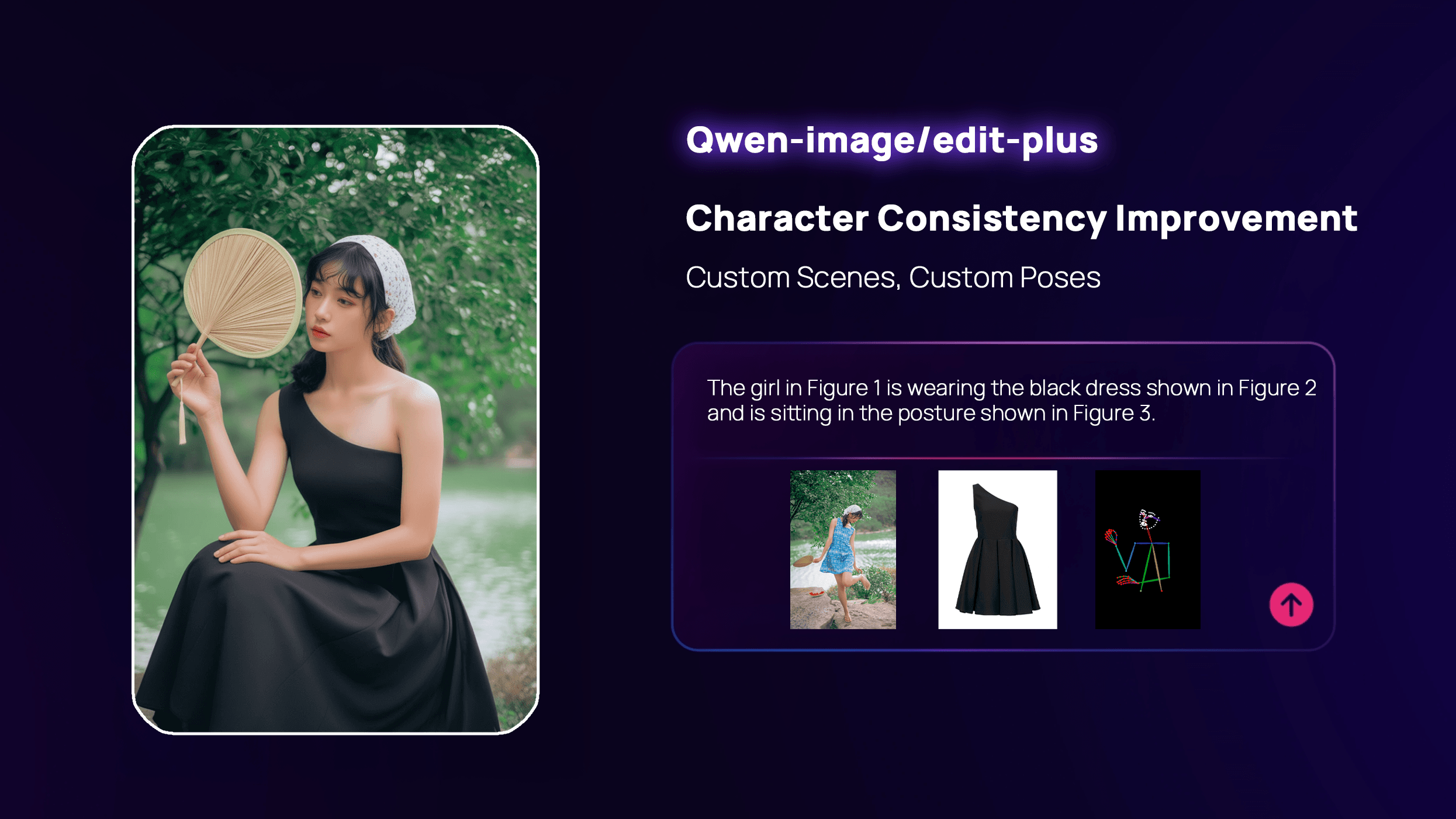
1️⃣ Character Consistency Improvement
Want to change the environment for a person in a photo but afraid their face will change? Edit Plus perfectly preserves the subject's identity (ID) and visual style while performing imaginative edits.
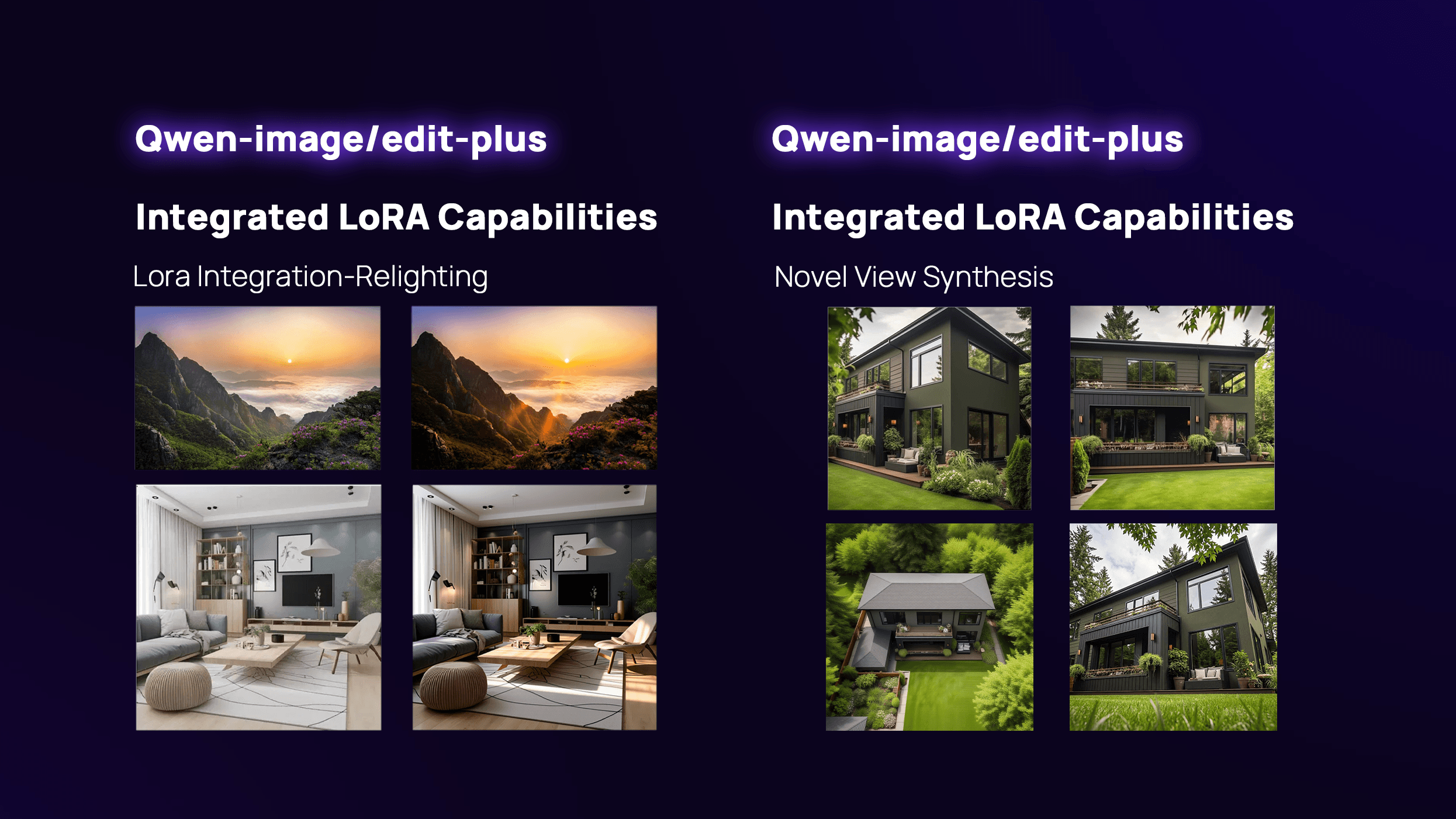
2️⃣ Integrated LoRA Capabilities
It integrates popular LoRAs, ready to use out of the box without tedious fine-tuning:
- Lighting Enhancement: Achieve realistic, studio-level lighting control with one click.
- New Perspective Generation: Easily transform the viewing angle of your scene.
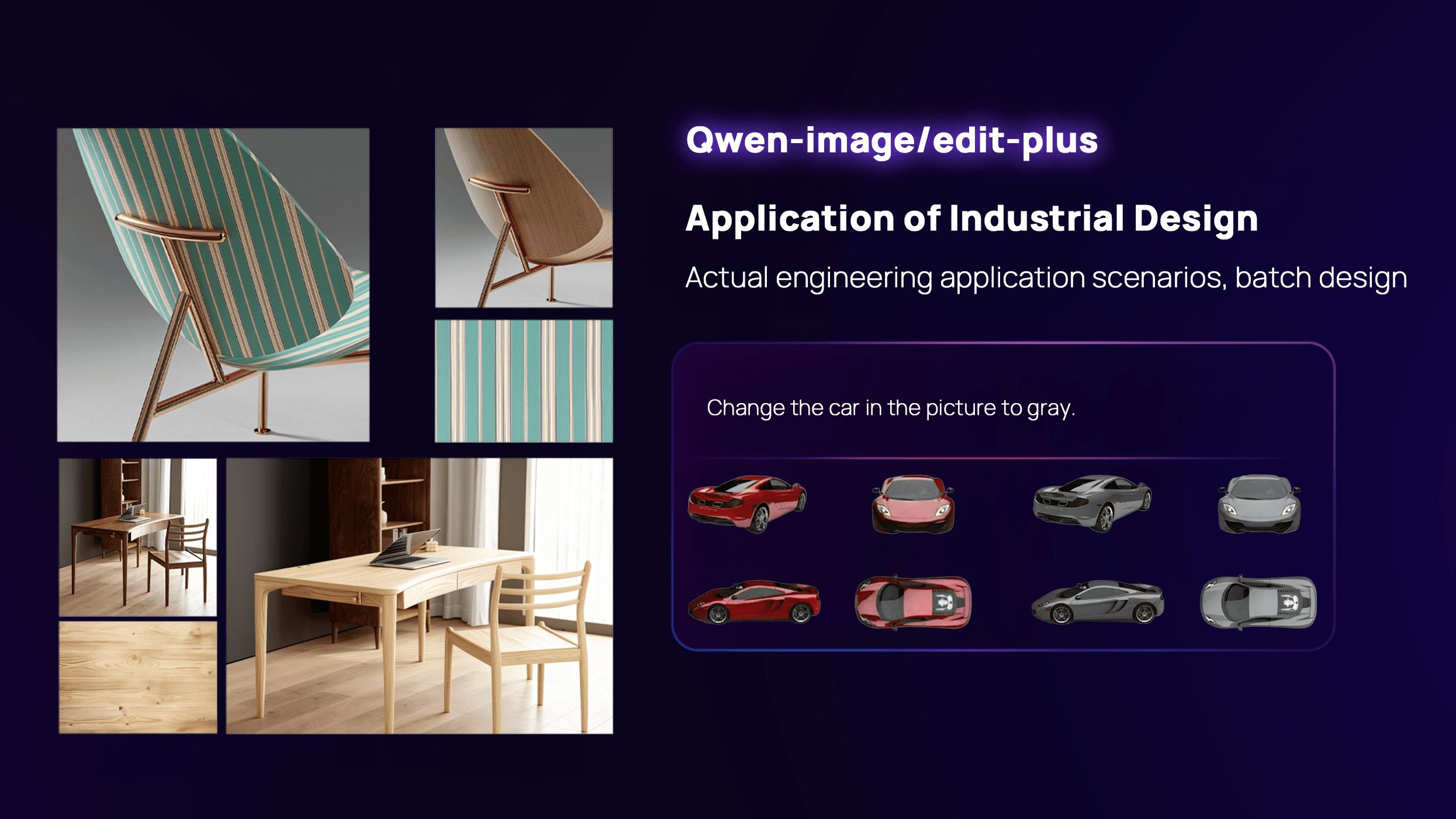
3️⃣ Application of Industrial Design
Optimized for engineering scenarios, it supports batch iterations for industrial product design, helping bring creative concepts to reality more efficiently.
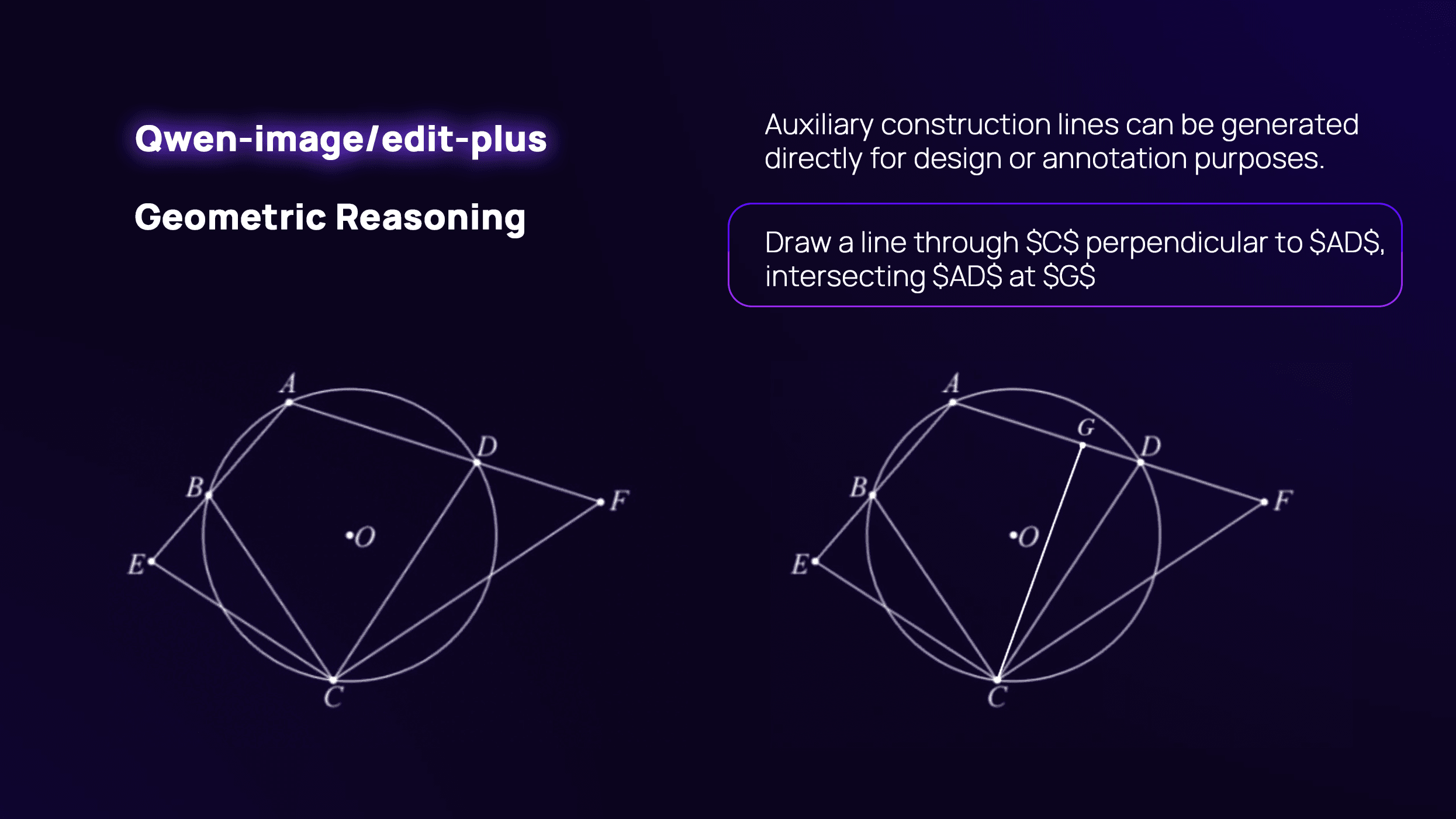
4️⃣ Enhanced Geometric Reasoning
With stronger logical reasoning capabilities, it can even generate auxiliary construction lines directly for design drafts, assisting in professional annotation.
Ready to create? Head over to Atlas Cloud and start your journey with Qwen-Image today!
On Atlas Cloud, you can:
- Run the same prompt through models
- See output quality vs cost side by side
- Decide which model gives the best ROI for your specific workflow
How to Use Both Models on Atlas Cloud
Atlas Cloud lets you use models side by side — first in a playground, then via a single API.
Method 1: Use directly in the Atlas Cloud playground
Method 2: Access via API
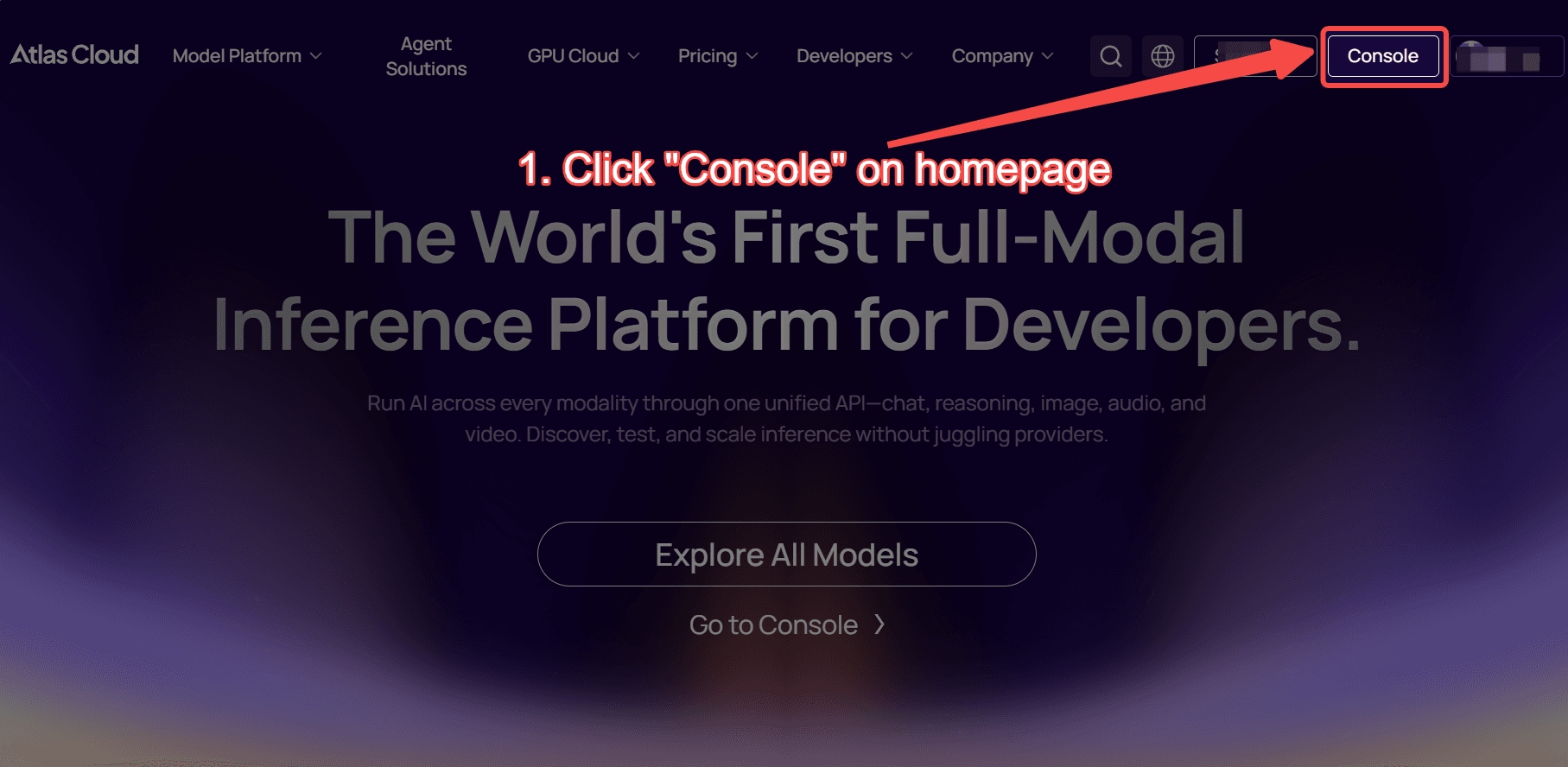
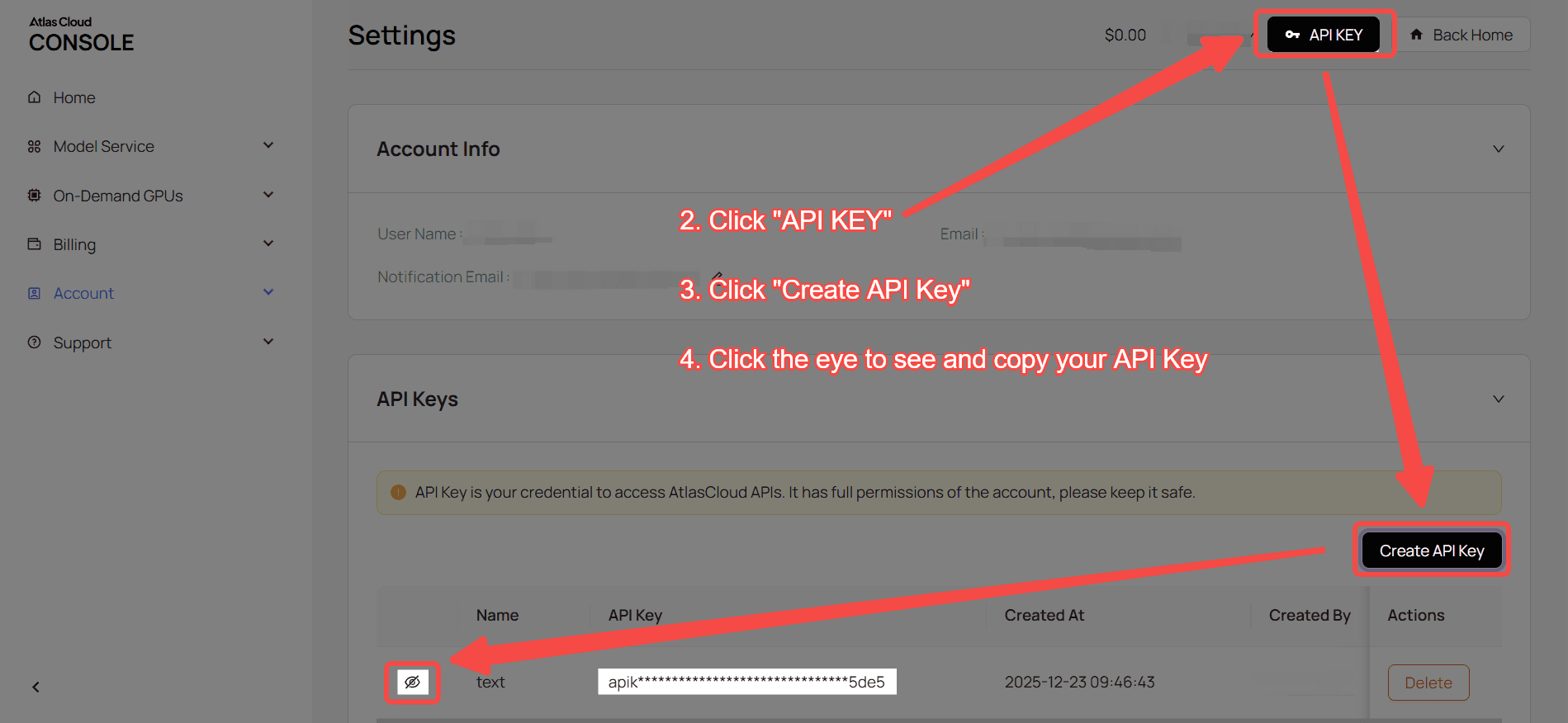
Step 1: Get your API key
Create an API key in your console and copy it for later use.
Step 2: Check the API documentation
Review the endpoint, request parameters, and authentication method in our API docs.
Step 3: Make your first request (Python example)
Example: generate a video with Qwen-image/text-to-image-max.
plaintext1import requests 2import time 3 4# Step 1: Start image generation 5generate_url = "https://api.atlascloud.ai/api/v1/model/generateImage" 6headers = { 7 "Content-Type": "application/json", 8 "Authorization": "Bearer $ATLASCLOUD_API_KEY" 9} 10data = { 11 "model": "alibaba/qwen-image/text-to-image-max", 12 "prompt": "Healing-style hand-drawn poster featuring three puppies playing with a ball on lush green grass, adorned with decorative elements such as birds and stars. The main title “Come Play Ball!” is prominently displayed at the top in bold, blue cartoon font. Below it, the subtitle “Come [Show Off Your Skills]!” appears in green font. A speech bubble adds playful charm with the text: “Hehe, watch me amaze my little friends next!” At the bottom, supplementary text reads: “We get to play ball with our friends again!” The color palette centers on fresh greens and blues, accented with bright pink and yellow tones to highlight a cheerful, childlike atmosphere.", 13 "negative_prompt": "example_value", 14 "enable_prompt_expansion": False, 15 "num_images": 1, 16 "size": "1328*1328", 17 "seed": -1, 18 "enable_base64_output": False, 19 "enable_sync_mode": False 20} 21 22generate_response = requests.post(generate_url, headers=headers, json=data) 23generate_result = generate_response.json() 24prediction_id = generate_result["data"]["id"] 25 26# Step 2: Poll for result 27poll_url = f"https://api.atlascloud.ai/api/v1/model/prediction/{prediction_id}" 28 29def check_status(): 30 while True: 31 response = requests.get(poll_url, headers={"Authorization": "Bearer $ATLASCLOUD_API_KEY"}) 32 result = response.json() 33 34 if result["data"]["status"] == "completed": 35 print("Generated image:", result["data"]["outputs"][0]) 36 return result["data"]["outputs"][0] 37 elif result["data"]["status"] == "failed": 38 raise Exception(result["data"]["error"] or "Generation failed") 39 else: 40 # Still processing, wait 2 seconds 41 time.sleep(2) 42 43image_url = check_status()