The actual value of Vidu Q3 in 4K scenarios isn't just that it "makes clearer videos." It's about surviving real-world commercial demands. Advertising, social media, architecture, and gaming all need stable, high-resolution content delivery. Generating one pretty video is easy. The real headache usually starts when you try to deliver hundreds of them for a commercial ad campaign or an e-commerce storefront. Vidu Q3 provides the ultimate quality ceiling, and Atlas Cloud(An Unified API platform) provides the muscle and scalability to make it happen.
Vidu Q3 Feature Overview
- What is Vidu Q3? It’s a powerhouse AI model that turns simple prompts or static images into stunning cinematic shots.
- Key advantages of Vidu Q3 in 4K production workflows. When dealing with high-definition processing, Q3 is weirdly good at keeping complex motion consistent. It smartly generates the missing details so the 4K actually looks real.
- Supported input methods. Text-to-Video (T2V) and Image-to-Video (I2V). Because it handles both so well, it is incredibly easy to plug into an ai ugc video generator app.
Table: Vidu Q3 Capabilities at a Glance
| Feature | Details | Why It Matters |
| Inputs Supported | Text prompts, Image uploads | Flexibility to animate existing assets or start from scratch. |
| Output Resolution | Up to 4K | Meets professional broadcast and commercial standards. |
| Core Strength | Motion consistency & pixel detail | No more weird, morphing faces or blurred-out backgrounds. |
Knowing what the model does is cool, but how does this actually look when you put it to work? Let’s break down some real-world ways you can use it right now.
Vidu Q3 Workflows and Showcases for Different Scenarios
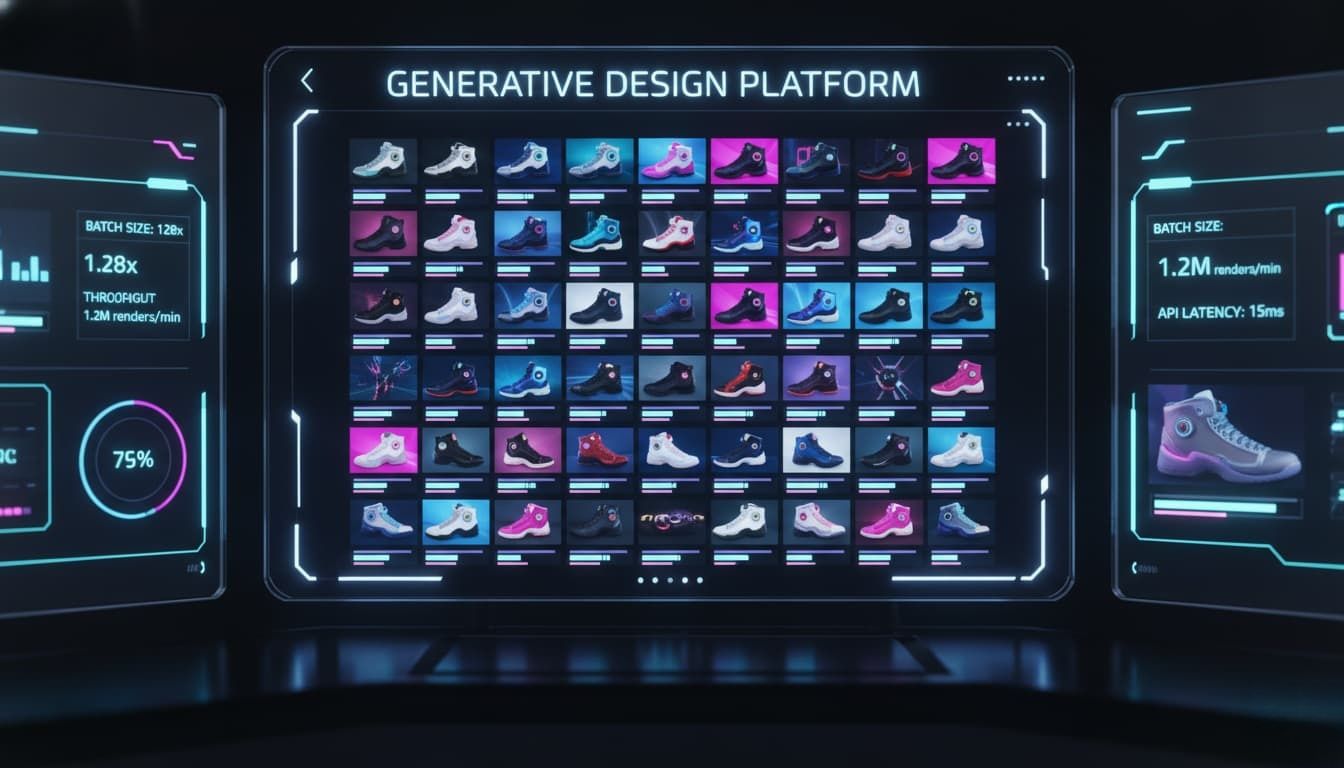
How do you actually use this in the real world? Here are five practical ways I’ve seen teams use the ai video generator api to solve everyday production headaches.
E-commerce Product Visualization
- Scenario: Static product photos are boring. Shoppers want to see things move. You can take a flat shoe photo and turn it into a 4K lifestyle shot of someone wearing it on a rainy street.
- Production pipeline: PNG/JPEG + SKU metadata ingested->Category-aware prompt generation per product type->Vidu Q3 API dispatch->Auto-review + delivery to product pages
- API Parameters: You’ll mostly tweak image_url, prompt, and set resolution="4k"
- Code Example:
plaintext1import requests 2payload = { 3 "model": "vidu-q3", 4 "image_url": "https://yoursite.com/shoe.jpg", 5 "prompt": "Cinematic tracking shot of the shoe splashing in a neon-lit puddle", 6 "resolution": "4k" 7} 8response = requests.post("https://api.atlascloud.ai/v1/video", json=payload)
-
Engineering Checklist:
- Keep the original image background clean.
- Be super specific about lighting in your prompt.
- Check video guidelines to ensure your file sizes fit their limits.
Broadcast & Media Production
- Scenario: Documentaries and news channels always need high-quality B-roll. Sending a crew out is expensive. Using the Vidu Q3 4K upscaling workflow, you can generate crisp, broadcast-ready clips from text.
- Production pipeline: Shot list + director's notes from editorial->Cinematic language, lighting specs, lens directives->Vidu Q3 API generation->ProRes export proxy + delivery to editorial timeline
- API Parameters: Key fields are prompt, aspect_ratio="16:9", and style="cinematic".
- Code Example:
plaintext1curl -X POST https://api.atlascloud.ai/v1/video \ 2-H "Authorization: Bearer YOUR_KEY" \ 3-d '{"prompt":"Drone shot over misty mountains at sunrise","aspect_ratio":"16:9"}'
-
Engineering Checklist:
- Lock your frame rate to match the master project (e.g., 24fps or 29.97fps).
- Watch out for complex text prompts—keep them strictly visual.
Real Estate Virtual Staging
- Scenario: Selling an empty house is tough. With this tool, you can take a picture of an empty living room and generate a panning video showing it fully furnished.
- Production pipeline: MLS photos + room type classification Listing ingest->Camera motion & prompt template per room type->Vidu Q3 API generation->Stitch per-room clips into full walkthrough
- API Parameters: Focus on image_url, prompt, and camera_motion="pan_right".
- Code Example:
plaintext1payload = { 2 "model": "vidu-q3", 3 "image_url": "empty_room.jpg", 4 "prompt": "Sunlight hitting a green velvet couch, modern decor", 5 "camera_motion": "pan_right" 6}
-
Engineering Checklist:
- Make sure the uploaded photo is well-lit.
- Don't use heavy zooms; pans look much more natural.
- Verify the generated windows match the real floor plan.
Advertising & Creative Campaigns
- Scenario: Ad agencies need dozens of video variations for A/B testing. Doing this manually takes weeks. This is where a bulk AI video generation API really shines.
- Two-stage creative pipeline: Creative brief → prompt variants per concept->Vidu Q3 API generation All variants at draft quality for creative review->Approved variants only, cinematic quality->16:9, 9:16, 1:1 crops for each placement
- API Parameters: You’ll use prompt, batch_size, and fix the seed for consistency.
- Code Example:
plaintext1const response = await fetch('https://api.atlascloud.ai/v1/video/batch', { 2 method: 'POST', 3 body: JSON.stringify({ 4 model: "vidu-q3", 5 prompts:["Red car driving fast", "Blue car driving fast"], 6 seed: 42 7 }) 8});
-
Engineering Checklist:
- Always track your seed numbers so you can recreate good results.
- Monitor your API rate limits when doing bulk runs.
- Store outputs in a cloud bucket automatically.
Education & E-Learning Content
- Scenario: Online courses need visual aids. Explaining the solar system is easier with a video. An ai ugc video generator built on this API lets teachers create custom clips instantly.
- Content production pipeline: Lesson outline → visual segment brief per concept->Instructional designer reviews & refines prompts->Vidu Q3 API Batch job across all lesson segments generation->Segments assembled, captioned, and uploaded
- API Parameters: Use prompt, duration="8s", and safety_filter="strict".
- Code Example:
plaintext1payload = { 2 "model": "vidu-q3", 3 "prompt": "3D animation of Earth orbiting the sun, realistic textures", 4 "duration": "8s", 5 "safety_filter": "strict" 6}
-
Engineering Checklist:
- Keep prompts very literal to avoid weird abstract outputs.
- Combine short 4-second clips if you need a longer scene.
- Visually check historical or scientific accuracy—AI still hallucinates sometimes.
Table: Vidu Q3 Scenarios Overview
| Scenario | Best Input Method | Key API Parameter | Main Benefit |
| E-commerce | Image-to-Video | resolution="4k" | Higher conversions |
| Broadcast | Text-to-Video | aspect_ratio="16:9" | Cheaper B-roll |
| Real Estate | Image-to-Video | camera_motion="pan" | Faster staging |
| Advertising | Batch Prompts | seed | Quick A/B testing |
| Education | Text-to-Video | safety_filter="strict" | Engaging lessons |
Okay, so you know how to use it. But why should you access Vidu Q3 through Atlas Cloud instead of just going direct? Let’s look at the infrastructure side of things.
Why Vidu Q3 Needs a Production-Grade Unified API platform
You might be wondering, why not just go straight to the official Vidu API? The official route is fine for basic testing. But when you start scaling up, things get messy fast.
There are a lot of inconveniences when it comes to managing separate billing, strange rate limits, and server timeouts. Atlas Cloud integrates the Vidu Q3 API into a production-grade, unified interface, unified management and usage billing.
When you need a reliable bulk AI video generation API, Atlas Cloud gives you enterprise-level load balancing right out of the box. You don't need a huge DevOps team to manage it. It just makes running a high-volume Vidu Q3 4K upscaling workflow way smoother, ensuring your app stays up even when user demand spikes.
Official Vidu Q3 API vs Atlas Cloud’s Vidu Q3 API
| Dimension | Official Vidu Q3 API | Atlas Cloud Vidu Q3 API |
| Failure Recovery | Manual1.Single vendor dependency: If Vidu's endpoint performance degrades, there is no fallback option. | Platform-managed1.A catalog of over 300 models supports switching to other models when Vidu Q3 is unavailable. |
| Production Readiness | Developer-gradeVidu's official API platform (platform.vidu.com) targets startups and developers; enterprise SLA not publicly documented | Enterprise-gradeSOC I & II certified, HIPAA compliant — suitable for regulated industries |
| Backup Support | Switching to an alternative model provider requires re-integration with a separate API, new credentials, and new billing | Single API key covers 300+ models — swapping to a backup model (e.g. Kling, Wan) requires only a parameter change, no re-integration |
| Price | Official Price:~$0.05/sec | Atlas Cloud Price:~$0.042/sec |
| Setup & Billing | Separate account needed | One unified wallet |
| Best For | Small tests, hobbyists | Large apps, production scaling |
| Model Switching | Only Vidu models | Access to multiple AI models |
Now that we know why Atlas Cloud is the better control center, how do we actually wire it up? Let’s walk through a hands-on guide to plugging it into n8n workflow.
How to Integrate Atlas Cloud API into a Single n8n Workflow
Let’s get into the actual build. Linking Atlas Cloud with n8n is probably the best setup for ai video generation if you want pure, hands-off automation. It saves so much time, and n8n is super visual. I will walk you through exactly how I do this.
Configuring General LLM Credentials in n8n
You need to tell n8n how to securely talk to Atlas Cloud. Here is how I usually configure the credentials.
Step 1: Get your API key
First, log into your Atlas Cloud dashboard. Navigate over to the API settings tab. Generate a new secret key and copy it right away. Treat this key like a bank password—don't share it.
Step 2: Add credentials in n8n
Open up your n8n workspace. Drop in an HTTP Request node onto the canvas. I think the easiest way is to set your Authentication type to "Header Auth". Name the header
1Authorization-
Open your n8n canvas.
-
From the left menu, select Credentials -> Add Credential.
-
Search for Atlas Cloud.
-
Key steps:
- API Key: Enter the api-xxxxxxxx you got from atlascloud.ai.
- URL: Click the URL setting, or in the Base URL field, change the default https://api.openai.com/v1 to:https://api.atlascloud.ai/v1
Note: Be sure to keep the /v1 at the end.
Step 3: Test the connection
Send a quick GET request to a basic Atlas Cloud endpoint to see if it responds. If you see a green 200 OK status, you did it right. Your ai video generator api is officially connected.
Step 4: Troubleshoot errors
If you get a 401 Unauthorized error, you likely pasted a weird blank space next to your token. If the node times out entirely, check your server's firewall. For more help, I always check the official n8n authentication guide to verify my setup.
Building an Agent in n8n
We will use an "AIGC Industry Super Researcher Agent" as our example.
- Scenario description: You are a product manager. You need to get the latest updates on the "AIGC industry" every day post daily AI tech news videos on social media.
- Manual workflow: Open Google → Search → Open 5–10 web pages → Read → Summarize → Write video prompt → Make video → Post on social media
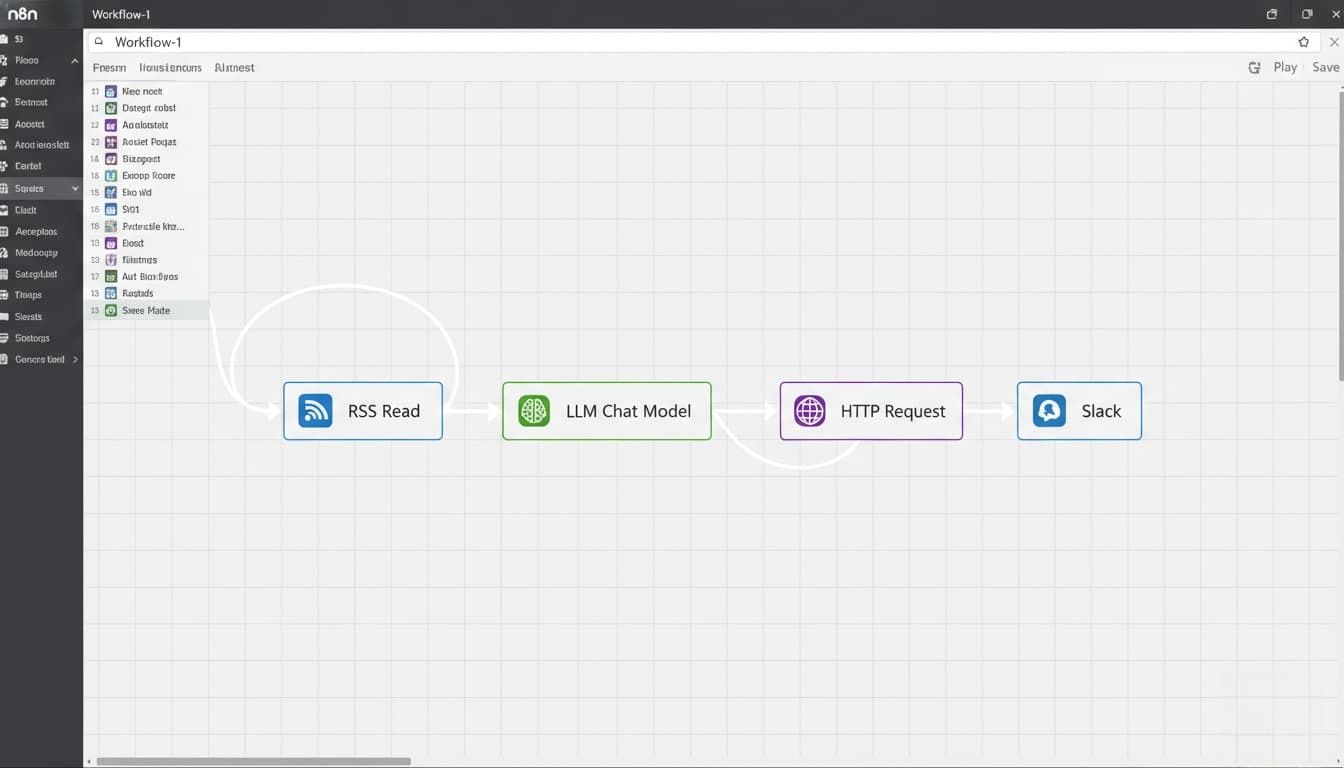
- N8N automated workflow: Scheduled grab news RSS feed → Retrieve the content → Feed it to an LLM → Generate news video prompt → HTTP Request Atlas Cloud Vidu Q3 endpoint→ Generate news videos → Slack node send video URL.
-
Detailed steps
- Drop an RSS Read node to fetch daily AI news.
- Connect an LLM node (like OpenAI) to summarize the news into a visual Vidu Q3 prompt.
- Add the HTTP Request node we set up earlier. Point it to the Atlas Cloud Vidu Q3 endpoint. Map the LLM's prompt into the API payload.
- Connect a Slack node to send you the final video URL.
This setup totally removes the busywork. You just wake up and check your Slack for fresh videos.
Table: n8n Researcher Agent Node Setup
| Node Type | Purpose | Key Setting |
| RSS Trigger | Finds the news | Set poll interval to 24 hours |
| LLM Action | Writes the prompt | Instruct it to write visual scenes |
| HTTP Request | Calls Vidu Q3 API | Method: POST, Format: JSON |
| Slack | Delivers the result | Send as a direct message |
Getting the automation running is amazing. But you might still have a few concerns about security and flexibility. Let's cover some common questions I hear all the time.
FAQ
Is my video data and proprietary content safe on Atlas Cloud?
Yes, absolutely. All API requests are protected by enterprise-grade encryption and Atlas Cloud is SOC I & II compliant. Once your video finishes rendering, the massive file is temporarily hosted on a secure, globally distributed CDN for fast, private downloading. You retain ownership and control over your generated video assets.
Can I easily switch between Vidu Q3 and other video models on Atlas Cloud?
Yes. Because the setup is standardized, you literally just change one single text string in your API request.
- Want stunning ultra-high-definition rendering quality? Set the model to Vidu Q3.
- Need fast, low-latency AI video inference for a quick user preview? Swap it to a lighter model.
Table: Quick FAQ Summary
| Question Topic | Quick Answer | Why It Matters for You |
| Data Security | Yes, encrypted and not used for training. | Protects your intellectual property. |
| Model Switching | Yes, just change a single line of code. | Future-proofs your video app. |
Summary
As AI video generation evolves over the next year or two, ultra HD will just become the baseline standard. Users will expect it. Content production is aggressively moving toward automation and batching. Multi-model collaboration will almost certainly become the mainstream architecture for any successful ai ugc video generator. If you want your app to survive, stop relying on fragile, single-connection setups. Upgrading to an Unified API platform protects your uptime and your budget.
Don't let your infrastructure hold back your creative vision. Connect to Vidu Q3 through Atlas Cloud, build an automated pipeline that actually scales, and start delivering the stunning high-resolution video your users expect.[👉 Click here to create your Atlas Cloud account and generate your first ultra-high-definition rendering video today.]





