Recent industry forecasts suggest that multimodal pipelines capabilities will be embedded in 80% of enterprise software by 2030, a massive leap from less than 10% in 2024. Users now expect rich images and fluid videos, not just smart text blocks. By integrating the Flux image and video skill through a unified platform, you can add powerful multimodal capabilities in just minutes. This guide shows you exactly how to combine Seedance-video-skill documentation and Flux's robust API to generate professional-grade videos from simple text.
Why Multimodal Technology Should Be in Your Stack Now
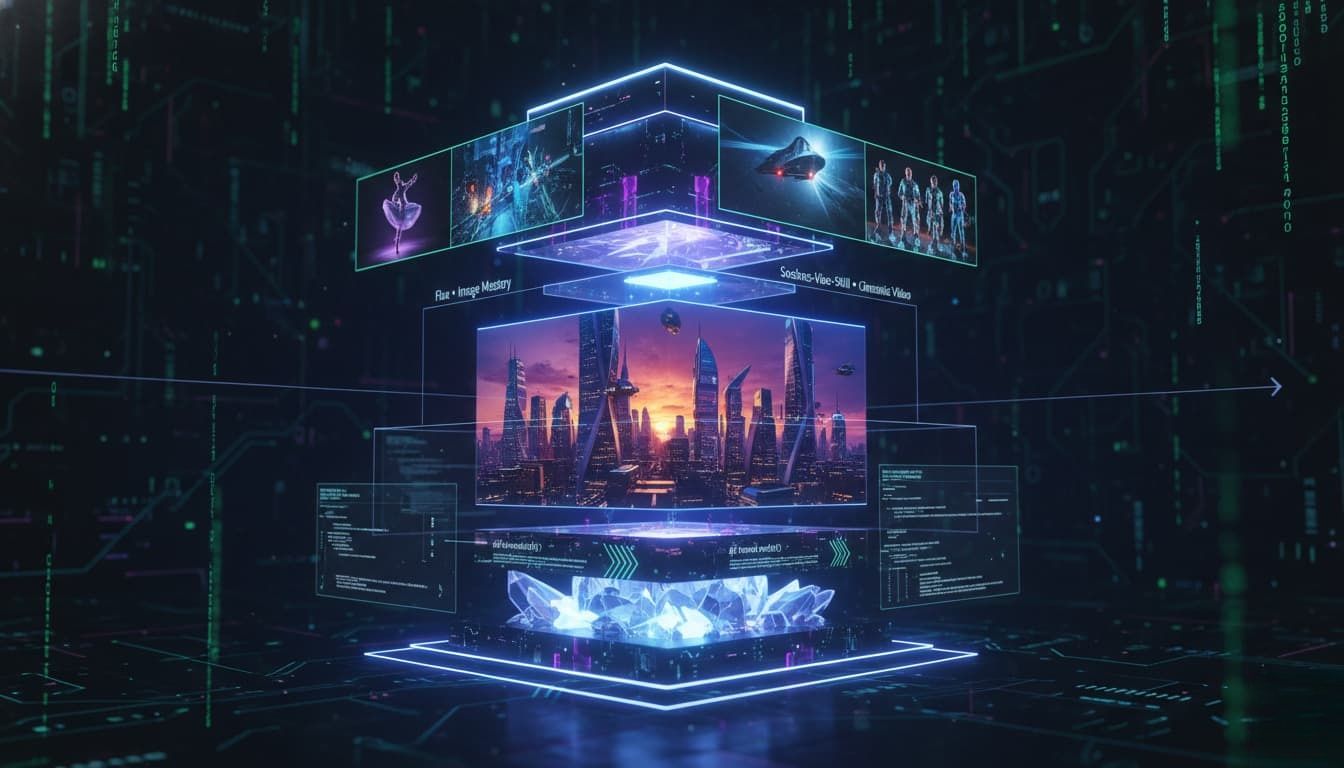
- Changing User Expectations: Whether it's an e-commerce store, a social media feed, or a mobile app, people expect dynamic, visual experiences.
- Changes in Content Formats: It starts as text, becomes an image, and finally moves into video.
- The Cost of Stagnation: If your AI development stack 2026 only handles text. You lose precious time to market because your team still has to manually shoot or design graphics. You also miss out on massive content scale. Worst of all, you lose product differentiation. Let's face it, anyone can build a basic text wrapper today. True full-stack AI development means controlling the entire media pipeline.
You might worry about the heavy compute power needed for media generation. But with modern APIs, scalable inference is handled for you on the backend. You don't need to buy racks of expensive GPUs.
Text-Only Stack vs. Multimodal Stack Comparison Table
| Category | Text-Only Stack (LLMs only) | Multimodal Stack (e.g., Seedance-Video-Skill + Flux) |
| User Experience | Static, reading-heavy, requires focus | Dynamic, highly visual, instantly engaging |
| Content Output | Articles, code snippets, text summaries | Text, graphics, custom product images, videos |
| Engagement Level | Moderate to low for general consumers | High (retains user attention much longer) |
| Use Cases | Chatbots, data analysis, copywriting | E-commerce ads, social media automation, gaming |
| Infrastructure Needs | Simple LLM API access | Requires robust, scalable inference architecture |
| Cost Profile | Very low per generation | Higher compute cost, but massive ROI on media |
| Pipeline Complexity | Straightforward, single-step generation | Multi-stage (text → image → video → editing) |
So, how do you actually start adding these rich visuals? Let's look at the first piece of the puzzle.
Step 1 of the Multimodal Pipeline: Generating High-Fidelity Visuals with the Flux API
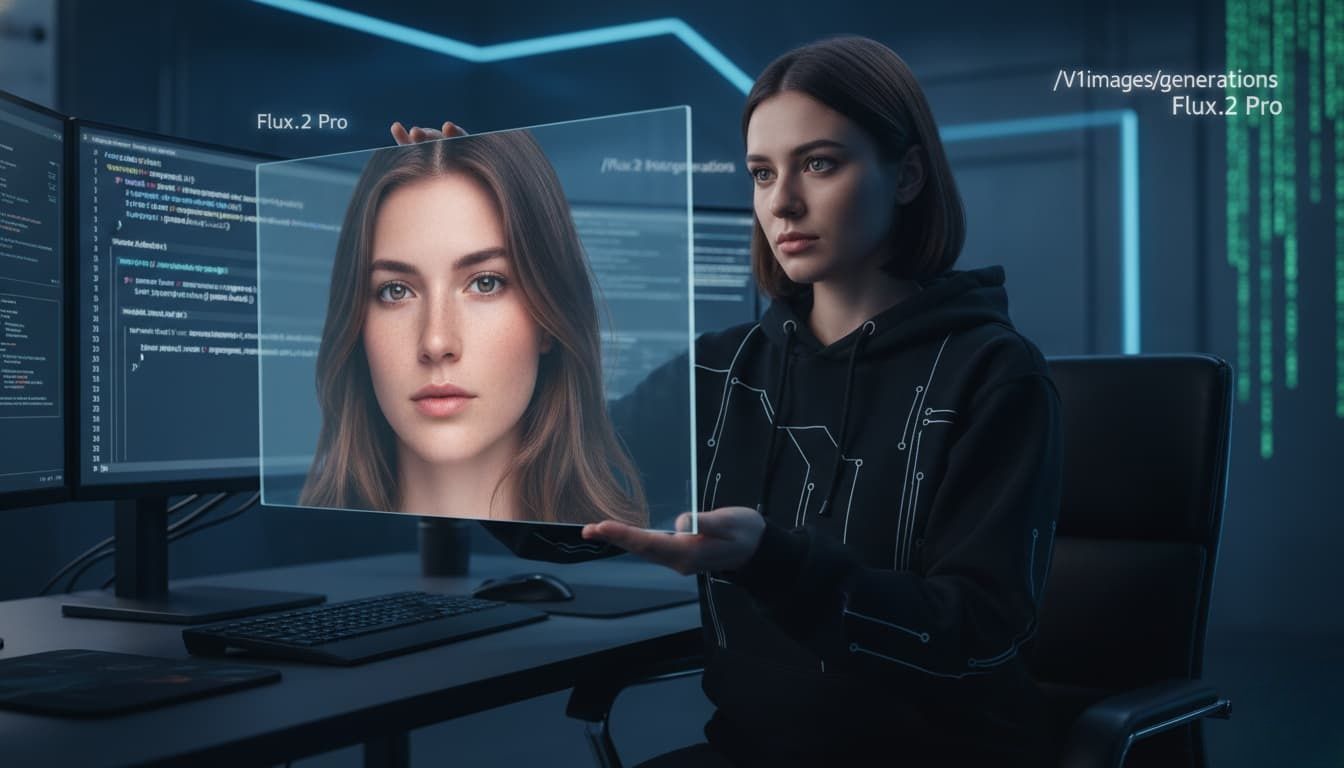
- What is Flux? Why do developers choose it? Flux is a high-fidelity image generation model. Developers love it because it listens to your prompts. You don't have to guess what it will output. It just gives you exactly what you asked for.
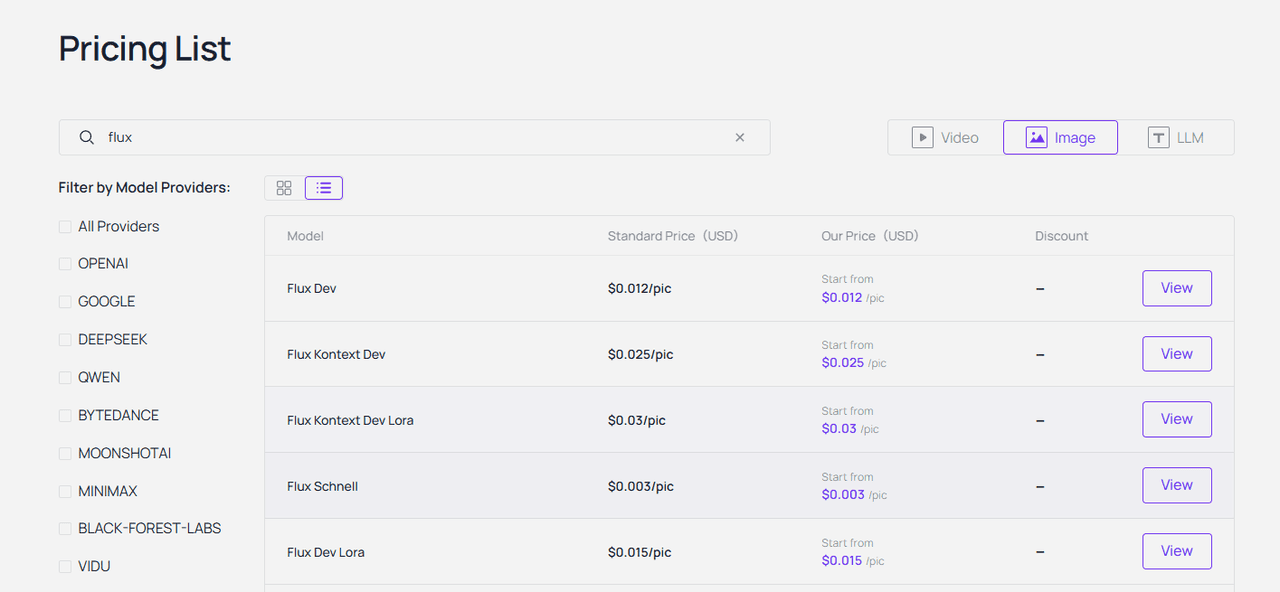
- Model variants worth knowing: When you look at the options, there are a few variants worth knowing. Flux -schnell is built for pure speed. It is perfect if you need rapid prototyping. Then there is Flux dev, which offers a great balance of quality and efficiency. However, if you are building serious commercial apps, connecting to the Flux.1 Pro API is your best bet for top-tier, reliable results.
- Key parameters: Working with the API is surprisingly simple. You mainly adjust three key parameters. First, you set the resolution, like 1024x1024 for standard web posts. Next, you define the steps. More steps give you richer details but take a fraction of a second longer. Finally, you tweak prompt adherence, which controls how strictly the AI follows your exact text instructions.
- Simple use case: An e-commerce seller turns basic studio footage into a full e-commerce-ready catalogs by calling the Flux Kontext (12B parameter, instruction-based editing) API. No full regeneration needed—just edit existing images with natural language prompts while preserving product details, textures, and branding.
Now that you have crisp, high-quality static images, you might be thinking: how do we make them move?
Step 2: Activating the Seedance-Video-Skill for Cinematic AI Video
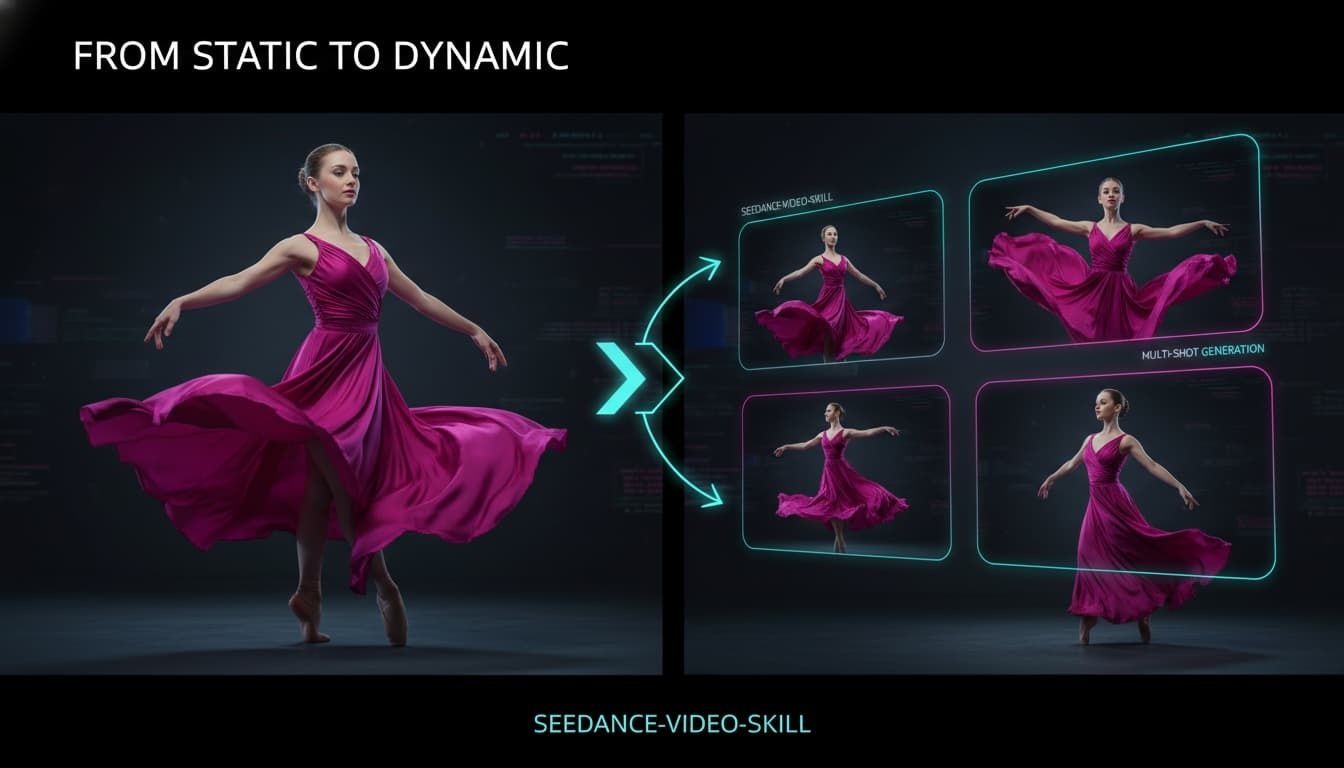
- What Seedance-Video-Skill can do: Seedance-Video-Skill takes your media from static to dynamic almost instantly. It handles both text-to-video and Image-to-Video (I2V) generation. You can even run advanced Video-to-Video (V2V) transformations.
- What makes it unique: What makes it truly unique is its motion consistency. You actually get cinematic output quality. Characters don't randomly melt while walking. The movement feels remarkably stable and natural.
- Documentation highlights: The Seedance-video-skill documentation is genuinely clean. The endpoints are straightforward. You simply pick your input modes, define the video duration, and set your target resolution. It feels very familiar if you have used standard REST APIs.
- Mini use case: One YouTuber turned a single Flux product image and converts it directly into Seedance 2.0’s image-to-video mode on platforms,turning it into 9+ professional marketing formats (unboxings, try-ons, cinematic commercials) with perfect consistency — unlocking a complete Flux image and video skill workflow. He didn't even need to hire a video editor.
Static → Dynamic Pipeline Comparison
| Capability | Without Seedance-Video-Skill | With Seedance-Video-Skill |
| Turn images into video | Manual (Requires heavy software) | Automated Image-to-Video (I2V) via API |
| Pipeline integration | Fragmented (lots of manual human handoffs) | Unified (Seamless integration into custom backends) |
| Content production speed | Slow (Days or weeks per ad campaign) | Fast (Minutes for dozens of video variations) |
| Scalability | Limited by human effort | Near-infinite, fully driven by code |
| Cost at scale | Extremely high (needs large creative teams) | Highly efficient per-API-call billing |
| Iteration speed | Slow, waiting on manual rendering | Instant, just tweak parameters and re-run |
So, you have Flux for stunning images and Seedance for fluid video. But what happens when you wire them together in one smooth flow?
The Real Power: Integrating Flux and Seedance into One Pipeline
- The "image-to-video" workflow: Building an "image-to-video" workflow used to mean downloading massive files and juggling messy scripts. Now you just need to take the image URL output by Flux directly into the Seedance input. Together, they act as a unified Flux image and video skill.
- I lean toward using an Unified API platform, like Atlas Cloud. You only need one API key and choose one calling pattern. Then, you can access two powerful models. You don't have to manage different billing setups. You just build your multimodal pipelines and let the platform handle the heavy lifting.
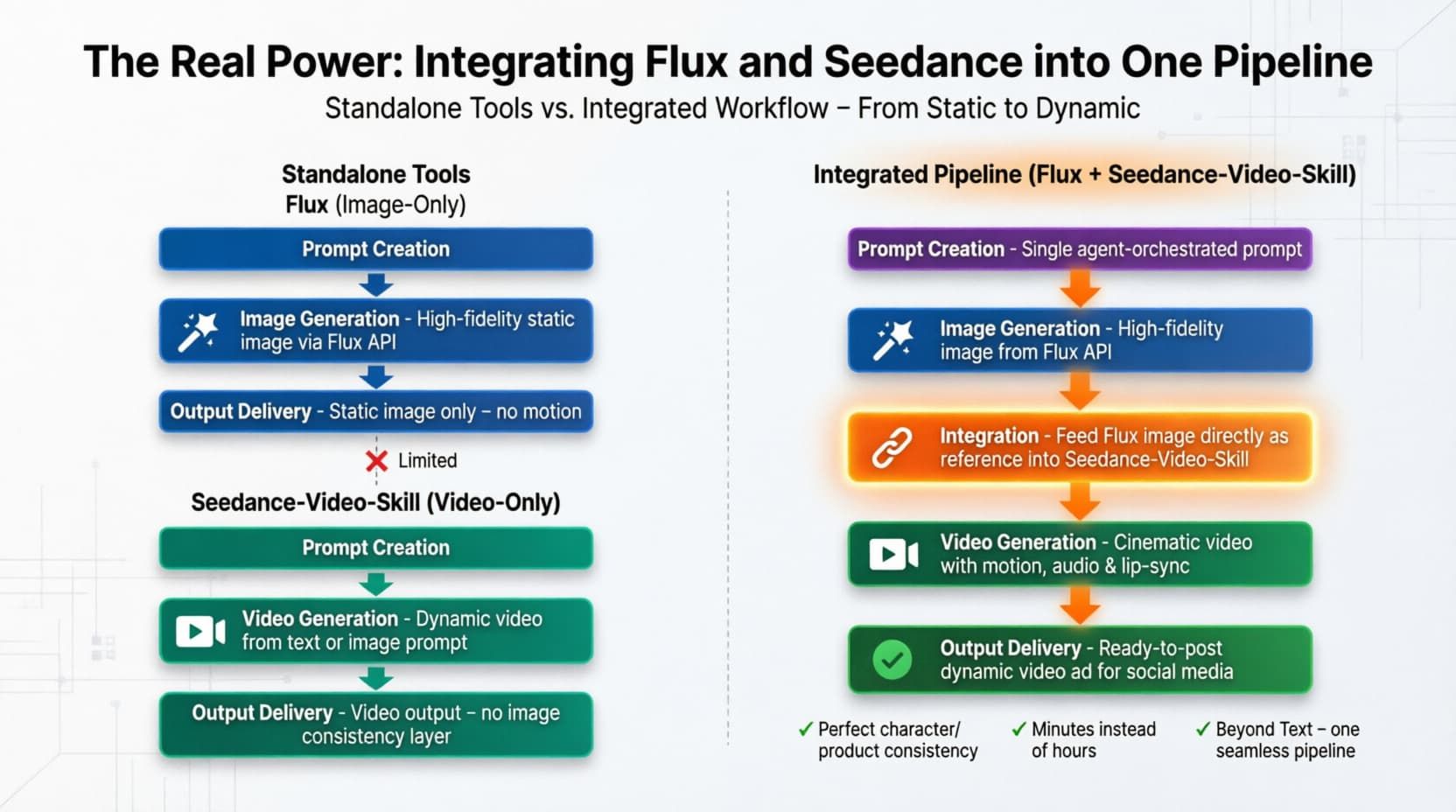
Using an Unified API platform obviously makes the code much cleaner. But what are the deeper business reasons for skipping direct access altogether?
Why Use an Unified API platform Instead of Direct Access
When you use an AI aggregator platform, you simplify your full-stack AI development. You get everything under one roof. Want to swap out a model? You just change one line of code. You don't have to rewrite your entire backend. This makes managing your scalable inference infrastructure much easier. It also gives you instant access to new models the second they drop.
Direct APIs vs Unified API platform
| Category | Direct Integration (e.g., calling Flux / Seedance APIs yourself) | Unified API platform |
| API keys needed | Higher (multiple APIs, auth, configs) | Lower (single entry point) |
| Model switching | Requires major code rewrites | Simply change the model name |
| Billing | Scattered invoices, different terms | Unified, predictable billing (Billed by the second or per video) |
| Global access | Often requires custom proxies | Built-in global edge optimized |
| New model support | Manual (Built-in global edge optimized) | Automatic (Instant access upon launch) |
Now that the setup makes sense, let me show you exactly how to build this today.
Get Started in Three Steps
Wiring this up takes maybe ten minutes. You really just need to follow three simple steps to completely upgrade your AI development stack 2026.
- Step 1: Get your single API key from your chosen Unified API platform.
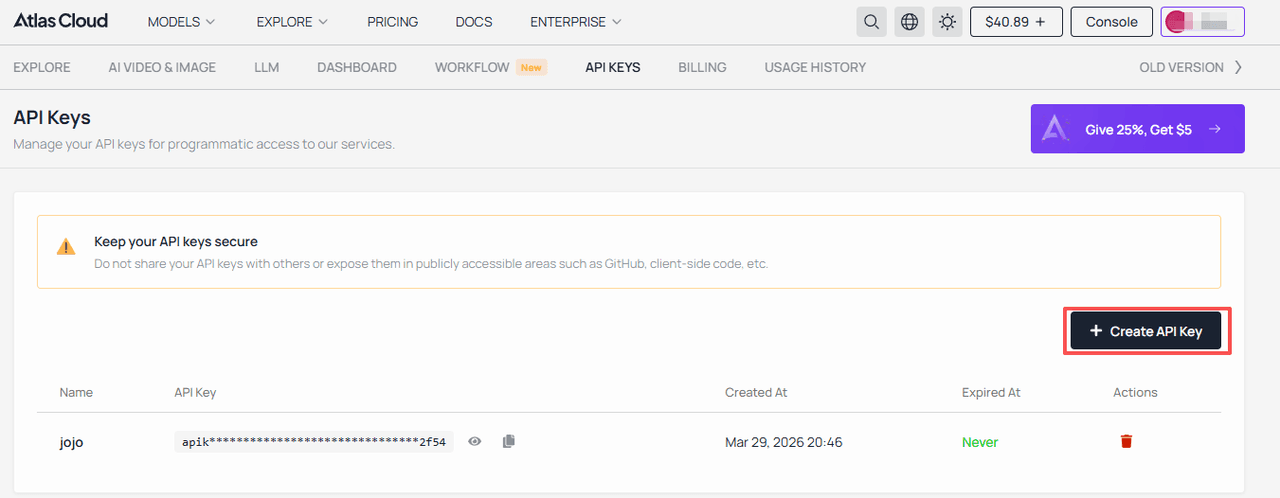
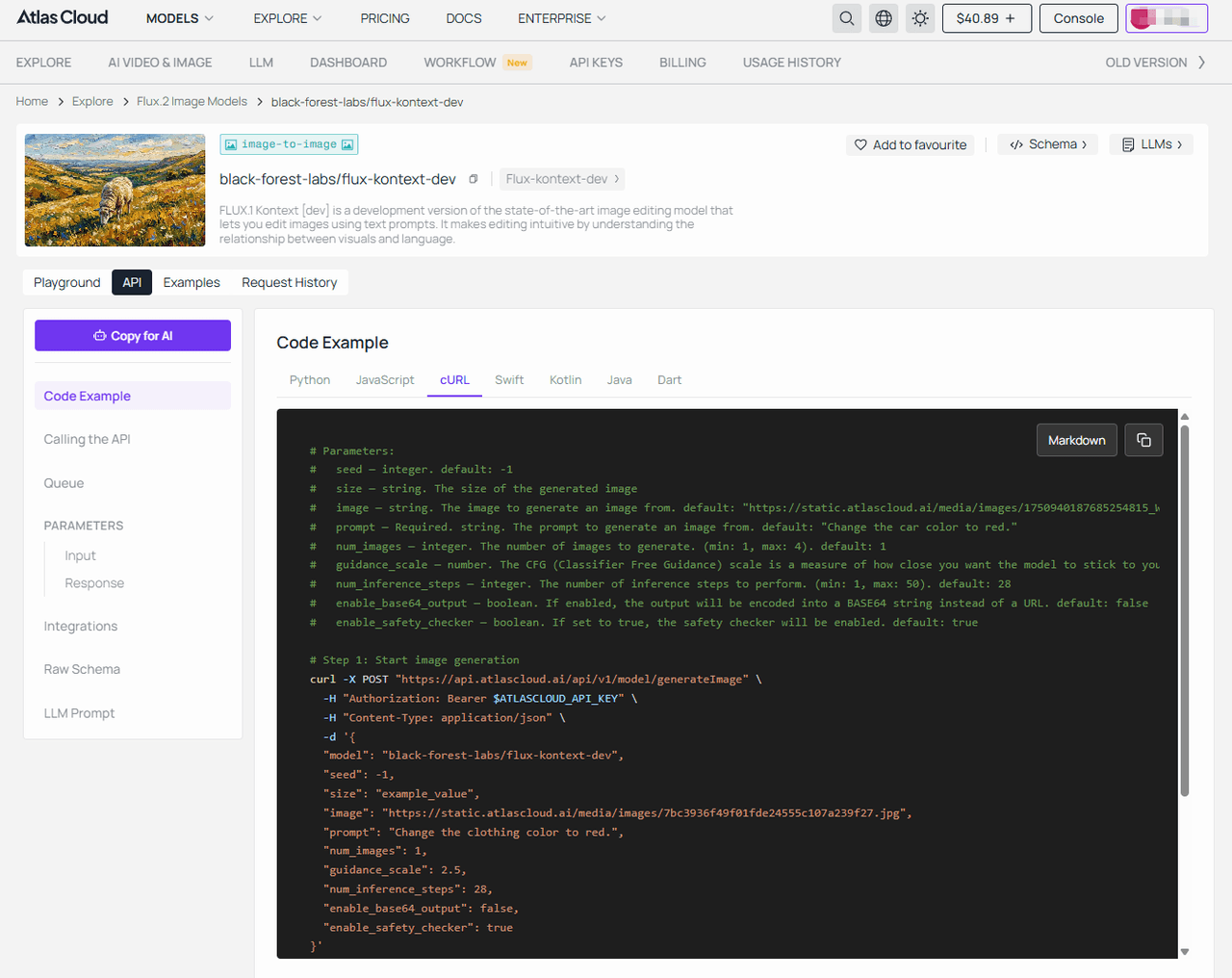
- Step 2: Call Flux to generate your base image. (Taking flux-kontext-dev as an example)
plaintext1## Code Example — cURL 2 3```bash 4# Parameters: 5# seed — integer. default: -1 6# size — string. The size of the generated image 7# image — string. The image to generate an image from. default: "https://static.atlascloud.ai/media/images/1750940187685254815_W4yPaBQU.jpg" 8# prompt — Required. string. The prompt to generate an image from. default: "Change the car color to red." 9# num_images — integer. The number of images to generate. (min: 1, max: 4). default: 1 10# guidance_scale — number. The CFG (Classifier Free Guidance) scale is a measure of how close you want the model to stick to your prompt when looking for a related image to show you. (min: 1, max: 20). default: 2.5 11# num_inference_steps — integer. The number of inference steps to perform. (min: 1, max: 50). default: 28 12# enable_base64_output — boolean. If enabled, the output will be encoded into a BASE64 string instead of a URL. default: false 13# enable_safety_checker — boolean. If set to true, the safety checker will be enabled. default: true 14 15# Step 1: Start image generation 16curl -X POST "https://api.atlascloud.ai/api/v1/model/generateImage" \ 17 -H "Authorization: Bearer $ATLASCLOUD_API_KEY" \ 18 -H "Content-Type: application/json" \ 19 -d '{ 20 "model": "black-forest-labs/flux-kontext-dev", 21 "seed": -1, 22 "size": "example_value", 23 "image": "https://static.atlascloud.ai/media/images/7bc3936f49f01fde24555c107a239f27.jpg", 24 "prompt": "Change the clothing color to red.", 25 "num_images": 1, 26 "guidance_scale": 2.5, 27 "num_inference_steps": 28, 28 "enable_base64_output": false, 29 "enable_safety_checker": true 30}' 31 32# Response: {"code": 200, "data": {"id": "prediction_id"}} 33 34# Step 2: Poll for result (replace {prediction_id} with actual ID) 35curl -X GET "https://api.atlascloud.ai/api/v1/model/prediction/{prediction_id}" \ 36 -H "Authorization: Bearer $ATLASCLOUD_API_KEY" 37 38# Keep polling until status is "completed" or "failed" 39# When completed, outputs[0] will contain the image URL 40```
- Step 3: Pass that exact image URL directly to Seedance for video processing. (Taking Seedance 2.0 reference-to-video as an example)
plaintext1## Code Example — cURL 2 3```bash 4# Parameters: 5# prompt — string. Text prompt describing the desired video. default: "The character in image 1 dances gracefully to the music" 6# reference_images — array. Reference image URLs, Base64, or asset references (asset://<ASSET_ID>) 7# reference_videos — array. Reference video URLs or asset references for video editing, extension, or multimodal generation 8# reference_audio — string. Reference audio URL, Base64, or asset reference 9# duration — integer. Video duration in seconds (4-15), or -1 for model to choose automatically. default: 5 10# resolution — string. Video resolution. default: "720p". options: 480p | 720p | 1080p 11# ratio — string. Aspect ratio. default: "adaptive" 12# generate_audio — boolean. Whether to generate synchronized audio. default: true 13# watermark — boolean. Whether to add a watermark. default: false 14# return_last_frame — boolean. Whether to return the last frame as a separate image. default: false 15 16# Step 1: Start video generation 17curl -X POST "https://api.atlascloud.ai/api/v1/model/generateVideo" \ 18 -H "Authorization: Bearer $ATLASCLOUD_API_KEY" \ 19 -H "Content-Type: application/json" \ 20 -d '{ 21 "model": "bytedance/seedance-2.0/reference-to-video", 22 "prompt": "A lone polar bear walking across sharp coastal rocks in the Arctic, ocean waves splashing around the reef, cold mist in the air, powerful yet cautious movement, cinematic wildlife documentary, dramatic lighting, ultra-realistic, 4K, slow camera tracking.", 23 "reference_images": [ 24 "https://static.atlascloud.ai/media/images/45ceb712e8254f3af8167346260bad86.jpg" 25 ], 26 "reference_videos": [], 27 "reference_audio": "example_value", 28 "duration": 5, 29 "resolution": "720p", 30 "ratio": "adaptive", 31 "generate_audio": true, 32 "watermark": false, 33 "return_last_frame": false 34}' 35 36# Response: {"code": 200, "data": {"id": "prediction_id"}} 37 38# Step 2: Poll for result (replace {prediction_id} with actual ID) 39curl -X GET "https://api.atlascloud.ai/api/v1/model/prediction/{prediction_id}" \ 40 -H "Authorization: Bearer $ATLASCLOUD_API_KEY" 41 42# Keep polling until status is "completed", "succeeded" or "failed" 43# When completed, outputs[0] will contain the video URL 44```
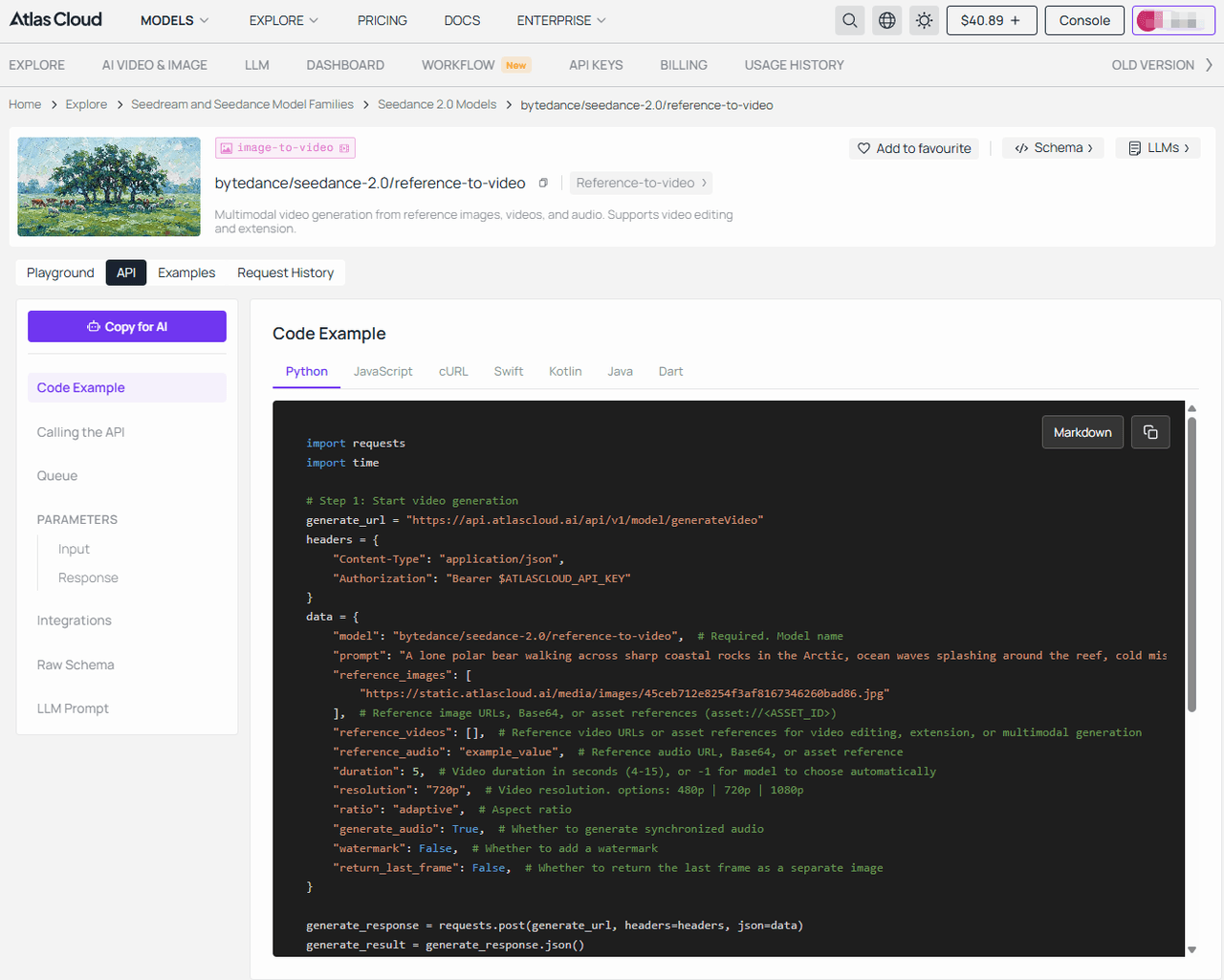
The official Seedance-video-skill documentation list all the advanced parameters you might want to tweak later.
Step-by-Step Conversion Flow
| Step | What You Do | Input | Tool Role | Output | Why It Matters |
| 1. Generate Visual Assets | Call the Flux API endpoint. | Text prompt (scene, style, subject) | Flux generates high-quality visuals | A crisp, static image URL. | Establishes visual identity and quality baseline |
| 2. Add Motion & Narrative | Pass the image URL to Seedance. | Static image URL + motion settings. | Image-to-Video (I2V) engine. | A fluid, cinematic video clip. | Transforms static content into engaging media |
| 3. Orchestrate & Deliver | Serve the final media to users. | The finalized video URL. | Unified aggregator API platform. | Seamless user experience. | Proves your full-stack AI development capabilities. |
Still have a few lingering questions before you start writing code? Let's clear those up right now.
FAQ
Q1: What is the "Flux image and video skill" and how is it different from traditional APIs?
The Flux image and video skill is basically a combined multimodal pipeline. Most traditional APIs just spit out basic, static pictures. This approach links Flux’s hyper-realistic image output directly with video generation. It is much more predictable and follows your exact prompts way better than legacy tools.
Q2: What can I build with Seedance-Video-Skill that I couldn't build with text-only AI?
Like automated TikTok ads, dynamic product showcases, or interactive gaming assets. Text-only limits you to chat interfaces. Seedance pushes you into full-stack AI development where you completely control rich, moving visual media.
Q3: How does Seedance-Video-Skill convert static images into dynamic video content?
It uses advanced Image-to-Video (I2V) and even Video-to-Video (V2V) technology. You just feed it an image URL. The model then predicts natural motion frames. It keeps the subject surprisingly stable, avoiding the weird AI warping you usually see elsewhere.
Q4: How do Flux and Seedance-Video-Skill work together in a single workflow?
You send a text prompt to Flux to make a high-fidelity image. Then, your code instantly grabs that image URL and hands it to Seedance to add motion. It is basically a one-two punch for automated content.
Q5: Do I need separate API keys for Flux and Seedance, or can I access them through one platform?
Using an Unified API platform lets you access both the Flux.1 Pro API and Seedance with just one single API key. It keeps your billing clean and your code incredibly simple.
Q6: What are the benefits of using an Unified API platform instead of integrating models directly?
It saves a ton of engineering time. You get instant global access to new models. Plus, if one model breaks, you don't have to rewrite your whole backend. Scalable inference is handled for you, ensure it runs as smoothly as possible, even under heavy load.
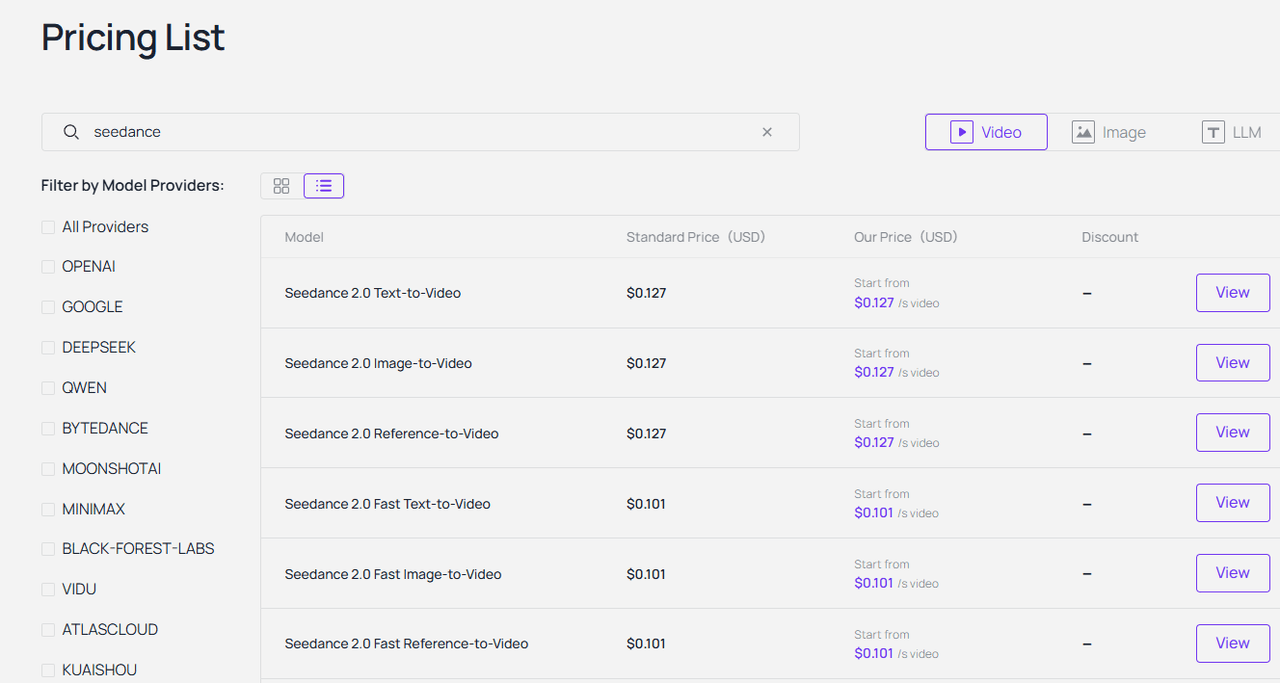
Q7: How much does it cost to generate images and videos using Flux and Seedance-Video-Skill?
Atlas Cloud is strictly pay-as-you-go per API call. Image generation usually costs just fractions of a cent. Video is a bit more because of the heavy compute. But honestly, compared to hiring a human video editor, the ROI on API credits is massive.
Q8: What does the Seedance-video-skill documentation include, and how easy is it to get started?
The Seedance-video-skill documentation is surprisingly readable. It covers endpoints, input modes, and resolution limits clearly. Even if you're somewhat new to APIs, you can probably get a test running in under ten minutes.
Conclusion
Adding a text-only chatbot just isn’t enough anymore. If you want to future-proof your AI development stack 2026, you really need multimodal pipelines. Combining the precision of Flux with the dynamic motion of Seedance is probably the smartest move you can make today.
You get everything under one roof. One platform. Two powerful models. Zero integration headaches. Grab your API key and see how easy it actually is to generate cinematic media from scratch. Start experimenting with your own workflows right now.
[Start Your Free Trial] [Read the Docs] [Join the Developer Community]






