The PixVerse Earth Zoom effect turns one photo into a cinematic shot that pulls back from your subject all the way out to the whole planet. It went viral across TikTok and Instagram in 2025, and the appeal is obvious: a Hollywood-style camera move with zero editing skill. This guide shows you what the effect is, how to make it step by step, and how to scale PixVerse zooming through an API when you need volume.
Key Takeaways
- PixVerse Earth Zoom is a one-tap AI effect that animates a still photo into a camera pull-back from street level out to space.
- The viral version is the zoom out; the reverse, a dive from space down to your subject, is the zoom in.
- For one-off clips, use the PixVerse app. For batch or automated production, the PixVerse v6 model runs on the Atlas Cloud API from $0.025 per second.
What Is the PixVerse Earth Zoom Effect?
The PixVerse Earth Zoom is a prebuilt AI video effect that animates a single still image into a continuous camera pull-back, revealing the subject's street, city, continent, and finally the entire Earth from space. It is built on the PixVerse V6 model and runs as a one-tap template, so you don't touch a timeline or keyframes.
According to PixVerse, V6 improves character texture, movement, and audio for more cinematic results, which is why the Earth Zoom looks optical rather than pasted on. The effect belongs to PixVerse's family of trending templates, alongside AI Hug, Kiss, and the Eye Zoom Challenge. That template approach is what made PixVerse zooming spread so fast on short-form video.
PixVerse AI Earth Zoom Out vs Zoom In
The PixVerse AI Earth Zoom Out is the viral direction: the camera starts tight on your subject, then rockets backward to show the neighborhood, the country, and the planet. The PixVerse AI Earth Zoom can also run in reverse as a zoom in, diving from orbit down to a single rooftop or face. Both use the same model; only the direction and pacing change.
Which one should you pick? Use the zoom out to end on scale and awe, which works for couple photos, travel shots, and reveals. Use the zoom in to build suspense toward a single subject, which suits intros and location reveals. The zoom out reads as more dramatic, so most trending clips choose it.
How to Create a PixVerse Earth Zoom, Step by Step
Making a PixVerse Earth Zoom takes about a minute of work plus render time. The flow below mirrors the in-app template and produces the standard PixVerse AI Earth Zoom result without any manual editing.
- Open PixVerse on the web or in the mobile app and sign in.
- Find the effect: search the effects or templates library for "Earth Zoom" or "Earth Zoom Out."
- Upload a clear, well-lit photo with a clean background as the starting frame.
- Set your aspect ratio, duration, and resolution to match where you'll post.
- Tap Generate, wait for the render, then download the clip.
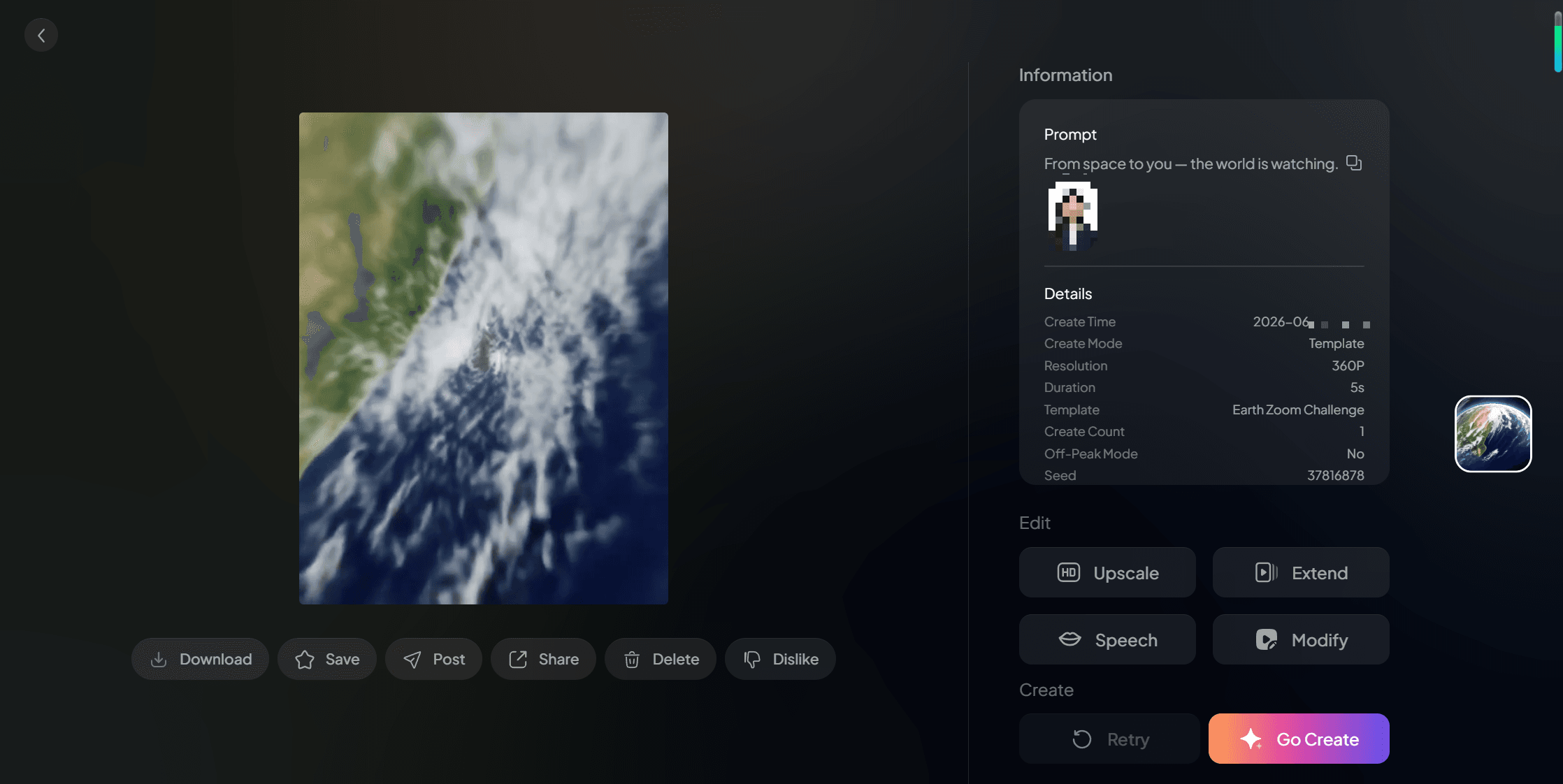
That is the whole loop. Because the template carries the camera motion, your main job is choosing a strong photo and the right output settings. If a result feels off, regenerate or swap the photo rather than fighting the settings.
Prompt Tips for a Cinematic Result
When you use text-to-video or want to refine the motion, your prompt should describe the camera, not just the scene. The effect lives in the movement, so name it directly. A vague prompt gives a generic clip; a specific one gives a controlled, film-like pull-back.
Try language like "rapid dolly zoom out from the subject, revealing the city, then the continent, then the whole Earth from space, smooth continuous motion, volumetric clouds, cinematic lighting." Add atmosphere cues such as clouds, city lights, or curvature of the Earth to sell the final reveal. Keep one clear subject so the camera has something to anchor on.
Scaling PixVerse Earth Zoom With the API
Doing one Earth Zoom in the app is easy, but what if you need fifty for a campaign? That is where the API matters. The PixVerse v6 model is available on the Atlas Cloud media generation APIs from $0.025 per second, with the fasterlighter c1 model from $0.03 per second, so you can generate PixVerse Earth Zoom clips programmatically instead of tapping through an app.
The practical win is automation at a predictable cost. You send a prompt or a starting image to one endpoint, poll for the result, and get a video URL back, then repeat across a batch. For teams comparing rates across providers, our guide to the cheapest AI video generation APIs in 2026 shows where per-second video pricing sits today. Creators weighing photo-driven options can also scan our roundup of the free photo to video AI models.
Common Mistakes and Fixes
Most failed Earth Zoom clips trace back to a handful of avoidable errors. Fixing the input is almost always faster than re-rolling the same bad setup. Run through this checklist before you blame the model.
- Blurry or low-resolution photo: swap in a sharper image, since the camera magnifies every flaw.
- Busy background: choose a cleaner frame so the pull-back has space to expand.
- Wrong aspect ratio: set 9:16 for Reels and TikTok before generating, not after.
- Expecting perfect on-screen text: AI video still garbles fine text, so avoid signs and logos in frame.
Frequently Asked Questions
Is the PixVerse Earth Zoom effect free?
PixVerse offers free generations with limits, and the Earth Zoom effect is available inside the app. Heavy use, higher resolution, and faster queues typically require a paid plan. For programmatic access, the PixVerse v6 model runs on the Atlas Cloud API from $0.025 per second.
How do I make an Earth Zoom in video for free?
Open the PixVerse app, search the effects library for "Earth Zoom," upload a clear photo, and generate within the free tier limits. Free runs may add a watermark or cap resolution, so check the current plan terms before posting commercially.
Is PixVerse AI safe to use?
PixVerse is a mainstream AI video app from AISphere with standard account terms. As with any generative tool, avoid uploading sensitive personal images and review the platform's content and privacy policies before use, especially for client or commercial work.
What is an alternative to PixVerse for the Earth Zoom?
Several video models can produce a similar zoom out, including Kling, Seedance, and Wan, which all run on the Atlas Cloud API. PixVerse remains popular because the Earth Zoom ships as a one-tap template, so the effect needs no manual camera work.
Can I create the PixVerse Earth Zoom through an API?
Yes. The PixVerse v6 and c1 models are available on the Atlas Cloud API, so you can generate Earth Zoom clips programmatically and batch them for campaigns. Pricing starts at $0.025 per second for v6, billed by output length.
Conclusion
The PixVerse Earth Zoom turns a single photo into a planet-scale reveal, and the workflow is genuinely beginner-friendly: pick a clean image, choose the Earth Zoom template, and generate. Strong source photos and camera-focused prompts do most of the heavy lifting toward a cinematic result.
When one clip becomes fifty, move from the app to the API. Running PixVerse v6 on the Atlas Cloud model API lets you script the same effect at a predictable per-second cost, then route the output straight into your content pipeline. Start with one photo, learn what the model likes, and scale from there.






