Every popular coding agent lets you swap out the model behind it, but each one hides the setting in a different file, a different key name, and a different URL format. So people give up and keep paying frontier prices, even though heavy agent users hit around $13 per active developer-day on default models (CloudZero, 2026). This page fixes that. It is a single reference with the exact custom API config for Claude Code, OpenClaw, Codex, OpenCode, and Cursor, plus the one distinction that explains every difference between them. Bookmark it, because the value here is the copy-paste blocks and the gotchas, not filler. By the end you will be able to point any of these agents at a cheaper model in a couple of minutes, and you will understand why the URL changes from one tool to the next.
Key Takeaways
- Coding agents split into two protocol families. Claude Code speaks the Anthropic API; OpenClaw, Codex, OpenCode, and Cursor speak the OpenAI-compatible API.
- The practical tell is the URL: the OpenAI-compatible tools want a /v1 suffix, and Claude Code does not.
- Every config needs the same three things: a base URL, an API key, and a model ID. Only the field names change.
- Open-weight models are the payoff: DeepSeek V4 Flash runs near $0.14 per million input tokens versus several dollars for frontier models (Codersera, 2026).
Why a Coding Agent Custom API Cheatsheet Pays for Itself
The reason to bother is cost, and the cause is structural. Agents resend their accumulated context on every reasoning step, so they burn 10 to 100 times more tokens than a chat window for the same task (LeanOps, 2026). That multiplier is why agent bills balloon, and it is also why repricing the tokens, rather than using the agent less, is the move that actually works. A custom API points your agent at a cheaper backend without changing how you work. Route routine coding to an open-weight model and the per-token cost drops sharply, often by 70% or more, while the quality gap on everyday tasks stays small. A coding agent custom API cheatsheet matters because the savings are real but the setup friction is what stops most people, and the friction is almost entirely "which file, which field, which URL."
How a Coding Agent Custom API Cheatsheet Entry Works
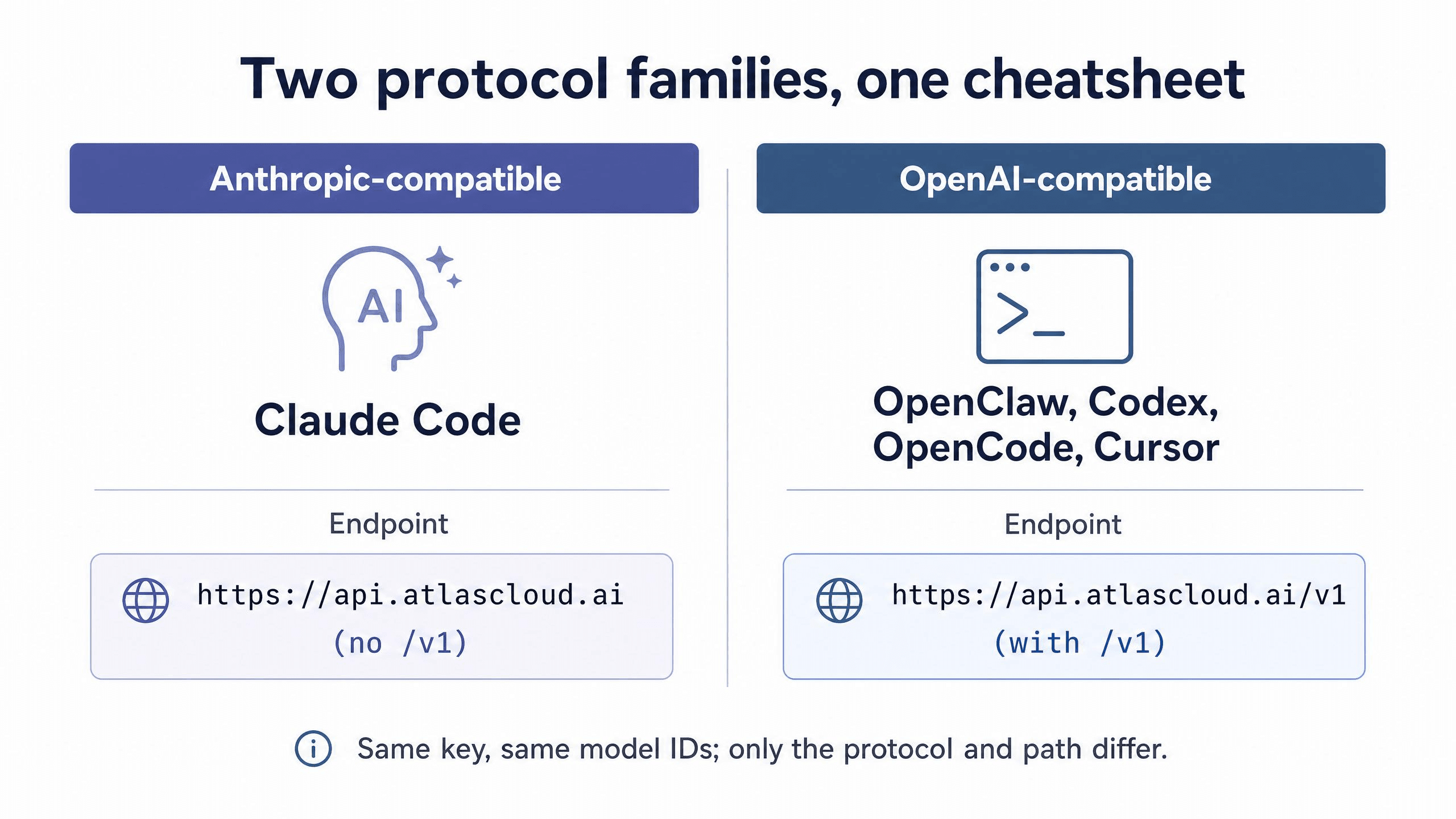
Before the configs, here is the one idea that makes all of them click. Coding agents fall into two protocol families, and which family a tool belongs to decides the shape of its config.
Claude Code talks to the Anthropic Messages API, so it reads its backend from ANTHROPIC_BASE_URL and authenticates with an Anthropic-style token. Everything else in this cheatsheet, OpenClaw, Codex, OpenCode, and Cursor, talks to the OpenAI-compatible Chat Completions API, so they take a baseURL, an OpenAI-style key, and they expect the /v1 path on the endpoint. That /v1 detail is the single most common reason a config silently fails.
Once you see that split, every entry below is the same three values in different clothing: a base URL, a key, and a model ID. The examples use Atlas Cloud as the provider because it serves both protocol families from one account, so the only thing that changes between tools is the syntax, not the key you paste. Any compatible provider works the same way; just substitute the base URL and key.
The Coding Agent Custom API Cheatsheet, Tool by Tool
Here is the quick-reference table first, then the full config block for each tool. Get your API key ready before you start. On Atlas Cloud you create one by selecting Coding Plan as the key type, which ties it to the credit-based coding quota.
| Tool | Config location | Base URL | Protocol |
|---|---|---|---|
| Claude Code | ~/.claude/settings.json | https://api.atlascloud.ai | Anthropic-compatible |
| OpenClaw | ~/.openclaw/openclaw.json or openclaw onboard | https://api.atlascloud.ai/v1 | OpenAI-compatible |
| Codex | ~/.codex/config.toml + auth.json | https://api.atlascloud.ai/v1 | OpenAI-compatible |
| OpenCode | ~/.config/opencode/opencode.json | https://api.atlascloud.ai/v1 | OpenAI-compatible |
| Cursor | Settings, Models, custom base URL | https://api.atlascloud.ai/v1 | OpenAI-compatible |
Claude Code
Claude Code is the Anthropic-family outlier, so note the base URL has no /v1. Edit ~/.claude/settings.json on macOS or Linux, or %USERPROFILE%.claude\settings.json on Windows:
JSON1{ 2 "env": { 3 "ANTHROPIC_AUTH_TOKEN": "your-atlas-api-key", 4 "ANTHROPIC_BASE_URL": "https://api.atlascloud.ai", 5 "ANTHROPIC_MODEL": "zai-org/glm-5.1", 6 "ANTHROPIC_DEFAULT_HAIKU_MODEL": "zai-org/glm-5.1", 7 "ANTHROPIC_DEFAULT_SONNET_MODEL": "zai-org/glm-5.1", 8 "CLAUDE_CODE_DISABLE_EXPERIMENTAL_BETAS": "1" 9 } 10}
Setting the Haiku and Sonnet defaults to the same model routes Claude Code's small background calls to your model too, instead of failing on an unavailable default.
OpenClaw
OpenClaw is the easiest because it has a wizard. In a terminal, run openclaw onboard, then choose Yes, QuickStart, and Custom Provider. Enter the base URL https://api.atlascloud.ai/v1, paste your key, paste the model ID, and pick the OpenAI-compatible protocol. When it prints Verification successful, name the endpoint and you are done. The thing to know if you edit ~/.openclaw/openclaw.json by hand: OpenClaw is a two-step config. You define the provider under models.providers, then you must allowlist the model under agents.defaults.models using the key provider-name/model-name, or the agent rejects it (OpenClaw docs, 2026). Failing to allowlist is the top cause of the "model not allowed" error. The wizard does both steps for you, which is why it is the recommended path.
Codex
Codex uses two files. Put the provider in ~/.codex/config.toml:
TOML1model_provider = "atlas_coding_plan" 2model = "zai-org/glm-5.1" 3 4[model_providers.atlas_coding_plan] 5name = "atlascloud" 6base_url = "https://api.atlascloud.ai/v1" 7wire_api = "chat" 8requires_openai_auth = true
Then put the key in ~/.codex/auth.json:
JSON1{ "OPENAI_API_KEY": "your-atlas-api-key" }
Run codex in your terminal, skip the update prompt, and you are connected.
OpenCode and Cursor
OpenCode reads ~/.config/opencode/opencode.json (on Windows, \Users\your-name.config\opencode\opencode.json):
JSON1{ 2 "$schema": "https://opencode.ai/config.json", 3 "provider": { 4 "atlascloud": { 5 "npm": "@ai-sdk/openai-compatible", 6 "name": "atlascloud", 7 "options": { 8 "baseURL": "https://api.atlascloud.ai/v1", 9 "apiKey": "your-atlas-api-key" 10 }, 11 "models": { 12 "zai-org/glm-5.1": { "name": "glm-5.1" } 13 } 14 } 15 } 16}
Cursor has no config file for this. Open Settings, go to Models, add your model ID by name, then set the custom OpenAI base URL to https://api.atlascloud.ai/v1 and paste your key. Because Cursor follows the OpenAI-compatible pattern, the same base URL and key from the other tools work without change.
Picking a Model: The Other Half of the Coding Agent Custom API Cheatsheet
Wiring up the endpoint is only half the job. The model you choose is what decides the savings. The pattern that works is to default to a strong, cheap open model for everyday coding and keep a frontier model in reserve for the hardest reasoning. The capability gap is smaller than the price gap: on SWE-Bench Pro, leading open models score in the high 70s against roughly 91 for top frontier models (Codersera, 2026), which barely shows on routine feature work and refactors.
 On a credit-based provider, each model has a multiplier that maps token usage to credits, so relative cost is easy to read:
| Model ID | Context | Input multiplier | Output multiplier | Approx. savings vs official |
|---|---|---|---|---|
| deepseek-ai/deepseek-v4-flash | 1M | 0.23 | 0.46 | ~50% |
| deepseek-ai/deepseek-v3.2 | 160K | 0.42 | 0.62 | ~55% |
| minimaxai/minimax-m2.5 | 200K | 0.65 | 2.18 | ~45% |
| moonshotai/kimi-k2.6 | 262K | 1.72 | 7.26 | ~45% |
| zai-org/glm-5.1 | 200K | 2.54 | 7.99 | ~45% |
Source: Atlas Cloud Coding Plan credit rules. Credit cost = input tokens × input multiplier + output tokens × output multiplier. A practical default: GLM-5.1 or Kimi K2.6 for interactive coding, DeepSeek V4 Flash for high-volume or background jobs, and a frontier model only for the rare task an open model cannot crack. Swapping is a one-line change to the model ID in any of the configs above.
One API Key Across Every Coding Agent
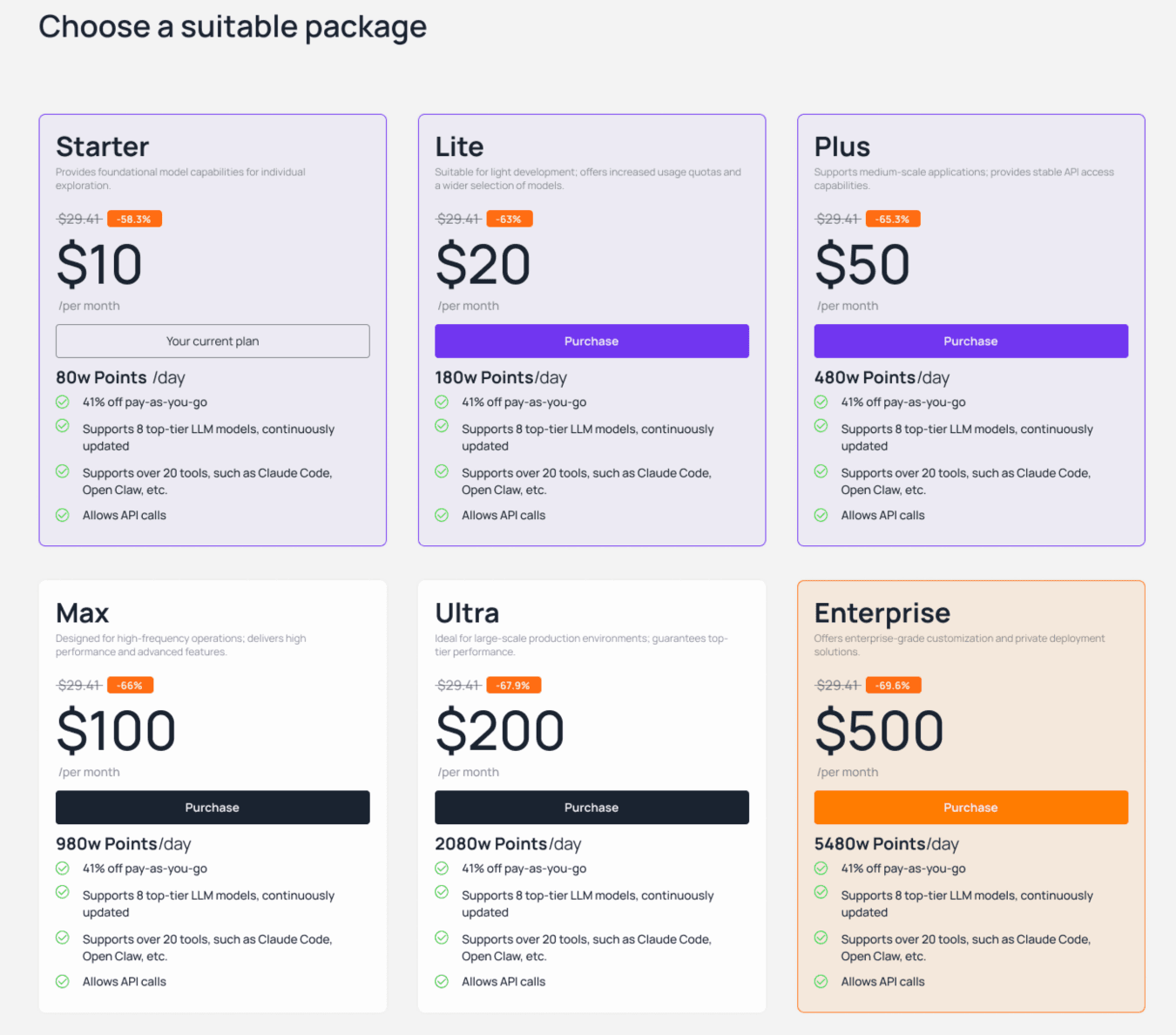
Notice what the cheatsheet table quietly shows: the same key and the same model IDs appear in every single config. That is the real argument for a unified provider. If you wire each tool to a different vendor, you end up with separate keys, separate dashboards, and separate bills, and you lose any single view of spend. Pointing all of them at one provider collapses that into one credit pool and one place to switch models. It also fixes budgeting, which token-metered billing makes genuinely hard. A plan that refreshes a fixed daily credit allowance at midnight caps the damage from a runaway agent loop, while pay-as-you-go packs absorb the occasional spike. Atlas Cloud's plans start at $10 per month, its pay-as-you-go packs carry a 41% discount, and mid-cycle upgrades are prorated, so moving up a tier costs only the difference rather than a whole new plan.
Coding Agent Custom API Cheatsheet: Common Mistakes
Nearly every failed setup comes down to one of these, and all of them are quick to fix. The /v1 mix-up. The most frequent error in this whole cheatsheet. OpenAI-compatible tools want the /v1 suffix; Claude Code does not. A connection error usually means the path is wrong for that tool's family. Using the wrong key type. Your provider key is not your Anthropic key, and vice versa. Pasting the wrong one gives an authentication error that looks more confusing than it is. Skipping the OpenClaw allowlist. Defining the provider is only half of OpenClaw's setup. If you see "model not allowed," the model is missing from the allowlist or the provider-name/model-name key has a typo. Leaving background models unset in Claude Code. If you set only the main model but leave the Haiku and Sonnet defaults pointing at unavailable models, the small background calls fail. Set all three.
FAQ: Coding Agent Custom API Cheatsheet
Does this coding agent custom API cheatsheet require changing tools?
No. The whole point is that you keep the agent you already use, whether that is Claude Code, OpenClaw, Codex, OpenCode, or Cursor. A custom API is a config change, not a migration, so your workflow stays identical while the backend and the bill change.
Why does the base URL in the coding agent custom API cheatsheet change per tool?
Because of the protocol family. Claude Code uses the Anthropic API and takes the bare domain, while the OpenAI-compatible tools expect the /v1 path. Same provider, same key, different path. That single difference explains most failed setups.
How much can a coding agent custom API cheatsheet save you?
A lot, depending on the model. DeepSeek V4 Flash runs near $0.14 per million input tokens versus several dollars for frontier models (Codersera, 2026), so sending routine work to an open model commonly cuts the per-token bill by 70% or more without changing how you code.
Which model should I start with from the coding agent custom API cheatsheet?
For interactive coding, GLM-5.1 or Kimi K2.6 are strong, affordable defaults. For high-volume or background jobs, DeepSeek V4 Flash is cheaper. Keep a frontier model on standby only for tasks an open model genuinely cannot handle.
Is a coding agent custom API cheatsheet setup reversible?
Yes. Each config is reversible. Restore the original base URL or remove the provider block, and the agent points back at its default. Many developers keep both configs around and switch based on the task.
Conclusion
The reason a coding agent custom API cheatsheet is worth keeping is that the hard part was never the concept, it was remembering which file and which URL each tool wants. Once you see the two protocol families, every config is the same base URL, key, and model ID in different syntax. Pick an open-weight model, paste the right block, mind the /v1 rule, and you keep the agent you like while paying a fraction of frontier prices. If you want one key and one budget across all of them, you can set it up through the Atlas Cloud Coding Plan console and switch models whenever the task changes.





