The Moment Every Marketer Has Faced
You've got a campaign deadline. You fire up your AI image tool, type a detailed prompt asking for a clean product banner with your logo, your tagline, and your brand colors. The result comes back looking gorgeous — and then you notice it. The headline reads "ummεrummεr ummεr@lε 5Θ% ÖFF". Your carefully designed logo has morphed into a smudged watercolor blob. And the brand blue you specified? Replaced with something closer to lavender.
You hit generate again. Different gibberish. Again. Still wrong.
This wasn't a user error. It was a fundamental limitation of every AI image model that came before December 2025.
GPT Image 1.5, launched on December 16, 2025, resolves the two key pain points that have prevented professional marketers, brand designers, and e-commerce teams from fully adopting AI image generation: reliable text rendering and consistent brand alignment.
Key Features at a Glance
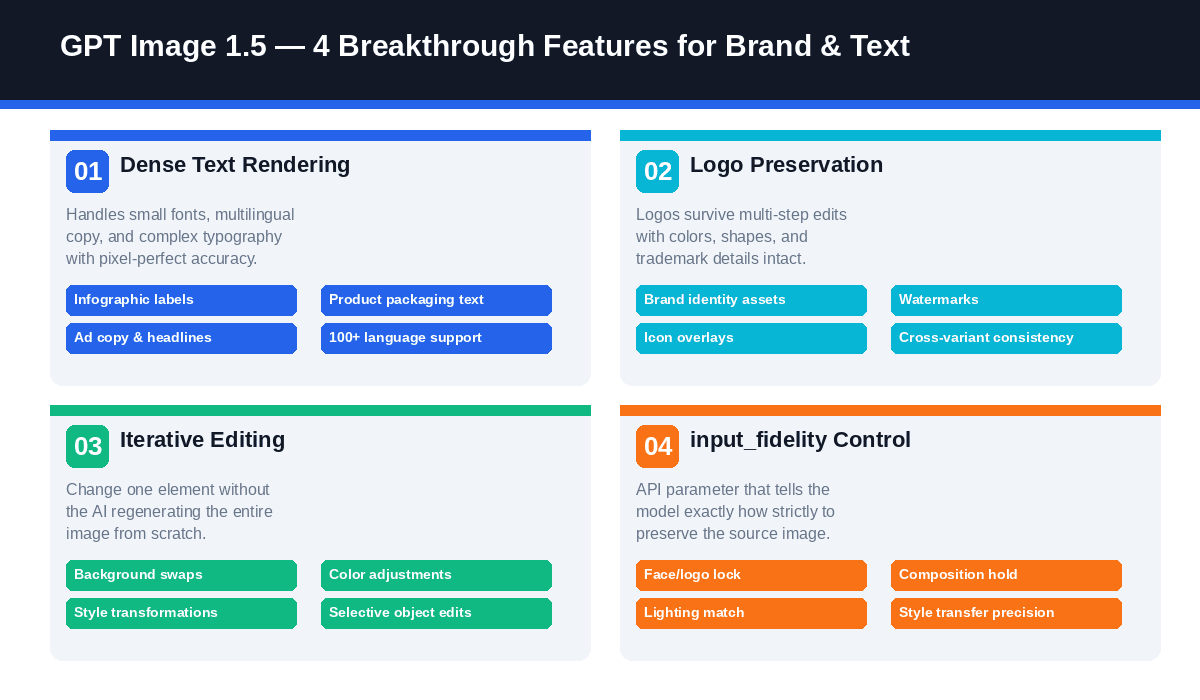
| Feature | What It Does | Why It Matters |
| Dense Text Rendering | Handles small, dense, multilingual typography | Infographics, packaging, ad copy — all legible |
| Logo Preservation | Locks brand assets across multi-step edits | No more distorted logos after edits |
| Iterative Editing | Change one element without full regeneration | Multi-step creative workflows become viable |
| input_fidelity Control | API parameter to set preservation strictness | Fine-grained control for professional brand work |
How It Compares to the Competition
| Dimension | Midjourney v7 | DALL-E 3 | Stable Diffusion | GPT Image 1.5 |
| Artistic Interpretation | ⭐⭐⭐⭐⭐ | ⭐⭐⭐ | ⭐⭐⭐⭐ | ⭐⭐⭐⭐ |
| Text Rendering | ⭐⭐ | ⭐⭐⭐ | ⭐⭐⭐ | ⭐⭐⭐⭐⭐ |
| Brand Consistency | ⭐⭐ | ⭐⭐ | ⭐⭐⭐ | ⭐⭐⭐⭐⭐ |
| Iterative Editing | ⭐⭐ | ⭐ | ⭐⭐⭐ | ⭐⭐⭐⭐⭐ |
| Cost Efficiency | ⭐⭐⭐ | ⭐⭐⭐ | ⭐⭐⭐⭐⭐ | ⭐⭐⭐⭐ |
The AI image generation market is competitive — Midjourney, Stable Diffusion, and Google's image models all have real strengths. Yet when it comes to text rendering and brand consistency, the picture is clear:
Midjourney v7 delivers strong artistic interpretation and consistent stylistic output across generations, yet text rendering remains a notable limitation through late 2025. It is a strong choice if creative art direction takes priority over brand precision, but not ideal for generating readable text in specified fonts and positions.
DALL‑E 3, the predecessor to GPT Image 1.5 and discontinued as of May 2026, represented a meaningful upgrade from earlier models. However, every edit required full image regeneration, creating friction for iterative brand design work.
Stable Diffusion provides high flexibility and cost efficiency for technically equipped teams, but achieving reliable text rendering demands extra fine‑tuning or ControlNet setups that add considerable complexity.
GPT Image 1.5 is the clear choice when the workflow requires: (a) legible text integrated into the image, (b) logo/brand asset preservation across edits, or (c) multi-step iterative editing without losing consistency.
Early benchmarks on LMArena place GPT Image 1.5 at the #1 position for instruction following — which translates directly to brand and text accuracy in professional use cases.
Why Text in AI Images Has Always Been Broken
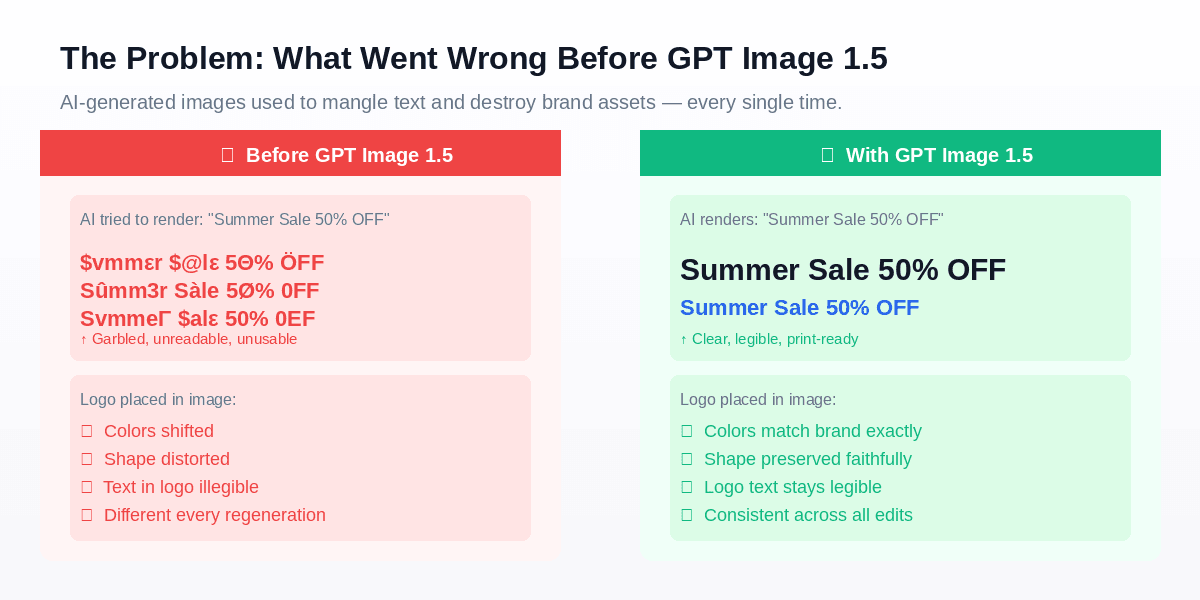
AI image generators are trained on visual patterns, not typographic logic. Older AI models generate readable text by mimicking letterforms from statistical patterns, often producing distorted results like “Sûmm3r Sàle” instead of accurate “Summer Sale.” These models do not genuinely comprehend human-readable text; they only recognize that images may contain letter-like structures.
The core issue is that these models fail to grasp that text must be legible to human users. It only knows images sometimes contain letter-shaped elements.
The same issue applied to logos. Feed a model a reference image containing your brand logo and ask it to place that logo in a new scene. The model would extract the general shape and color palette — then reconstruct it from scratch every time, introducing subtle (and sometimes dramatic) distortions. Each regeneration was essentially a different interpretation of your logo. For professional brand work, this was a non-starter.
These problems weren't bugs. They were architectural limitations of first-generation diffusion models.
What Changed with GPT Image 1.5
GPT Image 1.5 is built on an optimized transformer-based diffusion architecture with three major improvements over its predecessors, specifically targeting the problems above.
1. Dense Text Rendering
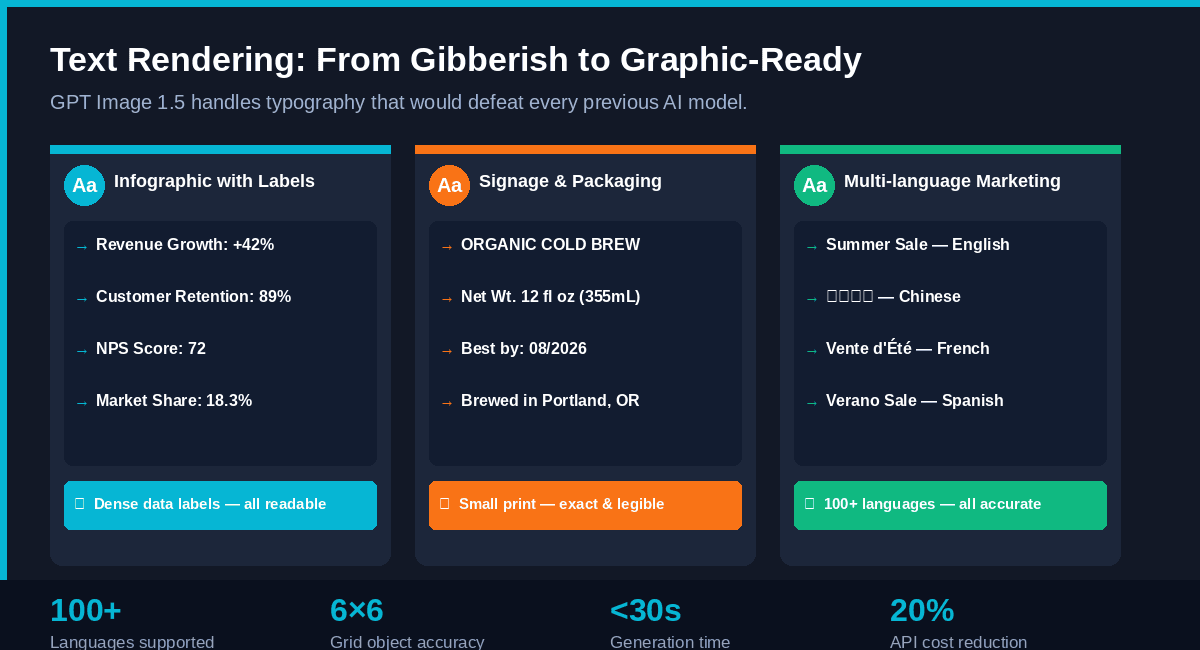
GPT Image 1.5 demonstrates a breakthrough capability: it can render dense, small-point typography that previous models failed at entirely. This includes:
- Infographic data labels (e.g., “Revenue Growth: +42%”, “Market Share: 18.3%”)
- Product packaging text (net weight, ingredients, regulatory disclaimers, barcodes)
- Marketing headlines in any language, any size
- Complex layouts — the model was tested generating a detailed 6×6 grid of specific labeled objects, a task impossible for prior models
Critically, this functionality spans over 100 languages—including Arabic, Chinese, Devanagari, and other non-Latin scripts—making it a game-changer for global marketing teams.
One benchmark worth noting: in internal tests, GPT Image 1.5 could render a full markdown-formatted newspaper article layout within an image — with legible body copy, headers, and pull quotes — with correct typography intact.
-
2. Logo and Brand Asset Preservation
When you upload a reference image containing your brand logo and ask GPT Image 1.5 to edit the scene, the logo is treated as a protected element. The model understands the difference between "change the background" and "change the logo" — and respects the boundary.
Companies like Wix have publicly noted that this capability is essential for their product catalog workflows. The ability to preserve logos and key visuals across edits enables generating entire product image sets from a single source image while maintaining complete brand coherence.
3. Iterative Editing Without Regeneration
The third major shift is behavioral, not just technical. Older models would essentially regenerate an entire image from scratch when you made an edit — meaning every "small change" risked losing everything you'd built. GPT Image 1.5 applies surgical edits: it changes exactly what you specify and holds everything else in place — lighting, composition, facial likeness, brand elements.
This is what makes multi-step creative workflows viable for the first time with AI.
Brand Consistency in Action: A Real-World Workflow
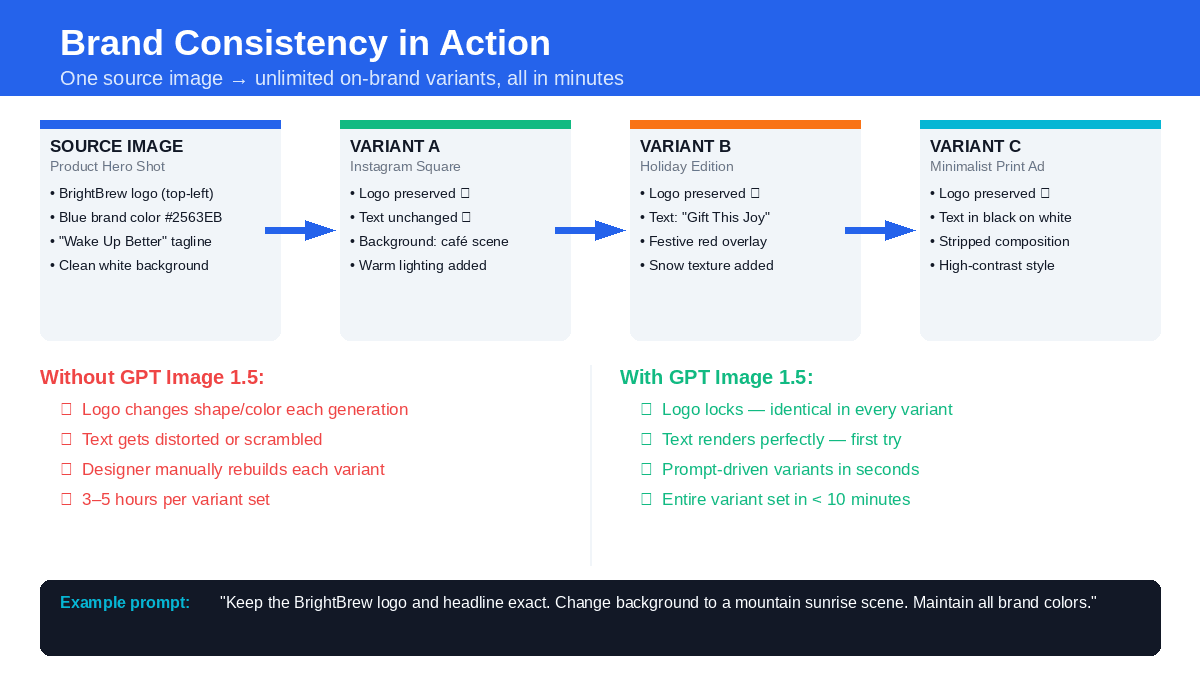
Scenario: A coffee brand called BrightBrew needs three variants of their hero product image for different channels — an Instagram square, a holiday edition, and a minimalist print ad. All must use the same logo, same headline ("Wake Up Better"), and the same brand blue (#2563EB).
Without GPT Image 1.5: Each variant requires a designer to manually rebuild the composition in Photoshop, re-place the logo, re-type the headline, and color-match the brand blue. Time: 3–5 hours per variant.
With GPT Image 1.5:
- Upload the hero product image as the source
- Set input_fidelity: "high" to lock the logo and headline
- Write three targeted prompts, each specifying the new background scene
- All three variants are generated in under 10 minutes
- Logo, text, and brand colors are identical across every output
Example prompt for Variant A (Instagram square):
plaintext1Keep the BrightBrew logo top-left and the "Wake Up Better" headline exactly as shown. 2Change the background to a warm, morning café scene with soft natural light. 3Maintain brand blue #2563EB for all accent elements. Square 1024×1024 format.
The input_fidelity Parameter: Your Brand Lock Switch
This API parameter deserves its own spotlight. input_fidelity controls how strictly the model preserves elements from your reference images. The options:
- "high" — Logo, face, and key visual preservation is maximized. Use this for any brand asset that must remain unchanged. This is your go-to for logo lock, face consistency, or maintaining a product's exact visual identity.
- "low" — Allows more creative freedom and transformation. Use this when you want stylistic experimentation that loosely references the source.
- "auto" (default) — The model makes intelligent decisions about preservation. Fine for creative work, less reliable for strict brand requirements.
Pro tip: For any client-facing brand work, always set input_fidelity: "high" and explicitly name the elements to preserve in your prompt.
Writing Prompts That Actually Work
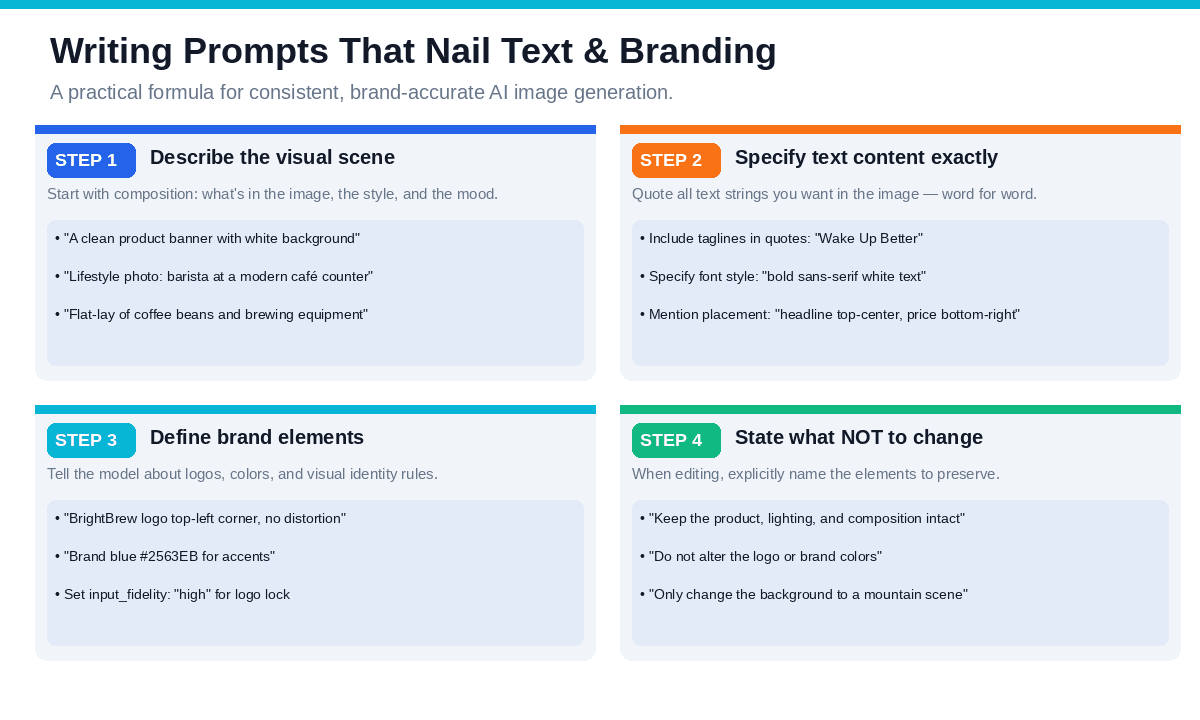
The output quality of GPT Image 1.5 depends heavily on well-crafted prompts. Below is a reliable four-step framework:
Step 1: Describe the Visual Scene
Begin with the composition, key elements, style, and overall tone.
plaintext1A clean product banner with a white background and soft studio lighting
Step 2: Specify Text Content Word for Word
Include exact text strings in quotation marks, as this signals the model to render text precisely.
plaintext1Headline “Wake Up Better” in bold white sans-serif, centered at the top; 2price tag “€24.99” in the bottom-right corner.
Step 3: Define Brand Elements Explicitly
Name your logo, specify hex codes for colors, and describe placement rules.
plaintext1BrightBrew logo top-left, 80px height, no distortion. 2All accent elements in brand blue #2563EB.
Step 4: State What NOT to Change
When editing an existing image, being explicit about preservation is just as important as describing what to change.
plaintext1Keep the product, lighting, composition, and all text exactly as shown. 2Only change the background to a mountain sunrise scene.
Real Numbers: The Cost and Speed Case
Beyond capability, the business case for GPT Image 1.5 is compelling on pure economics:
| Metric | Data |
| Generation Speed | 4× faster than GPT Image 1 / DALL-E 3 (10–30 seconds for most outputs) |
| API Pricing | 20% cheaper than the previous OpenAI flagship model |
| API Cost | 0.01(low),0.01 (low),0.01(low),0.04 (medium), $0.17 (high) per square image |
| 1,000 medium-quality social images | approximately $40 total |
| Compare to traditional | stock photography or design work at 505050200+ per image |
For a marketing team generating a few hundred assets per month, this represents a dramatic reduction in both cost and turnaround time.
Case Study: E-Commerce Catalog Generation at Scale
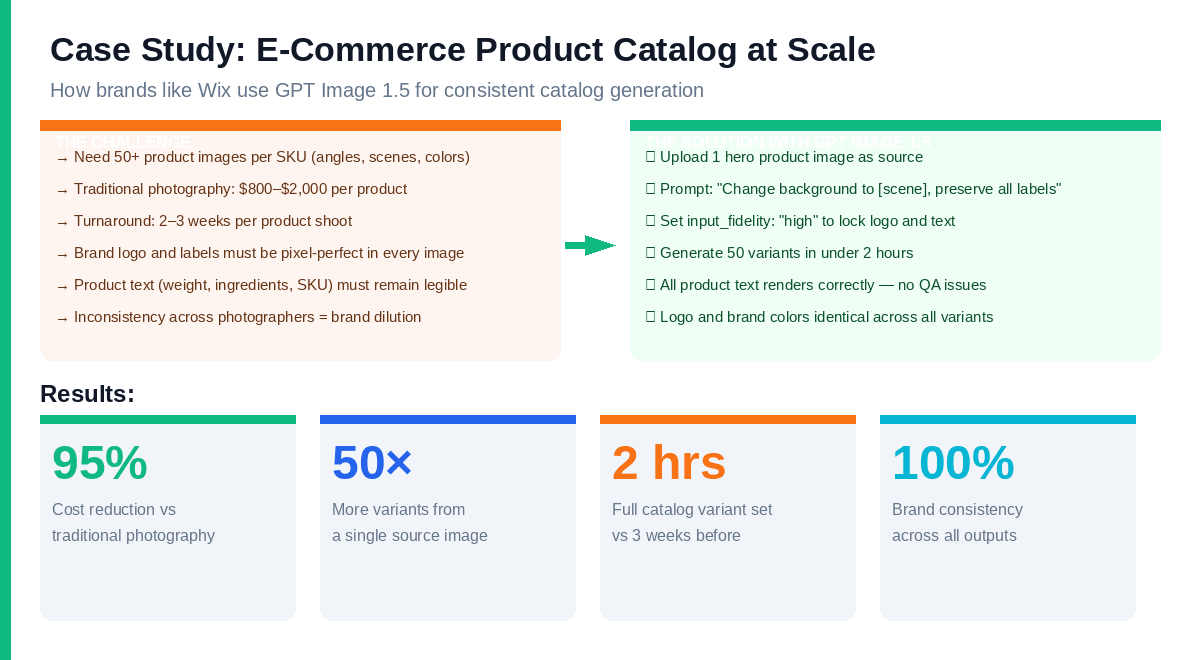
The most compelling real-world validation of GPT Image 1.5's brand consistency capabilities comes from e-commerce. Companies like Wix have publicly described using the model to generate complete product image catalogs from a single source image.
The Old Workflow:
- Professional product photography: 1,0001,0001,0002,000 per SKU
- Turnaround: 2–3 weeks from shoot to retouched finals
- 5–10 angles/scenes per product = 5,0005,0005,00020,000 per product line launch
- Any logo or label inaccuracies caught after delivery require reshoots
The GPT Image 1.5 Workflow:
- Shoot or render one high-quality hero image per product
- Upload as source image; set input_fidelity: "high"
- Batch-generate variants with different backgrounds, scenes, and angles
- Product text, labels, and logos preserved exactly across all outputs
- Full 50-variant catalog set: approximately 2 hours, 88810 in API costs
The 95% cost reduction and 10× speed improvement are what moved this from "interesting experiment" to "production workflow" for teams already operating at scale.
Who Benefits Most from GPT Image 1.5
E-Commerce Teams
The traditional product photography workflow — hire a photographer, book a studio, shoot each SKU from multiple angles — costs 8008008002,000 per product and takes weeks. GPT Image 1.5 enables teams to shoot one hero image per product and generate 50+ variants (angles, scenes, color options, lifestyle vs. white background) in hours. Product text and labels stay accurate. The logo stays locked. The workflow that took three weeks now takes an afternoon.
Marketing Agencies
Agencies managing multiple client brands can finally use AI for campaign asset production without the brand-integrity risk. Build a master template, lock the logo and brand elements via input_fidelity, and iterate across creative concepts — all while preserving visual identity across every output. A/B testing creative concepts becomes fast enough to do it in real time.
Brand Designers
GPT Image 1.5 acts as a prototyping partner for brand designers. Explore how a logo applies across different scene types, test brand color combinations in realistic environments, or generate mood board references — all while locking the logo and brand elements that aren't up for experimentation.
Content Marketers
Infographics, blog hero images, newsletter headers, and presentation visuals all require legible text integrated with strong visual design. GPT Image 1.5 finally makes this viable with AI. Simply specify your data points in the prompt, outline the visual style, and you’ll receive a print-ready infographic with all numbers and labels rendered accurately.
⚠️ Boundary Conditions: When GPT Image 1.5 Isn't the Right Choice
Scenarios Where It Falls Short
1. High-Precision Print Requirements
- 300 DPI+ print materials still require professional design software
- AI-generated images may have unstable details when enlarged
2. Legally Sensitive Content
- Pharmaceutical labels, legal documents require human final review
- AI may misinterpret regulatory requirements
3. Extremely Complex Layouts
- Multi-column magazine layouts, complex tables still have limitations
- Recommended as a draft, with post-production refinement
4. Ultra-Precise Brand Color Matching
- Pantone and special color gamuts require post-production calibration
- AI may generate "close but not exactly right" brand colors
Common Pitfalls and Solutions
| Pitfall | Solution |
| Text still occasionally garbled | Set input_fidelity: "high" + wrap text in quotation marks |
| Logo slight distortion | Explicitly state "no distortion" in prompt |
| Color deviation | Specify both hex code and color description words |
| Multi-language typography issues | Right-to-left languages (Arabic, etc.) require extra testing |
Getting Started: Practical Next Steps
For no-code use (ChatGPT Images):
Go to ChatGPT → Images tab → Upload your reference image and start iterating via natural language. The input_fidelity controls are accessible through the interface.
For API integration:
Access via the OpenAI API using model identifier
1gpt-image-1.51images/generations1images/editsPlatform integration:
AtlasCloud provides GPT Image 1.5 through its unified API platform, enabling connection to 1,000+ business tools and automated image generation workflows. This supports e-commerce teams generating catalog variants at scale.
The Shift That Matters
GPT Image 1.5 isn't just an incremental upgrade. It represents a category shift in what AI image generation is for.
Previous models were, at their best, creative inspiration tools — useful for mood boards, concept art, and loose ideation. They weren't professional production tools because they couldn't be trusted with the two things that matter most in professional brand work: accurate text and consistent visual identity.
That constraint is now lifted.
The question for marketers and designers isn't "Is AI image generation good enough to experiment with?" anymore. It's "How do we integrate it into our production workflow now that it can reliably handle brand assets?"
The answer starts with understanding what GPT Image 1.5 can do — and writing prompts that let it do exactly that.
Quick Decision Checklist
Before adopting GPT Image 1.5, ask yourself:
- Does my workflow require legible text within images?
- Do I need to maintain logo/brand consistency across multiple edits?
- Do I have multi-step iterative editing needs?
- Are my budget/time pressures making traditional design workflows impractical?
If you answered "yes" to 2+ questions, GPT Image 1.5 is worth trying immediately.
How to Access GPT Image 1.5 on Atlas Cloud
Atlas Cloud provides access to GPT Image 1.5 — alongside Nano Banana 2 and 300+ other frontier models — through a single OpenAI-compatible API. No separate accounts, no multiple billing relationships, no ops overhead.
Option 1 — Playground: Open the Atlas Cloud Playground, search for GPT Image 1.5, and run your first generation in under two minutes. Per-generation cost is displayed before you run. New users receive $1 free credits on sign-up — enough to test both text-to-image and editing workflows.
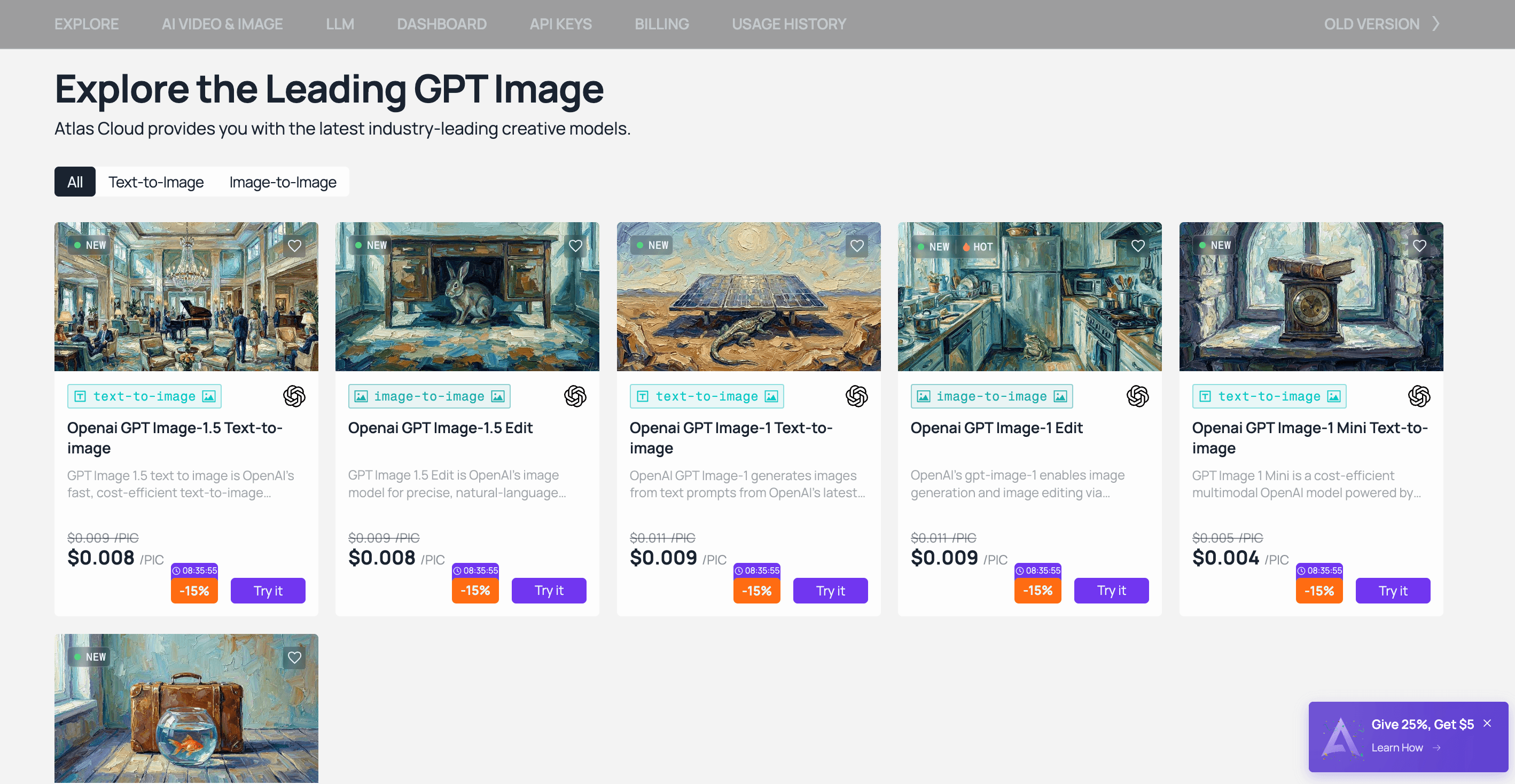
Option 2 — API: Create an API key in the Console, review the endpoint documentation, and integrate directly into your existing pipeline. The API is OpenAI SDK-compatible, so migration from existing workflows is minimal.