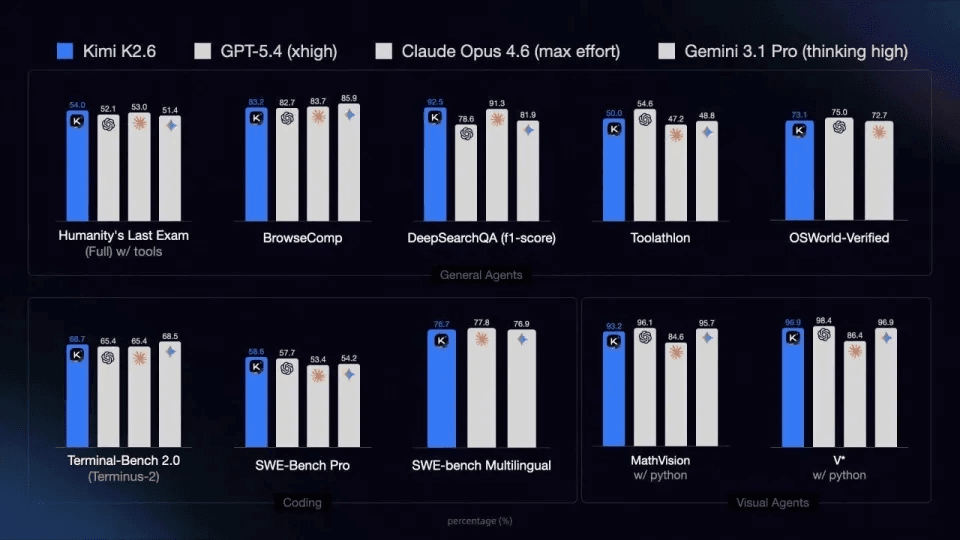
Kimi just dropped K2.6 — open-sourced on HuggingFace, benchmarked against GPT-5.4, Claude Opus 4.6, and Gemini 3.1 Pro. It outperforms all three on Humanity's Last Exam, DeepSearchQA, and SWE-Bench Pro, with code capability up nearly 20% from K2.5, average task steps down 35%, and pricing at 1/8 of Claude Opus 4.6 for Agent workloads.
If you're running AI Agents and want to plug K2.6 into your existing toolchain, this guide covers all four major frameworks — Claude Code, OpenCode, OpenClaw, and Hermes Agent — with one shared API endpoint via atlascloud.ai. The second half shows what K2.6 actually does once it's running.
Quick Reference
| Tool | Config Location | Switch Model | Gotcha |
|---|---|---|---|
| Claude Code | env vars ANTHROPIC_* | change env or /model | none |
| OpenCode | ~/.config/opencode/config.json | edit model field | must use @ai-sdk/openai-compatible |
| OpenClaw | ~/.openclaw/openclaw.json | edit primary | need to start gateway first |
| Hermes Agent | interactive hermes setup | re-run setup | model ID format must be exact |
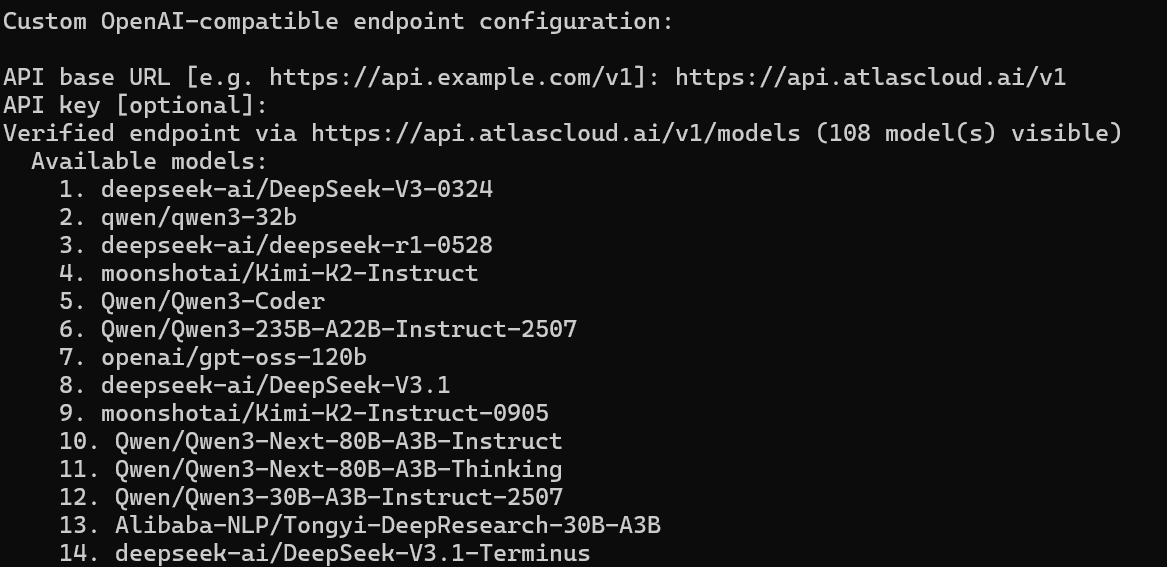
All tutorials in this article are completed on Windows using WSL2.
Part 1 — Setup
-
Claude Code (Simplest)
Claude Code download official documentation:https://github.com/anthropics/claude-code
Claude Code natively speaks the Anthropic format. Set three environment variables and you're done:
plaintext1# Add to ~/.bashrc or ~/.zshrc 2export ANTHROPIC_BASE_URL="https://api.atlascloud.ai" 3export ANTHROPIC_AUTH_TOKEN="apikey-xxx" 4export ANTHROPIC_MODEL="moonshot/kimi-k2.6" 5export ANTHROPIC_SMALL_FAST_MODEL="moonshot/kimi-k2.6"
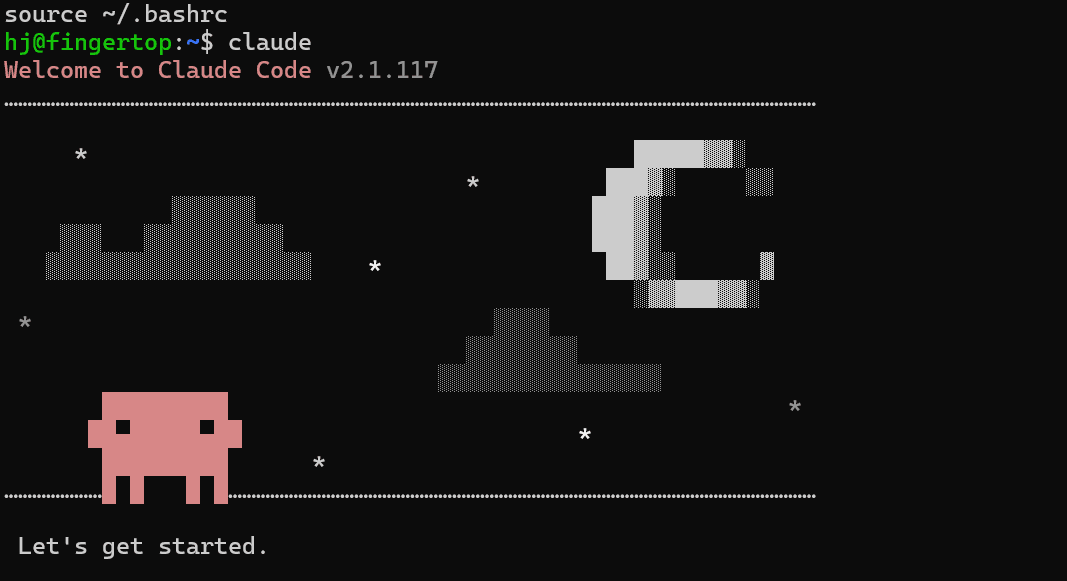
After source ~/.bashrc, launch Claude Code normally. To switch models mid-session, type /model in the interface.
2.OpenCode (Config File)
OpenCode download official documentation:https://github.com/anomalyco/opencode
OpenCode has a built-in openai provider, but it silently strips the openai/ prefix from model IDs — which breaks routing on third-party endpoints. You need to declare a custom provider using @ai-sdk/openai-compatible instead.
~/.config/opencode/config.json:
json
plaintext1{ 2 "$schema": "https://opencode.ai/config.json", 3 "provider": { 4 "atlascloud": { 5 "npm": "@ai-sdk/openai-compatible", 6 "name": "AtlasCloud", 7 "options": { 8 "baseURL": "https://api.atlascloud.ai/v1", 9 "apiKey": "apikey-xxx" 10 }, 11 "models": { 12 "moonshot/kimi-k2.6": { "name": "Kimi K2.6" } 13 } 14 } 15 }, 16 "model": "atlascloud/moonshot/kimi-k2.6" 17}
The model field follows the format providerName/modelKey. To switch models, edit that last line.
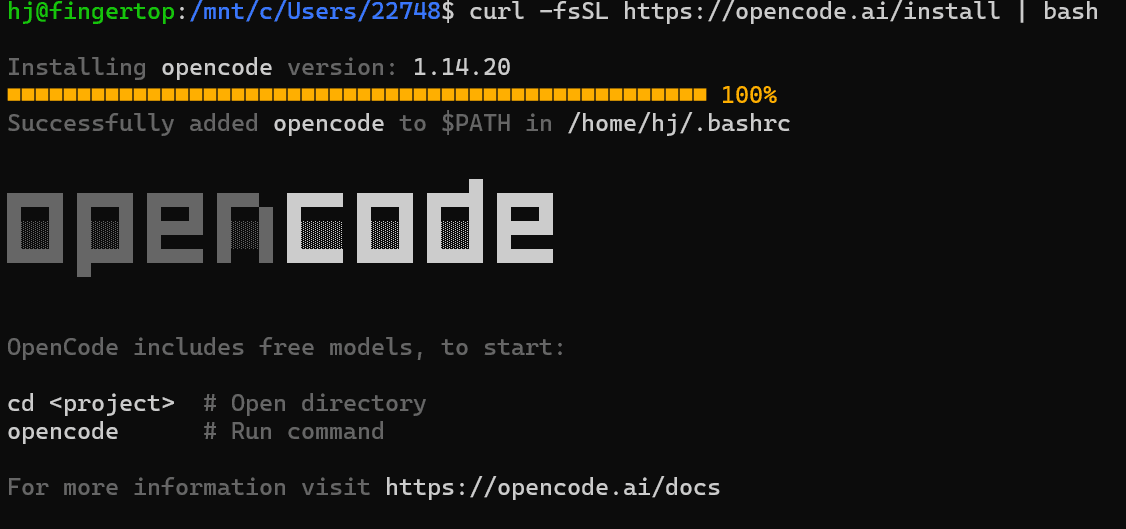
3.OpenClaw (Config File + Two Terminals)
OpenClaw runs as two separate processes: a gateway and a TUI. Both need to be up before you can use it.
~/.openclaw/openclaw.json:
json
plaintext1{ 2 "agents": { 3 "defaults": { 4 "model": { 5 "primary": "custom-api-atlascloud-ai/moonshot/kimi-k2.6" 6 } 7 } 8 }, 9 "models": { 10 "providers": { 11 "custom-api-atlascloud-ai": { 12 "baseUrl": "https://api.atlascloud.ai/v1", 13 "api": "openai-completions", 14 "apiKey": "apikey-xxx", 15 "models": [ 16 { 17 "id": "moonshot/kimi-k2.6", 18 "name": "Kimi K2.6", 19 "api": "openai-completions" 20 } 21 ] 22 } 23 } 24 } 25}
Start order:
bash
plaintext1# Terminal 1 2openclaw gateway 3 4# Terminal 2 5openclaw tui
For interactive reconfiguration: openclaw configure
To switch models, edit the primary field and restart both processes.
4.Hermes Agent (Interactive Setup)
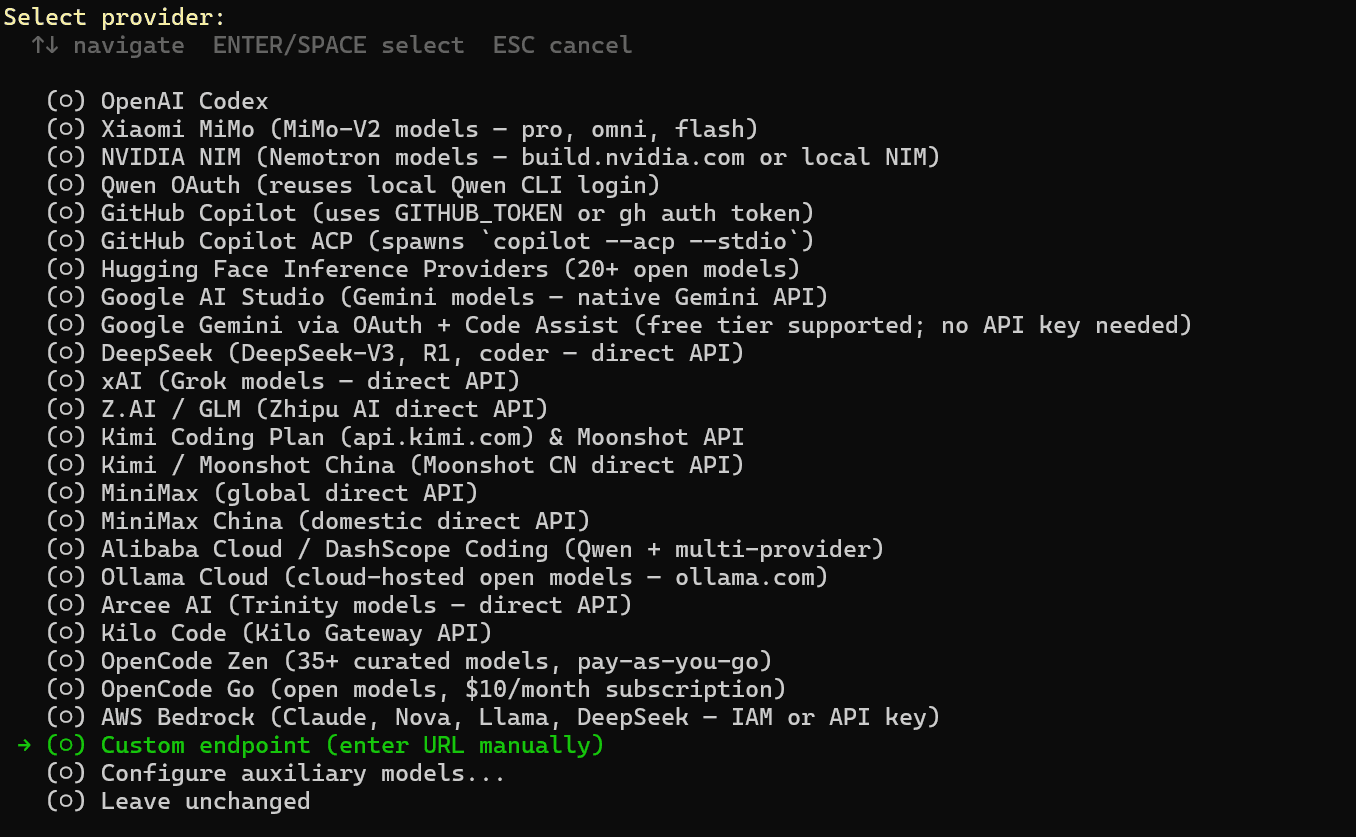
Hermes uses a wizard instead of a config file:
bash
plaintext1hermes setup
Fill in the prompts:
- Provider: custom
- Endpoint: https://api.atlascloud.ai/v1
- API Key: apikey-xxx
- Model: moonshot/kimi-k2.6
Important: The model ID must include the moonshot/ prefix. Entering kimi-k2.6 alone returns a 404.
To switch models later, re-run hermes setup.
Part 2 — What K2.6 Actually Does
Claude Code × K2.6 — What Happens When 23 Agents Run at Once?
What actually breaks first when you push an AI system to its limits?.
One developer decided to test exactly that—by running 23 agents simultaneously through Claude Code for an entire day. Across 26 sessions, the system handled high-frequency tool calls, multi-step pipelines, and long-chain tasks like PRD writing and SEO planning. In other words, a realistic “production-like” workload where things usually start to fall apart.
But this time, something unusual happened.
There were zero 429 rate-limit errors.
For anyone who has tried scaling agent workflows, this is the part that stands out. Under similar conditions, models like GLM 5.1 tend to hit rate limits frequently, forcing retries, breaking pipelines, and introducing instability into the system. K2.6, in contrast, held steady—not by being the fastest, but by being consistently reliable under pressure.
And that distinction matters more than it sounds.
Because once you move beyond single prompts into multi-agent systems, the real challenge is no longer “can the model answer well?” but:
Can it keep answering well—across dozens of parallel tasks—without breaking the system?
Quality That Feels Like Planning, Not Just Generation
The difference wasn’t only about stability. It also showed up in how K2.6 handled complex tasks.
When asked to write a PRD, the model didn’t just respond—it structured the problem space on its own. Competitive analysis, user stories, feature prioritization—these weren’t explicitly requested, yet they appeared as if the system understood what a “complete” PRD should look like.
On SEO tasks, the behavior was similar. Instead of jumping straight into keyword suggestions, K2.6 first inferred search intent, then aligned content direction accordingly. The output felt less like raw generation and more like early-stage strategic planning.
This is a subtle shift, but an important one:
You’re no longer just getting answers—you’re getting organized thinking.
And in multi-agent environments, that compounds. When each agent produces structured, high-quality outputs, the coordination layer has far less cleanup work to do.
The Tradeoff: Stability Comes at a Cost
That said, this performance isn’t free.
K2.6 is noticeably slower than GLM 5.1, especially in terms of first-token latency. The delay is not marginal—it’s roughly an order of magnitude higher. In a single interaction, this might be tolerable. But in a system where 23 agents are running in parallel, each step introduces a small pause, and those pauses add up.
Part of this comes from its architecture. K2.6 runs a Mixture-of-Experts (MoE) design, with around 1 trillion total parameters and 32 billion activated per inference. That scale brings capability, but also scheduling overhead. And since this is still a preview build, it’s likely that inference optimization hasn’t been fully pushed yet.
So the tradeoff becomes clear:
- If you care about throughput and speed, this matters
- If you care about stability and structured outputs at scale, it may be worth it
OpenCode × K2.6 — From One Prompt to Nine Parallel Workstreams
If the Claude Code experiment shows how K2.6 behaves under pressure, OpenCode reveals something else: how it organizes work.
K2.6 introduces a coordination layer called AgentSwarm, where a single “Coordinator” agent can spawn dozens of specialized subagents, each assigned a specific role. Instead of handling a task step by step in a single thread, the system breaks it apart and runs multiple processes in parallel.
To see what that looks like in practice, consider this example.
A researcher asked K2.6 to produce a deep-dive profile of Dario Amodei, tracing his path from a Princeton physics PhD to the founding of Anthropic. Rather than tackling this as a single long-form generation task, K2.6 decomposed it into nine parallel tracks.
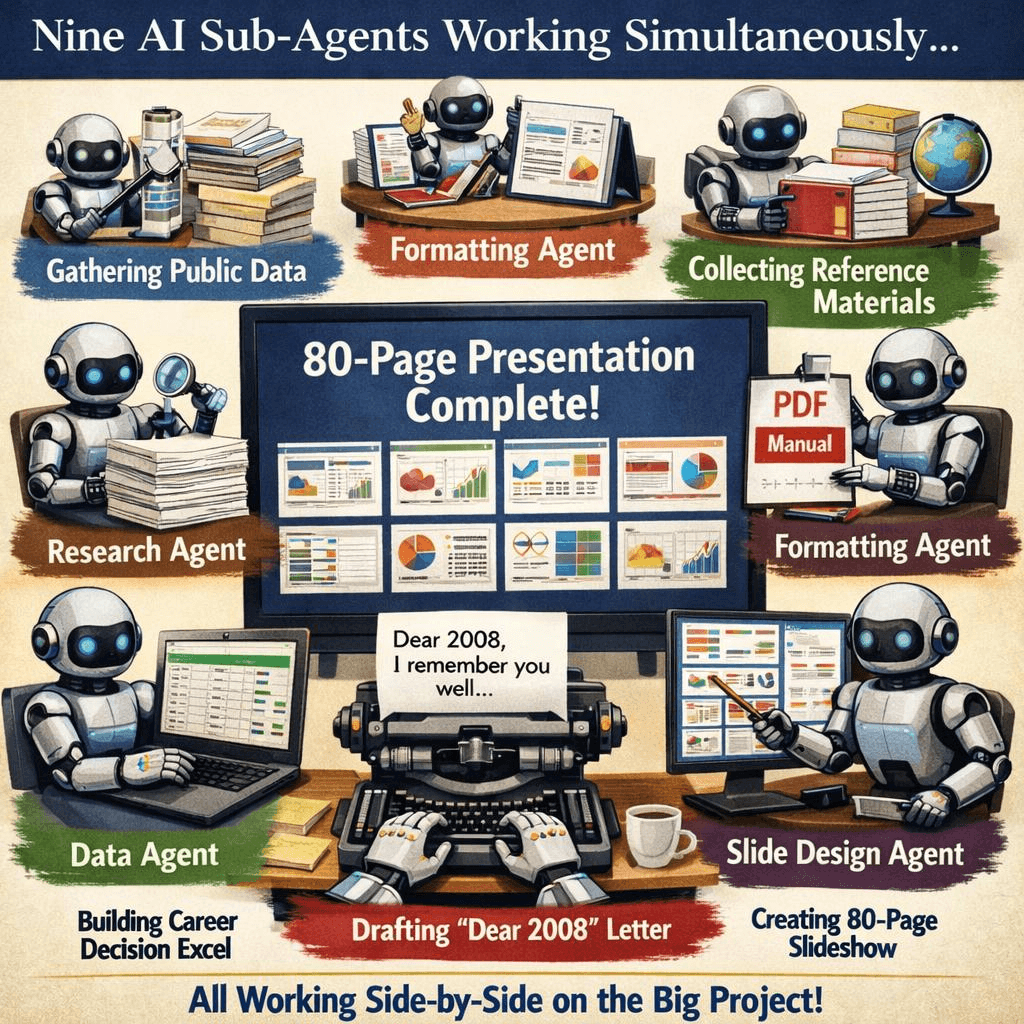
Each track had a distinct responsibility. One agent focused purely on research, gathering public information. Another handled layout, formatting the material into a structured PDF. A separate agent constructed a dataset of key career decision points. Meanwhile, a writing agent produced a first-person narrative titled “Dear 2008.”
All of this ran at the same time.
The result wasn’t just a single output, but a coordinated package: an 80-page slide deck, supported by structured data and formatted documents. What would normally require multiple tools, sessions, and manual assembly was produced as a unified deliverable.
Why This Changes How You Use AI
The key enabler here is the Skill system.
Instead of treating each task as a fresh prompt, K2.6 allows you to load structured knowledge—such as a Goldman Sachs report, a competitor analysis, or a well-written product spec—and turn it into a reusable “Skill.” When a subagent runs, it inherits that framework: the analytical style, the tone, even the structure.
Over time, this turns your system into something very different from a prompt-based workflow.
It becomes a repeatable production pipeline.
And that leads to a shift in how you think about AI usage:
You’re not prompting a model anymore—you’re managing a team.
If you’re building agent-based workflows, that difference is hard to ignore.
All four tools connect via https://api.atlascloud.ai/v1. Model ID: moonshot/kimi-k2.6.
FAQ
-
What is the difference between using Hermes Agent and calling Kimi K2.6 API directly?
The core difference lies in execution vs. response.
When you call the Kimi K2.6 API directly, you are essentially getting a single response per request. Even for complex tasks, you still need to manually break them down, iterate across multiple prompts, and combine outputs yourself. This works well for simple or interactive use cases, but quickly becomes inefficient for structured workflows.
Hermes changes this by introducing workflow orchestration. Instead of a single prompt, you define a pipeline with multiple steps—research, planning, execution, etc.—and Hermes assigns each step to an agent. These agents can pass results to each other, validate intermediate outputs, and even retry steps when something goes wrong.
In practice, this means you move from “prompt engineering” to task orchestration. The API becomes a component inside a system, rather than the system itself.
-
Is Kimi K2.6 good for multi-agent workflows and automation?
Yes—this is where it performs noticeably well.
In multi-agent setups, the biggest challenges are usually:
- consistency across steps
- stability during long runs
- ability to follow structured tasks
Kimi K2.6 shows strong performance in all three areas. When used inside Hermes, it can maintain structured outputs across multiple stages, and handle complex task chains without breaking format or losing direction.
Another important aspect is self-correction. If an intermediate result deviates from the goal, the system can regenerate that step instead of continuing with flawed data. This makes it much more suitable for automation scenarios where you don’t want to manually supervise every step.
Overall, it feels closer to a reliable execution layer than a simple text generator.
-
Why is Kimi K2.6 slower in agent workflows compared to other models?
The slower speed is mainly due to how it is being used, not just the model itself.
In a standard chat scenario, you only wait for one response. In an agent workflow, a single task may involve multiple steps—each requiring a separate model call, plus coordination overhead between agents. This naturally introduces latency at every stage.
Additionally, Kimi K2.6 is designed with a more complex architecture (e.g., MoE-style routing), which can increase inference overhead compared to smaller or more optimized models. When combined with multi-agent orchestration, the delay becomes more noticeable.
However, the tradeoff is that each step produces higher-quality, more structured outputs, reducing the need for retries or manual fixes. So while it is slower in raw response time, it can be more efficient at the workflow level.





