You built a folder for one 15-second ad. Two character stills. A brand-tone video the client sent over. A brand book that only exists as a PDF. A voice sample from the actor you actually want.
Then you opened your video model and it asked for one image.
So you did what everyone does. You translated the folder into an 800-word prompt and prayed. The face drifted in shot three. The jacket changed color. The voice was somebody else entirely.
Wan 3.0's omni-reference is the first time a video model says: fine, hand me the folder. Up to 20 assets in a single call, across five kinds of input, held together through one continuous 30-second take.
This article does three things and skips the rest. It breaks down what those 20 assets actually are, it uses Alibaba's own generated clips as the evidence, and it gives you an equivalent workflow you can run today, because Wan 3.0 is still in public beta on Alibaba's own cloud and is not yet callable from third-party platforms.
Key takeaways
- Wan 3.0's multimodal reference accepts up to 20 assets in one call, spanning images, videos, audio, documents and live webpages, and holds them consistent across a single 30-second take.
- It is the first mainstream video model to treat a PDF, a slide deck or a URL as a creative input rather than something you paraphrase into a prompt.
- Wan 3.0 entered public beta on August 6, 2026 on Alibaba Cloud Model Studio and Qwen Cloud as
wan3.0-video. It is closed weights. Anyone telling you it is already Apache 2.0 is guessing. - The 20-asset headline is not where it actually pulls ahead. Reference-to-video models you can call right now already accept more assets than 20. The gap is documents and webpages, not headcount.
- You can test the two-character, reference-locked, fully voiced format for nothing with Atlas Cloud's free AI ad skit generator: four product photos in, a 15-second spoken skit out, no card.
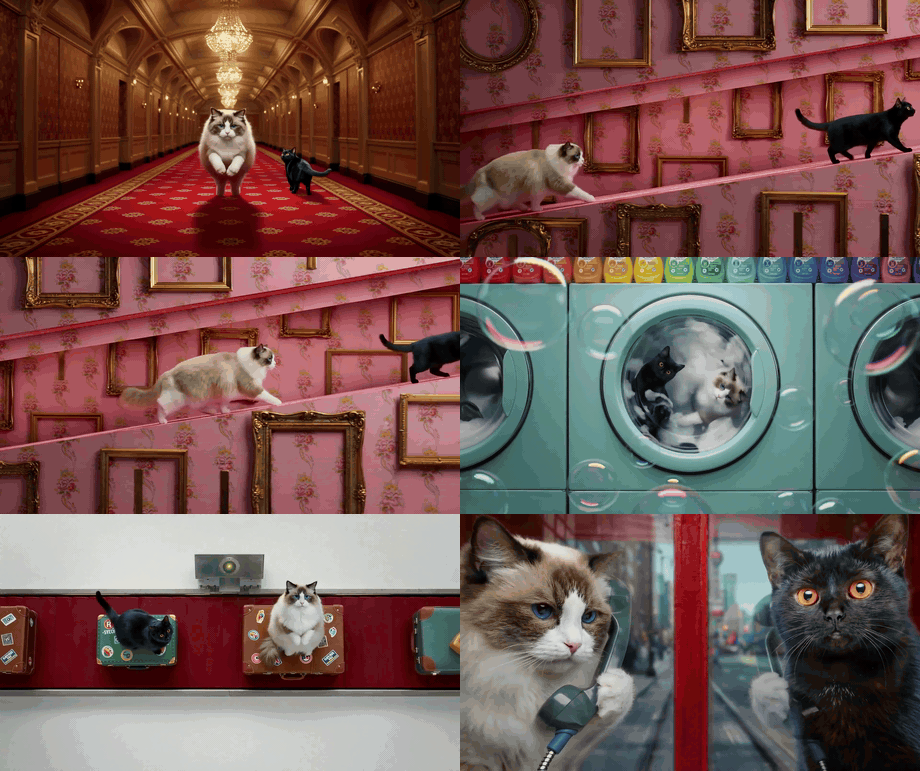
Two cats chased through five different sets by Wan 3.0 with no character drift_Two reference images. Five completely different sets, from a hotel corridor to a washing machine drum to a red phone box. Not one frame of drift. Source: Alibaba's official_ Wan 3.0 creator handbook , August 2026, which is also where every other Wan 3.0 clip in this article comes from.
Why Multi-Reference Video Falls Apart, and What Wan 3.0 Multimodal Reference Changes
Video models have no memory between clips. Every generation starts from zero. That is the whole problem in one sentence.
So the moment your story needs more than one shot, you are stitching. Shot one gives you a face you love. Shot two gives you a cousin of that face. Shot three quietly changes the jacket from plum to burgundy, and by the time you notice you have already paid for eleven renders.
Single-image reference helped, but it only ever locked one thing. A face. It could not simultaneously hold a face, an outfit, a prop, a location and a voice, because there was one slot and five jobs.
There are two ways out. Give the model more slots, or stop making it start over. Wan 3.0 does both at once, and that is why the two headline features are really one feature. A native 30-second take means there is no cut for the character to drift across. Twenty reference assets means every element that has to stay fixed gets its own dedicated slot instead of fighting for one.
Here is what that looks like when nothing is stitched. Thirty seconds, one continuous camera, a kid in a shopping cart who ends up embedded inside a billboard and then walks out from under it.
A full 30 seconds in one pass, no cuts, with the soundtrack generated in the same pass. Source: Alibaba's official Wan 3.0 creator handbook.
What "20 Assets" Actually Means Inside Wan 3.0 Multimodal Reference
Twenty is a headline number. What matters is that the twenty are not all the same kind of thing. Wan 3.0's omni-reference covers five input types, and each one controls a different axis of the output.
Images control identity. A character card, a product shot, a location plate. Wan 3.0 calls this pixel-level consistency, and in Alibaba's own examples the lock extends past the face into wardrobe: the layered grey robe, the strapped leather jerkin, the dark waist wrap all survive a sixteen-second hand-to-hand fight across three locations.
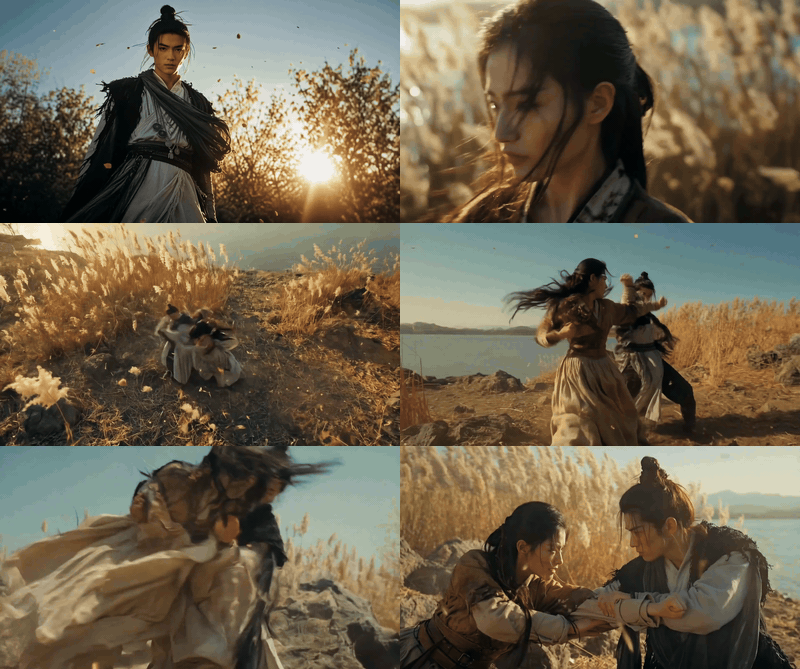
Two character cards driving a wuxia fight scene with costume details held frame to frame
Two character cards plus one location plate of the reed bank. The wardrobe and the setting hold through every throw. Shown here as a silent GIF; the delivered file carries a 44.1kHz stereo mix. Source: Alibaba's official Wan 3.0 creator handbook.
Audio controls voice. This is the part that makes "multimodal" more than marketing. You attach a voice sample per character, write the lines in the prompt, and the dialogue comes back in that timbre, lip-synced, in the same pass as the picture. Two people, two voice references, one gym.
Two subject images plus two separate voice reference clips, and the dialogue comes back in those two voices. Worth turning the sound on for this one. Source: Alibaba's official Wan 3.0 creator handbook.
Video controls timing. A reference video is not there to be copied. It is there to donate its rhythm: how long a beat holds, how a transition moves. In this one, five keyframes supply the subjects and a reference video supplies the horizontal card-flip cadence between them.
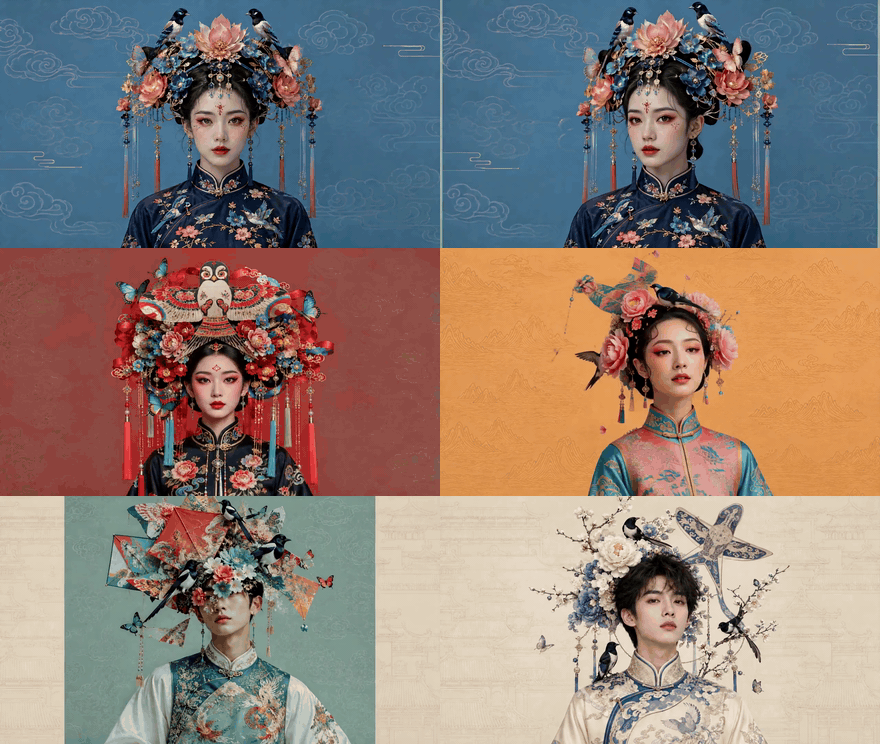
Five keyframes flipped through with the pacing taken from a reference video_Five_ keyframe images for the subjects, one reference video for the flip rhythm. Source: Alibaba's official Wan 3.0 creator handbook.
Documents and webpages control structure. This is the genuinely new one. Wan 3.0 accepts document files and live URLs as creative input, and reporting on the beta lists .doc, .xls, .ppt, .pdf and .txt among the accepted formats (AlphaSignal, August 2026). The same logic already works with a storyboard image: one board in, six shots out, in the board's own order.
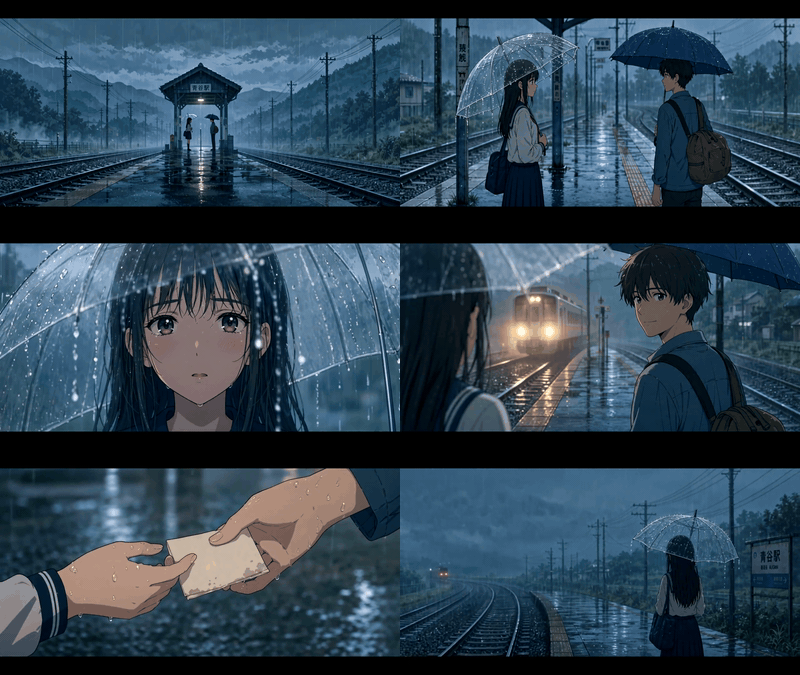
A single storyboard sheet expanded into six sequential shots at a rainy train platform
One storyboard sheet as the reference, six shots generated in its order, right down to the note passing hands in shot five. Source: Alibaba's official Wan 3.0 creator handbook.
First and last frames control endpoints. The oldest trick in the book, still supported, still the fastest way to bound a shot.
Here is how that stacks against the version most people are actually using today.
| Wan 2.7 Reference-to-Video | Wan 3.0 omni-reference | |
|---|---|---|
| Reference assets | one image per subject, up to 3 videos, 1 voice clip | up to 20 assets in total |
| Modalities | image, video, audio | image, video, audio, document, webpage |
| Max duration, one pass | 10 s | 30 s native, plus smart duration |
| Audio in the same pass | yes | yes |
| Video editing and extension | not exposed | instruction and reference based editing, plus extension |
| Availability | live on third-party APIs | Alibaba Cloud Model Studio and Qwen Cloud beta |
There is one rule that nobody puts in the docs and everybody learns the hard way: one reference, one job. Image1 locks the face and the outfit. Video1 donates motion only. Audio1 donates timbre only. The moment you hand a single asset two conflicting jobs, or upload a reference image with two people in it, the model has to guess, and guessing is exactly what you were trying to stop. Alibaba's handbook is blunt about this too: one subject per reference image.
The Wan 3.0 Multimodal Reference Workflow You Can Run Today
Straight answer first. Wan 3.0 is in public beta on Alibaba's own cloud, under the model id wan3.0-video (Alibaba Wan, August 2026). It has not landed on third-party API platforms yet, Atlas Cloud included. Anyone selling you Wan 3.0 API access right now is reselling something else.
What has landed is the workflow shape. Reference pack in, one call, finished clip with sound out. That runs today on reference-to-video models you can call in a browser tab, and once you line them all up the 20-asset headline looks different.
| Model | Reference assets | Modalities | Max duration | Native audio | Price per second |
|---|---|---|---|---|---|
| Wan 3.0 (Alibaba beta, not on Atlas) | 20 total | image, video, audio, document, webpage | 30 s | Yes | reported $0.05 to $0.20 by resolution |
| Wan 2.7 Reference-to-Video | 1 image per subject, 3 videos, 1 voice clip | image, video, audio | 10 s | Yes | $0.10 |
| Seedance 2.5 Reference-to-Video | 50 (30 image / 10 video / 10 audio) | image, video, audio | 30 s | Yes | $0.13 |
| MiniMax H3 Reference-to-Video | mixed, no stated cap | image, video, audio | 15 s | Yes | $0.10 |
| Kling Video O3 Pro Reference-to-Video | 7 images, or 4 images + 1 video | image, video | 15 s | Yes | $0.10 |
| Vidu Q3-Mix Reference-to-Video | 4 images | image | 16 s | Yes | $0.11 |
| Veo 3.1 Reference-to-Video | 3 images | image | 8 s | Optional | $0.20 |
Prices are Atlas Cloud rates as of August 2026. Wan 3.0's figures are the ones reported for the Alibaba Cloud beta, not an Atlas rate, and Alibaba has not published a public price page for the model yet, so treat that row as provisional.
Read that table twice and the real story shows up. The 20-asset headline is not where Wan 3.0 pulls ahead, because Seedance 2.5 already takes 50 and matches the 30 seconds. What nothing else on that list takes is a PDF.
For the walkthrough below the demo runs on Wan 2.7 Reference-to-Video, because its input shape is the closest living relative of omni-reference: multiple subject images, an optional reference video, and a voice clip, all mapped to character1 and character2 labels inside the prompt. Three models, one browser tab, no local install.
Build It Yourself: A Multimodal Reference Scene in Four Steps
The scene: a pastel hotel front desk. A deadpan concierge. A traveller holding a ragdoll cat. The concierge looks straight down the lens and says "The cat has a reservation. You do not."
Two images plus one voice clip, which is three reference assets across two modalities. That is the smallest build that is honestly multimodal rather than just multi-image.
Step 1. Generate reference image 1, the subject you must lock
Reference images have three jobs and only three: one subject, facing camera, clean background. Everything else is decoration. Use GPT Image 2 with quality high, size 16:9, n=1.
Plain1Full-body studio portrait of a middle-aged hotel concierge with a deadpan expression, standing dead-centre against a flat dusty-pink wall. He wears a plum-purple double-breasted bellhop uniform with gold piping and brass buttons, a small round pillbox hat, and a thin moustache. Perfectly symmetrical framing, even soft frontal light, no cast shadow on the wall, 35mm film grain, muted pastel palette. One subject only, no other people, no text, no logo, no props in frame.
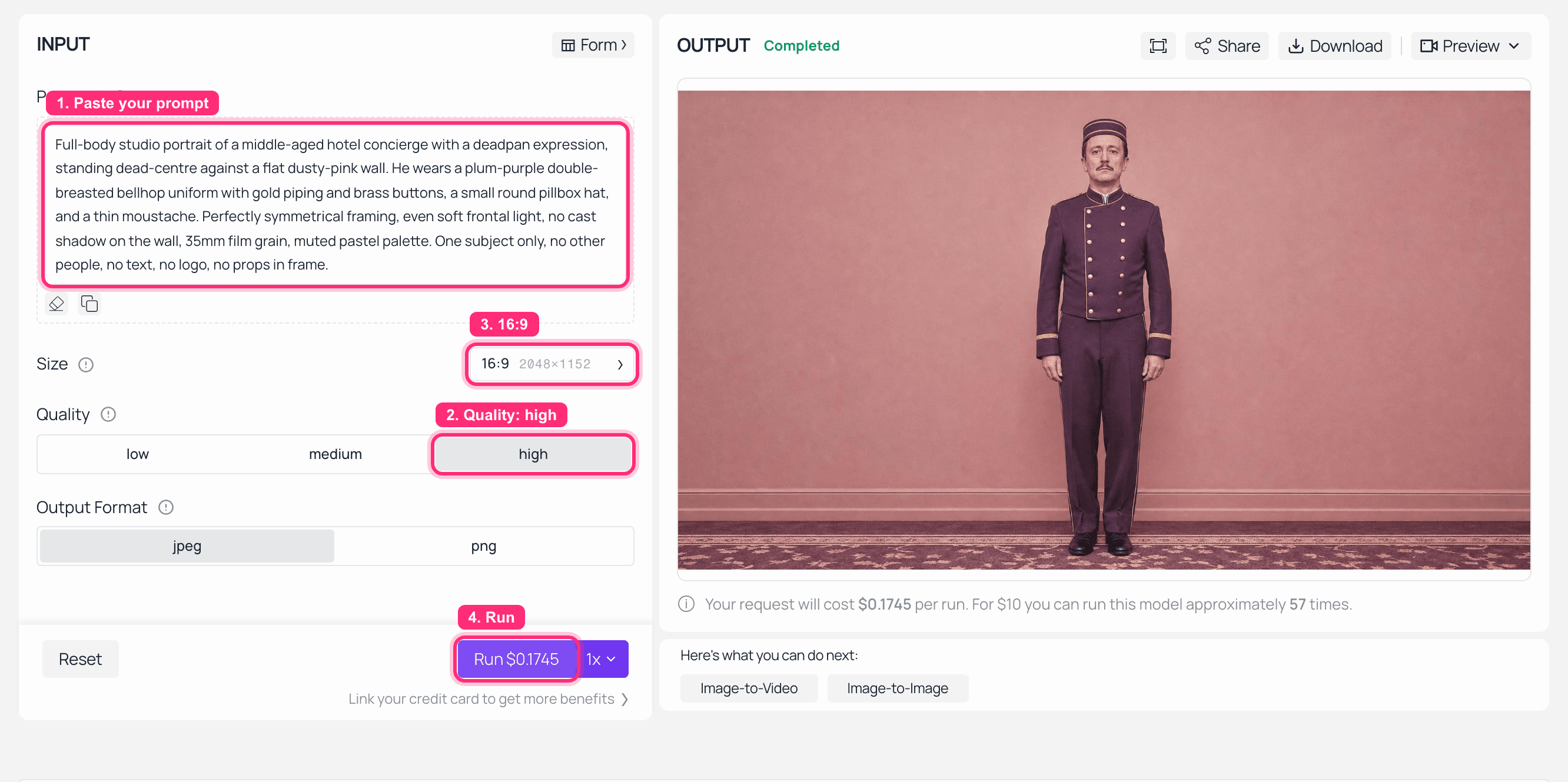
GPT Image 2 playground on Atlas Cloud with the concierge reference portrait rendered in the output panel
GPT Image 2 on Atlas Cloud: quality high, 16:9, one subject, flat background. This is the file that becomes character1.
Step 2. Generate reference image 2, the second locked subject
Same model, same settings. The colour contrast between the two characters is deliberate, since it gives the model an easy way to keep them apart when they share a frame.
Plain1Full-body studio portrait of a young woman traveller holding a fluffy ragdoll cat against her chest, standing dead-centre against a flat mustard-yellow wall. She wears a mustard wool coat, a red beret and round tortoiseshell glasses, and holds a small vintage leather suitcase in her free hand. Perfectly symmetrical framing, even soft frontal light, no cast shadow on the wall, 35mm film grain, muted pastel palette. One subject only, no other people, no text, no logo.
Step 3. Generate the voice reference, which is the actual multimodal part
The voice clip is what turns this from a multi-image job into a multimodal one. Wan 2.7's audio slot wants a short sample, roughly 1 to 10 seconds, so keep the line short. Use MiniMax Speech 2.6 HD and pick a low, flat, unbothered male voice.
Plain1Good evening. Checking in? Of course. Everyone is.
Step 4. One call, three references, one finished clip
Now the whole pack goes in together on Wan 2.7 Reference-to-Video. Settings: resolution: 1080P, ratio: 16:9, duration: 10, which is this model's ceiling, prompt_extend: false, seed: -1. Load images in order, step 1 first, so it maps to character1, then step 2 as character2, and attach the step 3 file to audio.
Plain1Symmetrical, dead-centre wide shot of a pastel hotel lobby front desk, dusty-pink walls and a mustard-yellow key rack behind it. character1 is the concierge standing behind the desk; character2 is the traveller standing in front of it, still holding her ragdoll cat. The camera pushes in slowly along a perfect centre axis and never tilts. character1 looks straight down the lens and says flatly: "The cat has a reservation. You do not." character2 blinks once, turns her head slowly towards the cat, then back to the desk. The cat stares directly into the camera without moving. 35mm film grain, even soft lighting, muted pastel palette, no camera shake, no cuts.
Negative prompt:
Plain1handheld shake, jump cuts, subtitles, on-screen text, watermark, extra people, deformed hands, face morphing, colour shift, motion blur
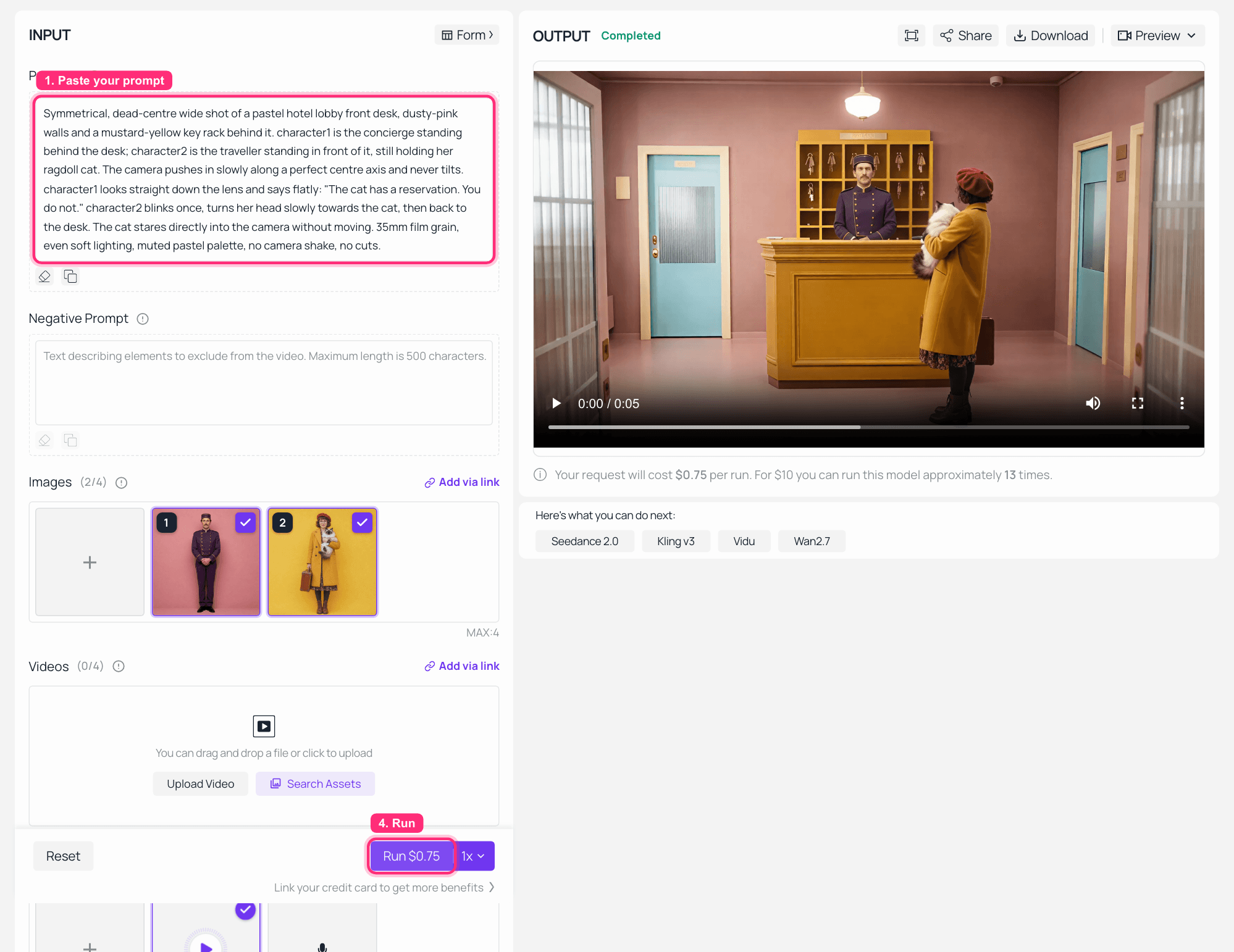
Wan 2.7 Reference-to-Video playground on Atlas Cloud with two reference images and one audio file loaded and the finished clip in the output panel
Wan 2.7 Reference-to-Video on Atlas Cloud: two reference images and one voice clip attached on the left, the finished take playing on the right at 1080P and 16:9. This capture ran at the model's default duration; set it to 10 for the full version below.
The finished clip. Both faces held, both outfits held, and the line delivered in the cloned voice from step 3, so this one is worth playing with sound.
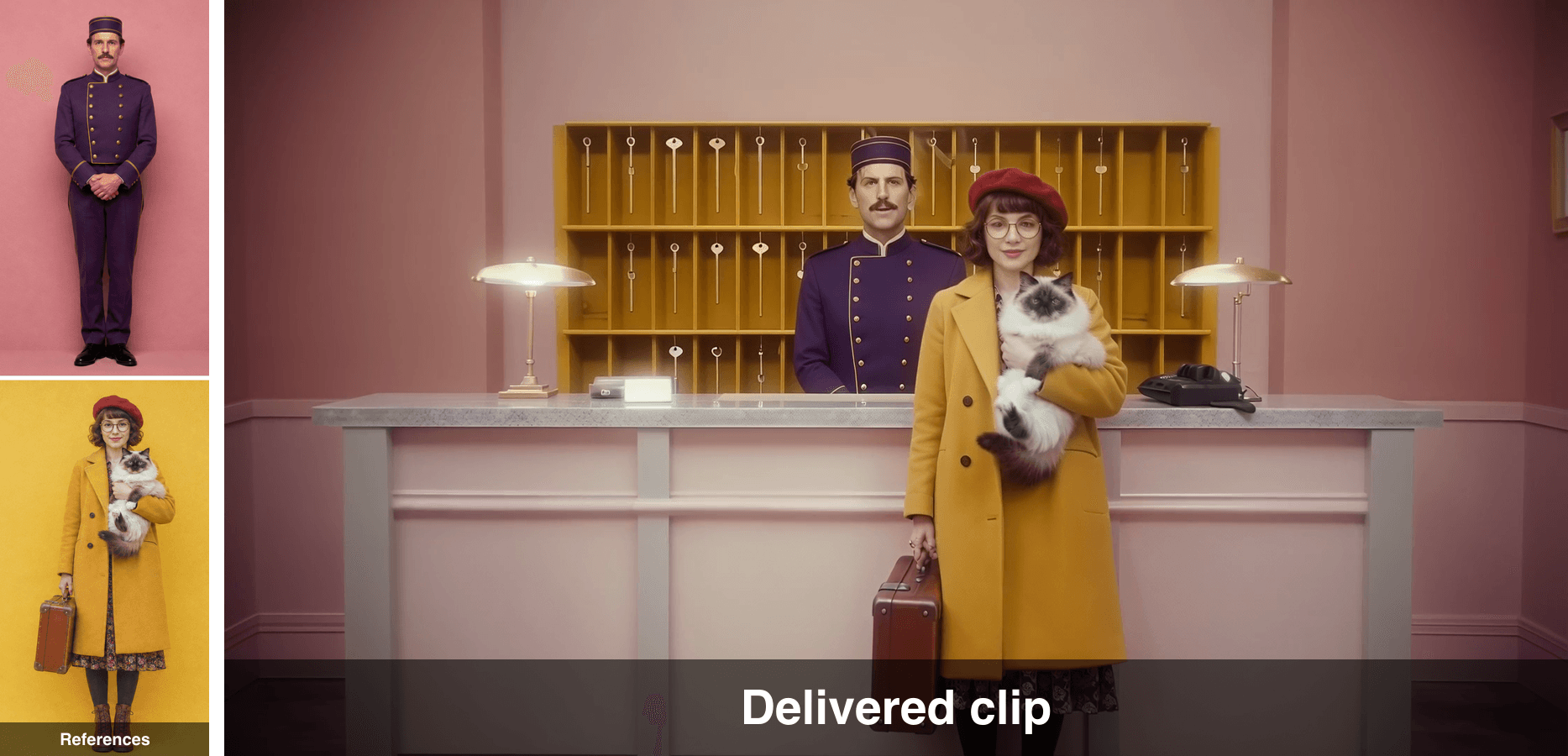
The two reference portraits beside a frame from the finished clip, showing the same faces and outfits
References on the left, a frame from the delivered clip on the right. Uniform piping, beret, glasses and cat all survive the trip.
Variations on the Wan 3.0 Multimodal Reference Workflow
Push it to 30 seconds. The same reference pack runs on Seedance 2.5 Reference-to-Video with duration: 30, which gets you the length Wan 3.0 promises without waiting for the beta. It takes up to 30 reference images, 10 videos and 10 audio clips, so the pack has room to grow. Write the extra 20 seconds as beats in the prompt, not as vibes, or the model will pad.
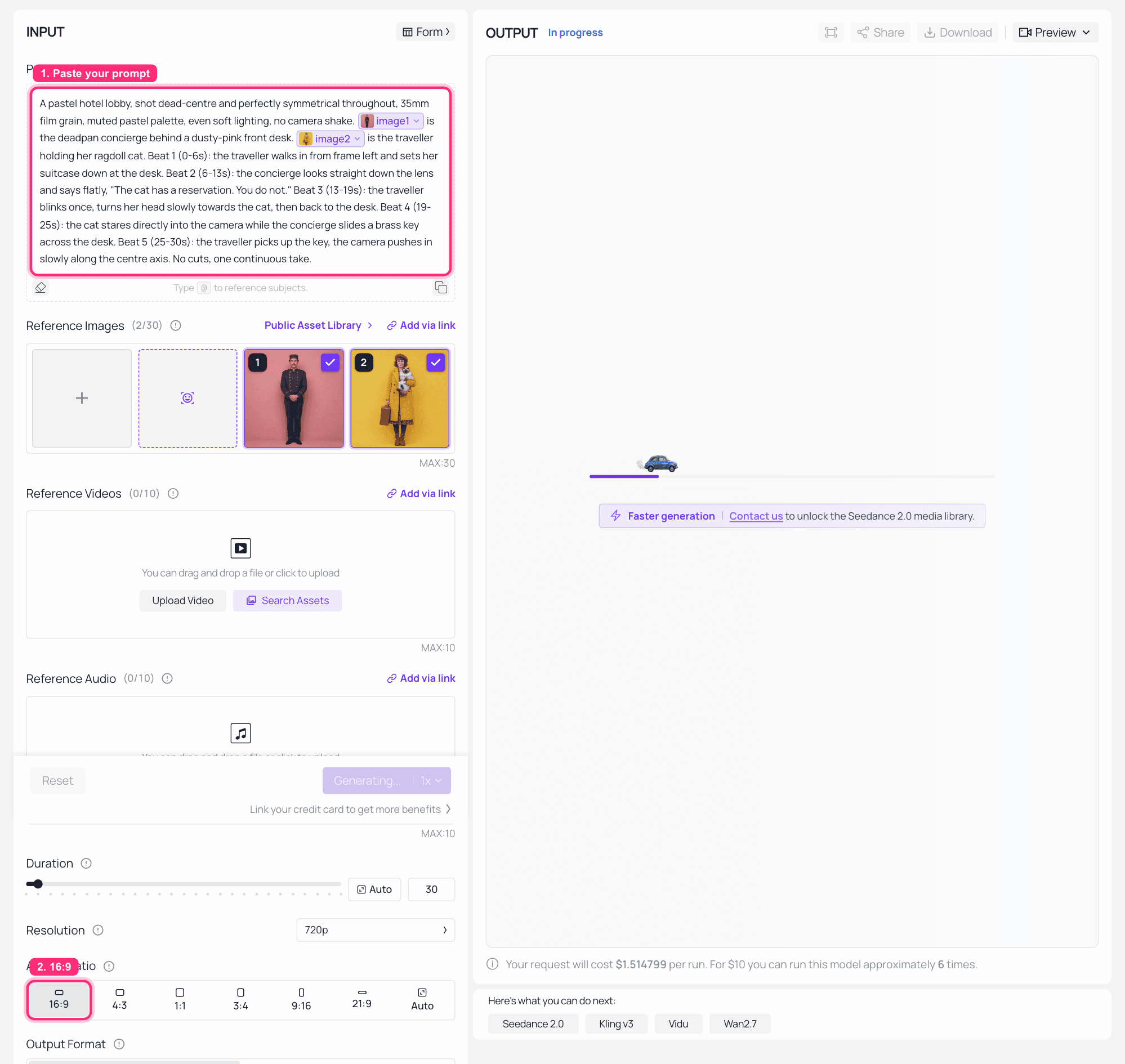
Seedance 2.5 Reference-to-Video playground on Atlas Cloud with duration set to 30 and the long take rendered
Seedance 2.5 Reference-to-Video on Atlas Cloud with duration set to 30 and the same two reference portraits attached, caught mid-generation. Note the @image1 and @image2 chips in the prompt: that is how you tell Seedance which reference plays which part. Check the quoted price on the Run button before you commit, since it reflects the duration the job will actually submit.
The 30-second version of the same scene, same reference pack, beats written out shot by shot.
Add a reference video for motion only. Attach a clip whose pacing you like and say so explicitly in the prompt, something like "follow the reference video for cutting rhythm only, ignore its subjects and setting". That is the trick behind the card-flip example further up.
Fix drift with the negative prompt before you touch the positive one. Face morphing, colour shift and handheld shake are the three that ruin reference-locked shots, and they are usually cheaper to suppress than to out-describe.
Try the Multimodal Reference Format for Free
If you want the shape of this before you want the parameters, Atlas Cloud shipped a free AI ad skit generator last week that runs the same chain with none of the knobs.
You write one line about your product and its selling points. It writes a two-character comedy script for you, hook, conflict, twist, then renders a 15-second video with spoken dialogue and sound effects built in. You can attach up to four real product photos as references, and the ad keeps their shape, colour, label and logo from script to final frame. Six styles ship with it, from funny meme through plot twist and sitcom to luxury and hard sell, and the dialogue comes back in whatever language you wrote the description in.
That is the same two-characters-plus-reference-images-plus-voice chain from the tutorial, minus the prompt writing and minus the bill. Which makes it a decent way to find out whether this format suits your product before you spend anything tuning it.
For a sense of what a stack of reference stills does to a product piece, this is Wan 3.0's own version of the job: five images in, one launch reel out, each still anchoring one beat of the edit.
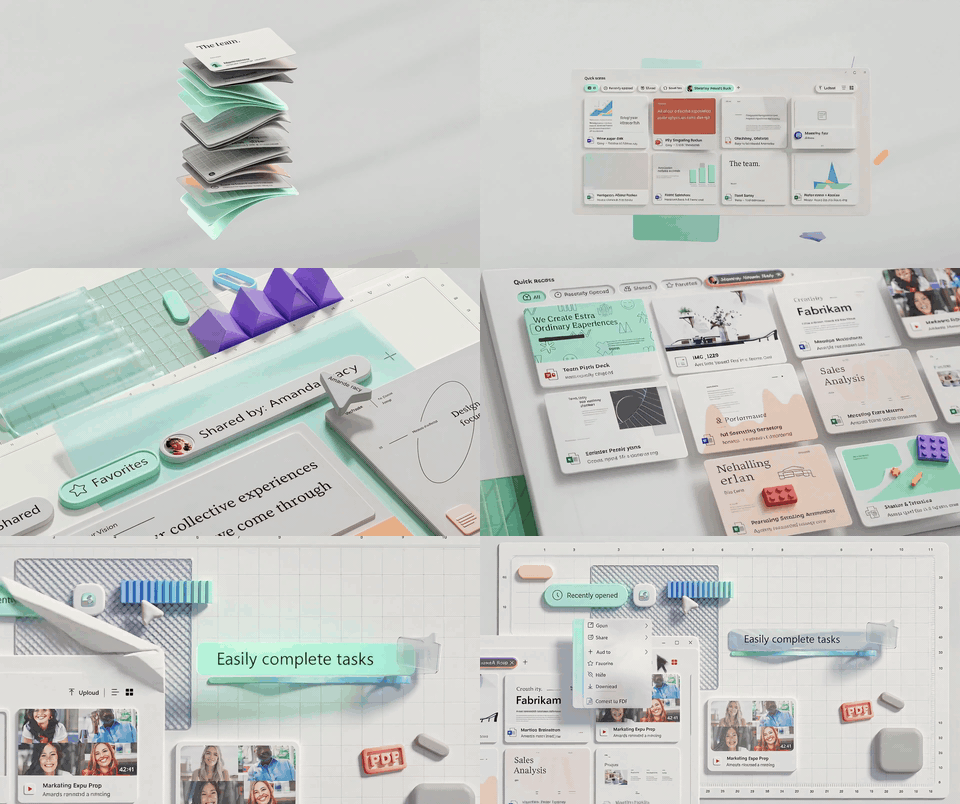
Five reference stills expanded into a Material Design style product launch reel_Five reference images driving a nine-second product film, each one anchoring a beat and handing off to the next. Source: Alibaba's official Wan 3.0 creator handbook._
What a Wan 3.0 Multimodal Reference Clip Costs
| Step | Model | Unit price | Quantity | Cost |
|---|---|---|---|---|
| 1 and 2, two reference images | GPT Image 2 | $0.009 per image | 2 | $0.02 |
| 3, voice reference | MiniMax Speech 2.6 HD | $0.08 per 1K characters | 49 characters | $0.00 |
| 4, the 10-second take at 1080P | Wan 2.7 Reference-to-Video | $0.15 per second at 1080P | 10 s | $1.50 |
| Tutorial total | about $1.52 | |||
| Variation, 30 seconds | Seedance 2.5 Reference-to-Video | $0.134 per second at 480P | 30 s | about $4.02 |
| Free route | Free AI Ad Skit Generator | free | 1 clip, 15 s | $0 |
Those are the platform's own rates, checked in August 2026 and billed pay as you go. Two things move the total more than people expect. Resolution is the first: the $0.10 per second in the comparison table is Wan 2.7's base rate, and 1080P bills at $0.15, which is where the $1.50 above comes from. The second is that Seedance prices by pixel count, so its listed $0.134 per second is the 480P figure and a 720P take costs more than a straight multiplication suggests. For reference, the reported Wan 3.0 beta rate of $0.20 per second at 1080p would put a full 30-second take at around $6, which is more than the Seedance route at 480P today.
A note on using this stuff. Wan 3.0 is a beta and its terms can move, so re-read them before you build a pipeline on it. If your reference images are real people, get their permission first, since reference-to-video is precisely the capability that makes that matter. The example clips in this article are Alibaba's own generated results from its public creator handbook, reproduced here for commentary.
Frequently Asked Questions
How many references can Wan 3.0's multimodal reference actually take?
Up to 20 assets in a single call, drawn from images, videos, audio, documents and webpages. The practical limit is lower than the technical one. Assign each asset exactly one job, one subject per image, and you will use far fewer than 20 for most scenes.
Can Wan 3.0 really turn a PDF or a webpage into a video?
Yes, that is the genuinely unique part. Alongside text, image, audio and video it accepts document files and live URLs, with reporting on the beta listing .doc, .xls, .ppt, .pdf and .txt. No other reference-to-video model in the comparison table above takes a document at all.
Is Wan 3.0 open source? Can I run it in ComfyUI?
No, and not right now. Wan 3.0 is a closed beta running on Alibaba's own cloud. Earlier Wan generations were released openly, which is why the expectation exists, but Alibaba has not confirmed weights for 3.0. Pages claiming a 1.3B or 14B Apache 2.0 release of Wan 3.0 are not backed by anything official.
Is Wan 3.0 available through third-party APIs yet?
Not yet, Atlas Cloud included. The closest thing you can call today is Wan 2.7 Reference-to-Video, whose input shape matches omni-reference almost exactly apart from the document and webpage modalities, or Seedance 2.5 Reference-to-Video if you need the full 30 seconds.
What is the cheapest way to test a reference-locked, two-character video?
The free AI ad skit generator linked above. Four reference photos in, a 15-second spoken two-character clip out, no parameters and no spend. If it holds your product and your format, then go tune the paid chain.
Why do my characters still drift even with reference images?
Three causes, in order of frequency. One reference is carrying two jobs, so it is being asked to fix both the face and the location. The reference image has more than one person or a busy background, so the model does not know which part to lock. Or the drift is a rendering artifact rather than a reference failure, in which case put face morphing, colour shift in the negative prompt before rewriting anything.





