Rigid ID3 genre tags are killing your local music collection. By pairing AudioMuse-AI’s advanced sonic analysis with AtlasCloud’s scalable API, you can transform a static directory of media files into a deeply intuitive, semantic discovery engine that seamlessly routes emotion-driven playlists straight into your self-hosted server.
Reclaiming the Warmth of Music: Build a Truly Intuitive Local Library via AudioMuse-AI
You are sitting at your desk late at night. You do not want to listen to a high-energy electronic playlist, nor are you in the mood for pure, sterile classical music. What you actually want is a highly specific vibe: “Quiet, atmospheric indie folk with subtle rainy-day acoustic undertones to help me wind down.”
If you open up your self-hosted Navidrome or Jellyfin instance and type that exact sentence into the search bar, you will get exactly zero results.
For decades, we digital music hoarders have spent countless hours meticulously organizing ID3 tags, scrubbing album art, and forcing fluid art forms into rigid genre buckets like "Rock," "Jazz," or "Pop." But let's be honest: genre labels are a relic of 20th-century record store marketing. They do not understand how music actually feels.
The future of managing a private music hoard does not belong to static metadata. It belongs to semantic audio analysis. Large Language Models (LLMs) are far more than just chat interfaces; they are the ultimate key to decoding the unquantifiable emotional weight of your music. By deploying the open-source AudioMuse-AI alongside an intelligent LLM router like AtlasCloud, you can breathe life back into your local files and generate playlists based on pure vibe, sonic texture, and lyrical meaning.
What is AudioMuse-AI?
AudioMuse-AI is a self-hosted, open-source audio intelligence engine designed to sit right alongside your existing media setup. It acts as an AI-powered brain that plugs directly into popular self-hosted music platforms like Jellyfin, Navidrome, LMS/Lyrion, and Emby.
Instead of parsing text tags, AudioMuse-AI processes raw audio files. It runs localized neural network models to extract complex mathematical acoustic vectors (using Contrastive Language-Audio Pretraining, or CLAP) and maps lyrical themes across 72 supported languages.
Once the initial scan is done, you unlock features that make corporate streaming algorithms look shallow:
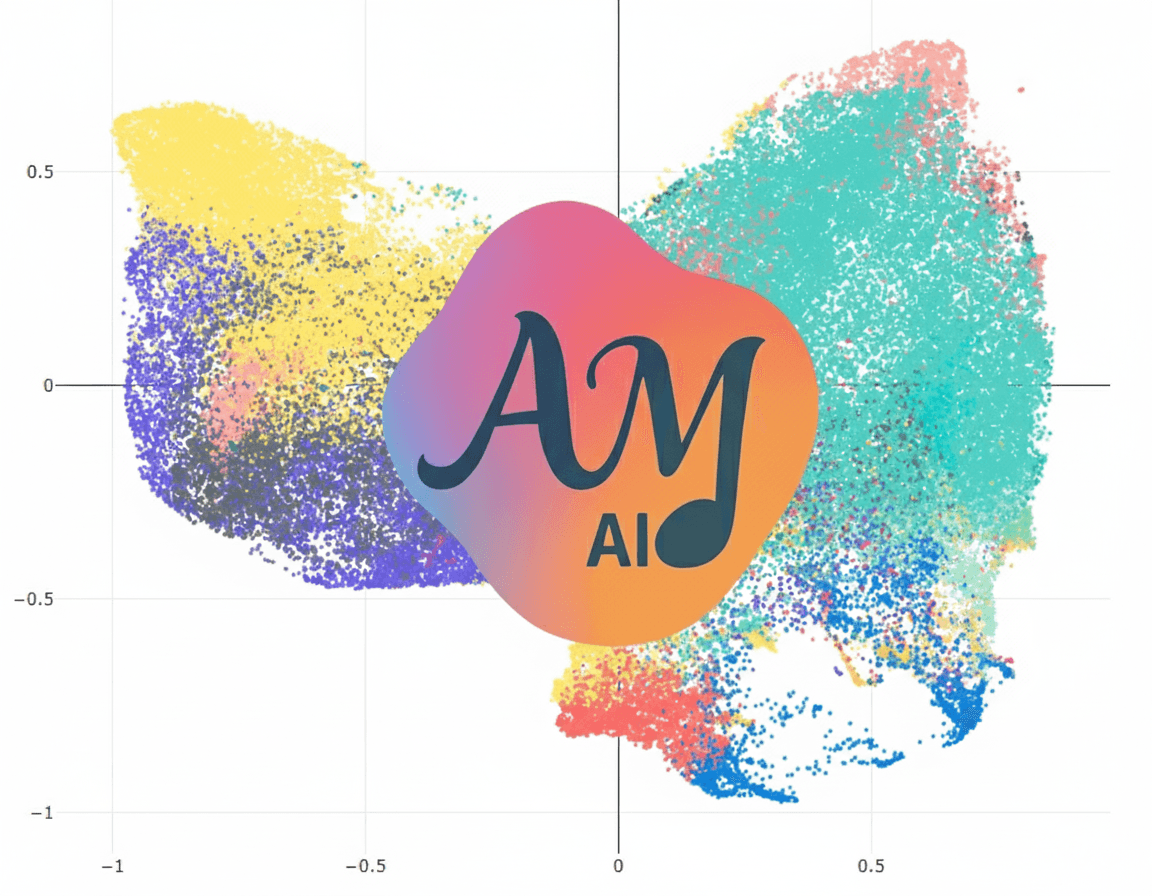
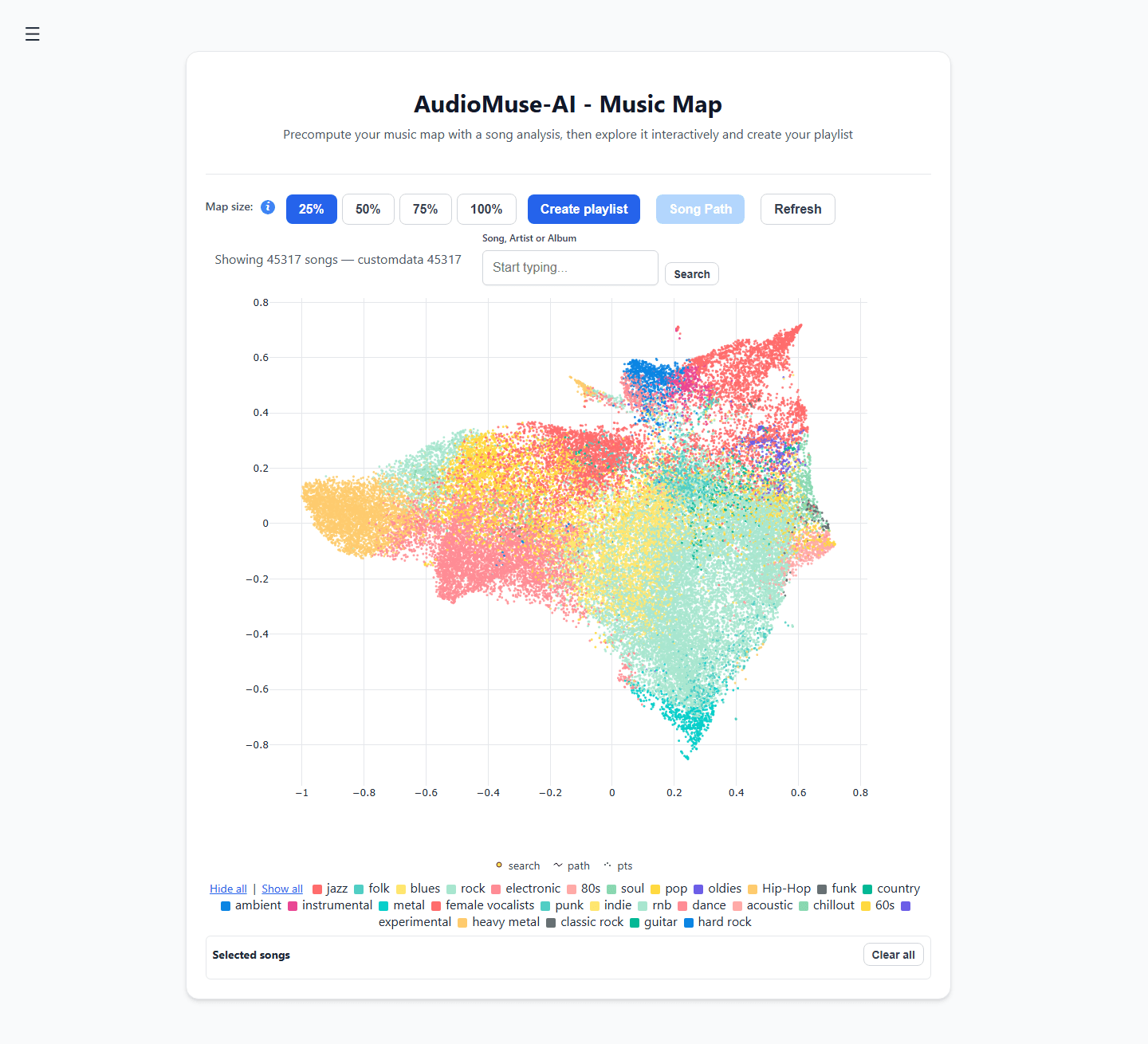
- Acoustic Clustering: Automatically charts your music library onto a visual 2D interactive "Music Map," grouping tracks by their literal sound waves rather than arbitrary genres.
- Song Paths: Pick an upbeat funk track as a starting point and a melancholic ambient piece as the destination. The engine will automatically calculate the sonic bridge between them, generating a playlist that shifts moods gradually and flawlessly.
- Semantic Lyrics Search: Search your library by narrative theme or emotional concepts (e.g., "songs about growing up in a small town"), rather than just looking up exact lyric matches.
Step-by-Step Guide: Building Your Semantic Music Discovery Engine
Let's walk through setting up a complete, zero- metadata semantic playlist pipeline.
Step 1: Environment Preparation and Deployment
AudioMuse-AI can be run natively on macOS, Linux, and Windows, but for a standard home server or NAS setup, Docker Compose is the cleanest route.
Create a directory on your server, grab the official docker-compose.yaml from the deployment documentation, and ensure your environment file is configured.
YAML
plaintext1version: '3.8'services:audiomuse:image: neptunehub/audiomuse-ai:latestcontainer_name: audiomuse-aiports:- "8000:8000"volumes:- /path/to/your/music:/music:ro- ./data:/app/dataenvironment:- POSTGRES_PASSWORD=your_secure_password- REDIS_PASSWORD=your_secure_passwordrestart: unless-stopped
⚠️ Hardware Catch: The underlying AI models rely heavily on modern CPU instruction sets. If you are running this inside a virtualized environment like Proxmox, make sure your CPU type is set to "Host" to pass through AVX2 support. If you run it on a generic QEMU virtual CPU, the container will crash immediately on boot.
Fire it up by running:
Bash
plaintext1docker compose up -d
Step 2: Running the Audio Framework Scan
Open your browser and navigate to http://YOUR-SERVER-IP:8000. You will be greeted by the initialization Setup Wizard. Link your media server (for example, entering your Navidrome URL and personal API token).
Once linked, go to the Analysis and Clustering dashboard and click "Start Analysis".
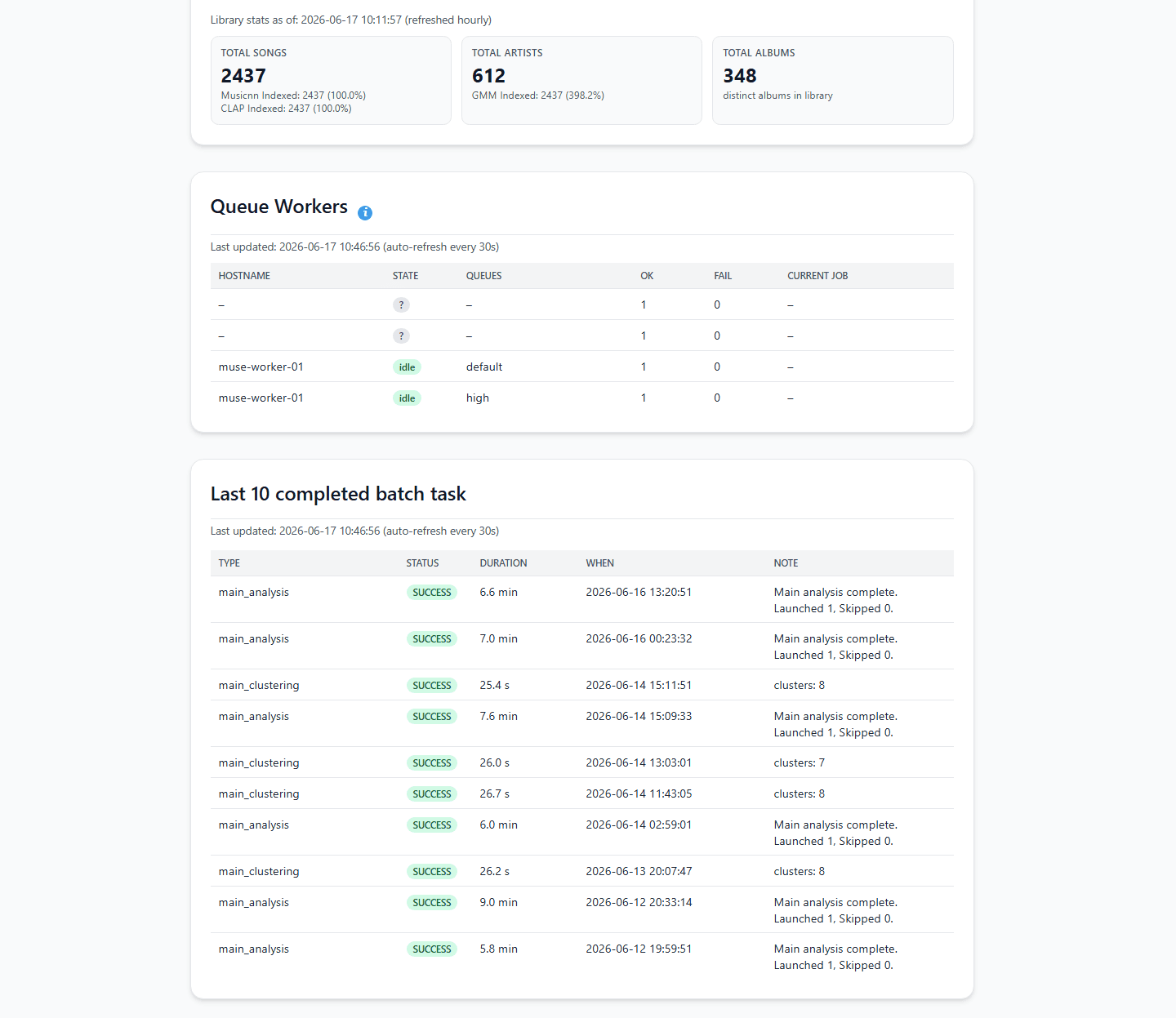
The engine will begin calculating acoustic fingerprints. Depending on your library size and whether you are running on an Intel i5 mini PC or a Raspberry Pi 5, this initial parsing phase can take anywhere from a few minutes to several hours as it crunches through the raw waveforms.
Step 3: Powering the AI Brain via AtlasCloud
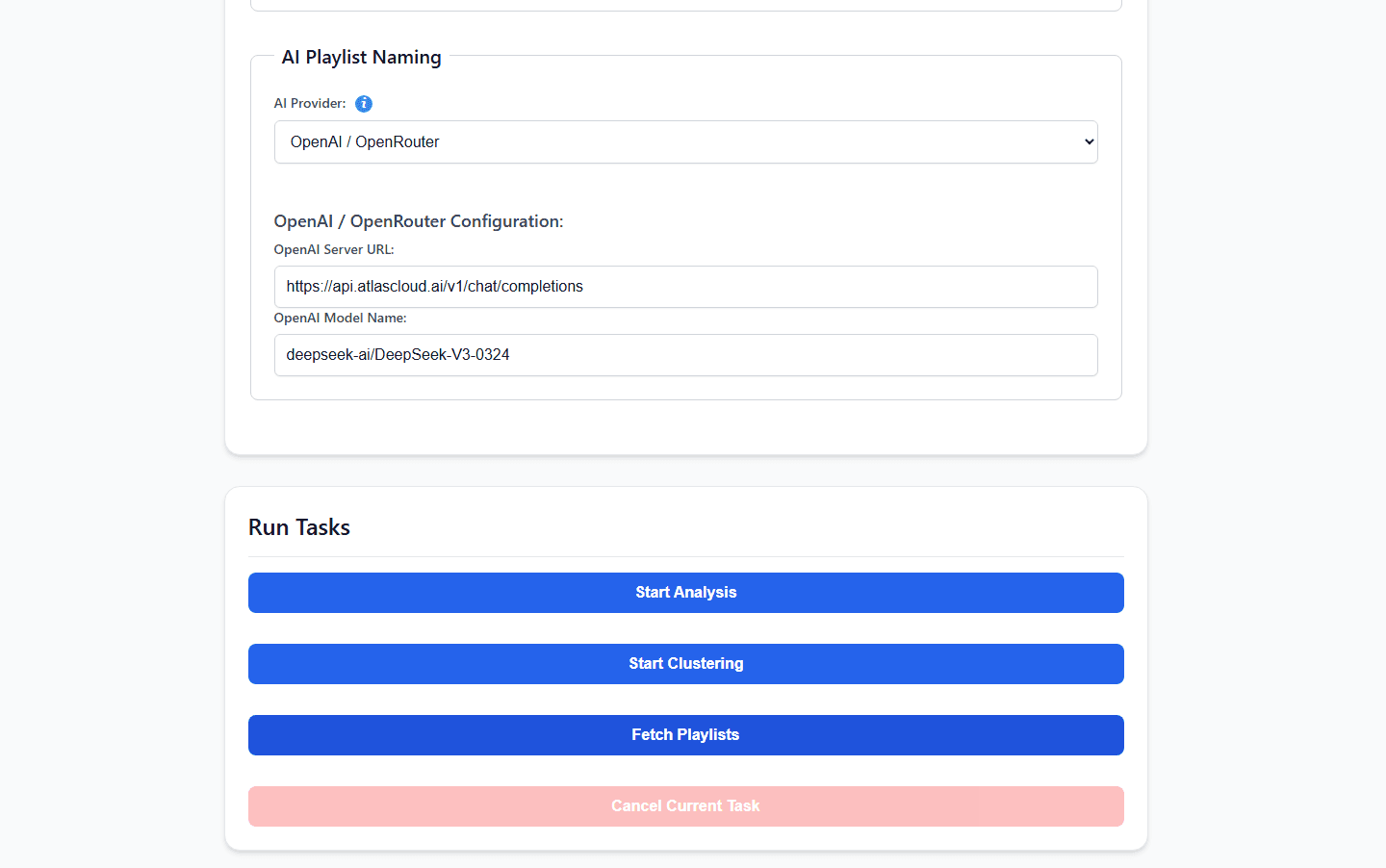
Here is where we run into a classic self-hosted bottleneck. AudioMuse-AI features an interactive playlist chat interface (app_chat.py) and a deep lyric embedding engine. Running massive, complex language models locally to handle these semantic queries can easily pin your NAS CPU to 100%, causing painful API timeouts and laggy playlist generations.
To keep your local hardware lightweight, cool, and silent, we can offload the heavy semantic reasoning to an external API. As officially documented in the project's OpenAI-compatible AI Provider Guide, you can route your requests through AtlasCloud seamlessly by using the native OPENAI core provider.
Simply append these variables into your server's deployment environment setup:
Bash
plaintext1AI_MODEL_PROVIDER=OPENAI 2OPENAI_SERVER_URL=https://api.atlascloud.ai/v1/chat/completions 3OPENAI_MODEL_NAME=qwen3.5:9b 4OPENAI_API_KEY=your_secure_atlas_cloud_key
By leveraging AtlasCloud, you bypass the need to manage massive multi-gigabyte models on your local hard drive. A single key gives AudioMuse-AI instantaneous access to high-performance reasoning models to break down your natural language prompts on the fly, with sub-second processing latencies.
Step 4: Generate Your First Vibe Playlist
With AtlasCloud handling the semantic mapping, navigate to the Instant Playlists tab. Let's test the system's ability to cross traditional boundaries. Type a highly abstract prompt:
"Give me a late-night rainy driving vibe. Start acoustic and slow, but transition into something with a driving electronic pulse towards the end."
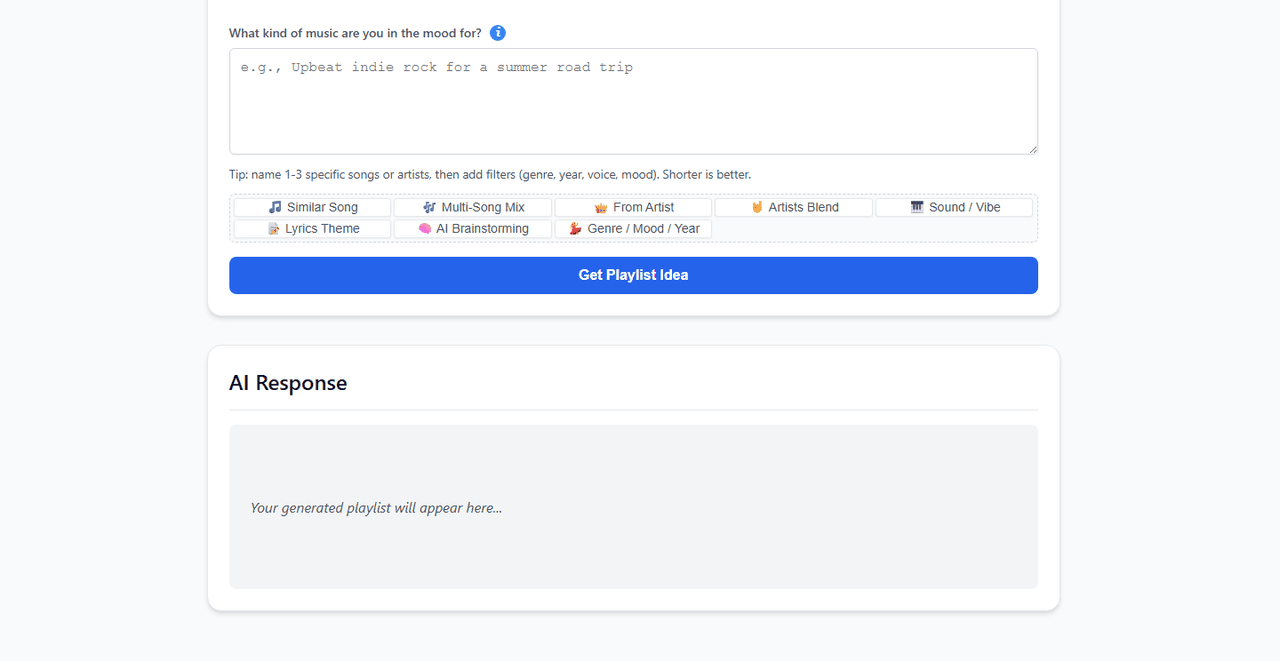
AtlasCloud processes the core emotional intent of your prompt, passes the structural blueprint back to AudioMuse-AI's local vector index, and instantly returns a beautifully curated selection. Click "Export to Media Server", and the custom playlist is instantly pushed to your phone's music app via Jellyfin or Navidrome.
Comparison: Local Audio AI vs. The Competition
| Feature | AudioMuse-AI + AtlasCloud | Plex / Plexamp | Spotify / Apple Music |
| Privacy & Control | Complete ownership. Data stays local; LLM queries are securely proxied. | Semi-private. Requires proprietary account and active Plex Pass. | Zero privacy. Your listening logs are monetized for ad tracking. |
| Metadata Dependency | None. Analyzes raw audio waveforms and lyric themes directly. | High. Relies heavily on accurate basic tags before analysis kicks in. | Absolute. Relies entirely on commercial label tags and database IDs. |
| Cold-Start Performance | Perfect. Can analyze an obscure local indie track and map it instantly. | Poor. Fails to contextualize tracks if they aren't matched in the Plex database. | Terrible. If a song lacks millions of global stream plays, the algorithm ignores it. |
| Semantic Search | Advanced. Understands complex natural language prompts via LLM. | Non-existent. Limited to basic filters (year, genre, mood tags). | Moderate. Good at text parsing, but strictly limited to catalog items. |
Technical Caveats & Production Troubleshooting
- The VNNI Lyric Re-Analysis Bug: If you recently updated your container stack to the latest AudioMuse-AI builds, pay close attention to your CPU architecture. Older revisions of the GTE multi-language embedding model could produce degraded vector mappings on older CPUs that lacked VNNI instruction sets (pre-2019 hardware). If you run on your Linux host and get zero output, you should drop your legacy database tables using the PostgreSQL CLI and re-trigger a fresh lyrics scan to get clean, accurate semantic search results.text
1grep -oE 'avx512_vnni\|avx_vnni' /proc/cpuinfo - Media Server Timeout Tweaks: When syncing vast playlists containing upwards of 500 tracks back to Navidrome, the initial sync handshakes might exceed default proxy limits. If you see connection handshake drops in your logs, check the official parameters guide to adjust your server's timeout flags.
Frequently Asked Questions
Why does my Jellyfin connection test fail during setup?
This is typically caused by improper base URL formatting or an invalid API token scope. Ensure you are using the full HTTP/HTTPS address including the port (e.g.,
1http://192.168.1.50:8096Can I run AudioMuse-AI on an old server without AVX2 instruction sets?
Yes, but you cannot use the standard Docker images. You will need to explicitly pull the specialized docker image tagged with the
1-noavx21neptunehub/audiomuse-ai:latest-noavx2How does AtlasCloud API improve the response speed of app_chat.py?
When you interact with the conversational playlist wizard, the system must transform your conversational feedback into structured JSON schemas. Processing this text on a local server's CPU can take anywhere from 10 to 30 seconds per message. Routing these specific requests through an optimized cloud partner like AtlasCloud delivers answers in milliseconds, ensuring your local server memory remains free to stream high-bitrate FLAC files without stuttering.







