Your team already has the video brief. It is just trapped inside a deck, a spreadsheet, a product page, and 3 Slack threads.
That is why wan 3.0 for enterprise workflow is interesting. Not because it can make one more surreal demo clip, but because it can turn structured business material into a 15 to 30 second video draft that a marketing, product, or creative ops team can actually review.
The short answer: use Wan 3.0 when the source is already structured, keep the first run at draft resolution, review it like a producer, then only upscale the 1 or 2 candidates worth shipping.
Key takeaways
- Best inputs: decks, reports, product images, web pages, and short briefs.
- Treat Wan 3.0 as a first-cut generator, not a compliance engine.
- Draft at 480P or 720P, finish at 1080P only after approval.
- Keep exact numbers, legal copy, and subtitles outside generated frames.
- Atlas Cloud fits when teams want one catalog, visible pricing, and model switching.
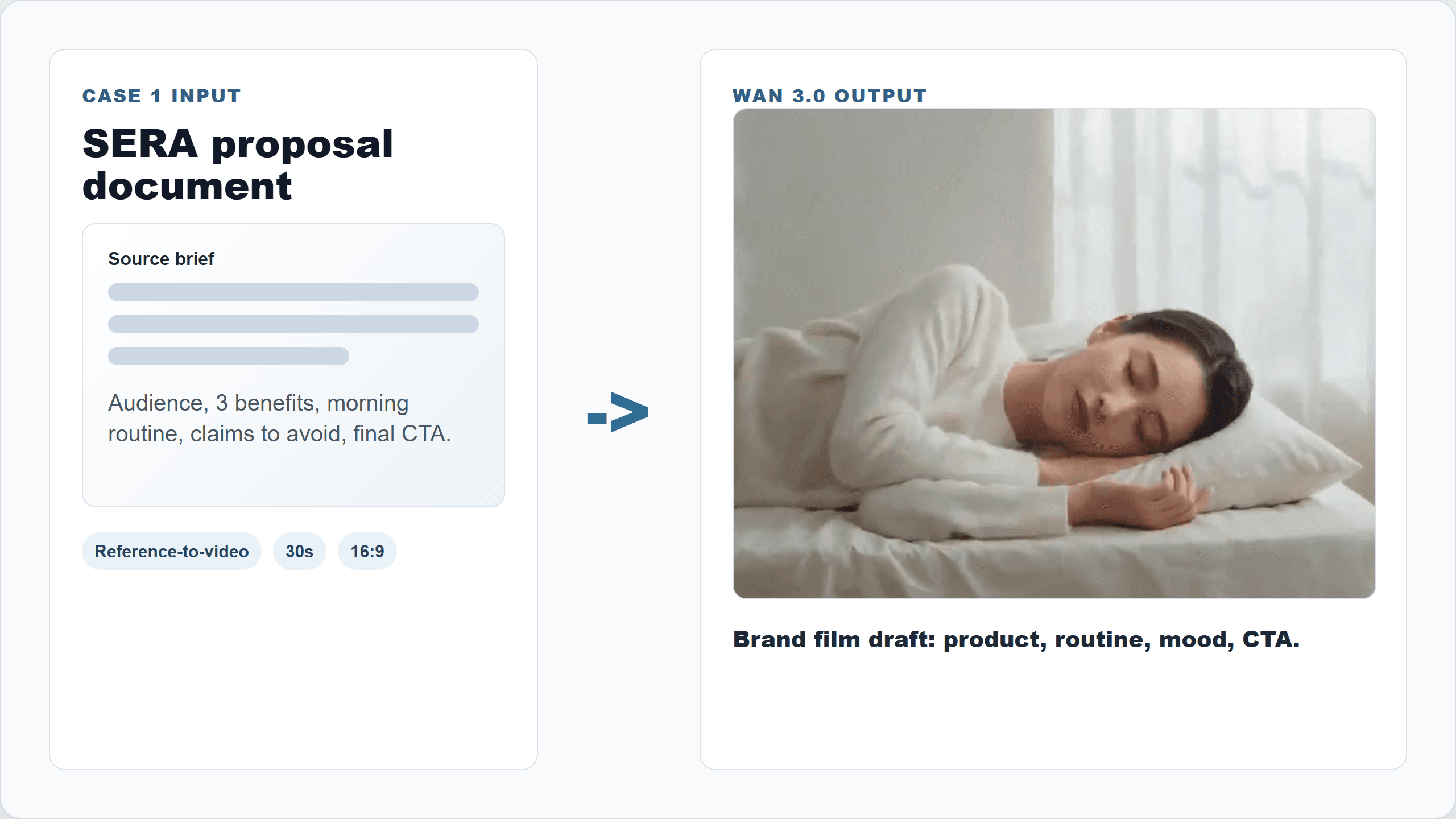
Wan 3.0 for enterprise workflow demo card showing a SERA proposal document becoming a brand film
Showcase case: a proposal brief becomes a 30-second SERA-style brand film workflow .
Wan 3.0 handbook clip: a SERA proposal document becomes a 30-second brand film with product, morning routine, brand mood, and audio carried through one workflow .
Why Wan 3.0 for Enterprise Workflow Is Hot, and Why Most Attempts Fail
Verdict first: Wan 3.0 is hot because it moves AI video from "make me a shot" toward "turn this business source into a complete message."
Alibaba Cloud's Wan 3.0 release page describes native 30-second generation, 1080P output, omni reference control, audio-visual generation, and inputs that include text, images, video, audio, documents, and web pages (Alibaba Cloud Model Studio, Aug 2026). Reuters reported on August 24, 2026 that Wan3.0 can generate 30-second videos from documents, spreadsheets, slides, and web pages, with business use cases including advertising, marketing, tourism promotion, and music videos (Reuters via Investing.com, Aug 2026).
In fact,
That changes the planning math. A 30-second pass can hold an opening, a middle proof point, and a closing CTA. For enterprise teams, that is closer to a usable campaign draft than an isolated 4-second shot.
Most first attempts fail for boring reasons:
- The uploaded deck contains too many slides and mixed messages.
- The prompt asks for every claim, every chart, and every product benefit at once.
- The team expects generated text and tiny chart labels to be publication-ready.
- Review happens after 10 variants, not after the first draft.
- The same prompt is rerun instead of fixing the source brief.
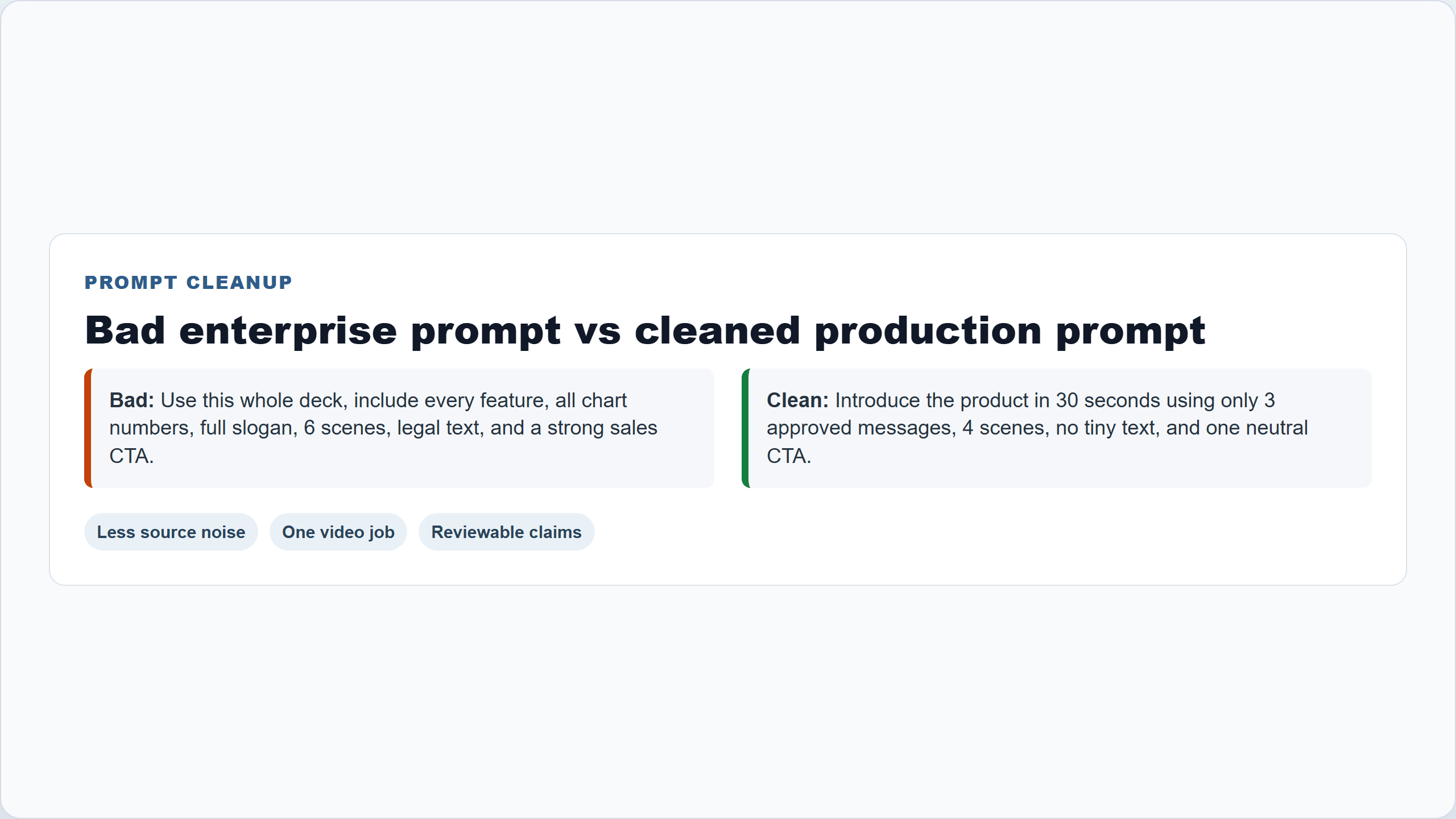
Browser-rendered Wan 3.0 for enterprise workflow card comparing a bad enterprise prompt with a cleaned production prompt
A real browser-rendered prompt cleanup card: fewer claims, clearer scenes, and one reviewable job for the model.
Wan 3.0 for Enterprise Workflow Overview: Models, Inputs, and Price
The practical workflow is simple: one browser tab, one model page, one source brief, one output to review. Teams can run Wan 3.0 on Atlas Cloud beside other creative models, then switch to an image model only when they need a storyboard frame or reference cleanup.
Here is the compact model map.
| Workflow need | Atlas Cloud model | Input | Output | Best use | Price to verify |
|---|---|---|---|---|---|
| Prompt-only concept film | Wan-3.0 Text-to-video | Text prompt | Video | Fast campaign directions | From $0.05/sec on Atlas models |
| Product or first-frame motion | Wan-3.0 Image-to-video | Image plus prompt | Video | SKU demo, app preview, social test | From $0.05/sec on Atlas models |
| Mixed enterprise references | Wan-3.0 Reference-to-video | Docs, images, video, audio, prompt | Video | Deck-to-video, report explainer, brand film | From $0.05/sec on Atlas models |
| Storyboard still | Qwen Image 3.0 Pro Text-to-Image | Text prompt | Image | First frame when no visual exists | From $0.04/pic on Atlas models |
| Reference cleanup | Qwen Image 3.0 Pro Edit | Image plus instruction | Image | Clean product still or brand-safe comp | From $0.04/pic on Atlas models |
Atlas Cloud's public model catalog currently lists Wan-3.0 Text-to-video, Image-to-video, and Reference-to-video from $0.05/sec, and Qwen Image 3.0 Pro Text-to-Image and Pro Edit from $0.04/pic on the all models page. Alibaba Cloud's own release page lists Wan 3.0 tiers at 480P $0.05/sec, 720P $0.10/sec, and 1080P $0.20/sec. TechNode also reported a temporary 30% Wan3.0 API discount on selected platforms from August 24 to September 23, 2026, but do not assume that applies on Atlas unless the run button shows it (TechNode, Aug 2026).
Question is: which model do you pick?
Use Reference-to-video when the input is an enterprise asset. Use Image-to-video when the input is one product image. Use Text-to-video only when the team is still searching for direction.
Step 1: Prepare the Enterprise Source for Wan 3.0 for Enterprise Workflow
Start by shrinking the source. A messy 18-slide deck is not a video brief. A clean 180-word production brief is.
For the SERA-style proposal case, the source should include product name, audience, 3 benefits, visual tone, claims to avoid, and the final CTA. The goal is not to squeeze the whole deck into the video. The goal is to give Wan 3.0 enough truth to stage a coherent first cut.
Copy this cleanup prompt into your text model before running Wan 3.0:
Plain1You are preparing a source brief for a 30-second enterprise video. Extract only the information that should appear in the video: 21. Product or service name 32. Target audience 43. Three business messages 54. Visual tone 65. Scenes that should appear 76. Claims or wording to avoid 87. Final CTA 9 10Return a concise production brief under 180 words. Do not invent facts that are not in the source document.
Settings to pick:
- Model: any reliable long-context text model for cleanup.
- Output length: under 180 words.
- Review: check claims and banned wording before sending the brief to Wan 3.0.
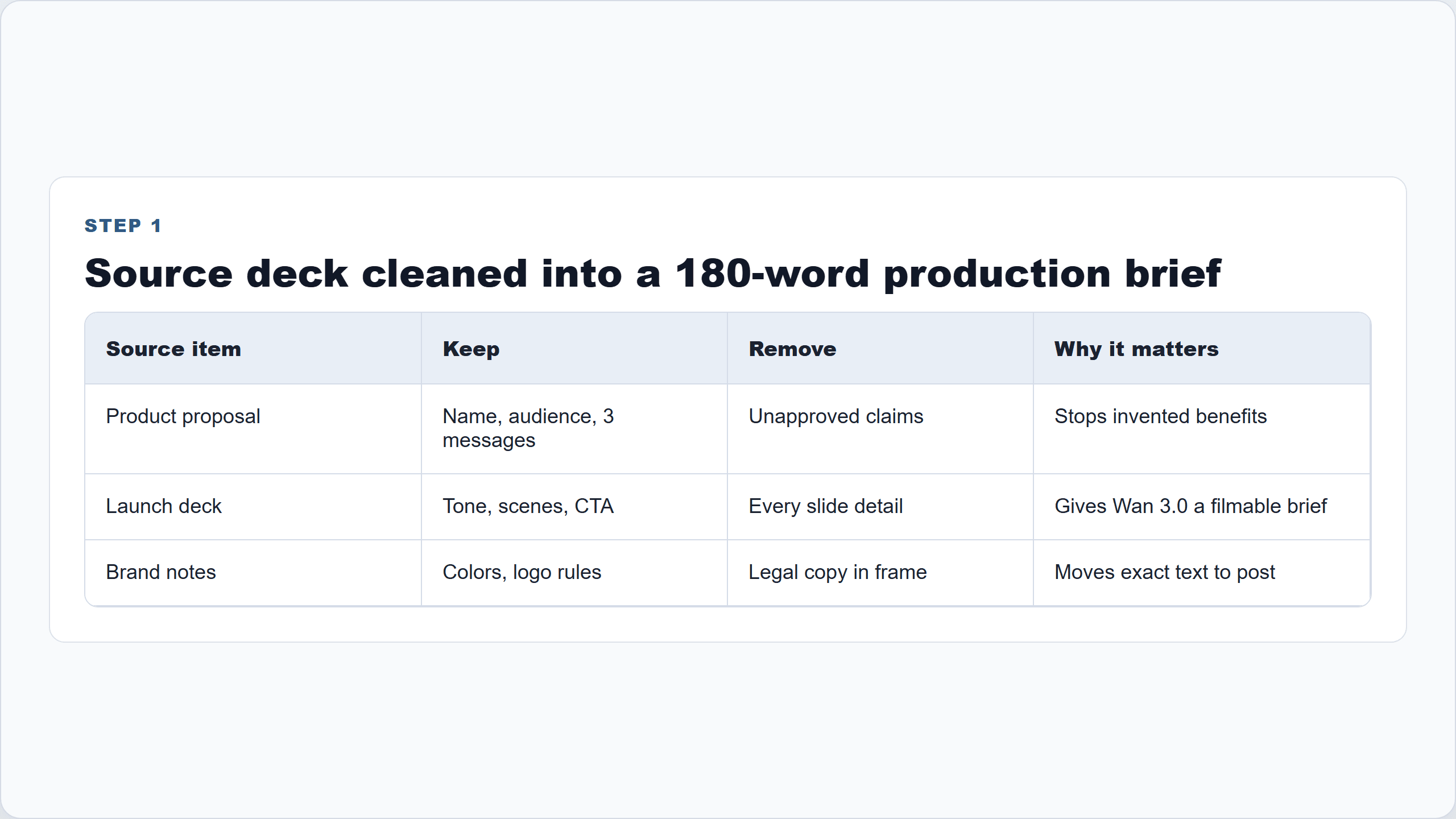
Wan 3.0 for enterprise workflow source cleanup card with deck facts converted into a 180-word production brief
Step 1 screenshot: the source is cleaned into a compact production brief before video generation.
Step 2: Run Wan 3.0 Reference-to-Video for the Primary Enterprise Workflow
Now run the primary video step. Use Reference-to-video when the source is a document, deck, image, or mixed reference set. On Atlas Cloud, this is the step where the team can open the Wan 3.0 model page, paste the cleaned brief, upload approved references, and run the draft in the same browser workflow.
Use this exact prompt:
Plain1Create a 30-second enterprise brand film from the attached product proposal and reference image. 2 3Goal: introduce the product to a professional audience that has never seen it before. 4Use only the product facts and audience claims present in the document. Do not invent clinical results, awards, prices, certifications, or customer numbers. 5 6Global style: premium but restrained commercial film, clean natural light, soft morning palette, realistic product close-ups, calm pacing, no exaggerated beauty claims, no unreadable small text. 7 8Timeline: 90-5s: Open with a clean product hero shot on a bathroom or vanity surface, soft morning light, subtle motion in the background. 105-12s: Show the target user preparing for the day, product used naturally as part of a simple routine, no medical or before-after claim. 1112-20s: Show two benefit moments derived from the document, represented through lifestyle scenes and product texture details, not on-screen paragraphs. 1220-27s: Return to the product and brand world, smooth camera move, consistent packaging and color palette. 1327-30s: End on a simple logo or product-card moment with a neutral CTA: "Explore the full product story." 14 15Sound: quiet room tone, soft material sounds, gentle modern brand music. No spoken dialogue unless the document explicitly provides approved narration.
Settings to pick:
- Model: Wan-3.0 Reference-to-video.
- Duration: 24 to 30s.
- Resolution: 720P for the first usable draft, 1080P only for the final candidate.
- Aspect ratio: 16:9 for website, LinkedIn, and YouTube; 9:16 for paid social.
- Audio: on for brand-film exploration, off if approved voiceover will be added in post.
- Seed: lock it if the playground exposes a seed control.
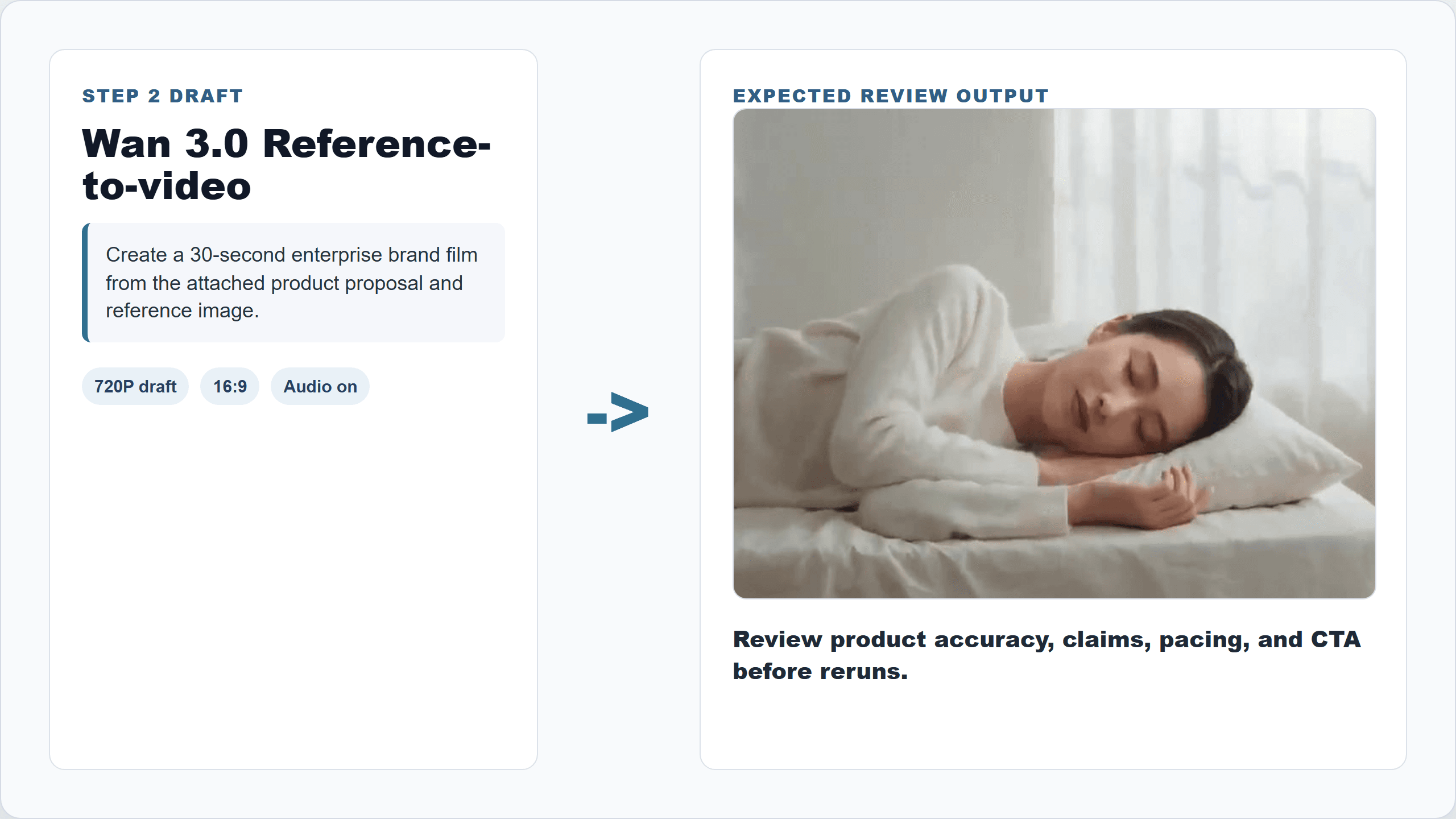
Wan 3.0 Reference-to-video workflow card showing the brand film prompt and draft settings
Step 2 workflow card: the exact Wan 3.0 prompt, draft settings, and the SERA output path used for the primary case.
Step 3: Review the Wan 3.0 output like a producer
This is where enterprise teams save money. Do not generate 10 more versions before reviewing the first one.
Ask:
- Did the clip use only source facts?
- Is the product or package consistent?
- Are any numbers, claims, or certifications wrong?
- Is generated text readable, or should it move to captions?
- Is the pacing usable in a 30-second ad or demo?
- Does the audio need to be replaced?
Use this revision prompt:
Plain1Revise the previous video direction without changing the product identity or visual style. 2 3Fix these issues: 41. Remove any implied clinical or guaranteed results. 52. Keep the product packaging consistent in every shot. 63. Reduce on-screen text to one final CTA only. 74. Make the middle section more concrete by showing the product texture and the user routine instead of abstract glow effects. 85. Keep the same 30-second timeline and calm premium commercial tone.
Settings to pick:
- Model: Wan-3.0 Reference-to-video.
- References: same as Step 2.
- Resolution: 720P for revision.
- Audio: off if approved audio will be added in post.
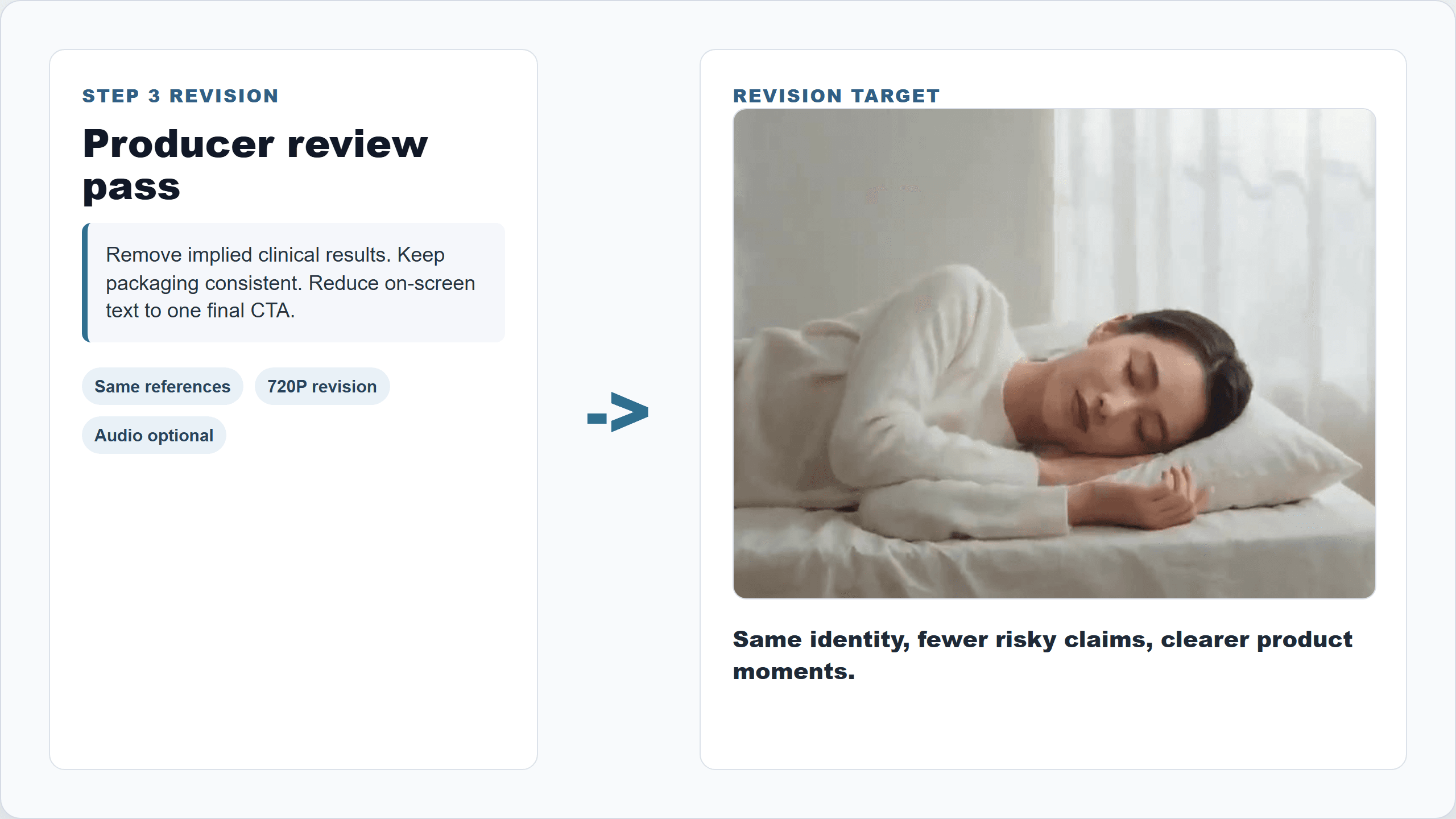
Wan 3.0 revision workflow card showing claim control and product consistency review notes
Step 3 workflow card: the same Wan 3.0 direction is revised with fewer claims and tighter product consistency .
Step 4: Variation case, product image to paid social test
For ecommerce and consumer teams, the useful question is blunt: can one product image become a motion asset worth testing?
The handbook lip-glaze clip is a 15-second vertical product demo. That is a good fit for paid social because the first 3 seconds show the product clearly, then the motion explains texture, color, and use. The risk is claim creep. Do not let the video imply medical effects, guaranteed results, endorsements, or fake reviews.
Use this prompt:
Plain1Create a 15-second vertical product demo video from the attached product image. 2 3Goal: produce a paid social test creative that shows the product clearly and makes the use case understandable in the first three seconds. 4Do not invent discounts, medical claims, before-after proof, influencer endorsements, or customer reviews. 5 6Style: realistic premium UGC, clean studio-home setting, natural hand movement, product remains visible and structurally consistent, soft flattering light, modern ecommerce pacing. 7 8Timeline: 90-3s: Product appears clearly in hand or on a clean surface, label facing camera. 103-8s: Show a natural use moment that demonstrates texture, color, or function without exaggeration. 118-12s: Cut to a close-up product detail with consistent packaging. 1212-15s: End with a simple product hero frame and neutral CTA: "See the full product details." 13 14Audio: light room tone and subtle product handling sounds. No spoken claim.
Settings to pick:
- Model: Wan-3.0 Image-to-video if only 1 product image is used.
- Model: Wan-3.0 Reference-to-video if adding logo, mood image, or reference motion.
- Duration: 15s.
- Aspect ratio: 9:16.
- Resolution: 720P draft, 1080P final only after creative approval.
- Audio: off if the final ad will use platform-native music.
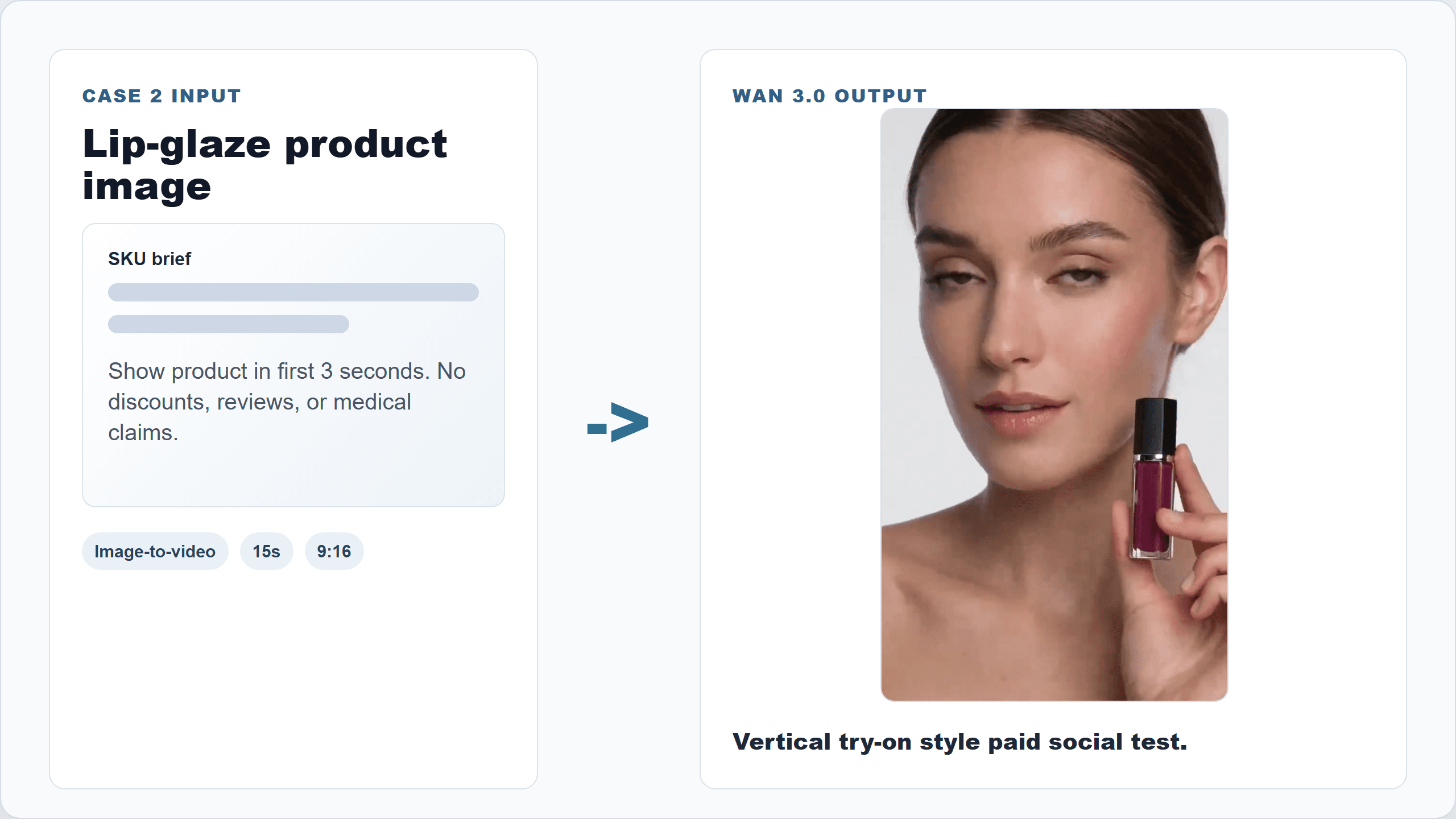
Wan 3.0 for enterprise workflow demo card showing a product image becoming a vertical paid social demo
Step 4 case visual: one product image becomes a vertical paid social test creative.

Wan 3.0 product image to social demo GIF
Wan 3.0 handbook clip: a lip-glaze product image becomes a vertical try-on style demo, useful for social testing when claims stay controlled.
Step 5: Export, QA , and reuse the workflow
Once the team has an approved direction, save the whole production packet. This makes the workflow repeatable instead of "someone found a good prompt once."
Use this handoff prompt for campaign reuse:
Plain1Create a reusable production note for this Wan 3.0 enterprise workflow. 2 3Include: 41. Source files used 52. Final prompt 63. Model and settings 74. Resolution and duration 85. Reviewer notes 96. Claims removed or changed 107. Approved CTA 118. Suggested still frames for landing page, email, and social reuse 12 13Return a concise handoff table for creative ops.
Settings to pick:
- Save prompt, references, settings, output, and reviewer notes.
- Extract 3 stills from the approved video for landing pages, email, and social.
- Add captions and subtitles outside Wan 3.0 when typography must be exact.
- For batch campaigns, change only 1 variable at a time: product, audience, channel, or CTA.
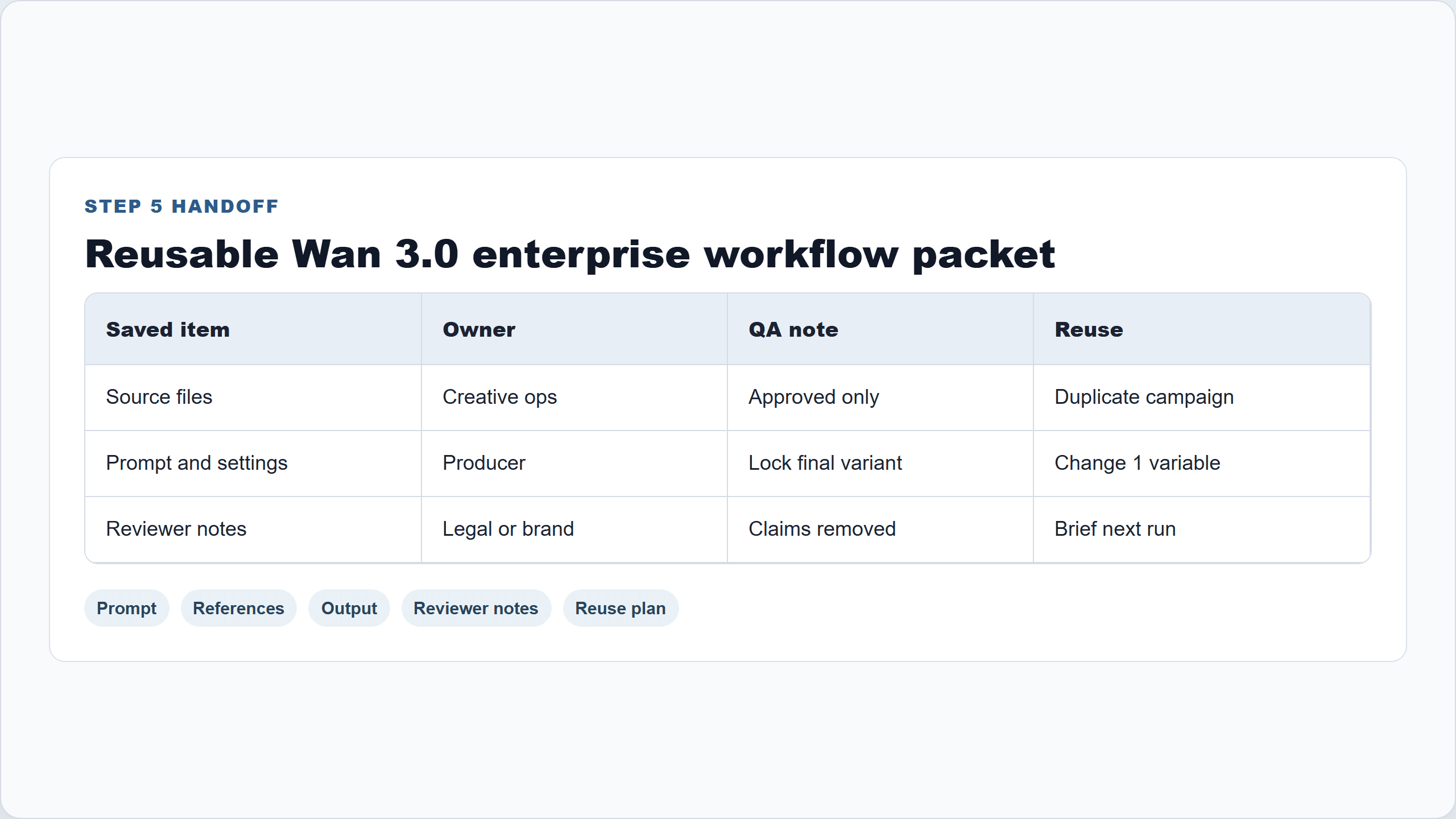
Wan 3.0 for enterprise workflow handoff table showing prompt, references, output, reviewer notes, and reuse plan
Step 5 screenshot: the production packet that makes the workflow repeatable.
Scale It With Variations
Once the 2-case pattern works, expand it carefully. The mistake is trying to automate judgment. The win is automating first cuts while keeping review sharp.
| Source material | Best video format | Review risk |
|---|---|---|
| Training deck | 20 to 30s microlearning video | Policy text, exact terminology, screen text |
| Product changelog | Release-note explainer | Overstating feature maturity |
| Sales enablement PDF | Account-specific intro video | Customer names, private data, unsupported claims |
| Public web page | Feature walkthrough | Outdated page content, small UI text |
| Event recap doc | Conference highlight reel | Likeness, logo rights, music rights |
Check this out:
The same prompt shell can work across teams, but the input-cleaning rules change by department. Growth wants fast variant testing. Product marketing wants message accuracy. Sales wants account relevance. Legal wants nothing invented.
Cost of Wan 3.0 for Enterprise Workflow on Atlas Cloud
Budget around drafts, not finals.
At the official Wan 3.0 pricing tiers, a 30-second clip costs about $1.50 at 480P, $3.00 at 720P, and $6.00 at 1080P. Atlas Cloud currently shows Wan 3.0 entries from $0.05/sec in its catalog, but the final number should always be checked in the run button before generation.
| Scenario | Draft plan | Final plan | Budget logic |
|---|---|---|---|
| Quick creative exploration | 5 x 15s at 480P | 0 finals | Find direction first |
| Product launch shortlist | 6 x 20s at 720P | 2 x 30s at 1080P | Spend only on approved angles |
| Monthly report briefing | 1 x 22s at 720P | 1 revision if needed | Keep numbers outside the generated frame |
| Paid social testing | 10 x 15s at 720P | 2 winners rerun or edited | Test hooks before polishing |
The hidden cost is not only rendering. It is review time. A clean source brief can save more money than a cheaper generation setting because fewer bad variants reach the reviewer.
Review Notes
Use Wan 3.0 for enterprise workflow with a human review loop.
Do not let generated video invent claims, certifications, numbers, endorsements, regulated benefits, or pricing. Keep exact legal copy, subtitles, and disclaimers in post-production overlays. Review likeness, music, product depiction, trademark usage, and regional ad rules.
If customer data is involved, anonymize before upload and follow company policy. That is not a creative preference. It is the line between a useful workflow and an avoidable mess.
Frequently Asked Questions
What is Wan 3.0 for enterprise workflow?
It is a practical way to use Wan 3.0 as a document-to-video, image-to-video, or mixed-reference video layer for business content. The input is usually an existing asset such as a deck, report, product page, image, or launch brief.
Can Wan 3.0 turn a PPT, PDF, spreadsheet, or web page into video?
Yes, Wan 3.0 supports document and web inputs according to Alibaba Cloud's release materials. For business use, the safer workflow is to clean the source into a concise brief first, then use the original file as a reference.
How much does a 30-second Wan 3.0 enterprise video cost?
Using Alibaba Cloud's listed tiers, 30 seconds is about $1.50 at 480P, $3.00 at 720P, and $6.00 at 1080P. Atlas Cloud lists Wan 3.0 from $0.05/sec, so check the run button before publishing a live price.
Is Wan 3.0 accurate enough for charts, numbers, and product claims?
Use it for motion, sequencing, and first-cut storytelling. Do not rely on generated frames for exact chart labels, legal text, prices, or regulated claims. Put those in captions, subtitles, slides, or post-production overlays.
Should teams use Text-to-video, Image-to-video, or Reference-to-video?
Use Text-to-video for concept drafts, Image-to-video for product or first-frame motion, and Reference-to-video for enterprise workflows that combine documents, images, web pages, audio, or previous video references.
Can I run Wan 3.0 on Atlas Cloud through one API or model catalog?
Yes. Atlas Cloud lists Wan-3.0 Text-to-video, Image-to-video, and Reference-to-video in one catalog, alongside models such as Qwen Image for storyboard frames. For teams comparing creative models, that single-catalog workflow is the point: less setup, easier switching, and clearer budget checks.





