You finally have a strong 30-second AI video. Then the client asks for a 45-second ad. Or the edit needs a 60-second Shorts version. This is where wan 3.0 video extend beyond 30 seconds stops being a model-spec question and becomes a continuity workflow.
The short answer: treat Wan 3.0 as a 30-second planning unit. Generate the strongest 30-second base shot first, then continue it with the last frame, the last 1-3 seconds, strong references, and a continuation prompt that refuses to reset the scene.
Wan 3.0 is exciting because native 30-second generation is real. But longer finished videos are still made in segments. The trick is making segment 2 feel like the next breath, not a new video wearing the same jacket.
Key takeaways
- Wan 3.0 is best planned as a native 30-second shot.
- 45s and 60s edits need continuation, not one giant prompt.
- Reference-to-video is the practical fallback when no Extend button appears.
- Lock identity, location, camera, motion, and sound in every continuation.
- Budget retries. Continuity usually takes more than 1 run.
Case 1: Wan 3.0 video extend beyond 30 seconds with a Chinese-style room drama clip continued by another 15 seconds.
Why Wan 3.0 Video Extend Beyond 30 Seconds Is Hot
Verdict first: the headline feature is 30 seconds, but the creator problem is what happens after second 30.
Alibaba's own Model Studio release page describes Wan 3.0 around native 30-second storytelling, 1080P cinematic output, native audio-visual generation, and references from images, text, video, audio, documents, and web pages (Alibaba Cloud Model Studio, August 2026). Alibaba Cloud Community also frames Wan 3.0 as a 30-second beta release with multimodal references and video extension features (Alibaba Cloud Community, August 2026).
That is the good part.
The messy part is familiar if you have tried long AI video:
- The second clip restarts the scene instead of continuing it.
- The character gets a new face, coat, age, or posture.
- The product label warps right when the CTA should land.
- The camera jumps to a new axis for no story reason.
- The audio bed restarts, so the edit point screams.
Most failed attempts have the same root cause. The user writes the second prompt like a fresh generation. For Wan 3.0 video extension, the second prompt should read like a handoff note from an editor.
Question is: what should that handoff look like?
Wan 3.0 Video Extension Workflow Overview
This section gives you the working map: which Wan 3.0 mode to use, when to use it, and how to keep the whole test in one browser tab.
Atlas Cloud is useful here because the same model family is exposed in one place. You can test a text-to-video base, move to image-to-video for a product shot, then use reference-to-video for continuation without changing your workflow or asset library. Start from the Atlas Cloud model hub, then open Wan 3.0 on Atlas Cloud when you are ready to run.
| Need | Atlas Cloud model | Use it for | Planned settings | Price note |
|---|---|---|---|---|
| First 30s from text | Wan-3.0 Text-to-video | No starting image exists | 30s, 720P test, 1080P final, 16:9 or 9:16 | Atlas models/all lists from $0.05/sec |
| First 30s from image | Wan-3.0 Image-to-video | Product, person, or brand anchor | 30s, same ratio, native audio if needed | Verify final tier before publishing |
| Continuation segment | Wan-3.0 Reference-to-video | Feed prior clip, final frame, or product reference | 6-15s continuation, same ratio and resolution | Atlas models/all lists from $0.05/sec |
| Optional stitch | Local editor | Assemble, compress, poster, GIF | GIF only for clips <=10s | Local processing |
Atlas Cloud's all-models page currently lists Wan-3.0 Text-to-video, Image-to-video, and Reference-to-video from $0.05/sec. Its homepage also says Wan 3.0 text-to-video, image-to-video, and all-in-one reference-to-video are live from $0.05/sec. Check the all models pricing page on publish day, because resolution tiers and discounts can change.
Picsart's recent Wan 3.0 integration article points in the same direction: 30-second one-takes are the headline, but Extend, Smart Duration, documents, web pages, and first/last frame control are what turn it into a workflow (Picsart, August 2026).
Step 1: Plan The Wan 3.0 30-Second Base Shot
Start with 30 seconds, not 60. Your base clip should already have a beginning, middle, and useful end state.
Use this structure:
identity -> setting -> timeline beats -> camera -> sound -> ending state
Plain1Create a 30-second cinematic product video for a premium iced matcha drink in a clear glass bottle. 216:9 horizontal. One continuous take. 3 40-5s: the bottle stands on a wet stone counter beside fresh matcha powder and ice. Soft morning window light, condensation on the glass. 55-12s: a hand lifts the bottle, water droplets slide down the surface, the label remains readable and centered. 612-22s: the camera tracks with the bottle as it moves through a bright cafe counter scene, barista tools and green ceramic cups in the background. 722-30s: the bottle is placed back on the counter, the camera settles into a clean hero angle, leaving open space on the right for a later call-to-action. 8 9Preserve the same bottle shape, label placement, green color, lighting, and cafe environment throughout. Natural cafe ambience, soft ice clinks, no spoken dialogue.
Settings to pick:
| Setting | Pick |
|---|---|
| Model | Wan-3.0 Image-to-video if you have a product hero image, otherwise Wan-3.0 Text-to-video |
| Duration | 30s when available. If the playground returns a shorter probe, keep the same workflow and rerun for the final. |
| Resolution | 720P for first test, 1080P for final |
| Aspect ratio | 16:09 |
| Audio | On if ambience matters |
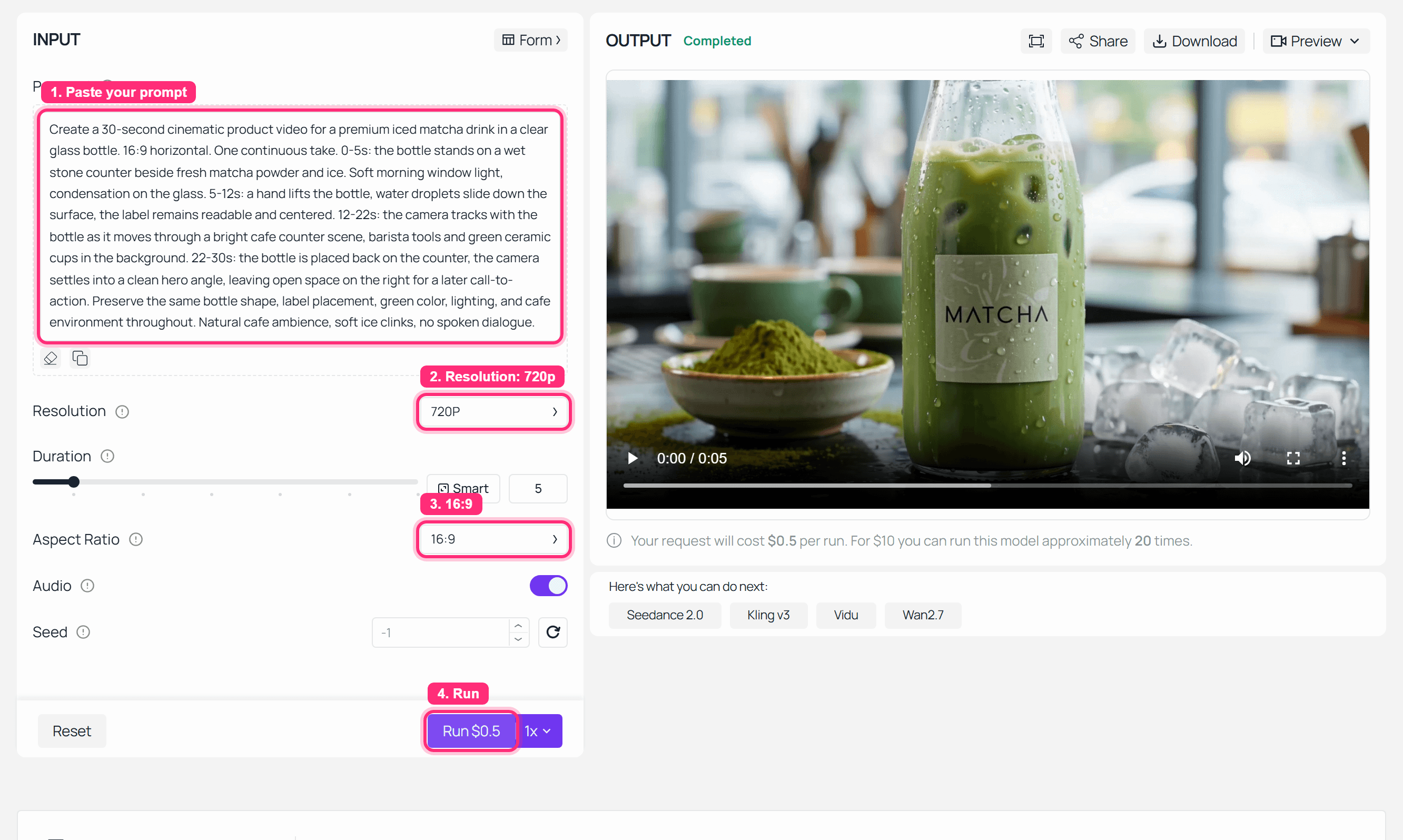
Atlas Cloud Wan 3.0 base run screenshot for a 30-second product video
Step 1 screenshot: the Wan 3.0 base prompt, 720P setting, 16:9 framing, and completed output are visible in the playground. In this dev capture, the saved probe clip returned shorter than the planned 30s, so use it as the operated setup proof rather than the final ad length.
Step 2: Capture The Final Frame Before You Extend Wan 3.0 Video
Download the first clip, then save either the last frame or the last 1-3 seconds. This is your continuity anchor.
Write the state down before you touch the next model. It sounds fussy, but this is where most long AI video gets saved.
Plain1Continuity state from previous clip: 2The bottle is back on the wet stone counter, label facing camera, morning cafe light from the left, green ceramic cups behind it, camera locked in a clean hero angle, empty space on the right side of the frame.
Settings to pick:
| Setting | Pick |
|---|---|
| Reference source | Final frame first, last 1-3 seconds if accepted |
| File naming | Save as a continuation reference |
| Notes | Record object position, camera axis, lighting, sound, and ending action |
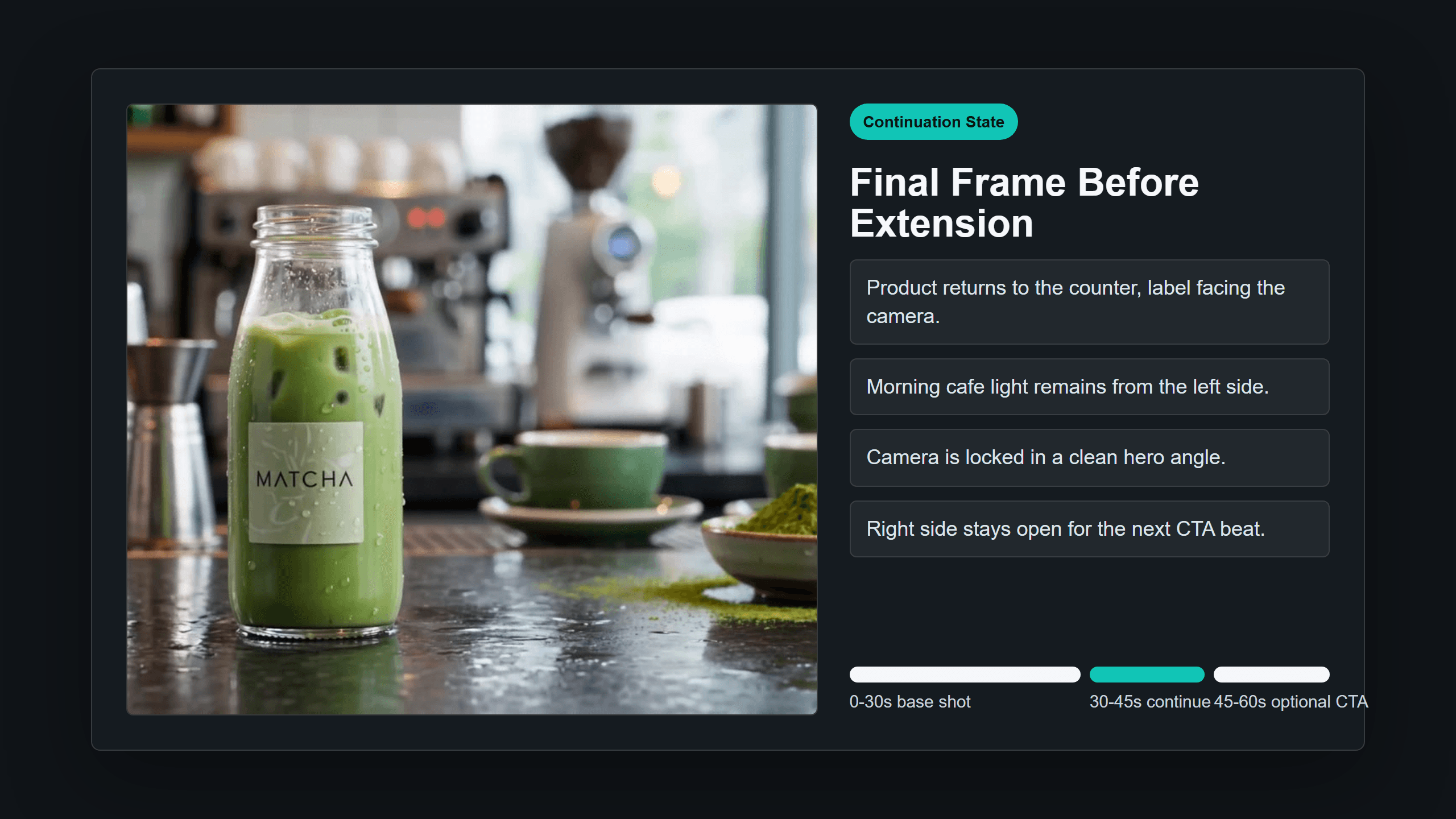
Final-frame reference card for Wan 3.0 video continuation
Step 2 reference card: a real browser-rendered card showing the final-frame state that the continuation prompt must preserve.
Step 3: Use Wan 3.0 Reference-to-Video To Continue Beyond 30 Seconds
If the playground exposes a dedicated Extend control, use it. If it does not, use the reference-to-video continuation pattern: upload the previous clip or final frame, then tell the model to continue directly from that exact state.
Here is the prompt to paste:
Plain1Continue directly from the final frame of the previous clip. 2Do not restart the scene. Do not change the bottle, label, lighting, counter, background cups, camera angle, or color grade. 3 4Create the next 15 seconds of the same product video. 50-5s: the camera remains in the hero angle as soft sunlight brightens slightly and condensation continues moving down the glass. 65-10s: a hand enters from the left and gently rotates the bottle only 15 degrees, keeping the label readable. 710-15s: the bottle stops moving, the right side of the frame stays clean for a simple end card, and the cafe ambience continues naturally. 8 9Maintain the same 16:9 framing, same morning cafe environment, same product identity, and smooth motion continuity from the previous ending.
Settings to pick:
| Setting | Pick |
|---|---|
| Model | Wan-3.0 Reference-to-video |
| Duration | 15s when available. If the playground returns a shorter probe, rerun the same setup for the final continuation. |
| Resolution | Same as base shot |
| Aspect ratio | Same as base shot |
| Reference | Previous video clip if accepted, otherwise final frame plus product image |
| Audio | Same choice as Step 1 |
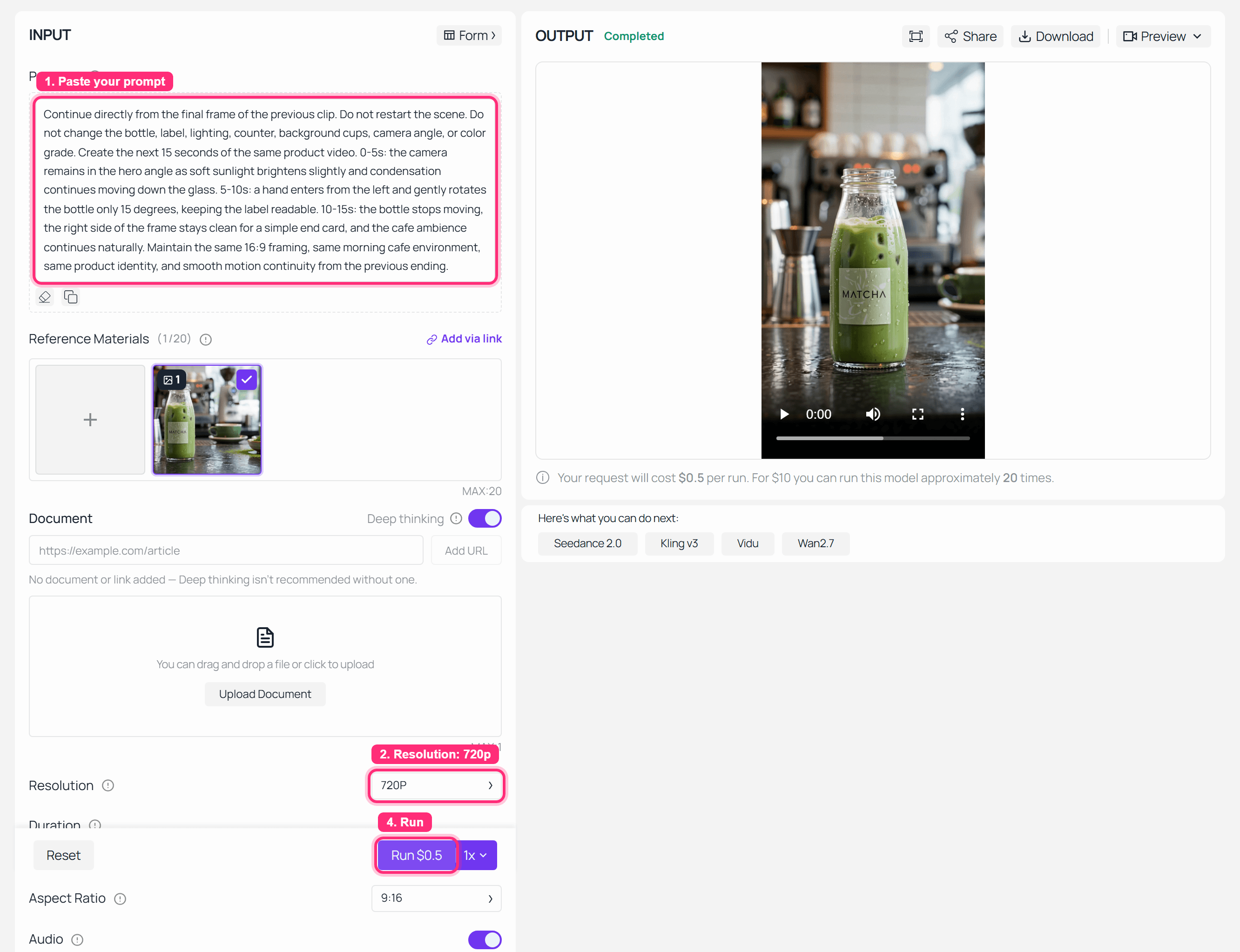
Atlas Cloud Wan 3.0 reference-to-video continuation run completed
Step 3 screenshot: the Wan 3.0 Reference-to-video continuation run completed in the playground.

Wan 3.0 product ad extension GIF
Case 2 GIF : product ad extension workflow , shown as a 30-second commercial-style Wan 3.0 motion proof that can be continued into a 45-second social cut.
Step 4: Test A Forward Wan 3.0 Video Extension
Not every extension goes after the ending. Sometimes your existing clip is the middle, and you need a 6-second opening that lands on its first frame.
The local Wan 3.0 handbook has this exact pattern: v083.mp4 describes using a video as the middle segment, then writing 2 seconds before it so a woman walking toward the camera flows into the source clip.
Plain1Use the reference clip as the middle of the story. 2Create a 6-second opening that leads naturally into the first frame of the reference clip. 3 4A young woman in a long dark coat walks slowly through cold morning air toward the camera on a quiet city sidewalk. 5Her posture, coat, hairstyle, lighting, background color, and camera direction must match the reference clip. 6The final frame of this new opening should align with the first frame of the reference clip, so the two clips can be edited together without a visible jump. 7 8No scene reset, no outfit change, no sudden camera angle change. Ambient city sound, soft footsteps, no dialogue.
Settings to pick:
| Setting | Pick |
|---|---|
| Model | Wan-3.0 Reference-to-video |
| Duration | 6s |
| Resolution | 720P quick test, 1080P final |
| Reference | Original middle clip or first frame |
| Output | GIF if <=10s and sound is not the point |
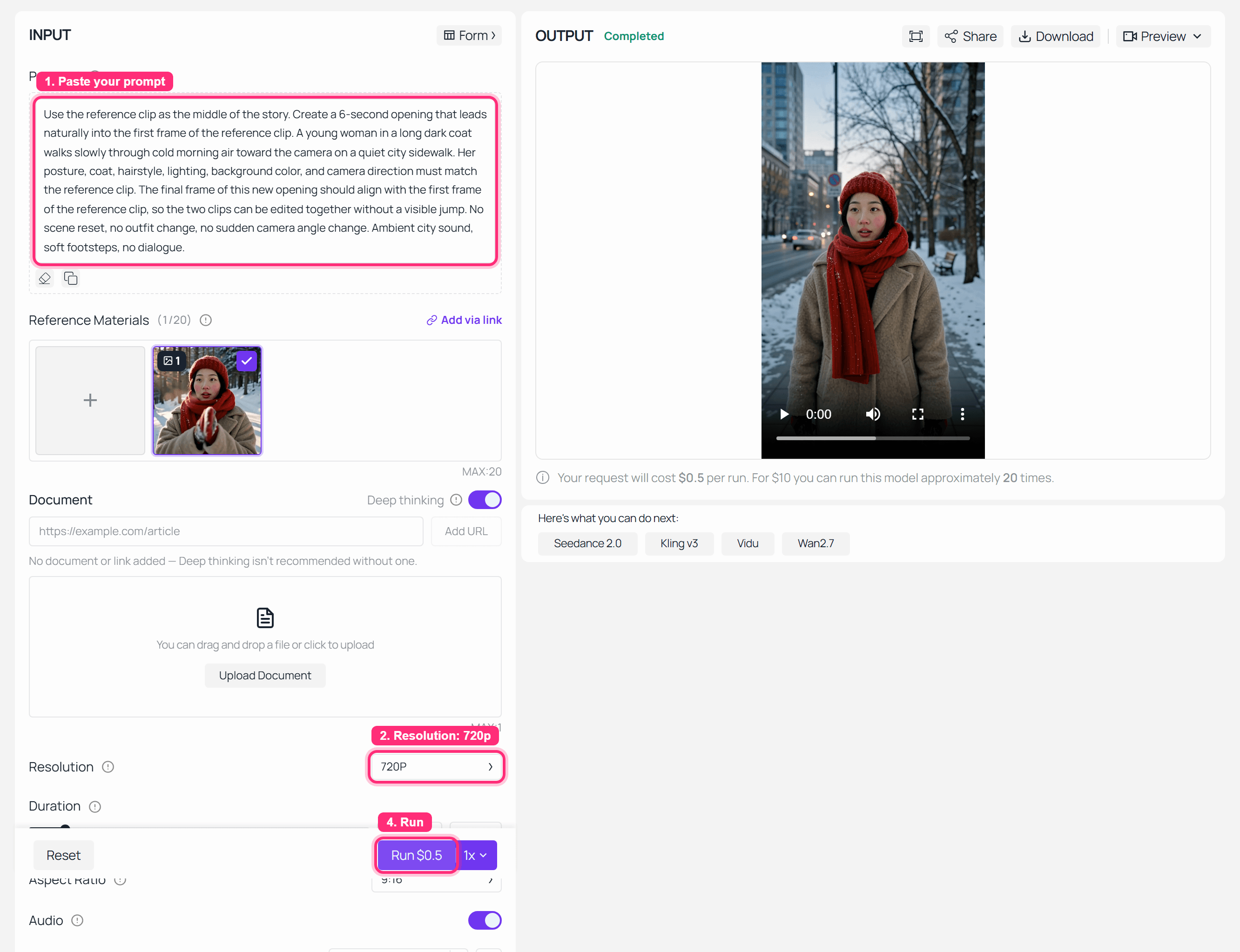
Atlas Cloud Wan 3.0 forward extension run completed
Step 4 screenshot: a forward extension prompt and completed output in the Wan 3.0 workflow .

Wan 3.0 forward prequel extension GIF
Case 3: a forward prequel extension, where the new opening is designed to land on the first frame of the existing clip.
Step 5: Assemble The Longer Edit And Check Continuity
Now stitch the timeline in this order:
base 30s -> continuation 15s -> optional CTA 5-10s
Use this prompt when you want a short drama continuation instead of a product ad:
Plain1Continue directly from the final frame of the previous drama clip. 2Keep the same two male characters, same Chinese-style room, same clothing, same table position, same warm interior lighting, and same camera axis. 3 4Create the next 15 seconds. 50-5s: Character B pauses, lowers his hand slowly, and looks toward Character A without changing position. 65-10s: Character A steps half a pace forward and responds with restrained emotion. 710-15s: both characters hold the tension in silence as the camera drifts slightly closer, ending on Character A's reaction. 8 9Do not restart the conversation. Do not change the room, costume, faces, age, hairstyle, props, or lighting. Preserve the previous clip's cinematic tone and audio ambience.
Settings to pick:
| Setting | Pick |
|---|---|
| Timeline | 30s base, 15s continuation, optional CTA |
| Edit | Add 1-2s overlap if a cut jumps |
| Export | Keep long clips as MP4 with poster |
| QA | Check identity, motion, camera, sound, and edit point |
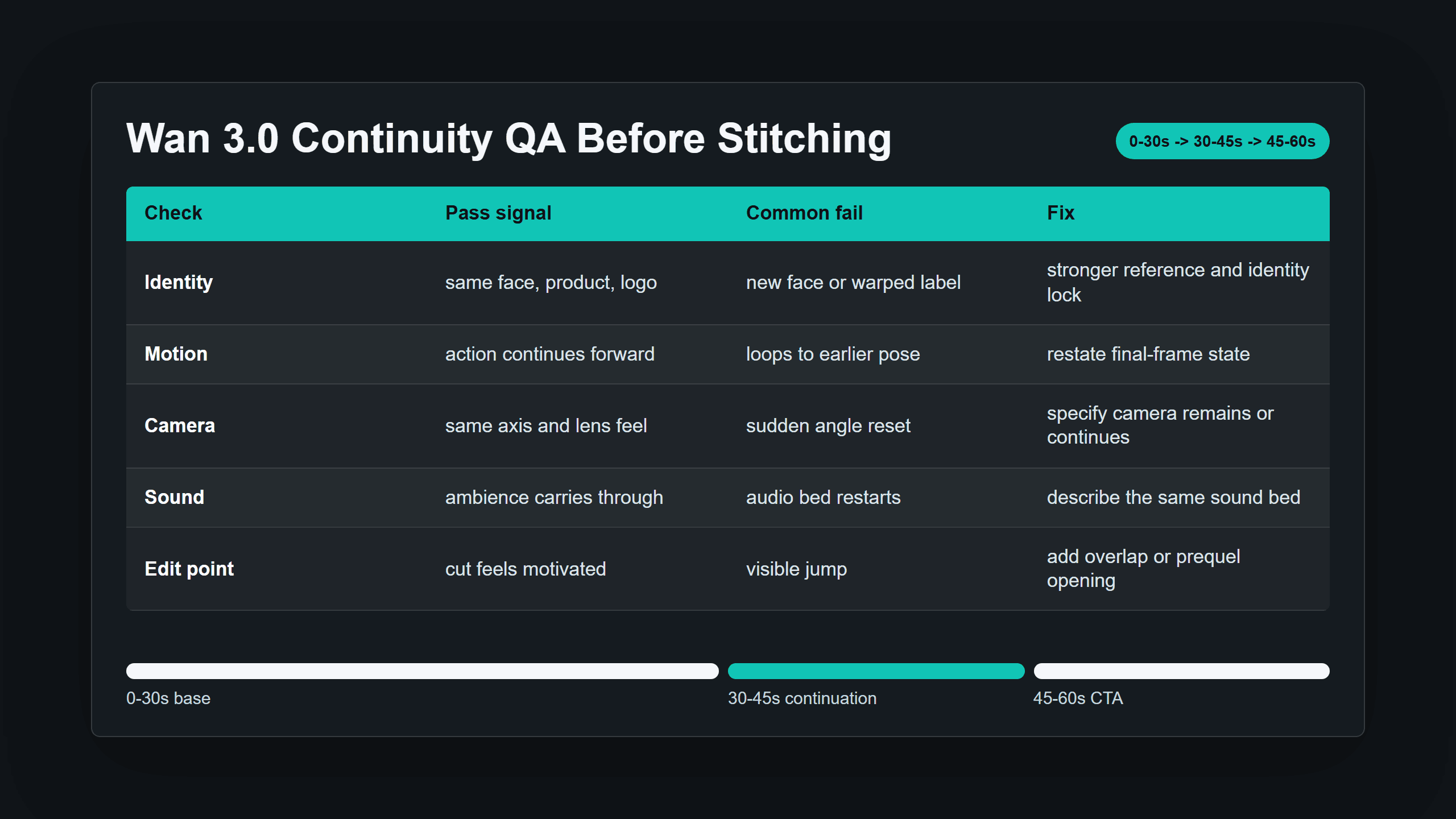
Wan 3.0 video extend beyond 30 seconds continuity QA table
Step 5 continuity QA table: the fast checklist before you publish a longer Wan 3.0 edit.
| Check | Pass signal | Common fail | Fix |
|---|---|---|---|
| Identity | same face, product, logo | new face or warped label | add stronger reference and identity lock |
| Motion | action continues | loops to earlier pose | restate final-frame state |
| Camera | same axis | sudden angle reset | specify camera remains or continues |
| Sound | ambience continues | audio restarts | describe the same sound bed |
| Edit point | cut feels motivated | visible jump | add 1-2s overlap or prequel |
Wan 3.0 Video Extend Beyond 30 Seconds Variations
Once the core workflow works, branch it by deliverable.
For a 60-second product ad, use 30s base + 15s continuation + 15s CTA or packshot. This is the cleanest commercial pattern because the last 15 seconds can hold the product angle and leave negative space for text.
For a 45-second short drama, use 30s dialogue + 15s reaction continuation. The handbook v079.mp4 case is useful because the scene is not just "more footage." It has two men, fixed clothing, a Chinese-style room, blocking, hand motion, and emotional tension that the extension must preserve.
For a prequel extension, use the existing clip as the middle. The v083.mp4 handbook pattern is the key idea: build an opening whose last frame matches the first frame of the reference.
For document-to-video, use a product brief, PDF, deck, or web page as the planning source for the base 30-second segment. A V2EX discussion around Wan 3.0 noted that document input may matter as much as the 30-second limit for real business users, because the model receives the whole task context instead of just a short prompt. I would still keep document-to-video as the base step, then continue with the same final-frame method.
Wan 3.0 Video Extend Beyond 30 Seconds Cost
Use a per-second formula. Do not budget from vibes.
As of August 24, 2026, Atlas Cloud's models/all page shows Wan-3.0 Text-to-video, Image-to-video, and Reference-to-video from $0.05/sec. Alibaba Cloud Community lists Model Studio's own API pricing by resolution at $0.05/sec for 480P, $0.10/sec for 720P, and $0.20/sec for 1080P in a separate Alibaba environment. Those are not the same storefronts, so verify the page you are buying from before publishing.
| Target output | Clean math at from $0.05/sec | Retry-aware planning |
|---|---|---|
| 30s base test | about $1.50 | plan $3.00-$4.50 |
| 45s final edit | about $2.25 | plan $4.50-$6.75 |
| 60s final edit | about $3.00 | plan $6.00-$9.00 |
| 1080P final | check model tier | check model tier |
The boring advice is the best advice: draft at the cheapest acceptable setting, lock the continuity, then spend on the final tier.
Legal And Usage Notes For Longer Wan 3.0 Video
Keep this short and practical.
Do not use unauthorized people, brand logos, movie IP, music, or voices in a commercial clip. If a client provides product images, voice references, or brand assets, keep the permission trail with the prompt, reference files, generated outputs, and final edit version.
That matters more for long videos because the work starts to look like finished advertising, not just a test render.
Frequently Asked Questions
Can Wan 3.0 generate more than 30 seconds in one run?
Based on current public material, Wan 3.0 should be treated as up to 30 seconds in one native generation. To go longer, use continuation or reference-to-video segments.
How do I extend Wan 3.0 video beyond 30 seconds without losing consistency?
Use the first clip's final frame or last 1-3 seconds as reference. Then write a continuation prompt that repeats identity, location, camera axis, lighting, motion state, and sound.
Which Wan 3.0 mode should I use for extension: text-to-video, image-to-video, or reference-to-video?
Use text-to-video for a fresh concept, image-to-video when a product or character image must stay consistent, and reference-to-video when you are continuing from a previous clip.
Why does the second Wan 3.0 clip look like a new scene?
Usually the second prompt was written like a new prompt. Add "continue directly from the final frame," describe the exact ending state, and upload stronger references.
How much does a 45-second or 60-second Wan 3.0 video cost?
Multiply generated seconds by the current per-second price, then add retry budget. On Atlas Cloud, the Wan 3.0 modes currently appear from $0.05/sec, so a 45-second clean pass starts around $2.25 before retries.
Can Wan 3.0 extend a video backward to create an opening?
Yes, use the existing clip as the middle segment and create a prequel opening that lands on the first frame. That is still a wan 3.0 video extend beyond 30 seconds workflow, just pointed backward.





