

AI 할로윈 사진에서 가장 어려운 부분은 종종 사진 속 인물입니다. 촛불 비추는 초상화를 요청했는데 낯선 사람의 얼굴, 손이 하나 더, 또는 간직하고 싶었던 모든 특징을 가리는 의상이 나오곤 하죠. 이 할로윈 AI 사진 프롬프트는 초상화, 반려동물, 파티 장면, 사진 수정을 위한 복사해서 바로 쓸 수 있는 12가지 아이디어를 제공하며, 피사체를 알아볼 수 있어야 할 때 참조 사진을 사용하는 명확한 지침도 담고 있습니다. 사진에 맞는 프롬프트를 복사하고, 괄호 안 세부 정보를 바꾼 뒤, 첫 결과 이후에는 한 번에 하나씩만 변경하세요.
핵심 요약
- 특정 인물이나 반려동물을 반드시 보여야 하는 사진이라면 선명한 참조 사진을 사용하세요. 완전히 새로운 장면을 원한다면 텍스트만 사용하세요.
- 피사체, 배경, 의상이나 소품, 광원, 카메라 프레이밍, 그대로 유지해야 할 세부 사항을 명시하세요.
- 아래 ChatGPT, Gemini, Atlas Cloud 프롬프트 중 하나로 시작한 뒤, 전체 장면을 다시 쓰지 말고 한 가지 문제만 수정하세요.
- 생성된 사진을 공유하기 전에 얼굴, 손, 반려동물의 해부학적 구조, 눈에 보이는 글자를 확인하세요.
올바른 시작 사진 선택하기
자신의 할로윈 버전을 원한다면 얼굴이 보이는 조명이 잘 된 사진으로 시작하세요. 원본 이미지는 생성기가 보존할 구체적인 기준을 제공합니다. 의상, 배경, 조명을 바꿔 달라고 요청하되 얼굴 구조, 피부톤, 헤어스타일 및 기타 구별되는 특징은 알아볼 수 있게 유지되어야 한다고 명시하세요. 이는 모델에 대한 요청일 뿐 보장은 아닙니다. 자신의 초상화로 게시하기 전에 결과를 확인하세요.
단체 사진의 경우, 등장해야 할 모든 사람이 담긴 사진을 업로드하세요. 정확한 인원 수를 말하고 각 사람이 어디에 서 있는지 식별하세요. 도구가 얼굴을 바꾸거나 추가하면 그 한 가지 세부 사항만 수정하세요. 프롬프트는 원본에서 얼굴이 가려진 사람을 안정적으로 복원할 수 없습니다.
허구의 유령 거리나 할로윈 정물을 원한다면 업로드를 건너뛰세요. 텍스트-투-이미지는 전체 프레임을 지정할 자유를 줍니다. 특정 인물, 반려동물, 사물 또는 구도가 필요할 때만 사진 참조를 사용하세요. 이 구분은 또한 흔한 실수를 막아줍니다. 모델이 한 번도 본 적 없는 얼굴을 보존해 달라고 텍스트 전용 프롬프트에 요청하는 것입니다.
| 목표 | 최적 입력 | 먼저 지정할 사항 |
|---|---|---|
| 자신의 할로윈 초상 만들기 | 선명한 초상 사진 한 장 | 알아볼 수 있게 유지해야 할 얼굴 특징과 포즈 |
| 단체 사진을 파티 장면으로 바꾸기 | 전체 단체가 담긴 사진 | 정확한 인원 수와 각 사람의 위치 |
| 반려동물에게 의상 입히기 | 선명한 반려동물 사진 | 종, 털 무늬, 안전하고 그럴듯한 의상 세부 사항 |
| 장면을 처음부터 만들기 | 텍스트 프롬프트 | 피사체, 배경, 빛, 프레이밍, 분위기 |
개인 사진을 위한 ChatGPT 할로윈 사진 프롬프트
ChatGPT Images는 작성된 지침에 따라 업로드한 사진을 편집할 수 있습니다. 그런 다음 결과에 추가 변경을 설명할 수 있습니다. 공식 OpenAI 이미지 가이드는 업로드 후 편집 흐름과 후속 편집을 모두 문서화합니다. 여기 있는 프롬프트는 요청을 검토하기 쉽도록 이미지당 하나의 눈에 띄는 변경에 초점을 맞춥니다.
1. 촛불 아래의 기록보관자 초상
한 성인의 선명한 초상 사진을 업로드하세요. 얼굴을 가리지 않으면서 분위기 있는 의상을 원하는 사람을 위한 할로윈 초상입니다.
plaintext1Edit the uploaded photo into a believable Halloween portrait. Keep this person's recognizable facial structure, skin tone, hairstyle, age appearance, and expression. Dress them as a midnight archivist in a dark velvet jacket with a small antique key on a chain. Place them among tall library shelves, with one warm desk lamp and cool blue light from a distant window. Frame the photo from the waist up at eye level, like a 35 mm editorial photograph. Keep both hands natural and visible. No mask, face paint, writing, logo, or extra people.
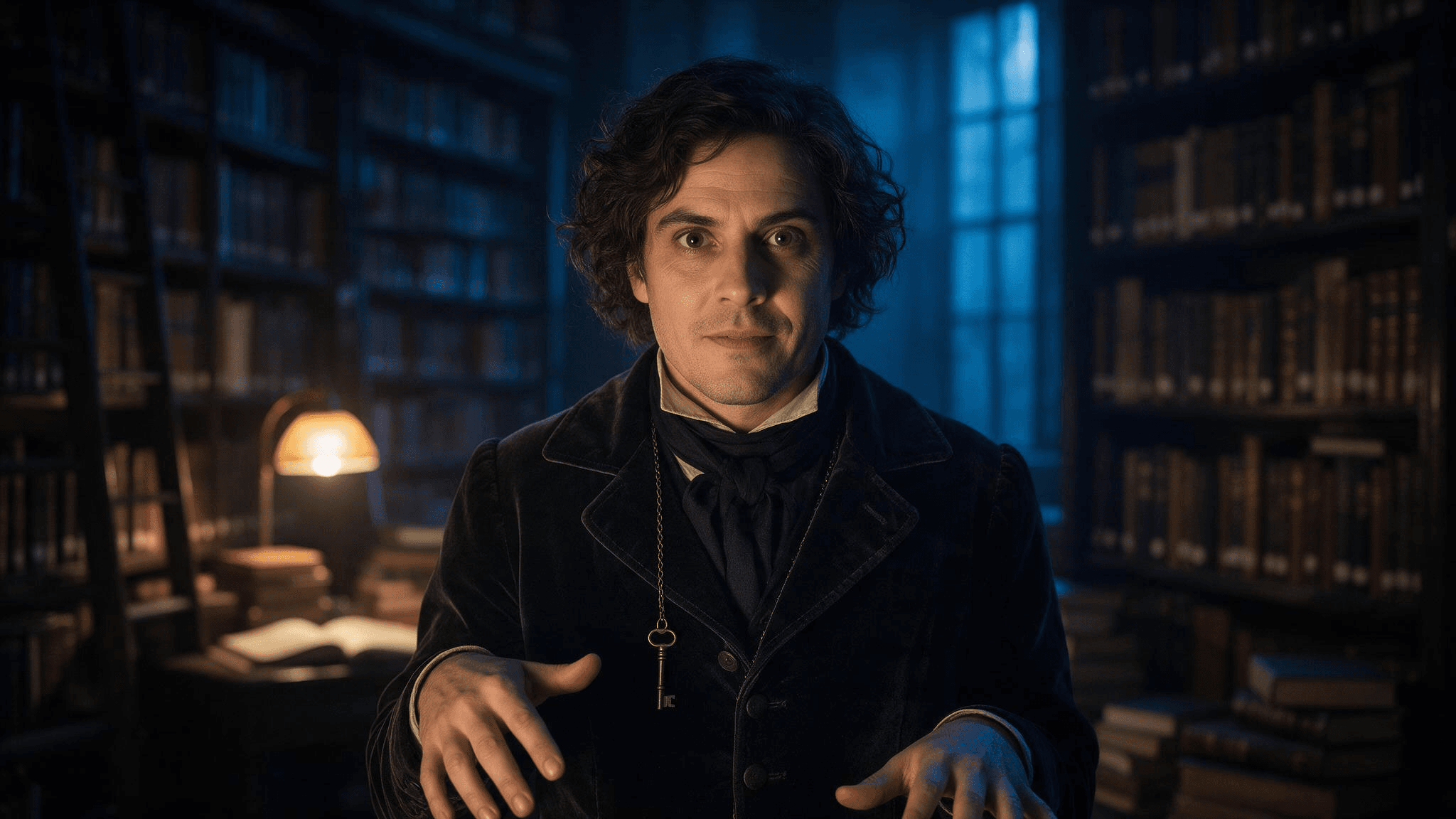 기록보관자 브리프의 예시 결과입니다. 편집본을 자신의 사진으로 공유하기 전에 업로드한 초상 사진과 얼굴을 비교하세요.
첫 이미지에서 얼굴이 바뀌면 짧은 후속 요청을 보내세요: Keep the lighting and jacket. Restore the eyes, nose, mouth, and hair from my uploaded photo; do not alter my face. 좁은 편집은 또 다른 완전한 장면 요청보다 판단하기 쉽습니다.
2. 파티에 도착한 친구들
따로 잘라낸 헤드샷 대신 전체 단체가 담긴 사진 한 장을 사용하세요. 흥미로운 부분은 서로 연결되지 않은 의상 초상들의 집합이 아니라 함께하는 순간입니다.
plaintext1Turn the uploaded group photo into a candid Halloween party arrival. Preserve the exact [number] people, their relative positions, recognizable faces, skin tones, hairstyles, and body proportions. Give each person a distinct, simple costume accessory: [person at left: detail], [person in center: detail], [person at right: detail]. Put them on a townhouse stoop with carved pumpkins and warm porch light at blue hour. Keep the camera height, natural expressions, and friendly group spacing from the source. Do not add or remove anyone. No masks over faces, duplicate limbs, text, or logos.
붙여넣기 전에 모든 괄호를 채우세요. 친구가 네 명이라면 네 위치를 지정하세요. 그렇지 않으면 모델이 어느 지침이 누구에게 해당하는지 추측해야 합니다.
3. 작은 야간 파수꾼이 된 반려동물
모델에게 반려동물의 몸을 인간 캐릭터로 바꿔 달라고 하기보다 가벼운 액세서리를 달아 주세요. 사진을 내 반려동물처럼 느껴지게 하는 것은 얼굴과 털입니다.
plaintext1Edit this photo of my [dog/cat] into a playful Halloween pet portrait. Preserve the pet's face, breed or body type, coat colors, distinctive markings, and natural four-legged anatomy. Add a lightweight navy cape and a small felt moon on the collar; leave the ears, eyes, and paws unobstructed. Place the pet beside a pumpkin on a familiar-looking porch. Use gentle evening light and an eye-level camera angle. Keep the result photographic, with no human hands, extra paws, lettering, or brand marks.
4. 사진을 망치지 않고 한 가지 세부 사항 수정하기
처음 세 프롬프트 중 어느 것을 사용한 뒤든, 장면은 괜찮지만 한 요소가 잘못되었을 때 이 수정 지침을 사용하세요. 괄호를 실제 문제로 바꾸세요.
plaintext1Keep the current image's composition, subject, costume, color, and lighting. Change only [the specific incorrect detail]. Match the corrected area to the surrounding photo. Preserve the person's or pet's identity from the uploaded reference. Do not introduce new objects, people, or text.
오류를 정확히 설명하세요: remove the extra finger on the hand holding the lantern는 make it better보다 편집기에 더 작은 작업을 줍니다. 수정된 이미지에서 요청한 영역 밖의 변경이 있는지 확인하세요.
명확한 참조 이미지를 사용하는 Gemini AI 할로윈 사진 프롬프트
Gemini는 작성된 프롬프트로 이미지를 만들고 업로드한 이미지를 참조 또는 편집 입력으로 사용할 수 있습니다. 자세한 내용은 Gemini 앱 도움말을 참조하세요. 유용한 Gemini AI 할로윈 사진 프롬프트는 어느 부분이 업로드에서 오고 어느 부분이 새로 만들어지는지 말해줍니다. 이 네 가지 프롬프트는 ChatGPT 세트와 다른 장면을 다루므로, 한 도구가 항상 더 낫다는 주장보다 이미 가지고 있는 사진을 기준으로 선택하세요.
5. 일몰 후 호박밭 초상
plaintext1Using my uploaded portrait as the identity reference, create a waist-up photograph of the same adult at a pumpkin patch just after sunset. Keep the face shape, skin tone, hair, and visible freckles or other distinctive features recognizable. Replace the background with rows of pumpkins, a distant wooden fence, and a few warm lanterns. Dress the subject in a practical dark coat and a subtle crescent-moon brooch. Natural blue-hour sky, warm lantern light on the face, moderate depth of field, eye-level camera. Do not change the person's age appearance or add face paint, text, or other people.
6. 같은 인물로 의상 테스트
plaintext1Use my uploaded full-length photo as the reference for the same person. Show a realistic Halloween costume concept: a vintage stargazer wearing a midnight-blue coat, brass star map accessories, and a narrow belt of small paper constellations. Keep the same face, skin tone, hairstyle, body proportions, and standing pose. Show the full outfit against a simple neutral wall in soft studio light so the clothing is easy to inspect. The costume must look wearable, with practical seams and no floating objects. No mask, face paint, text, logo, or extra people.
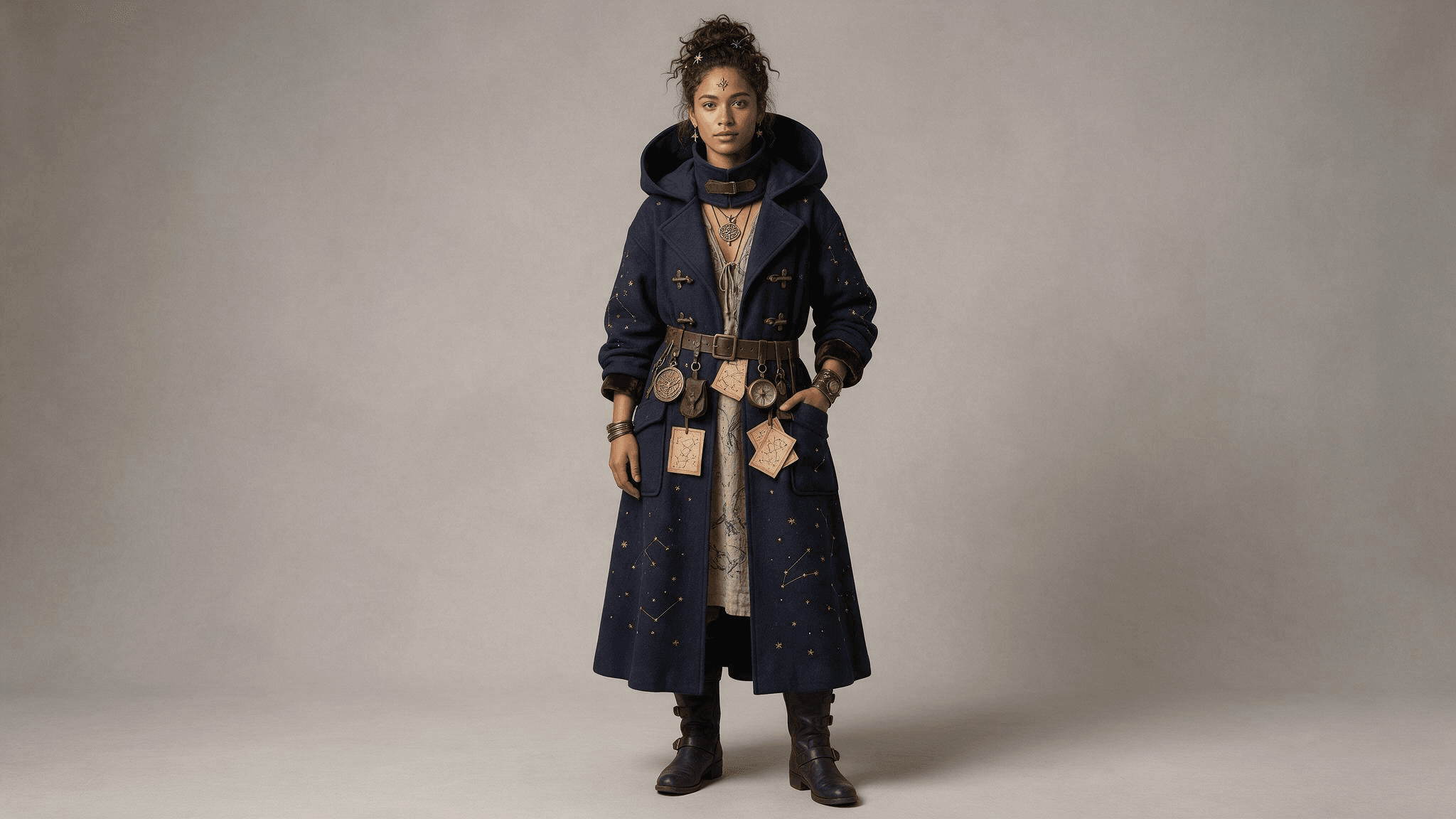 전신 결과에서 코트, 벨트, 액세서리를 쉽게 확인할 수 있습니다. 얼굴과 비율을 업로드한 사진과 비교해 보세요.
7. 배경을 바꾼 가족사진
plaintext1Use the uploaded family photo as the reference. Preserve the exact [number] people and their positions, recognizable faces, approximate ages, skin tones, and natural proportions. Change only the setting and small accessories: put the family on an autumn front porch with pumpkins, paper bats, and warm window light. Add one simple costume accessory to each person as follows: [list each person by position and accessory]. Keep the original camera perspective and friendly expressions. No new faces, missing people, masks, unreadable signs, or extra hands.
모든 얼굴을 개별적으로 검토하세요. 한 이미지에 사람이 많을수록 전체 분위기만 판단하지 말고 결과를 원본과 비교하는 것이 더 중요해집니다.
8. 두 번째 시각적 참조 이미지를 사용하는 반려동물 초상
원하는 액세서리 사진이 있다면 반려동물 사진과 함께 업로드하고 각 이미지가 무엇을 위한 것인지 말하세요. Google은 Gemini가 여러 업로드 이미지로 작업할 수 있다고 설명합니다. 가용성과 결과는 계정과 모델에 따라 달라질 수 있습니다.
plaintext1Use image 1 only for my pet's identity and image 2 only for the shape and color of the small costume accessory. Create a realistic Halloween photo of the same pet sitting beside a pumpkin indoors. Preserve the pet's face, coat pattern, size, and natural anatomy from image 1. Adapt the accessory from image 2 so it fits comfortably and does not cover the eyes, ears, nose, or mouth. Warm lamp light, eye-level camera, uncluttered background. Do not copy any people or background from image 2. No text, extra limbs, or human-like paws.
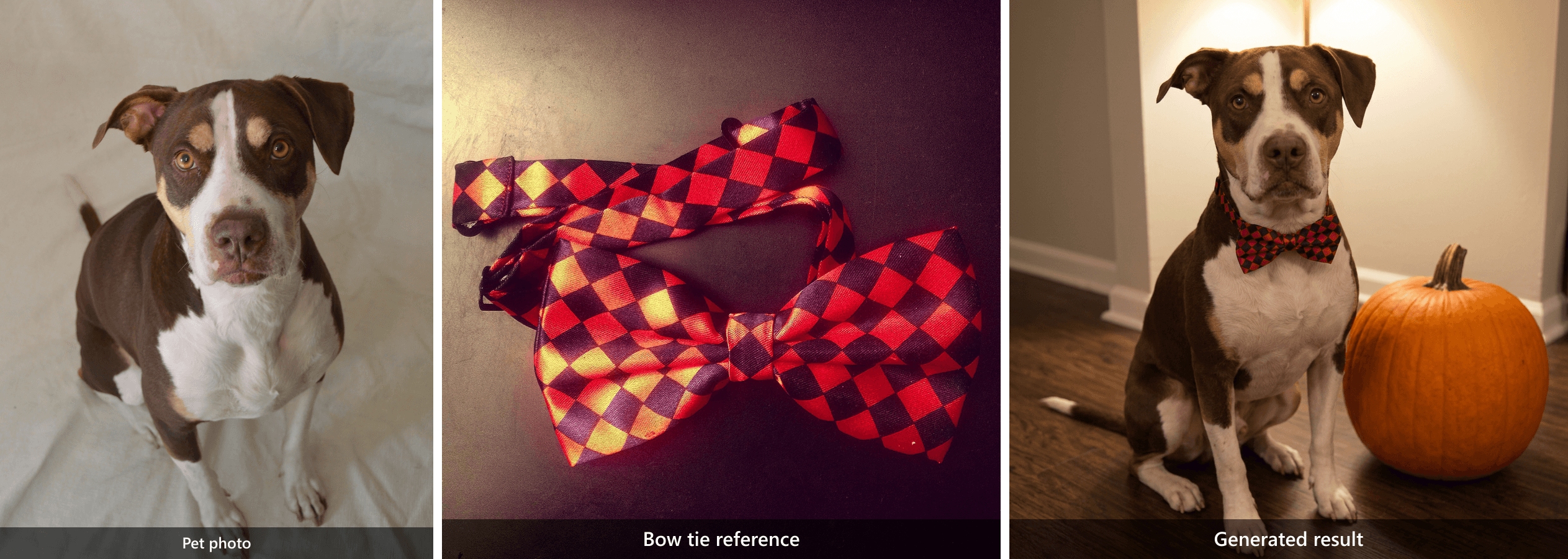 서로 다른 두 입력이 하나의 결과로 이어집니다: 개는 반려동물 사진, 빨간색과 검은색 패턴은 보타이 참조.
빈 캔버스에서 만드는 새 할로윈 사진
이 프롬프트는 개인 업로드가 필요하지 않습니다. 만들어 낸 할로윈 장면, 허구의 초상, 게시물용 계절 이미지를 원할 때 유용합니다. 또한 영화 캐릭터나 make it spooky 같은 모호한 지침에 의존하지 않고 할로윈을 위한 AI 프롬프트를 작성하는 방법을 보여줍니다.
9. 자정의 도서관지기
plaintext1Create a photorealistic editorial portrait of a fictional adult midnight library keeper caught opening an old book between tall wooden shelves. A dark velvet jacket and one antique key on a chain; both hands turn a single page naturally. Shelf edges lead the eye toward the subject, with a blurred book spine in the near foreground. One warm desk lamp lights the face while cool blue dusk enters through a high window. Waist-up composition at eye level, 35 mm lens feel, natural skin texture, worn wood grain, restrained film grain, warm amber and blue-gray color palette. No mask, face paint, extra fingers, floating objects, writing, logo, or watermark.
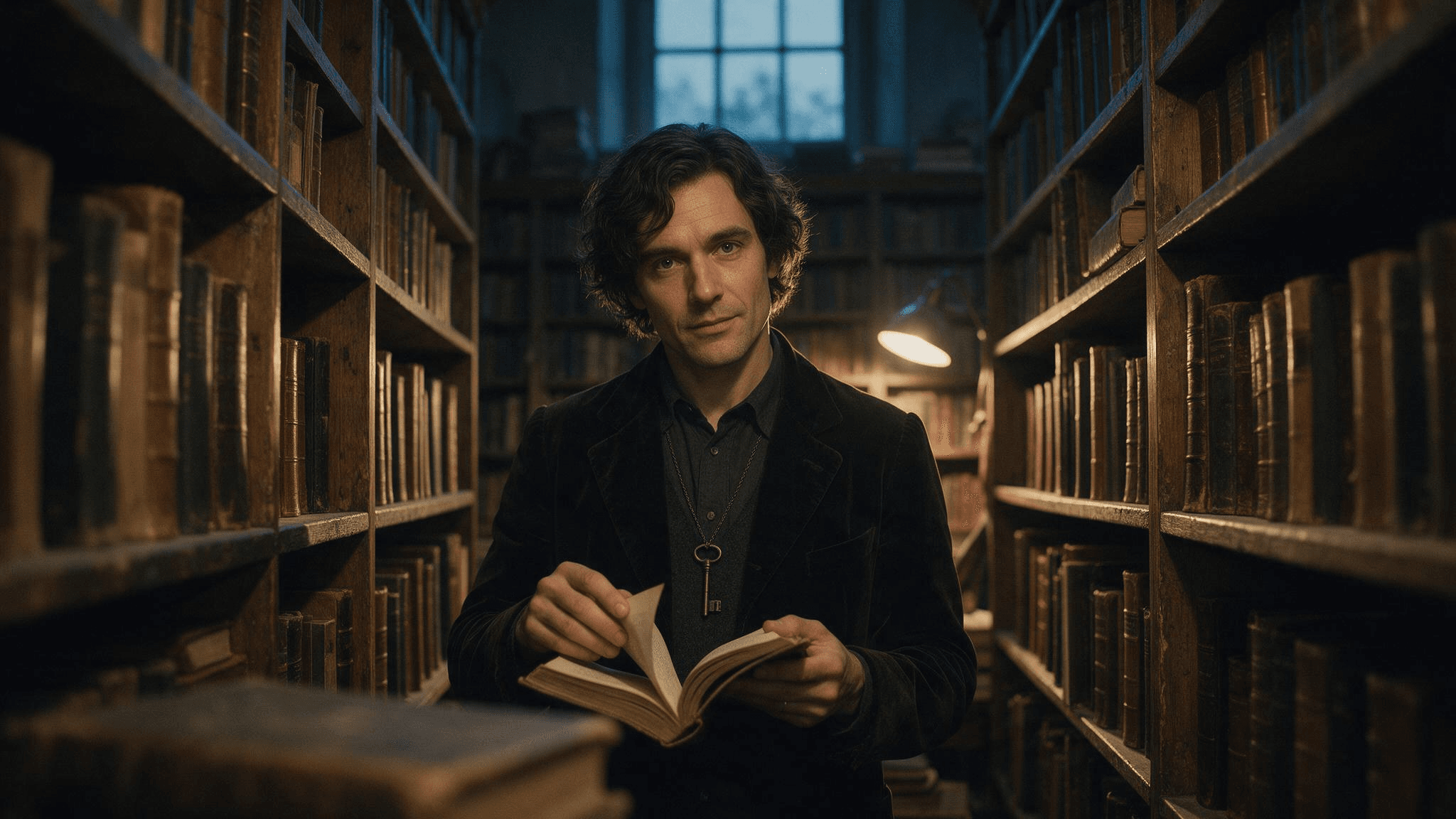 텍스트 전용 결과: 가상의 도서관지기, 펼친 책, 골동품 열쇠, 책장, 따뜻함과 차가움이 공존하는 조명이 한 프레임에 보입니다.
10. 문을 닫은 뒤의 빵집
plaintext1Create a photorealistic editorial still life inside a small neighborhood bakery after closing on Halloween. Three decorated pumpkin pastries sit on a worn wooden counter, one just broken open with a thin curl of steam rising, beside a folded linen cloth and a brass bell. The counter edge leads toward the pastries; a blurred flour-dusted tray sits in the near foreground. Through the window, cool blue dusk and a few softly blurred porch lanterns are visible. A warm pendant lamp lights the pastries from above. Frame at counter height with a 35 mm lens feel, natural food texture, restrained film grain, warm amber and blue-gray color palette. No people, floating decorations, readable signs, logos, labels, or watermark.
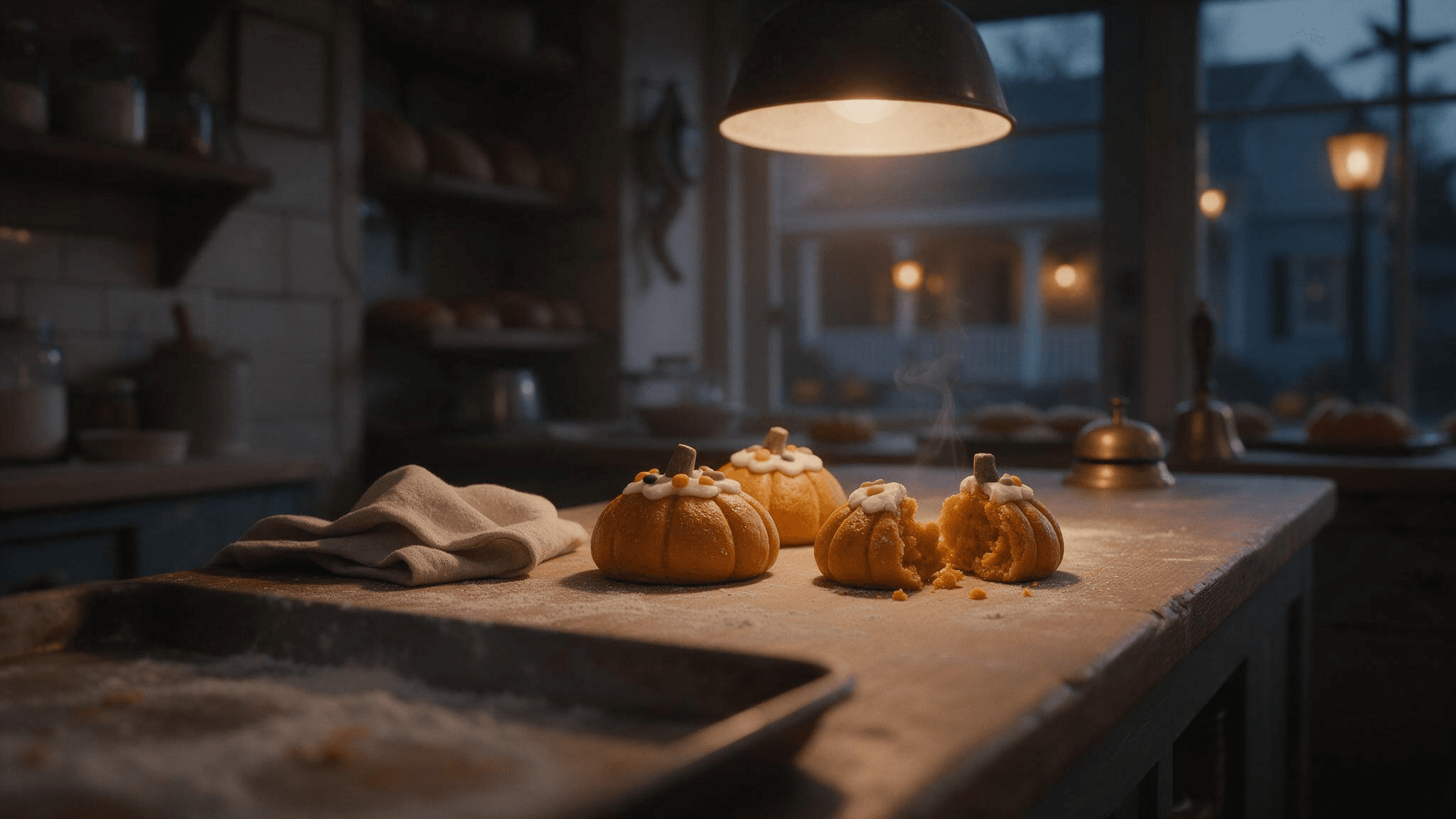 정지 이미지 결과: 카운터, 페이스트리 세 개, 반으로 갈라진 페이스트리, 따뜻한 펜던트 조명, 푸른 황혼이 배경 세부 사항이 프레임을 어떻게 형성하는지 보여줍니다.
같은 빵집 아이디어는 짧은 모션 예시로도 잘 작동합니다. 여기서는 시야가 창문 쪽으로 열리기 전에 손이 페이스트리를 정리해, 정지 이미지를 천천히 확대하는 것보다 시청자에게 더 많은 정보를 줍니다.
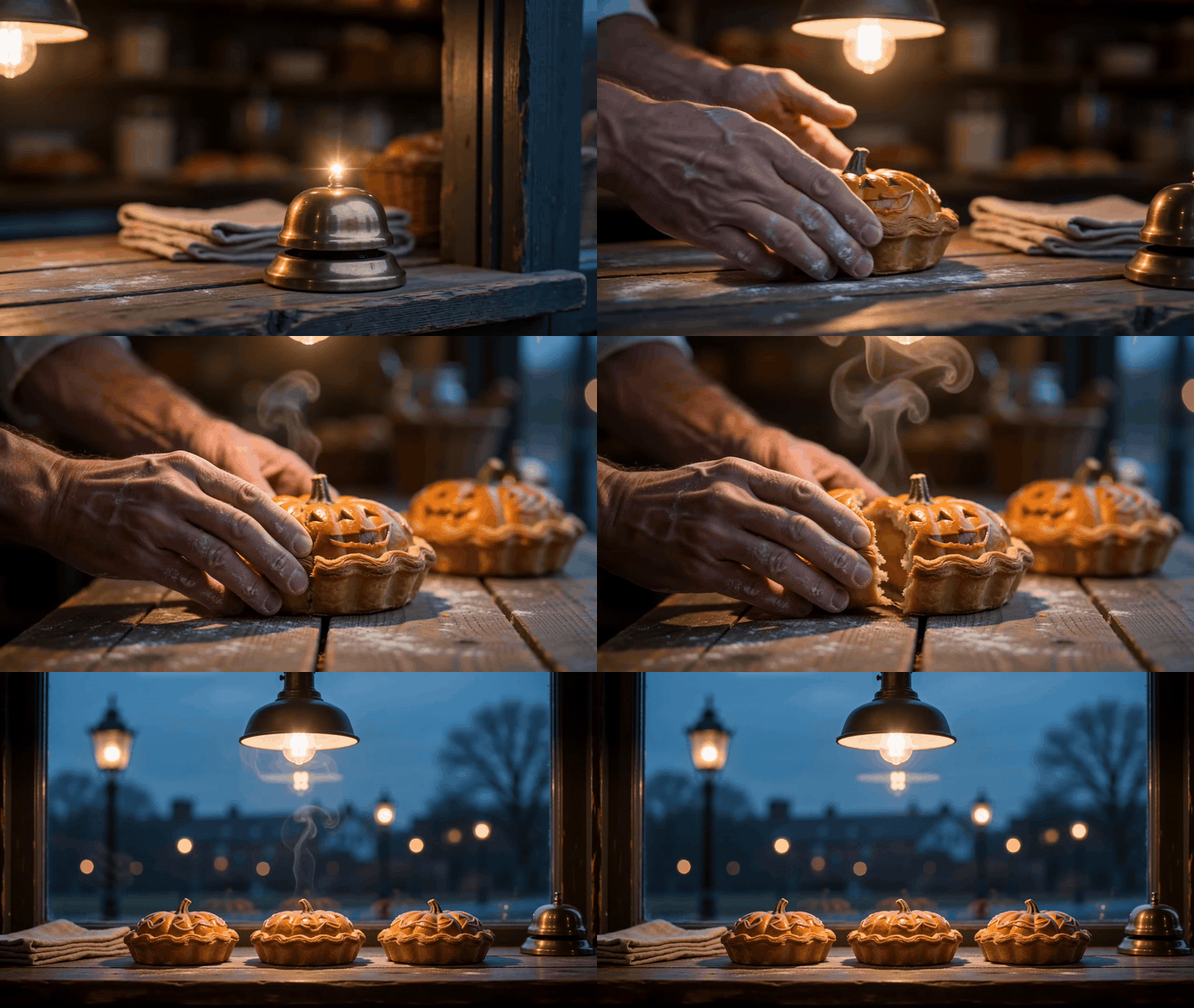
빵집 프롬프트의 모션 변형으로, 페이스트리 배치와 더 넓은 카운터 뷰를 보여줍니다.
11. 블록의 마지막 집
plaintext1Create a photorealistic Halloween exterior of one old but welcoming townhouse at blue hour. A short stone path leads from the lower foreground to a front porch with exactly three carved pumpkins, a glowing window, and a few handmade paper bats. One damp leaf skitters across the path as a gust catches it, with other leaves settled along the edge. Photograph from across the street at eye level with a 35 mm lens feel, using the path as a leading line and a softly blurred fence post in the near foreground. Cool blue dusk balances warm light from the porch and window; restrained film grain and realistic architectural proportions. No people, cars, lettering, billboards, floating objects, or watermark.
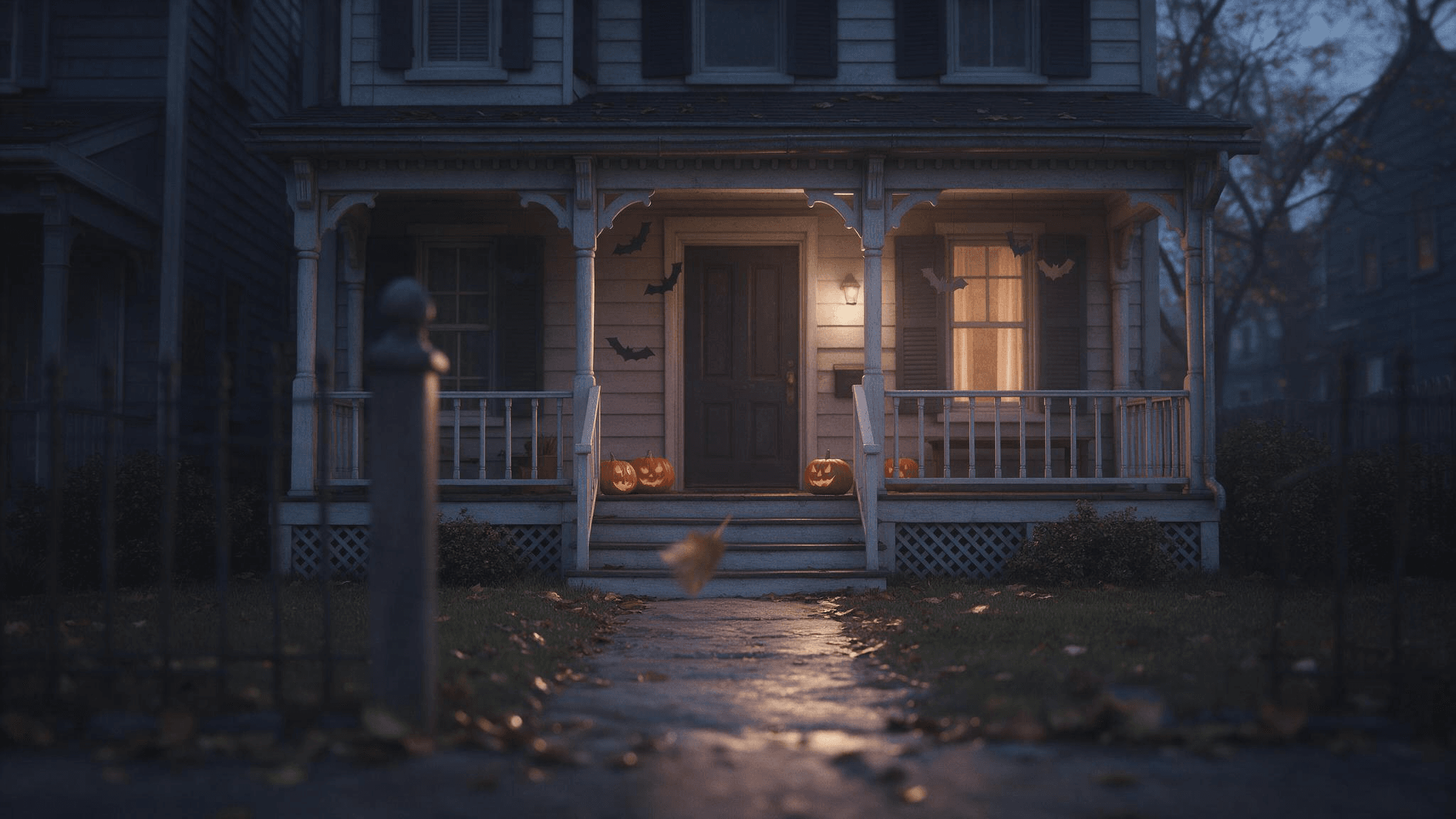 결과는 현관 조명과 문으로 이어지는 길을 담고 있습니다. 요청한 호박 세 개보다 더 많이 포함된 것으로 보이므로, 생성된 이미지를 사용하기 전에 개체 수를 확인하세요.
12. 비에 젖은 파티 초대장 배경
plaintext1Create a photorealistic editorial photo of a rain-darkened cobblestone lane leading to a small Halloween gathering. Warm light spills from an open doorway at the far end; a few pumpkins and autumn leaves sit along the walls. Keep the upper third dark and visually quiet so I can add invitation text later in a separate editor. Eye-level 35 mm lens feel, realistic wet reflections, cool blue-gray shadows and warm amber practical lights, restrained film grain. No people close to camera, generated letters, logos, or watermark.
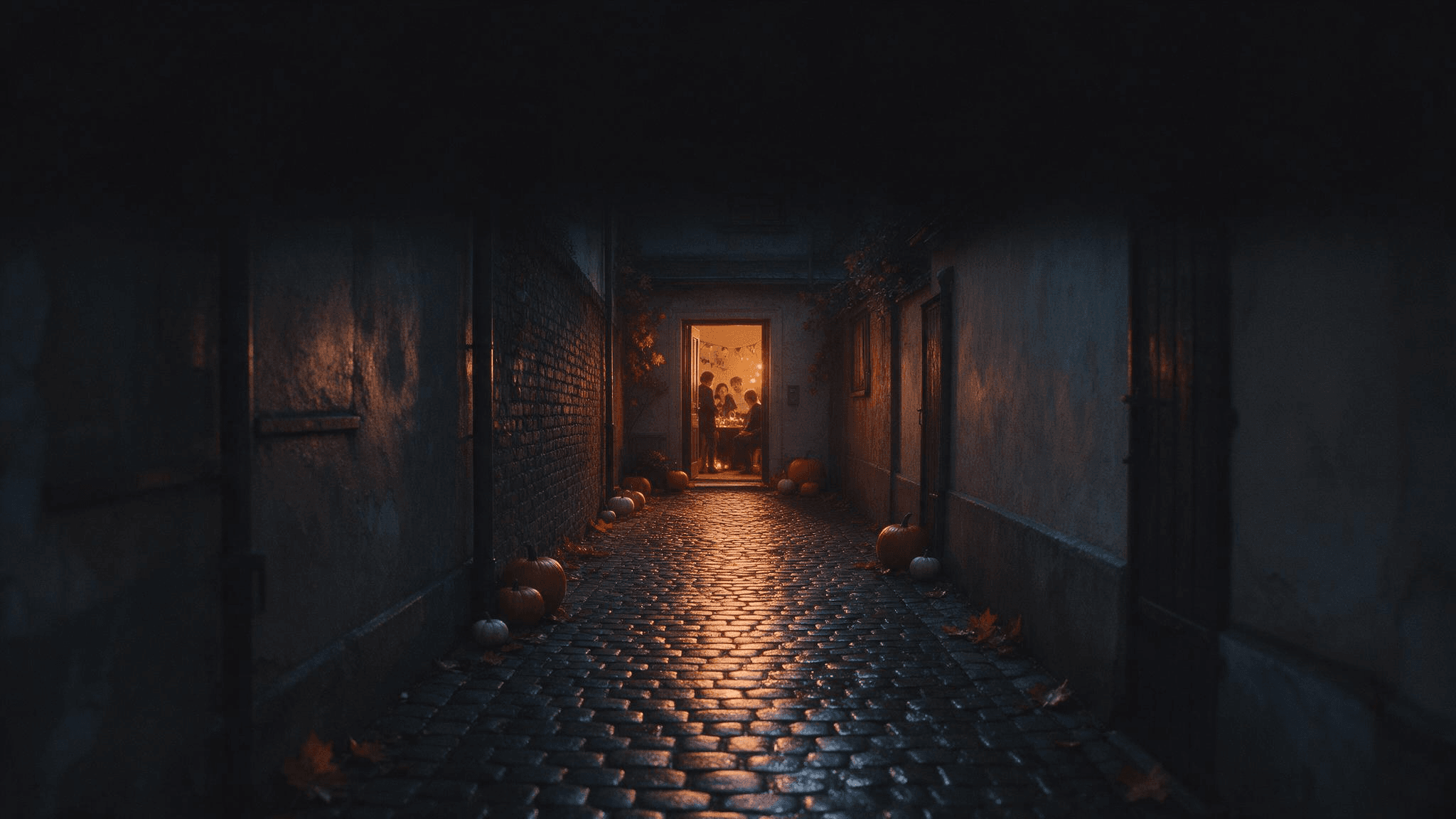 어두운 상단 공간은 나중에 별도 편집기에서 추가할 초대장 텍스트를 위해 비어 있습니다.
이벤트 세부 정보는 나중에 텍스트 편집기에서 추가하세요. 이미지 프롬프트는 철자가 틀리거나 수정하기 어려울 수 있는 AI 생성 글자가 아니라 빈 공간을 요청합니다.
각 프롬프트를 더 효과적으로 만들기
가장 재사용하기 좋은 할로윈 사진 프롬프트는 간결한 창작 브리프입니다. 피사체와 행동에 한 문장, 배경에 한 문장, 조명과 카메라에 한 문장, 절대 잃고 싶지 않은 세부 사항에 한 문장을 쓰세요. 업로드의 경우 마지막 문장에 정체성과 인원 수를 명시해야 합니다. 텍스트-투-이미지의 경우 구도와 원하지 않는 추가 요소를 명시해야 합니다.
일반적인 형용사를 눈에 보이는 지침으로 바꾸세요. Spooky는 안개, 공포 분장, 어두운 방, 유령을 의미할 수 있습니다. Cool blue dusk outside the window and a warm lamp on the face는 분위기가 정확히 어디서 오는지 모델에 알려줍니다. Vintage는 벨벳 재킷, 놋쇠 열쇠, 나무 책장을 지정하면 더 명확해집니다.
제외 조건은 아껴서 사용하세요. 긴 no 절 목록은 핵심 아이디어를 밀어낼 수 있습니다. 이 특정 사진을 망칠 오류를 우선하세요: 초상화에서 가려진 얼굴, 단체 사진의 추가 인물, 반려동물의 바뀐 무늬, 초대장 배경의 글자 등입니다. 나중에 이미지를 확인하세요. 부정 지침은 검증 단계가 아닙니다.
첫 결과가 거의 맞으면 변수 하나를 바꾸세요. keep everything else; move the lantern to the left of the subject 또는 retain the same face; make the background less crowded를 시도해 보세요. 피사체 자체가 잘못되었다면 원본 사진으로 돌아가 보존 요청을 명확히 하세요. 원본 사진이 흐릿하다면 더 많은 프롬프트 절을 쌓기 전에 더 선명한 입력을 사용하세요.
Google의 할로윈 이미지 예시는 사진이 유령 같은 초상이나 계절 장면의 기준이 될 수 있는 방법을 보여줍니다. 창작 원칙은 어디에나 적용됩니다: 입력에서 무엇이 남고 모델이 무엇을 새로 만들어도 되는지 지정하세요. 이는 조명, 포즈, 원본 이미지가 자신의 것과 맞지 않는 긴 유행 프롬프트를 복사하는 것보다 더 유용합니다.
Atlas Cloud의 이미지 생성기에서 프롬프트 사용해 보기
같은 브리프로 다양한 호스팅 이미지 모델을 탐색하고 싶다면 Atlas Cloud에서 시작해 AI 이미지 생성기를 여세요. 이 페이지는 텍스트-투-이미지, 참조 기반 생성, 프롬프트 기반 편집을 지원합니다. 모델 선택기에서는 필요한 결과에 맞는 이미지 모델로 브리프를 시험해 볼 수 있습니다. 위의 네 가지 가상 장면 프롬프트는 텍스트-투-이미지용이며, 개인 사진 프롬프트는 업로드 이미지를 받는 워크플로가 필요합니다.
프롬프트 하나를 붙여넣고 모델과 종횡비를 선택한 뒤 결과를 전체 크기로 확인하세요. 초상화라면 눈, 손, 의상 가장자리를 보세요. 장면이라면 요청한 개체 수와 빛이 실제로 설명한 광원에서 오는지 확인하세요. 프롬프트가 강한 피사체를 만들었지만 프레이밍이 약하다면 피사체 설명은 유지하고 카메라 문장만 수정하세요. 그러면 다음 결과를 첫 결과와 비교할 수 있습니다.
만들어 낸 얼굴을 실제 인물의 변환 사진처럼 제시하지 마세요. 알아볼 수 있는 사람이 필요하다면 사용할 권리가 있는 사진을 제공하고 결과를 그것과 비교하세요. 특히 결과를 게시할 생각이라면 다른 사람의 초상 사진을 허락 없이 업로드하지 마세요.
자주 묻는 질문
이 할로윈 AI 사진 프롬프트에는 셀피가 필요한가요?
특정 인물을 보존하는 프롬프트만 그 인물의 사진이 필요합니다. 선명한 초상 사진은 얼굴을 보기 더 쉽기 때문에 과하게 필터를 적용한 셀피보다 종종 더 잘 작동합니다. 프롬프트 9번부터 12번은 텍스트만으로 허구의 장면을 만듭니다.
AI 할로윈 초상이 내 얼굴을 바꾸는 이유는 무엇인가요?
프롬프트가 정교한 의상, 새로운 각도, 극적인 조명, 보존된 정체성을 동시에 요청했을 수 있습니다. 선명한 원본 사진으로 시작하고 얼굴을 보이게 유지하며 첫 편집에서 바꾸는 요소를 줄이세요. 정체성 지침이 성공했다고 가정하지 말고 결과를 확인하세요.
같은 프롬프트를 ChatGPT, Gemini, Atlas Cloud에서 사용할 수 있나요?
장면 설명은 이식할 수 있지만 입력 워크플로가 중요합니다. use my uploaded photo라고 하는 지침은 이미지 편집 또는 참조 모드를 지원하는 도구가 필요합니다. 빈 캔버스 장면은 텍스트-투-이미지에 넣을 수 있습니다. 도구 제어와 모델 동작은 다양하므로 첫 출력을 사용해 작고 구체적인 수정을 하세요.
약한 결과를 가장 빠르게 개선하는 방법은 무엇인가요?
가장 중요한 오류 하나를 찾으세요. 피사체가 잘못되었다면 참조 또는 피사체 문장을 개선하세요. 분위기가 잘못되었다면 실제 광원과 시간대를 명시하세요. 구도가 잘못되었다면 카메라 높이, 프레이밍, 프레임 안에서 피사체가 어디에 놓이는지 말하세요. 이미 잘 작동하는 부분은 유지하세요.
오늘 준비할 수 있는 이미지와 맞는 이 할로윈 AI 사진 프롬프트 중 하나를 고르세요. 선명한 원본 사진이나 날카롭게 묘사된 장면이 으스스한 형용사를 길게 나열하는 것보다 더 많은 일을 해줄 것입니다.





