

성장 팀이 더 예쁜 이미지를 필요로 하는 경우는 드뭅니다. 같은 인물이 새 옷을 입거나, 같은 병이 새 캠페인 장면에 등장하거나, 같은 포스터가 새 시장에 나가는 상황이 필요할 때가 많습니다. Qwen Image 3.0 Pro API 이미지 편집은 프롬프트가 제작 브리핑처럼 읽힐 때 유용합니다. 소스를 지정하고, 변경 사항을 지정하고, 유지되어야 할 모든 요소를 지정하세요.
이 가이드는 실제로 크리에이티브 팀에 전달되는 3가지 작업을 대상으로 이 브리핑을 테스트합니다. 3-레퍼런스 가상 피팅, 계절별 제품 장면 리프레시, 스페인어 포스터 지역화입니다. 유용한 답은 처음부터 분명합니다. 이미지에 순서대로 라벨을 붙이고, 장식적인 표현보다 보존 제약 조건을 먼저 작성하고, 2K 결과물을 짧은 잠금 목록과 대조해 검토하세요.
Atlas Cloud는 동일한 모델과 요청 형태를 애플리케이션으로 옮기기 전에 브라우저에서 이 시퀀스를 테스트할 수 있는 실용적인 장소입니다. 이미지 순서, 프롬프트, 출력을 한곳에 유지하여 여러 탭에 검증 과정을 분산하지 않습니다. API 구현 전에 눈으로 확인할 수 있는 테스트를 원한다면 Atlas Cloud에서 시작하세요.
핵심 요약
- 편집당 번호가 매겨진 레퍼런스 이미지 1~3개를 사용합니다.
- 편집 대상과 잠글 모든 요소를 명시합니다.
- API 흐름을 연결하기 전에 Playground에서 결과물 하나를 검증합니다.
- 승인 전에 라벨, 손, 가장자리, 접촉 그림자를 확인합니다.
Qwen Image 3.0 Pro API 이미지 편집이 인기 있는 이유와 편집이 여전히 실패하는 이유
Qwen의 공식 이미지 편집 예제는 아래 가상 피팅과 동일한 기본 계약을 사용합니다. 이미지 1은 인물을, 이미지 2는 검은색 드레스를, 이미지 3은 포즈를 제공합니다. 모델은 1~3개의 이미지를 허용하므로 레퍼런스 순서는 단순한 업로드 순서가 아니라 의미를 전달합니다(Qwen 이미지 편집 가이드, 2026년 9월).
이 유연성은 익숙한 실패 모드를 만듭니다. 모호한 지시는 모델이 팀이 보호하려던 바로 그 세부 사항을 다시 그릴 여지를 줍니다. 해결책은 명명된 소스, 명명된 편집, 명명된 보존 목록을 포함하는 평이한 언어입니다.
| 약한 지시 | 확인할 수 있는 제작 브리핑 |
| "그녀에게 이 드레스를 입혀." | "이미지 1의 인물에게 이미지 2의 드레스를 입혀. 이미지 1의 얼굴, 머리카락, 조명, 카메라 각도, 손, 2:3 구도를 보존." |
| "스페인어 포스터를 만들어." | "정확히 이 문자열만 교체. 타이포그래피, 위계, 여백, 팔레트, 그림, 모든 비텍스트 요소를 잠금." |
| "이 병을 여름에 배치해." | "모양, 캡, 라벨 위치, 정확한 라벨 문구, 중앙 정면 뷰를 유지. 환경만 교체." |
공식 API 참조는 3.0 Pro 모델이 텍스트-이미지 및 이미지 편집을 지원하며 총 출력 픽셀이 최대 2048 × 2048이라고 설명합니다. 또한 이 시리즈의 프롬프트 재작성을 문서화합니다(Alibaba Cloud API 참조, 2026년 9월).
첫 번째 결과물은 확정본이 아니라 검토 후보로 취급하세요. 얼굴, 미세한 글꼴, 원본 색상, 비율이 어긋날 수 있습니다. 잠금이 실패하면 요청한 변경 범위를 줄이고, 정확한 잠금 목록을 반복하고, 소스 이미지의 역할이 덜 모호하도록 하세요.
Qwen Image 3.0 Pro API 이미지 편집: 모델 선택 및 가격
워크플로는 의도적으로 단순합니다. Playground에서 소스 순서와 프롬프트를 테스트한 다음, 팀이 API 요청을 구현할 때 동일한 순서의 레퍼런스와 지침을 유지하면 됩니다. Qwen의 자체 모델 선택 가이드는 Pro가 네거티브 프롬프트, 최대 6개 출력, 복잡한 레이아웃 작업을 지원한다고 안내합니다(Qwen 이미지 모델 가이드, 2026년 9월).
| 모델 및 작업 | 사용 시점 | Atlas Cloud 표시 시작 가격, 2026년 9월 3일 확인 |
| Qwen Image 3.0 Pro Text-to-Image | 원본의 제어 가능한 베이스 이미지 생성 | $0.04/PIC |
| Qwen Image 3.0 Pro Edit | 신원에 민감한 편집, 패키징, 텍스트가 많은 포스터 | $0.04/PIC |
| Qwen Image 3.0 Edit | 위험이 낮은 배치 개념 및 초기 스크리닝 | $0.03/PIC |
현재 Atlas Cloud 모델 카탈로그에는 이러한 시작 가격이 나와 있습니다. 정확한 청구 금액은 출력 수, 선택한 해상도, 프로모션에 따라 달라질 수 있으므로 릴리스 확인 시 라이브 페이지와 실행 설정을 사용하세요.
| Pro 선택 | 표준 선택 |
| 얼굴, 병 재질, 라벨 또는 텍스트 레이아웃이 편집 후에도 유지되어야 합니다. | 위험이 낮은 다양한 개념 변형을 스크리닝하고 있습니다. |
| 1~3개 레퍼런스와 2K 검토를 아우르는 튜토리얼이 필요합니다. | 나중에 선택한 작업만 Pro로 승격할 예정입니다. |
표시된 시작 가격 기준으로 원본 베이스 1개와 편집 1개는 약 $0.08부터 시작합니다. 이 가이드의 3가지 제작 편집은 가상 피팅에 생성된 베이스가 포함될 때 약 $0.16부터 시작합니다. 이는 계획 수치이지 가격 약속이 아닙니다.
1단계: 제어 가능한 베이스 이미지 생성
원본 피사체에서 시작하여 팀이 명확한 권리와 안정적인 신원 참조를 확보하세요. 동시에 의류 레퍼런스를 준비하세요. 아래 검은색 새틴 드레스는 2단계에서 이미지 2가 되므로 스퀘어 넥라인, 긴 소매, 새틴 광택, 자연스러운 주름이 선명하게 보이도록 유지하세요. Qwen Image 3.0 Pro Text-to-Image Playground에서 이 프롬프트를 정확히 붙여넣으세요.
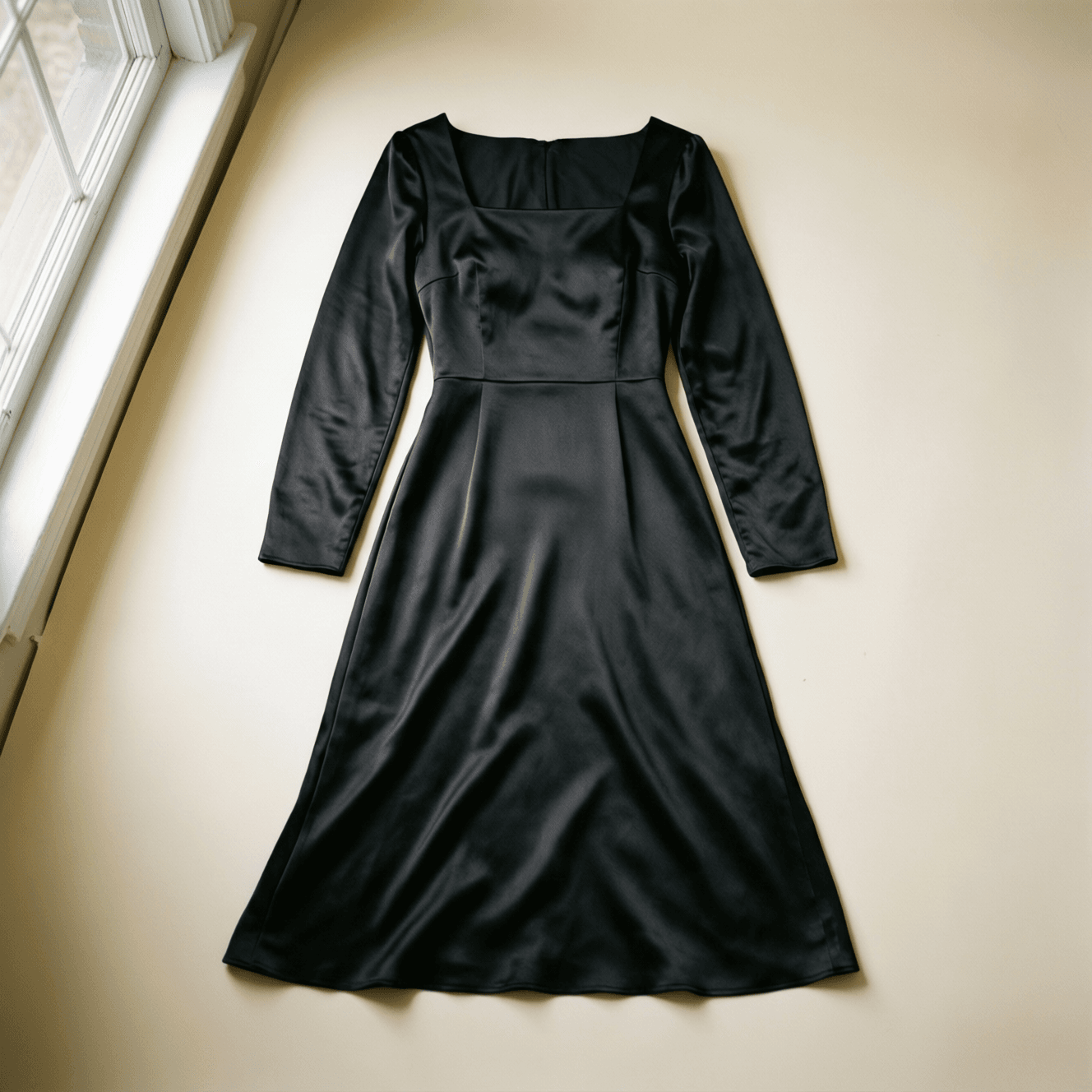
따뜻한 스튜디오에 펼쳐진 무브랜드 검은색 새틴 미디 드레스
이미지 2용 의류 레퍼런스: 최종 편집에서 스퀘어 넥라인, 긴 소매, 새틴 광택, 주름 방향을 보존하세요.
plaintext1Create a full-body editorial fashion photograph of an original fictional woman in her late twenties, seated naturally on a simple wooden stool, looking at the camera. She has straight shoulder-length black hair, a neutral expression, and wears a plain cream knit top with dark tailored trousers. Clean studio, warm off-white seamless background, soft window light from camera left, realistic skin texture, visible fabric weave, full hands and shoes, no logos, no text. Leave enough negative space around the body for a clothing replacement test.
2:3 세로, 1365 × 2048, 출력 1개, 프롬프트 재작성 켜기, 사용 가능한 최고 품질을 선택하세요. 스타일 프리셋은 추가하지 마세요. 생성된 베이스를 2단계의 이미지 1로 사용하세요.
2단계: 3개 레퍼런스를 사용한 Qwen Image 3.0 Pro API 이미지 편집
이미지를 정확히 이 순서로 업로드하세요. 이미지 1은 1단계의 피사체, 이미지 2는 무브랜드 검은색 새틴 드레스 플랫 레이, 이미지 3은 앉은 포즈 레퍼런스입니다. 번호는 지시의 일부이므로 일괄 업로더가 파일 순서를 바꾸지 않도록 하세요.
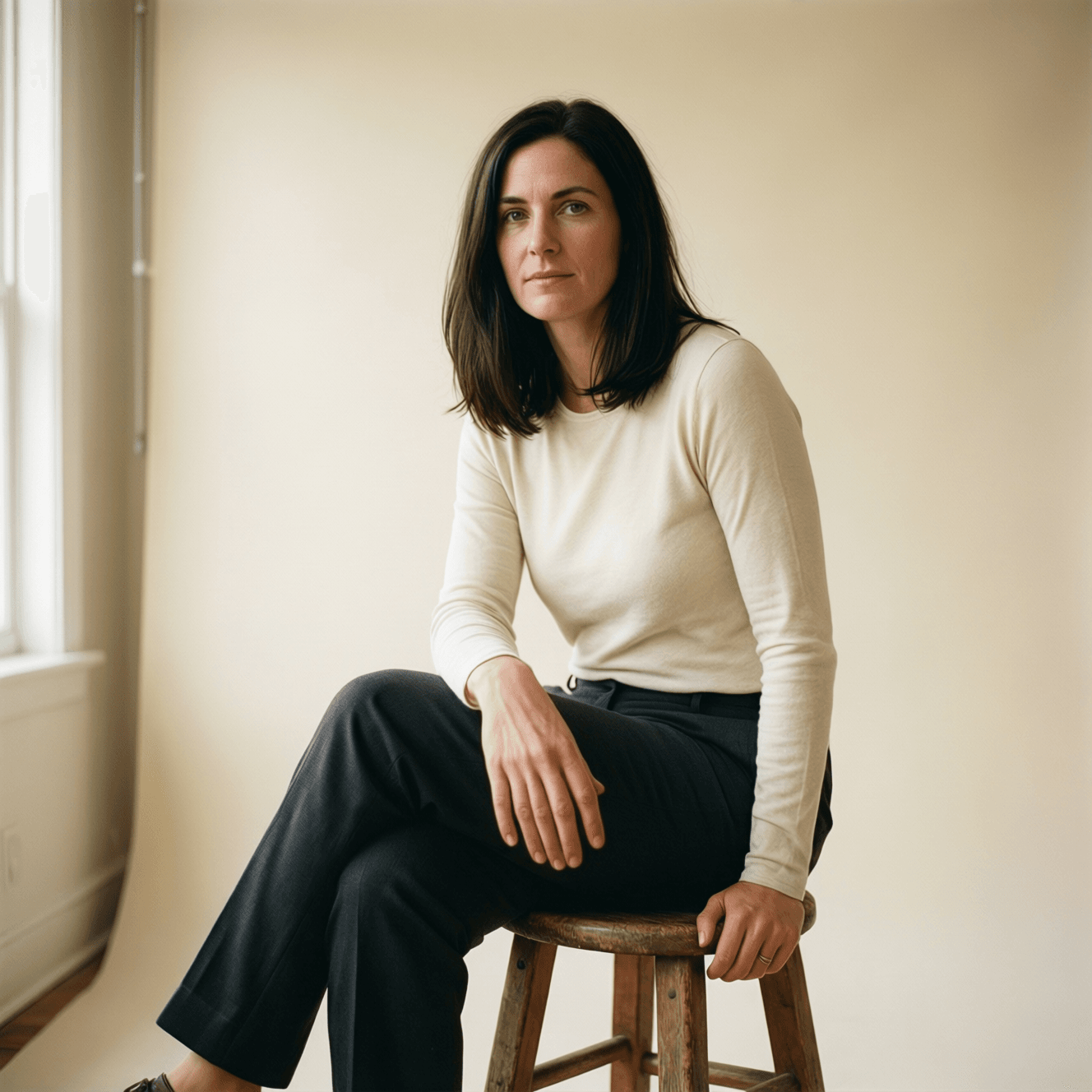
나무 스툴에 앉은 3/4 포즈 레퍼런스
레퍼런스 이미지 3: 포즈 소스는 3/4 몸통 위치, 손 위치, 스툴, 전체 프레이밍을 고정합니다.
plaintext1Use Image 1 as the identity and facial-reference image. Dress the woman in Image 1 in the exact black satin midi dress from Image 2, preserving the dress silhouette, square neckline, long sleeves, subtle fabric sheen, and natural folds. Match the seated body pose from Image 3. Preserve Image 1's face, straight shoulder-length black hair, skin tone, camera angle, warm off-white studio background, soft window lighting, full hands, and 2:3 portrait composition. Do not add logos, jewelry, extra people, text, or a different background.
2:3 세로, 1365 × 2048, 출력 1개, 프롬프트 재작성 켜기, 최고 품질을 선택하세요. API 구현에서도 이 동일한 배열 순서를 유지하고 요청의 텍스트 부분에 동일한 지시문을 사용하세요.
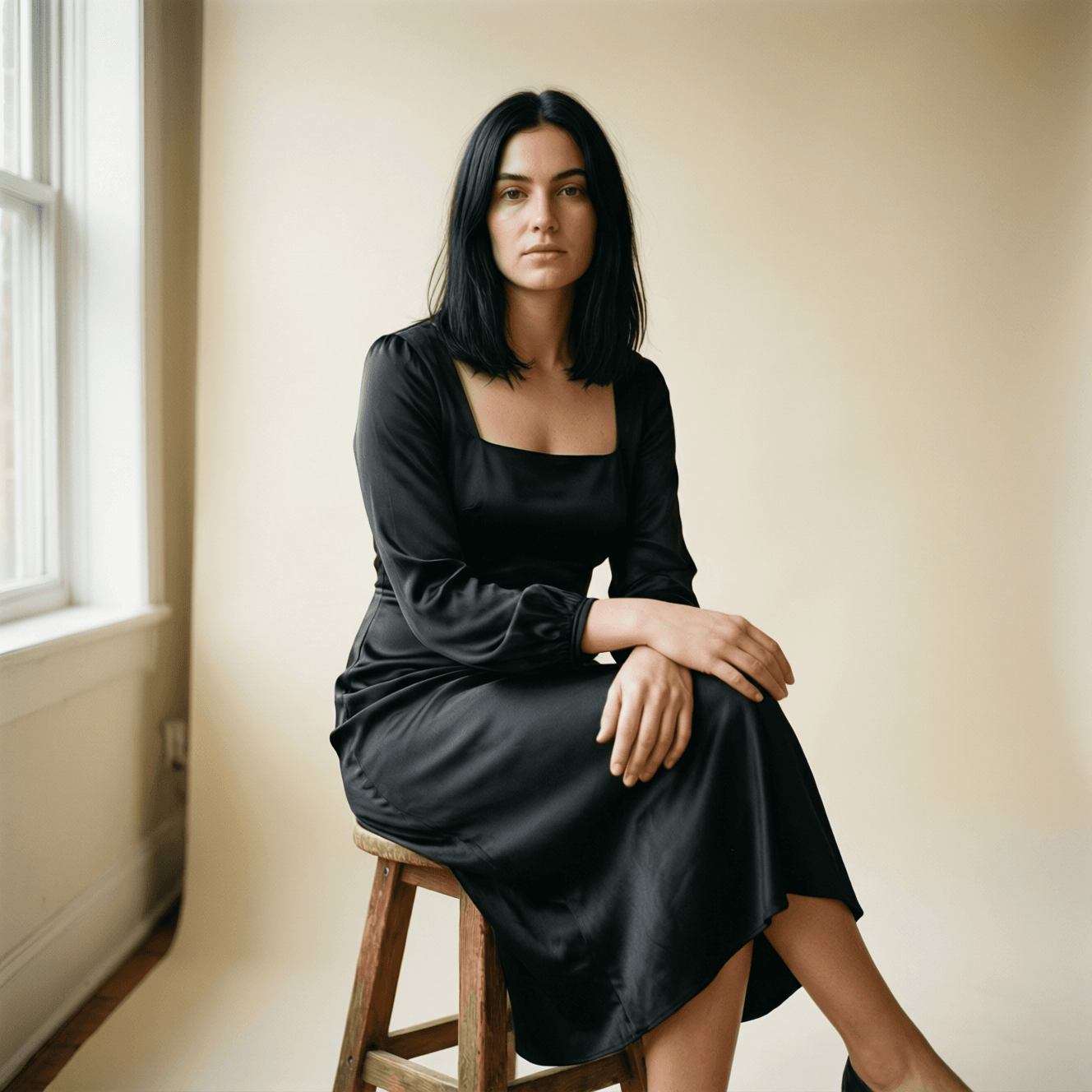
따뜻한 스튜디오에서 검은색 새틴 드레스를 입고 앉아 있는 여성
사례 1: 신원, 검은색 새틴 의류, 앉은 포즈, 따뜻한 스튜디오 조명, 전체 프레임 구성이 하나의 완성된 패션 이미지로 유지됩니다.
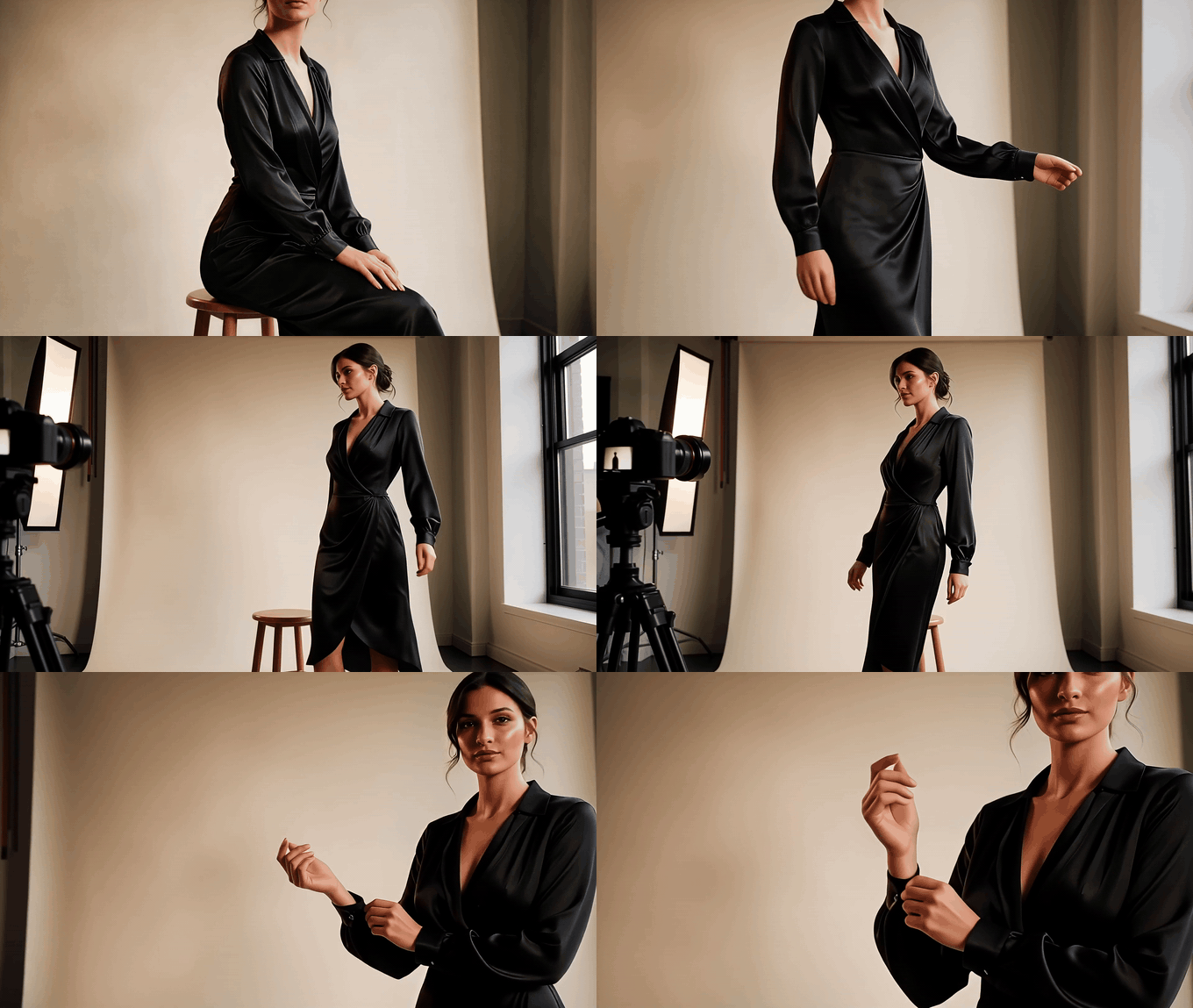
측면, 3/4, 정면 뷰가 있는 짧은 패션 시퀀스
모션 확인: 피사체가 일어나 창문 쪽으로 몸을 돌린 다음 세 가지 다른 시점에서 커프스를 정리합니다.
출력물을 항목별로 검토하세요. 이미지 1의 얼굴 윤곽과 머리카락, 이미지 2의 드레스 실루엣과 광택, 이미지 3의 앉은 포즈, 그다음 손 전체, 프레이밍, 배경을 확인하세요. 이 체크리스트는 이미지 전체를 판단하는 것보다 유용한 결과를 더 빨리 찾아줍니다.
3단계: 장면을 재구성하면서 패키징 잠금
사례 2는 제품을 재창조하도록 요청하지 않고 제품 주변의 캠페인 세계를 변경합니다. 원본 진한 녹색 콜드브루 병을 이미지 1로 업로드하고 라벨 제약 조건을 명시적으로 설정하세요.
plaintext1Keep the bottle in Image 1 exactly unchanged: preserve its shape, cap, dark green glass, label position, the exact words “FIELDNOTE COLD BREW”, and all label typography. Replace only the environment with a bright late-summer breakfast table: pale travertine surface, sliced peach, small linen napkin, condensation droplets on the bottle, sunlit kitchen shadows, and a softly blurred garden in the distance. Keep the bottle centered, front-facing, physically grounded with a natural contact shadow. No additional packaging, no hands, no extra text, no distorted label.
3:4 세로, 1536 × 2048, 출력 1개, 프롬프트 재작성 켜기, 최고 품질을 선택하세요. 제품 자산으로 취급하기 전에 라벨을 100% 줌으로 확인하세요.
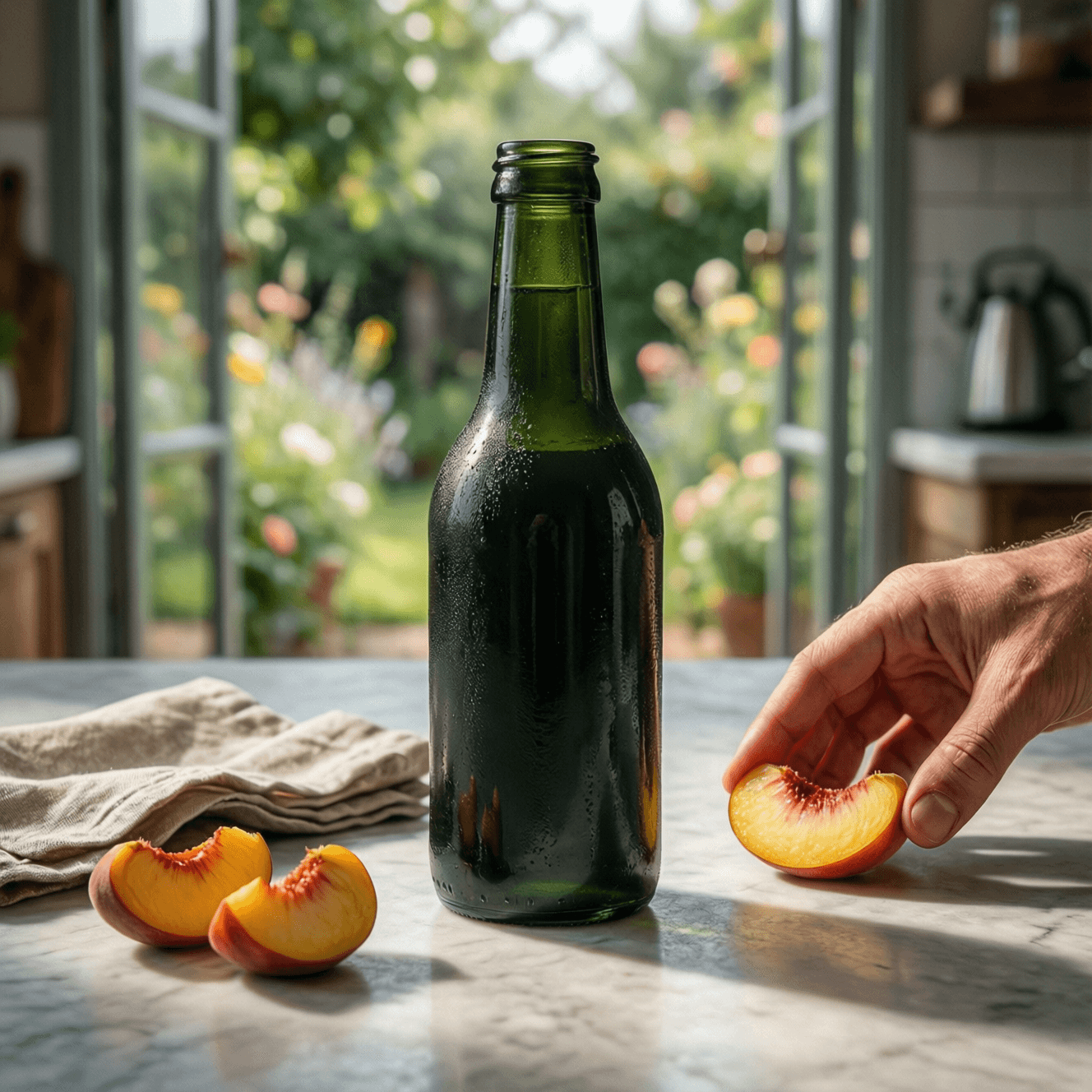
햇살이 비치는 아침 식탁 위에 놓인 진한 녹색 콜드브루 병, 복숭아와 린넨
사례 2: 병은 중앙 피사체로 유지되는 동안 테이블 표면, 과일, 햇빛, 손 위치, 정원 배경이 새로운 캠페인 세계를 구축합니다.
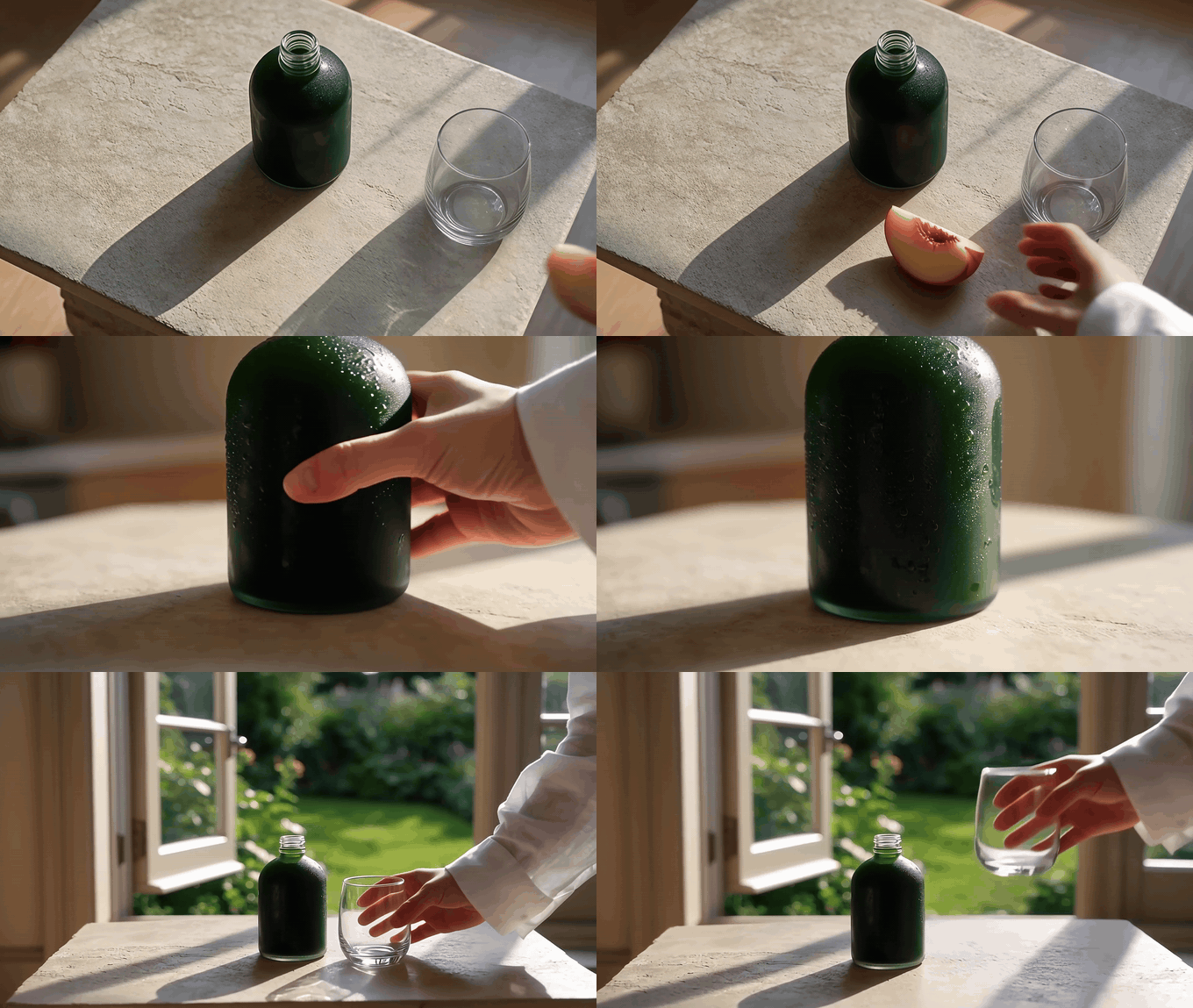
탑뷰, 낮은 측면, 넓은 창가 뷰가 있는 짧은 제품 시퀀스
모션 확인: 시퀀스는 탑뷰 복숭아 배치에서 낮은 병 회전, 창가 서빙 순간으로 이동하며 단일 줌이 아닙니다.
4단계: 포스터 지역화를 위한 Qwen Image 3.0 Pro API 이미지 편집
사례 3은 스페인어 사용 시장에 진출하는 성장 팀을 위한 통제된 텍스트 편집입니다. 원본 영어 포스터를 이미지 1로 업로드하세요. 검토자가 줄별로 비교할 수 있도록 리터럴 소스 및 대체 문자열을 사용하세요.
plaintext1Edit only the written language in Image 1. Replace “CITY NIGHT MARKET” with “MERCADO NOCTURNO DE LA CIUDAD”, replace “FRIDAY 7 PM” with “VIERNES, 19:00”, and replace “RIVERSIDE HALL” with “SALÓN RIBERA”. Preserve the exact poster composition, hierarchy, font style, approximate font sizes, line alignment, yellow-and-indigo color palette, illustrated moon, food-stall drawings, paper texture, margins, and all non-text visual elements. Keep the output as a vertical 4:5 poster. Do not add or remove any logos, dates, people, or decorative elements.
4:5 세로, 1638 × 2048, 출력 1개, 프롬프트 재작성 켜기, 최고 품질을 선택하세요. 지역화된 버전이 캠페인 폴더에 들어가기 전에 악센트 문자, 줄바꿈, 정렬, 모든 여백을 확인하세요.
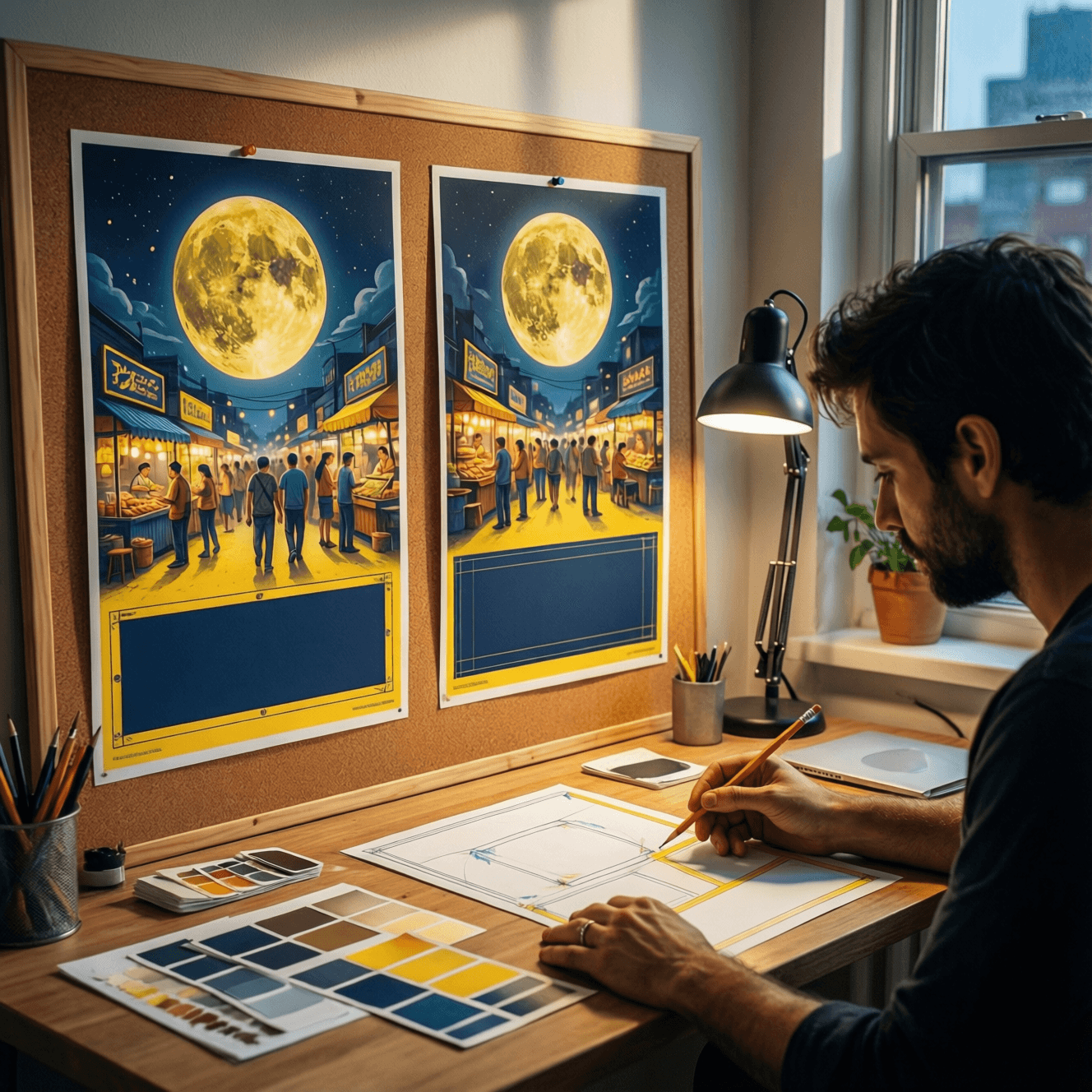
스튜디오 코르크 보드에서 두 개의 야시장 포스터 레이아웃을 비교하는 디자이너
사례 3 검토 장면: 디자이너가 짝을 이룬 레이아웃, 종이 교정본, 팔레트 견본, 여백을 확인합니다. 최종 텍스트 교정을 위해 위 프롬프트의 리터럴 소스 및 대체 문자열을 사용하세요.
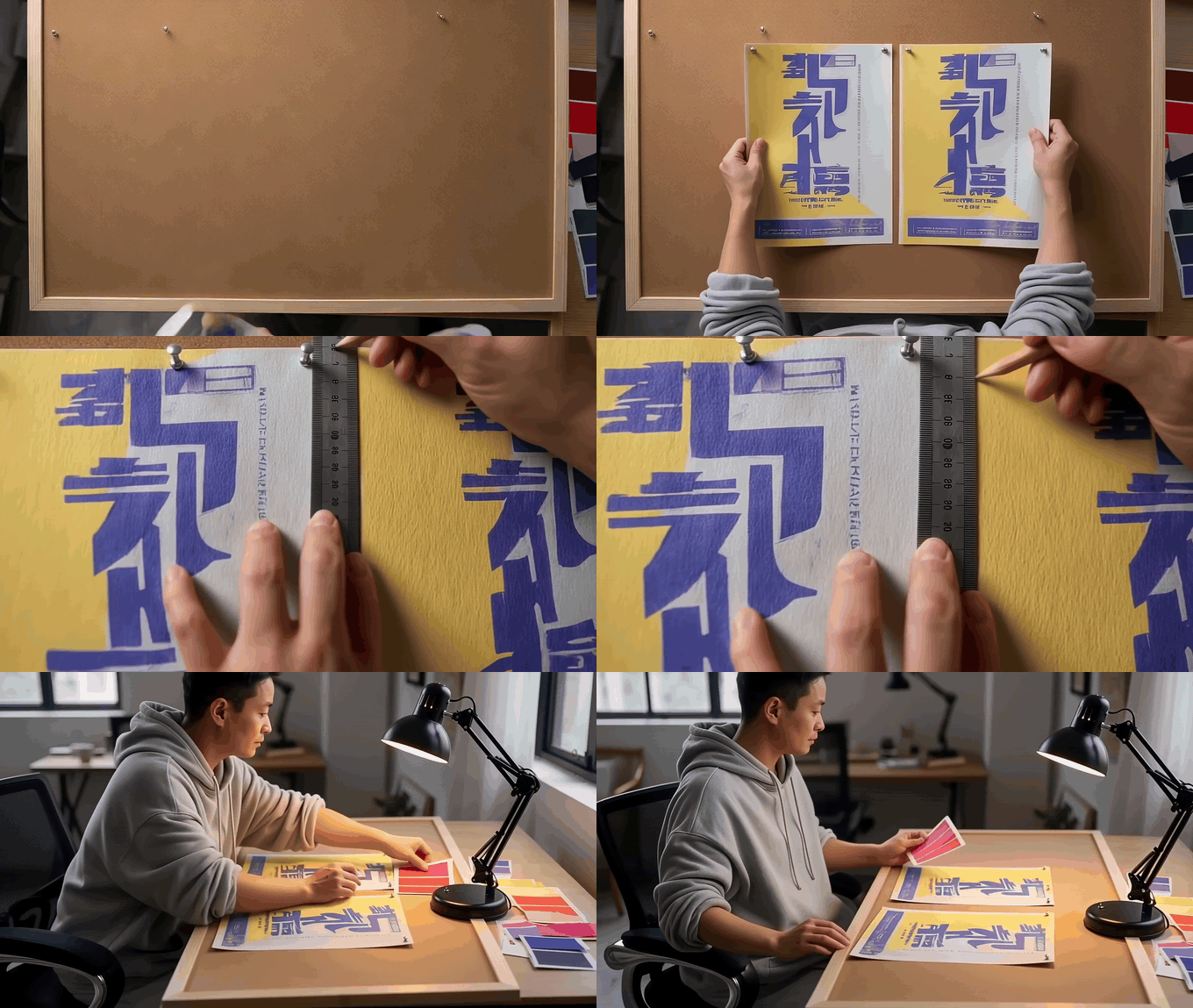
탑뷰, 측정, 책상 전체 뷰가 있는 짧은 포스터 검토 시퀀스
모션 확인: 검토는 레이아웃 배치에서 여백 측정, 책상 전체 비교로 이동하므로 지역화 QA 프로세스가 세 가지 시점에서 보입니다.
Qwen Image 3.0 Pro API 이미지 편집: 변형, 비용, 권리
3가지 핵심 사례가 작동하면 팀은 동일한 지시 패턴을 모호하게 만들지 않고 확장할 수 있습니다.
- 단일 이미지 로컬 교체: 객체, 위치, 재질을 명명한 다음 변경되지 않을 영역을 나열합니다.
- 두 이미지 제품 융합: 이미지 1을 장면, 이미지 2를 제품으로 명명한 다음 패키징 및 배율을 잠급니다.
- 세 이미지 구성: 이미지 1, 2, 3에 신원, 의류 또는 제품, 포즈 또는 구성을 각각 할당합니다.
- 텍스트 교체: 각 이전 및 새 문자열을 그대로 제공한 다음 글꼴, 위계, 정렬, 여백, 모든 비텍스트 세부 사항을 잠급니다.
제출 전에 다음을 확인하세요: 올바른 이미지 순서, 명시적인 "보존" 목록, 대상 가로세로 비율, 라벨 및 로고, 손과 가장자리, 객체가 표면에 배치될 때 물리적으로 그럴듯한 접촉 그림자.
| 실행 계획 | 이미지 | 시작 가격 기준 계획 수학 |
| 베이스 1개 + 가상 피팅 편집 1개 | Pro 이미지 2개 | 약 $0.08 |
| 시연된 사례 3개 | Pro 이미지 4개 | 약 $0.16 |
| 사례 3개, 각각 4개 변형 | Pro 이미지 13개 | 약 $0.52 |
가격과 프로모션은 변경될 수 있으며 출력 수가 많아지면 청구 금액이 달라집니다. 일괄 실행 전에 현재 설정을 확인하세요.
소유한 자산, 모델 동의를 받은 자산, 명확한 상업 라이선스가 있는 자산만 사용하세요. 클라이언트 제품, 인물, 상표, 미공개 캠페인의 경우 팀의 개인정보 보호, 보존, 계약 요구 사항을 먼저 확인하세요. AI 편집 이미지를 실제 사진으로 제시하거나 존재하지 않는 제품 기능을 암시하는 데 사용하지 마세요.
자주 묻는 질문
Qwen Image 3.0 Pro Edit는 레퍼런스 이미지 1, 2, 3장을 지원하나요?
1~3개의 레퍼런스를 지원합니다. 각각이 제어하는 항목(신원, 제품, 의류, 포즈 또는 구성)을 명시하고 이미지 배열에서 해당 순서를 유지하세요.
Qwen Image 3.0 Pro API 이미지 편집에서 사람의 신원을 보존하는 프롬프트는 무엇인가요?
신원 이미지를 먼저 명명한 다음 얼굴, 머리카락, 피부 톤, 카메라 각도, 조명, 손, 구성을 잠급니다. 이러한 제약 조건 뒤에 요청된 편집만 추가하세요.
Qwen Image 3.0 Pro API 이미지 편집으로 포스터 텍스트를 교체할 수 있나요?
네, 하지만 각 정확한 이전 및 새 문자열을 작성하고 타이포그래피, 위계, 줄 정렬, 여백, 팔레트, 비텍스트 아트웍을 명시적으로 보존하세요. 전체 크기로 결과물을 검토하세요.
제품 이미지에는 Qwen Image 3.0 Pro를 사용해야 하나요, 아니면 표준 버전을 사용해야 하나요?
패키징, 재질, 신원 또는 텍스트가 많은 부분이 검토에 견뎌야 할 때 Pro를 사용하세요. 표준 버전은 대량의 저위험 개념 스크리닝에 합리적인 시작점입니다.
Qwen Image 3.0 Pro API 이미지 편집 워크플로 비용은 얼마인가요?
이 가이드에서 확인한 표시 시작 가격 기준으로 베이스 1개와 편집 1개는 약 $0.08부터 시작합니다. 이는 계획 견적으로 간주하고 출시 전에 현재 모델 페이지, 출력 수, 선택한 해상도를 확인하세요.
편집된 고객 사진이나 브랜드 패키징을 상업적으로 사용할 수 있나요?
적절한 권리, 동의, 계약 승인이 있는 경우에만 가능합니다. Qwen Image 3.0 Pro API 이미지 편집은 최종 이미지에 사용된 소스 자료와 주장을 검증할 팀의 책임을 대체하지 않습니다.





