Klockan är 23, redigeringen ser äntligen rätt ut, och filen som landar i ditt galleri är mindre och mjukare än fotot du utgick från. Det är i det ögonblicket många börjar skriva appar som Picsart i en sökruta. Ingen letar efter en ny redigerare för att funktionslistan var för kort.
Den här jämförelsen följer därför en enda fråga hela vägen ner: när du inte har betalat, vad får du egentligen med dig? Varje Picsart-mening som citeras här lästes på Picsarts egna sidor under september 2026, och svaret visade sig vara märkligare än ett enkelt ja eller nej.
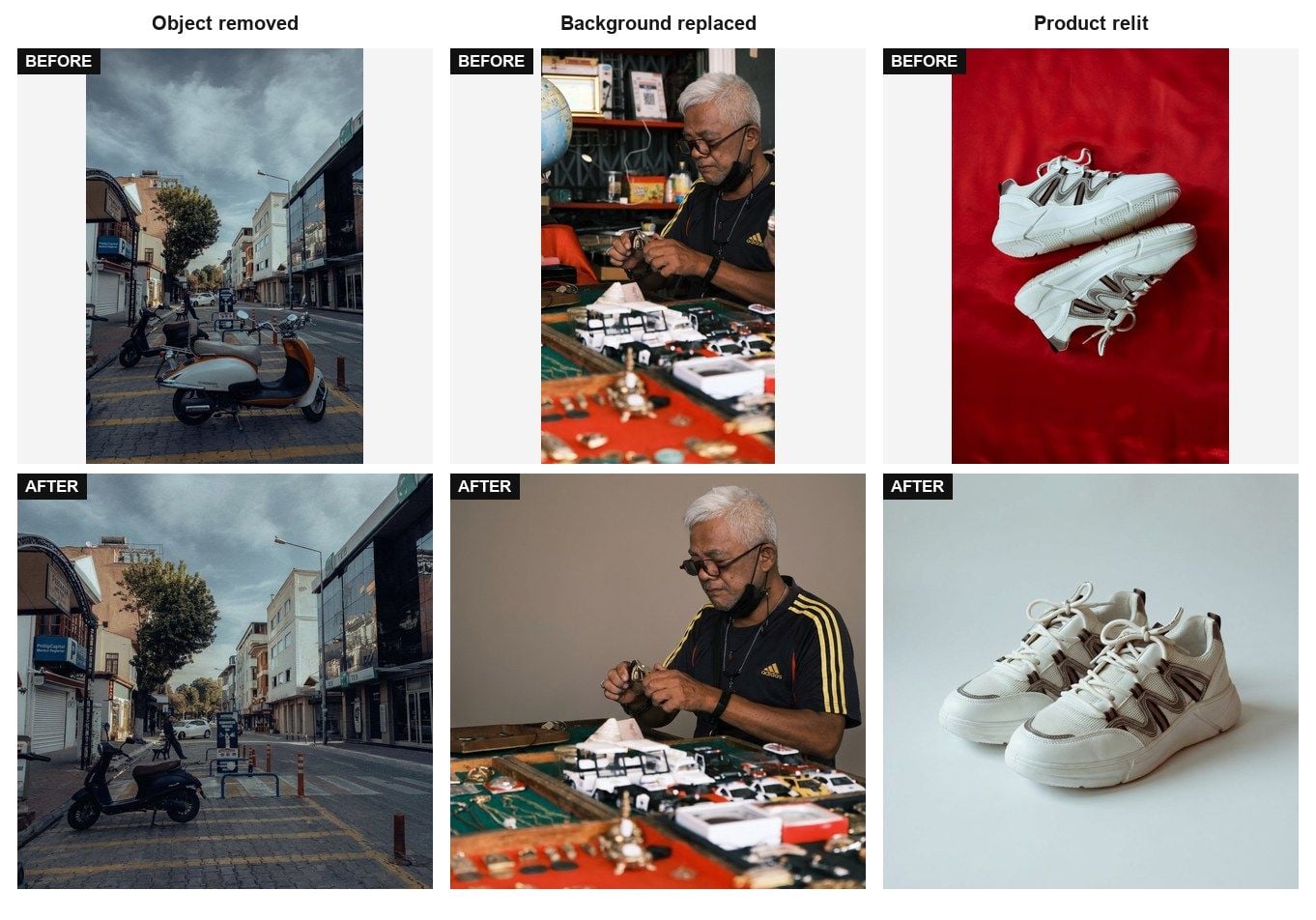
Viktiga punkter
- Picsarts prissida hade två betalkolumner i september 2026 och ingen kolumn för gratiskonton.
- Dess sida för fotoförbättring heter Free Photo Enhancer, och sidan säger själv att gratisanvändare sparar bilder i lägre upplösning.
- Dess sida för AI-bildgenerering medger att det finns ett dagligt tak för genereringar, men skriver aldrig ut siffran.
- Den enda Picsart-meningen vi hittade om vattenmärkesfri redigering finns på en sida om ett bankpartnerskap, listad som en betald förmån.
- Med Image Edit finns ingen app att installera och ingen daglig räknare, och filen du får tillbaka har inget vattenmärke.
Vad Picsart gör rätt som fotoredigeringsapp
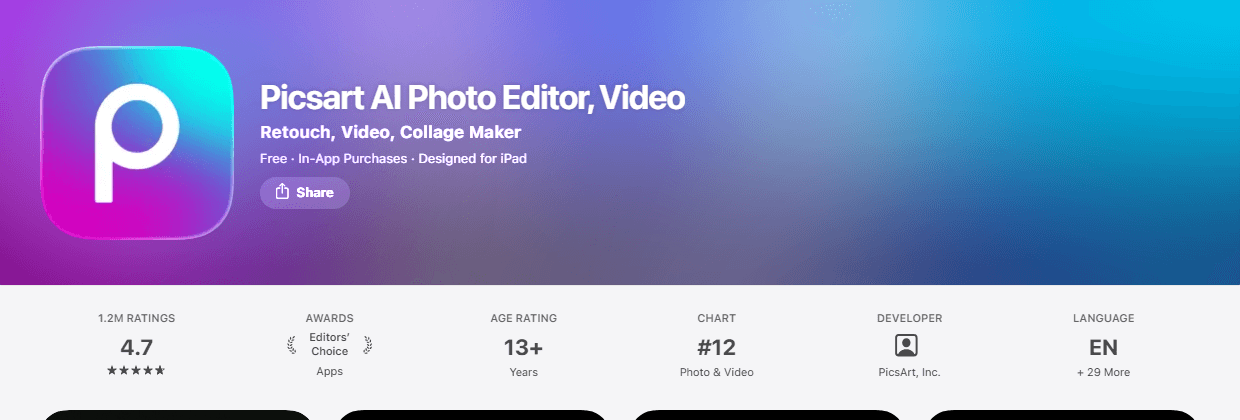
Picsart har förtjänat sin plats. iOS-listningen visar 4,7 av 5 från 1,2 miljoner betyg, och Google Play-listningen visar 4,0 från 12,1 miljoner recensioner mot över en miljard nedladdningar. Väldigt få redigeringsappar har funnits i så många fickor.
Appen står inte heller still när det gäller AI. Picsarts sida för AI-bildgenerering beskriver sig som driven av 65 modeller och annonserar utdata upp till 8K. Det högsta abonnemanget på prissidan lovar "140+ ledande AI-modeller för video, bild och ljud (Kling 3.0, Nano Banana, Veo 3, Seedance 2.5 med flera)". Den som säger att Picsart är en klistermärkesapp som missade AI-vågen har inte läst produktsidorna.
Klistermärken, mallar och communityflödet är en riktig vallgrav, och inget nedan är ett argument mot dem. Atlas har ingen motsvarighet och försöker inte bygga någon. Jämförelsen här är snävare: AI-redigering, och vad ett gratiskonto får behålla.
Tre väggar i Picsarts gratisnivå
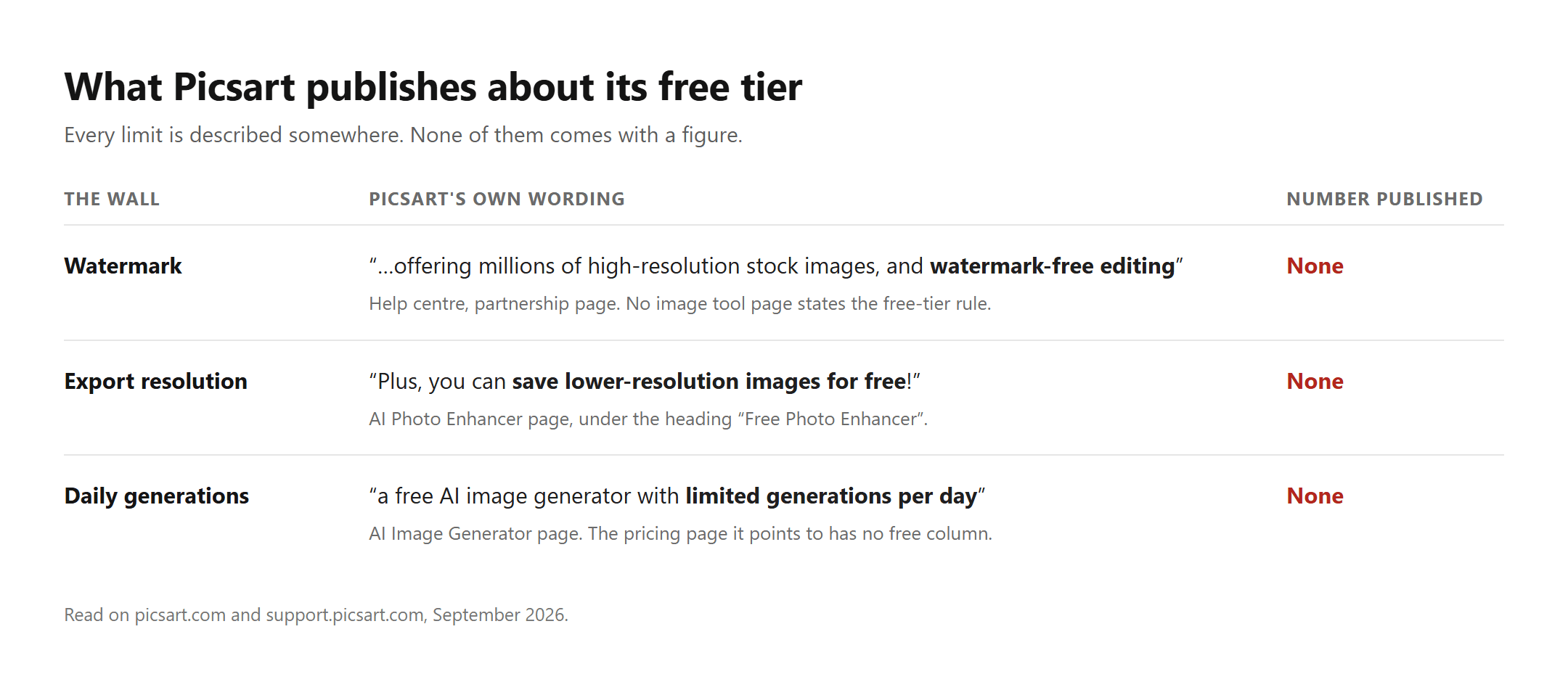
Fråga vad gratisnivån hindrar dig från att göra och du stöter på tre väggar: ett vattenmärke, en exportupplösning och ett dagligt tak. Var och en är verklig. Det som förvånade oss är att Picsart publicerar en mening för varje vägg, men vi kunde inte hitta siffran för någon av dem.
Det spelar större roll än det låter. Ett tak du kan läsa är en budget. Ett tak du upptäcker vid export är en förstörd kväll.
Vattenmärkesregeln bor på en sida om ett bankpartnerskap
Picsart är helt tydligt med vattenmärken på videosidan. Sidan för videosammanslagning säger att du "exporterar din färdiga video i hög kvalitet utan vattenmärke och utan programvara att ladda ner", och sidan för videovändning lovar "ett resultat i hög kvalitet utan vattenmärke och utan registrering". Två olika sidor, samma löfte, ingen otydlighet.
På bildsidan försvinner det löftet. Vi läste sidan för fotoredigeraren, sidan för förbättring, sidan för bakgrundsborttagning och sidan för bildgenerering utan att hitta en rad som säger vad ett gratiskonto stämplas med.
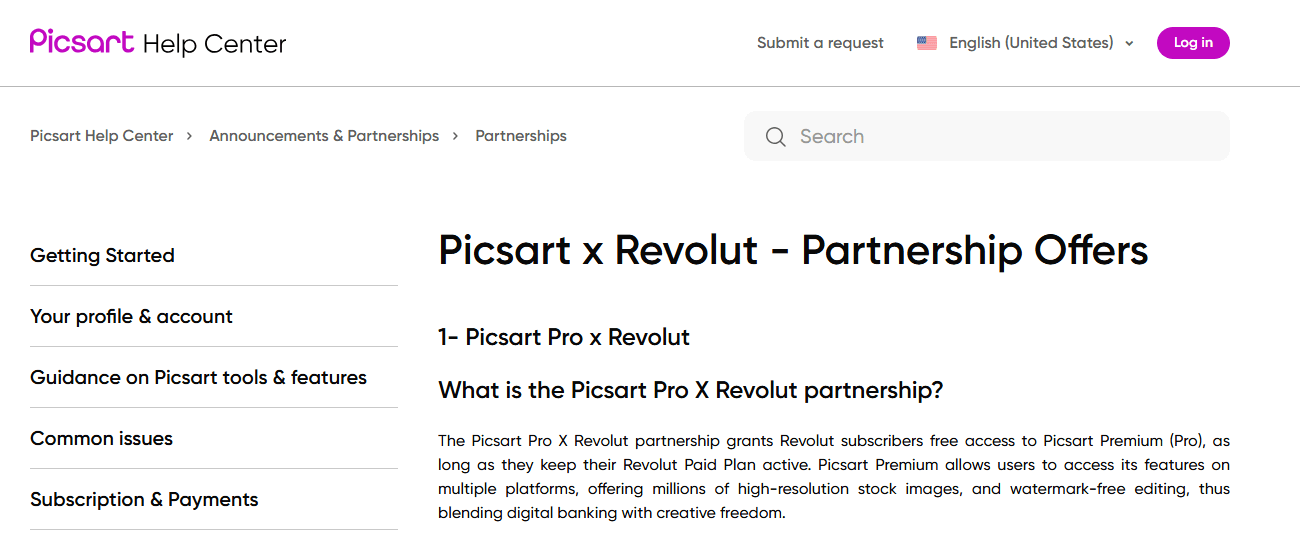
Det enda uttalande vi hittade finns i hjälpcentret, i en artikel om ett partnerskap med en kortutgivare: "Picsart Premium ger användare tillgång till funktionerna på flera plattformar, med miljoner högupplösta stockbilder och vattenmärkesfri redigering." Vattenmärkesfri redigering beskrivs där som något ett abonnemang köper. Det är en rimlig slutsats om gratisnivån, och en märklig plats att arkivera den på.
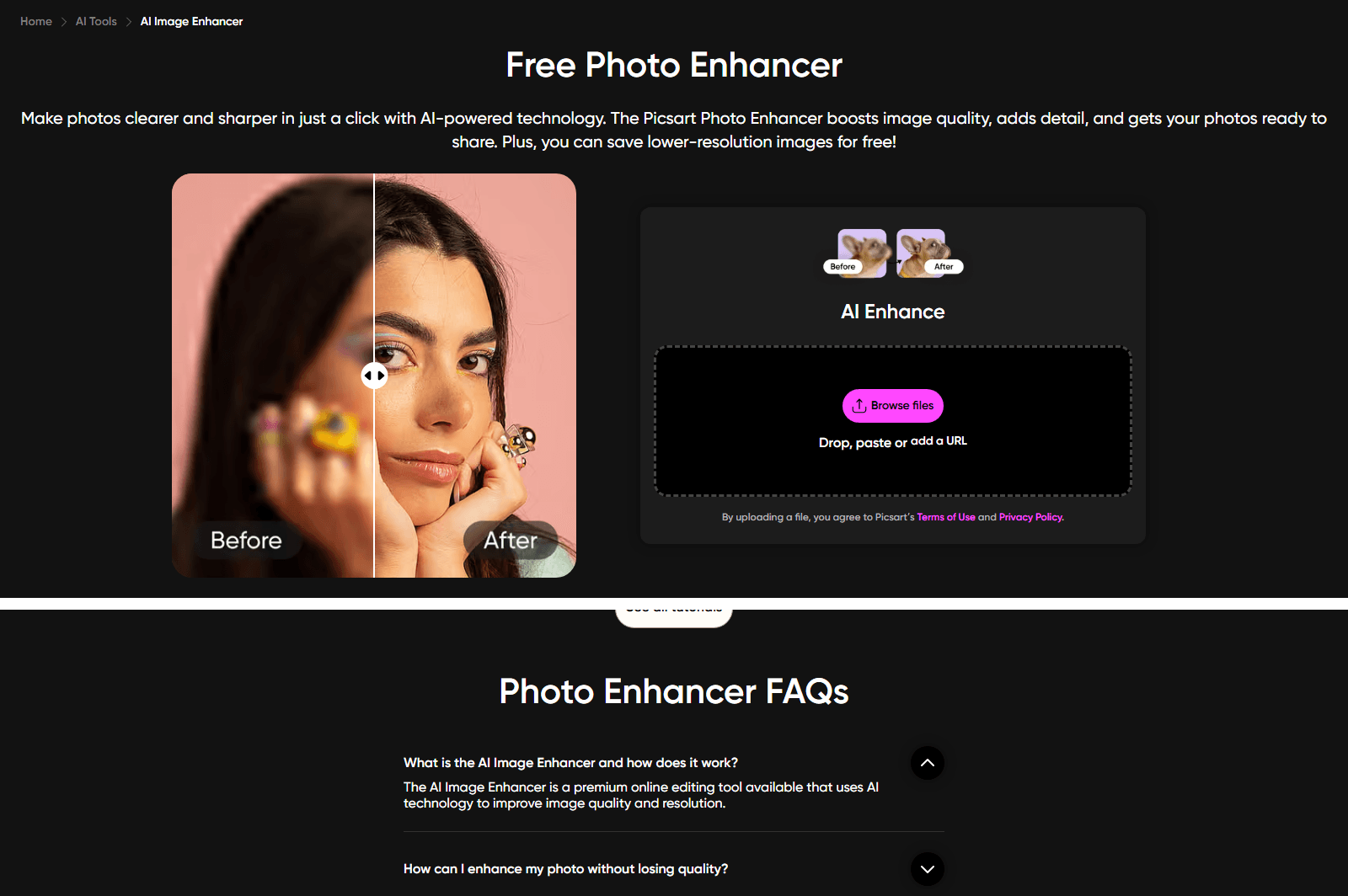
"Dessutom kan du spara bilder i lägre upplösning gratis"
Rubriken på Picsarts förbättringssida lyder Free Photo Enhancer. Sex rader längre ner står det: "Plus, you can save lower-resolution images for free!" Scrolla ner till vanliga frågor på samma sida och verktyget beskrivs annorlunda: "AI Image Enhancer är ett premiumverktyg för onlineredigering som använder AI-teknik för att förbättra bildkvalitet och upplösning."
Gratis i rubriken, premium i vanliga frågor, låg upplösning däremellan. En läsare som bara ser rubriken går därifrån med en förväntan och får något annat vid nedladdningen.
Hur mycket upplösning du förlorar står ingenstans på den sidan, och skillnaden mellan att lägga till pixlar och att lägga till detaljer är precis där den här typen av verktyg överdrivs. Vi gick igenom det separat i fotoförbättring mot uppskalning.
Picsarts dagliga gräns har ingen siffra bredvid sig
Här är den tredje väggen, med Picsarts egna ord på sidan för AI-bildgenerering: "Picsart erbjuder en gratis AI-bildgenerator med begränsat antal genereringar per dag. Du kan skapa text-till-bild-visuella AI-alster över flera modeller och stilar utan kostnad. Premiumabonnemang låser upp högre generationsgränser, prioriterad bearbetning och tillgång till ytterligare modeller."
Begränsat per dag. Hur begränsat? Hjälpcentret pekar på en specifik plats: "Krediter tilldelas baserat på din Picsart-prenumerationsplan. Du kan se antalet tilldelade krediter på vår prissida på picsart.com/pricing."
Vi gick till den sidan i september 2026. Den listar två betalnivåer, Pro och Ultra, med kreditkvoter för var och en. Det finns ingen gratiskolumn på den. Den officiella vägen till siffran slutar på en sida som inte innehåller siffran, vilket lämnar gratisanvändare att hitta taket genom att slå i det.
Atlas Image Edit: ett Picsart-alternativ som öppnas i en webbläsarflik
Ladda upp ett foto, skriv ändringen du vill ha i vanliga ord, välj vilken AI-modell som kör den och tryck på Run. Atlas Image Edit är redigeringshalvan av bildarbetsytan som byggts av Atlas Cloud, och referensfältet är märkt Image to edit och obligatoriskt, så inget här hittar på en bild ur tomma luften.
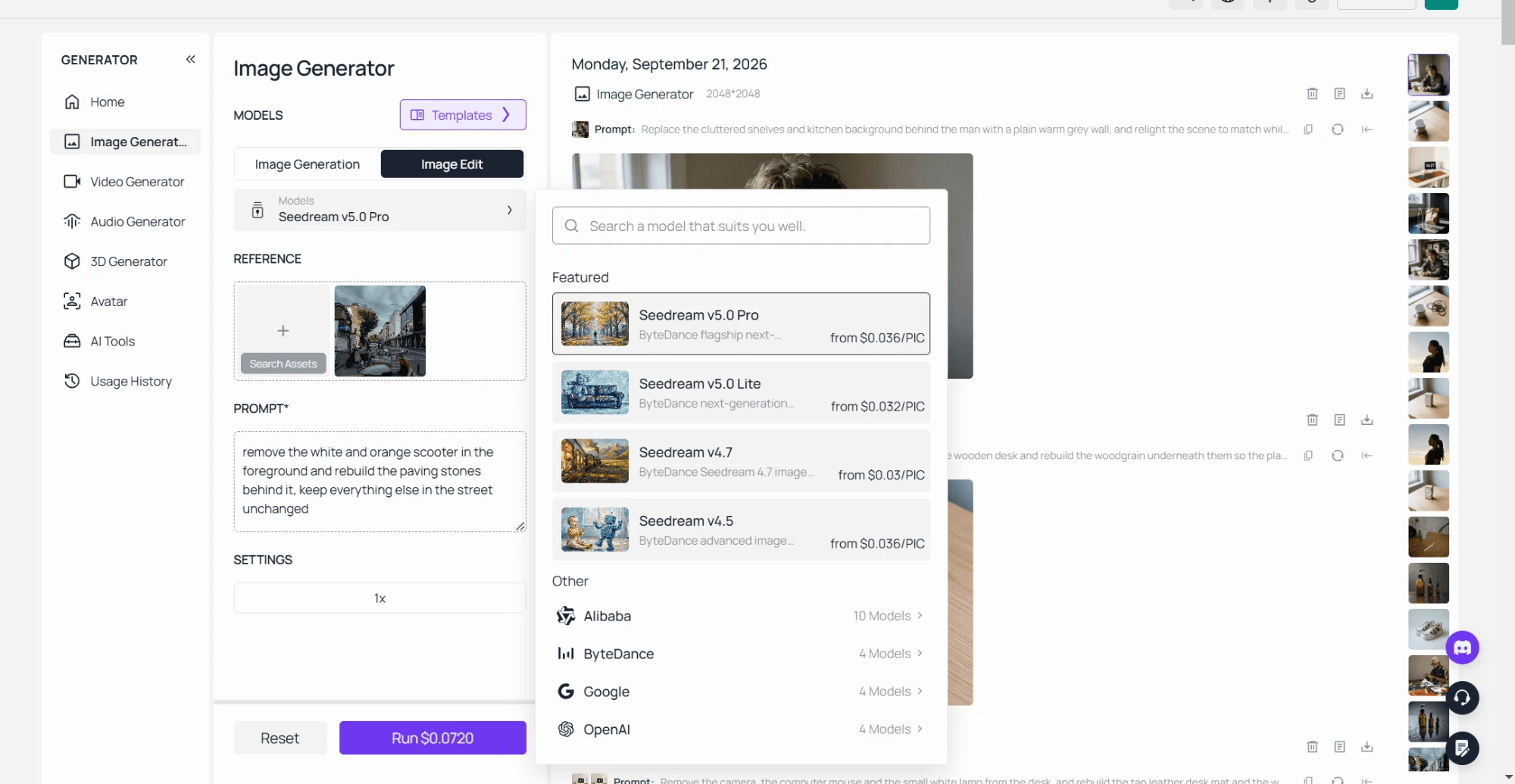
Det finns ingen app att installera och inget att behålla i telefonen. Arbetsytan laddas i en webbläsarflik, vilket är den praktiska skillnaden för den som söker efter appar som Picsart främst för att lagringsutrymmet är fullt.
Image Edit i tre steg: ladda upp, skriv, välj en modell
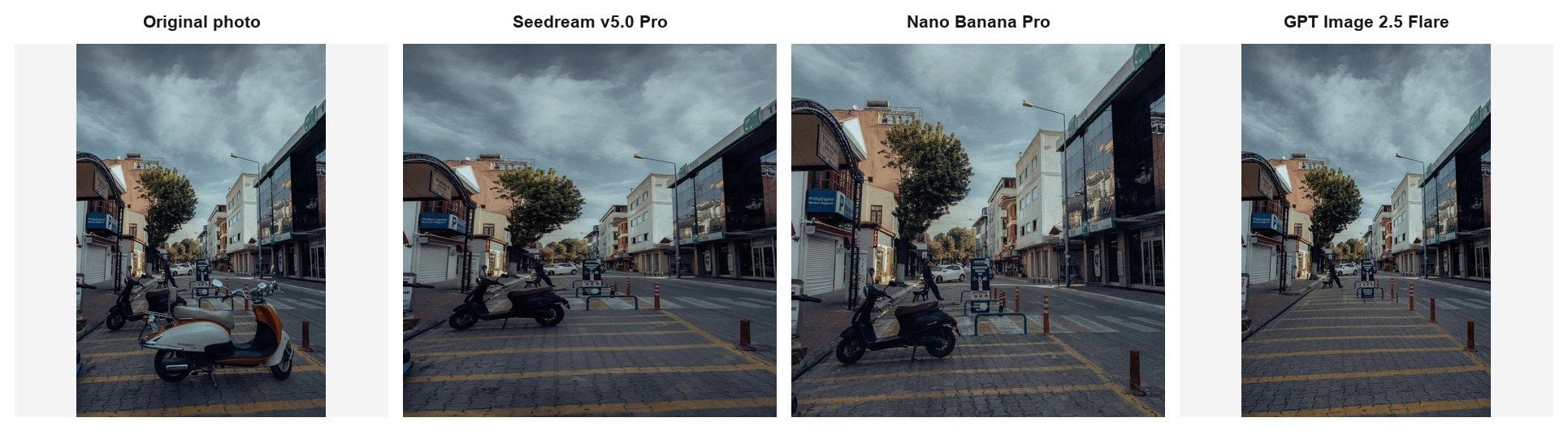
Samma foto, samma mening, tre modeller. Vi körde en instruktion, ta bort den parkerade scootern och bygg upp stenläggningen bakom den, genom Seedream v5.0 Pro, Nano Banana Pro och GPT Image 2.5 Flare den 21 september 2026.
Alla tre tog bort scootern. Vad de gjorde med resten av bilden är där de skildes åt. Seedream renderade om bilden som en kvadrat och förvandlade butiksskyltningen till påhittade bokstäver. Nano Banana Pro behöll skyltarna läsbara, både PhillipCapital och TEB överlevde, och tog bort bara scootern som nämndes i prompten. GPT Image 2.5 Flare behöll den ursprungliga porträttbilden och rensade bort båda scootrarna, en mer än instruktionen bad om.
Inget av det är ett promptproblem, vilket är poängen. Att skriva om meningen hade inte gett den skyltning som Nano Banana Pro behöll. Att byta modell i rullgardinsmenyn tog ungefär tio sekunder och krävde ingen ny uppladdning.
Picsart och Atlas Image Edit sida vid sida
De flesta sammanställningar av Picsart-alternativ radar upp funktionskryssrutor. Den här radar upp vad varje sida lovar i skrift. Allt i Picsart-kolumnen nedan är vad Picsart publicerar om sig självt, läst i september 2026. Tomma poster är tomma eftersom företaget inte anger siffran någonstans där vi kunde hitta den, och den frånvaron är själva fyndet.
| Picsart | Atlas Image Edit | |
|---|---|---|
| Var den körs | Mobilappar, skrivbordsappar och webb | Webbläsarflik, ingen installation |
| Vad prissidan dokumenterar | Två betalkolumner, ingen gratiskolumn | Debitering per bild, ingen månadsplats |
| Vattenmärke vid gratis export | Anges inte på de bildverktygssidor vi läste | Inget vattenmärke på utdata |
| Upplösning vid gratis export | "du kan spara bilder i lägre upplösning gratis" | Vad den modell du valde än returnerar |
| Dagligt tak | "begränsat antal genereringar per dag", siffran ej publicerad | Inget dagligt tak, du betalar per körning |
| Val av modell | 65 modeller på generatorsidan, 140+ på högsta nivån | Modellväljare inuti fliken Image Edit |
| Kostnad synlig innan du kör | Kredittabell per plan | Pris tryckt på Run-knappen |
En rad förtjänar en kommentar. Picsarts modellutbud är verkligen stort, så den som påstår att dess prenumeranter är fast med en enda motor har inte läst prissidan. Tabellen täcker AI-redigering och exportvillkor, vilket är det segment båda produkterna arbetar i.
När du bör stanna kvar på Picsart, och när ett gratis Picsart-alternativ räcker
Stanna om ditt arbete lever inuti appen. Stories, collage, klistermärkespaket, en mall du återanvänder varje vecka, en följarskara i flödet: inget av det flyttar med, och ingen AI-arbetsyta ersätter det.
Byt när AI-redigeringen är jobbet och exporten är leveransen. Ett kundfoto som måste komma tillbaka i full storlek. En produktbild som ska rakt in i en annons. Ett porträtt som en kollega ska skriva ut. Sådana jobb dör på ett odokumenterat tak.
| Om detta är du | Vart du ska gå |
|---|---|
| Telefonen först, redigeringar för sociala medier, mallar och klistermärken spelar roll | Picsart |
| Ett foto, en fix, inget installerat | Atlas kostnadsfria verktyg i webbläsaren |
| Upprepade AI-redigeringar i full upplösning, känd kostnad per bild | Atlas Image Edit |
| En lista med tio verktyg i stället för en direkt jämförelse | En sammanställning, inte den här artikeln |
Det finns en mellanväg värd att känna till. Atlas kör fyra redigeringsverktyg i webbläsaren helt utan konto, som täcker bakgrundsborttagning, objektborttagning och uppskalning. De körs i fliken, de är gratis och de har ingen daglig räknare. För en enda fix på ett enda foto är det oftast den kortaste vägen.
Vanliga frågor
Är Picsart gratis?
Picsart är gratis att använda och gratis att ladda ner, och en hel del av AI:n går att prova gratis, vilket är en del av varför Android-listningen ensam räknar över en miljard nedladdningar. Vad det inte är, är gratis på ett sätt du kan planera kring.
Tre tak gäller för ett gratiskonto, och företaget publicerar en mening om vart och ett utan att publicera siffran: exporter kan komma tillbaka i lägre upplösning, AI-genereringar är begränsade per dag, och vattenmärkesfri redigering listas bland det ett abonnemang köper.
Den praktiska versionen: kör din redigering tidigt, ladda ner den och titta på filen innan du bygger en deadline runt den. Att upptäcka taket vid exporten är det som förvandlar ett gratiserktyg till ett lördagsnattproblem.
Vad är Picsart?
Picsart är en foto- och videoredigerare från PicsArt, Inc., tillgänglig på iOS, Android, webben och Microsoft Store, uppbyggd kring mallar, klistermärken, collage och ett communityflöde, med AI-verktyg vid sidan om. Företagets App Store-listning beskriver den som betrodd av fler än 150 miljoner kreatörer.
Produktens form följer av det. Mallar och flödet är förstklassiga medborgare, och AI-funktionerna bor inuti en app designad för projekt i telefonstorlek, vilket är ett annat jobb än att ta fram en fil som en kund öppnar i full storlek.
Hur använder man Picsarts AI-redigeringsverktyg?
På webben har varje verktyg sin egen sida. Sidan AI Photo Enhancer är typisk: den erbjuder en knapp för Browse files och under den drop, paste eller lägg till en URL. Bakgrundsborttagning, objektborttagning och AI-generering har varje sin egen sida. Mobilappen har samma verktygsnamn, bland dem Background Remover, Object Remover, AI Enhance och AI Image Generator, inuti en och samma redigerare.
Steget ingen nämner är nedladdningen. Det är där ett gratiskonto möter vilket tak som än gäller, så behandla exporten som en del av testet i stället för den sista formaliteten.
Finns det ett gratis Picsart-alternativ som inte lägger till ett vattenmärke?
Atlas fyra kostnadsfria webbläsarverktyg returnerar filen utan vattenmärke och utan konto, vilket är det snabbaste svaret när du har ett foto och ett problem. Avvägningen är omfånget: varje verktyg gör en sak, så det som suddar bort ett objekt belyser inte också om scenen. Promptbaserad redigering över modeller körs i Image Edit och debiteras per bild.
Kostar Picsart pengar, och vad kostar betalplanerna?
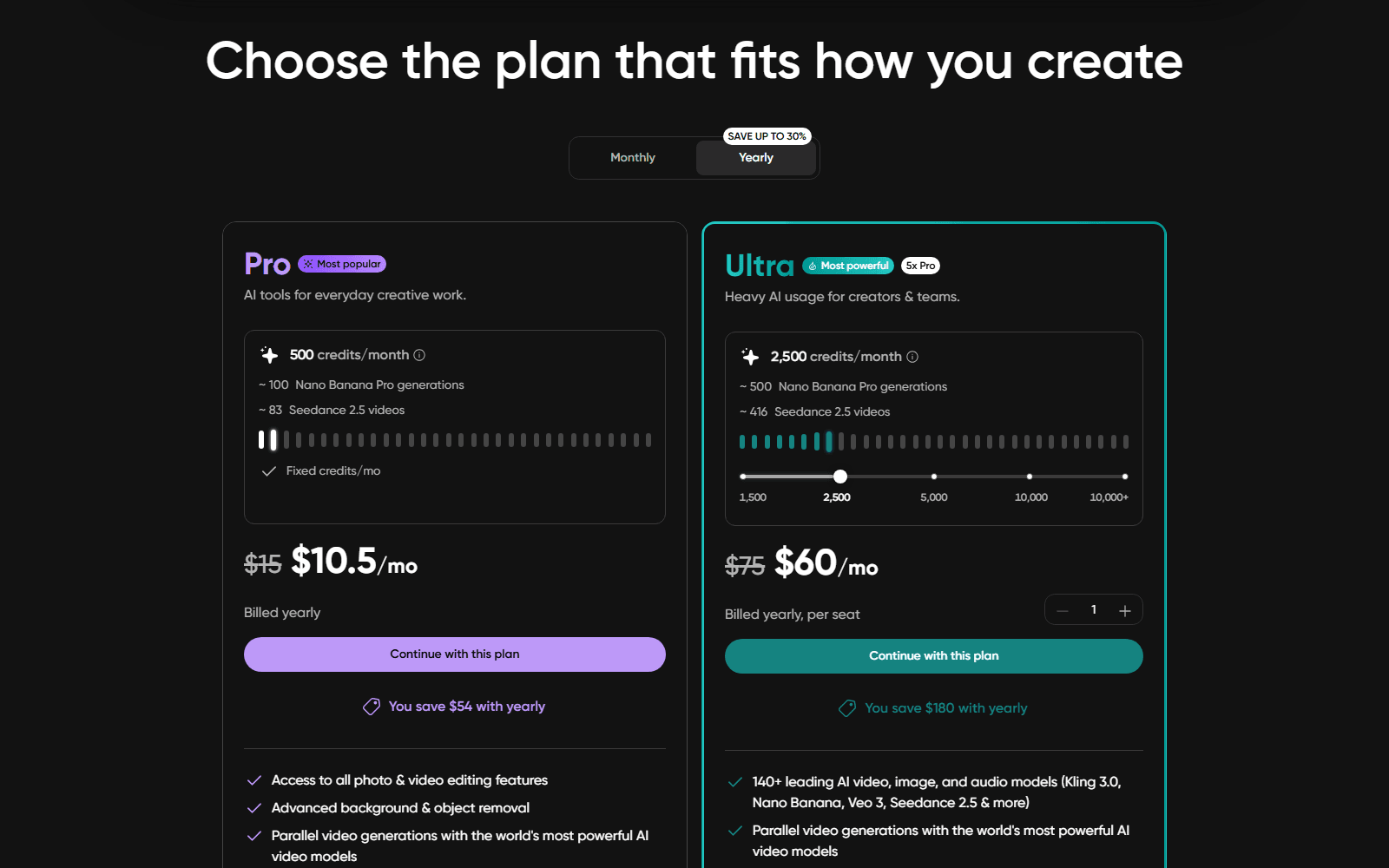
På webbprissidan i september 2026 listades Pro till $10.5 per månad vid årlig fakturering, nedsatt från $15. Mobilbilden ser annorlunda ut igen. iOS-listningen visar köp i appen med namnen Picsart Gold för $12.99 per månad och $57.00 per år, Picsart Plus för $11.99 per månad och $64.99 per år, och Picsart Pro för $13.99 per månad och $83.99 per år.
Kontrollera vilken butik du köper genom innan du jämför anteckningar med en vän, för plannamnen stämmer inte överens mellan de två och det gör inte årssummorna heller. Ännu en detalj, läst samma eftermiddag: prissidan listade Ultra till $60 i månaden vid årlig fakturering, nedsatt från $75, medan planblocket inbäddat på förbättringssidan listade samma Ultra-plan med 2 500 krediter till $24.5 i månaden, nedsatt från $45. Pro var $10.5 på båda.
Atlas har ingen plan att välja. De tre redigeringarna i modelltestet ovan prissattes på Run-knappen till $0.0462, $0.072 och $0.14, och det är hela räkningen.
Kräver appar som Picsart att man installerar något?
De mobila gör det, och det är en del av varför den här sökningen ens finns. Webbläsarbaserade redigerare hoppar över installationen, uppdateringarna och lagringen, och de beter sig likadant på en arbetslaptop där du inte får installera program. Begränsningen är att ett webbläsarverktyg behöver en uppkoppling, så en redigerare du vill ha på ett flygplan bör stanna i telefonen.
Slutsats
Picsart är en bra produkt med ett informationsproblem. Videosidorna lovar inget vattenmärke i klarspråk medan bildsidorna är tysta, förbättringssidan kallar sig gratis i rubriken och premium i vanliga frågor, och hjälpcentret skickar gratisanvändare till en prissida utan gratiskolumn. Det gör inte appen dålig. Det gör gratisnivån omöjlig att planera kring, vilket är ett dyrare problem.
Om din redigering är social och appen är där ditt arbete lever är det klokt att stanna kvar. Om exporten är poängen, välj ett verktyg som berättar taket innan du slår i det: full upplösning ut, inget vattenmärke, en modell du kan byta och ett pris tryckt på knappen. Det är standarden värd att tillämpa på vilken av de Picsart-liknande appar du än väger, inklusive den här.





