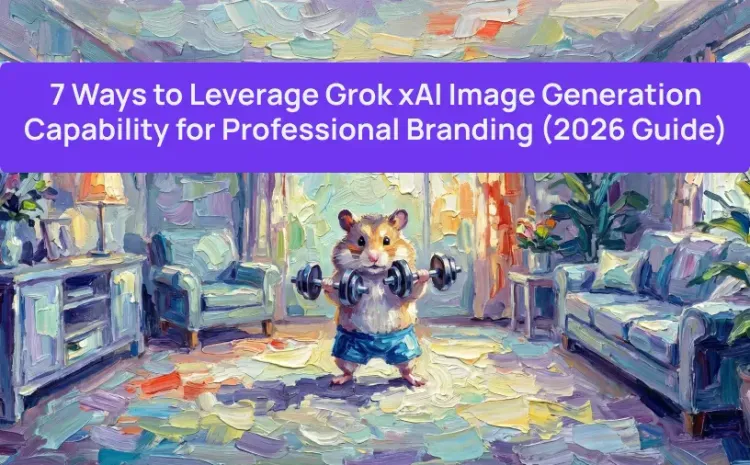
People are moving away from that fake, stock-photo look. These days, fans like brands that feel more honest and real. Experts call this trend "Imperfect by Design." If your pictures look too perfect, people might think they are fake and just look away.
This is exactly the gap grok xai image generation capability 2026 model is built to fill. Aurora is an autoregressive mixture-of-experts network trained on billions of internet examples, excelling at photorealistic rendering and precise text-instruction following — with native support for multimodal input. For brand teams, that means faster iteration without sacrificing creative nuance.
Can Grok Generate Images? What are the grok ai image generation Limits?
Yes — but access tiers matter. Here's a quick breakdown:
| Plan Tier | Monthly Cost | Image Generation | Video Generation | Key Limitation / Policy |
| Free | $0 | ❌ Disabled | ❌ Disabled | Image/Video tools removed from Free tier in Jan 2026. |
| SuperGrok Lite | $10 | Limited Daily Quota | 6-second video, 480p resolution | Ideal for light visual brainstorming; |
| SuperGrok | $30 | Make stunning Al images & videos | HD 720p resolution, 30-second video stories | Quality throttles from 720p to 480p once daily video limit is hit. |
Standard SuperGrok subscribers are currently capped at over 20 videos per 24 hours, with quality potentially dropping to 480p once limits are reached.
Pro Tip: If you need to generate images at scale or integrate Grok into your own company dashboard, Atlas Cloud has now integrated Grok. This allows brand teams to bypass the daily limits of the SuperGrok tiers by using enterprise-grade API credits.
Quick overview:
| Strategy | Key Capability | Branding Application | Pro-Level Tip |
| 1. Text-in-Image Mastery | Precision OCR (Aurora) | Viral quote cards, signage, and branded apparel. | Keep text strings short; use "High Contrast" lighting for legibility. |
| 2. Consistent Character | Multimodal Image Input | Headshots for LinkedIn, Speaker Bios, and Personal Websites. | Use the "3-Headshot Method" and keep one accessory (e.g., glasses) constant. |
| 3. Multi-Turn Refinement | Conversational Iteration | Iterative Logo design and brand asset evolution. | Use the phrase "Keep [Element] identical" to lock in approved brand parts. |
| 4. "Day in the Life" | Hyper-Photorealism | Authentic lifestyle content for social media and blogs. | Add "35mm film grain" and "natural skin texture" to avoid the AI "fake" look. |
| 5. Animating Assets | Temporal Latent Flow | Cinematic product B-roll and animated social headers. | Focus on camera movement (e.g., "slow push-in") rather than product movement. |
| 6. Product Compositing | Multi-Image Blending | Placing physical products into AI-generated luxury settings. | Photograph your product on a neutral background before uploading for blending. |
| 7. "Explorecore" Design | Minimalist Style Mode | Clean infographics, editorial assets, and minimal brand icons. | Use Negative Prompting to exclude "gradients" and "digital perfection." |
1. Mastering Grok AI Image Generator Capability "Text-in-Image" for Viral Quote Cards
The Capability: Where Most AI Tools Still Fail
Messy text in AI pictures is a huge headache for designers. Most tools fail here, but Aurora actually gets the words right on shirts, signs, and papers. This is its best trait. Whether you want a neon light or a quick note, the letters come out clear every time. This makes it a great help for anyone in marketing or graphic design.
Going Beyond Generic Fonts
The real trick isn't just adding words. It is about weaving your brand right into the scene. Picture your slogan carved into a rock or a logo glowing in a wet, dark alley. This makes your message feel like a real part of the world. It looks much better than just slapping text on top of a flat image.
Table for Prompt Modification
Use this structure to consistently produce share-worthy quote cards:
| Formula Element | How to adjust for your Brand |
| Subject | Define the text + the material (e.g., "Digital font" vs "Carved wood"). |
| Setting | Where does your brand "live"? (Office, Nature, Outer Space). |
| Style | Choose a medium (3D Render, Film Noir, Macro Photo). |
| Lighting | Affects legibility; use "Glow" or "High Contrast" for visibility. |
| Perspective | Wide shots for context; Close-ups for texture and detail. |
| Mood | Determines the emotional response (Calm, Aggressive, Playful). |
Pro Tip: Keep text strings short and simple for highest accuracy — Aurora handles text rendering better than most competitors, but precision improves with concise copy.
Let's put this into practice:
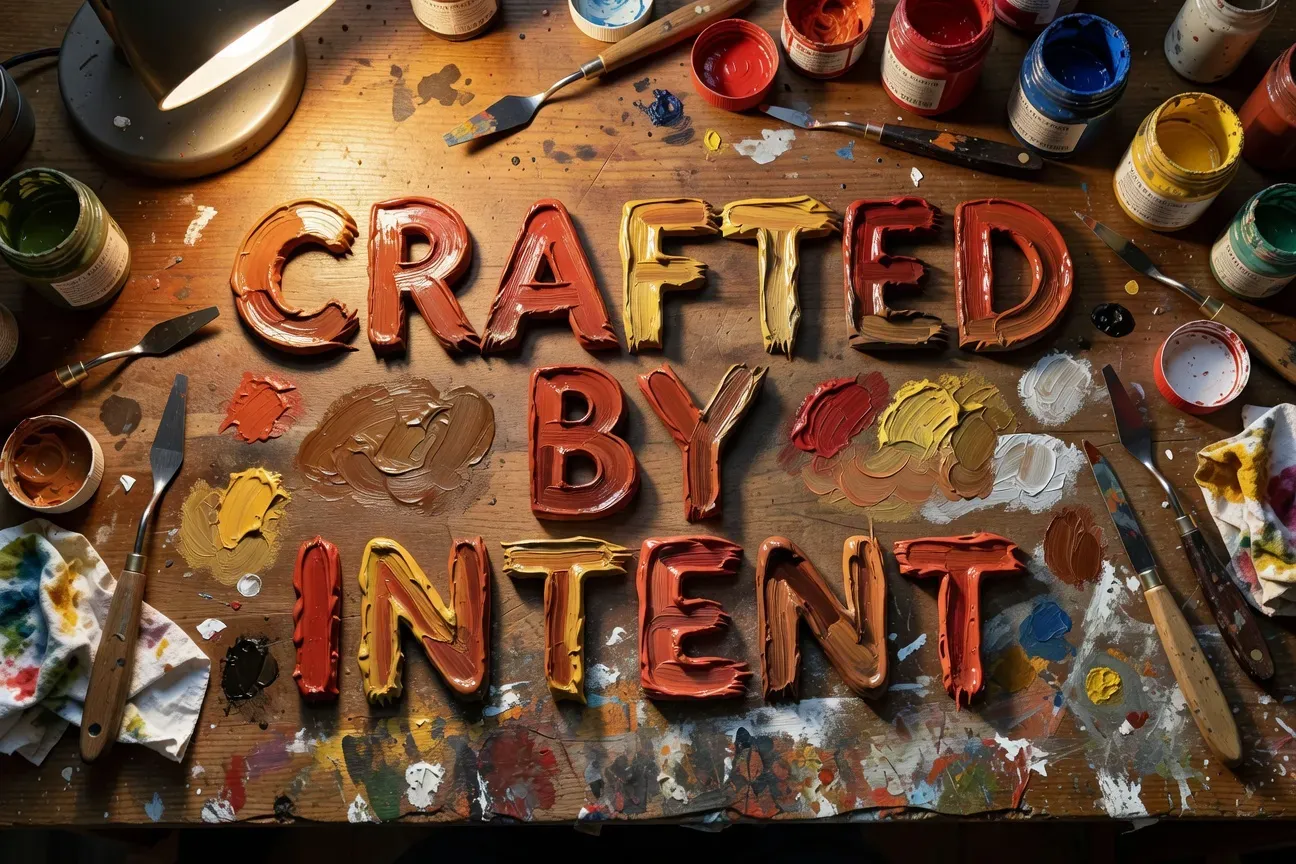
The "Creative Craft" Prompt (Handmade Aesthetic)
Use this for: Design studios, Artisans, or Boutique agencies.
- Subject: The words "CRAFTED BY INTENT" painted in thick, glossy oil. The paint looks wet and has a lot of texture.
- Setting: A busy, wooden artist's desk. There are palette knives and jars of pigment scattered around the workspace.
- Style: Real and hands-on. It focuses on the thick, raised layers of the oil paint.
- Lighting: Warm light from a nearby lamp. The light hits the ridges of the paint to show off the details.
- Perspective: A top-down view looking straight down at the table.
2. Building a Consistent "Character" Personal Brand
The Capability: Reference Image Input
One of Grok xAI's image generation capability's most practical features for personal branding is its multimodal image input — you can upload your own photos and use them as a reference for new generations. Grok now lets you edit photos you upload, not only AI-generated images — adding, removing, or changing objects, tweaking lighting, and altering style using plain text prompts.
This opens a direct path to building a cohesive personal brand library without ever hiring a photographer.
Actionable Tip: The 3-Headshot Method
Just pick 1 to 3 of your own headshots and upload them. Then, write some simple notes to put your face in different work settings. This works great for your LinkedIn header, speaker profile, or personal bio page.
Visual Strategy by Platform
| Platform | Setting to Prompt | Recommended Style |
| Modern boardroom or open office | Clean, natural lighting, business casual | |
| Personal Website | Outdoor urban or coffee shop | Warm tones, candid, approachable |
| Speaker Bio | Stage or conference backdrop | Dramatic lighting, confident pose |
| Lifestyle or travel setting | Cinematic, vibrant, editorial |
Technical Tips for Grok xAI Image Generation 2026 Consistency
- Clothing Continuity: Notice how the prompts specify different outfits. To create a "Brand Kit," keep one element consistent across all prompts, e.g., "always wearing a silver watch" or "always wearing a specific style of glasses".
- The "Base Prompt" Rule: Always include your basic physical descriptors (Age, Hair, Gender) even when uploading a photo. This prevents the AI from "drifting" if the reference image has complex lighting.
Let's put this into practice:
The "In-the-Zone" (Work/Lifestyle)
Use this for: "About Me" pages or blog posts about productivity and expertise.
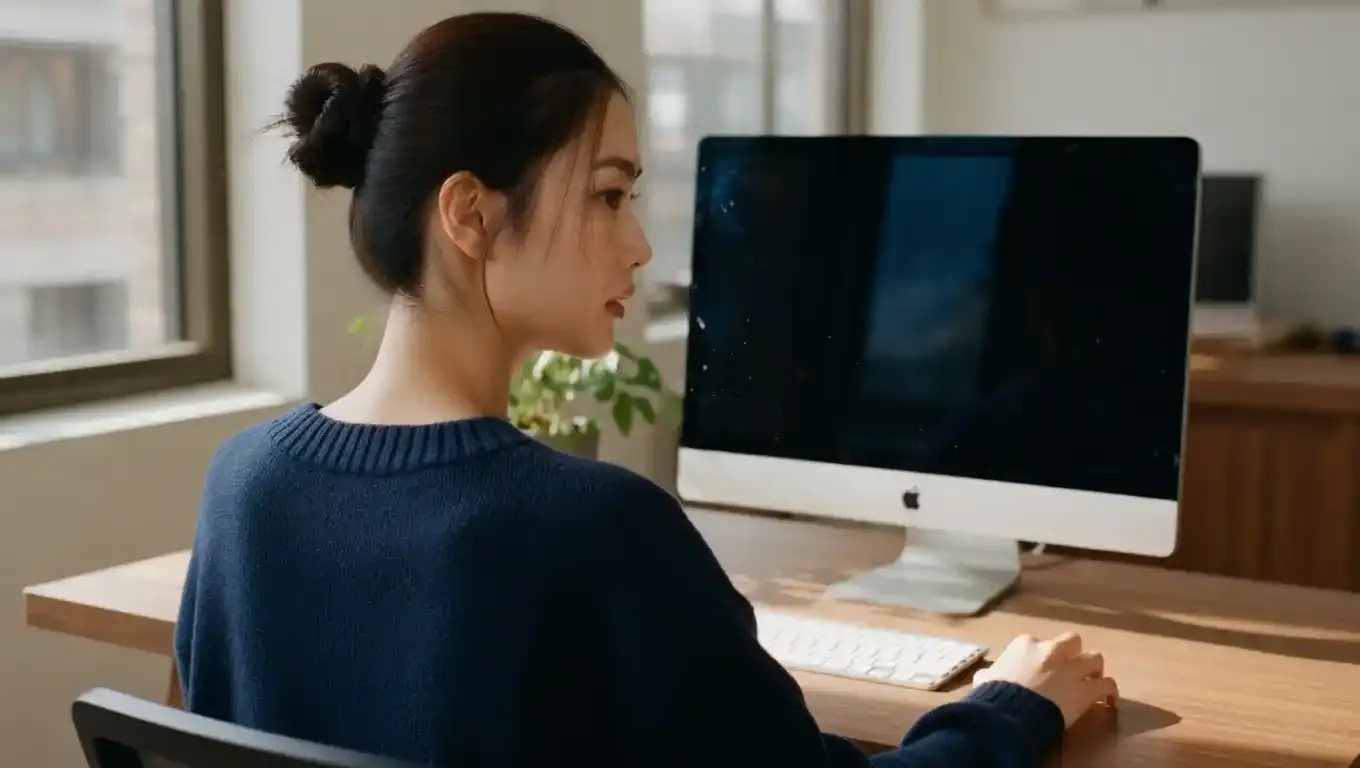
- Subject: A 35-year-old woman with brown hair styled in a neat top-knot bun maru-za-patsu style, wearing a casual navy blue knit sweater with visible texture.
- Setting: A clean, simple home office with a smooth wood desk, a nice monitor, and a single small plant.
- Style: A natural, real-life photo with a 35mm film look and a bit of soft grain.
- Lighting: Bright morning sun coming through a window. You can see tiny bits of dust floating in the warm light.
- Perspective: A wide shot from behind the shoulder. It shows the person working at the screen with their face seen from the side.
- Mood: Deep focus, authentic, and calm.
3. Conversational "Multi-Turn" Logo Refinement
To master the Conversational "Multi-Turn" Logo Refinement feature, the strategy is to move away from "one-shot" prompting and instead treat Grok like a professional design assistant.
Actionable Tip: The Iterative Refinement Workflow
Start rough. Don't wait for the perfect brief before generating. Drop a basic concept, then sculpt it through conversation. You can describe what you want changed — "replace the background," adjust color, or shift composition — and the model handles the rest, with no manual selection tools, no layer masks, and no learning curve.
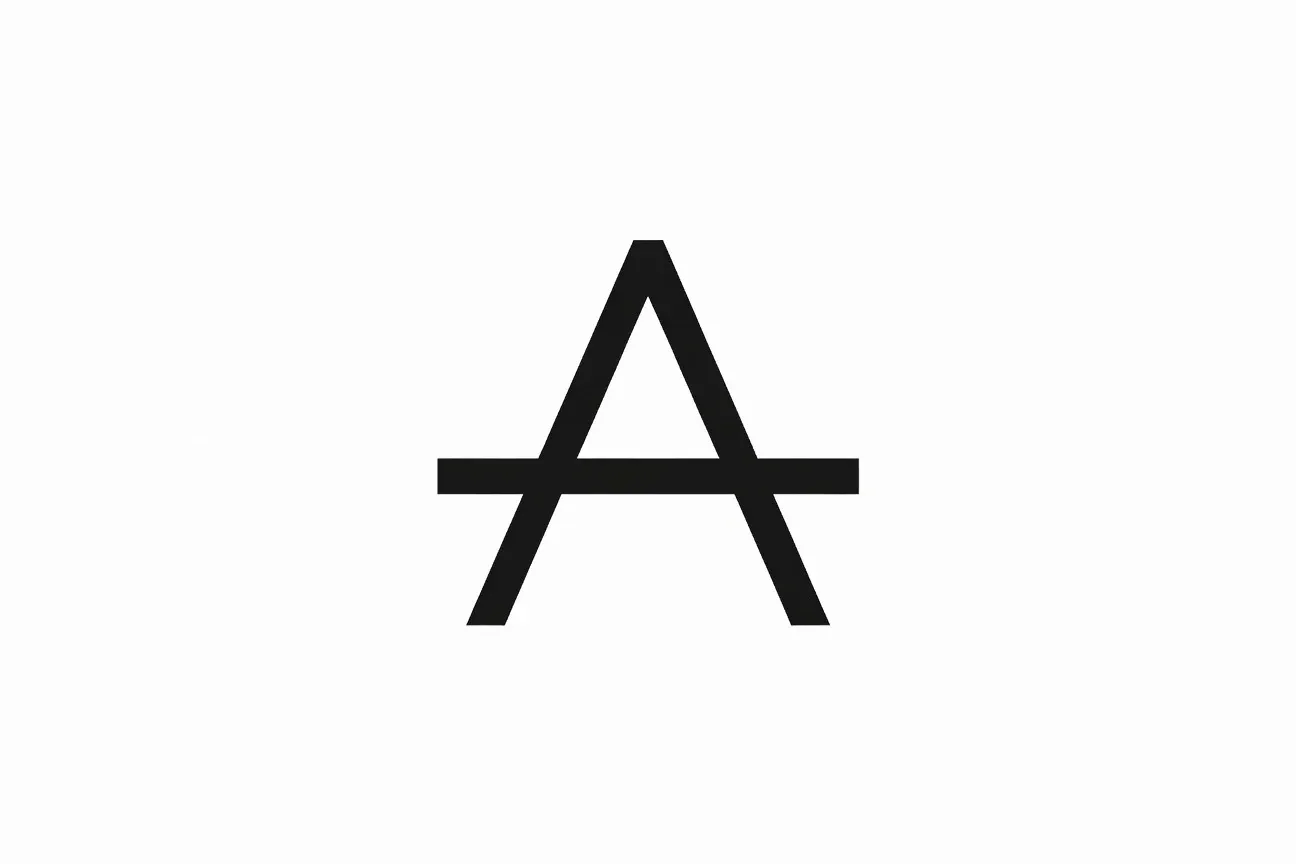
Phase 1: The "Architectural Foundation" (The Initial Concept)
Focus: Establishing the core geometry and symbolism.
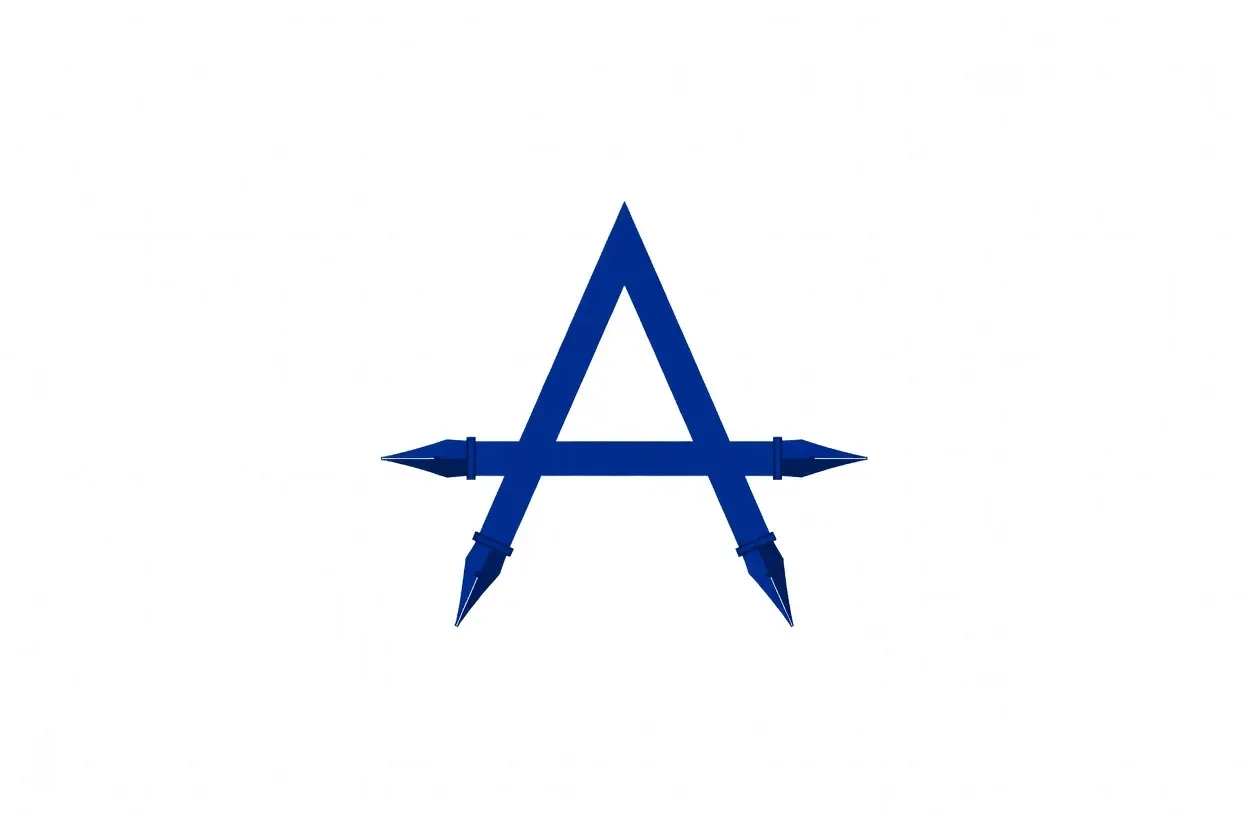
- Subject: A minimalist vector logo featuring a stylized, abstract bridge icon that doubles as the letter "A".
- Setting: Isolated on a plain white background for clean extraction.
- Style: Modern Swiss design, flat vector, thick uniform line weight, no gradients.
- Lighting: Flat, even lighting with no shadows to ensure clarity.
- Perspective: Perfectly centered, symmetrical front view.
- Mood: Stable, professional, and interconnected.
Phase 2: The "Semantic Pivot" (The Conversational Adjustment)
Focus: Directing Grok to refine specific elements without losing the base structure.
Actionable Instruction (Prompt):
I like the bridge geometry from the previous image, but let’s evolve it. Keep the 'A' structure identical, but shift the palette from black to a deep Royal Blue (#002366). Also, taper the ends of the lines so they look like fountain pen nibs to suggest 'precision' and 'writing'.
Phase 3: The "Contextual Polish" (Final Branding Detail)
Focus: Adding professional finish and texture for high-end use.
Actionable Instruction (Prompt):
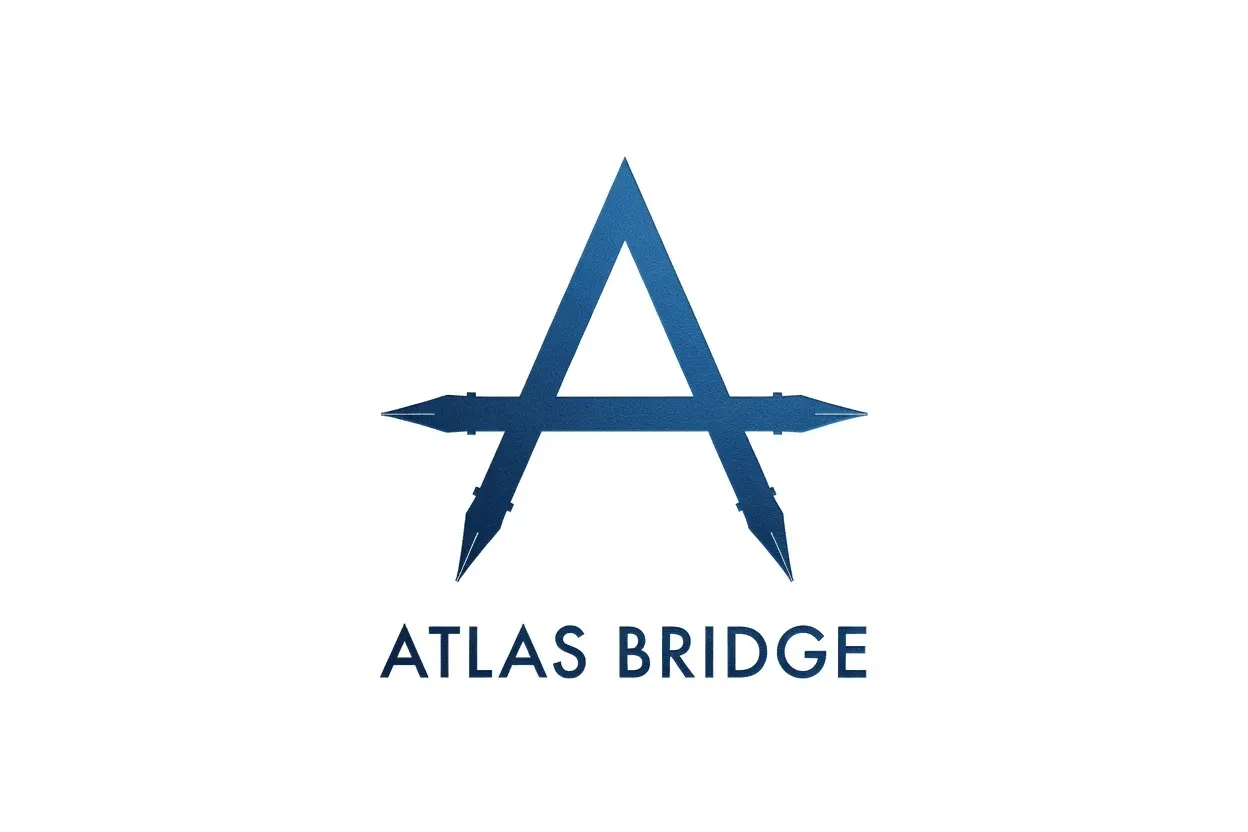
"This is almost perfect. Now, let’s apply a subtle metallic matte texture to the blue lines to make it look like embossed foil on premium paper. Add the text 'ATLAS BRIDGE' underneath in a clean, spaced-out sans-serif font that matches the weight of the logo. Do not change the logo icon itself."
The "Iterative Design" Workflow for 2026
Linear design workflows — brief → mockup → revision → approval — are giving way to real-time, conversational loops. Grok Imagine supports refining outputs across multiple turns, making it relevant for concept generation, controlled edits, and style-driven iteration within a single workflow. For brand teams, this dramatically compresses the gap between idea and usable asset.
| Design Stage | Grok Interaction Strategy | Benefit |
| Step 1: The Anchor | Use highly descriptive nouns (Subject/Style). | Generates "Core Relevance." |
| Step 2: The Pivot | Use comparative adjectives ("thicker," "darker"). | Reduces "AI Hallucination." |
| Step 3: The Polish | Use technical industry terms ("kerning," "embossed"). | Delivers "High-Value Utility." |
Pro Tip for 2026: When using Grok's inpainting/multi-turn feature, always use the phrase "Keep the [Element] identical" to lock in the parts of the brand identity you have already approved. This prevents the AI from "drifting" away from your established brand guidelines.
4. Creating Hyper-Realistic "Day in the Life" Content
The Capability: Photorealism That Rivals the Lens
Professional photos cost a lot. Hiring a photographer, a stylist, and a studio for just half a day can cost thousands. Aurora is a great new choice. It is really good at making real-looking portraits, scenes, and product images. The update from January 2026 makes skin and lighting look even better than before.
Aurora handles emotional portraits with expressions rendered with depth, alongside intricate scene lighting — such as reflections and sunset effects — that mimic professional photography techniques.
Actionable Tip: The "Texture Check" Prompt Method
The difference between a generic AI image and a convincing editorial shot often comes down to one word: specificity. Use grok xai image generation capability's Quality Mode and build your prompt around micro-details.
Texture-Focused Prompt Blueprint
| Prompt Layer | What to Include | Example |
| Subject | Age, expression, skin details | "visible pores, natural skin texture" |
| Lighting | Type, direction, quality | "soft golden hour, warm backlighting" |
| Lens Simulation | Focal length, aperture | "85mm, f/1.8, shallow depth of field" |
| Fabric Detail | Material, weave, drape | "linen texture, slight wrinkle" |
| Negative Prompt | What to exclude | "no digital perfection, no smoothing" |
Quick Tip: Some official xAI prompt guides suggest using terms like "real-looking photos with natural textures" and "sharp, lifelike details." These examples show that this specific method is exactly what they recommend.
Let's put this into practice:
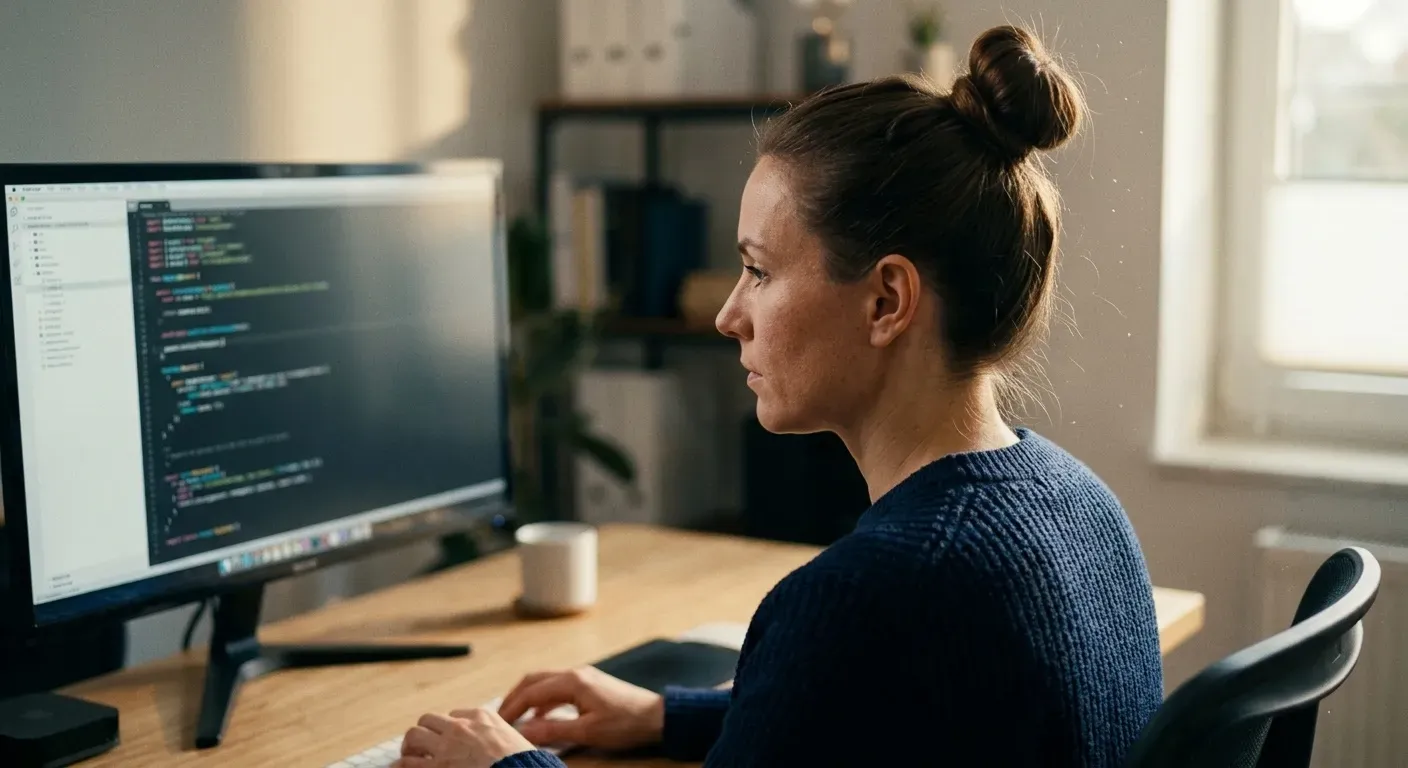
Prompt: A close-up shot from behind the shoulder shows a 35-year-old woman working hard. She has brown hair in a tidy bun and wears a thick, blue knitted sweater; and sits at a simple, clean desk. The photo catches her side profile in the soft, warm morning sun. You can see tiny bits of dust floating in the light from the window. She is looking right at a big screen. The picture shows every detail of her skin, the threads in her clothes, and the lines in the wooden desk.
Aesthetic: Authentic "35mm film" look, candid and deep flow, no digital perfection, no smoothing.
⚠️ Known Limitation
People who used it first noticed some issues with how bodies look. Hands are often a problem, which is common with most AI tools right now. This is a big deal if your work needs to show people looking exactly right. You should always check every image carefully before you post it online. Never skip a quick look at the details to make sure things look real.
5. Animating Brand Assets with Grok's Image-to-Video
The Capability: Temporal Latent Flow in Action
Static photos only go so far, but video keeps going. Grok Imagine uses a smart tool called Temporal Latent Flow to turn still shots into moving clips. It looks at your images as the start of a video and keeps the light and shadows looking natural. This means your product photos become professional, high-quality videos instantly. You get cinematic results for your brand without needing a full film crew or a big budget.
Grok Imagine 1.0, released February 3, 2026, supports clips up to 10 seconds at 720p resolution, with synchronized native audio including ambient sounds and sound effects generated in the same pass.
Actionable Tip: Static Shot → Cinematic B-Roll
Upload a product image, then describe the motion you want around it — not movement of the product, but camera movement that frames it cinematically.
Cinematic B-Roll Prompt Formula
| Element | Example Input |
| Subject anchor | "Still shot of product on marble surface" |
| Camera move | "Slow push-in, slight tilt upward" |
| Lighting mood | "Golden hour, warm side-light" |
| Atmosphere | "Shallow depth of field, soft bokeh" |
| Audio | "Ambient café background, subtle foley" |
Platform Fit by Use Case
| Output Format | Recommended Aspect Ratio | Best Platform |
| Social header loop | 16:09 | LinkedIn, YouTube |
| Product teaser | 9:16 | Instagram Reels, TikTok |
| Website hero video | 21:09 | Brand landing pages |
Image-to-video is one of the most practical Grok Imagine workflows in 2026 precisely because starting from a still image anchors identity, composition, and framing — giving brand content the consistency that pure text-to-video cannot guarantee.
6. Multi-Image Compositing for Product Placement
The Capability: Blending Real and AI-Generated Sources
Lifestyle advertising has always demanded expensive photoshoots in aspirational locations. Grok's multi-image compositing changes that equation. As of March 2026, Grok Imagine supports combining multiple input images in one edit workflow, enabling reference blending and style-driven iteration within a single process.
Grok Imagine now supports multi-image-to-image composition for collages, blends, and composites — alongside multi-image-to-video using up to 7 reference images for scene coherence.
Actionable Tip: The Product Placement Workflow
The most practical application for brand teams is straightforward: photograph your physical product cleanly, then composite it into an AI-generated luxury or aspirational environment.
3-Step Product Compositing Workflow
| Step | Action | Tool Input |
| 1. Source | Clean product photo on neutral background | Upload as reference image |
| 2. Generate | AI lifestyle environment (marble kitchen, alpine cabin, rooftop terrace) | Text-to-image prompt |
| 3. Composite | Merge product into scene with lighting match | Multi-image edit prompt |
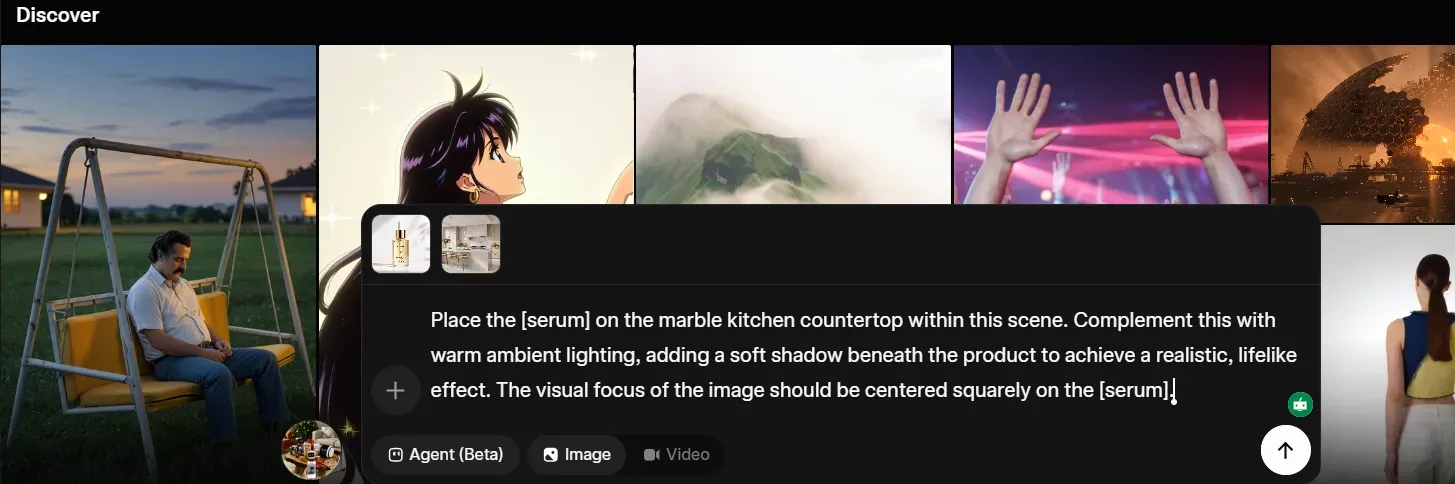
Example prompt for Step 3:"Place the [serum] on the marble kitchen countertop within this scene. Complement this with warm ambient lighting, adding a soft shadow beneath the product to achieve a realistic, lifelike effect. The visual focus of the image should be centered squarely on the [serum]."
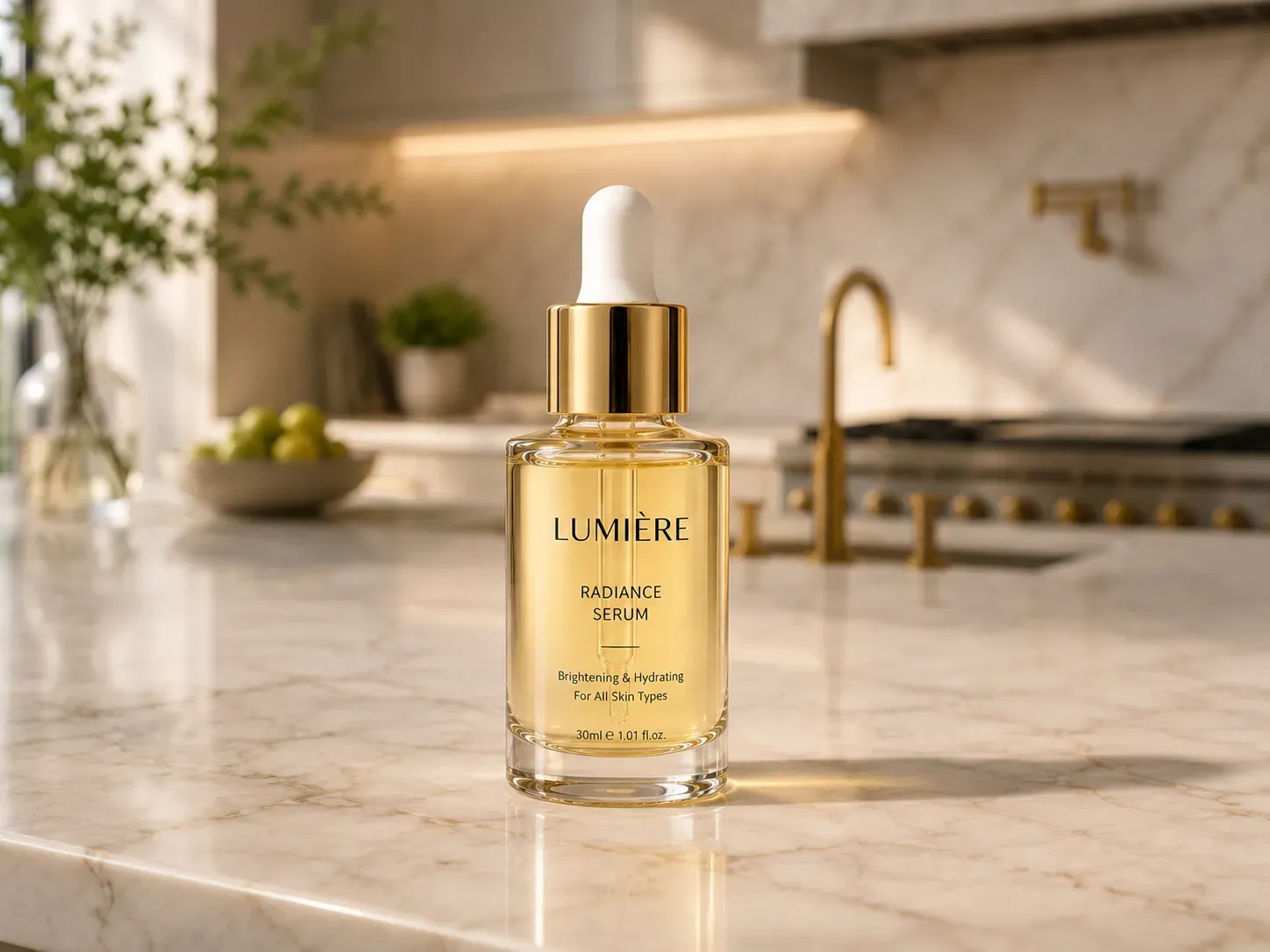
What This Replaces
Designers can now fix product shots easily. Just upload store photos to Grok's image-edit endpoint and type what you want to change. It makes realistic images that look totally natural. This tool helps you save a lot of money on photo shoots without the high cost of a studio.
Traditional lifestyle shoots usually means paying for locations, photographers, and stylists. You also have to cover editing costs. It is hard for brands on a budget to keep up with these high prices every time they need new content.
7. Designing "Explorecore" Infographics and Brand Assets
The Capability: Aurora's Minimalist Style Mode
Not every brand needs cinematic drama. A growing segment of 2026 audiences gravitates toward what designers are calling Explorecore — calm, clean, editorial visuals built on generous whitespace, serif type, and simple geometric forms. Aurora handles this register well. Grok's minimal style mode generates clean images with limited color palettes and geometric forms, making it well suited for modern design projects and infographics.
Aurora adapts to diverse creative directions → from photorealism to abstract → interpreting compositional intent and aesthetic cues with high fidelity across multiple visual domains.
Actionable Tip: The "Calm Design" Prompt Framework
The key to generating usable infographic assets isn't describing what to add — it's specifying what to exclude. Restraint is the design principle; your prompt should reflect it.
Calm Design Prompt Checklist
| Element | Include | Avoid |
| Typography | "Clean serif font, generous leading" | Script, decorative, condensed |
| Layout | "Centered composition, rule of thirds" | Overcrowded, multiple focal points |
| Color | "Muted palette, two tones max" | Gradients, neon, high saturation |
| Texture | "Flat, paper grain, linen" | Gloss, metallic, busy backgrounds |
| Mood | "Serene, editorial, minimal" | Epic, cinematic, dramatic |
Sample Prompt
"A simple, clean layout with an off-white background. It features one sharp, reddish-clay shape in the center. The text uses a classic, elegant font. There is plenty of open space around the edges. Everything looks flat with no shadows or color fades; and very easy on the eyes."
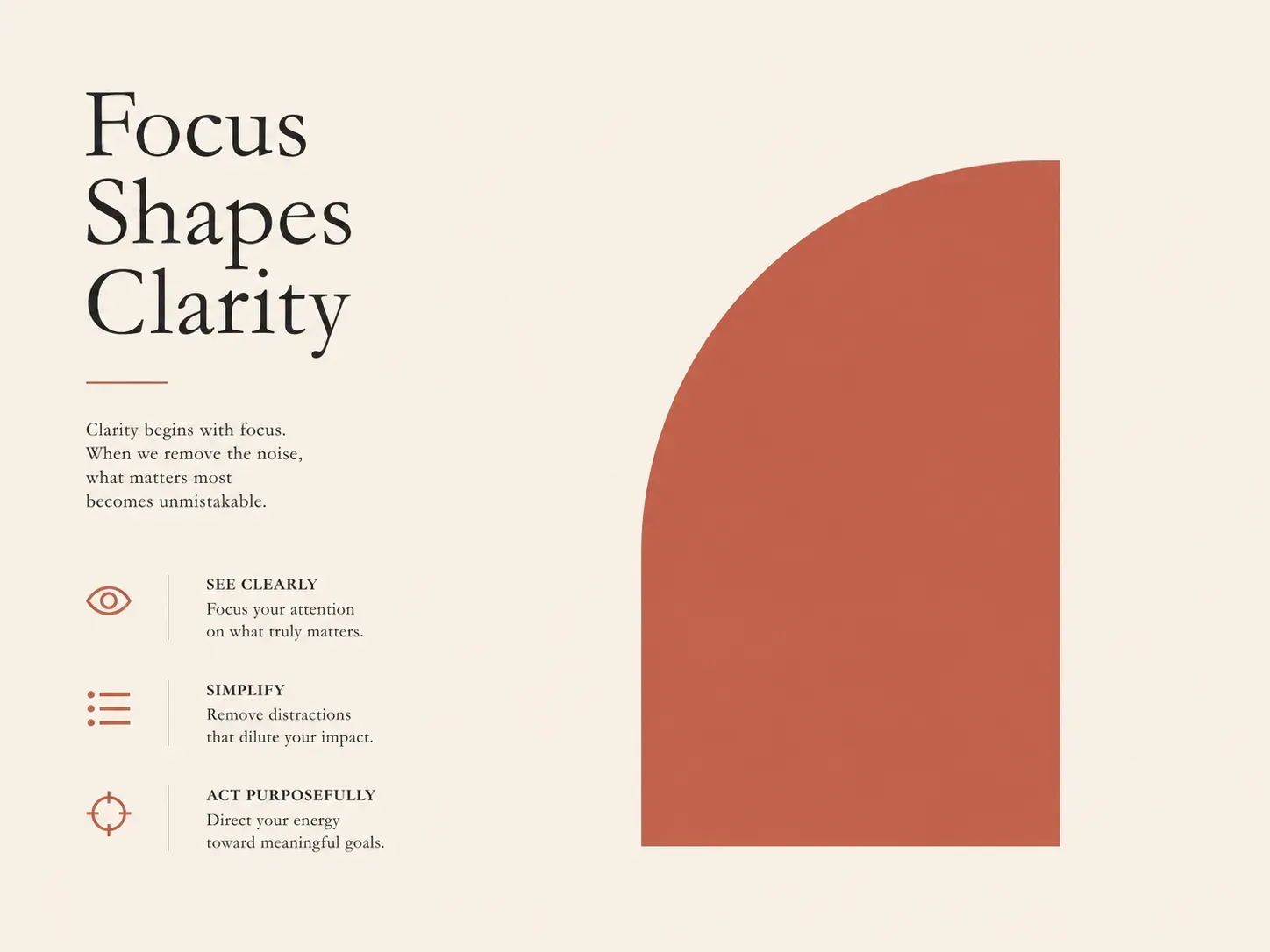
People are moving away from AI looks and choosing real, raw styles instead. They want to see grainy film and small, natural flaws. This change is huge for 2026. Explorecore fits right in because it feels simple and honest. It does not try too hard to be perfect. This makes it a style that people can really trust and connect with easily.
The 2026 Legal Checklist: Commercial Safety & Rights
Do You Own What Grok Generates?
For professional branding use, the answer matters. According to xAI's official FAQ, you are free to use Grok's outputs — including generated images — for commercial use. xAI asks that you attribute the generated work to Grok per its Brand Guidelines, but ownership of outputs rests with the user.
That said, there are important caveats every brand team should understand before deploying generated assets publicly.
Quick-Reference Commercial Safety Checklist
| Concern | Status | Action Required |
| Commercial use permitted | ✅ Yes, all tiers | None — permitted by ToS |
| IP indemnification | ❌ Not offered | xAI provides no IP indemnification on any plan — Adobe Firefly remains the only major AI image tool that does |
| U.S. copyright protection | ⚠️ Limited | Pure AI output may not qualify — legal review advised for high-stakes use |
| SOC 2 Type II | ✅ Business/Enterprise tier | Grok for Business carries SOC 2 Type II certification along with GDPR and CCPA compliance |
| Real-person image editing | ❌ Restricted | Blocked in multiple jurisdictions since January 2026 |
Brand-Safe Generation: What to Avoid
- Prompts referencing identifiable real people
- Outputs resembling copyrighted characters or logos
- Content that could qualify as misleading advertising under FTC guidelines
xAI's Terms confirm users bear full responsibility for ensuring outputs comply with applicable law — so treat legal review as part of your production workflow, not an afterthought.
Conclusion: From Prompting to Workflow
The seven strategies in this guide share a common thread — none of them are one-time tricks. The real advantage isn't knowing a clever prompt. It's building a repeatable visual system around Grok xAI image generation that your team can execute consistently, week after week.
Your 2026 Branding Workflow at a Glance
| Layer | Tool / Strategy | Output |
| Identity | Text-in-image, logo refinement | Core brand assets |
| Content | Character consistency, editorial shots | Social & web visuals |
| Motion | Image-to-video, B-roll generation | Headers, reels, teasers |
| Production | Multi-image compositing | Lifestyle ad creative |
| Governance | Commercial rights checklist | Safe-to-publish assets |
Scaling the Workflow: For agencies managing multiple brand accounts, manual prompting in the chat interface can become a bottleneck. With Atlas Cloud's Grok Imagine Text-to-Image API, teams can automate these multi-turn refinements through custom scripts, ensuring that "Phase 1" to "Phase 3" of your logo design happens in a fraction of the time.
The Shift Worth Making
Most teams are still treating AI image tools as on-demand generators — open, prompt, download, repeat. The brands pulling ahead are treating them as creative infrastructure: saved prompts, documented style parameters, tiered access plans, and legal review baked in from day one.
Grok's Aurora engine gives you the raw capability. The system you build around it determines whether that capability scales into a genuine AI Visual Identity — or stays a collection of good-looking one-offs.
Start with one workflow. Refine it. Then build the next.





