
Most developers assume Codex CLI works like a chatbot: you send a message, the model responds, done. That's not what's happening. Codex runs an agent loop, which means each task involves multiple API calls, and the context window expands with every iteration. By the time Codex finishes a moderately complex task, the total token count is often three to five times what you'd expect from a single call.
That's the root cause behind almost every "I hit my limit" story. You're not fighting a rate limit policy. You're dealing with the natural economics of an agentic workflow, and those economics compound fast.
Once you understand where the cost actually comes from, the workarounds become obvious rather than a guessing game.
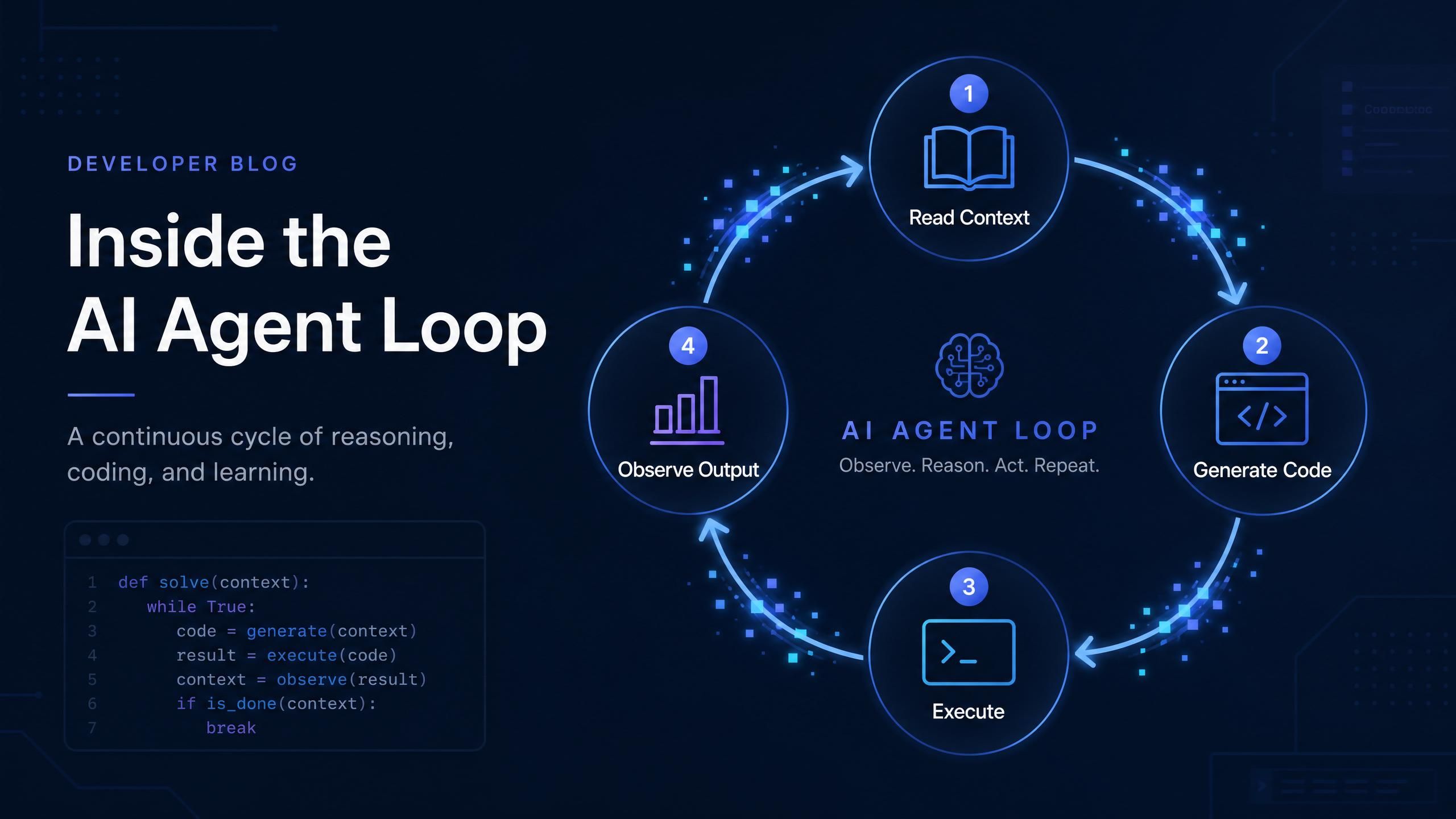
How Codex CLI Actually Builds Cost Across a Session
A typical Codex task that takes four iterations doesn't cost 4x the price of one call. It costs considerably more, because context grows with each turn.
Here's what happens under the hood. At iteration one, Codex reads your project files plus your task description, sends roughly 5,000 to 7,000 input tokens to the model, and gets back a response. At iteration two, it includes the previous conversation history plus new observations from running the generated code. The input token count for that call might jump to 8,000 or 10,000. By iteration four, the accumulated context might be 14,000 input tokens for what's still notionally the same task.
Context Growth Across a 4-Iteration Codex Task
| Iteration | Input Tokens |
|---|---|
| Iteration 1 | ~5,000 |
| Iteration 2 | ~7,000 |
| Iteration 3 | ~9,500 |
| Iteration 4 | ~14,000 |
| Total | ~35,500 |
Context size compounds across iterations in an agentic session. A 4-iteration task might consume 35,500 total input tokens versus 5,000 for a single-turn call. Actual counts vary by project size and file context.
The practical implication: a four-iteration task doesn't cost 4x a one-turn call. The growing context means it costs closer to 7x or 8x. For this example, that's roughly 35,500 input tokens and 4,000 output tokens across the full task. The model you choose determines whether that task costs you 9,000 credits or 120,000 credits, on the same Codex CLI with the same task description.
That 13x spread is where the real codex usage limits workaround lives: not in request throttling, but in choosing which model runs the loop.
Codex Usage Limits Workaround: File Scoping Before Anything Else
This is the optimization that costs nothing and has the largest immediate effect.
Codex reads your project files to build context before making any API call. It respects your .gitignore, but most codebases have large amounts of content that .gitignore doesn't exclude: type declaration files, vendor documentation, compiled output directories, test fixtures, seed data, generated CSS or SVGs. All of that lands in the first iteration's context window and adds to the base cost of every subsequent call.
The fix is deliberate exclusion. Add a .codexignore file to your project root, using the same syntax as .gitignore. Common patterns worth adding:
plaintext1dist/ 2.next/ 3build/ 4node_modules/ # in case .gitignore has gaps 5*.d.ts # TypeScript declaration files 6*.min.js 7*.min.css 8test/fixtures/ 9test/snapshots/ 10docs/vendor/
Alternatively, when the task is scoped to a specific module, run Codex from inside that directory rather than the project root. The agent reads from its working directory, so a cd packages/auth && codex session sees only that package's files instead of the entire monorepo.
Developers discussing this on r/LocalLLaMA consistently report that uncontrolled file context is the primary driver of unexpected API spend with agentic tools. Getting this right before touching any other setting typically cuts per-session token counts by 30 to 60 percent on medium-sized projects.
Running Codex from the relevant package subdirectory instead of the monorepo root on a multi-package project dropped the per-task context from ~18,000 tokens to ~5,000 tokens on the first call. That difference compounds across every iteration. -->
The Codex Usage Limits Workaround That Changes the Long-Term Math
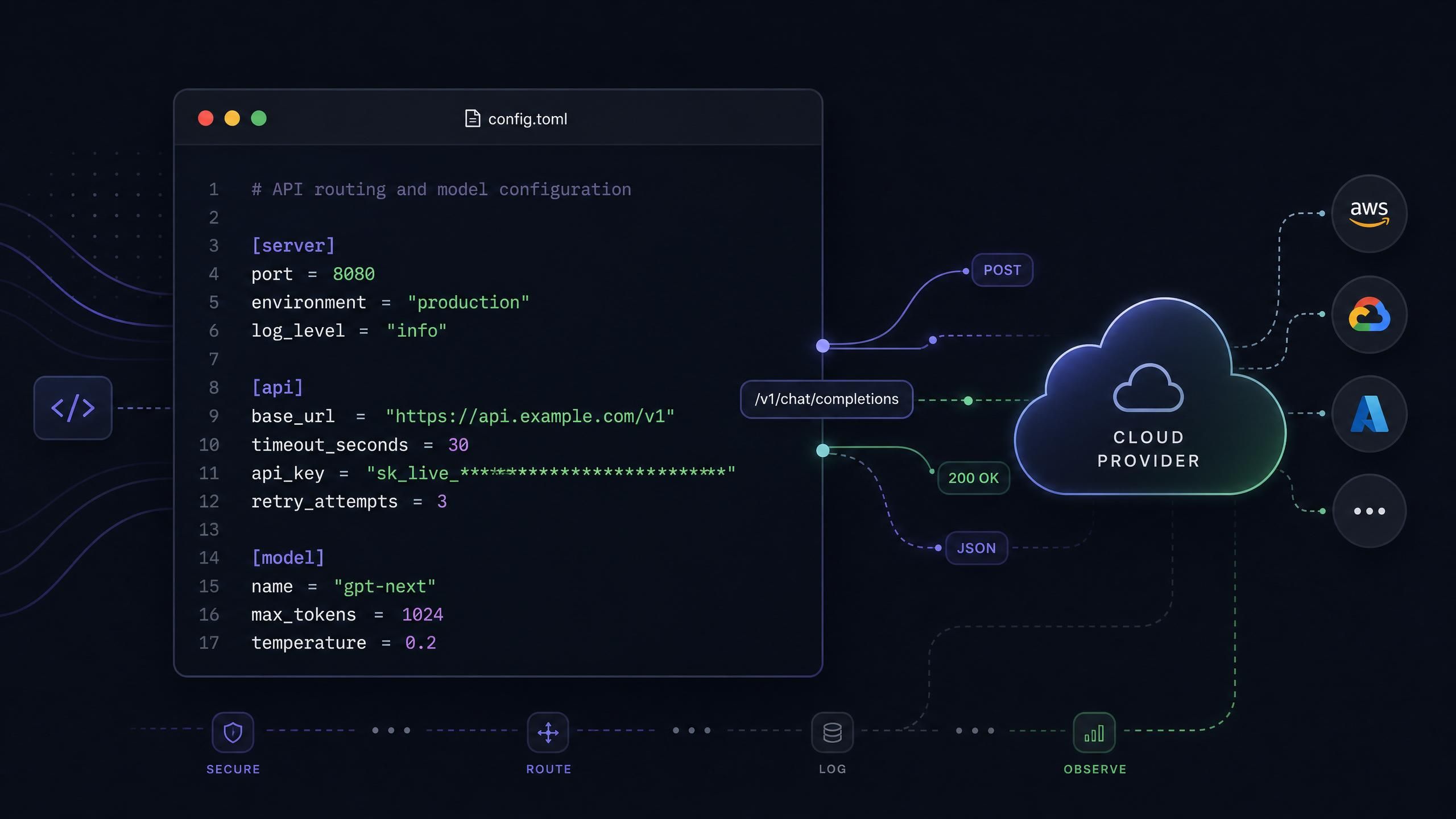
Once you've tightened file context, the next structural fix is the model you're running.
Codex CLI supports custom API providers through its config.toml. Any provider that implements the OpenAI chat completions format works as a drop-in replacement. This means you can run the exact same Codex CLI workflow but have it powered by a different model at a substantially different per-token cost.
Why does this matter? Because the credit multiplier (or per-token rate) is multiplied by every token in every iteration. On a 4-iteration task consuming 35,500 input tokens and 4,000 output tokens, switching from a high-multiplier model to a low-multiplier one isn't a small tweak. It's the difference between consuming 9,545 credits and 119,145 credits for the same task.
Atlas Cloud's Coding Plan offers a set of open-source models at 45 to 55 percent off official API rates, all accessible through a single API key on an OpenAI-compatible endpoint. You point Codex at https://api.atlascloud.ai/v1, set your model ID, and nothing else in your workflow changes.
Reading the Multipliers: Which Codex Usage Limits Workaround Fits Each Task
Here's the math that makes model selection concrete. Using our 4-iteration task (35,500 input tokens, 4,000 output tokens total), here's the credit cost per task across available models:
Credits Per 4-Iteration Codex Task by Model
| Model | Credits / Task | vs. Cheapest |
|---|---|---|
| deepseek-v4-flash | 9,545 | 🟢 baseline |
| deepseek-v3.2 | 17,390 | 1.8x |
| minimax-m2.5 | 31,845 | 3.3x |
| kimi-k2.5 | 60,695 | 6.4x |
| deepseek-v4-pro | 119,145 | 12.5x |
| glm-5.1 | 122,025 | 12.8x |
Source:Calculated using published Atlas Cloud multipliers, June 2026. DeepSeek V4-Flash at 9,545 is 12.5x cheaper per task than DeepSeek V4-Pro at 119,145 for sessions where either model would complete the task.
With 800,000 daily credits on the Starter plan ($10/month), you can run:
- DeepSeek V4-Flash: 800,000 / 9,545 = 83 four-iteration tasks per day
- DeepSeek V4-Pro: 800,000 / 119,145 = 6.7 tasks per day
On the Lite plan ($20/month, 2.2 million credits per day based on current tier configuration):
- DeepSeek V4-Flash: 2,200,000 / 9,545 = 230 tasks per day
- DeepSeek V4-Pro: 2,200,000 / 119,145 = 18 tasks per day
The practical framework is this: DeepSeek V4-Flash handles the vast majority of Codex tasks well. Writing utility functions, generating tests, fixing lint errors, renaming variables, scaffolding boilerplate — these don't require frontier reasoning capability. V4-Flash supports a 1 million token context window and completes these tasks competently. V4-Pro and Kimi K2 are worth pulling in for genuinely hard problems: complex multi-file refactoring, debugging obscure production issues, working with unfamiliar frameworks.
Using the right model for the right task isn't a compromise on quality. It's not using a sledgehammer to drive a finishing nail.
The difference between V4-Flash and V4-Pro isn't just "cheap vs. quality." On routine Codex tasks, the quality difference is marginal. The cost difference is 12.5x. Reserving V4-Pro for genuinely complex sessions is the highest-leverage optimization after file scoping. -->
Codex Usage Limits Workaround via Session Boundaries
One behavioral change that compounds meaningfully over a week: be deliberate about when you start a new Codex session versus continuing an existing one.
Each session accumulates conversation history. The longer the session, the larger the base context for every subsequent call. A session that starts with a 5,000-token first turn and runs for six exchanges might have an 18,000-token context by the end. If you pivot to a new, unrelated task within that same session, you're now paying to include all that irrelevant prior context on every new call.
Starting a fresh session costs nothing. Codex initializes clean and only reads the files relevant to your current working directory. The rough rule of thumb:
- Task completed cleanly and the next task is independent? Start fresh.
- Pivoting from one module to another with no shared code? Start fresh.
- Continuing to iterate on the same file with the same goal? Keep going.
- Transitioning from implementation to documentation? Start fresh.
This is less dramatic than file scoping or model selection, but it adds up to meaningful savings over a full work week, especially during intensive sprints.
Codex Usage Limits Workaround: How Daily-Reset Credits Work in Practice
Understanding the billing model helps you plan usage realistically.
A standard API credit pool gives you X tokens per month to spend however you want. The structural problem: heavy coding days deplete the pool fast, leaving the rest of the month with less headroom than you planned for. If you burn 40 percent of your monthly budget in two intensive sprint days, you're managing around that deficit for the next three weeks.
The daily-reset model works differently. You get a set number of credits per day, and they refresh at midnight regardless of how little you used the day before. A light Tuesday doesn't penalize a heavy Thursday. Each day starts with the same full daily budget.
Daily Credit Allocation by Plan Tier
All tiers reset daily at midnight · Pay-as-you-go packs stack on top as overflow
| Plan | Price | Daily Credits |
|---|---|---|
| Starter | $10 / month | 800K / day |
| Lite | $20 / month | 2.2M / day |
| Plus | $50 / month | 4.8M / day |
| Max | $100 / month | 9.8M / day |
Source: Atlas Cloud Coding Plan, June 2026 · Unused credits don't roll over, but you also never start a day with a depleted budget from previous heavy sessions.
When your daily credits run out on a particularly intense session, pay-as-you-go top-up packs fill the gap automatically. These packs are valid for 90 days, you can stack multiple packs simultaneously, and they're drawn from only after your daily subscription credits are exhausted. The subscription covers your baseline; the packs cover overflow.
Upgrading between tiers is prorated if you change your mind mid-cycle. The formula is straightforward: (new price - current price) × (days remaining / 30). Moving from Starter to Lite with 14 days left costs ($20 - $10) × (14 / 30) = $4.67. The higher daily credit limit applies immediately once you upgrade.
Setting Up Your Codex Usage Limits Workaround: Full Config
The setup for pointing Codex CLI at a custom provider is two files. On macOS or Linux:
Step 1: Create or edit ~/.codex/config.toml
plaintext1model_provider = "atlas_coding_plan" 2model = "deepseek-ai/deepseek-v4-flash" 3 4[model_providers.atlas_coding_plan] 5name = "atlascloud" 6base_url = "https://api.atlascloud.ai/v1" 7wire_api = "chat" 8requires_openai_auth = true
Step 2: Create or edit ~/.codex/auth.json
plaintext1{ 2 "OPENAI_API_KEY": "your-atlas-api-key" 3}
The requires_openai_auth = true flag tells Codex to read the API key from the OPENAI_API_KEY field in auth.json. Your API key comes from the plan management dashboard on Atlas Cloud after purchasing a Coding Plan.
To switch models for a specific session, change the model line in config.toml. If you want to use a heavier model for a complex task, switch to deepseek-ai/deepseek-v4-pro or moonshotai/kimi-k2.6 and switch back to the lighter model afterward. It's a one-line edit.
After configuration, launch Codex normally:
plaintext1codex
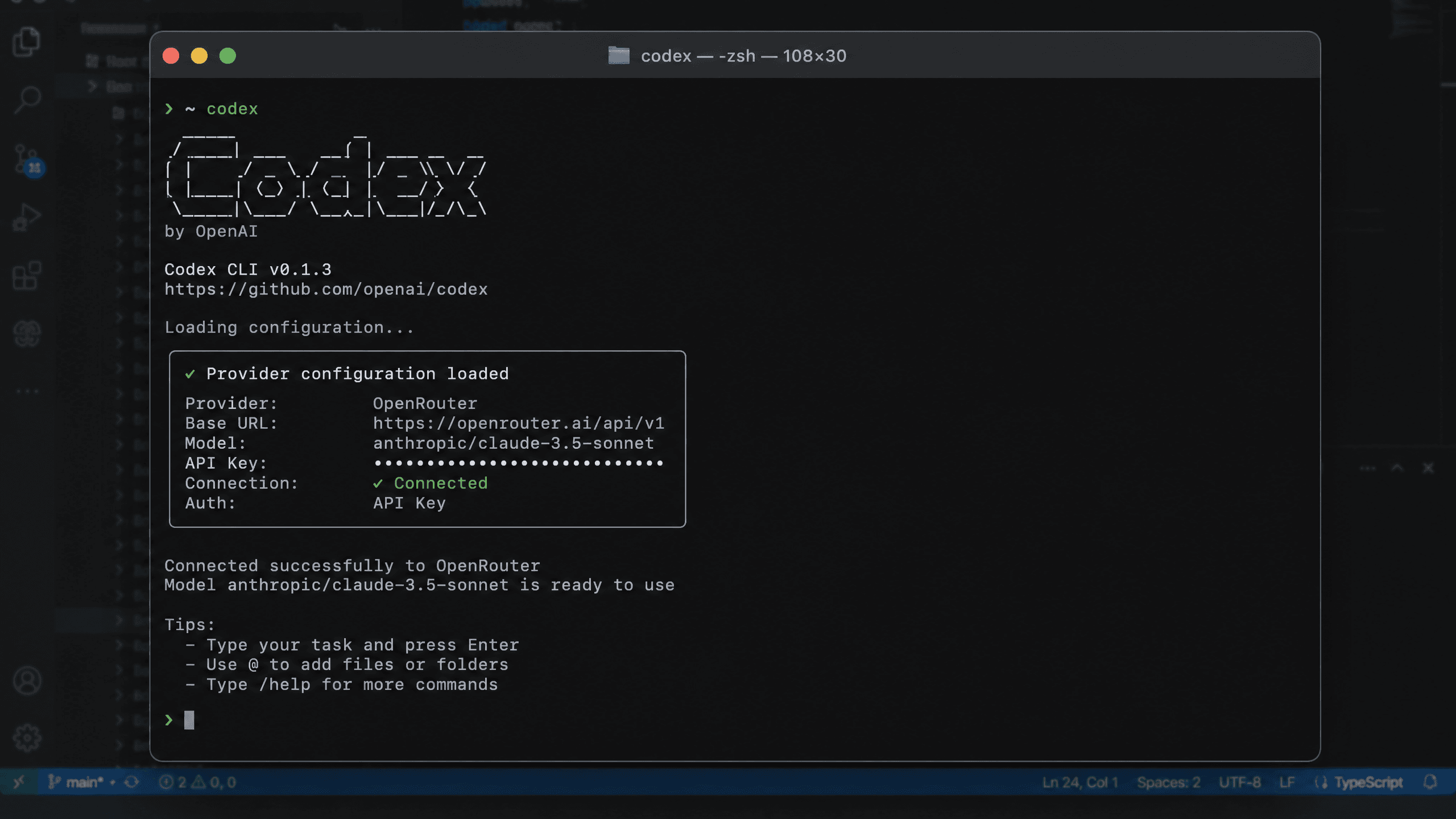
Select the option to skip the update check, and you're running Codex against Atlas Cloud's models. The interface and commands are identical to the default Codex experience.
Frequently Asked Questions About Codex Usage Limits Workarounds
Why does Codex use more tokens than I expect per task?
Codex runs an agent loop rather than a single API call. Each iteration includes the accumulated conversation history plus new observations from code execution. On a four-iteration task, the context window at iteration four might be twice the size of iteration one. Total token consumption across all iterations is typically three to five times what a single call would cost for the same task.
What is the best codex usage limits workaround for someone just getting started?
Start with file scoping: add a .codexignore file to exclude dist/, build/, *.d.ts files, test fixtures, and other non-load-bearing content. This is free and typically cuts context size by 30 to 60 percent on medium-sized projects. Once you've done that, the next most impactful change is switching to a low-multiplier model like DeepSeek V4-Flash for routine tasks, which reduces per-task credit consumption by up to 12x compared to heavier models on the same sessions.
Can I run Codex with Atlas Cloud on Windows?
Yes. On Windows, place your config files at %USERPROFILE%\.codex\config.toml and %USERPROFILE%\.codex\auth.json. The file format and field names are identical to the macOS/Linux versions. The base URL, API key, and model ID work the same across all platforms.
What happens when my daily credit allocation runs out?
If you have pay-as-you-go credit packs active, usage automatically continues by drawing from those packs once your daily subscription credits are exhausted. If you have no packs, further requests will be declined until your daily credits refresh at midnight. You can purchase top-up packs at any time from the plan dashboard; they activate immediately and are valid for 90 days.
Do I need to change my Codex workflow after pointing it at a custom provider?
No. Codex CLI's commands, flags, and behavior are identical regardless of the underlying provider. The only visible difference is the model responding to your tasks. If you've configured a model that Codex didn't train on natively, responses may feel slightly different in style, but the tool's operation remains the same. Most developers don't notice any workflow disruption after the initial config change.
Wrapping Up
The core insight in this article is that Codex CLI's costs aren't mysterious. They come from a predictable place: context that grows across iterations, multiplied by whatever per-token rate your model charges. Once you see that clearly, the interventions are mechanical:
- Reduce what Codex reads via file scoping (free, high impact)
- Match the model to the task complexity (changes cost by up to 12x per task)
- Start fresh sessions when tasks are independent (prevents accumulated context bloat)
- Use a daily-reset credit plan to avoid the mid-month depletion problem
Any one of these helps. All four together make Codex sustainable for daily heavy use without hitting limits or watching your API bill climb unpredictably.
If you want to try the custom provider route, the Atlas Cloud Coding Plan supports Codex alongside Claude Code, OpenCode, Cursor, and direct API calls. The Starter tier at $10/month and 800K daily credits is a reasonable starting point; you can upgrade mid-cycle on a prorated basis if you need more.
Choosing between DeepSeek V4-Flash and V4-Pro for different Codex task types → guide to model selection for agentic coding workflows





