
Cursor Pro costs $20/month. That sounds fine until you realize what "$20/month" actually buys: 500 fast requests, after which the model quality drops noticeably for the rest of the billing period. For a solo developer coding a few hours a week, that's more than enough. For anyone running intensive sessions during a sprint, those 500 fast requests are gone by day 14.
This article is about understanding Cursor's actual cost structure, identifying when it makes sense to look for an alternative, and running the real numbers on what switching actually saves. Not a vague "here are some tools" list. Real math.
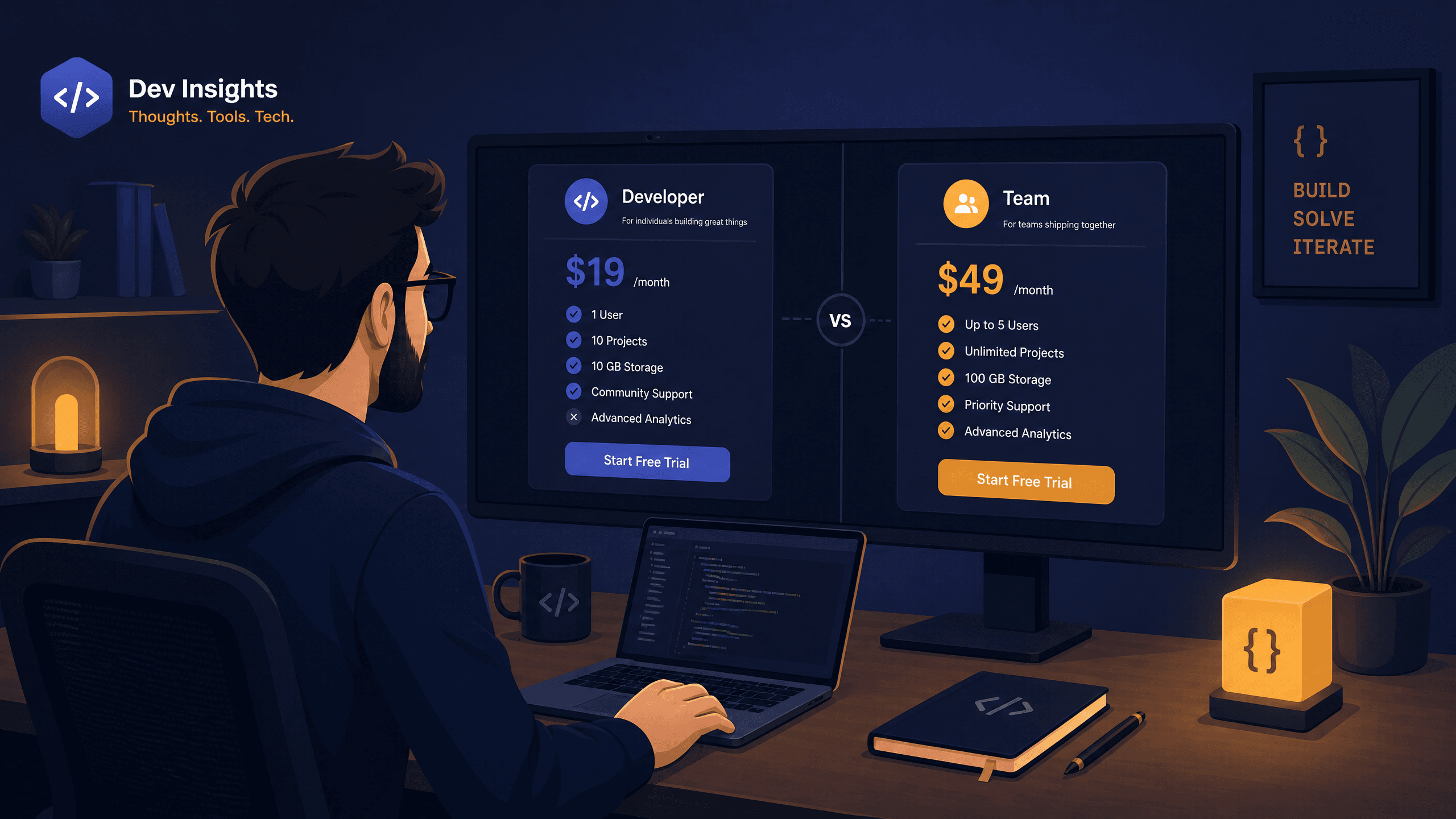
Cursor Pricing, Honestly Broken Down
Cursor has three tiers. Free gives you 2,000 completions per month and 50 slow premium requests. Pro at $20/month raises that to 500 fast requests and unlimited slow ones. Business at $40/user/month adds team management features (Cursor Pricing, June 2026).
The "fast vs slow" split is the detail most people don't fully register when signing up. Fast requests use Claude Sonnet, GPT-4o, or equivalent frontier models at full capability. Slow requests use the same models but deprioritized during peak API load, which in practice often means falling back to a lighter model or waiting longer. The experience is noticeably different.
| Plan | Monthly Price | Fast Requests | Slow Requests |
|---|---|---|---|
| Free | $0 | 50 / month | 2,000 completions |
| Pro | $20 / month | 500 / month | Unlimited (degraded) |
| Business | $40 / user / month | 500 / user | Unlimited (degraded) |
Source: Cursor Pricing Page, June 2026 · Cursor's three tiers. The Pro plan's 500 fast-request cap is the main friction point for heavy users.
Three Developer Profiles That Should Look for a Cursor Pricing Alternative
Not everyone needs to switch. Before running any numbers, it helps to identify which situation actually applies.
Profile 1: The sprint coder. You code intensively for two to three weeks, then slow down for a week or two of reviews, meetings, and planning. A flat monthly subscription is poorly matched to this pattern. You burn 500 fast requests in the first two weeks, then either coast on slow mode or feel like you're wasting the subscription during light weeks.
Profile 2: The model experimenter. You want to try DeepSeek, Kimi, or GLM on your codebase. You've read the benchmarks and want to see if open-source models handle your specific use cases well. Cursor Pro doesn't give you that flexibility; you're stuck with the curated model list.
Profile 3: The cost-conscious solo developer. You're building something on the side, every dollar matters, and $20/month for a tool you use unevenly feels hard to justify. But you've seen what AI-assisted coding can do and don't want to give it up entirely.
If none of these sound like you and you consistently stay within 500 fast requests per month, Cursor Pro is probably fine. Keep it.
The Cursor Pricing Alternative Hidden in Plain Sight: Bring Your Own Model
The least obvious cursor pricing alternative is also the most powerful one: you don't have to switch editors. Cursor itself supports custom API providers. So does Claude Code, Codex, OpenCode, and most other major coding agents. If you configure these tools to route requests through a different model provider, you keep your existing workflow and just change the cost structure.
This is different from switching to GitHub Copilot or Windsurf. Those require adopting a new tool. The "bring your own model" approach means you configure your current tool to use a cheaper backend. The IDE stays the same. The keyboard shortcuts stay the same. Only the model provider changes.
The catch is that "cheaper API" doesn't automatically mean "good enough." The reason this approach has become viable in 2025 is that open-source models, specifically DeepSeek V4, Kimi K2, GLM-5, and Qwen3, have become genuinely competitive with GPT-4o and Claude Sonnet on coding benchmarks. This wasn't true two years ago. It is now.
Atlas Cloud's Coding Plan aggregates these models under a single API key using a credit-based billing system. The per-token cost comes out to roughly 45 to 55 percent less than going directly to each model's official API, and the documentation states it's cheaper than OpenRouter on comparable models. You use the same base_url and API key format that any OpenAI-compatible tool expects.
What Does a Coding Session Actually Cost? The Credit Math Nobody Shows You
This is the section most comparison articles skip, and it's the most useful one.
Credit-based plans feel opaque until you do the arithmetic. Here's how to make it concrete. The credit consumption formula is:
Credits used = (input tokens × input rate) + (output tokens × output rate)
Each model has published input and output rates. Let's define a "typical debugging session": you're asking the model to look at a function (~3,000 tokens of code context), you add a 500-token explanation of the bug, and the model responds with a 1,500-token fixed version plus explanation. That's 3,500 input tokens and 1,500 output tokens per session.
Now let's translate those credits into daily session capacity. The Starter plan ($10/month) provides 800,000 credits per day. The Lite plan ($20/month) provides approximately 1.8 to 2.2 million credits per day depending on current tier configuration, refreshed at midnight daily.
With 800,000 daily credits on the Starter plan:
- DeepSeek V4-Flash: 800,000 / 1,495 = 535 sessions per day
- DeepSeek V4-Pro: 800,000 / 18,670 = 42 sessions per day
Even the premium model gives you 42 full debugging sessions per day on a $10/month plan. That's more than most developers use, even during intensive sprints. The light model at 535 sessions per day is essentially uncapped for practical purposes.
This calculation explains why the choice of model matters more than the plan tier for most developers: switching from GLM-5.1 to DeepSeek V4-Flash on the same Starter plan gives you roughly 54x more sessions per day, for tasks where either model would have solved the problem. -->
The practical takeaway is a discipline that pays for itself: use a low-multiplier model (V4-Flash, V3.2, MiniMax-M2.5) for routine tasks like writing utility functions, explaining code, and generating tests. Reach for the higher-multiplier models (V4-Pro, Kimi K2.6, GLM-5.1) only when the task genuinely needs stronger reasoning, such as complex multi-file refactoring or architecture decisions. The code quality difference on routine tasks is marginal. The cost difference is up to 18x.
Setting Up a Cursor Pricing Alternative in Under 15 Minutes
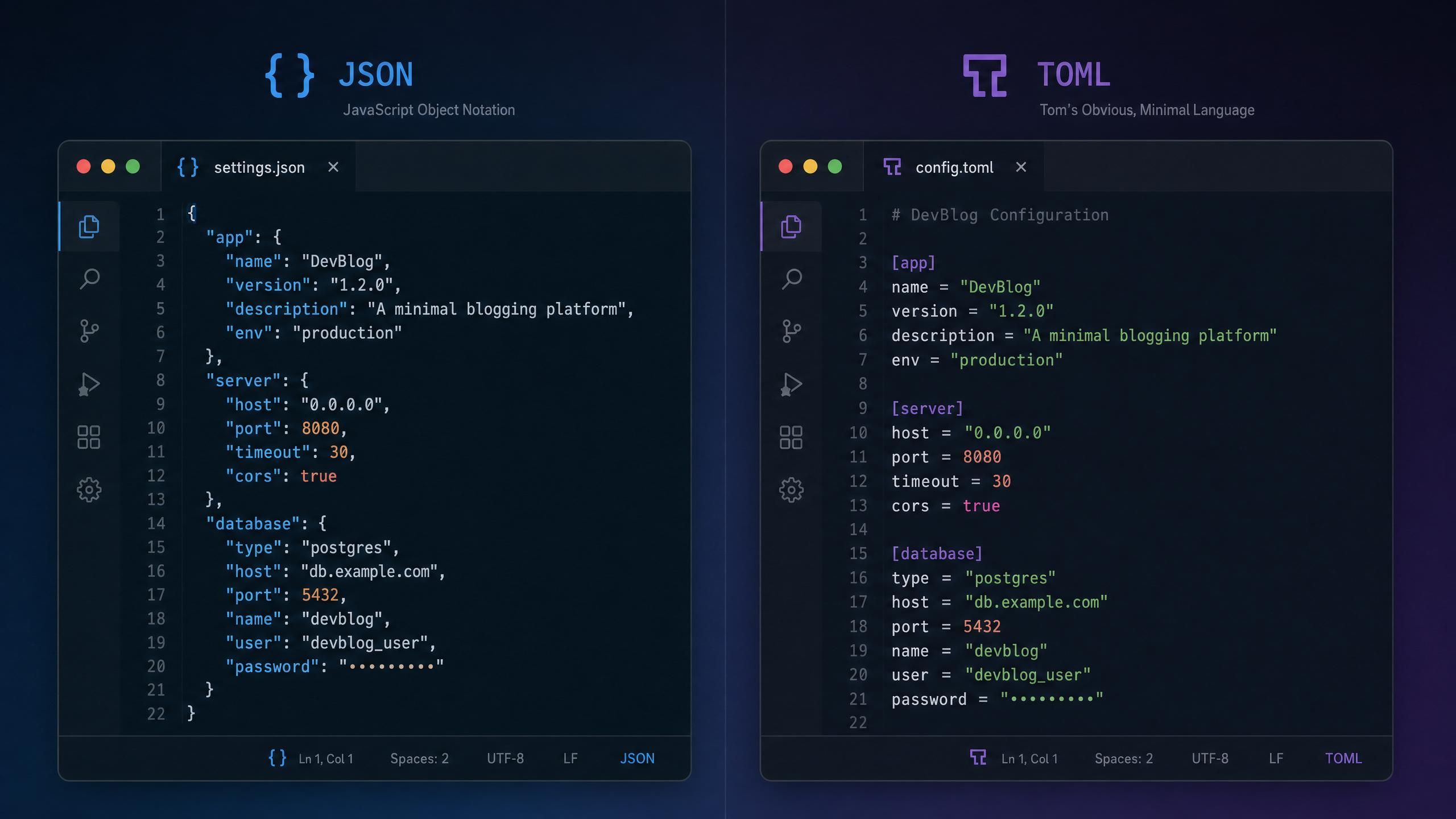
The setup differs slightly by tool, but the core idea is the same across all of them: point the tool at https://api.atlascloud.ai/v1 (or https://api.atlascloud.ai for Claude Code specifically) and provide your Atlas API key.
Setting Up Cursor as a Cursor Pricing Alternative Backend
In Cursor's model settings, you can add a custom API provider. Use the OpenAI-compatible format:
- Base URL:https://api.atlascloud.ai/v1
- API Key: your Atlas Coding Plan key from the dashboard
- Model ID: for example, deepseek-ai/deepseek-v4-flash or zai-org/glm-5.1
This keeps Cursor as your IDE and interface. Only the model powering it changes.
Setting Up Claude Code as a Cursor Pricing Alternative
Claude Code reads its configuration from ~/.claude/settings.json on macOS/Linux, or %USERPROFILE%\.claude\settings.json on Windows. Edit it to add:
plaintext1{ 2 "env": { 3 "ANTHROPIC_AUTH_TOKEN": "your-atlas-api-key", 4 "ANTHROPIC_BASE_URL": "https://api.atlascloud.ai", 5 "ANTHROPIC_MODEL": "zai-org/glm-5.1", 6 "ANTHROPIC_DEFAULT_HAIKU_MODEL": "zai-org/glm-5.1", 7 "ANTHROPIC_DEFAULT_SONNET_MODEL": "zai-org/glm-5.1", 8 "CLAUDE_CODE_DISABLE_EXPERIMENTAL_BETAS": "1" 9 } 10}
Note that Claude Code uses https://api.atlascloud.ai as the base URL, without the /v1 suffix. All other tools (Cursor custom provider, Codex, OpenCode, OpenClaw) use https://api.atlascloud.ai/v1.
Setting Up OpenCode as a Cursor Pricing Alternative
OpenCode reads ~/.config/opencode/opencode.json on macOS/Linux:
plaintext1{ 2 "$schema": "https://opencode.ai/config.json", 3 "provider": { 4 "atlascloud": { 5 "npm": "@ai-sdk/openai-compatible", 6 "name": "atlascloud", 7 "options": { 8 "baseURL": "https://api.atlascloud.ai/v1", 9 "apiKey": "your-atlas-api-key" 10 }, 11 "models": { 12 "zai-org/glm-5.1": { 13 "name": "glm-5.1" 14 } 15 } 16 } 17 } 18}
Your Atlas API key comes from the plan management dashboard. Navigate to the API Key section and create a key scoped to the Coding Plan. The key format is standard and works with any OpenAI-compatible client library.
How the Daily Reset Changes Your AI Coding Budget
This is a structural difference worth understanding before picking any credit-based plan.
Most API billing works on a monthly pool: you buy X credits per month, use them however you want, and top up when you run out. The problem for developers with variable workloads: a focused sprint week burns through a big chunk of the monthly pool, leaving the rest of the month with less headroom than you planned for.
Atlas Cloud's monthly subscription plans use a daily reset model instead. Your credit allocation refreshes at midnight each day. Unused credits from Tuesday don't carry over to Wednesday, but you also start Wednesday with a full daily budget regardless of what happened Tuesday.
| Plan | Price | Daily Credits |
|---|---|---|
| Starter | $10 / month | 800K / day |
| Lite | $20 / month | ~1.8–2.2M / day |
| Plus | $50 / month | 4.8M / day |
| Max | $100 / month | 9.8M / day |
Source: Atlas Cloud Coding Plan, June 2026 · All plans reset daily at midnight.
If you need more on a specific heavy day, you can stack pay-as-you-go credit packs on top of any subscription. These top-up packs are valid for 90 days, multiple packs can be active simultaneously, and they're drawn from only after your daily subscription credits run out. So the subscription acts as your "free daily budget" and the packs act as overflow protection.
The upgrade system is also prorated. If you start on Starter ($10/month) and upgrade to Lite ($20/month) with 14 days remaining in your billing period, you pay only the difference for those days: ($20 - $10) × (14 / 30) = $4.67. Downgrades aren't available mid-cycle, so plan your tier selection with a bit of lead time if you're thinking of moving up.
The prorated upgrade math makes it easy to start conservatively and scale up mid-month once you have a clear sense of your actual daily usage pattern, rather than guessing upfront. -->
Cursor Pricing Alternatives Compared: When Each Makes Sense
Here's how the options actually stack up, written for the three developer profiles from earlier.
For the sprint coder (Profile 1): The daily reset model is a structural fit. Whether you code 10 sessions on Tuesday and 0 on Wednesday, you always start fresh. GitHub Copilot and Windsurf don't offer this kind of per-day budget structure: they either give you unlimited (at a price premium) or cap you monthly. The Starter tier at $10/month is worth testing for a month; you can upgrade to Lite mid-cycle for just the prorated difference if you find the daily limit isn't enough.
For the model experimenter (Profile 2): Only the custom API route gives you genuine model flexibility. GitHub Copilot runs on GitHub's model stack. Windsurf runs on Codeium's stack. If you want to test DeepSeek V4-Pro vs GLM-5.1 vs Kimi K2.6 on your actual codebase, you need a provider that supports all three under one API key. Atlas Cloud supports all of these and you can switch between them by changing a single line in your config file.
For the cost-conscious solo developer (Profile 3): The $10/month Starter tier competes directly with GitHub Copilot Individual ($10/month) but gives you access to multiple open-source models, a daily-refresh credit structure, and support for Claude Code, Codex, Cursor, OpenCode, and direct API calls under the same plan. The tradeoff is setup complexity: GitHub Copilot requires no configuration. Custom providers require a few minutes of editing config files.
A useful note for all profiles: discussions in the r/cursor community frequently surface the same feedback. The frustration isn't with Cursor's quality. It's with the fast-request ceiling, which hits at the exact moment you're most productively using the tool. That's the specific pain the credit-based approach solves.
Frequently Asked Questions About Cursor Pricing Alternatives
What is the most direct cursor pricing alternative for developers who don't want to change editors?
Configure Cursor to use a custom API provider while keeping the Cursor interface. In Cursor's model settings, add the Atlas Cloud endpoint (https://api.atlascloud.ai/v1) with your API key. You keep Cursor's multi-file context, chat interface, and keyboard shortcuts. Only the model that powers it changes. This is the lowest-friction option for current Cursor users.
Is GitHub Copilot a good cursor pricing alternative for most developers?
For developers who primarily need fast inline autocomplete and occasional chat, GitHub Copilot Individual at $10/month is a solid, low-friction option. Cursor has stronger multi-file context awareness and a more conversational interface. If you rely on Cursor's chat for reasoning through complex problems rather than just generating boilerplate, Copilot will feel limited. Try Windsurf's free tier before paying for either.
How does the prorated upgrade work if I want to switch tiers mid-month?
Upgrades are calculated based on days remaining in your current billing period. The formula is: (new price - current price) × (days remaining / 30). Upgrading from Starter ($10) to Lite ($20) with 14 days left costs ($20 - $10) × (14/30) = $4.67. The higher daily credit limit takes effect immediately. Downgrades are not available mid-cycle; you'd need to wait until the current period ends.
Can I stack pay-as-you-go credits on top of a monthly subscription?
Yes. The subscription provides your daily refresh credit amount, and pay-as-you-go packs sit as an overflow reserve. When your daily subscription credits are exhausted, usage automatically draws from your oldest-expiring pay-as-you-go pack. Multiple packs can be active at once, and each pack is valid for 90 days from purchase. Payment for both subscription plans and pay-as-you-go packs requires Stripe; account balance credit doesn't apply.
Are open-source models like DeepSeek and Kimi actually competitive with Claude Sonnet for coding?
For the majority of routine coding tasks (functions, tests, refactoring, debugging, documentation), DeepSeek V4 and Kimi K2 perform comparably to Claude Sonnet on standard coding benchmarks. For tasks requiring complex multi-step reasoning across an unfamiliar codebase, frontier proprietary models still have a measurable edge. Most developers find that 80 to 90 percent of their daily coding sessions don't require that level of reasoning, making the 45 to 55 percent cost reduction worthwhile for the bulk of their usage.
Wrapping Up
Cursor Pro at $20/month is a reasonable product. The frustration isn't with the price, it's with what happens when the 500 fast requests run out. If you don't hit that ceiling, the subscription is fine.
If you do hit it consistently, the math in this article suggests the credit-based approach is worth testing. The daily reset model fits sprint-heavy workloads better than monthly pools. The per-token cost is 45 to 55 percent lower than official API rates. And because the setup is a config file change rather than a tool migration, the cost of testing it is a few minutes, not a workflow overhaul.
The Atlas Cloud Coding Plan starts at $10/month on the Starter tier, supports all major coding tools, and upgrades are prorated if you need more capacity mid-cycle.
How to pick between DeepSeek V4-Flash and V4-Pro for different task types → model selection guide for coding agents





