Google Gemini Omni is an all-in-one AI model from Google DeepMind, introduced at Google I/O on May 19, 2026. Its biggest milestone is native multimodality. This means it handles and creates text, images, sound, and video within one system, rather than connecting different tools. It is designed for creators, developers, and businesses who want to make and edit videos through simple conversation without switching apps.
A Gemini Omni features overview starts with one idea: create anything from any input. Unlike standalone text-to-video AI tools, Omni combines Gemini's reasoning with advanced media rendering in one pass.
Key Capabilities at a Glance
| Feature | Detail |
|---|---|
| Inputs accepted | Text, image, audio, video |
| Primary output | Video (images & audio coming soon) |
| Editing style | Conversational, multi-turn prompts |
| First model | Gemini Omni Flash |
| Availability | Google AI Plus, Pro & Ultra subscribers |
Where to Access It
- Gemini app — AI Plus/Pro/Ultra subscribers globally
- Google Flow — full short-film workflows
- YouTube Shorts / YouTube Create — short-form creation
- Developer API — coming within weeks
What is Google Gemini Omni and How Does It Work?
Google Gemini Omni is a massive leap forward. It is the main, all-in-one creative AI model from Google DeepMind. Revealed at Google I/O 2026, the system takes text, images, sound, and video all at the same time to make high-quality video content. It officially takes over for Veo within the Gemini ecosystem.
The Core Engine: Native Multimodality Explained
Most earlier AI video tools followed a sequential pipeline: convert the input into text descriptions, then pass those descriptions to a separate video renderer. Gemini Omni works differently. It is built on a native multimodal model — one that processes all media types simultaneously within a single core engine rather than routing them through isolated steps.
This matters because skipping conversion layers means the model retains richer context. When you supply a reference photo alongside a text prompt, Omni reasons across both at once, preserving visual details that a text-conversion step would typically flatten.
What Gemini Omni Multimodal Input Looks Like in Practice
Gemini Omni multimodal input supports these combinations in a single prompt:
| Input Type | Example Use |
|---|---|
| Text only | Describe a scene from scratch |
| Image + Text | Animate a still photo with a written direction |
| Video + Text | Edit an existing clip conversationally |
| Audio + Text | Guide tone alongside a visual prompt |
| Mixed (all four) | Combine reference clips, style images, and narration |
Real-Time Processing and Conversational Control
Because reasoning happens inside one model, real-time processing of edit instructions becomes practical. Omni refines outputs through multi-turn conversation — swap a background, adjust lighting, or stabilize a shot by simply describing the change. No re-prompting from scratch required.
Google DeepMind's Nicole Brichtova described it as "more than a Veo update" — Gemini's reasoning fused with media rendering into one coherent system.
Conversational Video Editing AI: How to Use Gemini Omni for Advanced Asset Modification
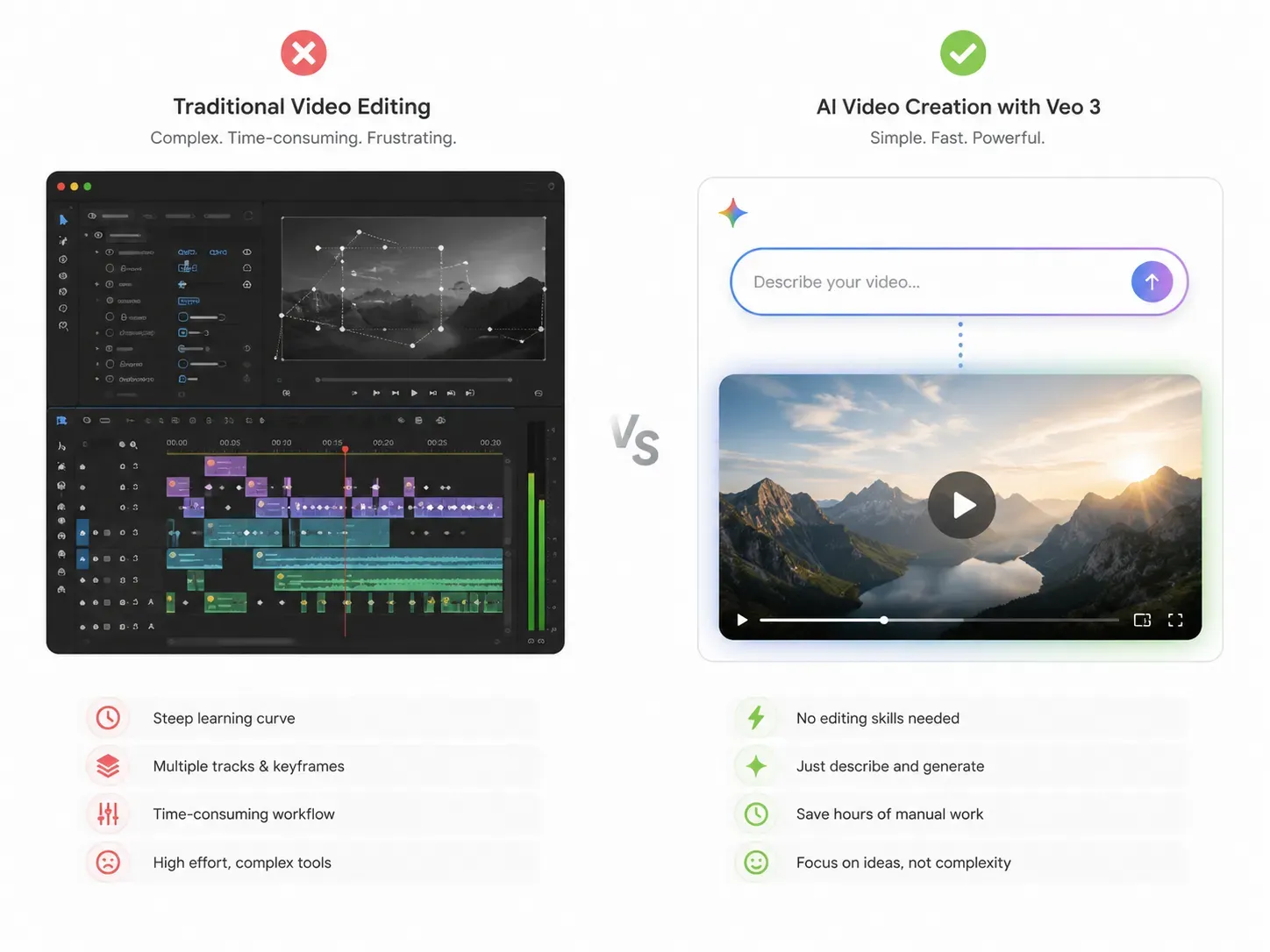
Understanding the architecture is one thing — putting it to work is another. This is where Gemini Omni's conversational video editing AI capability stands apart from conventional tools.
Traditional video editors demand timelines, layers, and manual keyframing. Gemini Omni replaces that workflow entirely. Upload your footage, type or speak what needs to change, and the model re-renders the clip. No plugins. No external software.
Can Gemini Omni Handle Complex AI Video Element Replacement?
Yes — and it is one of its most practically useful features. According to Google's official documentation, supported video asset modification tasks include:
- Background swaps — replace the environment behind a subject while preserving the character
- Wardrobe and style changes — modify clothing or transfer a visual style across a clip
- Object substitution — swap a specific item in a scene mid-shot
- Lighting adjustments — change the mood or intensity of scene lighting via a single instruction
- Video stabilization — smooth shaky footage through a plain-language prompt
- Character swaps — replace one subject with another using a reference image
Interactive Video Editing Through Multi-Turn Conversation
What makes this interactive video editing rather than one-shot generation is the multi-turn loop. Each edit instruction builds on the previous one, so the model maintains scene coherence — the same background, lighting logic, and character identity — across successive rounds of refinement.
For example, a creator could first instruct: "swap the background to a city street", then follow up with "make the lighting warmer", and finally "stabilize the shot" — all without restarting the generation.
AI Video Element Replacement: What to Expect Right Now
AI video element replacement in the current Gemini Omni Flash model targets 10-second clips. More complex video asset modification across longer formats — and additional output types like standalone images and audio — is planned for future releases.
Master the Multi-Turn Loop: A Practical Gemini Omni Prompting Guide
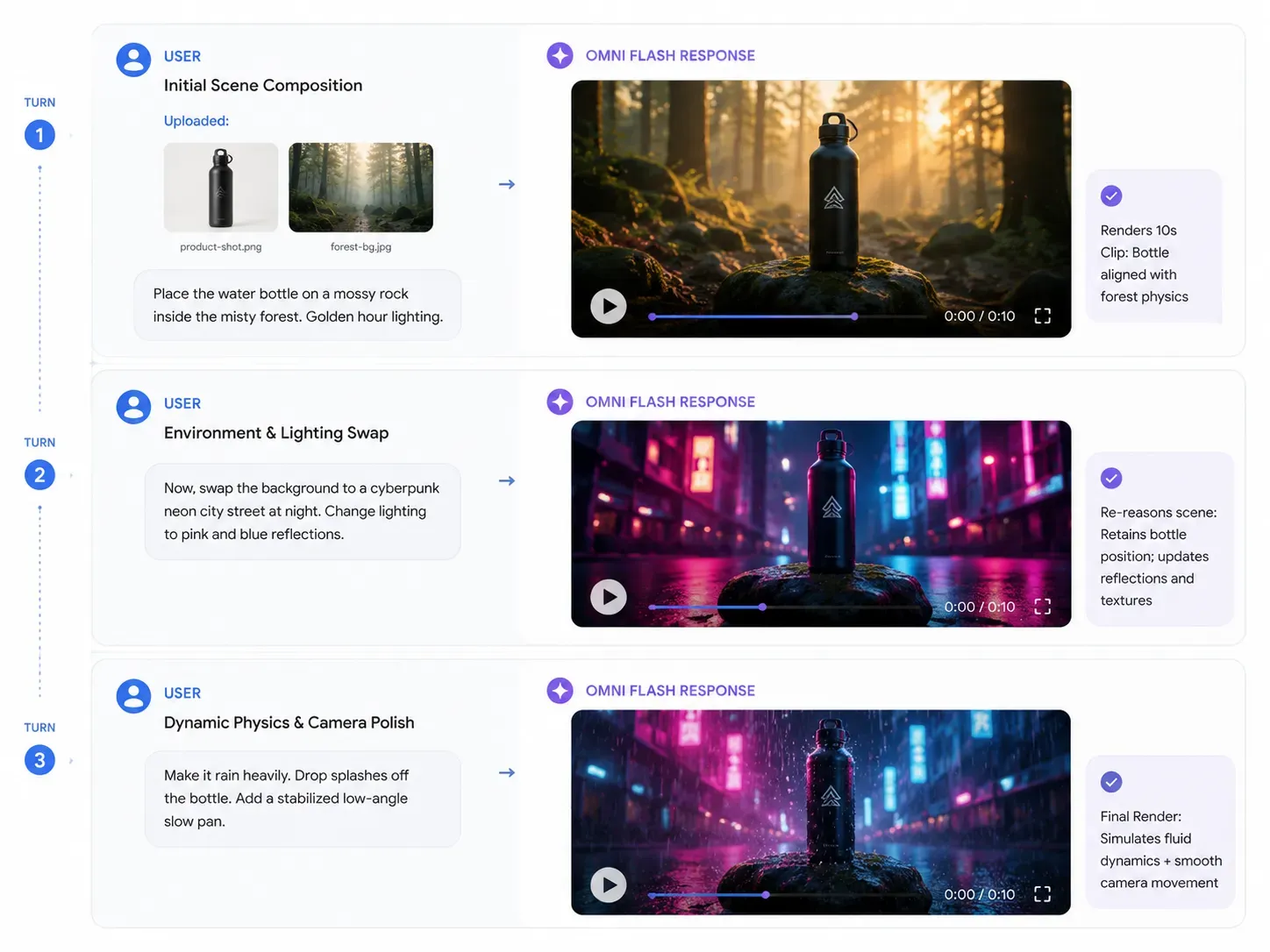
To unlock the full potential of Gemini Omni's native multimodality, your prompting strategy must shift from one-shot generation to an ongoing conversation. Because the world model physics engine retains environment logic, you can layer instructions step-by-step.
Here is a live, production-ready blueprint for a typical commercial creator workflow:
Turn 1: The Initial Reference Input
Input Assets: Upload brand-product-shot.png (a metallic water bottle) and background-reference.jpg (a misty forest).
Prompt: "Generate a 10-second cinematic product showcase. Place the metallic water bottle from the product shot onto a mossy rock inside the misty forest. Set the lighting to early morning golden hour."
Expected AI Output: Omni reasons across both images simultaneously, placing the bottle realistically on the rock with accurate physics-based weight and initial shadow casting.
Turn 2: The Dynamic Asset Modification
Input Context: Continuous chat inside the same session (no re-uploading needed).
Prompt: "Now, swap the background. Replace the misty forest with a sleek, minimalist cyberpunk neon city street at night. Change the lighting to cool blue and hot pink neon reflections hitting the metallic surface of the bottle."
Expected AI Output: The background environment changes instantly. Crucially, the bottle’s position on the rock remains consistent, but its surface reflections dynamically shift to mirror the new neon light sources.
Turn 3: The Physical Polish
| Prompt Action | Target Command |
|---|---|
| Add Environmental Physics | "Make it start raining heavily in the scene. Ensure raindrops splash realistically off the top of the bottle and water ripples form on the ground." |
| Apply Camera Control | "Slowly pan the camera from a low angle upward, and apply plain-language video stabilization to smooth out the transition." |
While mastering the multi-turn loop inside Google Flow optimizes your prompt pipeline, developers scaling multi-model workflows often require broader flexibility. Implementing unified multi-modal AI APIs allows platforms like Atlas Cloud to serve over 300 models—including advanced video, image, and LLM reasoning engines—under a single orchestration layer
Simulating Reality: The Power of the Gemini Omni World Model Physics Engine
Conversational editing produces great results only when the model understands why a scene looks the way it does. That is where the Gemini Omni world model physics layer becomes critical.
At Google I/O 2026, Google DeepMind CEO Demis Hassabis described Gemini Omni not as a video generator, but as a world model — a system that builds an internal understanding of reality and reasons about what should happen next inside any given scene.
What "World Model" Means in Practice
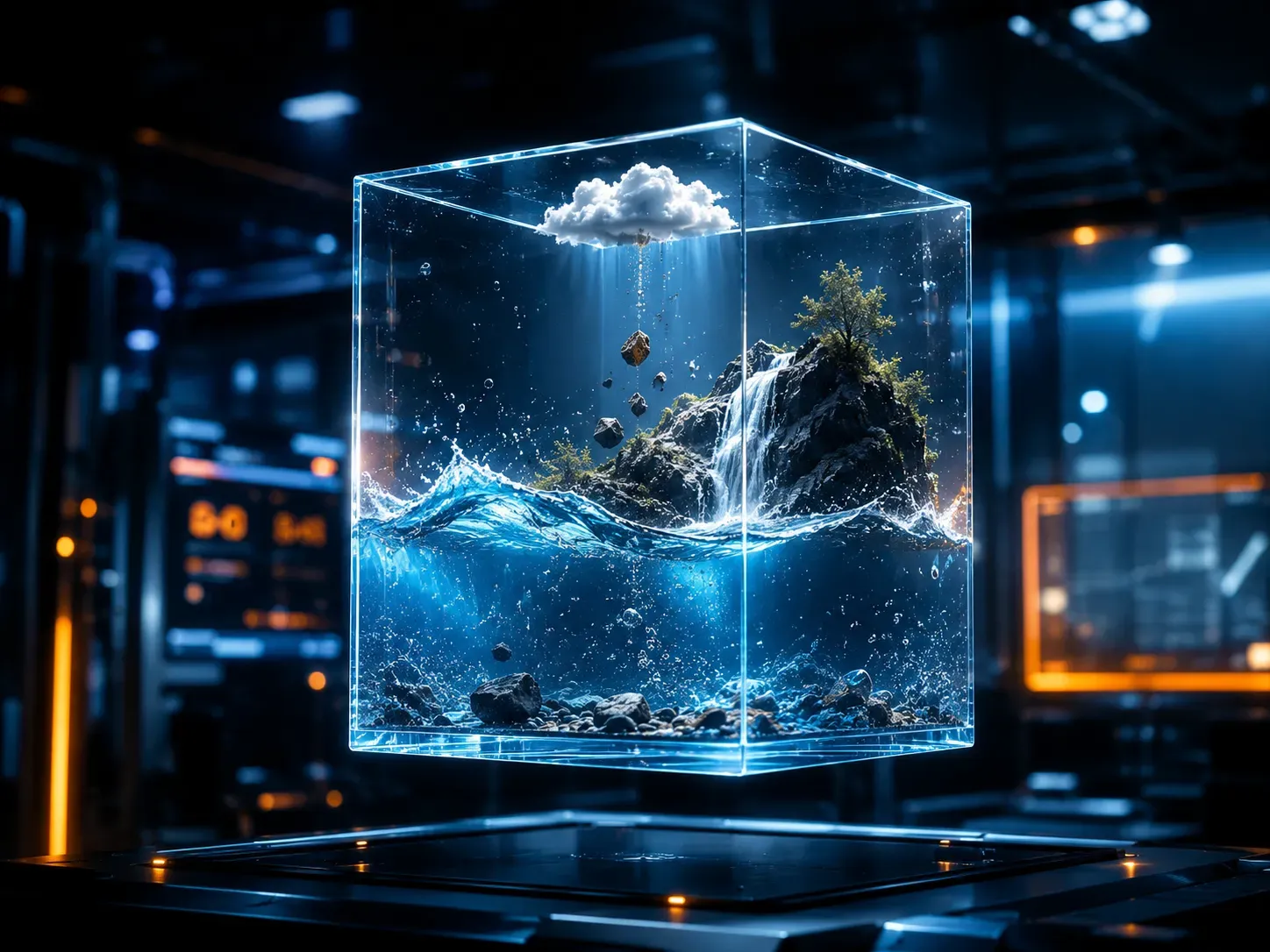
Most earlier video AI tools predicted the next frame by pattern-matching pixels at scale. They produced footage that looked real but didn't behave consistently — characters morphed between cuts, shadows ignored light sources, and fluid moved like a texture rather than a substance.
Gemini Omni is trained differently. According to Google, the model incorporates real-world understanding of physics, motion, and spatial awareness AI to ground its outputs in how the physical world actually works.
Physics Properties Gemini Omni Is Trained to Simulate
Google says the model has an intuitive grasp of the following physical properties, building on Genie — DeepMind's game-world simulation platform:
| Physics Property | Practical Effect in Video |
|---|---|
| Gravity | Objects fall and land with accurate weight |
| Kinetic energy | Momentum is preserved across collisions |
| Fluid dynamics | Water, smoke, and liquids behave naturally |
| Lighting consistency | Shadows shift correctly when scenes are edited |
| Spatial anatomy | Character proportions stay consistent across cuts |
Why This Matters for Consistent Video Generation
During the I/O 2026 keynote, this layer was put to the test by creating a highly accurate claymation explainer of protein folding—proving that the model moves past pixel-matching to understand actual scientific and spatial reality.
This world model foundation is what enables consistent video generation across multi-turn edits. When a user swaps a background or adjusts lighting through conversation, the model doesn't just composite a new layer — it re-reasons the physical relationship between the subject, the new environment, and the light source. The result is simulating physical reality at the scene level rather than patching pixels.
The Paradigm Shift: Pixel-Matching vs. World Simulation
| Legacy Video AI Tools (Old Era) | Google Gemini Omni (World Model) |
| ❌ Lacks core logic; merely predicts the statistical probability of the next pixel cluster. | 🧠 Comprehends object mass, kinetic momentum, and fluid energy conservation. |
| ❌ Shadows warp and textures tear dynamically the moment the camera angle shifts. | 🧠 Simulates global illumination, ensuring light rays and reflections refract naturally. |
| ❌ Character anatomy and background structures distort after 3–5 seconds. | 🧠 Retains a unified environment, lighting logic, and identity across multi-turn edits. |
Custom Digital Avatars: Can Gemini Omni Create an AI Avatar for Content Creators?
The world model physics described above makes generated footage look real. The avatar feature makes it look like you.
Can Gemini Omni create an AI avatar? Yes. Gemini Omni Flash includes a dedicated avatar tool that lets creators build a digital likeness of themselves — using their own appearance and voice — and deploy it directly inside generated videos without re-uploading reference material each time.
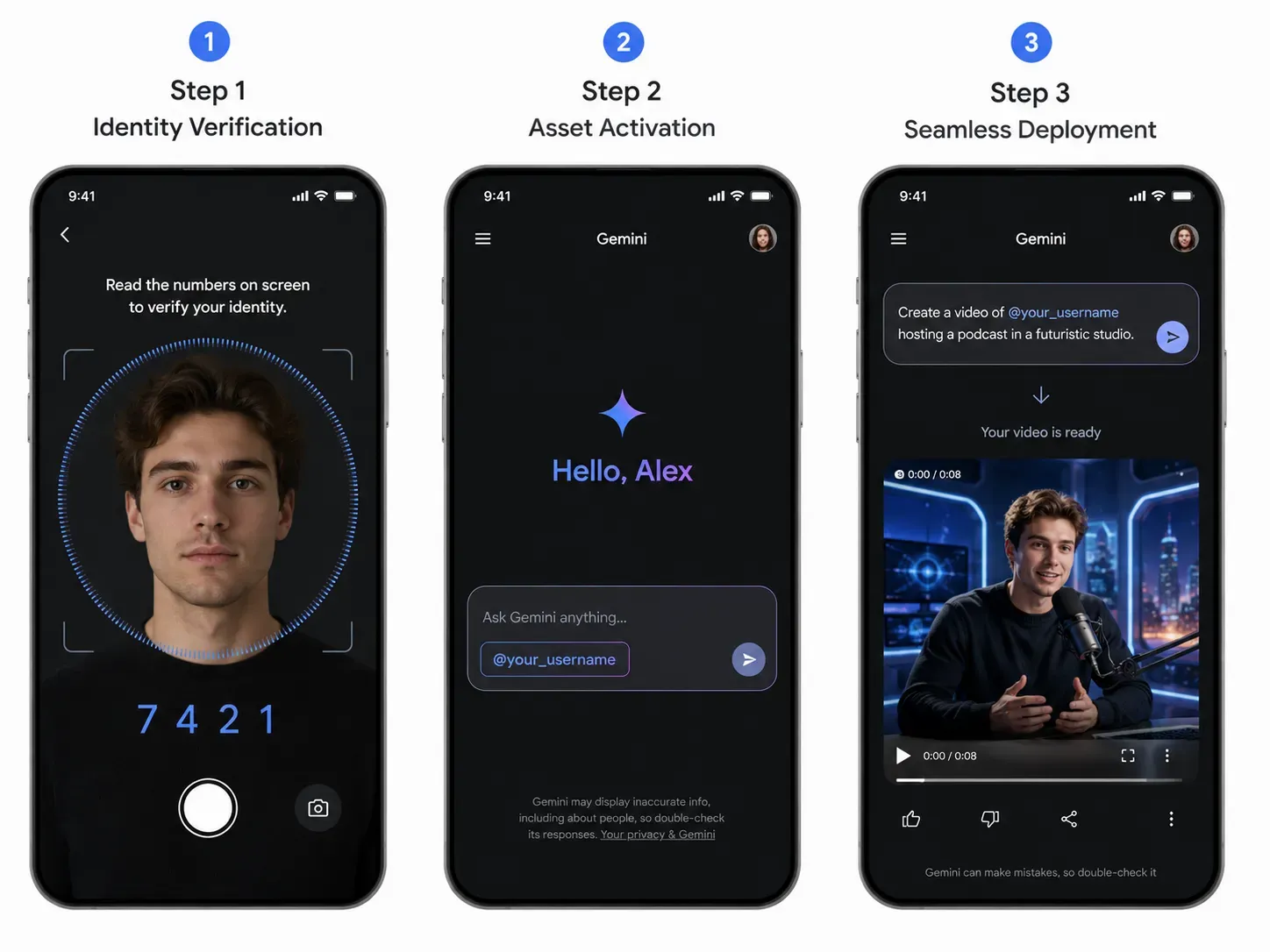
How the Avatar Onboarding Works
To prevent misuse, Google has added a structured verification step before the avatar is created. According to TechCrunch, users complete a dedicated onboarding process that involves recording themselves and reading out a series of numbers. The recorded likeness is then stored and reused across future sessions.
Full speech editing of existing third-party clips remains under review while Google works through responsible deployment. All custom digital avatars and generated videos carry Google's SynthID digital watermark, which is verifiable through the Gemini app, Gemini in Chrome, and Google Search.
How Does Gemini Omni Integrate with YouTube Shorts and Google Flow?
The table below maps current access by platform:
| Platform | Access Level | Notes |
|---|---|---|
| Gemini app | AI Plus, Pro & Ultra subscribers | Full Omni Flash features including avatar |
| Google Flow platform | AI subscribers | Includes Flow Agent, batch editing, Flow Music |
| YouTube Shorts creator tools | Free, no subscription needed | Rolling out week of Google I/O 2026 |
| YouTube Create App | Free | Same rollout schedule as Shorts |
| Developer API | Coming in weeks | Enterprise and Google AI Studio access |
The Google Flow platform received additional updates alongside Omni Flash: a Flow Agent for brainstorming and batch generation, a custom Tools feature for shareable no-code workflows, and Flow Music support for full music video creation and style transformation.
Content Security and Origin: How the Google SynthID Video Watermark Protects Media
Powerful avatar creation and video editing tools raise an obvious question: what stops them from being used to create misleading content? Google's answer is a non-optional, imperceptible watermark baked into every clip Gemini Omni produces.
What Is the Google SynthID Video Watermark?
The Google SynthID video watermark is not a visible logo or removable metadata tag. It is a signal embedded directly into the pixels of a video at the moment of generation — invisible to the human eye but readable by Google's detection tools. According to Google's I/O 2026 keynote, SynthID has now marked over 100 billion AI-generated images and videos since its launch.
Critically, the signal is designed to survive common post-processing operations that could otherwise erase a surface-level marker:
- Compression and re-encoding
- Resizing and cropping
- Format conversion
For Gemini Omni specifically, SynthID is switched on by default and cannot be disabled.
How AI Media Provenance Verification Works
AI media provenance can be checked through three Google surfaces: the Gemini app, Gemini in Chrome, and Google Search. Users upload a clip and the detector highlights the specific timestamps where a watermark signal is found — offering contextual verification rather than a simple yes/no result.
SynthID as a Deepfake Mitigation Strategy
| Security Layer | What It Does |
|---|---|
| Pixel-level watermark | Survives compression, cropping, re-encoding |
| Non-optional embedding | Cannot be turned off by the user |
| Cross-platform adoption | OpenAI and ElevenLabs are adopting the C2PA standard |
| Avatar onboarding gate | Requires voice verification before likeness is stored |
| Speech editing withheld | Full voice editing held back pending responsible deployment |
Sundar Pichai cited the context plainly at I/O 2026: studies show people correctly identify high-quality deepfake videos only around a quarter of the time. SynthID, alongside the withheld speech-editing capability, forms Gemini Omni's layered approach to deepfake mitigation and content security features.
Gemini Omni Flash vs Pro: Subscription Tiers, Token Pricing, and API Access
With the feature set clear, the next question is practical: what does access actually cost, and which tier fits your workflow?
How Do You Get Access to Gemini Omni Flash Right Now?
Gemini Omni Flash began rolling out on May 19, 2026. Access routes depend on how you intend to use it:
| Plan Tier | Monthly Price | Cloud Storage | Gemini App & Core Features |
|---|---|---|---|
| Google AI Plus | $7.99 / mo | 200 GB | Usage limits: 2x higher than without a Google AI plan; Plus access to Flash Thinking model; |
| Google AI Pro | $19.99 / mo | 5 TB | Usage limits: 4x higher than without a Google AI plan; Plus access to Pro model, Deep Research and more; |
| Google AI Ultra | $99.99 / mo | 20 TB | Usage limits: 5x more than Pro tier; Get higher limits than the Google AI Pro plan, plus access to most advanced features like Deep Think; |
How to get access to Gemini Omni inside Google Flow depends on plan-allocated Google Flow Omni credits: moving from entry-level access in AI Plus, to advanced multi-turn filmmaking pipelines in AI Pro, up to high-limit studio compute bounds in AI Ultra.
For standard application deployments, Google's Vertex AI pay-per-token model keeps costs predictable. However, for production-grade rendering pipelines that hit rigid API rate limits, switching to flexible on-demand GPU pricing models offers a more cost-effective blueprint, giving teams raw hardware control without minimum commitments.
Gemini Omni Flash vs Pro: What Is the Difference?
In the Gemini Omni Flash vs Pro comparison, one side is confirmed and one is not yet available. Flash generates 10-second clips — a deliberate deployment cap to manage compute demand at launch, not a model limit, per Google DeepMind's Nicole Brichtova.
Omni Pro has been announced but carries no release date. Google says it will ship when the team sees "a step change above Flash." Until then, Flash is the only publicly available Omni model.
Gemini Omni vs Google Veo: What Changed?
Gemini Omni vs Google Veo is an architectural shift, not a version bump. Veo 3.1 remains live with GA API access for text-to-video generation. Omni adds a reasoning layer, accepts all four input types simultaneously, and introduces multi-turn conversational editing — none of which Veo was designed to support.
One Unified API for Production Video Generation
While Google rolls out Gemini Omni Flash inside the Gemini app and Google Flow for end-users, developers and product teams who want to embed the same multimodal video engine into their own workflows need a stable, predictable API layer.
Atlas Cloud serves Gemini Omni Flash through a unified, OpenAI-compatible API, alongside 300+ other image, video, and LLM models — so you can integrate Google's native multimodal model without juggling separate vendor accounts, billing portals, or SDKs.
Both Gemini Omni Flash variants are live on Atlas Cloud:
| Variant | Best For | Inputs | Resolution | Duration | Starting Price |
| Gemini Omni Flash Text-to-Video (Developer) | Pure prompt-driven cinematic generation | Text (up to 20,000 chars) | 720p / 1080p / 4K | 4, 6, 8, 10 s | $0.2 + $0.1/sec |
| Gemini Omni Flash Image-to-Video (Developer) | Subject-consistent video from real references | Text + up to 7 reference images | 720p / 1080p / 4K | 4, 6, 8, 10 s | $0.2 + $0.1/sec |
Quick Start — Generate a Gemini Omni Flash video in 5 lines:
plaintext1curl -X POST https://api.atlascloud.ai/api/v1/model/generateVideo \ 2 -H "Authorization: Bearer $ATLASCLOUD_API_KEY" \ 3 -H "Content-Type: application/json" \ 4 -d '{ 5 "model": "google/gemini-omni-flash/text-to-video-developer", 6 "input": { 7 "prompt": "A misty forest at golden hour, cinematic dolly shot", 8 "resolution": "1080p", 9 "duration": 8, 10 "aspect_ratio": "16:9" 11 } 12 }'
The API returns a prediction ID immediately — poll /api/v1/model/prediction/{id} for the rendered MP4 URL. Full schema, code samples in 7 languages, and a no-code Playground are available on the model pages linked above.
Conclusion: The Future of Multimodal Content
Gemini Omni represents something more than a better video generator. By fusing Gemini's reasoning engine with native multimodal generation, Google has collapsed what used to require four separate tools — text prompting, image referencing, video rendering, and post-production editing — into a single conversational workflow.
The implications compound quickly. World-model physics means edits look believable without manual compositing. SynthID provenance means accountability is built in, not bolted on. Avatar creation means creators can produce at scale without stepping in front of a camera every time. And with Omni Flash already live across the Gemini app, Google Flow, and YouTube Shorts, the barrier to entry is low enough for individual creators and enterprise teams alike.
What comes next — Omni Pro, broader API access, and expanded output modalities — will define how far that shift goes.
Now we want to hear from you. Which Gemini Omni feature are you most likely to test first in your workflow — conversational background edits, avatar creation, or physics-grounded scene generation? Drop your answer in the comments below.





