Yes, you can absolutely get professional results without paying a monthly fee. If you know what you're doing, using photo to video AI free tools in 2026 gives you perfectly "good enough" footage . Paid plans remove speed limits and boost resolution, sure. But if you combine the best free models with a smart multi-tool strategy? You can totally bypass those paywalls and keep your creative workflow moving.
Top 4 Photo to Video AI Free Models: 2026 Compariso
| Dimension | Wan 2.7 | Ray 3.14 (Luma) | Gen-4 (Runway) | Pika 2.5 | ||||
| Free | Paid | Free | Paid | Free | Paid | Free | Paid | |
| Official provider | Alibaba | Alibaba | Luma AI | Luma AI | Runway | Runway | Pika Labs | Pika Labs |
| Output quality | High | High+ | HighHigh 高 | Very high+ | High | Very high | Medium–High | High |
| Watermark | ✅ Yes | ❌ None | ✅ Yes✅ 是的Yes | ❌ None | ✅ Yes | ❌ None | ❌ None | ❌ None |
| Video duration | ~5–15s | ~10–15s | ~5–10s | Longer | ~5–10s | Longer | 5s | Longer |
| Resolution | 720p | Up to 1080p | ~360–1080p | ~1080p+ | ~720p | 1080p–4K | ~480–1080p | 1080p |
| Speed | Medium (queue) | Faster | Slow | Faster | Fast | Faster | Medium (queue)Medium(队列)Medium (Queue) | Faster |
| Usage limits | wan.videoDaily Check-in earn 10 credits10 credits per video | wan.video300~1200 Credits per month, daily check-in earn 10 credits5 credits per video | dream-machine.lumalabs.ai60 credits per video | dream-machine.lumalabs.ai60 credits per video3200~10000 Credits per month | app.runwayml.com12 credits per video | app.runwayml.com12 credits per video2250 Credits per month | pika.art12 credits per videonew registered users can get 80 credits. | pika.art12 credits per video12学分每视频12 credits per video700~6000 Credits per month,new registered users can get 80 credits. |
| Commercial use | ✅ Yes | ✅ Yes | ❌ Restricted | ✅ Yes | ❌ Restricted | ✅ Yes | ❌ Limited | ✅ Yes |
| Stability | High | High | High | Very high | High | Very high | Medium | Medium–High |
| Scalability | ⭐⭐⭐⭐⭐ | ⭐⭐⭐⭐⭐ | ⭐⭐⭐ | ⭐⭐⭐⭐ | ⭐⭐⭐ | ⭐⭐⭐⭐ | ⭐⭐⭐ | ⭐⭐⭐ |
| strengths | Available for commercial useLonger video duration | Higher video resolution | Faster video generation | No watermarkHigher video resolution | ||||
| Best use cases | Film, R&D, pipelines | Production pipelines | Cinematic clips | Professional video generation | Concept testing | Ads, filmmaking | Social media | Marketing content |
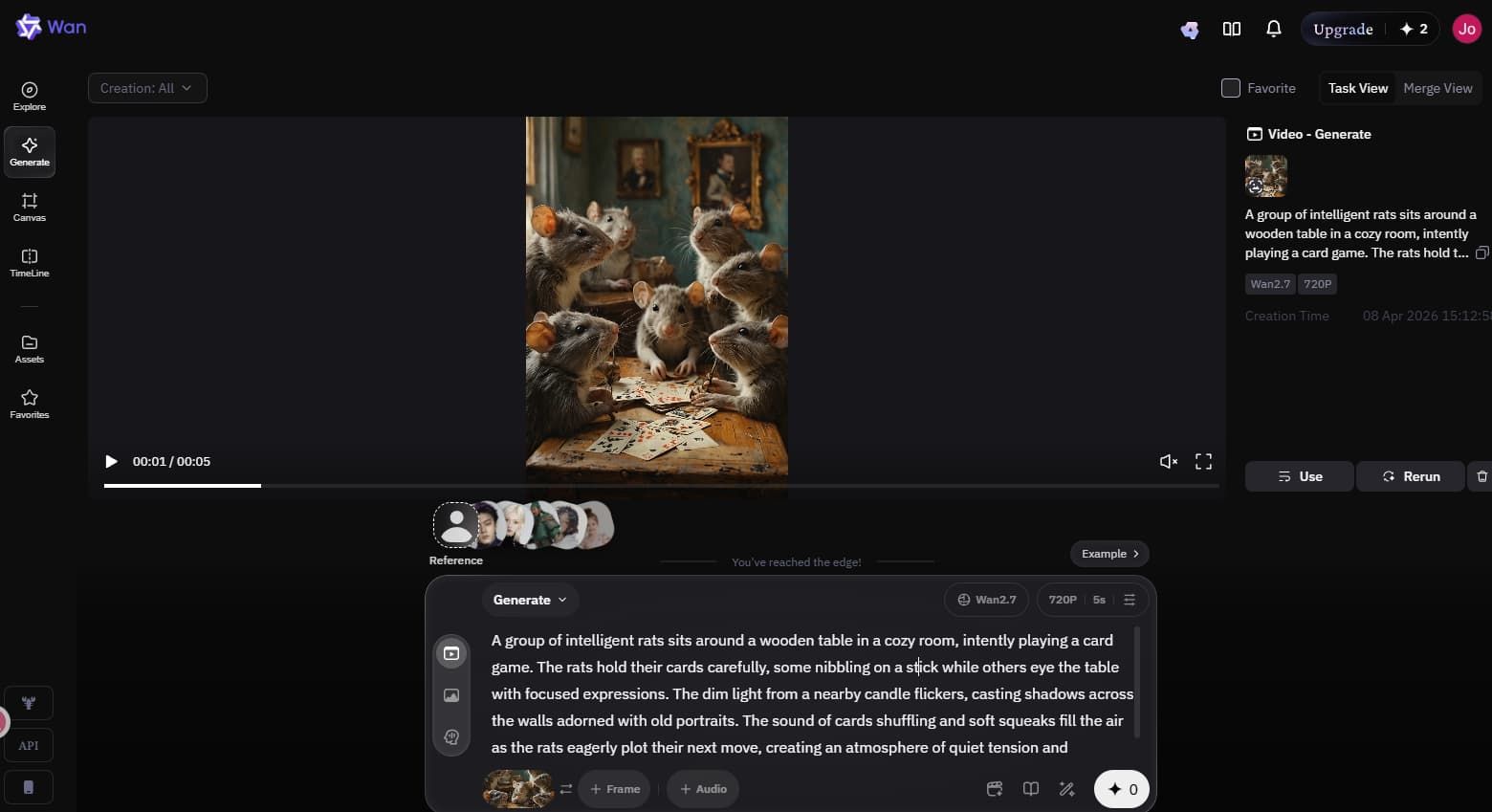
Wan 2.7 Video Generation Interface
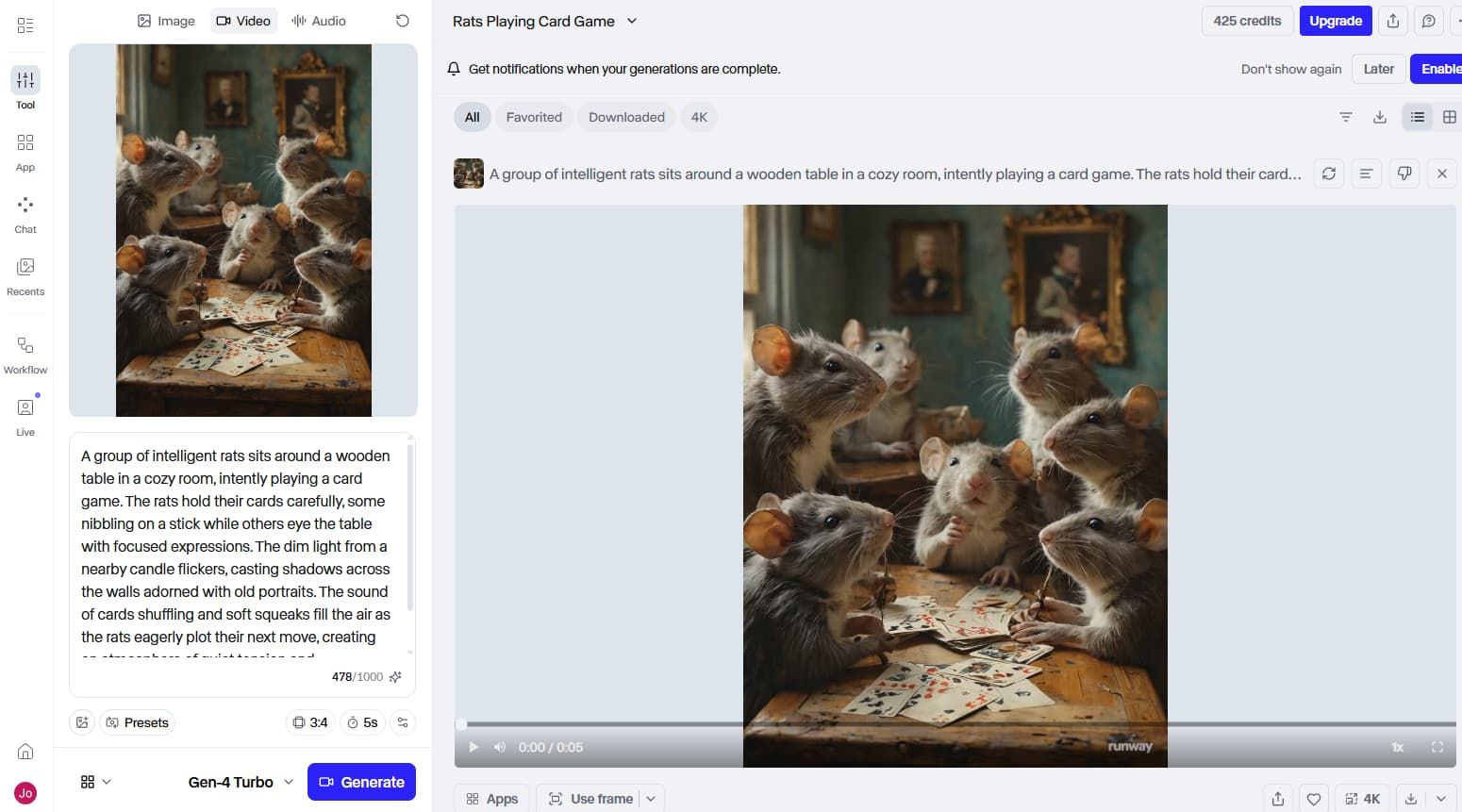
Gen 4 Video Generation Interface
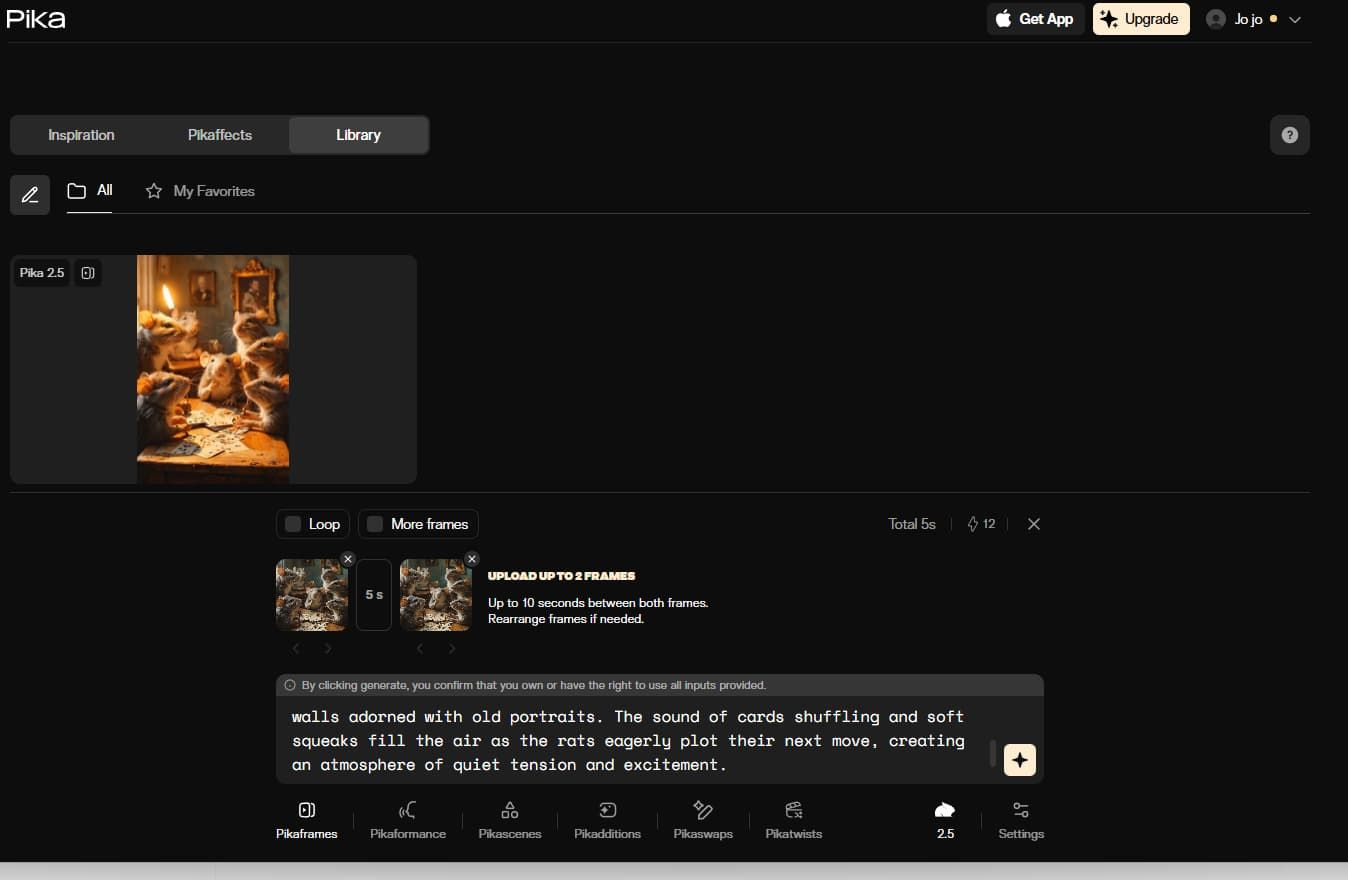
Pika 2.5 Video Generation Interface
Section Conclusion: Free photo to video AI free quotas are definitely limited. Don't rely on just one model. Choose the most suitable model based on your specific use case and the model's strengths. Basically—use each one for what it does best.
Pro Hacks: Overcoming the Limits of Free Photo-to-Video AI
Getting professional-quality results with a photo to video AI free tool is totally possible. But honestly? You have to work around some annoying limits. Short clips, ugly watermarks, and low resolution can ruin a project. I've found that smart workflows and a few tricks make all the difference.
Length limits: Use editing to stitch clips together into a complete narrative
Most free AI gives you maybe 5~10 seconds. That feels way too short, right? But you rarely need a 15+second continuous shot anyway. I usually generate several short clips and stitch them together in my editor. Fast cuts make the video feel dynamic and completely hide the short duration.
Watermarks: Crop, cover, overlay, or reframe the shot
Watermarks scream "amateur." My favorite trick? Before I upload my photo to the AI, I add a thick black border to the bottom. The AI usually slaps its watermark on that border. When the video is done, I just crop the border out. You can also just cover the watermark with your own logo or text overlay.
Not enough generation credits
Balancing AI video daily refresh credits vs subscription limits is like a mini-game. Track exactly when your credits reset. Some reset daily, while others give a monthly lump sum. I keep a sticky note on my monitor to track them. Max out your daily credits every single day, and combine multiple models so you never run completely dry.
Slow generation and long queue times
Free tiers mean waiting in line. I guess the servers just prioritize paying users. To beat this, batch your submissions. Run your generations in the background while you do other work. Also, try logging on during off-peak hours. I get my fastest results late at night or super early in the morning.
Unstable or broken frames
Sometimes the AI just messes up. A face melts, or a hand gets six fingers. It happens. My rule is to generate three or four versions of the exact same prompt. Pick the most stable one. If a clip looks great but the very last second gets weird, just cut the problem frames out in post-production.
Low resolution (720p)
This is probably the biggest hurdle. But an upscaling free AI video to 4K workflow easily fixes it. You take that muddy 720p export and run it through a dedicated AI upscaler. I use CapCut's free web video upscaler quite a bit. It adds sharpness right back into the footage. If you need a visual guide on how to do this, check out this YouTube tutorial on upscaling AI video to 4K.
The Breaking Point: When to Move from Free to a Hybrid API Strategy
Manual hacks are completely fine when you're flying solo. I used them for months. But what happens when you land a big agency client? Or maybe you need to automate bulk content for a growing brand? Honestly, juggling six different browser tabs and logging into multiple accounts gets exhausting fast.
And buying subscriptions to every single tool? Way too expensive. You eventually hit a wall where your time becomes more valuable than the subscription fee. Here is the exact three-step roadmap I use to transition from free testing to massive scale.
Stage ① – Use free tools for creative validation
Never pay upfront if you don't have to. When starting a new project, I always test my ideas first. I lean on a photo to video AI free platform just to see if my base image and prompt even make sense together. It is the easiest way to figure out how to get pro AI video quality for free without blowing cash on bad concepts. I basically treat this stage like sketching out a rough draft.
Stage ② – Lock in quality content directions
Once an art style actually clicks, I narrow my focus. Let's say one specific model handles the motion perfectly for a campaign. I lock in that visual direction. But—and this is a big "but"—at this stage, I always double-check the commercial rights for free AI video terms. If the platform strictly says "no commercial use" for free users, I immediately know I'll need a premium solution to keep things legally safe before the final launch.
Stage ③ – Scale up output with paid or API solutions
This is the actual breaking point. You have an approved concept, but now your client wants 50 different video variations by Tuesday. Doing that manually while waiting for free credits to reset? Yeah, that is practically impossible. You need to scale up quickly. But subscribing to three or four different AI tools feels like a total waste of money.
👉 Enter Atlas Cloud.
This is why an AI aggregator API changes the game. It completely solves the multiple-subscription nightmare. Instead of managing multiple pricey monthly plans, Atlas Cloud lets you access 300+ advanced, top-tier, and latest AI models from a single endpoint from one single endpoint. It works on a strict pay-as-you-go basis. You get the ultra-high resolution, zero watermarks, and full commercial rights, but you only pay for exactly what you generate. If you need bulk content for commercial needs or want to build your own AI product, this is definitely the smartest route.
Conclusion – Which Path is Right for You?
So, after looking at all these workflows, which route should you actually take? Honestly, it depends entirely on your current goals. A free tier might be totally fine for a weekend project. But it will definitely hold you back if you are running a serious business. If you are just making memes or testing ideas, keep your money. Use the photo to video AI free options available right now. But if you have clients waiting on your final edits, those free limitations quickly become a massive bottleneck.
| Decision Factor | Stick to Free AI Tools | Upgrade to Atlas Cloud API / Paid |
| Use Case | Personal testing, hobby projects, or pitching rough concepts. | Client work, agency campaigns, or building your own software. |
| Production Volume | A few short clips a week. Willing to wait in long server queues. | High volume. Need dozens of variations fast. Bulk automated creation. |
| Quality Requirements | 720p is fine. Watermarks don't bother you. No commercial rights needed. | ultra-crisp resolution. Clean, watermark-free exports. Full commercial rights. |
👉 To get professional results, you need to level up. But you don't necessarily need high costs.
I see a lot of creators burning money on three or four different subscriptions just to get the best features of each model. That is a huge mistake. You can get professional-grade capabilities in a more efficient, more flexible way.
By using Atlas Cloud API, you instantly access the best tools exactly when you need them. You pay only for the exact seconds of video you actually generate. It is honestly that simple. Get better results at a lower cost, and stop stressing about daily credit resets. Look closely at where you sit on that assessment table, make your final choice, and just start creating.
FAQ on Photo to Video AI Free Tools
Do all photo to video AI free platforms include a watermark on the final export?
Honestly, almost all of them do. Platforms like Runway or Luma slap a visible watermark right in the corner of your video when you use their free tiers. It is their main way of pushing you to upgrade. Sometimes you might spot a brand-new platform testing an AI video no watermark free vs pro trial, but those rarely last. To get clean, professional footage, you usually have to crop the video or just upgrade.
How long of a clip can I generate using a photo to video AI free plan versus a premium tier?
With a basic photo to video AI free plan, you normally get about 5 to 10 seconds per generation. It feels super short, right? If you upgrade to a premium tier, those caps jump up to 15 or sometimes longer seconds, depending on the tool. Honestly, keeping clips short and editing them together is still the best way to maintain visual consistency anyway.
What are the best photo to video AI free models available to test right now?
Looking closely at an AI video free vs paid comparison 2026 breakdown, my top picks remain Wan 2.7, Runway Gen 4, and Luma Ray 3.14, Pika 2.1 is also fantastic if you are working with stylized character stuff. They all offer daily or monthly free limits, so you can test your prompts without spending a dime.
How does an AI model aggregator help developers access photo to video AI free trials and premium models in one place?
Juggling multiple different website logins is a headache. The Atlas Cloud API handles everything through a single dashboard. You can test multiple models, skip the annoying ultra HD AI video export limits free tier nonsense, and just pay for the exact seconds you generate. It is easily the smartest way to get pro-level quality without managing a dozen pricey subscriptions.







