Here's the counterintuitive finding about PixVerse prompts, straight from the company's own testing: longer prompts produce worse videos. PixVerse's engineers ran the same scenes at different prompt lengths and found that a short, focused description beats a 200 word wall of text almost every time.
That single fact explains why so many PixVerse prompts fail. Creators keep adding detail, and the model keeps losing the main action. This guide covers the official prompt format, ten copy-paste examples, the truth about negative prompts, and a straight answer to the Hindi language question that no other guide addresses.
Key Takeaways
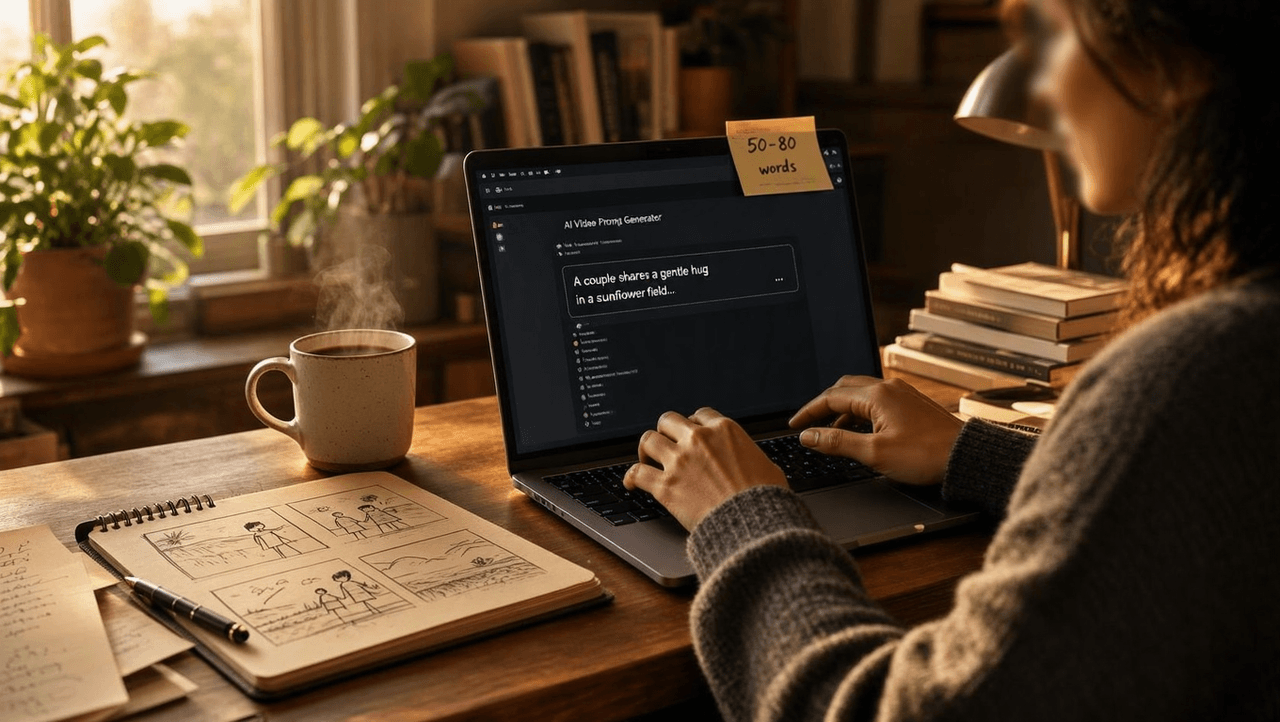
- In 2026, PixVerse's official prompt guide recommends 50 to 80 words per prompt, with the core action stated in the first sentence .
- The PixVerse web app has no negative prompt field, but the API exposes an optional negative_prompt parameter.
- PixVerse accepts prompts in any language, including Hindi, though its documentation recommends English for the most reliable results.
- Developers can run PixVerse v6 at $0.025 per second through the Atlas Cloud API, billed per second with no subscription.
Why PixVerse Prompts Work Differently in V6
PixVerse announced V6 on March 30, 2026, moving from fixed 5, 8, or 10 second outputs to flexible 1 to 15 second clips at up to 1080p with native audio. That release quietly changed what a good prompt looks like. Older prompt guides written for V3 or V5 still circulate, and much of their advice now works against you.
Why does version matter so much for prompting? V6 reads prompts more literally than earlier versions. The official V6 review tells creators to "describe what is visible and audible: subject, action, camera path, lighting, material, scene changes, dialogue, and sound effects." Abstract mood words that V5-era guides recommended, like "cinematic" or "epic," carry almost no signal in V6.
This also explains a complaint that surfaces in the r/PixVerse_AI community: the model seems to ignore parts of a prompt. Based on community reports, the ignored detail is often buried late in a long paragraph. PixVerse's guide is blunt about the cause: "the earlier and clearer the core action is, the easier it is for the model to preserve it through time." If a detail matters, it belongs in your first sentence.
How Do Developers Run PixVerse Prompts Through an API?
Developers have two routes, and the pricing difference is large. PixVerse's own platform charges 18 to 23 credits per second at 1080p depending on audio, and the dollar cost per second then depends on which credit plan you buy. Atlas Cloud hosts the same PixVerse v6 model at $0.025 per second, alongside PixVerse c1 at $0.03 per second, billed per second with no subscription.
The native API flow is straightforward. You send a POST request with your prompt, model version, duration, quality, and optional negative_prompt and seed, then poll until the status changes from 5 (generating) to 1 (successful). Status 7 means content moderation failed, and PixVerse refunds credits automatically in that case. Every request needs a fresh trace ID in UUID format.
Everything this guide covers about prompt writing applies identically over the API, because the prompt string is the same input the web app sends. The one real difference is negative prompt support, which only the API honors as a dedicated field. That makes API access strictly more expressive for prompt engineering, not just cheaper.
For teams comparing video models before committing, the Atlas Cloud text-to-video catalog lists PixVerse v6 next to Seedance 2.0, Kling V3.0, Wan 2.7, and Veo 3.1 with per-second prices on one page. Running the same pixverse ai prompts against two or three models side by side is the fastest way to learn each model's dialect, and per-second billing keeps those experiments cheap. Current rates for every model are listed on Atlas Cloud pricing.
How Do You Use PixVerse on Atlas Cloud?
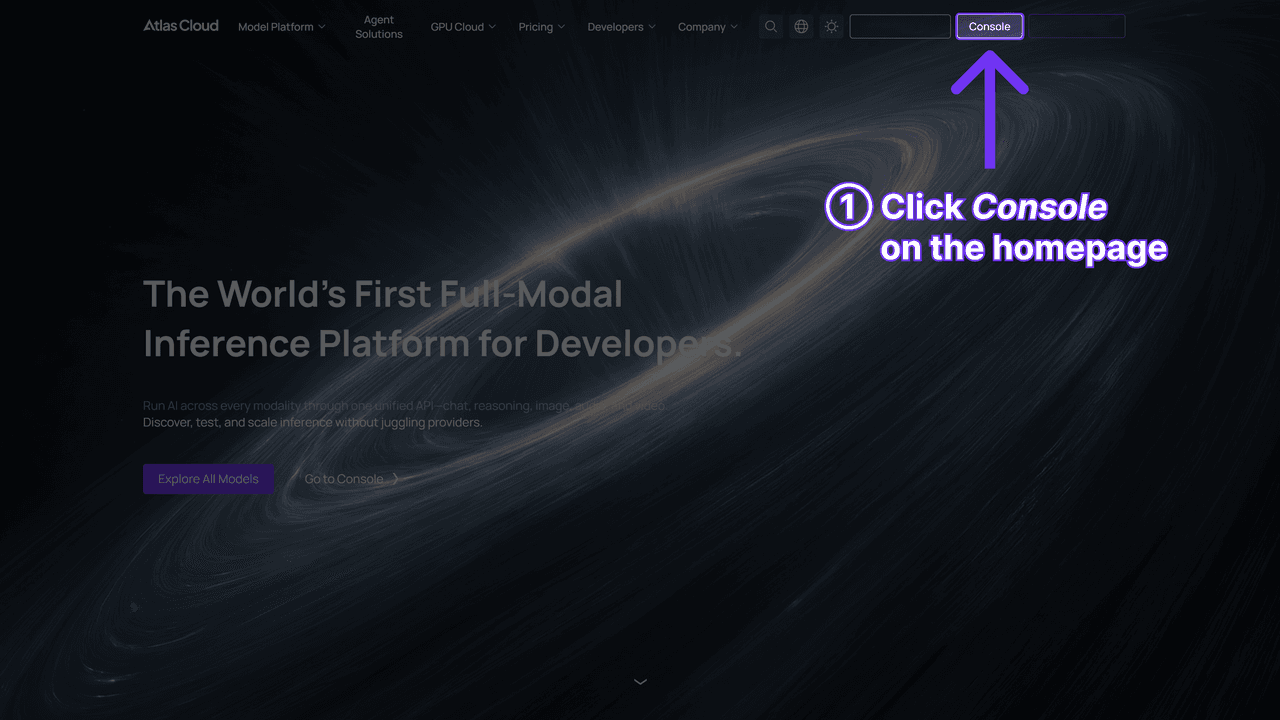
Method 1: use it in the browser. Log in to Atlas Cloud and open the PixVerse v6 playground to start generating. No PixVerse subscription is needed. To compare versions first, the PixVerse family page lists every hosted v6 and c1 endpoint.
Method 2: integrate through the API.
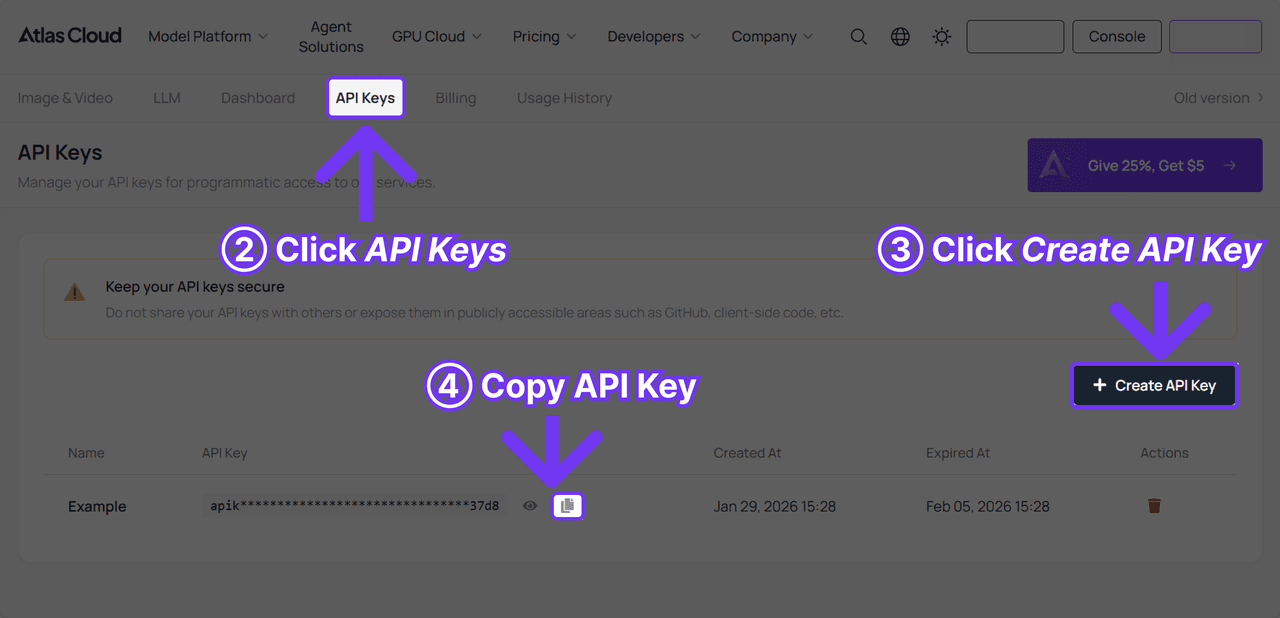
Step 1: get your API key. Create an API key in the Atlas Cloud console, then paste it into your project's environment variables.
Step 2: check the API documentation. The Atlas Cloud API documentation covers endpoints, request parameters, and authentication for video generation.
Step 3: make your first request. Atlas Cloud's One API uses a single interface and a single calling pattern to reach every model on the platform. When a new model launches, you switch the model name in your request and call it. There's no per-model integration work.
Everything this guide covers about prompt writing applies identically over the API, because the prompt string is the same input the web app sends. The one real difference is negative prompt support, which only the API honors as a dedicated field. That makes API access strictly more expressive for prompt engineering, not just cheaper.
Still choosing a model? Run the same pixverse ai prompts on two or three models side by side. It's the fastest way to learn each model's dialect.
What Is the Best PixVerse Prompt Format?
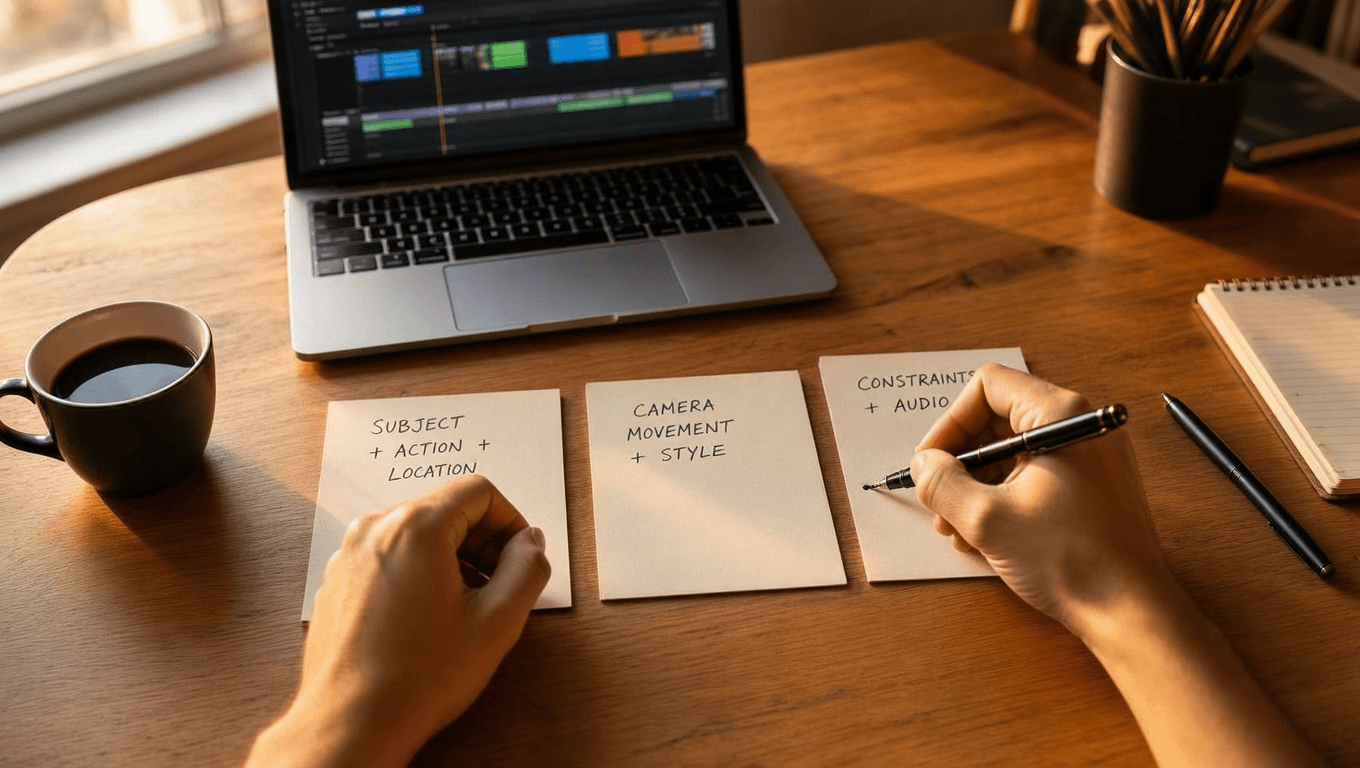
The best PixVerse prompt format is three sentences totaling 50 to 80 words, according to the company's official prompt guide with seven tested fixes. Sentence one covers subject, action, and location. Sentence two sets: one camera movement plus style, lens, or lighting. Sentence three states positive constraints and audio needs.
The template looks like this:
[Subject] + [one action] + [location]. [One camera movement] + [specific style, lens, lighting, or composition]. [What must stay stable] + [what should be absent] + [audio, if needed].
PixVerse's earlier prompt tips taught a simpler version of the same idea: subject + subject description + action + environment, or "what + where + doing what." The seven-fixes guide keeps that skeleton and adds the camera and constraint layers on top. The API documentation allows more room, recommending 25 to 200 words, but the shorter official range is where control peaks.
One warning applies across every PixVerse prompt format: one main camera motion plus one texture cue, never a stack of movements in the same clip.
PixVerse Prompt Examples You Can Copy Today
Every example below follows the official three-sentence structure and stays inside the range PixVerse's testing found most reliable. These aren't recycled from a prompt dump. Each pixverse ai video prompt example targets a use case that creators actually search for, and each one explains why it works so you can adapt it.
Text-to-Video PixVerse AI Prompt Examples
Product macro shot:
A glass perfume bottle stands on white marble as golden liquid settles inside. Slow macro push-in, warm side lighting, shallow depth of field, soft reflections. Bottle shape stays intact, label remains sharp, no text overlays, audio is quiet room tone.
Why it works: the core object and action lead the first sentence, and the constraints replace vague quality words with physical requirements.
Character walk:
A woman in a red raincoat walks across a rain-soaked plaza at dusk. Single lateral tracking shot with a subtle handheld feel, neon reflections on wet pavement. Her stride stays natural, limbs remain proportional, background crowd stays sparse.
Why it works: one camera motion, one texture cue, and anatomy constraints written as positive statements.
Nature scene:
Morning fog drifts through a pine valley as sunlight breaks over the ridge. Slow aerial drift forward, one-point perspective, muted green and amber palette. Horizon stays level, fog moves gradually, audio is windy and distant birdsong.
Why it works: "cinematic" never appears. Specific visual language like a named palette and perspective does the same job with far more control.
Anime style:
An anime schoolgirl releases a paper lantern from a rooftop under a starry sky. Gentle tilt upward following the lantern, cel-shaded style, deep blue night tones. Character design stays consistent, lantern glow stays warm, no extra characters appear.
Why it works: the style call-out is concrete (cel-shaded, named tones) and the consistency constraint prevents mid-clip character drift.
Image-to-Video PixVerse AI Video Prompt Examples
Image-to-video prompting has one iron rule from PixVerse's testing: never re-describe what's already visible in your reference image. Re-description causes subject drift, where the model repaints your product or character instead of animating it. Describe only the motion you want added.
Product reveal from a photo:
Keep the reference object completely intact. Add a gentle camera push-in while a soft highlight travels across the surface. Background stays unchanged, no new objects enter the frame.
Why it works: this mirrors the official guide's own fix for subject drift almost word for word. The reference image carries the visual identity; the prompt carries only motion.
Portrait brought to life:
Keep the person's face, hair, and clothing exactly as shown. Add a slow blink, a slight smile, and loose hair strands moving in a light breeze. Camera holds still, lighting stays constant, audio is soft ambience.
Why it works: micro-motions read as natural life. Big gestures on a single reference photo are where warping starts.
Scene extension:
Preserve the street scene as shown in the image. Add light rain beginning to fall and pedestrians walking through the far background. Camera stays locked, foreground signage remains sharp and unchanged.
Why it works: additions happen away from the anchor subject, so the model animates around your image instead of over it.
Dialogue and Audio Prompt Examples for V6
Two-person dialogue:
A gray-haired chef hands a plate to a young waiter in a bright kitchen and says, "Table six, and tell them it's on me." Static medium shot at counter height, warm tungsten light. Both faces stay consistent, lips match the spoken line, audio includes kitchen clatter under the dialogue.
Why it works: V6 generates audio in the same pass as video, so dialogue belongs inside the prompt with explicit lip-sync and consistency constraints.
Ambient soundscape:
Waves roll onto an empty beach at sunrise as a fishing boat crosses the horizon. Slow pan left to right, soft pastel palette, wide shot. Horizon stays level, boat moves steadily, audio is waves, gulls, and a distant engine hum.
Why it works: naming three audio layers gives the sound model the same specificity the visual model gets.
SFX-driven action:
A mountain biker lands a jump on a forest trail, wheels throwing thin spray from wet soil. Low tracking shot from behind, background reflectors stretch into soft motion trails. Rider's anatomy stays stable, audio is tire impact, chain rattle, and rushing wind.
Why it works: speed is conveyed through physical evidence like spray and motion trails. The word "fast" appears nowhere, because PixVerse's testing found it degrades output.
PixVerse AI Prompt Tips From Official Testing
The most reliable pixverse ai prompt tips come from PixVerse's own seven-fixes guide, published in mid-2026 after internal prompt testing. Condensed, the seven fixes are:
- Cut length before adding detail. Past the recommended range, more words mean less control, not more.
- Delete the word "cinematic." Replace it with the specific look you want: anamorphic lens flare, one-point perspective, neon reflections on wet cobblestones.
- Use one camera movement. Stacked pans, pushes, and orbits produce jitter.
- Skip negative phrasing in the prompt box. Writing "no jitter, no bent limbs" can reinforce the concepts you're trying to remove. State what should happen instead.
- Never write "fast." Describe physical evidence of speed: feet strike with force, wheels throw spray, each stride fully extends.
- Don't re-describe reference images. In image-to-video, describe only the added motion.
- Drop generic quality words. "Amazing," "beautiful," and "epic" do nothing. Lens type, lighting setup, and color palette do everything.
Anyone who's briefed a human camera operator will recognize this list. Every fix pushes the prompt away from adjectives and toward observable, physical instructions. That's the same discipline a director uses on set, and it's why these pixverse prompt tips transfer well to other literal-prompting video models too.
Notice what's absent from the official list? There's no magic keyword, no secret seed value, no hidden parameter. The fixes are all subtractive. That matches a pattern frustrated prompt writers keep describing in community threads: the prompt that finally works is usually shorter than the ones that failed.
PixVerse Negative Prompt Support: Web App vs API
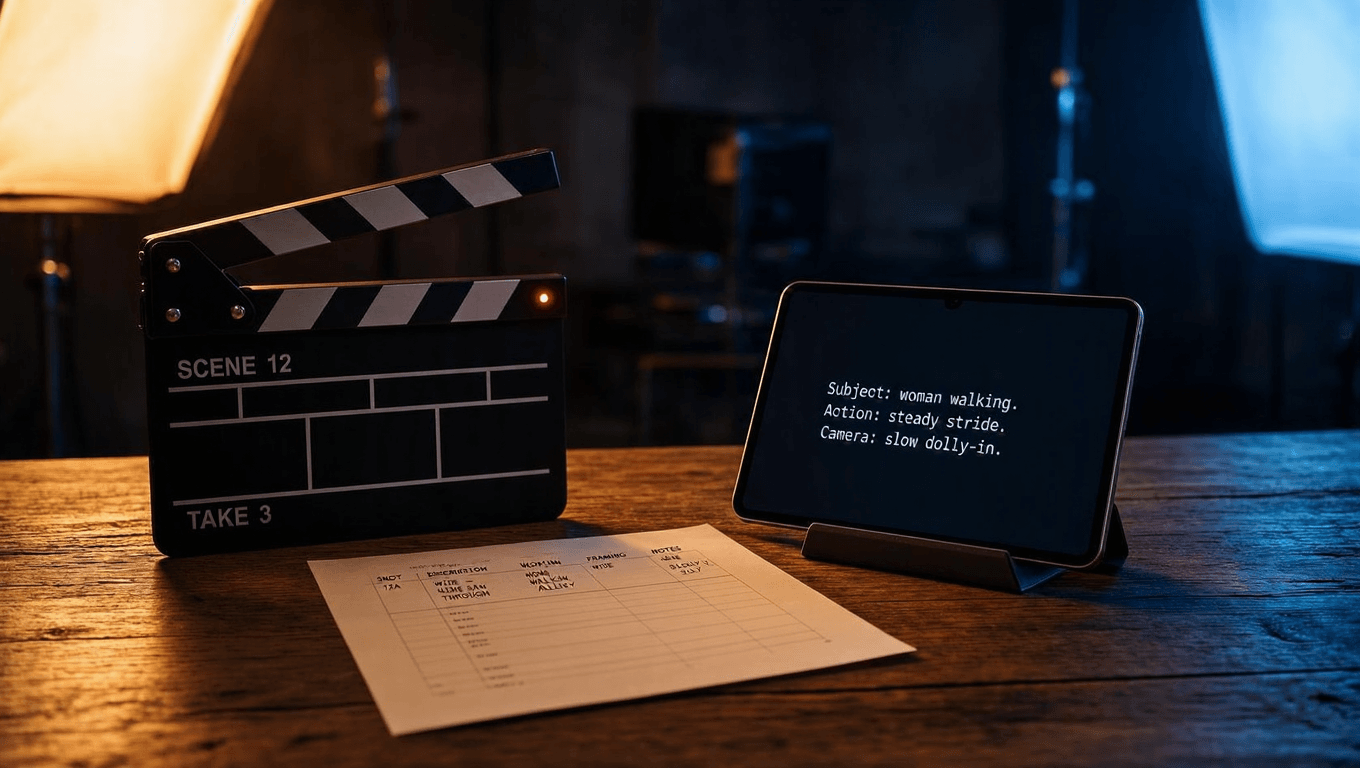
PixVerse negative prompt support has two different answers, and most guides get this wrong by giving only one. The web app offers no negative prompt field at all. The API exposes an optional negative_prompt parameter on its generation endpoints. Which answer applies to you depends entirely on where you generate.
The two surfaces even contradict each other in spirit. PixVerse's own prompt guide states flatly that "there are no negative prompts" in standard interfaces, and warns that typing "negative: jitter, bent limbs" into the prompt box may reinforce those very concepts. Meanwhile, the platform API documentation lists negative_prompt as a supported optional string alongside prompt, duration, quality, and motion_mode. The feature exists in the API layer and simply isn't exposed in the consumer app.
So what should each user do? Web app creators should convert exclusions into positive constraints. Instead of "no shaky camera," write "camera stays steady." Instead of "no deformed hands," write "hands move naturally, limbs stay proportional." Developers calling the API can pass a real pixverse negative prompt string, and common practice is to suppress artifacts like "blurry, low quality, distorted faces, extra limbs, flickering."
If your workflow depends on strong negative prompting, plan for API access from the start, before you spend an evening fighting the web app's prompt box.
Does PixVerse Support Hindi Prompts?
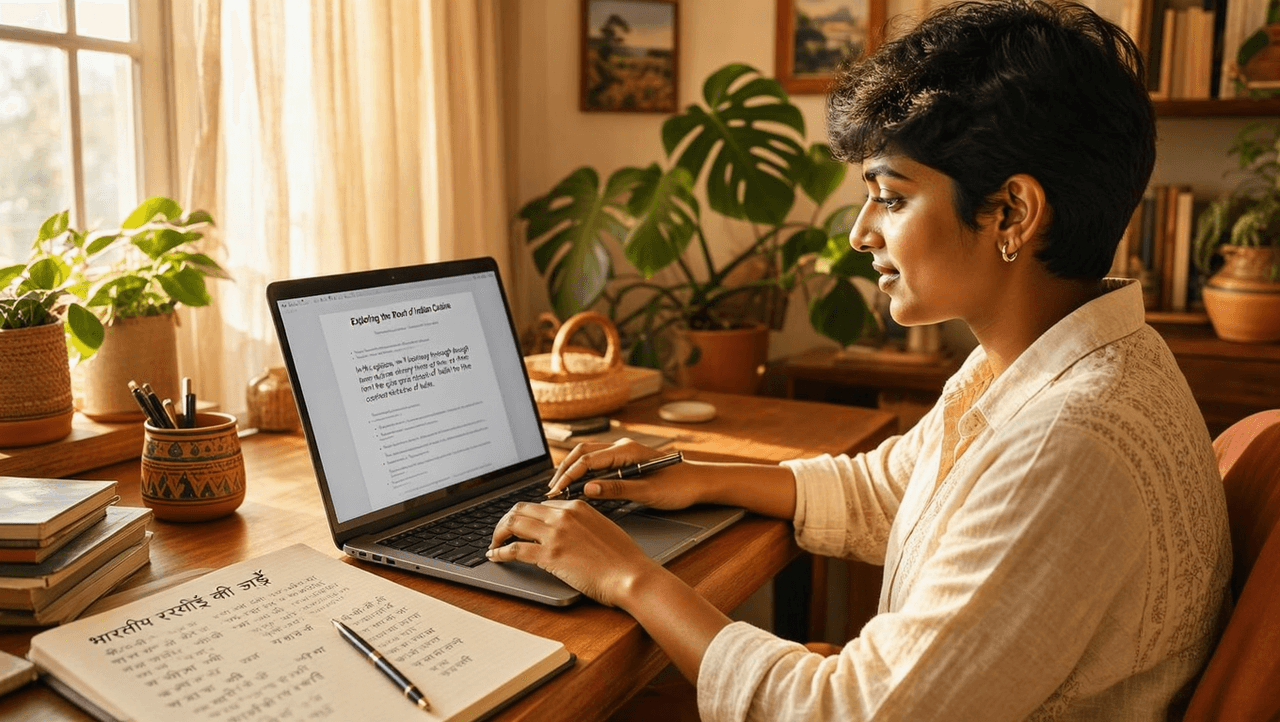
Yes, you can write PixVerse prompts in Hindi, and the model will attempt to interpret them. PixVerse serves creators in 177+ countries according to its own homepage, and its prompt tips documentation states that "PixVerse's model can handle input in any language." The same tutorial adds the key caveat: "it is recommended to use English for input as PixVerse understands English best and yields the best results."
That nuance matters, because interest in this question is real. Hindi-speaking creators keep typing queries like "pixverse ai hindi prompt support," "pixverse ai language support hindi prompts," and "pixverse ai prompt language support hindi" into search engines, and until now no guide has answered them directly. The honest answer: Hindi input works, English input works better, and PixVerse publishes no official list of optimized languages. Treat any claim that "pixverse ai supports hindi prompts" at full English quality as unconfirmed by official documentation.
The practical workflow for Hindi speakers takes three steps. First, draft the scene in Hindi exactly as you imagine it, since your first language captures detail best. Second, translate it to English with any LLM or translation tool, asking for short declarative sentences. Third, restructure the translation into the three-sentence pixverse prompt format above before submitting. The translation step costs seconds and reduces misread details.
One separate caution: asking PixVerse to render Devanagari text inside the video, like a Hindi caption on a signboard, is unreliable. Text rendering inside generated video remains a weak spot across major video models, whatever the prompt language. Keep on-screen text out of your prompt and add captions in an editor afterward.
How Do You Use a PixVerse Prompt Generator?
The official PixVerse prompt generator is the PixVerse AI Video Agent, which the company describes as an assistant that "turns rough ideas into ready-to-create video directions." You give it a thought, a campaign angle, a character, or a reference image, and it shapes that seed into a structured video direction with guided choices around motion, references, audio, and format.
When is the agent worth using? It shines at the ideation stage, before you know what the video should even be. It's built for exactly the moment its page names: the point where your team decides what to make, before editing gets expensive. For creators who freeze at a blank prompt box, that guided path removes the hardest step.
A general-purpose LLM works as a pixverse prompt generator too, if you feed it the right instruction. Paste the three-sentence template from this guide and ask the model to compress your idea to the official length with one camera movement and positive constraints. The combination of a strong template and an LLM rewriter is the most consistent route to the best pixverse prompts, because the template encodes the official rules while the LLM handles phrasing.
Whichever generator you use, audit its output against the seven fixes above. Prompt generators love adjectives, and adjectives are exactly what PixVerse's testing says to cut. A generated prompt that says "breathtaking cinematic masterpiece" needs the same edit as a human-written one.
Frequently Asked Questions
How long should a prompt be for the best results?
PixVerse's official guide recommends a compact three-sentence prompt covering subject and action, camera and style, then constraints. The API documentation accepts 25 to 200 words, but official testing found that control drops as prompts grow past the 80-word mark.
What are the official PixVerse prompt guidelines?
The official pixverse prompt guidelines come from two sources: the seven-fixes prompt guide on the PixVerse blog and the platform API docs. Combined, the pixverse ai prompt guidelines say to lead with the core action, use one camera movement, replace vague adjectives with physical detail, and state constraints positively rather than as negations.
Where can I find the best PixVerse prompts to copy?
The ten pixverse prompt examples in this guide cover product, character, nature, anime, image-to-video, and dialogue use cases, each following the official three-sentence structure.
Why does the model ignore part of my description?
Position is the usual culprit. PixVerse's guide notes that the earlier and clearer the core action appears, the better the model preserves it through the clip. Details buried late in a long prompt lose out. Shorten the prompt and move the detail that got ignored into the first sentence.
Can I write prompts in my native language?
Yes. PixVerse's prompt tips state the model can handle input in any language, with English recommended for best results. So does pixverse support hindi prompts? It accepts them, but no official document confirms Hindi-optimized quality. Drafting in your native language and translating to English before submitting remains the most reliable workflow.
Conclusion
PixVerse prompting in 2026 rewards restraint. The official formula is specific: three short sentences, one camera movement, constraints stated positively. Every failed generation you shorten and restructure along those lines is cheaper than another blind retry.
The biggest lesson is prompt skill transfers. The same literal, physical description style that fixes pixverse ai prompts also improves results on Seedance, Kling, and Wan. Start with the examples above, keep the seven fixes open in a tab, and let per-second billing keep your experiments cheap.





