

Qwen Image 2.0 is Alibaba’s latest image generation model, designed to deliver high-quality visuals at significantly lower cost and latency. In this guide, we’ll walk through its capabilities, compare it with alternatives, and show how to integrate it into your workflow in minutes.
What is Qwen Image 2.0?
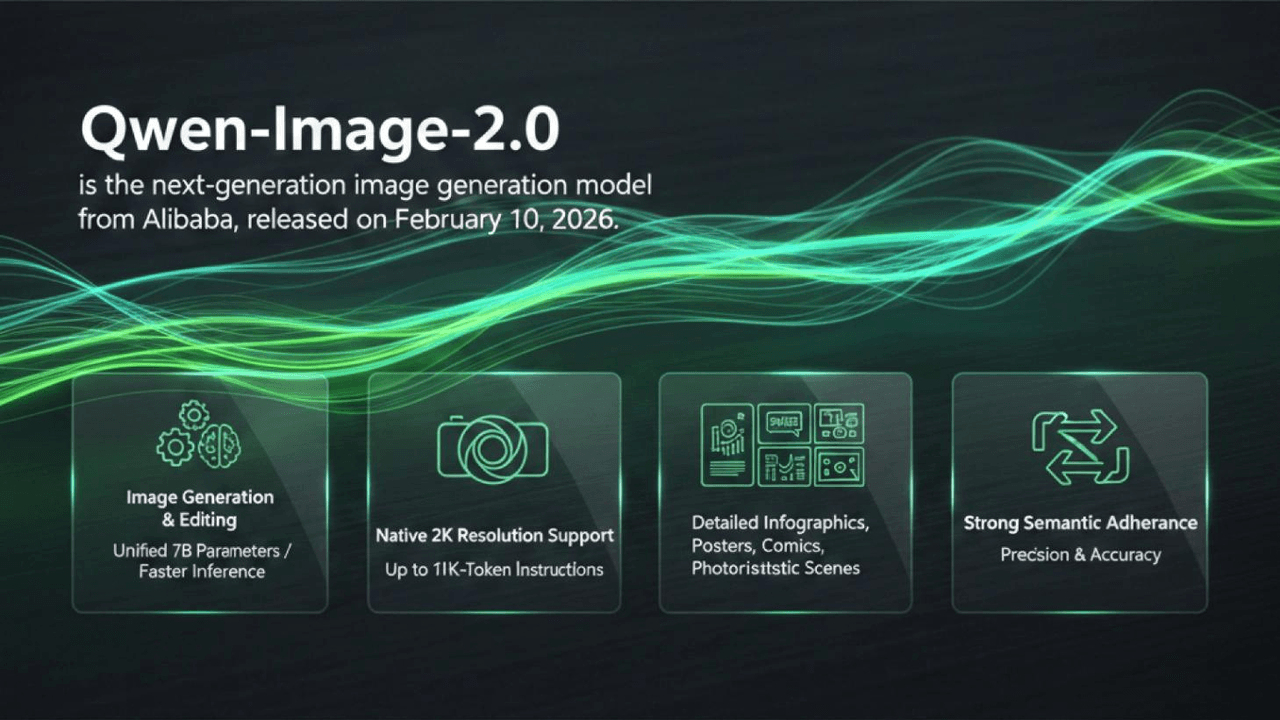
A lot of image models chase artistic exploration. That is fine if you are making art. But many teams need something else. They need a model that runs reliably in an API environment. One that scales without breaking. One that produces images you can actually ship.
Qwen Image 2.0 was built with that in mind.
Here are the changes that matter.
- Prompt handling is more reliable
You give it a complex, structured description. It follows along. Randomness goes down. What comes out is more predictable. You do not have to gamble every time.
- Composition does not drift
Layouts come out clean. No weird misalignments. No unexpected shifts. This becomes important when you design user interfaces, posters, or marketing assets. You cannot afford surprises there.
- Text rendering finally works
Getting clear, readable text inside generated images has been a headache for a long time. Qwen Image 2.0 fixes a large chunk of that. The text is legible. It sits where it should. That alone saves hours of post‑editing.
- High resolution, ready to ship
The detail and quality are high enough that you can drop images directly into products, content pipelines, or commercial projects. Heavy post‑processing is not required. You do not need a separate team to clean things up.
So do not treat this as a toy. It is a practical tool for building real visual products with AI.
How does it compare on speed, cost, and output quality? Let us get into that.
Key Advantages
When you evaluate an image generation API for real‑world use, three factors come up again and again. Speed. Cost. Output quality.
Qwen Image 2.0 was optimised on all three.
| Model | Image Quality | Cost Efficiency | Speed (Latency) | Text Rendering | Price (USD / image) | Best For |
| Flux dev | ⭐⭐⭐⭐☆ | ⭐⭐⭐ | ⭐⭐⭐⭐ | ⭐⭐⭐ | ~$0.012 | Creative + structured workflows |
| GPT Image 1.5 | ⭐⭐⭐⭐ | ⭐⭐⭐⭐⭐ | ⭐⭐⭐⭐⭐ | ⭐⭐⭐⭐ | ~$0.008 | General + fast iteration |
| Seedream v5.0 | ⭐⭐⭐⭐☆ | ⭐⭐⭐⭐ | ⭐⭐⭐⭐ | ⭐⭐⭐⭐ | ~$0.032 | Infographics / logic-heavy visuals |
| Qwen Image 2.0 | ⭐⭐⭐⭐☆ | ⭐⭐⭐⭐☆ | ⭐⭐⭐⭐☆ | ⭐⭐⭐⭐⭐ | ~$0.028 | Production-ready apps |
Speed: built for real‑time and large‑scale use
Latency rarely gets mentioned in demos. Everyone shows you pretty pictures. Nobody talks about how long you wait.
But in production, latency becomes a serious problem.
Slow image generation can ruin user experience in interactive applications. People leave. Drop‑off rates go up. Real‑time use cases become impossible.
Qwen Image 2.0 responds faster. That means near‑real‑time generation. Smoother interactions. Higher throughput when you send batch requests.
Cost: affordable at scale
Cost is one of the biggest barriers to scaling image generation. Many teams start small. They run a few tests. Then they try to generate thousands of images per day. That is when they realise the expenses are unsustainable.
Qwen Image 2.0 was designed with efficiency in mind. The cost per image is lower. You get more output per unit of compute. And the pricing stays predictable even when your usage grows.
On Atlas Cloud, each image costs $0.028. For $10, you get roughly 357 generations. That works for small experiments and large production loads alike.
Quality: good enough for real products
Image quality is not just about aesthetics. It directly affects usability and conversion. A beautiful image that is inconsistent across runs is useless. A sharp image with garbled text is also useless.
Qwen Image 2.0 delivers on three fronts. Results are more consistent across repeated generations. Compositions are cleaner for structured layouts. Text rendering is stronger, especially for UIs and marketing images.
One user mentioned they used to spend twenty minutes per image fixing text placement. Now they barely touch it. That is the kind of quality that saves money.
API Integration Guide
Atlas Cloud lets you try multiple models side by side. You can start in the playground. Play around. See what works. Then you call everything through a single API.
Method 1: Use directly in the Atlas Cloud playground
Method 2: Access via API
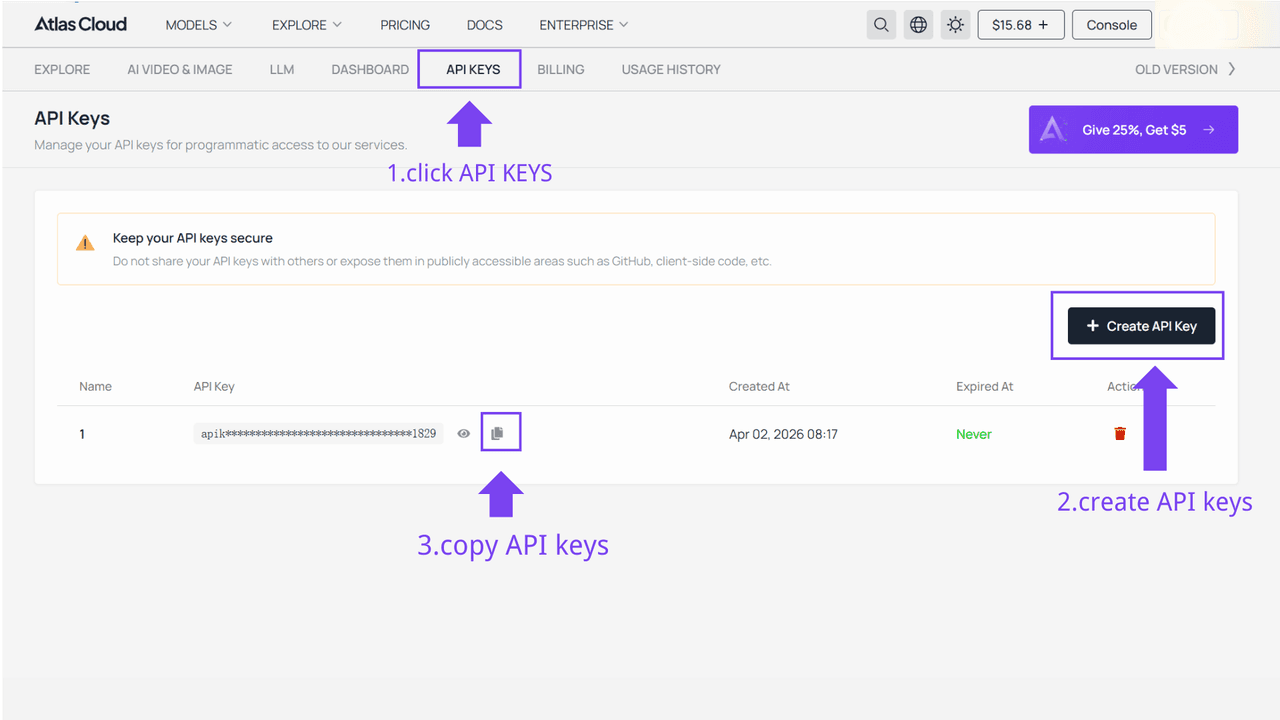
Step 1: Get your API key
Create an API key in your console and copy it for later use.
Step 2: Check the API documentation
Review the endpoint, request parameters, and authentication method in our API docs.
Step 3: Make your first request (Python example)
Here’s a simple example of generating an image using Qwen Image 2.0:
plaintext1import requests 2import time 3 4# Step 1: Start image generation 5generate_url = "https://api.atlascloud.ai/api/v1/model/generateImage" 6headers = { 7 "Content-Type": "application/json", 8 "Authorization": "Bearer $ATLASCLOUD_API_KEY" 9} 10data = { 11 "model": "qwen/qwen-image-2.0/edit", # Required 12 "images": [ 13 "https://static.atlascloud.ai/media/images/72174e0336226b0de69452c18711bca6.jpg" 14 ], # Required. Reference images for editing (1-6 images, 384-3072px each dimension) 15 "prompt": "Adjust the overall texture of the image to a glass-like finish.", # Required. Text prompt describing the desired edit, supports Chinese and English (max 800 characters) 16 "seed": -1, # Random seed for reproducibility (-1 for random, 0-2147483647 for specific seed) 17 "size": "1024*1024", # Image dimensions in width*height format (e. (min: 512, max: 2048) 18} 19 20generate_response = requests.post(generate_url, headers=headers, json=data) 21generate_result = generate_response.json() 22prediction_id = generate_result["data"]["id"] 23 24# Step 2: Poll for result 25poll_url = f"https://api.atlascloud.ai/api/v1/model/prediction/{prediction_id}" 26 27def check_status(): 28 while True: 29 response = requests.get(poll_url, headers={"Authorization": "Bearer $ATLASCLOUD_API_KEY"}) 30 result = response.json() 31 32 if result["data"]["status"] == "completed": 33 print("Generated image:", result["data"]["outputs"][0]) 34 return result["data"]["outputs"][0] 35 elif result["data"]["status"] == "failed": 36 raise Exception(result["data"]["error"] or "Generation failed") 37 else: 38 # Still processing, wait 2 seconds 39 time.sleep(2) 40 41image_url = check_status()
Tips for Better Results
The model works well out of the box. But your prompts still matter. A lot. In production environments, a clear, structured prompt can mean the difference between usable outputs and wasted API calls.
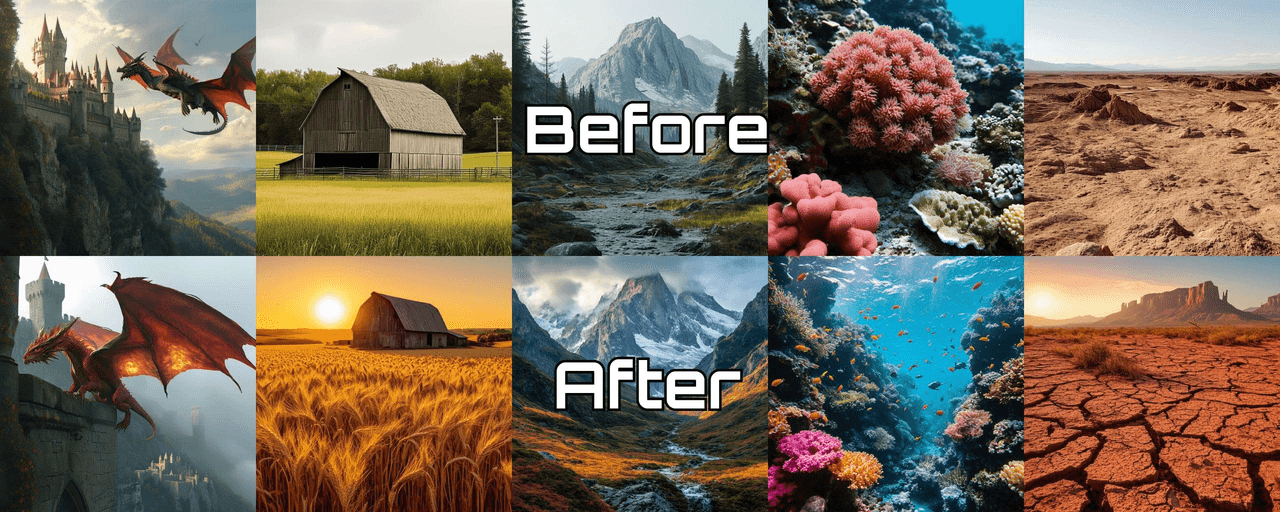
Here are four practical tips.
1. Structure your prompt
Do not write vague descriptions. Break them into clear parts.
Try this format:
[Subject] + [Style] + [Lighting] + [Details]
2. Be Specific, Not verbose
More words do not always give you better results. Clarity wins.
Avoid this:
“a very very detailed beautiful amazing city with lots of things happening everywhere…”
Write this instead:
“Modern city street, clean composition, soft daylight, realistic style”
3. Spell out text requirements
If your use case involves text — posters, UIs, marketing assets — say it explicitly. Put the exact words in quotation marks. Mention placement if needed.
Example:
“A marketing poster with the text ‘Summer Sale’, bold typography, centered layout, minimal design”
4. Change one variable at a time
Do not rewrite the entire prompt every time. Adjust one thing. See what happens.
Change style from realistic to illustration. Adjust lighting from daylight to cinematic. Modify the detail level. Small tweaks help you understand what works.
Good results do not come from luck. They come from intentional design. A structured approach to prompts helps Qwen Image 2.0 produce images that are not only good‑looking but also usable in real projects.
FAQ: Qwen Image 2.0 API
How much does the Qwen Image 2.0 API cost per image?
On Atlas Cloud, the pricing balances cost and scalability. Each image costs $0.028. With $10, you get about 357 images. This makes it easy to estimate and control expenses, even as your usage grows.
Is Qwen Image 2.0 one of the fastest image generation APIs?
It was optimised for low‑latency inference. That makes it suitable for real‑time and high‑throughput applications. Compared with many traditional models, it delivers faster response times, more stable performance under load, and better support for interactive experiences. If you are evaluating the fastest image inference options in 2026, Qwen Image 2.0 is a competitive choice, especially in API‑driven workflows.
Can it be used for scalable business applications?
Yes. Scalability is one of its core strengths. Through Atlas Cloud, Qwen Image 2.0 supports high‑volume image generation, API‑based integration, and flexible scaling from prototype to production. That makes it a good fit for companies building scalable AI image solutions — SaaS tools, marketplaces, content platforms, you name it.





