In March 2019, a Japanese mom posted two photos of her toddler playing with a Thomas the Tank Engine toy. Normal, wholesome content. Except she had swapped their faces. The kid had Thomas's gray plastic face. The toy had her kid's face. The tweet pulled in roughly 97,000 likes and 35,000 retweets, and the replies were a wall of people comparing it to Jigsaw and calling for an exorcist (Yahoo News, 2019).
Seven years later, I did the same thing to my friend's face. It took about three minutes, and the swap itself cost twelve cents.
This guide walks through the whole cursed pipeline: how to do a thomas the train face swap that actually fuses a real face into the original meme instead of pasting a sticker on it, how to animate the result, and how to turn the clip into a looping GIF you can drop straight into a group chat.
Key takeaways
- The full pipeline is 3 steps: fuse a face into an original Thomas meme template, animate that image into a short clip, then convert the clip to a GIF.
- One complete run costs about $0.65, swap, video and GIF included.
- The trick that separates a funny result from a Photoshop disaster is fusion, not pasting. You need an edit model that preserves the meme's grain and expression.
- No tool swaps faces on a GIF in one shot. Image to video to GIF is the reliable route.
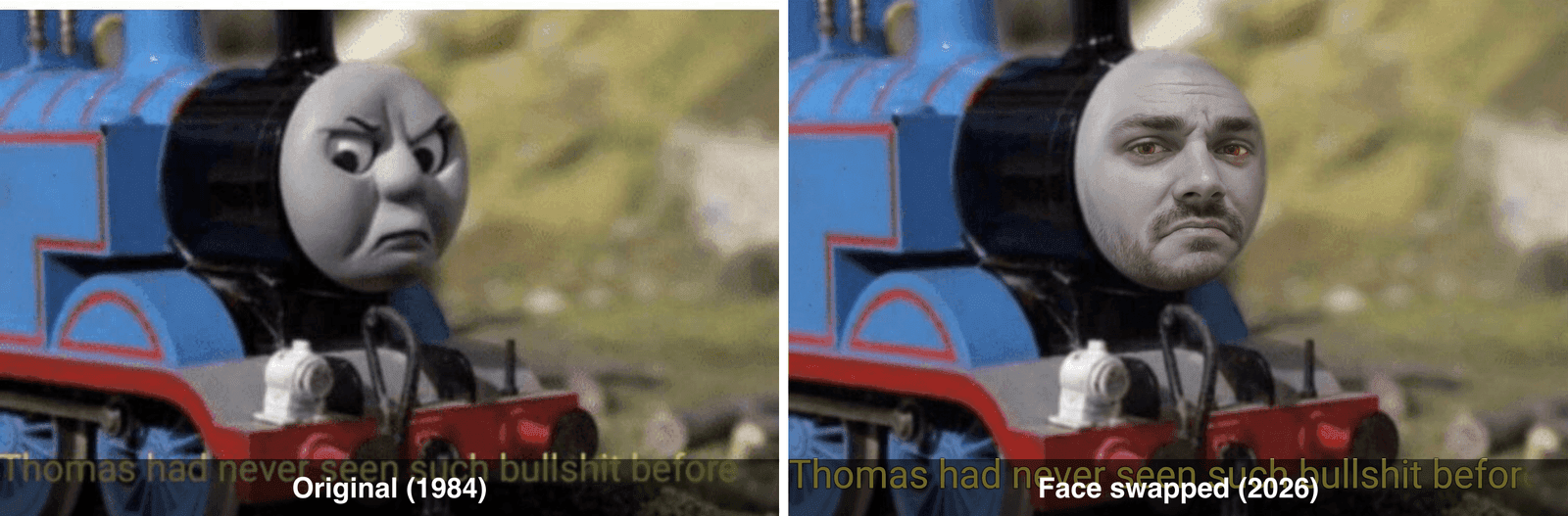 Thomas the train face swap before and after: the original Thomas had never seen such bullshit before meme next to the AI face swap version with a real human face fused in
That is the "Thomas Had Never Seen Such Bullshit Before" template on the left, and my friend's face fused into it on the right. Same scowl, same film grain, same 1984 model-railway energy. He has not forgiven me.
Why the Thomas the Train Face Swap Refuses to Die
The thomas the train face swap is one of the internet's longest-running cursed image formats. The joke never changes and never stops working: Thomas is a smiling children's toy, so putting an angry, judgmental or fully human face on him breaks something deep in your brain. Face swap artists have built entire horror series out of it, like the Mario and Thomas mashups that made the rounds a few years back (ScreenRant, 2019).
The format got its biggest single boost from that 2019 toddler-toy swap tweet, but the template most people actually remix is older: a screenshot from a 1984 episode where Thomas glares at the camera in pure disgust. A Redditor captioned it "Thomas had never seen such bullshit before" in July 2019 and one repost alone collected over 22,000 upvotes the following month (Know Your Meme, 2019). It is the perfect face swap canvas: a huge, centered, gray face that wants to become someone you know.
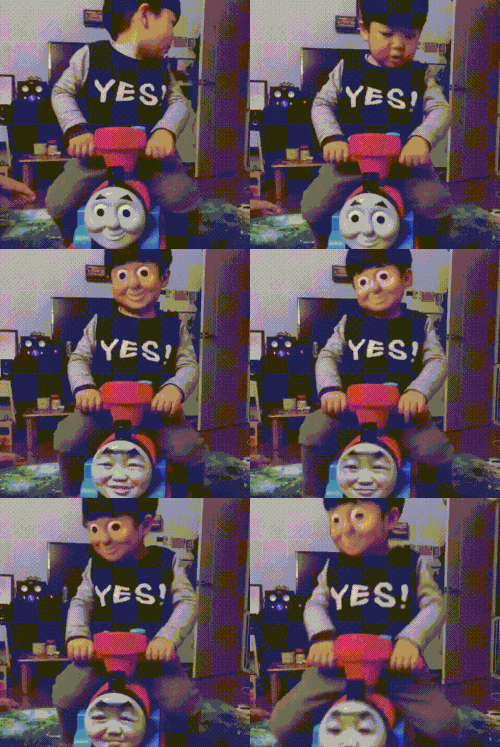 Original Thomas the Tank Engine GIF of a child riding a Thomas toy train
The toy in question. Half the fun of the thomas face swap genre is that the source material is this innocent (via GIPHY).
So why do most people's attempts look terrible? Three reasons keep coming up:
| Free face swap apps | Fusion workflow (this guide) | |
|---|---|---|
| Swap quality | Pastes your face on like a sticker | Blends the face into the meme's art style |
| Meme texture | Smooths away the grain that carries the joke | Keeps grain, colors and the original scowl |
| GIF support | Usually images only, or one template | Image to video to GIF, any template |
| Watermark | Almost always | None |
| Cost per meme | "Free" plus ads plus your patience | About $0.60 |
Phone apps detect a face and stamp a new one on top. That works on a human photo. It falls apart on a clay train from 1984, because Thomas's face is part of the model, lit by studio lights, shot on grainy film. A paste job ignores all of that and screams "edited". Fusion means the model repaints the face as part of the scene. That difference is the entire tutorial below.
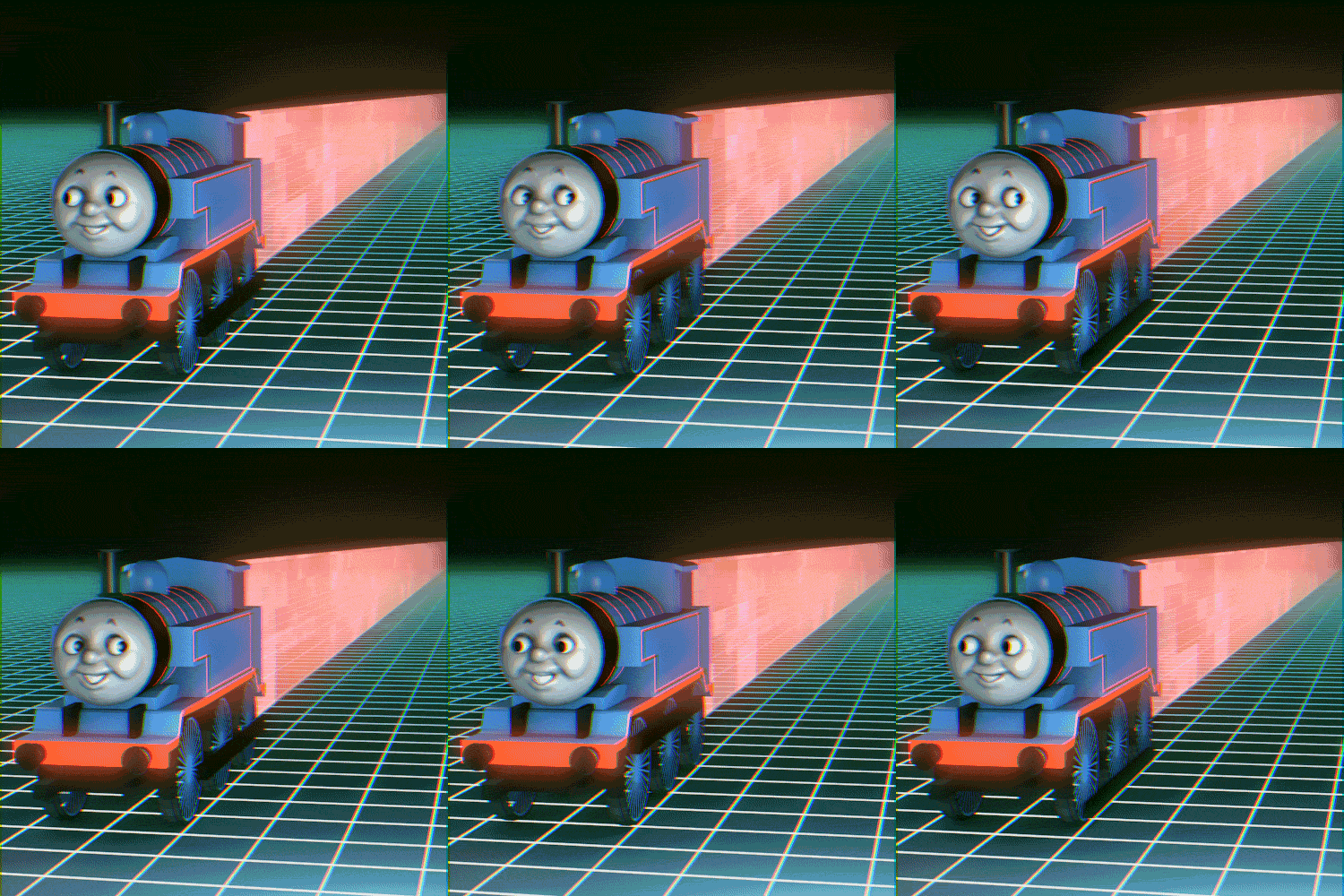 Vaporwave Thomas the Tank Engine GIF rolling through a neon grid, a classic cursed Thomas meme edit
The internet has been remixing this train for decades. Vaporwave Thomas, colorized (via GIPHY).
The 3-Step Thomas Face Swap Workflow (Models and Prices)
Here is the whole thomas face swap pipeline, start to finish. Everything runs in one browser tab on Atlas Cloud, which hosts all the models this job needs, so you are not juggling five different apps with five different watermarks.
| Job | Model | Price (as of July 2026) |
|---|---|---|
| Face source, optional | GPT Image 2 | from $0.009 per image |
| Fusion face swap, the core step | Nano Banana 2 Edit | $0.08 per image at 1K, $0.12 at 2K |
| Animate the meme | Kling v3.0 Turbo image-to-video | $0.095 per second, 15% off |
| Animate, budget option | Seedance 2.0 Mini image-to-video | $0.045 per second, 20% off |
| Classic one-click swap, for comparison | Face Swap Image | $0.09 per image |
A quick note on that last row: the traditional face-swap model is great on photos of people. For memes, use Nano Banana 2 Edit instead. It follows instructions like "keep the film grain" and "keep the disgusted scowl", which is exactly what a meme needs to stay a meme.
One full run costs about $0.65: a few cents for the optional face source, $0.12 for a 2K fusion, roughly $0.48 for five seconds of 720p video, and the GIF conversion is free. My entire experiment, three bonus fusions and two failed video takes included, landed around two dollars. Cheaper than a movie ticket, funnier than most movies.
Thomas the Tank Engine Face Swap Tutorial (Step by Step)
Time for the actual thomas the tank engine face swap. Four steps, each with the exact prompt to copy.
Step 1: Download an Original Thomas Meme Template
Do not generate a fake Thomas with AI. The meme only works if it is the real, slightly crusty original. Grab a template directly:
- Thomas Had Never Seen Such Bullshit Before: https://i.imgflip.com/39ixi3.jpg
- Angry Thomas close-up, station scene: https://i.imgflip.com/dk9hw.jpg
- Two-panel normal Thomas vs hell Thomas: https://i.imgflip.com/39w4xw.jpg
Low resolution is fine. The grain is the point.
You also need a face. Use a clear, front-facing photo of your friend (with their blessing, ideally). For this article I generated a stand-in "friend" with GPT Image 2 so no real humans were harmed. If you want a synthetic face too, open the GPT Image 2 playground and run this prompt with quality set to High and size 1:1:
text1Casual smartphone selfie of a man in his late 20s with short brown hair and light stubble, slightly smug expression, indoor lighting, plain wall background, realistic photo 2
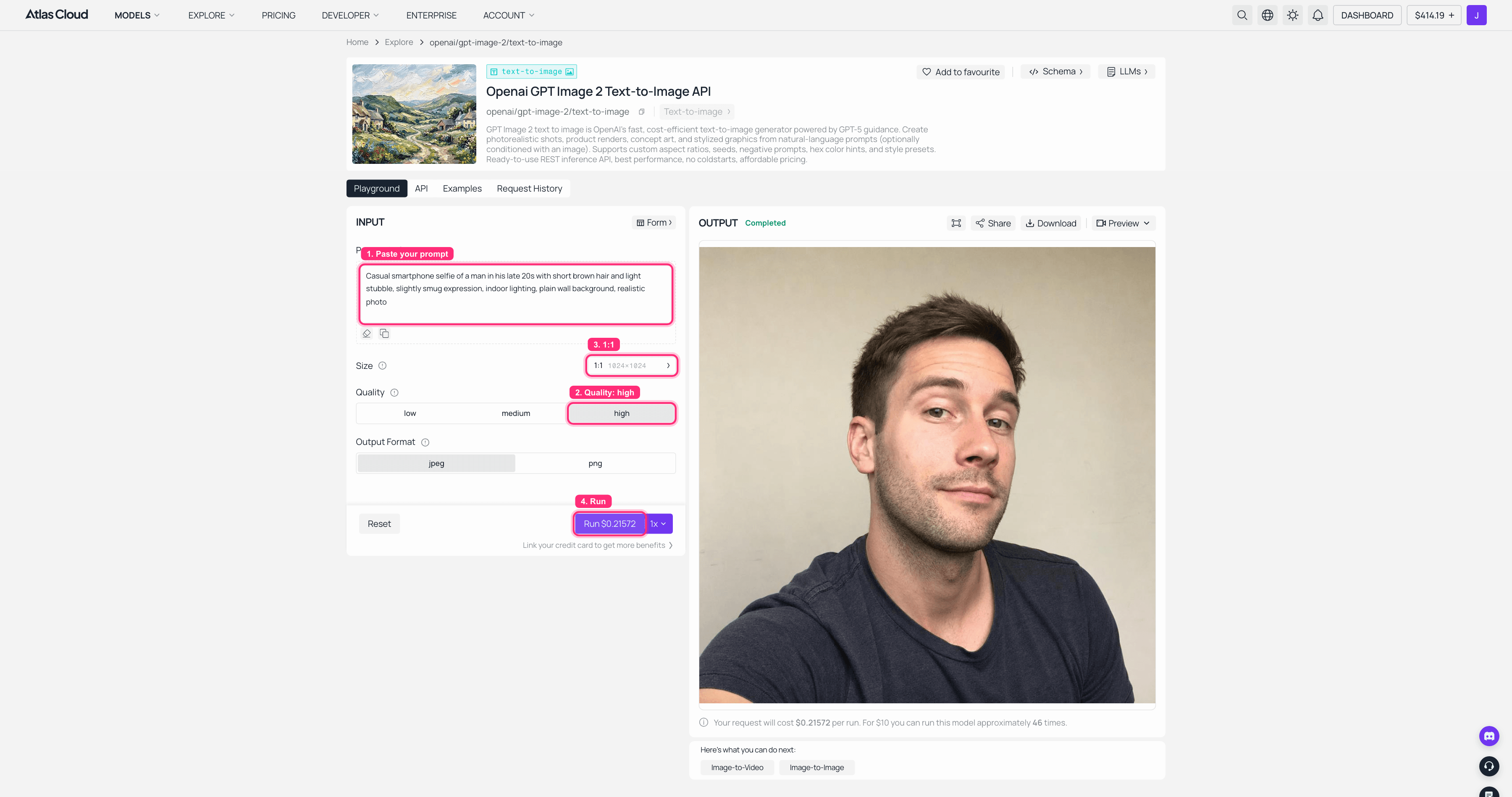 GPT Image 2 playground on Atlas Cloud running the selfie prompt with quality High and 1:1, the generated face visible in the output panel
The whole setup: paste the prompt, set quality to High, pick 1:1, hit Run. Every roll invents a brand-new stranger; keep the one you like.
 AI generated selfie of a man used as the face source for the Thomas train face swap
Meet "Dave". Dave does not know what is about to happen to him.
Step 2: Face Swap with Thomas the Train Using Nano Banana 2 (Fusion, Not Paste)
This is the step where every free app fails, so here is how to do a face swap with thomas the train properly. Open the Nano Banana 2 Edit playground, upload two images: the meme template first, then the selfie. Set resolution to 2K, leave aspect ratio on auto so the meme keeps its original framing, and paste this prompt:
text1Blend the man's face from the selfie photo into the train character's face in the meme image. His human face, his own eyes, nose and mouth, should wear the exact same disgusted, fed-up scowl as the original. Strictly preserve the meme's original art style, film grain, colors, lighting and everything else in the scene: the blue train body, the number 1, the background. The result must look like it belongs to the original meme, not a pasted photo. 2
Two details in that prompt do the heavy lifting. "His own eyes, nose and mouth" keeps the face human, so you get comedy instead of nightmare fuel. "Strictly preserve the art style, film grain, colors" stops the model from beautifying the meme into a clean HD render that has none of the original's soul.
With both images uploaded and resolution set to 2K, the Run button quotes $0.12 for the job. Here is the exact setup, straight from the playground:
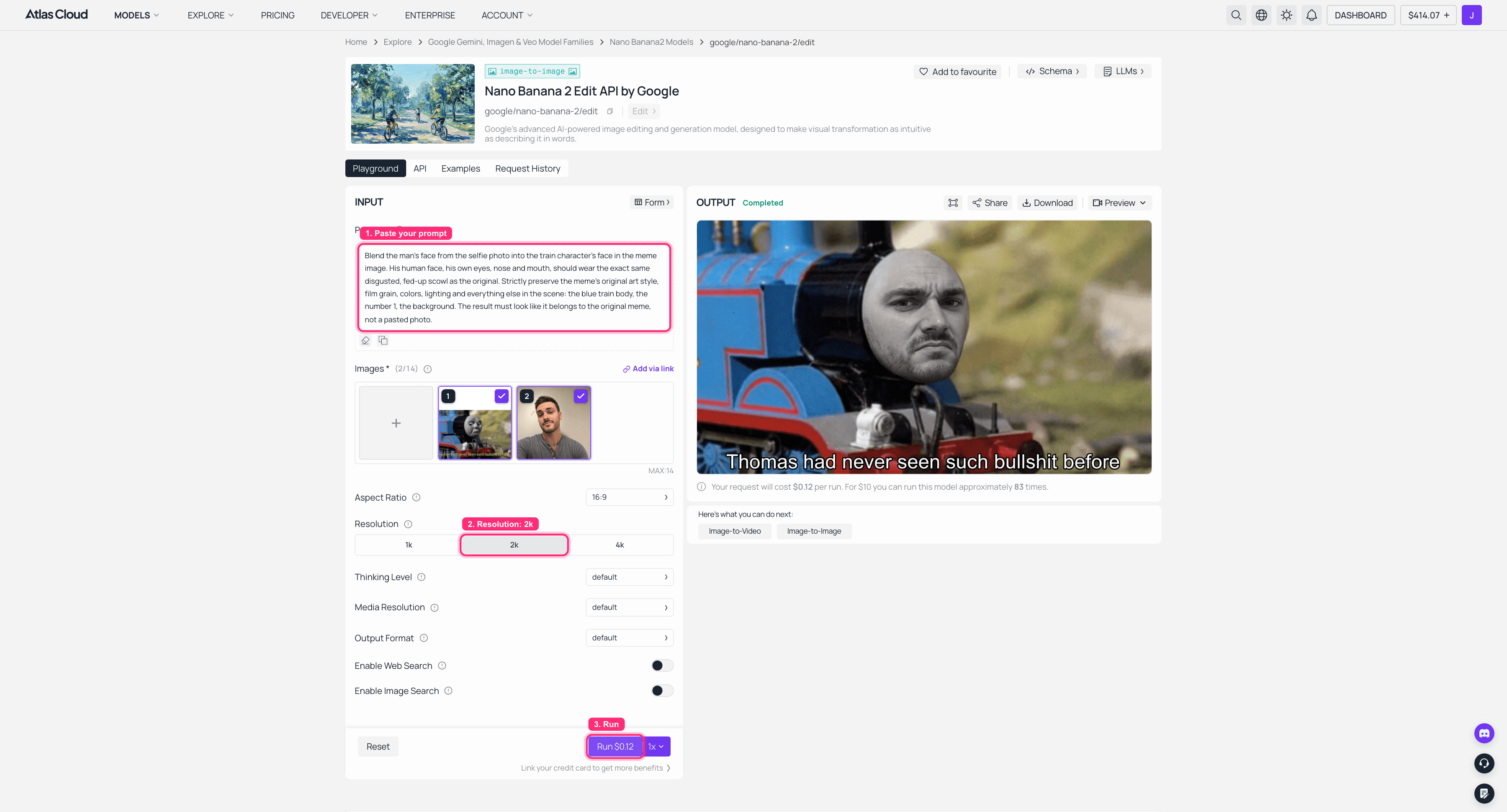 Nano Banana 2 Edit playground on Atlas Cloud with the Thomas meme and the selfie loaded, resolution 2K, and the fused face swap result in the output panel
Meme first, selfie second, resolution 2K, Run. The fused result lands on the right in about half a minute. Every roll varies a little; re-roll until the grain sits right.
Hit it, wait about half a minute, and this comes back:
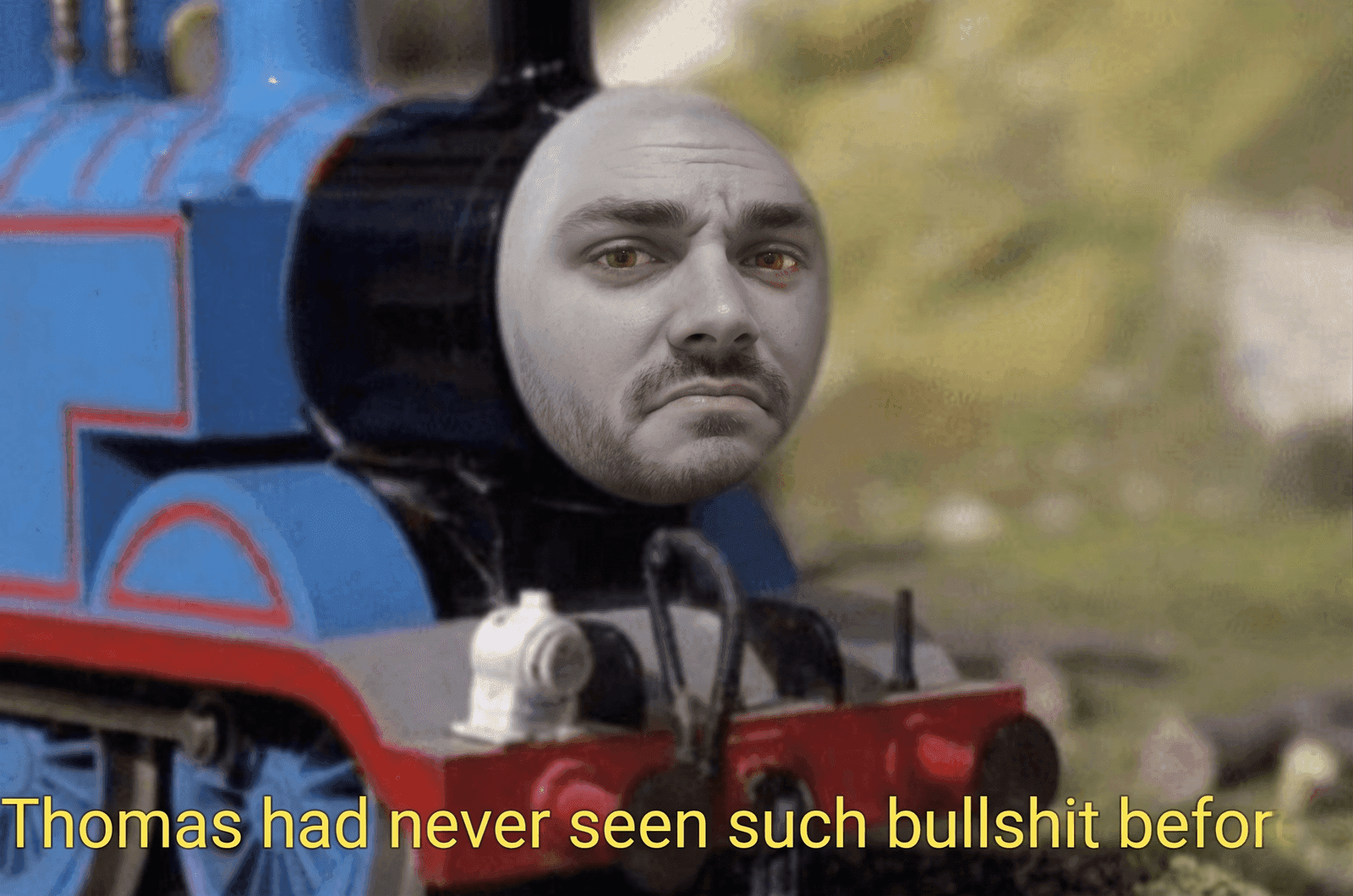 Thomas the train face swap result: a human face fused into the Thomas Had Never Seen Such Bullshit Before meme with the original scowl and film grain intact
Dave the Tank Engine, who has also never seen such bullshit before. Note how the face picked up the meme's grain and the exact eyebrow angle.
One face per run, by the way. If you feed the model a collage of four faces it will pick one or paste a tiny thumbnail in a corner. Swap one face at a time.
Step 3: Animate Your Face Swap Thomas the Tank Engine Clip
A still image is a chuckle. A face swap thomas the tank engine clip that slowly turns to judge you is a spit-take. Take the fused image from Step 2 and feed it to the Kling v3.0 Turbo image-to-video playground. Pick 5 seconds, 720p, 16:9, and use this prompt:
text1The train character's human face slowly turns toward the camera as its disgusted scowl deepens, one eyebrow rising; a small puff of steam rises; subtle slow camera push-in. Keep the flat, grainy vintage TV look of the original image. 2
Fair warning: video models treat famous characters with suspicion, and they will not promise fidelity on IP-adjacent frames. Kling took my fused train image twice and restyled it twice: once into a gritty realistic locomotive wearing a stranger's face, once into what I can only describe as an unlicensed anime episode. Entertaining, but not our meme. If that happens to you, crop tighter on the face, or do what I did: animate the toy-photo variant, where a human is clearly the main subject, so it sails through untouched. Here is that run in the playground, finished video sitting in the output panel:
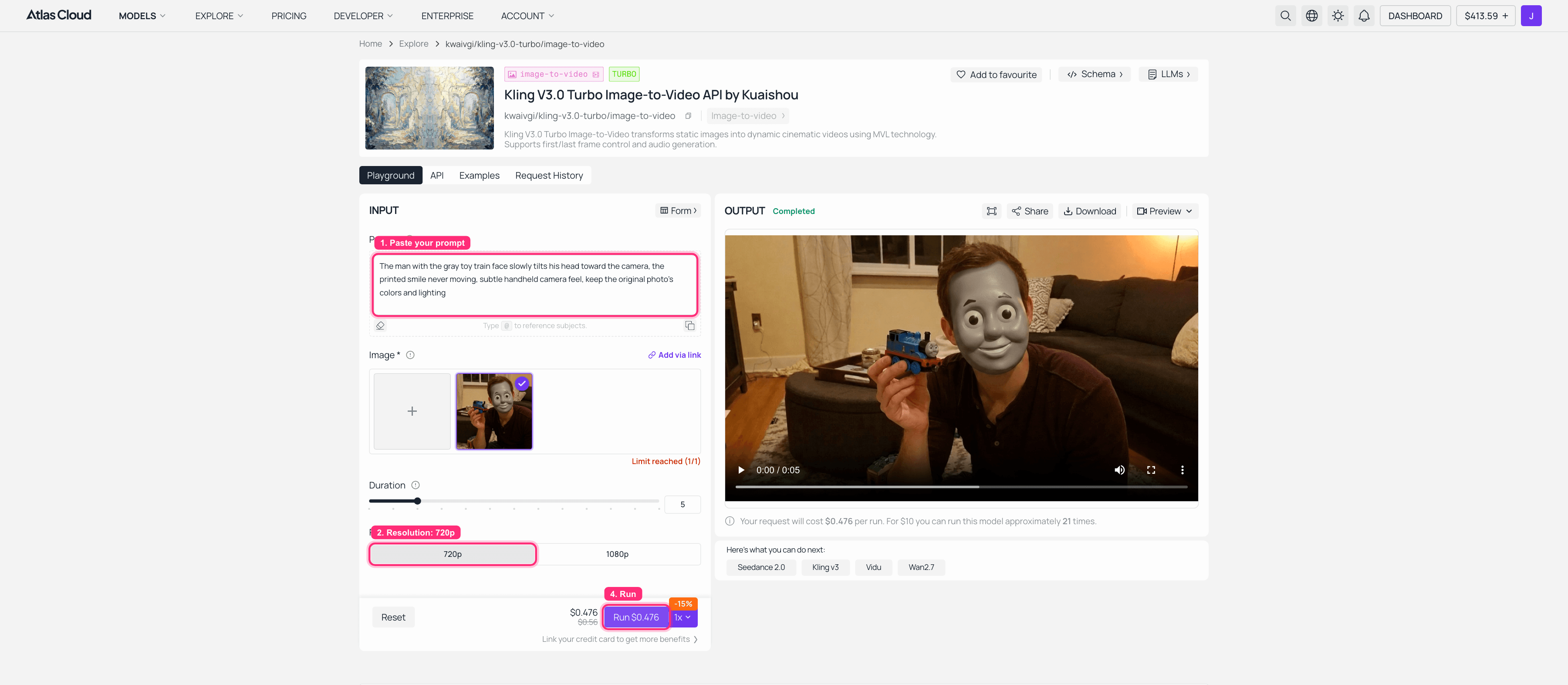 Kling v3.0 Turbo image-to-video playground on Atlas Cloud with the toy face swap image loaded at 720p and the finished 5 second clip in the output panel
Upload the fused image, set 720p, paste the motion prompt, Run. A few minutes later the clip is ready to download.
Four frames from the clip that worked:
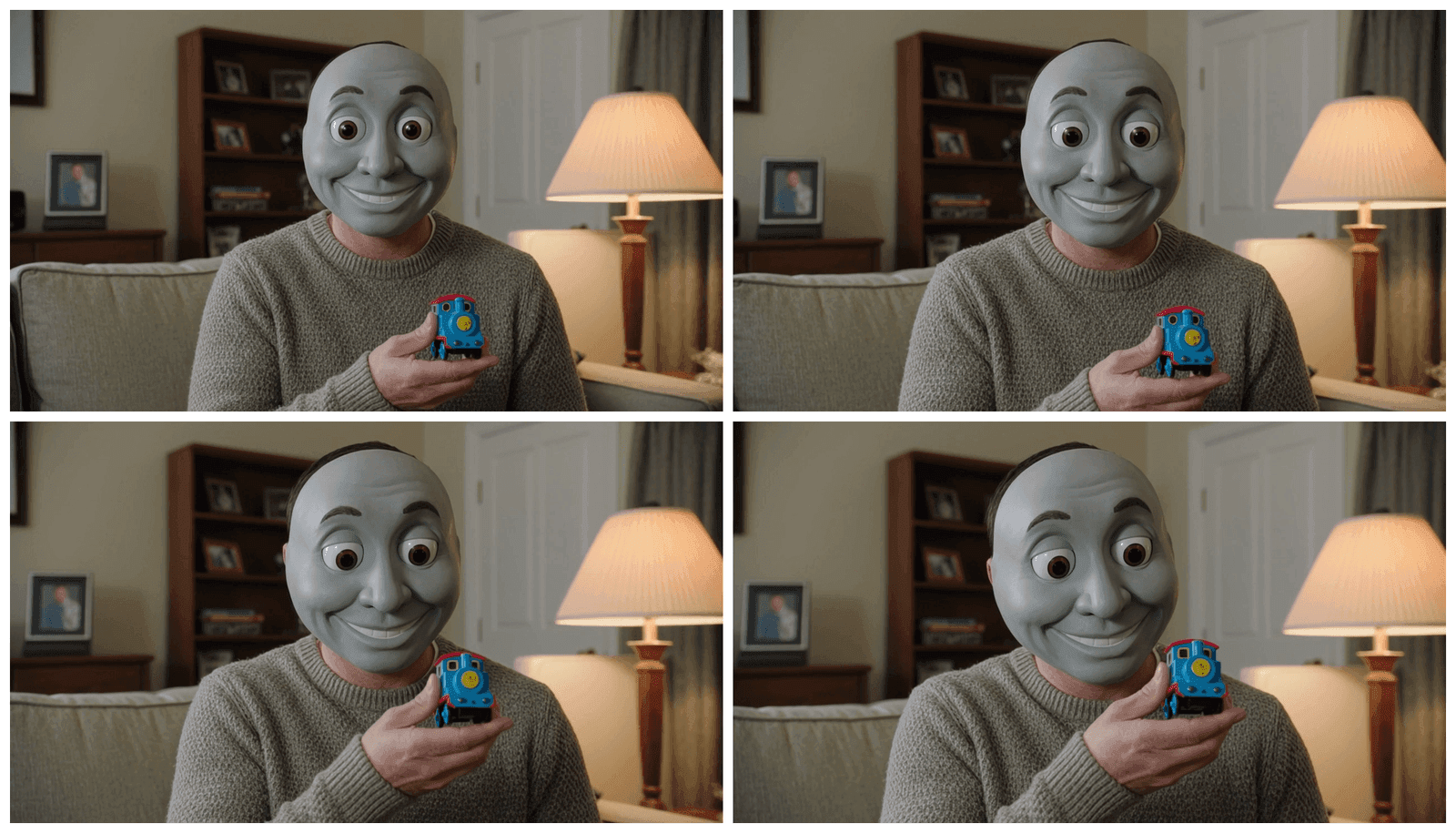 Four frames from the face swap thomas the tank engine video showing a man with a gray toy train face slowly tilting his head toward the camera
Frames from the 5-second Kling clip. He slowly tilts his head. The smile never moves. Kling also quietly redecorated my living room, which somehow makes it worse.
Step 4: Turn Your Thomas Train Face Swap Video Into a GIF (One Prompt)
No face swap tool converts video to GIF for you, and Discord loves GIFs, so finish the thomas train face swap with one LLM prompt. Paste this into Claude, ChatGPT, or any model on Atlas Cloud's LLM API, such as Kimi K3, and it will hand you a ready-to-run ffmpeg command:
text1I have a 5-second 720p MP4 and I want to turn it into a looping GIF for Discord. Write me a single ffmpeg command using the palettegen + paletteuse two-pass method: 400px wide, 12fps, 128 colors, infinite loop, output under 5MB. Then explain each flag in one line. 2
Run the command it gives you and you get this:
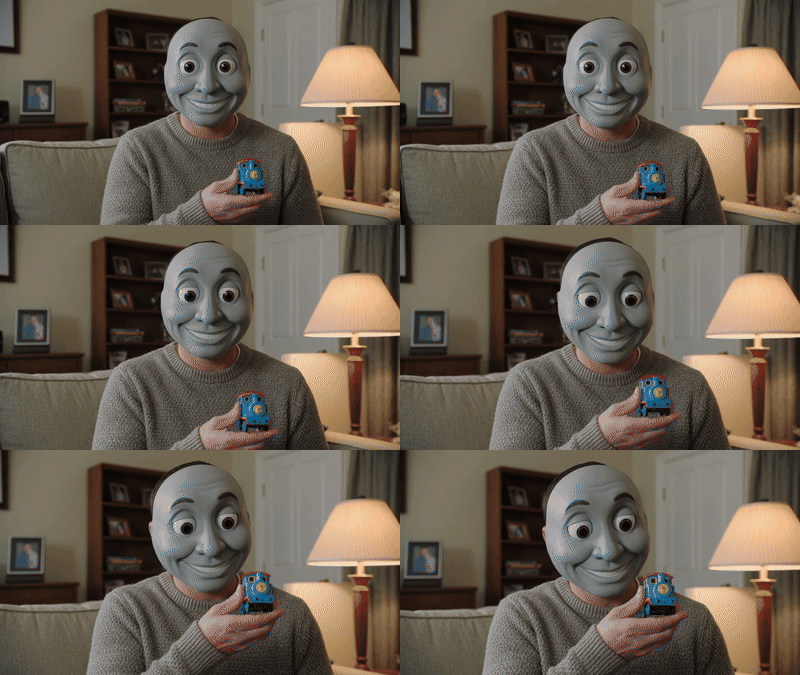 Looping Thomas the train face swap GIF of a man with a gray train face tilting his head, made from the AI generated video
The final product: a looping, watermark-free, deeply cursed GIF at about 3MB, ready for Discord, Slack and the family group chat you will regret sending it to.
Want more than one cursed train? The same fusion prompt works on every template. I ran two more classics through the exact Step 2 recipe:
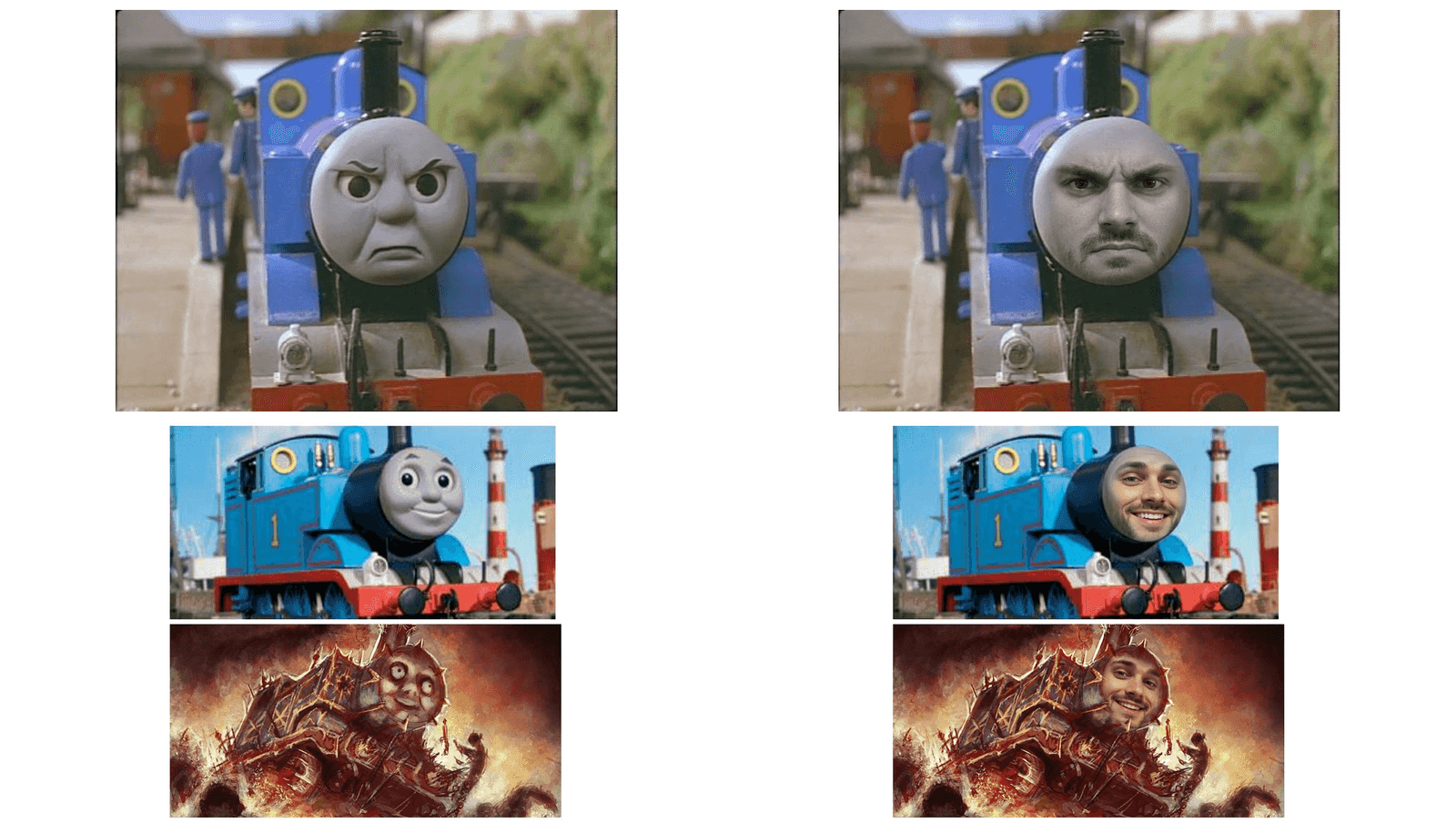 Grid comparing two original Thomas memes with their face swap fusion versions: the angry station Thomas and the two panel hell Thomas
Left column: originals. Right column: Dave, three more times. On the two-panel meme I told the model to leave the bottom hell panel untouched. It put Dave down there anyway, grinning through the flames. The model was right.
And to honor the 2019 tweet that started it all, the toy variant. Generate or shoot a photo of an adult holding a Thomas toy, then run the fusion twice: once to paint the human face onto the toy, once to give the human the toy's gray plastic face:
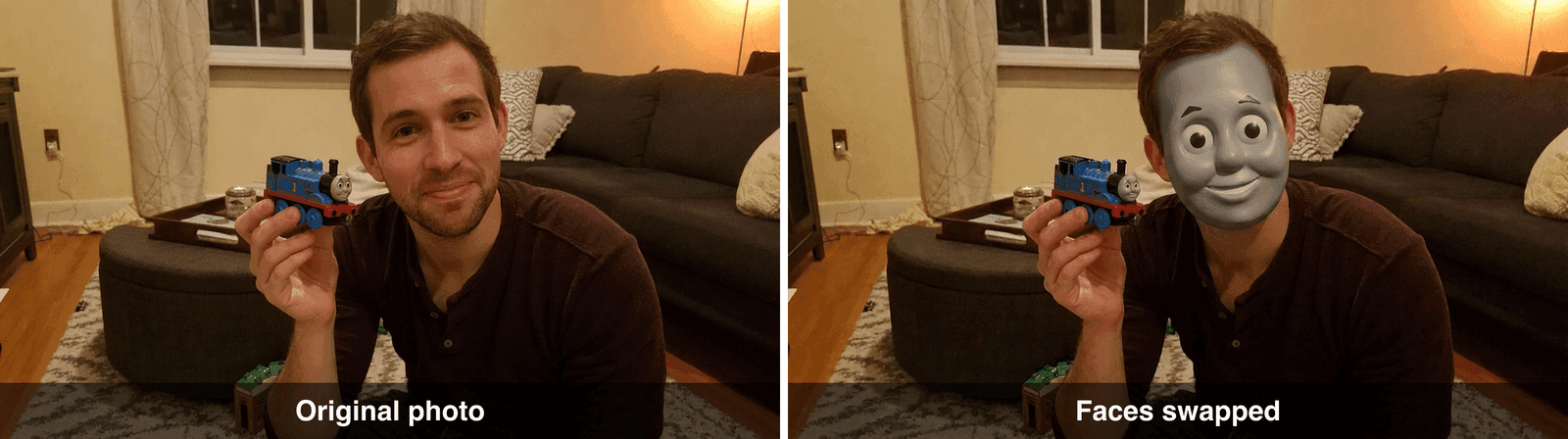 Recreation of the 2019 viral Thomas toy face swap with an adult holding the toy train that now wears his face
The 2019 original, recreated with a grown man, because AI models refuse to edit photos of children. More on that in the FAQ.
Thomas the Train Face Swap FAQ
Why does the Thomas the train face swap look so creepy?
Uncanny valley plus childhood whiplash. Your brain files Thomas under "safe children's toy", so a realistic human face on the engine, or a plastic train face on a person, registers as deeply wrong. That collision is exactly why the 2019 toddler-toy swap went viral and why the format still lands in 2026.
Can I face swap a GIF with Thomas the train directly?
Not in one shot. Every reliable tool swaps faces on still images only, and GIFs are low-color video files. The workaround in this guide is the practical route: fuse the face on a still template, animate it with an image-to-video model, then convert the clip to a GIF with ffmpeg.
Why does my Thomas face swap look pasted on instead of blended?
You used a detector-style swap app. Those stamp a flat face layer over the target and ignore lighting, grain and art style. Use an instruction-following edit model instead, and explicitly tell it to preserve the meme's film grain, colors and expression, like the Step 2 prompt does.
Can I use my kid's photo like the original viral tweet?
No. Modern image models decline edits involving children's faces as a child-safety protection, which is a feature, not a bug. Use adult faces only. The toy variant above recreates the 2019 joke perfectly well with a consenting adult who should have read the group chat rules.
Is it legal to post Thomas the tank engine face swap memes?
Personal, non-commercial meme edits sit in the same widely tolerated parody space as every other thomas the tank engine face swap posted over the past decade. Do not sell them, do not pass them off as official content, and do not put a real person's face on anything without their consent.





