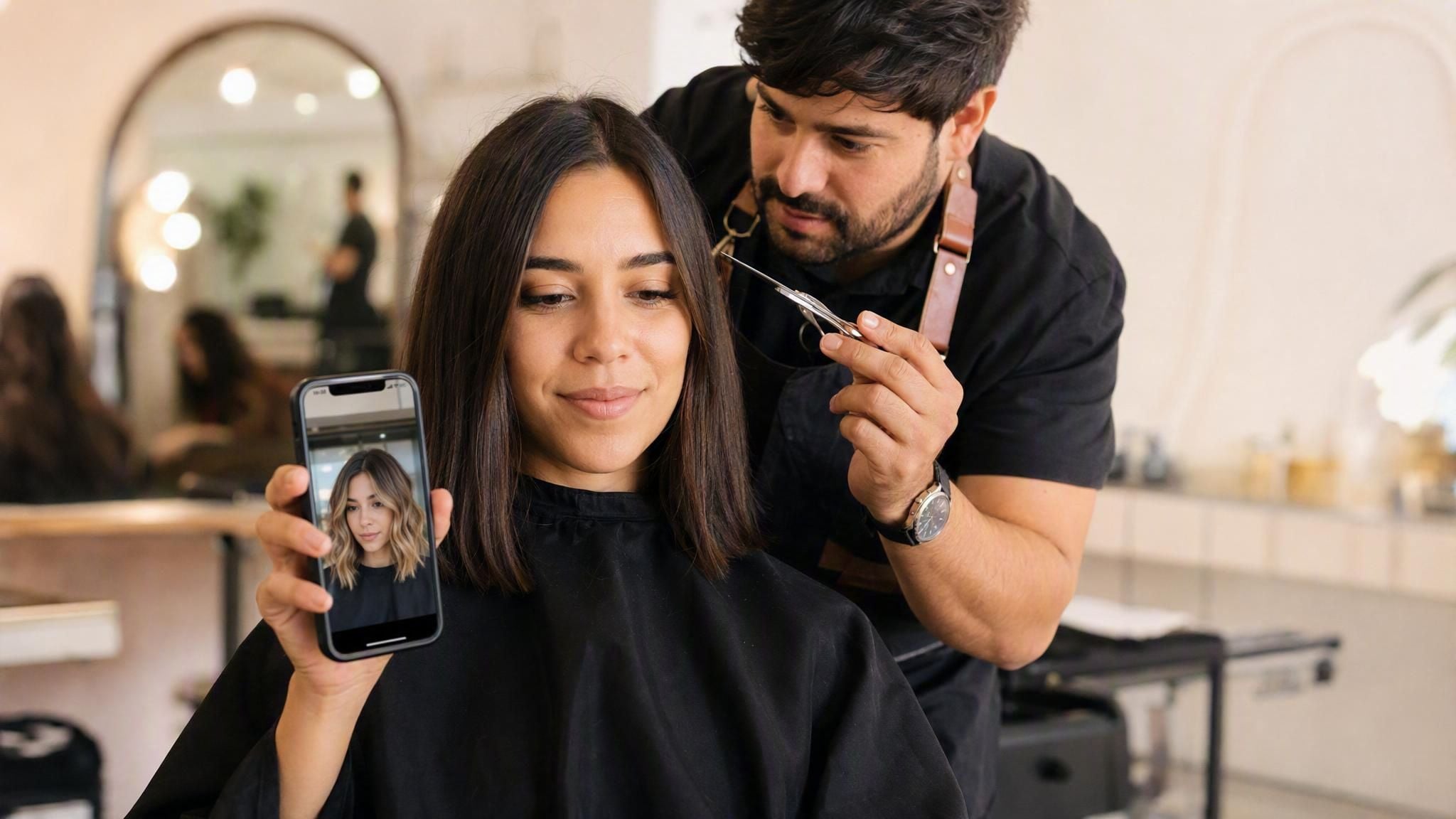
The stylist has the scissors near your bangs and pauses, one more time, to ask if you're sure. That's the exact situation an AI hairstyle changer solves: upload one selfie, describe the cut and color you're weighing, and a model hands back a preview before anyone touches a single strand.
The mechanism behind it isn't a wig graphic pasted over your photo. It's an image-editing model that redraws the hair region specifically, while leaving your face, skin tone, and expression exactly as they were. Here's how that actually works, a free version you can try right now, and what else is worth knowing before you commit to a cut.
Key Takeaways
- An AI hairstyle changer lets you preview a new cut or color from one selfie in under a minute, no salon visit required.
- The tool edits only your hair; your face, skin tone, wearing, and expression stay exactly as they were in the original photo.
- Atlas Cloud's Free AI Hairstyle Changer works from a typed description, no style menu to scroll through.
- Results read as more realistic when the source photo is front-facing, well lit, and shows the hairline clearly.
- Developers can call the same kind of editing model through Atlas Cloud's API to add a hairstyle-preview feature to their own product.
What Is an AI Hairstyle Changer (and How Does It Work)?
An AI hairstyle changer is any tool that swaps out your hair in a photo using a generative image model rather than a fixed graphic overlay. The distinction matters more than it sounds. Older hair try-on apps place a pre-made wig shape over a face-tracked area, which is why they slip and shimmer the moment you turn your head. A model built for this job instead looks at the whole photo, locates the hair, and regenerates that region based on a text instruction, matching the original lighting and skin tone as it goes.
Search "change hairstyle AI" and both kinds turn up in the results. One returns something that looks pasted on. The other returns something that looks like a photo someone actually took. The table below sums up the split.
| Filter/overlay apps | AI image-editing models | |
|---|---|---|
| How it changes hair | Places a pre-made shape over a tracked head area | Regenerates the hair region from a text prompt |
| Handles a turned head or side angle | Poorly, the shape slips | Reasons over the whole photo |
| Matches lighting and skin tone | Rarely | Usually, by design |
| Style input | Pick from a fixed menu | Describe it in a sentence |
| Face and expression preserved | Depends on tracking accuracy | Preserved by the editing model's design |
Everything from here on runs on that second category, starting with a version you can try without writing a line of code.
Try Atlas Cloud's Free AI Hairstyle Changer Online
Atlas Cloud runs a hosted catalog of image and video models alongside a set of single-purpose AI Tools, and one of those, the Free AI Hairstyle Changer, wraps the whole job into one screen. Upload a selfie, type what you want, press generate. No style menu, no scrolling through thumbnails of someone else's hair.
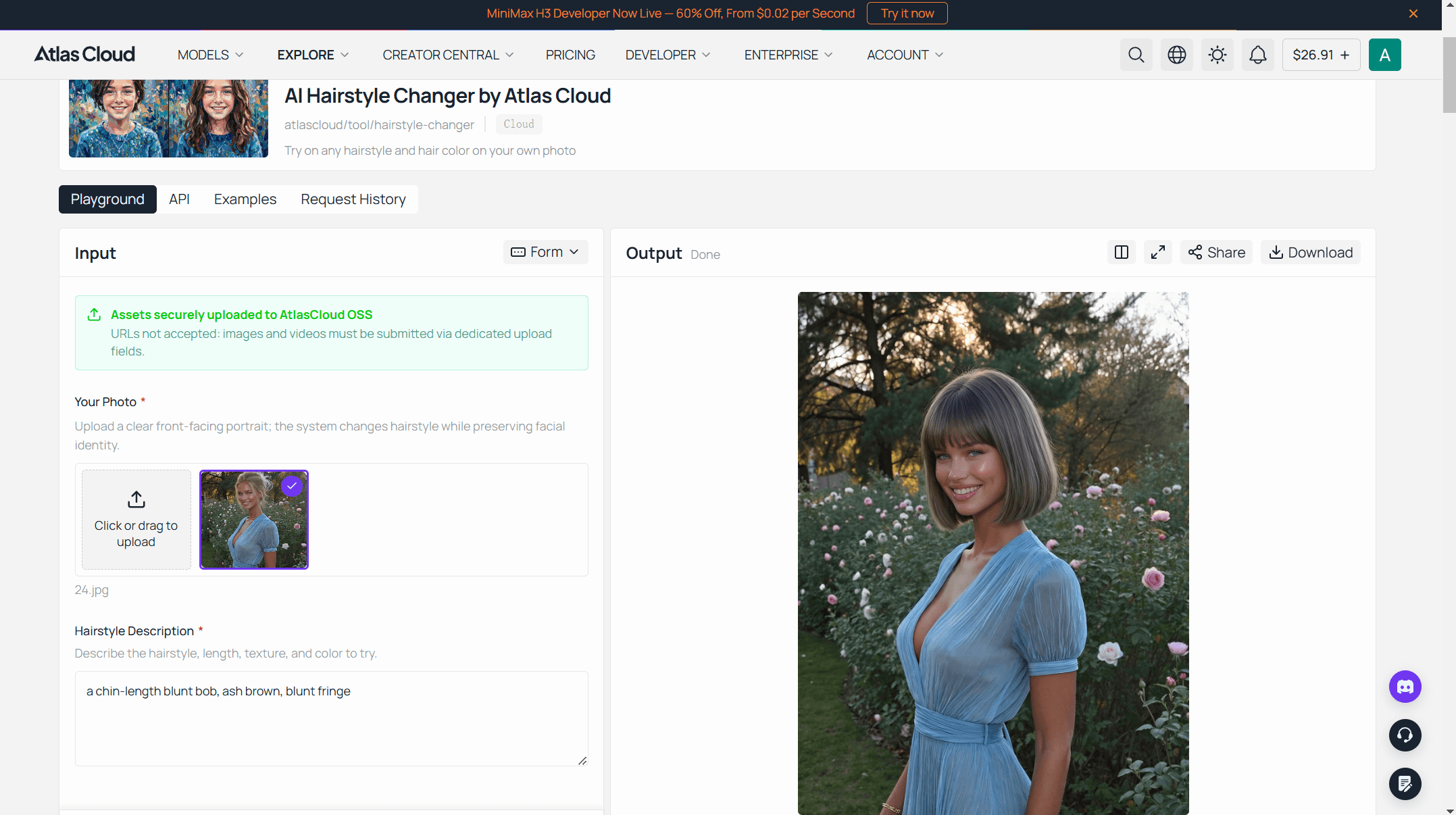
Three steps get you there:
- Upload a clear selfie. Front-facing, good light, hairline visible. JPG, PNG, or WEBP.
- Type the changeasone full sentence. Not "shorter," but "a chin-length blunt bob, ash brown, blunt fringe." The more specific the sentence, the less the model has to guess.
- Generate, then save. The result opens in a new tab; compare it against the original before you decide anything.
That scoped-down edit is exactly what makes the preview useful for an actual decision instead of just a fun filter: what you're looking at is meant to stand in reasonably faithfully for the real cut, not a stylized reinterpretation of your whole face.
Tips for a More Realistic Preview
A few habits separate a preview that looks convincing from one that looks obviously edited:
- A straight-on shot is the safest bet, but a slight turn usually holds up fine. What actually matters more is keeping the hairline and part visible; a full side profile or hair falling across the face is where results start to slip.
- Use even, natural light. Harsh shadow on one side of the face tends to carry into the hair edit as mismatched shading.
- Describe length, texture, and color separately. "Long wavy hair" bundles three decisions into one; naming each (shoulder-length, loose waves, copper red) leaves less to chance.
- Show your actual hairline. Hats, hoods, or hair pulled back over the forehead hide the exact area the model needs to redraw.
The same logic shows up in how a prompt is written for professional headshot generation: specific, concrete language beats a vague adjective almost every time.
Build a Hairstyle Changer Into Your Own App via API
Want this behavior inside your own product instead of sending users to a separate page? The same job runs through Atlas Cloud's API.
Get a key. Create one from the Atlas Cloud dashboard; it goes in the request header as Authorization: Bearer .
Check the schema. Every model publishes its parameters as a public static file, no login required. For a hairstyle edit, the fields that matter are:
| Field | Required | Default | Notes |
|---|---|---|---|
| model | Yes | N/A | bytedance/seedream-v5.0-pro/edit |
| prompt | Yes | N/A | Under 600 English words recommended |
| images | Yes | N/A | 1 to 10 reference images, as URLs or base64 |
| size | No | 2048*2048 | A portrait preset like 1328*1776 bills at the lower tier |
| output_format | No | jpeg | jpeg or png |
Send the request, then poll for the result.
plaintext1curl -X POST https://api.atlascloud.ai/api/v1/model/generateImage \ 2 -H "Authorization: Bearer $ATLAS_API_KEY" \ 3 -H "Content-Type: application/json" \ 4 -d '{ 5 "model": "bytedance/seedream-v5.0-pro/edit", 6 "prompt": "Change only the hair to a chin-length blunt bob in ash brown, keep the face, skin tone, and background unchanged", 7 "images": ["https://your-cdn.example.com/selfie.jpg"], 8 "size": "1328*1776", 9 "output_format": "jpeg" 10 }'
plaintext1curl https://api.atlascloud.ai/api/v1/model/prediction/{prediction_id} \ 2 -H "Authorization: Bearer $ATLAS_API_KEY"
Submission returns a prediction ID right away; poll the second endpoint until status reads completed, then read the image out of outputs.
On cost: a portrait-sized output like 1328*1776 falls into the model's 1.5K billing tier, about $0.045 per image with one reference photo. A 2K output such as 2048*2048 runs $0.09, and each reference image past the first adds $0.003, per the model's published schema. Atlas Cloud's pricing calculator showed no active discount on this model as of August 31, 2026, so those figures are the actual charge, not a promotional rate.
Why AI Hairstyle Previews Are Trending Right Now
Hair filters aren't new on social apps, but ones built on real generative editing rather than a face-tracked overlay are having a moment. TikTok's own discovery pages currently track a cluster of trending AI hairstyle tags, most centered on the same before-and-after format this guide walks through.
Part of that is simply low stakes. A bad haircut takes months to grow out; a bad preview takes one tap to discard. A second use case is growing quietly alongside the social one: some salons and independent stylists have started using previews like this as a consultation step, closing the gap between a client saying "something shorter with layers" and the stylist knowing what that phrase actually means to the person in the chair.
| Before AI previews | With an AI hairstyle changer | |
|---|---|---|
| How a style gets communicated | Verbal description, reference photos of other people | A preview generated on your own face |
| When a bad result surfaces | After the cut | Before it, for free |
| Who's working from the same picture | Nobody, really | Client and stylist both |
Whether or not a salon visit is even on the table, that shift, from describing a look to showing one, is a big part of why this category keeps turning up in more feeds.
Best AI Hairstyle Changer Apps Worth Comparing
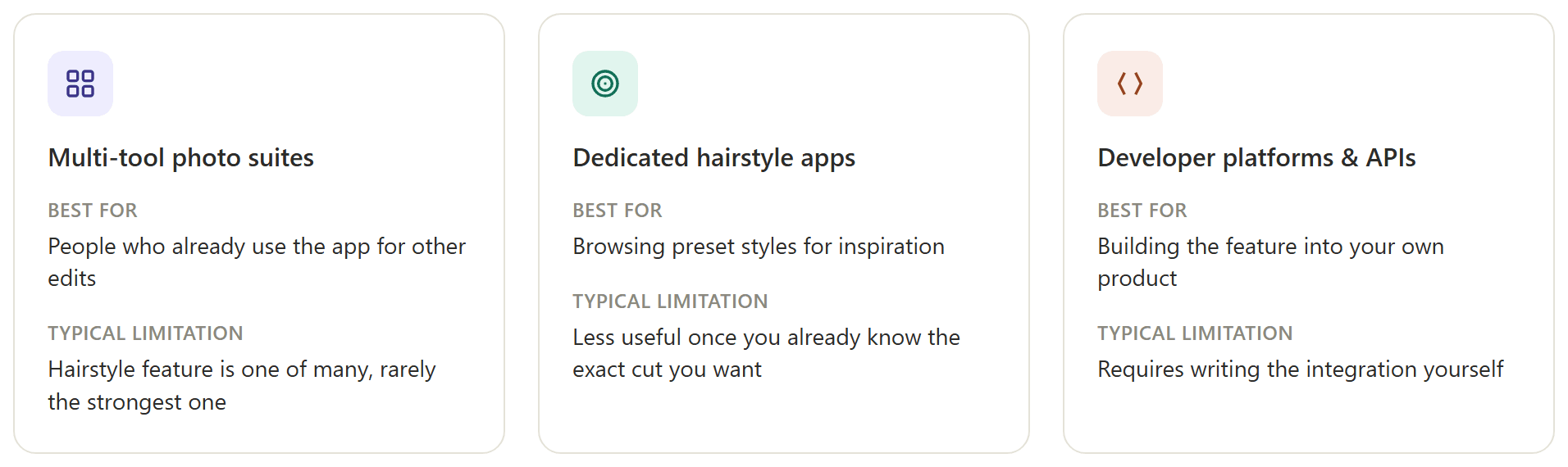
Atlas Cloud's tool isn't the only door into this category, and it's worth knowing what else is out there. Broadly, the apps split into three groups.
General photo-editing suites bundle a hairstyle or hair-color changer alongside a dozen other filters, background removers, and upscalers; apps like YouCam Makeup, Fotor, and Vidnoz each ship one as part of a wider toolkit. Convenient if you already use the app for something else, though the feature is rarely the thing any of them optimize hardest.
Dedicated hairstyle apps build the entire product around this one job, usually with a large library of preset styles to browse alongside a text-description option, useful if you want inspiration rather than a specific cut already in mind.
Developer-facing platforms, Atlas Cloud among them, expose the underlying model directly, so the same editing job can be wrapped into a salon's booking site, a barbershop app, or anything else that needs the feature built in rather than linked out to.
Our virtual try-on guide covers the closely related outfit-swap version of this same technology, worth a look if hair isn't the only thing you want to preview before committing.
Do You Need to Sign Up to Use an AI Hairstyle Changer?
Searches for a version with no sign-up at all are common, and worth addressing directly: on Atlas Cloud, actually running a generation needs a free account. That's a compute cost issue more than anything else, every generation uses real processing power, and a free account is how the free tier stays available without being drained. Signing in takes one click through Google, GitHub, or email, and asks for no payment details up front.
What genuinely runs with zero account at all tends to be a simpler category of tool, a browser filter that overlays a preset shape rather than regenerating the photo. Those exist, and they load instantly, but they're also the ones most likely to slip at the hairline or wash out under uneven lighting, the exact failure mode described earlier in this guide.
| No-account filter tools | Account-gated AI editors | |
|---|---|---|
| Setup | Instant, no login | One free account, one-click sign-in |
| Editing method | Overlay or filter | Full image regeneration |
| Realism | Lower, especially off-angle | Higher, holds up under scrutiny |
| Cost after signing in | Usually free, ad-supported | Free tier, then metered runs |
Which trade-off makes sense depends on whether you want a quick laugh or an actual answer before a haircut.
Frequently Asked Questions
Is there a free AI hairstyle changer online with no sign-up at all?
Tools built on filter overlays can run with zero account. Anything built on a real editing model, including Atlas Cloud's version, asks for a free sign-in before the first generation, since that generation runs on paid compute even when the charge to you is nothing.
Can I use AI to change my hairstyle for free?
Yes. Atlas Cloud's Free AI Hairstyle Changer generates from a photo and a text description at no cost, and general photo-editing apps like Fotor or YouCam Makeup include a similar feature in their free tiers.
What's the best AI hairstyle changer app?
It depends on what you need. For a specific cut already in mind, a tool built on an editing model that takes a text description tends to match the result more precisely. For browsing ideas, a dedicated app with a large preset-style library is more useful.
Does an AI hairstyle changer work on curly or short hair?
Yes, since the model is working from a description rather than a fixed style menu. Results tend to be strongest when the starting photo clearly shows the current hairline and texture, so the model has an accurate baseline to edit from.
Can AI change my hair color as well as the cut?
Yes, both in the same request. Naming the length, texture, and color as separate details in one sentence, rather than a single vague phrase, gets a more accurate result on all three.
How long does it take to generate a hairstyle preview?
On Atlas Cloud's free tool, a single generation typically finishes in under a minute by the page's own description. Through the API, most requests resolve within a similar window, though exact timing depends on server load.
Will the AI preview match my actual haircut exactly?
Treat it as a strong reference rather than a guarantee. The model changes what's visible in the photo, it doesn't account for how your specific hair type will fall or move once a stylist actually cuts it, so use the result to communicate the look, not as a promise of the outcome.
Conclusion
Trying on a haircut used to mean flipping through a book of other people's faces and hoping the stylist could translate that into yours. An AI hairstyle changer removes that translation step: you see the cut on your own face, under your own lighting, before a single strand is touched.
The free version costs nothing to try, the API version puts the same capability inside a product for a few cents a run, and the category is growing fast enough that a version like this will likely turn up inside more salon and barbershop apps over the next year. Whichever entry point fits, that's the honest test worth applying before any real cut: does the preview survive a second look, or does it fall apart the moment you check the edges. An AI hairstyle changer that passes that test has actually done its job.