Remember the old frustration? You would generate a stunning 4-second AI clip, only to spend two hours in Premiere Pro hunting for a matching second shot that didn't look completely different. That friction has finally vanished.
With the release of Vidu Q3, the industry is witnessing a pivot from simple "clip generators" to native multi-shot directors. The "Smart Cuts" feature is a fundamental shift in AI cinematography, automating tasks that were once the sole domain of human editors. Unlike its predecessors, Vidu Q3 manages the complex mechanics of a scene internally. It effectively handles:
- Rhythm: Syncing cuts naturally with the flow of every movement.
- Angle Choice: Blending wide, medium, and tight shots for a smooth look.
- Flow: Keeping characters and settings consistent from one frame to the next.
When producing a standard 15-second product commercial or social media "Short," the difference in operational overhead is staggering. Below is a breakdown of the steps required to achieve a professional, multi-angle result.
Operational Comparison: Traditional vs. Vidu Q3 Workflow
By streamlining the "script-to-cut" pipeline, Vidu Q3 allows creators to focus on vision rather than technical stitching, marking a new era where the AI doesn't just record—it edits.
| Step | Traditional AI Workflow (Manual Editing) | Vidu Q3 "Smart Cuts" Workflow |
| Generation | Generate 3–4 separate clips (5s each). | Single prompt for 16s multi-shot video. |
| Consistency | Manually prompt for character/asset seed matching. | Native continuity across cuts in one file. |
| Assembly | Import clips to Premiere; trim and stitch. | Automated; video arrives pre-edited. |
| Color Match | Apply LUTs to ensure lighting matches between shots. | Global lighting consistency is baked-in. |
| Audio | Find and sync SFX/Music in a separate timeline. | Integrated audio synced to visual transitions. |
| Total Time | ~120 Minutes | < 5 Minutes |
Example: The "Orbit-to-Close" Sequence
In a traditional setup, creating a cinematic transition from an orbital camera move to a detail shot required precise keyframing and a "match cut" that often looked jarring if the AI-generated lighting shifted.
The Vidu Q3 Approach:
By using the best setup for ai video generation, a user simply enters a directorial prompt:
“Cinematic orbit of a luxury watch, followed by a smart cut to a macro close-up of the gears moving.”
The ai video generator api interprets this "cut" as a narrative instruction. The model doesn't just generate two clips; it calculates the momentum of the camera and carries the lighting data across the transition. This eliminates the "jump" often seen in ai ugc video generator outputs, providing a production-ready file that requires zero further manipulation.
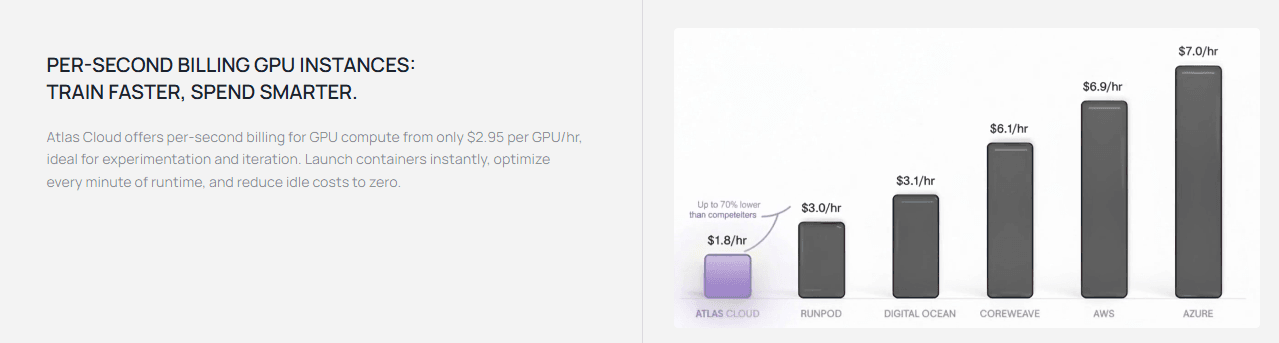
Moving from two hours of manual editing to five minutes of AI work takes more than just smart code. You need heavy-duty cloud power to make it happen. Right now, pro creators use Atlas Cloud to run Vidu Q3 because it has GPU clusters built for this kind of AI. This setup lets you render sharp 1080p clips with many shots quickly, so your own computer never slows down or gets stuck.
Why "Smart Cuts" are a Threat to Traditional Workflows
The arrival of Vidu Q3 marks a turning point where the most tedious parts of post-production are becoming automated. By integrating "Smart Cuts," this ai ugc video generator tackles the three biggest bottlenecks that have historically kept professional video editing a manual, time-consuming craft.
Continuity on Autopilot
A persistent struggle in AI video has been "character drift," where a subject’s features change between shots. Vidu Q3 solves this through Reference-to-Video technology. It maintains strict visual identity across multiple angles within a single 16-second file. Whether the AI "cuts" from a wide establishing shot to a tight close-up, the character’s clothing, facial structure, and lighting remain identical—no manual "fixing" required.
The End of "Stitching"
In traditional workflows, editors spend an estimated 40% of their time on technical matching—aligning color grades, exposure, and white balance between different clips to ensure a seamless look. Vidu Q3 performs this natively.
| Feature | Traditional Manual Workflow | Vidu Q3 "Smart Cuts" |
| Color Grading | Manual matching clip-to-clip | Native global consistency |
| Scene Transitions | Keyframing & masking | AI-planned intelligent cuts |
| Asset Management | Sorting & stitching files | Single-file multi-shot output |
Director-Level Camera Control
Vidu Q3 allows users to bypass complex keyframing through its advanced ai video generator api. Creators can now use cinematic prompts like "Orbit to close-up cut" or "Push-in with a smart transition." This level of control, combined with the best setup for ai video generation, enables users to direct high-level cinematography that previously required hours of professional software manipulation. For many creators, the "editor" is no longer the person cutting the film—it's the person prompting the vision.
Real-World Use Cases: Where the Editor is Now "Optional"
Vidu Q3’s multi-shot capabilities have transitioned from experimental tech to a viable commercial tool. By automating complex directorial decisions, it is effectively becoming the best setup for ai video generation for creators who need high-quality output without the high-end overhead.
Social Media "Viral Shorts"
Speed is what matters most on TikTok and Instagram these days. Vidu Q3 helps you keep up by making quick AI videos for your brand in less than a minute. You can skip the hassle of filming different angles and trying to match the beat. The AI handles it all, giving you a sharp 16-second video that features:
- Dynamic Hooks: High-amplitude motion to grab attention.
- Multi-Angle Reveal: Automatic "Smart Cuts" from wide product shots to macro details.
- Call to Action (CTA): Native audio-synced endings ready for upload.
For example:
Goal: High-energy pacing and immediate visual "hooks" using vertical 9:16 aspect ratio.
Title: From Hero to Hunter: When a Legendary Hero Meets His Ultimate Weakness.
Following the character design in the image. A 10-second continuous cinematic animation sequence. A tuxedo cat wears a fancy feathered hat and a red cape. He stands tall in a bright palace while pulling out a shining sword. He looks right at you with a bold, winning smile and says: "Victory is simply inevitable!" Watch as I perform the... wait.` Suddenly, a giant pink ball of yarn drops from the sky. The cat’s heroic facade instantly shatters; his eyes widen into massive, dilated circles of excitement. He drops his sword with a metallic clang and shouts: "MEOW! The toy is MINE!" he yells while jumping in slow motion. The scene finishes with him rolling around in golden dust as his red cape flies everywhere. It features realistic fur, perfect lip-syncing, and a bright DreamWorks look in sharp 4K.
Key Performance Metrics
- Pacing: Precise timing of the sword drop and the yarn ball's arrival creates a seamless comedic beat.
- Lip-Sync: The English voiceover aligns perfectly with the character’s changing expressions.
- Consistency: The tuxedo cat’s ornate costume and the palace lighting remain stable throughout the high-motion sequence.
Ad Agencies & Storyboarding
Professional agencies are shifting away from static storyboards toward "moving mood reels." Vidu Q3 allows for high-fidelity "pre-viz" that looks like a finished commercial. According to recent reports, using the ai video generator api for rapid prototyping can reduce pre-production costs by nearly 30% by providing visual consensus before a single camera is rented.
| Sector | Previous Standard | Vidu Q3 Impact |
| Advertising | Static boards/2D animatics | 1080p cinematic pre-viz |
| Production | Manual shot matching | Native multi-shot consistency |
| Social Marketing | Hours of manual trimming | One-pass "Smart Cut" output |
For example:
Goal: Professional "pre-viz" with cinematic camera movements and lighting consistency.
Title: Shadows, Neon, and the Sound of Silence: Electrify Your Night.
Shot 1: A wide, low shot follows a fancy electric SUV. It drives through big puddles. Water sprays in slow motion while neon lights reflect off the ground.
Smart Cut to: A shot inside the car. The driver looks very relaxed and still. The blue light from the screen glows on their skin as they steer.
Smart Cut to: The camera zooms in close to the front of the car. It goes right into the glass LED headlight. The beam cuts through the falling rain.
Audio-Visual Sync: Single narrator with a calm, premium, slow-pacing voice. Smooth, quiet voice: 'Command the silence... electrify the night.' Native SFX includes a low, atmospheric synth drone, a deep electric motor hum, and rhythmic tire splashes on wet pavement.
Style: 1080p, 16:9, stable framing, preserve vehicle identity, no warping.
Key Performance Metrics
- Low-Angle Tracking: Successfully simulates a professional tracking shot through water puddles with realistic splash physics.
- Push-In Macro: Executes a smooth transition to a detail shot of the LED headlight, preserving texture and light refraction.
- Multi-Sensory Sync: The native audio integration aligns the narrator’s premium tone with rhythmic environmental SFX, such as splashing water and low-frequency motor hums.
Anime & Narrative Creators
Lots of indie animators now use Vidu Q3 because it handles Japanese lip-sync well and has a great anime mode. People create deep scenes with moving dialogue and smooth changes. It basically removes the need for a huge animation team when you are just making short videos.
For example:
Goal: Emotional storytelling and character consistency with Japanese-optimized lip-sync.
Title: Finality in the falling petals. Honor in the final cut.
[Visual Sequence]: Following the art style and character designs in Image. A 10-second high-end anime narrative short in 'Makoto Shinkai aesthetic'.
(0-3s): A dramatic low shot from behind the hero in a blue robe, looking at his rival in red. Many cherry blossom petals fall around them. The wind looks real, and bright light flashes across the camera lens.
(3-6s): Smart Cut to a sharp close-up of the protagonist’s face. His mouth moves with sophisticated precision to sync perfectly with the dialogue. He looks determined as he speaks: "終わりだ (Owari da). Our time is over."
(6-10s): Smart Cut to a wide profile shot in cinematic slow-motion. The atmosphere turns heavy. Both samurai simultaneously draw their katanas; the steel blades glint under the dappled sunlight.
[Audio & Sync]: Professional Japanese and English voiceover integrated. Dialogue timing: "終わりだ" at 0:03, "Our time is over" follows at 0:05. Sound effects include the sharp 'shring' of katanas and an emotional orchestral swell.
[Technical Style]: 1080p, 4:3 aspect ratio, fluid 2D animation, strict character identity consistency, vibrant lighting, and high-fidelity petal particle effects.
Key Performance Metrics
- Visual Style: The clip keeps a premium "Shinkai look" with bright colors. It uses rich cherry blossom petals that stay the same through every camera shot.
- Speech Accuracy: The AI uses specialized lip-sync for Japanese. The character's mouth perfectly matches the line "Owari da" and the English version.
- Camera Mix: Quick cuts move smoothly from a low, dramatic angle to a close-up of the face. It ends with a wide side-view shot.
- Real Motion: Wind blows naturally through the petals and the hair. Everything moves correctly even when the sword draw slows down for effect.
Navigating the Hype: A "Reality Check" for Vidu Q3
While Vidu Q3’s "Smart Cuts" represent a massive leap in AI cinematography, professional creators must navigate certain technical hurdles to avoid "uncanny valley" results.
Current Technical Limitations
Even though the ads look great, today's AI still messes up basic physics and tricky movements. If you let the machine do everything without checking the work, you will likely fall behind schedule.
| Challenge Area | Common Issue | Impact on Production |
| Complex Physics | Fluid dynamics (splashing water) or tangled objects (yarn) can warp mid-cut. | Requires multiple re-renders. |
| High-Speed Motion | Motion blur can occasionally turn into "digital smearing." | Limits use in high-octane action scenes. |
| Fine Motor Skills | Close-ups of fingers or intricate mechanical tools may exhibit "morphing." | May require traditional CGI masking. |
Strategic Implementation
The smartest "pro setup" uses Vidu for quick drafts and social media clips instead of long, expensive movies. To keep things looking good, editors should view AI clips as "raw files." You still need to use a tool like DaVinci Resolve for the final touch to make every cut look perfect.
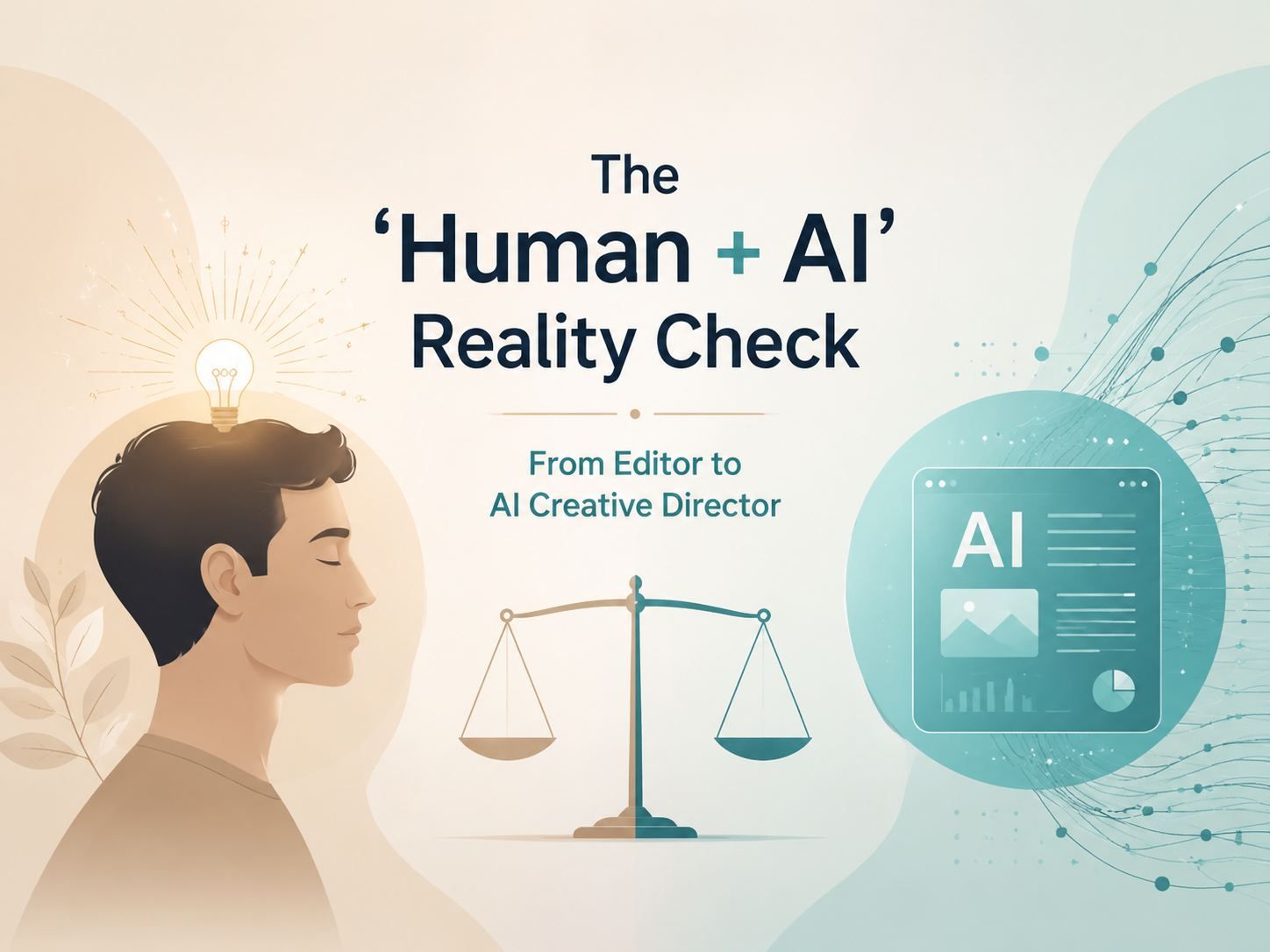
The "Human + AI" Reality Check Balancing the Narrative
As Vidu Q3 automates the technical heavy lifting, a crucial question emerges: does this make the human editor obsolete? While "Smart Cuts" successfully manage the mechanics of a scene, the core creative vision—the "Why" behind every frame—remains an exclusively human trait.
Where AI Still Needs Us
Even the best setup for ai video generation cannot replace the emotional intuition of a storyteller. Vidu Q3 excels at execution, but the user must still provide the spark. Human oversight is essential for:
- Story Goals: Figuring out the mood and the hidden message behind the clips.
- Checking Work: Looking over the AI videos to make sure they follow the brand's rules.
- Smart Inputs: Writing detailed notes so the AI creates original shots instead of boring, basic ones.
The New Role: From Editor to AI Creative Director
The profession isn't disappearing; it is undergoing a radical evolution. Editors are transitioning from "pixel-pushers" into high-level AI Creative Directors. Instead of spending hours on manual stitching, professionals now manage a fleet of AI tools to scale production.
| Metric | Traditional Video Editor | AI Creative Director |
| Primary Task | Manual cutting and color grading | Prompt engineering and vision curation |
| Workflow Focus | Technical precision (stitching) | Strategic storytelling and output scale |
| Output Speed | Hours to days per project | Minutes to hours via ai ugc video generator |
Ultimately, Vidu Q3 serves as a powerful "force multiplier." It allows creators to move away from the "silent film" era of clip-stitching and into an era of frictionless filmmaking, where the only limit is the quality of their ideas.
How to Prompt for Multi-Shot Success
Mastering Vidu Q3 requires shifting from descriptive tagging to directorial instruction. To achieve high-quality results, users should treat the ai video generator api as a digital cinematographer rather than a simple image animator.

The "Script-to-Cut" Formula
To trigger the most effective Smart Cuts, use a structured "sequential" prompting method. This ensures the AI understands the narrative transition between shots. A reliable template is:
[Opening Scene Detail] + [Specific Transition Command] + [Closing Scene Detail] + [Technical Style Modifier]
- Example Prompt: "A futuristic city skyline at dusk [Scene A], Smart Cut to a close-up of a neon-lit cybernetic eye reflecting the city lights [Scene B]. Cinematic 1080p, high motion amplitude."
Aspect Ratio & Quality Settings
For those seeking the best setup for ai video generation, technical configuration is just as important as the prompt itself. Vidu Q3 supports various outputs tailored for different platforms:
| Target Platform | Recommended Aspect Ratio | Quality Preset |
| Social Media / Reels | 9:16 (Vertical) | High-Motion UGC |
| YouTube / Film Pre-viz | 16:9 (Widescreen) | 1080p Cinematic |
| Traditional Anime | 4:3 (Standard) | Stylized Animation |
Best Tips to Get 1080p Movie Quality
If you want your AI video tool to look professional, stick to these rules:
- Sharpness: Always type "1080p" to keep the details and textures crisp.
- Movement: Set motion to "High" for action shots so the video doesn't look stuck or frozen.
- Sound: Turn on "Native Audio" for talking scenes so the mouth movements match the words perfectly.
If you follow these simple steps, you can stop making random clips. You will start directing real, multi-shot stories in just one go.
Conclusion: The Future of Frictionless Filmmaking
Vidu Q3 has fundamentally redefined the production landscape by turning the traditional editing room into a streamlined prompt box. By integrating Smart Cuts and native audio-visual synchronization directly at the model level, it eliminates the fragmented "Silent Video Hell" that once plagued early AI creation.
A Paradigm Shift in Production Efficiency
For professionals utilizing the ai video generator api, the ability to produce a complete 16-second narrative arc in a single pass—complete with 1080p resolution and synchronized SFX—is a massive efficiency gain.
| Feature | Impact on Workflow |
| Native 16s Duration | Enables setup, action, and payoff in one render. |
| Smart Camera Control | Delivers directed shots (pans, orbits) without manual keyframing. |
| Integrated Audio Sync | Provides frame-accurate lip-sync and BGM automatically. |
The New Era of Creators
The barrier to entry for cinematic storytelling has officially hit zero. Whether you are an indie filmmaker using an ai ugc video generator for social media or an agency establishing the best setup for ai video generation for pre-viz, Vidu Q3 empowers you to focus on the story rather than the struggle. Have you tried Vidu Q3’s 16-second mode yet? Share your first 'Smart Cut' creation in the comments.
FAQ
Is Vidu a Chinese Company?
Vidu is indeed a video AI tool from China. It was created by a team from Tsinghua University and an AI startup in Beijing called ShengShu Technology.
Is vidu AI free or paid?
Vidu AI uses a freemium setup. If you need it for professional work, you may choose one of the paid plans or try it for free with a few tests.
| Plan Tier | Monthly Cost | Monthly Credits | Key Features |
| Standard | $8 | 800 | No watermark, Commercial use allowed, 1080p resolution. |
| Premium | $28 | 4000 | 100 references/month, Generate 4 videos at once, Access to the PromptEditing Pro Mode |
| Ultimate | $79 | 8,000 | 300 references/month, Ultra-fast channel generation, Enjoy full Agent access, Unlimited Q2 1080p Image Generation |
| Enterprise | $2999 start | 300000 | Seats: from 10 accounts, Shared credits, Shared assets, Create up to 1000 subjects per month, Dedicated enterprise generation channel, 1-on-1 technical support |
Which AI is Completely Free?
Most top-tier video models like Veo 3 and Vidu require a subscription. However, a few powerful AI tools still have great free plans in 2026:
- Google Gemini (Free Tier): Ideal for general assistance and basic AI tasks.
- NotebookLM: Provides 100 notebooks and high source capacity for personalized analysis at no cost.
- Gemini Code Assist (Individuals): Completely free with high usage limits for developers.
- ChatGPT & Claude: Both maintain standard free versions with daily limits for general conversation and text generation.
Is the video editor role becoming obsolete?
No. While Vidu Q3 is a powerful ai ugc video generator, it lacks human creative intent. Editors are simply evolving into AI Creative Directors who focus on high-level storytelling and prompting rather than repetitive technical tasks.






