When building AI applications or prototyping agentic workflows, we frequently need to experiment with multiple large language models to find the optimal fit. However, because different providers use distinct API structures and protocols, switching between them usually requires tedious code refactoring and constant updates to your backend logic.
AIClient2API addresses this exact challenge. It acts as an intelligent proxy layer that simulates client requests from platforms like Gemini CLI, Antigravity, Codex, Grok, and Kiro, encapsulating them into a single, standardized OpenAI-compatible API interface. In addition to protocol unification, it provides a Web UI dashboard to monitor the live status of each node.
Core Features
- Zero-Cost Model Swapping: Write your integration code once using standard OpenAI SDK formats, and switch backend providers dynamically without modifying your business logic.
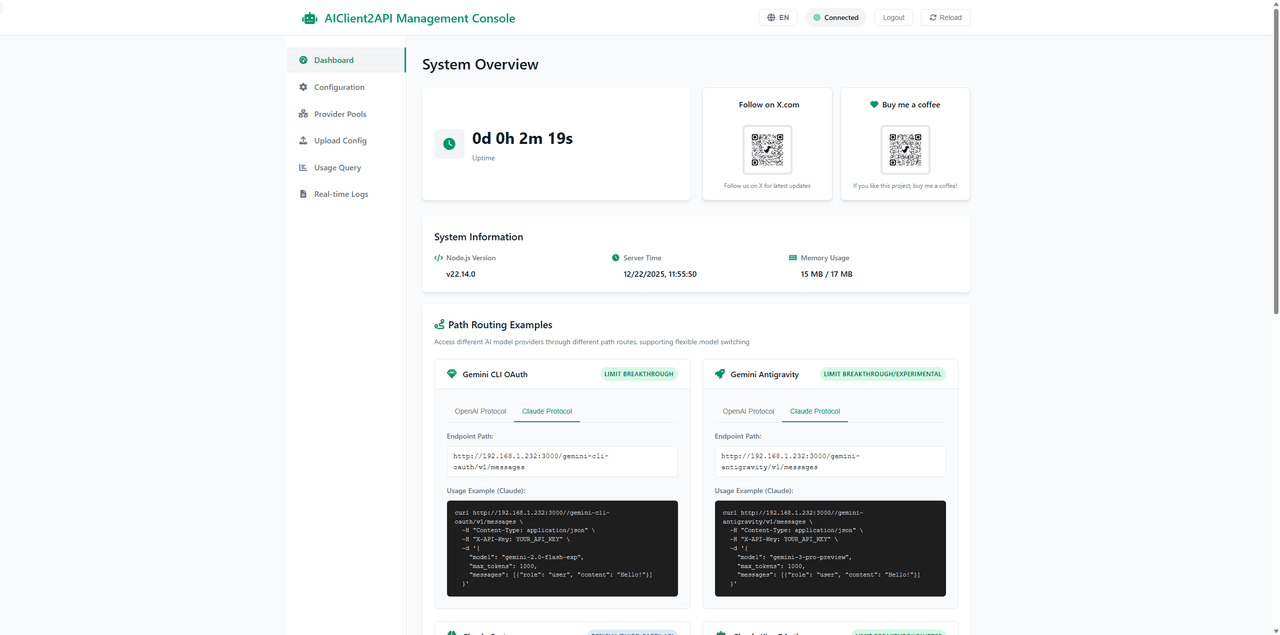
- Visual Management Console: Includes a Web UI dashboard for real-time configuration management, health status monitoring, API testing via a built-in Playground, and request log auditing.
Technical Architecture & Implementation
The project relies on an AI-first modular architecture built on Node.js to handle protocol translation and maintain high availability:
plaintext1[ Your Application (Cherry-Studio / Cline / Custom Code) ] 2 │ (Standard OpenAI / Claude Request) 3 ▼ 4 ┌─────────────────────────────┐ 5 │ AIClient2API Gateway │ 6 └──────────────┬──────────────┘ 7 │ 8 ┌─────────────┴─────────────┐ 9 ▼ ▼ 10 ┌──────────────┐ ┌──────────────┐ 11 │ Adapters │ │ Provider Pool│ 12 └───────┬──────┘ └───────┬──────┘ 13 │ │ (Health Check / Cooldown) 14 ▼ ▼ 15 ┌──────────────┐ ┌──────────────┐ 16 │ TLS Sidecar │ │ Failover & │ 17 │ (Go uTLS) │ │ Fallback │ 18 └───────┬──────┘ └───────┬──────┘ 19 │ │ 20 └─────────────┬─────────────┘ 21 ▼ 22 [ Backends: Gemini, Grok, Kiro...]
1. Strategy & Adapter Patterns
When a request hits the gateway, the system identifies the targeted model-provider and routes it through a specific service adapter. The adapter translates standard OpenAI or Claude payloads into the exact structure required by the upstream client (such as Gemini's internal CLI structure or Grok's endpoints), seamlessly handling both standard and streaming (text/event-stream) responses.
2. Intelligent Provider Pools & Fallback Chains
To ensure production-grade reliability, the proxy manages a pool of accounts and endpoints:
- Automated Health Checks & Cooldown: The system performs periodic heartbeats. If a node fails or triggers a 429 Too Many Requests limit, it is placed into a temporary cooldown queue and routed around automatically.
- Cross-Type Fallback: If an entire provider type runs out of quota, the gateway can cascade requests down a pre-configured fallback chain (e.g., falling back from gemini-cli-oauth to gemini-antigravity) as long as the protocols match.
3. TLS Fingerprint Mimicking (TLS Sidecar)
Certain upstream services enforce strict network checks and block requests that do not match browser TLS fingerprints. To solve this, the project incorporates a TLS Sidecar proxy written in Go (using uTLS). It emulates standard Chrome TLS handshakes and automatically handles HTTP/2 negotiation to prevent 403 Forbidden errors.
Ecosystem Integration: Native AtlasCloud Support
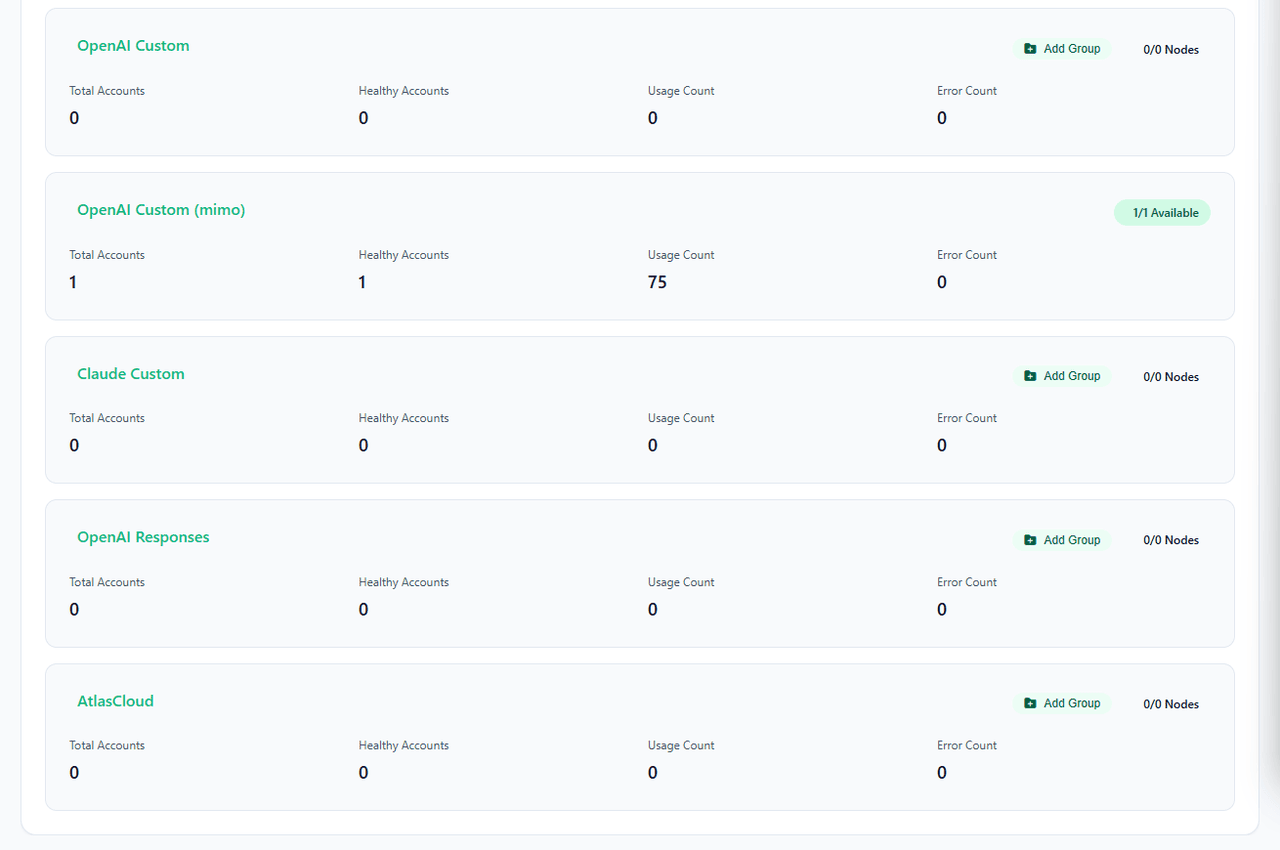
In recent updates, AIClient2API introduced native provider support for AtlasCloud, an all-in-one multi-modal AI inference platform.
AtlasCloud aggregates highly cost-effective models like Qwen 3.6, DeepSeek v4 pro, Kimi k2.6, GLM 5.1 under a single endpoint. Integrating AtlasCloud into your AIClient2API pool offers specific advantages:
- Seamless Switching & Stable Throughput: You can shift between DeepSeek's reasoning capabilities, Qwen's language processing, and multi-modal generation without friction. The underlying enterprise infrastructure ensures stable concurrency rates.
- Out-of-the-Box Templates: The repository includes configuration presets in provider_pools.json.example along with dedicated router paths, allowing you to get up and running immediately.
This setup is highly beneficial for developers participating in AtlasCloud's budget-friendly Coding Plan Promotion to minimize infrastructure overhead.
Get Started
- Deploy via Docker:
- Bash
plaintext1docker run -d -p 3000:3000 -p 8085-8086:8085-8086 -p 1455:1455 -p 19876-19880:19876-19880 --restart=always -v "your_path/configs:/app/configs" --name aiclient2api justlikemaki/aiclient-2-api
- Configure via Web UI: Access http://localhost:3000 (default password: admin123) to add your credentials and manage your providers visually.
- Route Your Traffic: Point your preferred AI desktop client or backend SDK to your local gateway instance.
For full implementation details, documentation, and advanced configuration options, visit the GitHub repository.







