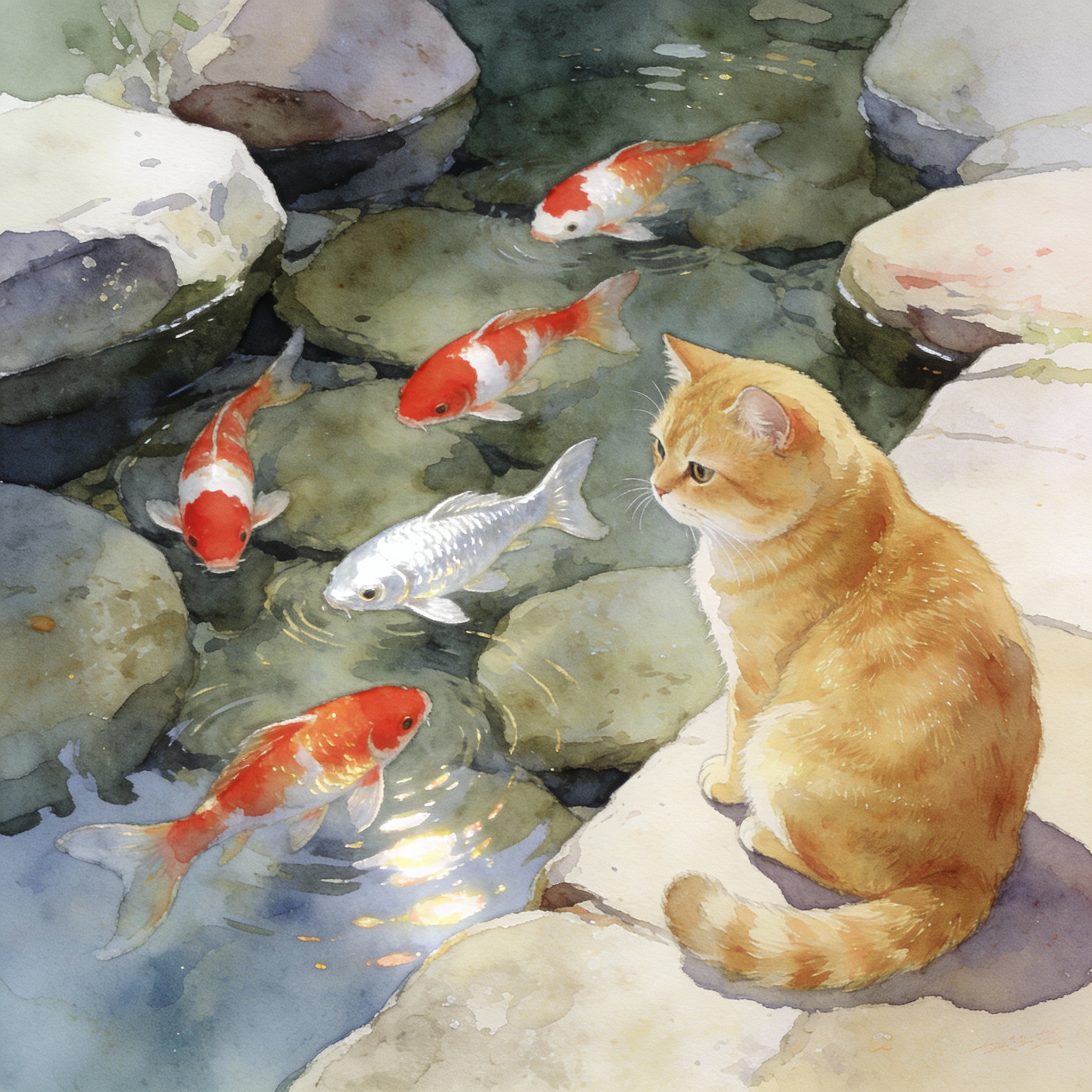
bytedance/seedream-v4.5

ByteDance latest image generation model achieving all-round improvements. Excels at typography, poster design, and brand visual creation with superior prompt adherence.

TEXT-TO-IMAGEHOTNEW
Seedream v4.5
ข้อความเป็นภาพ

ByteDance latest image generation model achieving all-round improvements. Excels at typography, poster design, and brand visual creation with superior prompt adherence.

อินพุต

กำลังโหลดการตั้งค่าพารามิเตอร์...

เอาต์พุต

รอดำเนินการ
ภาพที่สร้างจะแสดงที่นี่
ตั้งค่าพารามิเตอร์แล้วคลิกรันเพื่อเริ่มสร้าง

แต่ละครั้งจะใช้ $0.036 ด้วย $10 คุณสามารถรันได้ประมาณ 277 ครั้ง

คุณสามารถทำต่อได้:

พารามิเตอร์

ตัวอย่างโค้ด

import requests
import time

# Step 1: Start image generation
generate_url = "https://api.atlascloud.ai/api/v1/model/generateImage"
headers = {
    "Content-Type": "application/json",
    "Authorization": "Bearer $ATLASCLOUD_API_KEY"
}
data = {
    "model": "bytedance/seedream-v4.5",
    "prompt": "A beautiful landscape with mountains and lake",
    "width": 512,
    "height": 512,
    "steps": 20,
    "guidance_scale": 7.5,
}

generate_response = requests.post(generate_url, headers=headers, json=data)
generate_result = generate_response.json()
prediction_id = generate_result["data"]["id"]

# Step 2: Poll for result
poll_url = f"https://api.atlascloud.ai/api/v1/model/prediction/{prediction_id}"

def check_status():
    while True:
        response = requests.get(poll_url, headers={"Authorization": "Bearer $ATLASCLOUD_API_KEY"})
        result = response.json()

        if result["data"]["status"] == "completed":
            print("Generated image:", result["data"]["outputs"][0])
            return result["data"]["outputs"][0]
        elif result["data"]["status"] == "failed":
            raise Exception(result["data"]["error"] or "Generation failed")
        else:
            # Still processing, wait 2 seconds
            time.sleep(2)

image_url = check_status()

ติดตั้ง

ติดตั้งแพ็คเกจที่จำเป็นสำหรับภาษาของคุณ

bash
pip install requests

การยืนยันตัวตน

คำขอ API ทั้งหมดต้องมีการยืนยันตัวตนผ่าน API key คุณสามารถรับ API key ได้จากแดชบอร์ด Atlas Cloud

bash
export ATLASCLOUD_API_KEY="your-api-key-here"

HTTP Headers

python
import os

API_KEY = os.environ.get("ATLASCLOUD_API_KEY")
headers = {
    "Content-Type": "application/json",
    "Authorization": f"Bearer {API_KEY}"
}
รักษา API key ของคุณให้ปลอดภัย

อย่าเปิดเผย API key ของคุณในโค้ดฝั่งไคลเอนต์หรือที่เก็บข้อมูลสาธารณะ ให้ใช้ตัวแปรสภาพแวดล้อมหรือพร็อกซีฝั่งเซิร์ฟเวอร์แทน

ส่งคำขอ

import requests

url = "https://api.atlascloud.ai/api/v1/model/generateImage"
headers = {
    "Content-Type": "application/json",
    "Authorization": "Bearer $ATLASCLOUD_API_KEY"
}
data = {
    "model": "your-model",
    "prompt": "A beautiful landscape"
}

response = requests.post(url, headers=headers, json=data)
print(response.json())

ส่งคำขอ

ส่งคำขอสร้างแบบอะซิงโครนัส API จะส่งคืน prediction ID ที่คุณสามารถใช้ตรวจสอบสถานะและดึงผลลัพธ์ได้

POST/api/v1/model/generateImage

เนื้อหาคำขอ

import requests

url = "https://api.atlascloud.ai/api/v1/model/generateImage"
headers = {
    "Content-Type": "application/json",
    "Authorization": "Bearer $ATLASCLOUD_API_KEY"
}

data = {
    "model": "bytedance/seedream-v4.5",
    "input": {
        "prompt": "A beautiful landscape with mountains and lake"
    }
}

response = requests.post(url, headers=headers, json=data)
result = response.json()

print(f"Prediction ID: {result['id']}")
print(f"Status: {result['status']}")

การตอบกลับ

{
  "id": "pred_abc123",
  "status": "processing",
  "model": "model-name",
  "created_at": "2025-01-01T00:00:00Z"
}

ตรวจสอบสถานะ

สำรวจ prediction endpoint เพื่อตรวจสอบสถานะปัจจุบันของคำขอ

GET/api/v1/model/prediction/{prediction_id}

ตัวอย่างการสำรวจ

import requests
import time

prediction_id = "pred_abc123"
url = f"https://api.atlascloud.ai/api/v1/model/prediction/{prediction_id}"
headers = { "Authorization": "Bearer $ATLASCLOUD_API_KEY" }

while True:
    response = requests.get(url, headers=headers)
    result = response.json()
    status = result["data"]["status"]
    print(f"Status: {status}")

    if status in ["completed", "succeeded"]:
        output_url = result["data"]["outputs"][0]
        print(f"Output URL: {output_url}")
        break
    elif status == "failed":
        print(f"Error: {result['data'].get('error', 'Unknown')}")
        break

    time.sleep(3)

ค่าสถานะ

processingคำขอยังอยู่ระหว่างการประมวลผล
completedการสร้างเสร็จสมบูรณ์แล้ว ผลลัพธ์พร้อมใช้งาน
succeededการสร้างสำเร็จแล้ว ผลลัพธ์พร้อมใช้งาน
failedการสร้างล้มเหลว ตรวจสอบฟิลด์ error

การตอบกลับที่เสร็จสมบูรณ์

{
  "data": {
    "id": "pred_abc123",
    "status": "completed",
    "outputs": [
      "https://storage.atlascloud.ai/outputs/result.png"
    ],
    "metrics": {
      "predict_time": 8.3
    },
    "created_at": "2025-01-01T00:00:00Z",
    "completed_at": "2025-01-01T00:00:10Z"
  }
}

อัปโหลดไฟล์

อัปโหลดไฟล์ไปยังที่เก็บข้อมูล Atlas Cloud และรับ URL ที่คุณสามารถใช้ในคำขอ API ของคุณ ใช้ multipart/form-data ในการอัปโหลด

POST/api/v1/model/uploadMedia

ตัวอย่างการอัปโหลด

import requests

url = "https://api.atlascloud.ai/api/v1/model/uploadMedia"
headers = { "Authorization": "Bearer $ATLASCLOUD_API_KEY" }

with open("image.png", "rb") as f:
    files = {"file": ("image.png", f, "image/png")}
    response = requests.post(url, headers=headers, files=files)

result = response.json()
download_url = result["data"]["download_url"]
print(f"File URL: {download_url}")

การตอบกลับ

{
  "data": {
    "download_url": "https://storage.atlascloud.ai/uploads/abc123/image.png",
    "file_name": "image.png",
    "content_type": "image/png",
    "size": 1024000
  }
}

Input Schema

พารามิเตอร์ต่อไปนี้ยอมรับในเนื้อหาคำขอ

ทั้งหมด: 0จำเป็น: 0ไม่บังคับ: 0

ไม่มีพารามิเตอร์ที่ใช้ได้

ตัวอย่างเนื้อหาคำขอ

json
{
  "model": "bytedance/seedream-v4.5"
}

Output Schema

API จะส่งคืนการตอบกลับ prediction พร้อม URL ของผลลัพธ์ที่สร้างขึ้น

idstringrequired
Unique identifier for the prediction.
statusstringrequired
Current status of the prediction.
processingcompletedsucceededfailed
modelstringrequired
The model used for generation.
outputsarray[string]
Array of output URLs. Available when status is "completed".
errorstring
Error message if status is "failed".
metricsobject
Performance metrics.
predict_timenumber
Time taken for image generation in seconds.
created_atstringrequired
ISO 8601 timestamp when the prediction was created.
Format: date-time
completed_atstring
ISO 8601 timestamp when the prediction was completed.
Format: date-time

ตัวอย่างการตอบกลับ

json
{
  "id": "pred_abc123",
  "status": "completed",
  "model": "model-name",
  "outputs": [
    "https://storage.atlascloud.ai/outputs/result.png"
  ],
  "metrics": {
    "predict_time": 8.3
  },
  "created_at": "2025-01-01T00:00:00Z",
  "completed_at": "2025-01-01T00:00:10Z"
}

Atlas Cloud Skills

Atlas Cloud Skills เชื่อมต่อโมเดล AI กว่า 300+ เข้ากับผู้ช่วยเขียนโค้ด AI ของคุณโดยตรง ติดตั้งด้วยคำสั่งเดียว จากนั้นใช้ภาษาธรรมชาติเพื่อสร้างรูปภาพ วิดีโอ และสนทนากับ LLM

ไคลเอนต์ที่รองรับ

Claude Code
OpenAI Codex
Gemini CLI
Cursor
Windsurf
VS Code
Trae
GitHub Copilot
Cline
Roo Code
Amp
Goose
Replit
40+ ไคลเอนต์ที่รองรับ

ติดตั้ง

bash
npx skills add AtlasCloudAI/atlas-cloud-skills

ตั้งค่า API Key

รับ API key จากแดชบอร์ด Atlas Cloud และตั้งค่าเป็นตัวแปรสภาพแวดล้อม

bash
export ATLASCLOUD_API_KEY="your-api-key-here"

ความสามารถ

เมื่อติดตั้งแล้ว คุณสามารถใช้ภาษาธรรมชาติในผู้ช่วย AI ของคุณเพื่อเข้าถึงโมเดล Atlas Cloud ทั้งหมด

สร้างรูปภาพสร้างรูปภาพด้วยโมเดลเช่น Nano Banana 2, Z-Image และอื่นๆ
สร้างวิดีโอสร้างวิดีโอจากข้อความหรือรูปภาพด้วย Kling, Vidu, Veo เป็นต้น
สนทนา LLMสนทนากับ Qwen, DeepSeek และโมเดลภาษาขนาดใหญ่อื่นๆ
อัปโหลดสื่ออัปโหลดไฟล์จากเครื่องสำหรับการแก้ไขรูปภาพและเวิร์กโฟลว์รูปภาพเป็นวิดีโอ
เรียนรู้เพิ่มเติม

github.com/AtlasCloudAI/atlas-cloud-skills

MCP Server

Atlas Cloud MCP Server เชื่อมต่อ IDE ของคุณกับโมเดล AI กว่า 300+ ผ่าน Model Context Protocol ใช้งานได้กับไคลเอนต์ที่รองรับ MCP ทุกตัว

ไคลเอนต์ที่รองรับ

Cursor
VS Code
Windsurf
Claude Code
OpenAI Codex
Gemini CLI
Cline
Roo Code
100+ ไคลเอนต์ที่รองรับ

ติดตั้ง

bash
npx -y atlascloud-mcp

การกำหนดค่า

เพิ่มการกำหนดค่าต่อไปนี้ลงในไฟล์ตั้งค่า MCP ของ IDE ของคุณ

json
{
  "mcpServers": {
    "atlascloud": {
      "command": "npx",
      "args": [
        "-y",
        "atlascloud-mcp"
      ],
      "env": {
        "ATLASCLOUD_API_KEY": "your-api-key-here"
      }
    }
  }
}

เครื่องมือที่ใช้ได้

atlas_generate_imageสร้างรูปภาพจากข้อความ prompt
atlas_generate_videoสร้างวิดีโอจากข้อความหรือรูปภาพ
atlas_chatสนทนากับโมเดลภาษาขนาดใหญ่
atlas_list_modelsเรียกดูโมเดล AI กว่า 300+ ที่ใช้ได้
atlas_quick_generateสร้างเนื้อหาขั้นตอนเดียวพร้อมเลือกโมเดลอัตโนมัติ
atlas_upload_mediaอัปโหลดไฟล์จากเครื่องสำหรับเวิร์กโฟลว์ API
เรียนรู้เพิ่มเติม

github.com/AtlasCloudAI/mcp-server

API Schema

ไม่มี Schema

กรุณาเข้าสู่ระบบเพื่อดูประวัติคำขอ

คุณต้องเข้าสู่ระบบเพื่อเข้าถึงประวัติคำขอโมเดล

เข้าสู่ระบบ
4.5NEW RELEASE

Seedreamเสียงและภาพ ทั้งหมดในครั้งเดียว

โมเดล AI ปฏิวัติวงการของ ByteDance ที่สร้างเสียงและวิดีโอที่ซิงค์กันอย่างสมบูรณ์แบบพร้อมกันจากกระบวนการเดียวที่รวมเป็นหนึ่ง สัมผัสประสบการณ์การสร้างเสียงและภาพพื้นเมืองที่แท้จริงด้วยการซิงค์ริมฝีปากที่แม่นยำระดับมิลลิวินาทีในกว่า 8 ภาษา

Key Updates

Experience the next level of AI-powered visual creation

Superior Aesthetics

Produces cinematic visuals with refined lighting and rendering for professional-grade output.

Higher Consistency

Maintains stable subjects, clear details, and coherent scenes across multiple images.

Smarter Instruction Following

Accurately responds to complex prompts with precise visual control and interactive editing.

Stronger Spatial Understanding

Generates realistic proportions, object placement, and scene layout with accuracy.

Richer World Knowledge

Creates knowledge-based visuals with accurate scientific and technical reasoning.

Deeper Industry Application

Supports professional workflows for e-commerce, film, advertising, gaming, and more.

Industry Applications

🛒

E-commerce

Product photography & marketing

🎬

Film & TV

Concept art & storyboarding

📺

Advertising

Campaign visuals & creatives

🎮

Gaming

Character & environment design

📚

Education

Instructional illustrations

🏠

Interior Design

Space visualization

🏗️

Architecture

Architectural rendering

👗

Fashion

Virtual try-on & styling

Improvements from 4.0

See how Seedream 4.5 outperforms the previous version

1

Face Quality

Significant improvement when face proportion is small

Before (4.0)Distorted facial features in distant shots
After (4.5)Clear, natural facial details preserved
2

Text Rendering

Enhanced small character rendering capability

Before (4.0)Blurry or incorrect text generation
After (4.5)Sharp, accurate text placement
3

ID Preservation

Stronger identity retention ability

Before (4.0)Character features drift across generations
After (4.5)Consistent identity across all outputs

สัมผัสประสบการณ์การสร้างเสียงและภาพพื้นเมือง

เข้าร่วมกับผู้สร้างภาพยนตร์ ผู้โฆษณา และผู้สร้างสรรค์ทั่วโลกที่กำลังปฏิวัติการสร้างเนื้อหาวิดีโอด้วยเทคโนโลยีล้ำสมัยของ Seedance 1.5 Pro

Cinematic Quality
Fast Generation
🎯Precise Control

Seedream 4.5 : A professional, high-fidelity multimodal image generation model by ByteDance Seed

Model Card Overview

FieldDescription
Model NameSeedream 4.5
Developed ByByteDance Seed
Release DateDecember 2025
Model TypeMultimodal Image Generation
Related LinksOfficial Website,Technical Paper (arXiv), GitHub Repository

Introduction

Seedream 4.5 is a state-of-the-art, multimodal generative model engineered for scalability, efficiency, and professional-grade output. As an advanced version of Seedream 4.0, it is built upon a unified framework that seamlessly integrates text-to-image synthesis, sophisticated image editing, and complex multi-image composition. The model's primary design goal is to deliver professional visual creatives with exceptional consistency and fidelity. This is achieved through a significant scaling of the model architecture and training data, which enhances its ability to preserve reference details, render dense text and typography accurately, and understand nuanced user instructions.

Key Features & Innovations

  • Unified Multimodal Framework: Integrates text-to-image (T2I), single-image editing, and multi-image composition into a single, cohesive model, allowing for diverse and flexible creative workflows.
  • High-Fidelity & High-Resolution Generation: Capable of generating native high-resolution images (up to 4K), capturing fine details, realistic textures, and accurate lighting for professional use cases.
  • Advanced Image Editing: Excels at preserving the core structure, lighting, and color tone of reference images while applying precise edits based on natural language instructions.
  • Enhanced Multi-Image Composition: Accurately identifies and blends main subjects from multiple reference images, enabling complex creative compositions and style fusions.
  • Superior Typography and Text Rendering: Features significantly improved capabilities for rendering clear, legible, and contextually integrated text within images.
  • Efficient and Scalable Architecture: Built on a highly efficient Diffusion Transformer (DiT) and a powerful Variational Autoencoder (VAE), enabling fast inference and effective scalability.
  • Optimized for Professional Use: Demonstrates strong performance in generating structured, knowledge-based content such as design materials, posters, and product visualizations, bridging the gap between creative generation and practical industry applications.

Model Architecture & Technical Details

Seedream 4.5's architecture is an extension of the foundation laid by Seedream 4.0. The core of the model is a highly efficient and scalable Diffusion Transformer (DiT), which significantly increases model capacity while reducing computational requirements for training and inference. This is paired with a powerful Variational Autoencoder (VAE) with a high compression ratio, which minimizes the number of image tokens processed in the latent space, further boosting efficiency.

Training and Data: The model was pre-trained on billions of text-image pairs, covering a vast range of taxonomies and knowledge-centric concepts. Training was conducted in multiple stages, starting at a 512x512 resolution and fine-tuning at progressively higher resolutions up to 4K. The post-training phase is extensive, incorporating Continuing Training (CT) for foundational knowledge, Supervised Fine-Tuning (SFT) for artistic quality, and Reinforcement Learning from Human Feedback (RLHF) to align outputs with human preferences. A sophisticated Prompt Engineering (PE) module, built upon the Seed1.5-VL vision-language model, is used to process user inputs and enhance instruction following.

Intended Use & Applications

Seedream 4.5 is designed for professional creators and applications demanding high-quality, consistent, and controllable image generation. Its intended uses include:

  • Professional Content Creation: Generating cinematic-quality visuals for digital advertising, social media, and print.
  • Advanced Photo Editing: Performing complex edits, such as changing clothing materials, modifying backgrounds, or adjusting lighting, while maintaining subject integrity.
  • E-commerce and Product Visualization: Creating high-quality product showcases and marketing materials.
  • Graphic Design: Designing posters, key visuals, and other materials that require the integration of stylized text and typography.
  • Creative Storytelling: Producing sequential, thematically related images for storyboards or visual narratives.

Performance

Seedream 4.5 and its predecessor, Seedream 4.0, have demonstrated top-tier performance on public benchmarks. The models are evaluated on the Artificial Analysis Arena, a real-time competitive leaderboard that ranks models based on blind user votes.

Text-to-Image Leaderboard (December 2025)

RankModelDeveloperELO ScoreRelease Date
1GPT Image 1.5 (high)OpenAI1,252Dec 2025
2Nano Banana ProGoogle1,223Nov 2025
5Seedream 4.0ByteDance Seed1,193Sept 2025
7Seedream 4.5ByteDance Seed1,169Dec 2025

เริ่มต้นจากโมเดลกว่า 300 รายการ

สำรวจโมเดลทั้งหมด