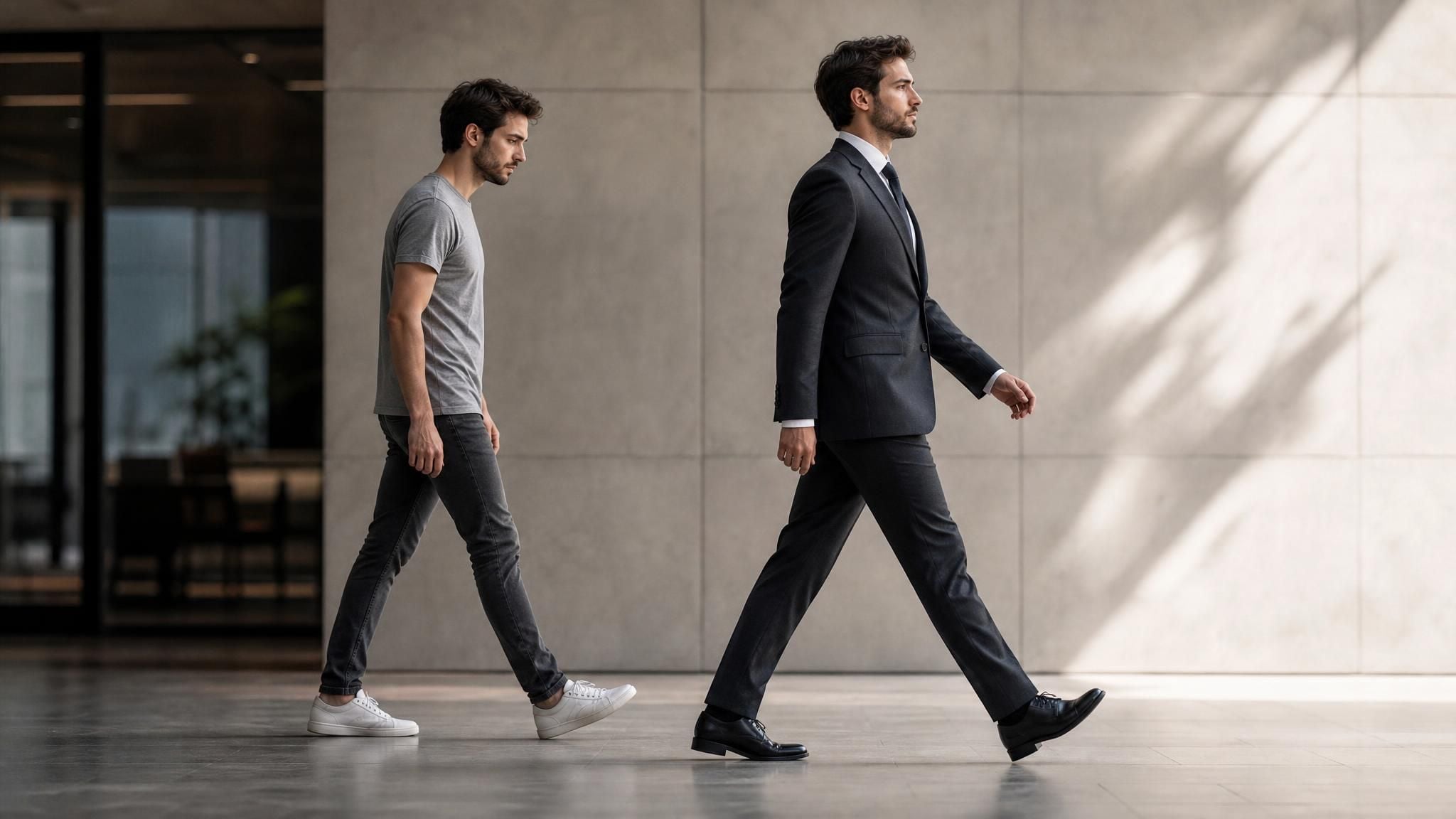
You landed a final-round interview tomorrow and your only decent photo is a beach selfie in a T-shirt. Or your LinkedIn picture still shows the hoodie from three years ago. A formal attire editor solves this in the time it takes to type a sentence: upload the photo you already have, describe the suit you want, and let the AI rebuild the outfit around you. No tailor, no studio booking, no jacket borrowed from a coworker two sizes too big.
Key Takeaways
- A formal attire editor works from a written description of the suit you want, not a template library or a second clothing photo you have to track down first.
- You start with a real photo of yourself, so the AI rebuilds the clothing around your existing face and pose. Show your legs if the outfit includes shoes; the AI can only dress what the camera already captured.
- Your descriptions work best when they name specific construction details—lapel style, fabric, collar type—rather than vague words like "professional" or "sharp."
- The output downloads without a watermark at 1328 by 1776 resolution, usable on LinkedIn, job applications, or print.
Why a Formal Attire Photo Editor Beats Renting a Suit
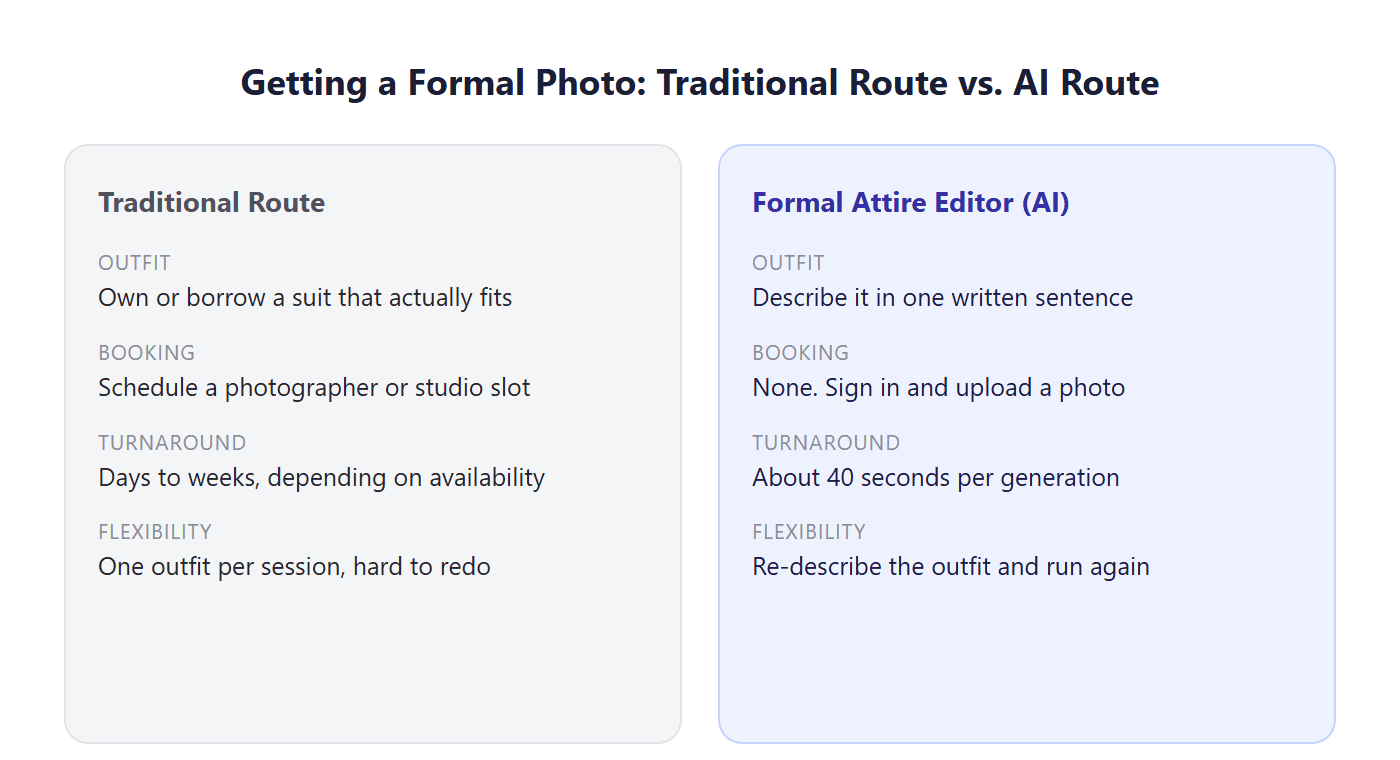
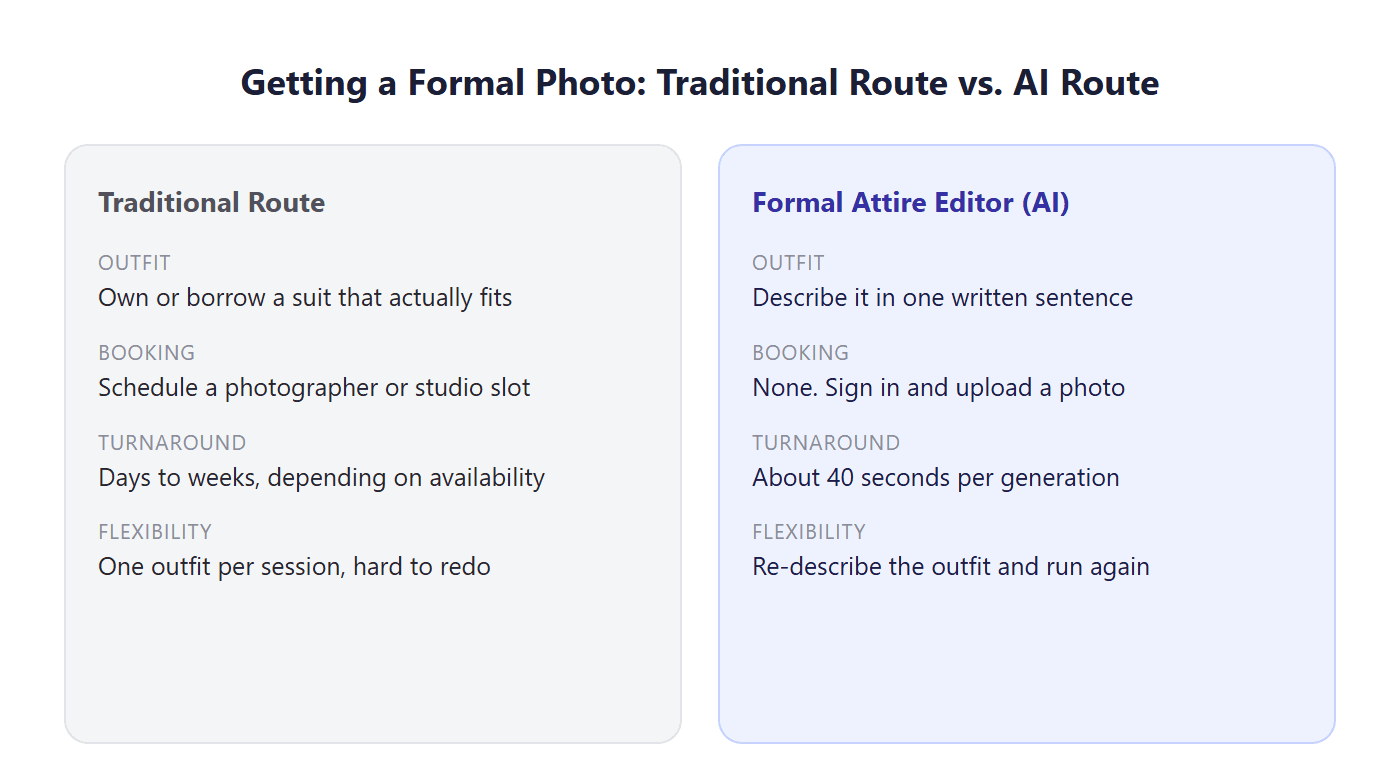
Getting a real photo taken in formal wear usually means three things happening at once: owning or borrowing the outfit, booking time with a camera or photographer, and hoping the lighting cooperates. Any one of those can stall the whole plan, and interviews rarely wait for a fitting appointment to open up.
A formal attire editor skips all three. You are not scheduling a session or shopping for a blazer that fits; you are describing one. The tradeoff is honest: it will not replace a tailored suit for an actual event you're attending in person, but for photos, headshots, video call thumbnails, dating profiles, it produces something usable in the time a photographer would still be setting up lights.
How to Add a Suit to a Photo With AI in 3 Steps
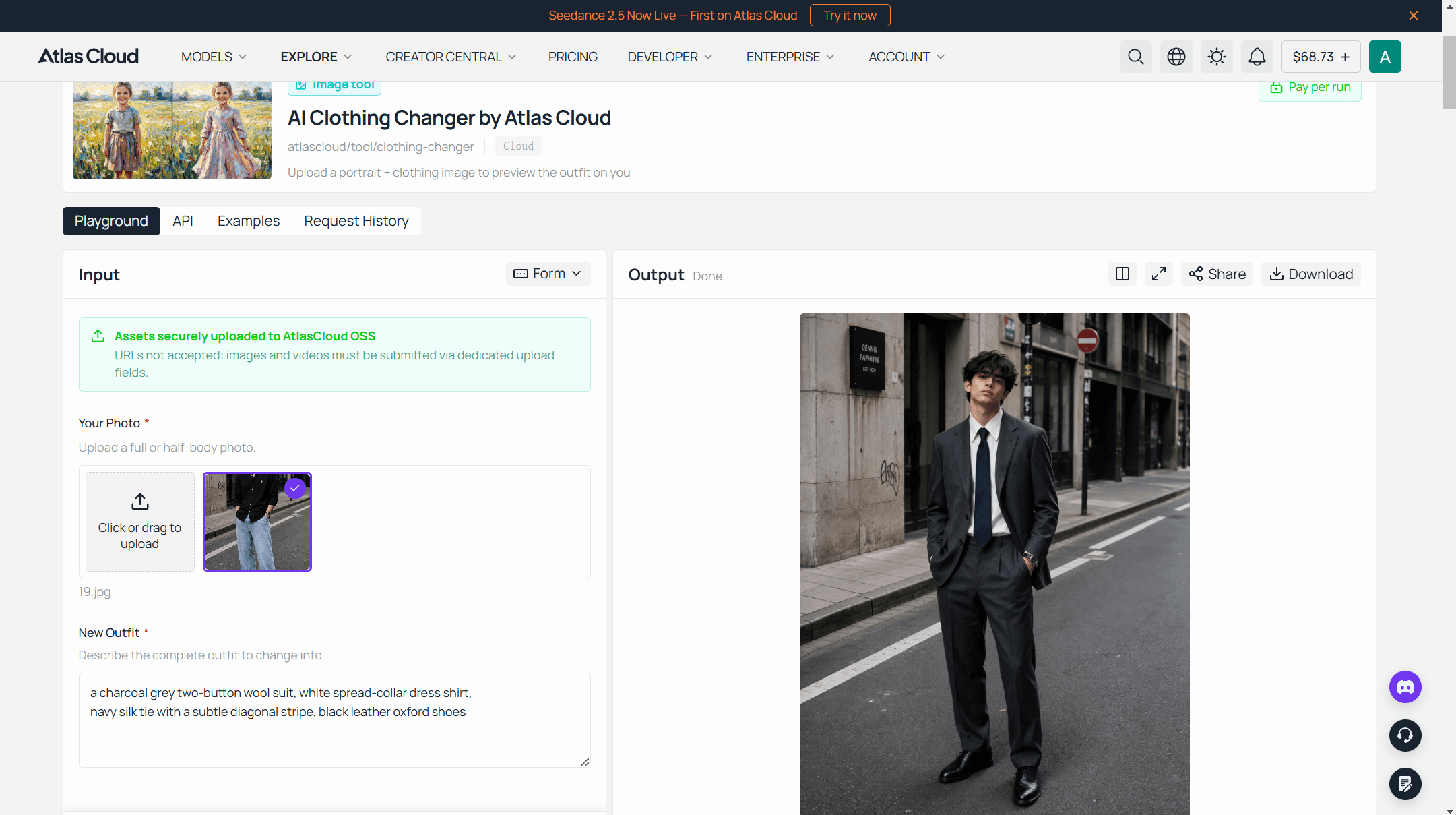
Here is what one free run looks like on Atlas Cloud, a platform that hosts image and video models behind a set of one-page AI tools. One of those, Free Change Clothes AI, is the formal attire editor behind every example in this guide.
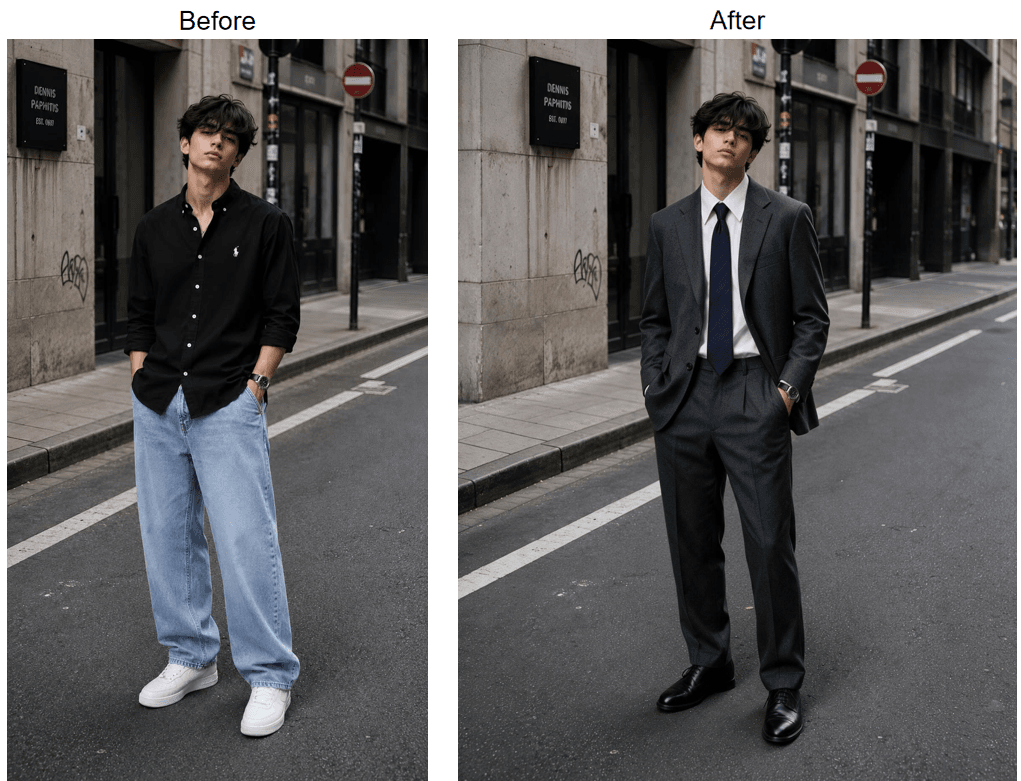
The starting photo was a casual desk selfie. The outfit description: "a charcoal grey two-button wool suit, white spread-collar dress shirt, navy silk tie with a subtle diagonal stripe, black leather oxford shoes." Roughly 40 seconds later, the same person came back dressed for the interview, face and background untouched.
- Upload a photo that shows what you're about to describe. Full-body if the outfit includes shoes or trousers, half-body if you're only after a jacket and shirt. JPG, PNG, or WebP, up to 10MB.
- Write the outfit as one specific sentence. Name the fit, fabric, and details rather than reaching for adjectives like "sharp" or "elegant." A quick sign-in with Google, GitHub, or email activates the run.
- Press Run Free, compare, and download. Drag the slider against your original before saving to verify the edit looks right.
What Makes a Good Formal Attire Photo Editor Online Free
Free tools in this category vary more than the marketing copy suggests. A few things separate one that actually works from one that just looks good in a screenshot.
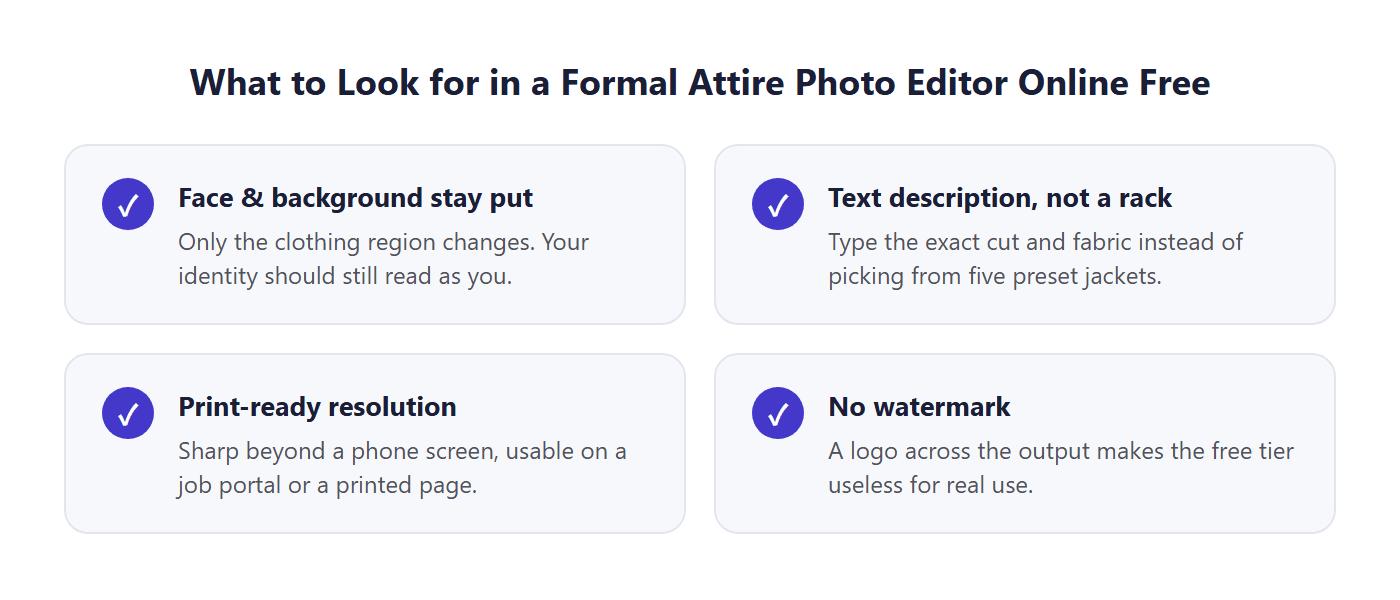
Face and background stay put. The edit should touch only the clothing region. If a tool also softens your face or swaps the background, you've lost the resemblance that made the photo worth editing in the first place.
You describe instead of picking from a rack. A dropdown of five preset jackets caps what you can ask for. A text field takes "double-breasted navy blazer with peaked lapels" just as easily as "single-breasted charcoal suit," which matters once you know exactly what you need.
The output resolution holds up outside a phone screen. A result that's crisp in the app preview but blurry once you print it or upload it to a job portal defeats the purpose.
No watermark sitting across your face. A free tier that scars every output with a logo isn't really free for anything you plan to actually use.
Where to Use Your New Formal Attire Photos
The same edited photo does different jobs depending on where it lands, and each one rewards a slightly different description.
LinkedIn and professional profiles. Aim for a blazer with an open collar or a subtly patterned tie, something like "navy blazer, light blue dress shirt, no tie, top button open." Half-body input is enough since LinkedIn crops tight anyway. For more on writing prompts that hold up at headshot scale, the professional headshot prompt guide has more worked examples.
Job applications and interview follow-ups. Match the formality of the role. A law firm application reads differently than a startup one, so describe the tie and shirt collar accordingly, "black three-piece suit, white shirt, silver tie" versus "grey blazer, open collar, no tie."
Formal event invitations and save-the-dates. Full-body input, since these photos tend to show the whole outfit. Name the occasion in the description, "black tie tuxedo with a bow tie" reads differently to the model than "formal suit."
Dating profiles. One photo in something other than a gym shirt changes the tone of a whole profile. Keep the description close to something you'd actually wear so the result doesn't look staged.
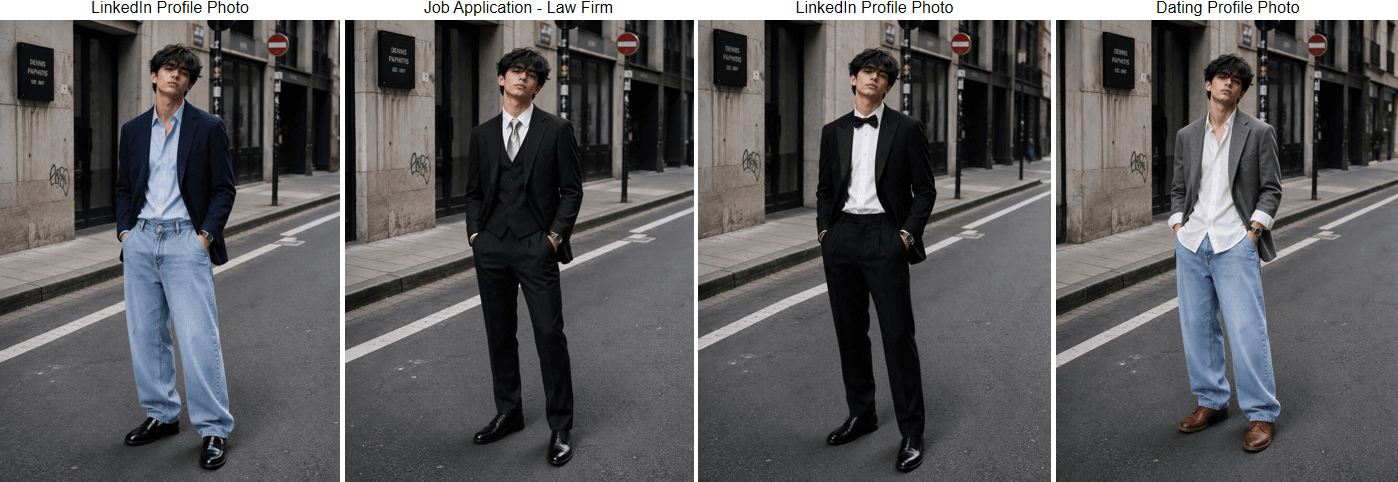
Generated with Atlas AI Formal Attire Editor .
How to Get Better Results When AI Puts You in a Suit
A handful of habits separate a convincing result from one that clearly didn't work.
- Match the photo to the outfit. Describing oxford shoes on a photo cropped at the waist gives the AI nothing to work with below the frame it can see.
- Name construction, not mood. "Slim-fit, two-button, notch lapel" produces clothing. "Sharp and professional" produces a guess.
- Keep hands away from where the jacket closes. Arms crossed or hands resting on the chest can blur into the new fabric at the seam.
- Check the collar and cuffs before downloading. These are the two spots where a formal edit is most likely to show a seam between old photo and new clothing.
- Start from your sharpest, most evenly lit photo. A blurry or backlit original limits how clean the clothing edit can come out, no matter how good the description is.
Frequently Asked Questions
Is there a formal attire photo editor online free?
Yes. Free Change Clothes AI on Atlas Cloud runs a free generation at full resolution once you sign in with Google, GitHub, or email. The sign-in step is what activates the free run rather than a paywall behind it.
How do I add a suit to a photo online free?
Upload a photo that shows what you plan to change, write one sentence describing the suit (cut, fabric, shirt, tie), and press Run Free. The tool rebuilds the clothing region in about 40 seconds and leaves your face and background untouched.
Can I add a suit to my photo online free without uploading a second clothing image?
Yes, that's the difference between this type of tool and one built around virtual try-on. You describe the suit in text instead of sourcing a separate photo of the exact garment, which is faster when you don't have a product photo to work from.
Can AI really put me in a suit convincingly?
For most photos, yes, as long as the description is specific and the input photo is sharp and evenly lit. The weak points are usually small: a collar edge, a cuff, or a hand resting against the jacket. Check those areas before you download and use the result.
What kind of photo works best for a formal attire edit?
Front-facing, evenly lit, with your current outfit fully visible and nothing crossing your torso. Match the framing to what you're asking for: full-body if the description includes shoes or trousers, half-body if it's just a jacket and shirt.
Can I use the formal attire photo for LinkedIn or a job application?
Yes. The output downloads without a watermark at a resolution that holds up on a profile photo or an application portal, not just on a phone screen.
Conclusion
A formal attire editor turns the photo you already have into the one you actually need, without a fitting room or a photographer's calendar involved. The steps stay the same regardless of what it's for: a sharp, well-lit starting photo, a suit description that names real construction details instead of vague adjectives, and a quick check of the collar and cuffs before you call the result finished.
Start with the photo already on your phone. Describe the suit the way you'd describe it to a tailor, not the way you'd describe a mood, and the free run on Atlas Cloud will show you the result before you decide whether it's worth using.





