

The PixVerse V6 release date was March 30, 2026, and the launch changed the pitch from "another AI video generator" to "a cinematography tool with native audio built in." That's a bigger claim than most version bumps make for an AI video generation product, so it deserves a skeptical look rather than a rewrite of the press release.
This review pulls from PixVerse's own documentation, its published API pricing, verified pricing pages from Runway and Luma, and real user reports pulled straight from Reddit threads posted after launch. No press kit, no sponsored access. Just what the product actually ships and what people who paid for it are saying.
Key Takeaways
- PixVerse V6 generates 1 to 15 second clips at up to 1080p with native audio, replacing V5.6's fixed 5s/8s/10s duration tiers.
- PixVerse's own API pricing charges 18 to 23 credits per second at 1080p, which works out to roughly $0.10 to $0.15 per second, even on its largest plan.
- Atlas Cloud hosts the same PixVerse V6 model at a flat $0.025 per second, a meaningful discount for developers building on the API rather than the consumer app.
- Real Reddit reports flag inconsistent audio-to-lip-sync matching and steep camera-control learning curves, gaps the marketing pages don't mention.
What Does the PixVerse V6 AI Video Generator Actually Do?
According to PixVerse's own review of V6, the PixVerse V6 AI video generator handles text-to-video, image-to-video, scene transitions, video extension, and reference-to-video generation in one system. It renders clips from 1 to 15 seconds at 360p, 540p, 720p, or 1080p, across six aspect ratios including 16:9, 9:16, and 21:9.
The headline change from V5.6 is duration. V5.6 locked you into fixed 5, 8, or 10 second outputs. V6 switched to per-second billing, so you pay for exactly what you generate instead of the nearest preset tier. That sounds like a small accounting change, but it's the difference between padding a 6-second idea into an 8-second slot and just rendering 6 seconds.
Multi-shot support is new too. Instead of stitching separate clips together in an editor, V6 can hold character, environment, and lighting consistent across a sequence of shots defined in a single generation. Does it hold up over a full 15-second run with multiple characters? That's a fair question, and it's one real users have already started testing.
Does PixVerse V6's Native Audio Actually Sync With Lip Movement?
Mostly, but not reliably enough to skip a review pass. PixVerse V6 generates audio in the same way as the video, and creators can prompt for dialogue, ambient sound, or effects like "SFX: rain, distant traffic" directly alongside the visual description. On paper, that removes a whole post-production step.
In practice, results vary by scene complexity. A widely shared post on r/generativeAI described a first render this way: two female characters were talking on screen, but the generated audio gave both of them male, robotic-sounding voices. That's not a minor sync glitch. It's a full mismatch between visual casting and audio casting, and it happened on a first attempt with no unusual prompt tricks involved.
This gap matters because native audio is the feature PixVerse leads with. A model that nails motion and lighting but assigns the wrong voice to the wrong character still leaves you doing manual audio replacement, which erases much of the time saving the feature promises. Multi-character dialogue scenes appear to be where V6's audio model is least reliable right now.
How Much Cinematic Camera Control Do You Get?
More than most competing video models, if you're willing to learn it. V6 exposes explicit controls for focal length, aperture, depth of field, lens distortion, chromatic aberration, and vignetting rather than leaving camera behavior to prompt interpretation. That's closer to briefing a camera operator than typing "cinematic shot" and hoping.
The tradeoff is a steeper learning curve. One r/aifilmmaking user described spending six hours trying to get a realistic rim light through a rainy, misty window on a single character, calling the eventual volumetric shadow result impressive but far from quick to reach. That's a useful data point for anyone budgeting time against a deadline. Explicit controls give you precision, but precision has to be dialed in by hand.
Anyone who has fought with real studio lighting will recognize this pattern. Giving a tool granular controls doesn't automatically make the result faster. It shifts the skill requirement from "write a good prompt" to "understand what a cinematographer understands," which is a real cost even when the final output looks better.
What Is Multi-Shot Storytelling in PixVerse V6?
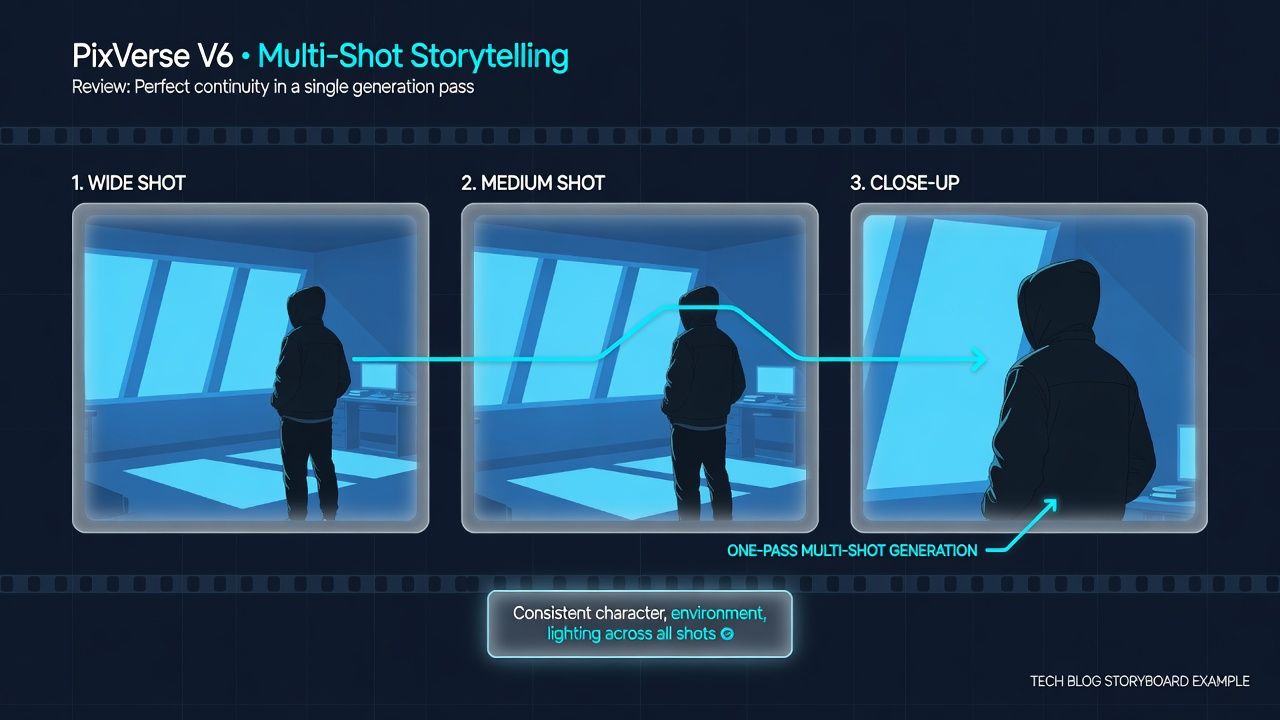
It's V6's system for generating a sequence of connected scenes in one pass instead of one clip at a time. You define a sequence of shots, and the model tries to hold character appearance, environment, and lighting consistent across the full sequence rather than resetting between shots the way separately generated clips often do.
For creators making short-form narrative content, this addresses a real pain point: continuity breaks between separately generated clips are one of the most obvious tells in AI video. Whether V6 fully solves it depends on scene complexity and character count, similar to the audio inconsistency pattern above. Simpler two-shot sequences appear more reliable than multi-character scenes with heavy environmental change.
How Much Does PixVerse V6 Cost in 2026?
It depends heavily on which door you walk through, and the price difference is large enough to change your model choice. According to PixVerse's published model and pricing docs, 1080p generation costs 18 credits per second without audio and 23 credits per second with audio.
Is $100 a month reasonable for occasional use? Probably not, and those credits aren't cheap once you do the math. PixVerse's smallest published API plan is Essential at $100 per month for 15,000 credits, which prices out to roughly $0.12 per second at 1080p without audio and $0.15 per second with audio, with audio adding about 28% to the credit cost. Even PixVerse's largest Business plan, at $6,000 per month for 1,069,500 credits, only brings that down to around $0.10 to $0.13 per second. There's no published free tier on the API side.
Lined up against that, the gap is hard to miss. Developers who need PixVerse V6 through an API without committing to a $100-plus monthly PixVerse plan can access PixVerse V6 on Atlas Cloud at a flat $0.025 per second, alongside PixVerse C1 at $0.03 per second, both billed pay-as-you-go with no monthly minimum and audio included in the unified rate. That's roughly a fourfold to sixfold reduction versus PixVerse's own published per-second API rate, which matters most for teams generating volume rather than occasional clips.
How Does PixVerse V6 Compare to Runway and Luma AI?
In the crowded text-to-video AI market, PixVerse V6 is cheaper to start with than either, but the comparison depends on what "start" means to you. Runway's published pricing puts its Standard plan at $12 per month billed annually, or $15 per month billed monthly, for 625 credits, which covers roughly 52 seconds of its Gen-4.5 model or 104 seconds of Gen-4 Turbo. Runway also offers a free tier with 125 one-time credits to test the tools before paying anything.
Luma's pricing page lists its entry plan, Plus, at $25 per month billed annually, or $30 per month billed monthly, for 10,000 credits, covering its Ray3.2 and Ray3.14 models at 4 to 400 credits per 5 seconds depending on resolution, or Seedance 2.0 generation with audio at 26 to 240 credits per second. Notably, Luma also resells access to Kling Omni, Kling 3.0, and Veo 3.1 inside the same subscription, which broadens the value proposition beyond Luma's own Ray models.
Stacked against each other: PixVerse V6's official API starts at $100 a month for 15,000 credits, good for roughly 333 short clips, with audio included. Runway starts at $12 to $15 a month for 625 credits, about 52 seconds of Gen-4.5, and reserves lip sync for its Pro plan and above. Luma AI starts at $25 to $30 a month for 10,000 credits spread across Ray3.2 and Seedance 2.0, with audio included via Seedance 2.0. PixVerse V6 through Atlas Cloud drops the entry barrier entirely: pay-as-you-go with no monthly minimum and audio included.
Kling's own official pricing page returned a server error at the time of this review and couldn't be independently verified, so its consumer subscription figures aren't included here. On Atlas Cloud's hosted pricing, Kling V3.0 Turbo runs $0.095 per second and Kling Video O3 4K runs $0.357 per second, both notably higher than what PixVerse V6 costs on the same platform.
Runway's entry pricing and free tier sit well below PixVerse's official API floor, which matters if raw cost of entry is your first filter. But if your workflow is built specifically around PixVerse V6, the more cost-efficient path is routing through an API host rather than PixVerse's own $100-a-month starting point, since the underlying model choice doesn't change, only the price you pay for it.
PixVerse V6 or C1: Which Model Should You Pick?
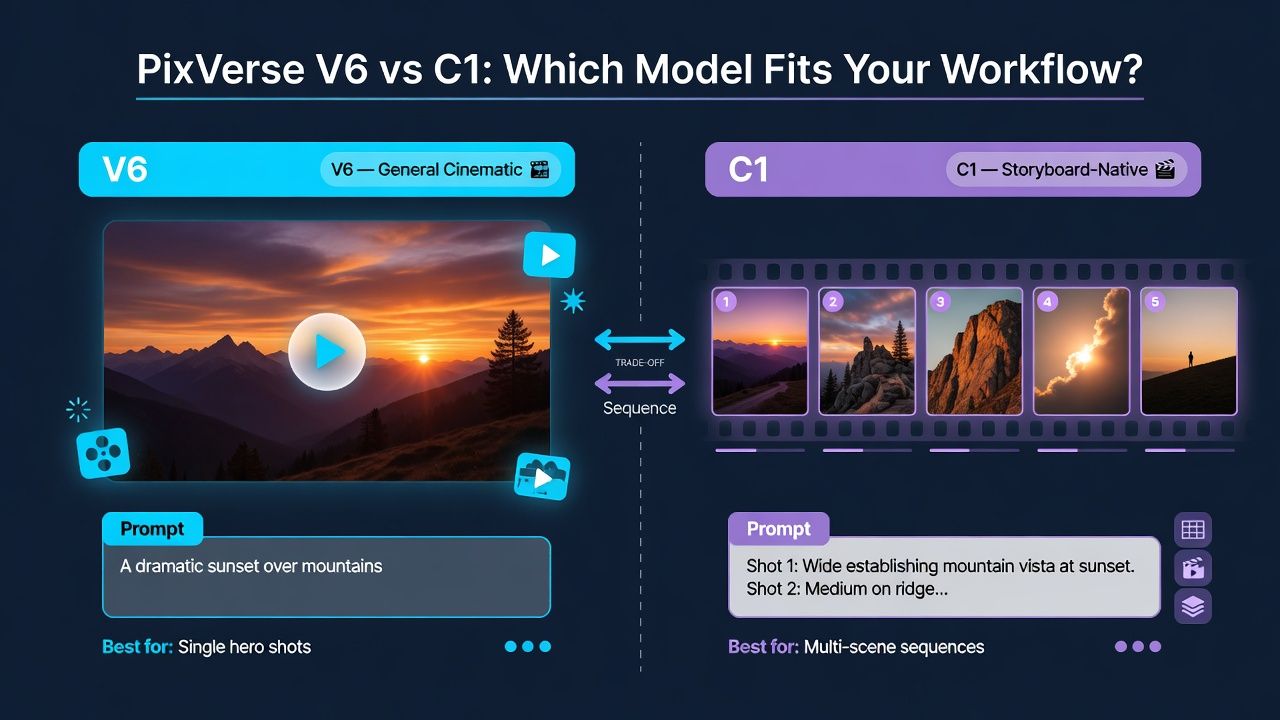
Pick V6 for general cinematic clips and C1 for storyboard-driven, shot-by-shot production work. Atlas Cloud's own model listing positions C1 as a "storyboard-native" model with director-level frame control, closer to a pre-visualization tool than V6's broader creative use case.
The distinction isn't fully settled among users yet. A post on r/generativeAI shortly after C1's release asked the community directly whether it was worth testing C1 against V6 and Kling 3.0 Omni, and the replies suggest most creators are still figuring out where the line falls. If your workflow is single hero shots, start with V6. If you're storyboarding a multi-scene sequence with tight shot-to-shot control, C1 is the one built for that job.
Is It Actually Worth Switching?
So is PixVerse V6 actually worth switching to? Yes, if your workflow benefits from long-form single clips with built-in audio, and no, if you need reliable multi-character dialogue sync out of the box. The model genuinely delivers on duration, resolution, and camera control. Native audio and multi-shot consistency are real advances but not yet dependable enough to skip a review pass before publishing.
On the plus side, PixVerse V6 replaces V5.6's fixed duration tiers with true 15-second 1080p clips, exposes 20-plus explicit cinematic camera controls instead of leaving you to guess at prompts, holds character and lighting together across multi-shot sequences, generates native audio in the same pass as the video, and is available through Atlas Cloud pay-as-you-go with no subscription minimum.
On the downside, multi-character audio sync is inconsistent by user reports, fine camera control has a real learning curve rather than being a quick win, PixVerse's own API pricing has no free tier and starts at $100 a month with no low-cost entry point, and choosing between C1 and V6 is still genuinely confusing for new users.
If you're a solo creator making single-character clips or B-roll, PixVerse V6's audio and camera tools are a genuine upgrade to V5.6 and worth testing against your current tool. If you're producing multi-character dialogue scenes at volume, budget time for an audio review pass, and if you're a developer, price out Atlas Cloud's per-second API rate before committing to PixVerse's own subscription tiers.
Frequently Asked Questions
What is the PixVerse V6 release date?
PixVerse announced the PixVerse V6 release date as March 30, 2026, according to its own official documentation. The launch introduced per-second billing, native audio, and multi-shot generation, replacing V5.6's fixed duration presets.
What's new in PixVerse V6 compared to V5.6?
PixVerse V6 extends clip duration to 1 to 15 seconds with per-second billing, replacing V5.6's fixed 5, 8, and 10 second presets. It also adds multi-shot generation, reference-to-video input, and native audio generated in the same way as the video, according to PixVerse's own V6 review documentation.
How much does PixVerse V6 cost?
Through PixVerse's own API, 1080p generation costs 18 credits per second without audio and 23 credits per second with audio, working out to roughly $0.10 to $0.15 per second depending on plan tier, with a $100 per month entry point. Through Atlas Cloud, the same model is available pay-as-you-go at a significantly lower per-second rate with no monthly minimum.
Does PixVerse V6 support native audio and lip-sync?
Yes, PixVerse V6 generates audio and video in a single pass, including dialogue, ambient sound, and sound effects written into the prompt. Real-world results are inconsistent for multi-character scenes, with at least one documented case of mismatched character voices in a first-attempt render.
How does PixVerse V6 compare to Runway and Luma AI?
Runway starts cheaper at $12 to $15 per month with a free tier included, and Luma's Plus plan starts at $25 to $30 per month. PixVerse V6's own API has no free tier and starts at $100 per month, though accessing the same model through an API host like Atlas Cloud brings the per-second cost down significantly for developers.
Conclusion
PixVerse V6 earns its place as a genuine upgrade over V5.6, not just a version number bump. The extended 15-second duration, per-second billing, and explicit camera controls are real, verifiable improvements backed by PixVerse's own documentation. Native audio and multi-shot consistency are the more ambitious bets, and they don't fully pay off yet, especially in multi-character scenes where Reddit users have documented mismatched voices and long troubleshooting sessions.
If you're weighing PixVerse V6 against PixVerse C1, the split is straightforward: use V6 for general cinematic single clips and C1 for storyboard-driven, shot-by-shot production, since C1 is positioned as a storyboard-native model with tighter frame control. Many creators are still comparing the two directly, so testing both against your specific use case is the safest way to decide.
The practical takeaway is simple. Test PixVerse V6 on your actual workflow before committing budget, treat native audio as a feature to review rather than trust blindly, and if you're building on the API rather than the consumer app, compare PixVerse's own per-second rate against options like Atlas Cloud before picking a plan. The model is strong enough to justify the test. It's just not strong enough yet to skip one.





