

The real bottleneck in AI video isn't that the output looks wrong. It's that it feels slow.
1. Why 15 seconds of AI action keeps falling flat
Anyone who has spent real time with Seedance 2.0 has hit the same ceiling: when you ask for a 15-second clip, the model gives you three or four shots — and that's it.
You feed it a fight scene. What comes back is "fighter walks in → raises weapon → freezes." Setup, action, end. Roll credits.
But that is not how a fight actually reads on screen. Before the punch lands, the shoulder turns. After the dodge, the counter is already loading. A wide chase cuts to an extreme close-up, which cuts to slow-motion impact. Tension comes from cut density — not from making any single shot prettier.
And the model will not give you sixteen shots on its own, no matter how you prompt it.
That's the problem. Here is how we cracked it.
2. Three pivots that changed the workflow
After running the full single-character action demo end-to-end, we landed on three things that matter:
① Action tension comes from cut density, not single-shot quality. Stop trying to make one shot perfect. Break the 15 seconds into a 16-cell storyboard first, then hand it to the video model.
② The real strength of GPT Image 2 is script understanding and shot layout — not style consistency. We initially wanted GPT Image 2 to lock a single style across the whole chain. After testing, we accepted that reference-to-video naturally drifts toward CG — there is no clean way to force it. But what GPT Image 2 can do — read a script, plan the shots, lay out a 16-cell storyboard — is something no other model in our pool does as well.
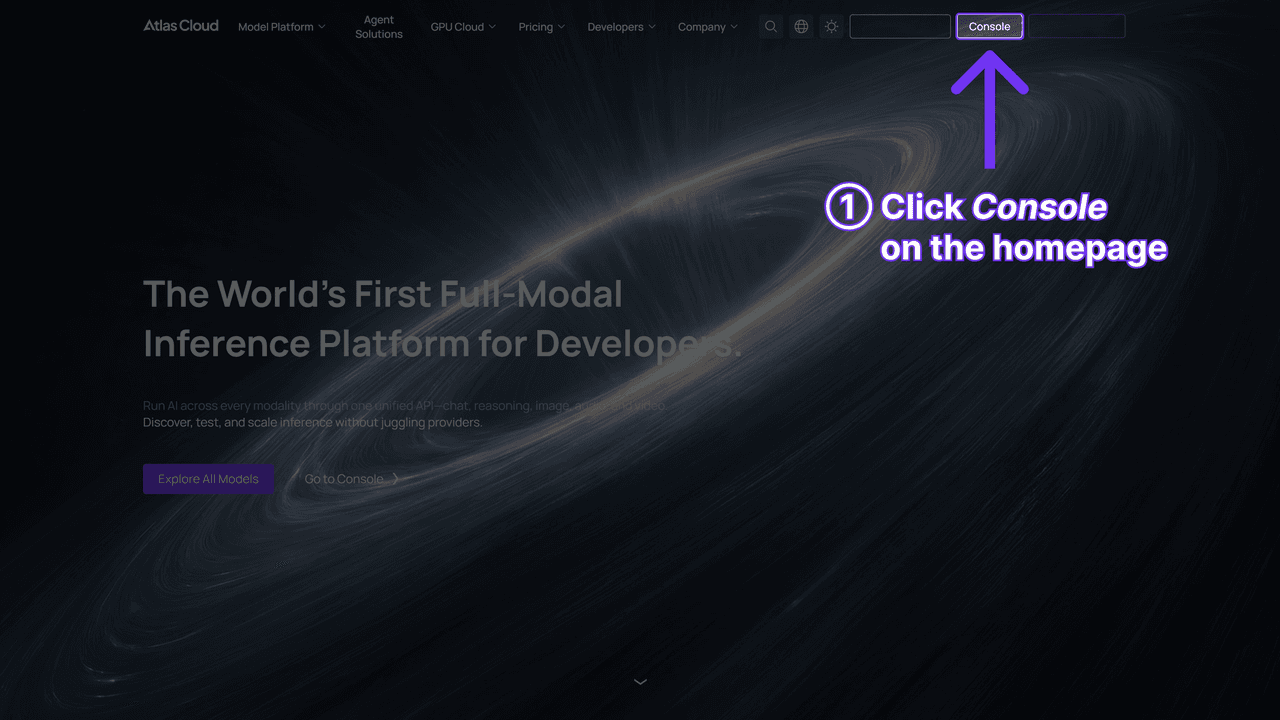
③ The whole pipeline runs on one AtlasCloud API key. GPT Image 2, Nano Banana 2, and Seedance 2.0 all live in the same model pool on AtlasCloud. One key. One endpoint. One bill. One quota. No multi-vendor plumbing.
3. The single-character stress test
To genuinely stress-test GPT Image 2, we picked the worst-case character we could think of.
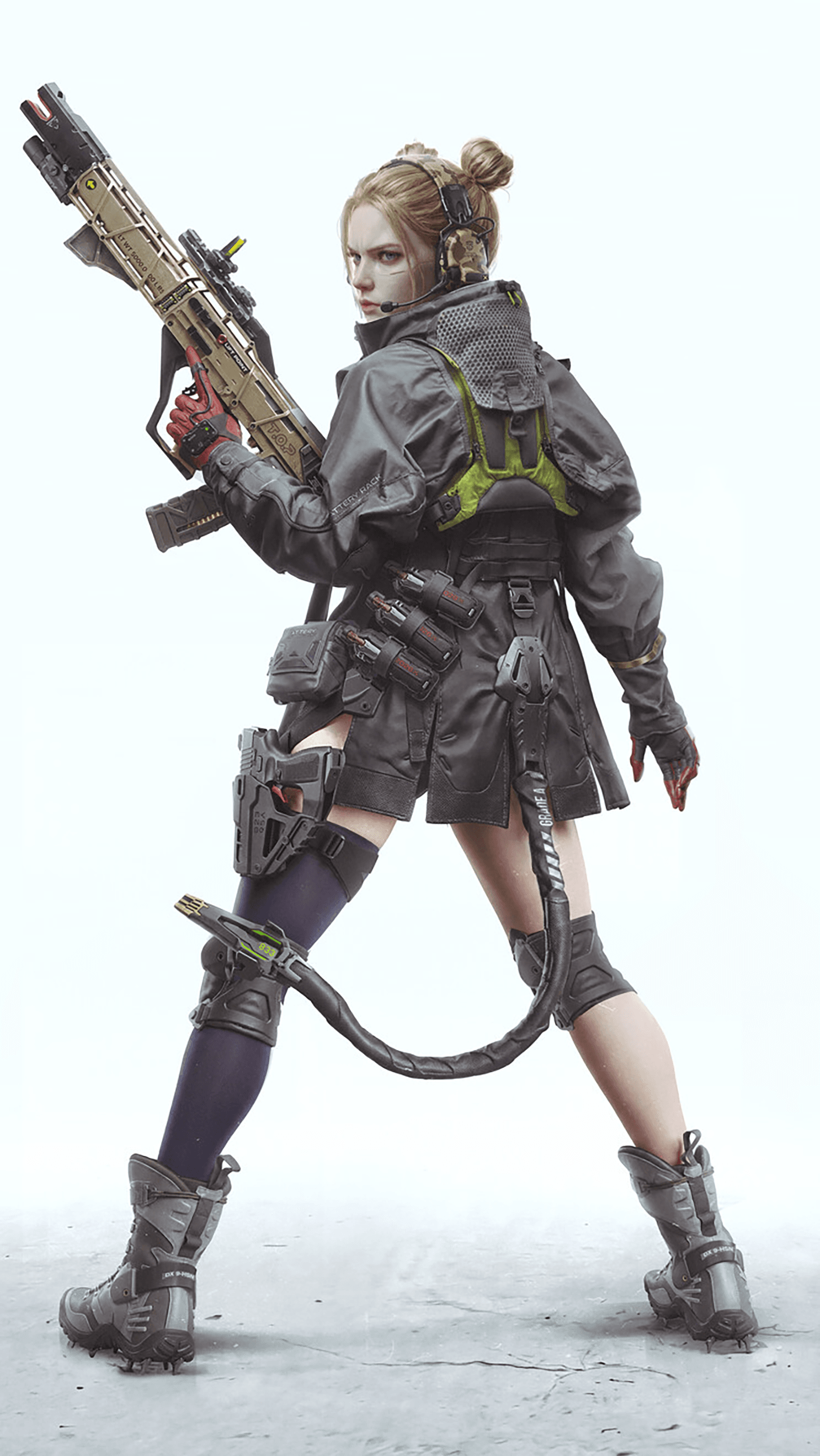
Meet Ranx — a cyber-tactical operator. Sand-gold twin buns. And four pieces of completely asymmetric gear:
- A black thigh-high sock on the right leg only
- A red hard-shell holster on the right thigh only
- Cyan piping on the right knee only
- A thick black coil running from the right rear of her belt all the way around to her left calf
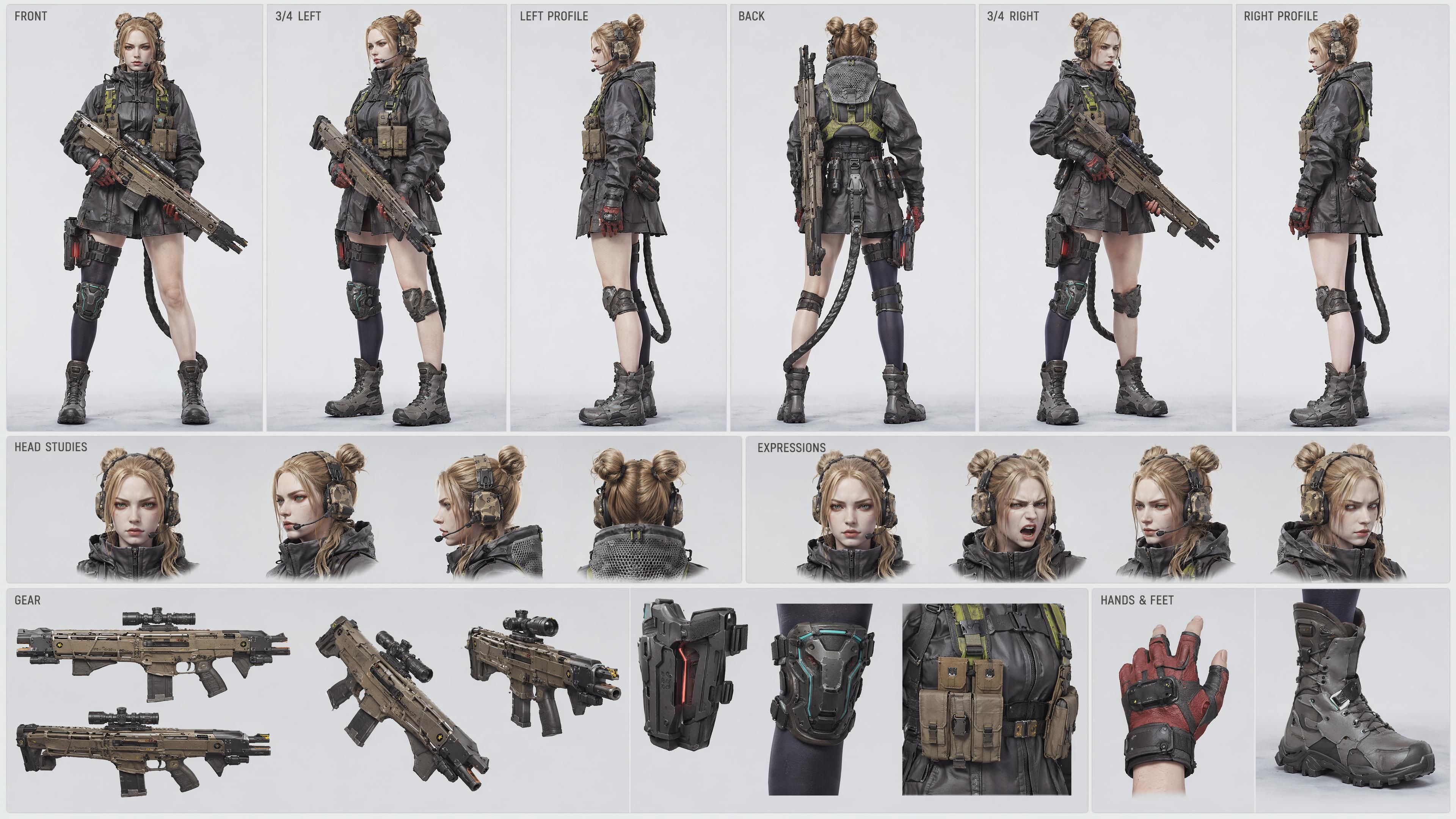
The only reference image we handed the model was a back-three-quarter shot. The model had to back-derive the front, the sides, the expressions, and the weapon detail — and not mirror-flip a single one of those four asymmetries.
Result: one generation. Six turnarounds, four head studies, four expressions, weapon panel, hands, feet — all on one page. All four asymmetries locked. Zero mirror flips.
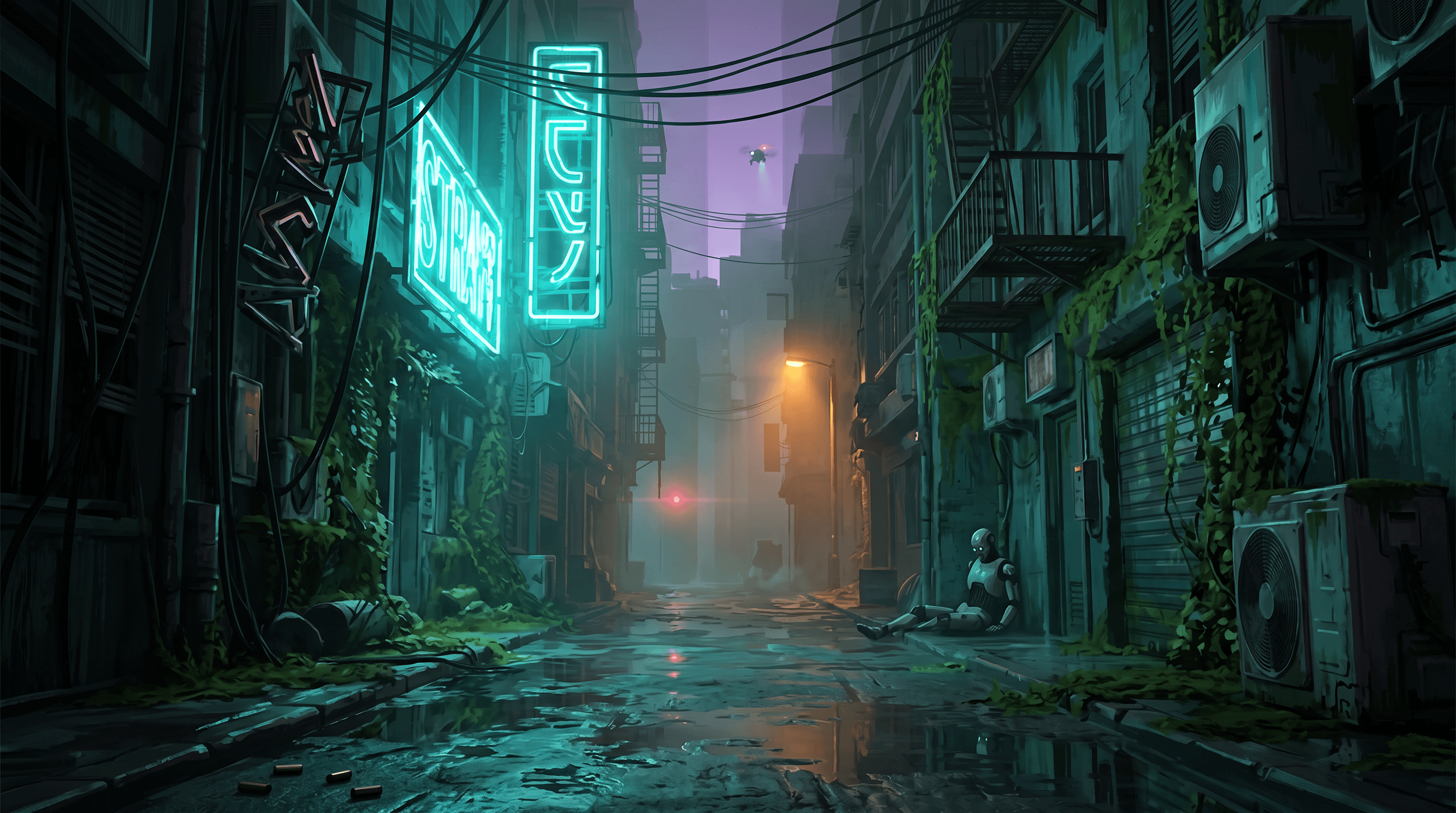
The environment we treated as a finished design reference (cyberpunk wet back-alley, Stray-game aesthetic):
4. The A/B that proves the method
This is the experiment the entire workflow rests on. Same script. Same character sheet. Same scene reference. The only variable is whether a storyboard exists.
Control: prose prompt only, no storyboard
Inputs to Seedance 2.0 reference-to-video:
- 1× character sheet
- 1× scene reference
- A detailed 15-second prose prompt describing four hard cuts
The footage is readable and the craft is fine. But the whole clip plays as roughly three slow beats — walk into the alley, raise the weapon, freeze. It reads like a character demo, not a fight.
Test: with a 16-cell storyboard
We asked GPT Image 2 to break the same script into a 4×4 = 16-cell storyboard, with each cell tagged for:
- Shot number (① ② ③ … ⑯)
- Shot size (WIDE / MS / CU / ECU)
- Camera-move arrow (→ ↘ ↙ ↑ ↓ ↗)
- Rhythm note ("static rise" / "hard cut" / "impact" / "kill shot" / "outro")
- A short director's note in hand-drawn Chinese — purely a density choice, Chinese fits more directorial intent into a small storyboard cell (both GPT Image 2 and Seedance 2.0 read either language equally well)
Then a one-line prompt into Seedance 2.0 reference-to-video:
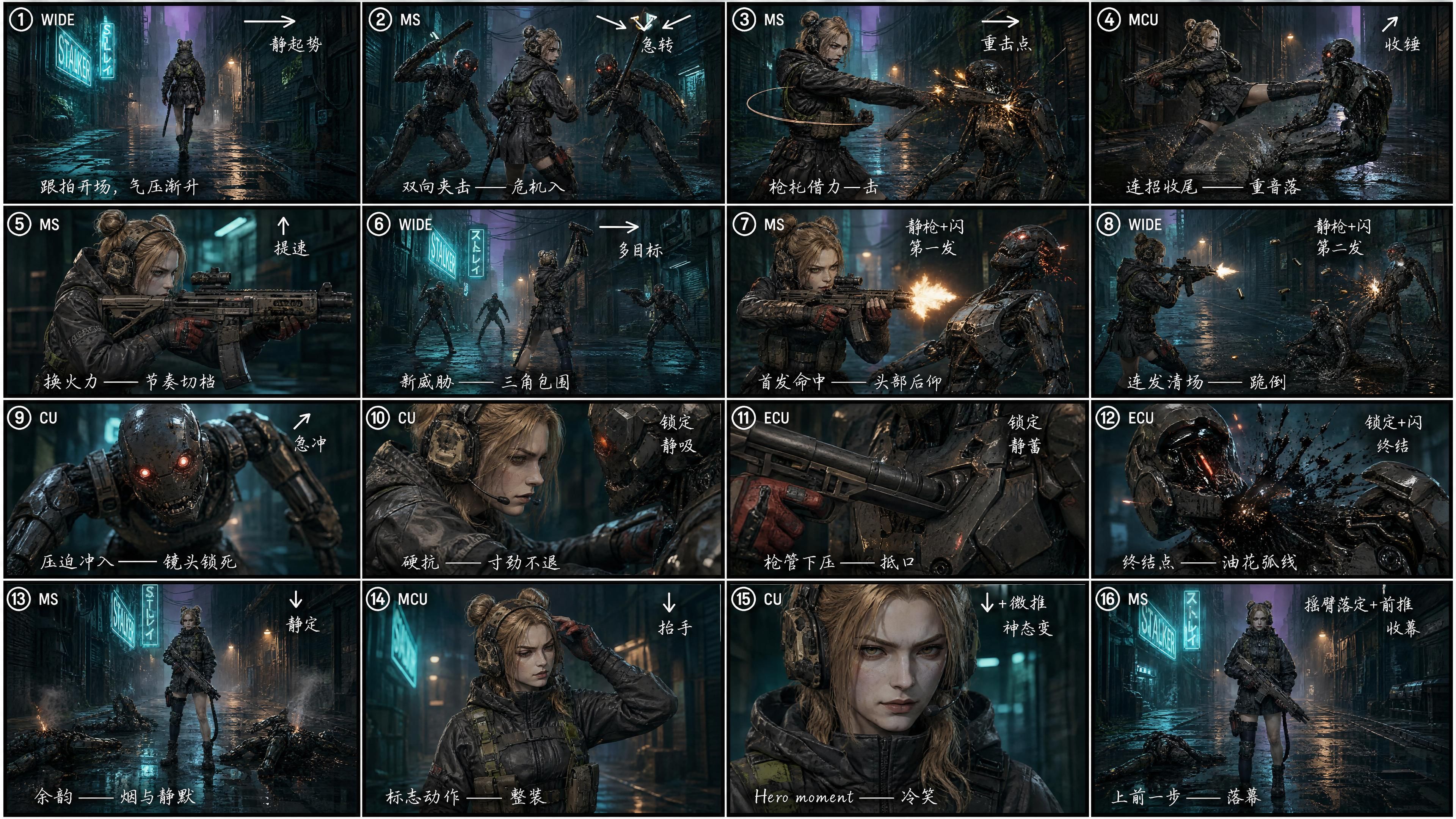
"Generate a video that strictly follows reference image 3 as the storyboard. Strong cinematic feel and shot language, exaggerated dynamics, action that lands hard."
The difference is visible without measuring. Cut density jumps roughly 4×. Wide chase to mid-shot shoulder mount to extreme close-up on the muzzle to a hero-pose finish — fifteen seconds, fully filled. Same script, different pacing. The first version feels like a demo. The second reads like a trailer.
That's the entire thesis of this workflow: GPT Image 2 is not for locking style. It's for breaking a script into a dense shot sequence.
5. Scaling up: a two-fighter duel
Once the single-character version was clean, we scaled to a duel. The hardest part of a two-person fight is locking four things at once — Character A, Character B, the environment, and the action rhythm.
Instead of generating four separate images and trying to chain them, we asked GPT Image 2 to handle all four in a single image:
- Character A (A-27): a fine-tuned version of Ranx — sand-gold ponytailed tactical operator in a short combat coat
- Character B: an original male mercenary design — black-and-red long coat, hair tied back, broadsword on the hip
- The environment: an industrial wasteland fortress called Ash City — dusk amber light, furnace glow in the distance, smoke everywhere
- Ten hand-drawn action beats: probe → rush → block → evade → hook → counter → pin → knee → close → fall
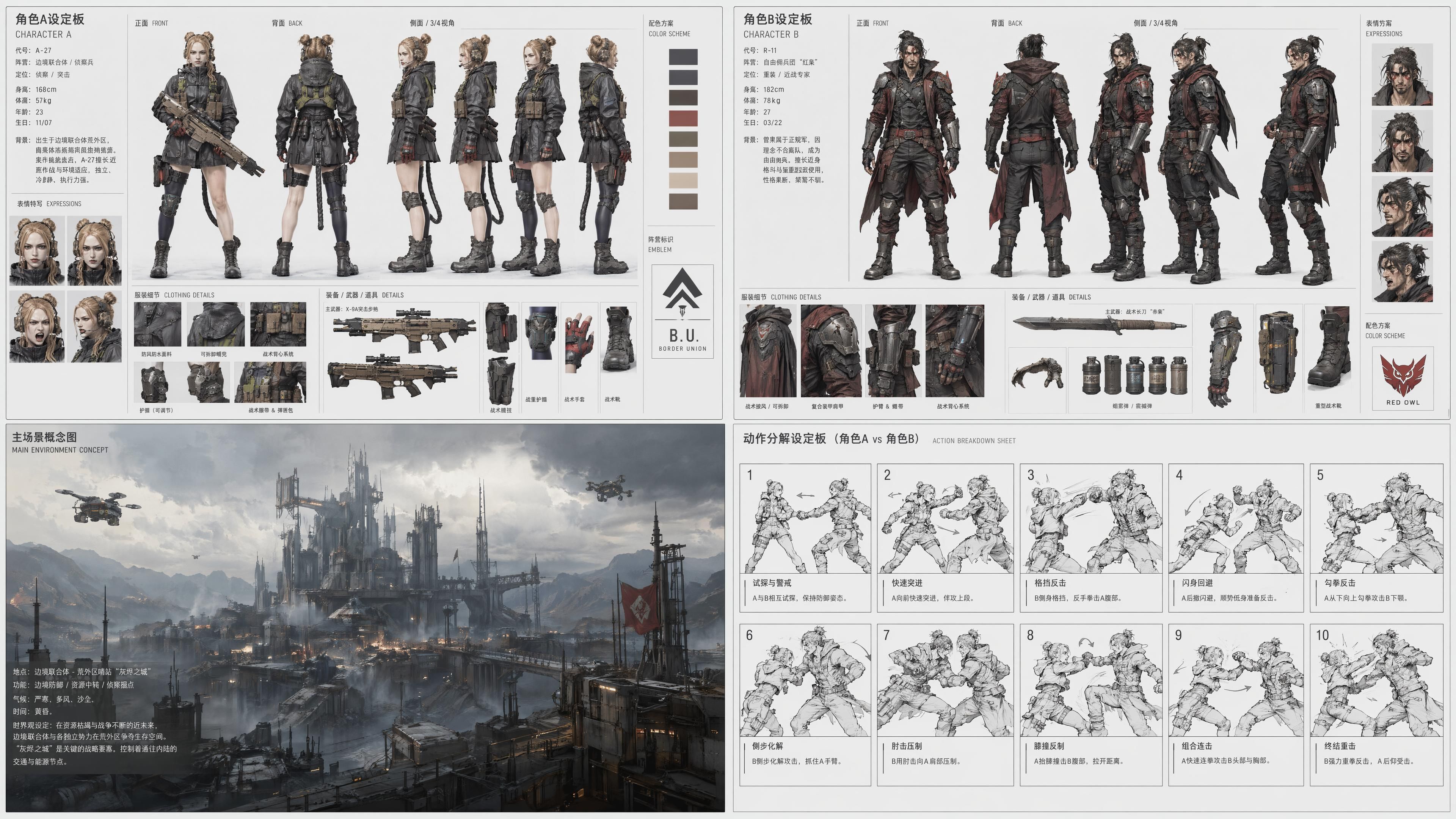
Important to flag: only Character A used a reference image (Ranx from earlier). Character B, the entire environment, and all ten action beats — GPT Image 2 designed those itself. We described the vibe; it brought the rest.
Style, both identities, the environment, and ten beats — all locked in a single generation. Nothing drifts between images. Nobody's costume changes halfway through.
Then straight into Seedance 2.0 reference-to-video:
A rooftop standoff anchored by two faction insignias on the platform floor, a mid-section grapple, and a finishing throw — fifteen seconds of two-person choreography in a single pass.
6. Why this pipeline runs on a single API key
The chain — character → scene → storyboard → video — used to mean juggling API keys, SDKs, docs, billing, and rate limits across multiple vendors. You know the drill.
On AtlasCloud, all of it sits behind one endpoint:
| Step | Model | Platform |
|---|---|---|
| Character sheet | GPT Image 2 | AtlasCloud |
| Scene concept | Nano Banana 2 | AtlasCloud |
| Storyboard | GPT Image 2 | AtlasCloud |
| Video | Seedance 2.0 | AtlasCloud |
One key. One endpoint. One quota. One bill. Integration and ops overhead drops to near zero.
7. The takeaway: stop fighting for cross-model style, start playing to each model's strength
We spent real effort trying to lock a single style across every step of the chain. In reference-to-video mode, that fight is unwinnable — the harder you prompt for it, the worse the output gets.
Once we let go of that goal, the workflow opened up. Let each model do what it's actually good at.
- GPT Image 2 — break the script, lay out the shots
- Seedance 2.0 — unfold the time, render the action
- AtlasCloud — one key, one chain
If you're making action shorts, fight scenes, or duel choreography with AI, this is the workflow we'd reach for.
Try it yourself
Both models live in the same AtlasCloud model pool — one API key runs the whole chain:
- Seedance 2.0 (reference-to-video) → atlascloud.ai/collections/seedance2
- GPT Image 2 (character sheet + storyboard) → atlascloud.ai/collections/gpt-image-2
- Nano Banana 2 (scene concept) → atlascloud.ai/collections/nanobanana-2
Full step-by-step and every prompt used in this article are published alongside the video walkthrough on YouTube.
Go make something.





