
 Atlas Cloud 現已成為 Dreamina Seedance 2.5 與 Seedream 5.0 Pro 的美國授權經銷商。Atlas Cloud 現已成為 Dreamina Seedance 2.5 與 Seedream 5.0 Pro 的美國授權經銷商。
Gemini Omni 是 Google DeepMind 原生多模態影片系列,支援透過提示詞引導進行創作與編輯。您可以從文字生成影片、讓靜態圖片動起來,或搭配選用的視覺參考修改現有影片,同時保留未變更的內容。彈性的解析度、長寬比與影片長度控制,能支援各種製作流程。Atlas Cloud 以透明的隨用隨付定價整合存取服務。立即開始打造。
Gemini Omni Flash 由 Google 開發。Atlas Cloud(由 Atlas Cloud AI LLC 營運)僅提供接取服務,並不擁有該模型。所有商標均歸其各自所有者所有。
Atlas Cloud 為您提供最新的行業領先創意模型。
比較 Gemini Omni 在七個專用影片端點中的輸入路由、輸出能力與實際應用方式。
| 模態 | 描述 |
|---|---|
| Gemini Omni Flash R2V API (Reference To Video) | 搭配文字提示與 one to five 張參考圖片,生成具電影感且內建原生音訊的影片。主體、場景與風格的一致性,使此端點適合品牌系列內容、固定角色,以及協調一致的視覺敘事。 |
| Gemini Omni Flash I2V API (Image To Video) | 以靜態圖片和文字提示為起點,此端點能生成具電影感且支援音訊的影片,同時保留來源主體與構圖。適合產品動畫、肖像動態化,以及視覺概念開發。 |
| Gemini Omni Flash Video Edit API | 提交現有影片、文字指令與可選的參考圖片,即可套用符合場景一致性的變更,並保留原生音訊。由於未修改的畫面會維持不變,剪輯人員可以進行精準修訂,無需重建整個場景。 |
| Gemini Omni Flash T2V API (Text To Video) | 僅使用文字提示,就能生成具電影感、同步原生音訊,且動態符合真實世界物理規律的影片。可控且高速的生成能力,支援概念視覺化、故事開發與快速影片原型製作。 |
| Gemini Omni Flash R2V Developer API | 針對受控轉換,可將現有影片片段與參考圖片、文字提示結合使用。此端點支援影片風格轉換、場景編輯與角色插入,適合從提供的素材生成導向式變體的創意應用。 |
| Gemini Omni Flash I2V Developer API | 最多可使用 up to seven 張參考圖片,引導由文字提示生成的影片,同時在整部影片中維持視覺識別一致性。若要製作固定角色、一致的產品影像,或整合行銷活動中的素材,請選擇此路由。 |
| Gemini Omni Flash T2V Developer API | 搭配必要的解析度、長寬比與時長設定文字提示,即可生成可控的電影感影片。彈性的輸出設定能協助開發者製作符合平台需求的內容、自動化生成工作流程,並測試多種創意方向。 |
每個 Gemini Omni Flash API 請求都可接收文字、圖片、影片與音訊的任意組合,產生同步音效、模擬現實世界物理,並透過對話反覆精修結果。
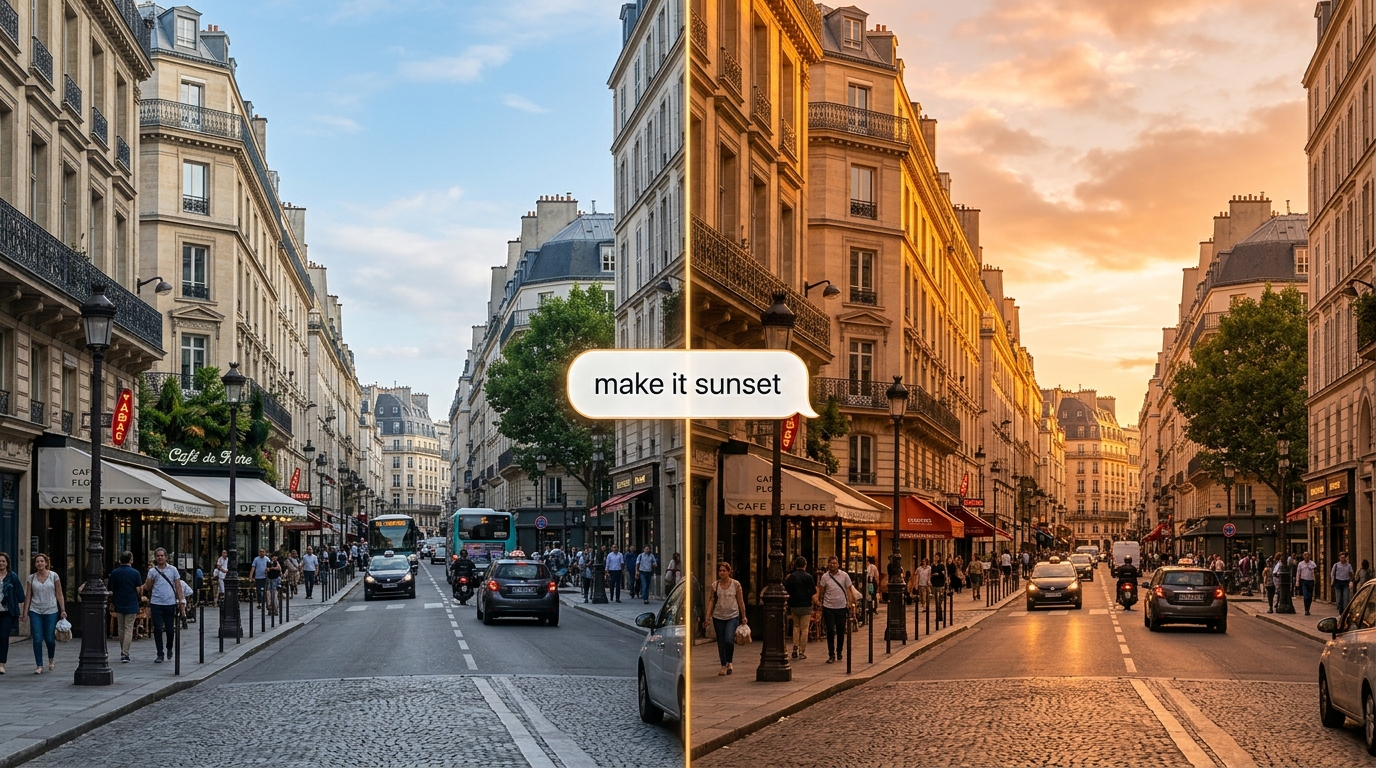
透過自然語言精修片段,Gemini Omni Flash API 會在保留場景其餘部分的同時套用變更。具狀態的 Interactions API 會記住每一輪對話,因此每次編輯都能以上一次為基礎逐步完成。
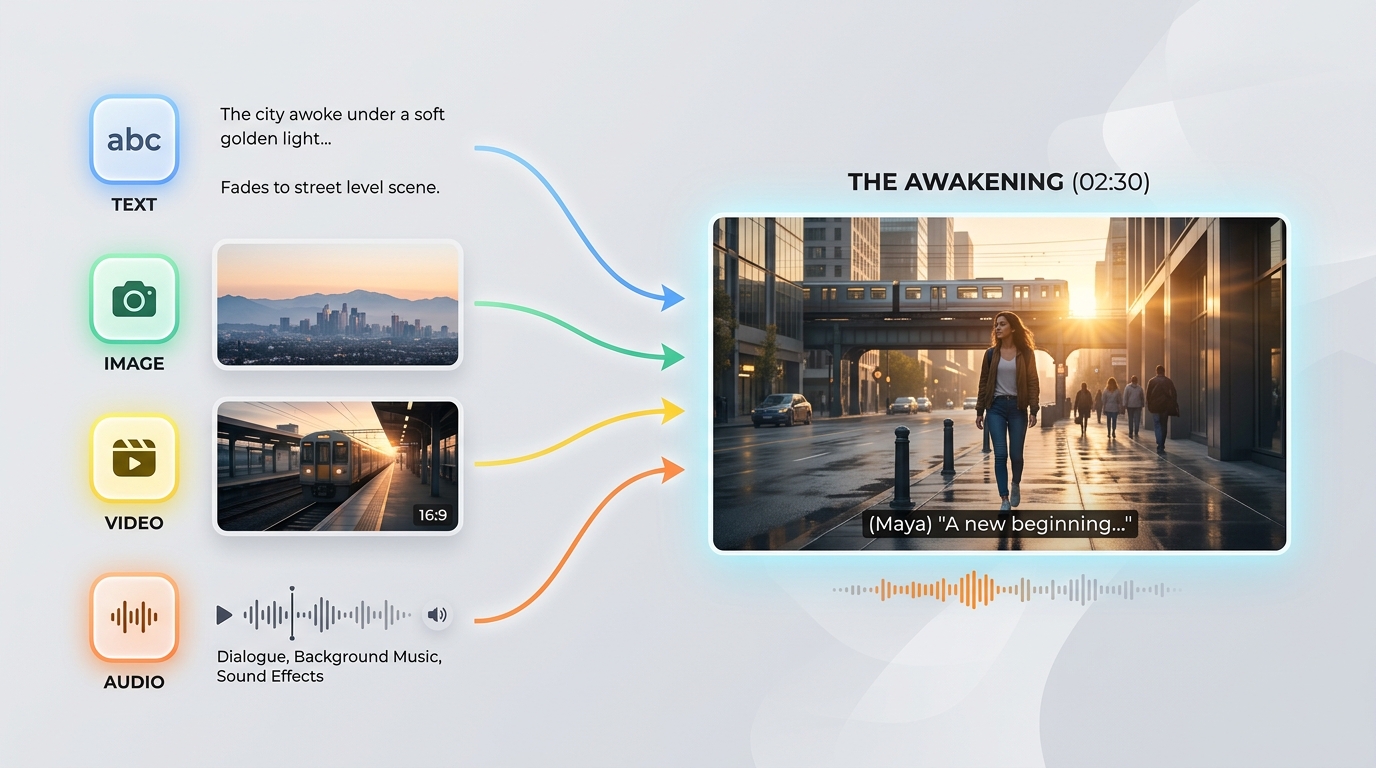
Gemini Omni Flash API 可在單一提示中接受文字、圖片、影片與音訊的任意組合。這種「任意素材皆可輸入、任意內容皆可生成」的能力,讓你能以手邊已有的任何來源素材驅動生成。
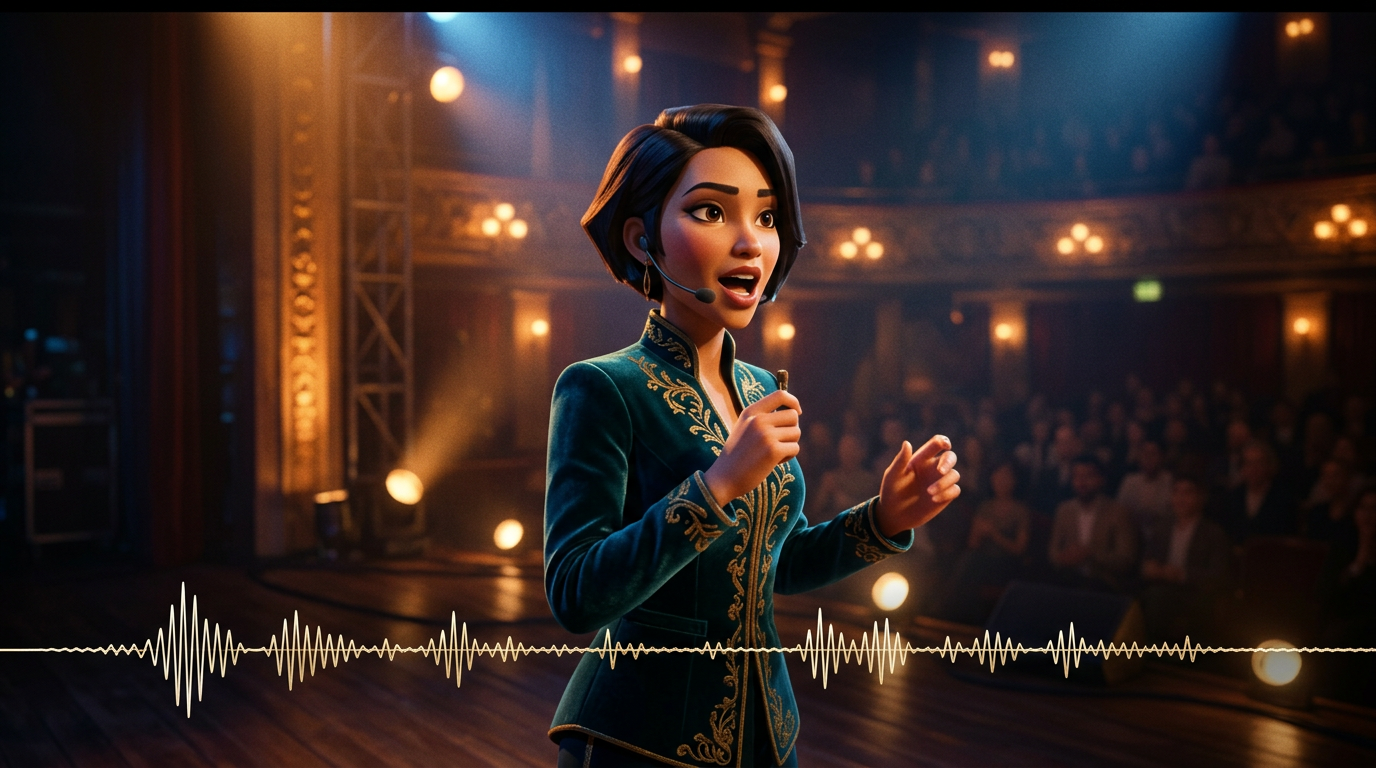
音訊與畫面會在單次推論中一併生成,因此對白、音效與環境聲都能與動作精準同步。Gemini Omni Flash API 不需要事後再進行獨立的音訊處理。

Gemini Omni Flash API 以現實世界物理模型為基礎,呈現逼真的反射、重力、光線與天氣效果。即使在動態鏡頭中,場景的視覺表現也能保持一致,不會逐漸產生瑕疵。
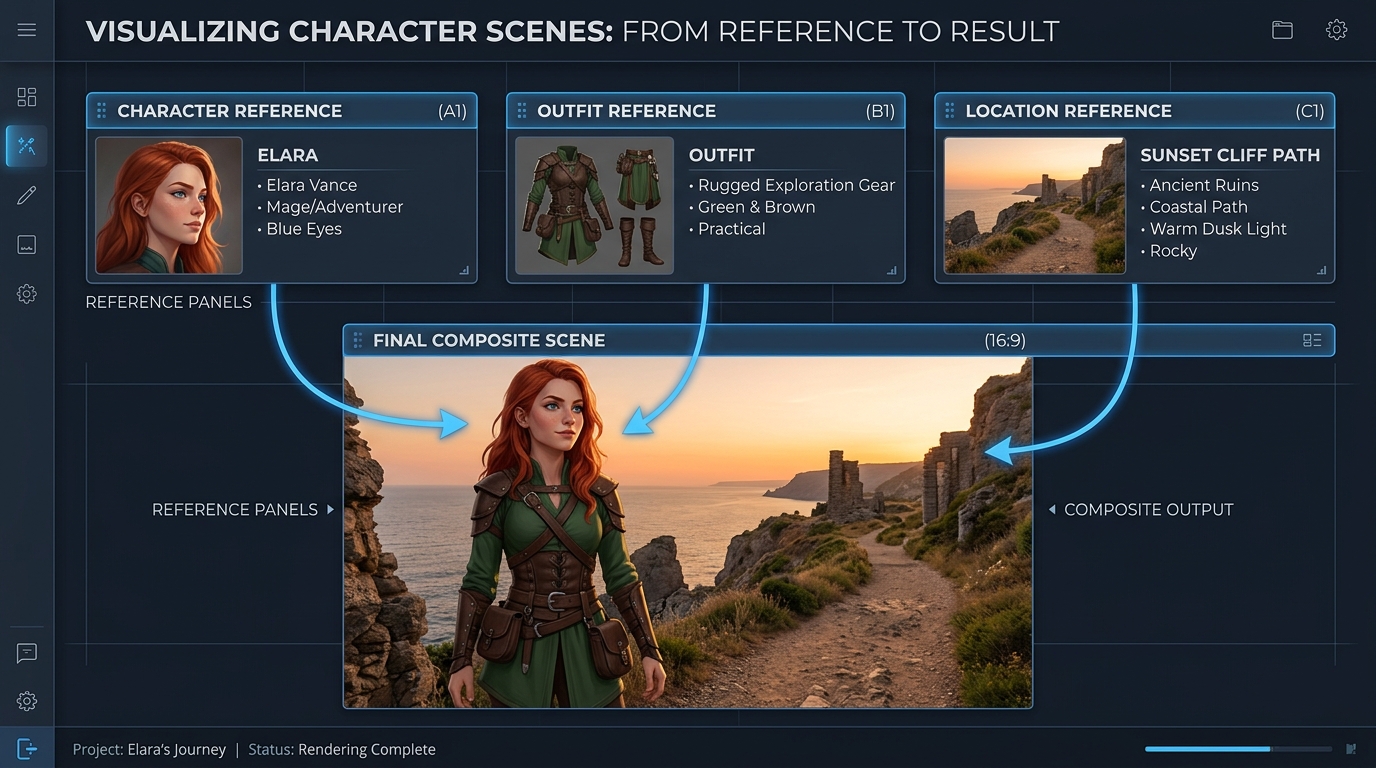
你可以使用最多七張參照圖片與三段短影片來引導生成,Gemini Omni Flash API 會維持主體、風格與場景的一致性,讓角色特徵在不同編輯與鏡頭之間保持穩定。
Gemini Omni 與其他領先影片模型使用相同提示詞生成的結果:多鏡頭與高階商業電影
生成一段由 4 個場景連續組成的影片: 場景 1: 午夜時分,一間昏暗公寓內,一台小型白色機器人靜止地坐在木桌上。月光從窗戶照入。機器人的雙眼緩慢亮起,並開始發出微弱的機械嗡鳴聲。 場景 2: 機器人小心地從桌上爬下。它小巧的金屬腳在木地板上發出輕微的喀噠聲。攝影機以低角度跟拍,維持機器人的尺寸與形狀一致。 場景 3: 機器人走進廚房。冰箱門與磁磚地板上的反射自然地隨其移動產生變化。延續上一個場景的相同月光與寧靜夜間氛圍。 場景 4: 機器人在窗邊停下,望向窗外的城市燈光。攝影機從後方緩慢推近,同時維持機器人的身分、材質、比例、光線與聲音連續性。 要求: - 維持所有場景中完全相同的機器人設計 - 保持連續一致的公寓格局,不得重設場景 - 確保各個房間之間的光線一致 - 讓腳步聲與機械嗡鳴聲配合機器人的動作 - 使用符合物理現實的反射、陰影與物體互動 - 場景之間平順轉場,如同在同一個連續世界中拍攝 風格: 電影級寫實感、寧靜科幻氛圍、柔和月光、細緻材質、寫實攝影機運動、淺景深、高階商業電影質感
Gemini Omni
Wan 2.7
Kling v3.0
Generate a 4-scene continuous video: Scene 1: A small white robot sits motionless on a wooden desk in a dim apartment at midnight. Moonlight enters through the window. The robot’s eyes slowly light up, and a faint mechanical hum begins. Scene 2: The robot climbs down from the desk carefully. Its small metal feet make soft clicking sounds on the wooden floor. The camera follows at a low angle, keeping the robot’s size and shape consistent. Scene 3: The robot walks into the kitchen. Reflections from the refrigerator door and the tiled floor respond naturally to its movement. The same moonlight and quiet nighttime atmosphere continue from the previous scene. Scene 4: The robot stops near a window and looks outside at the city lights. The camera slowly pushes in from behind, preserving the robot’s identity, material, scale, lighting, and sound continuity. Requirements: - Maintain the exact same robot design across all scenes - Preserve one continuous apartment layout, with no scene reset - Keep lighting consistent from room to room - Match footsteps and mechanical humming to the robot’s motion - Use physically realistic reflections, shadows, and object interactions - Smooth transitions between scenes, as if one continuous world is being filmed Style: cinematic realism, quiet sci-fi atmosphere, soft moonlight, detailed materials, realistic camera movement, shallow depth of field, high-end commercial film look
Gemini Omni
Kling V3.0
Pixverse v6
Gemini Omni 透過文字、圖片、參考素材與影片編輯工作流程,推動行銷活動製作、對話式修改、預視化、視覺化學習、品牌一致性,以及嵌入式創作者工具,並搭配同步的原生音訊。

將核准的產品靜態圖像製作成電影感動態畫面,同時保留主體與構圖。行銷團隊可以製作上市預告、社群廣告,以及搭配同步原生音訊的精緻產品展示影片。

描述一項明確的變更,Gemini Omni 就能在保留未修改內容的同時,編輯現有影片素材。剪輯師無須重新建構已核准的場景,即可製作不同版本、在地化變體與客戶修改稿。

使用參考圖片引導生成,讓產品、角色與視覺風格在整段影片中保持一致。製作公司可以跨通路打造協調一致的行銷素材、延續性的品牌世界,以及具辨識度的系列內容。

從文字提示開始,生成搭配同步音訊、並以真實世界物理原理為基礎的電影感影片。導演與設計師可以在製作前探索故事節點、攝影機構想與適用特定平台的格式。

透過描述場景、動作與預期的學習順序,將抽象概念轉化為簡短的視覺化解說。教育團隊可以製作科學示範、流程導覽與搭配原生音效的訓練模組。

在單一 Gemini Omni 整合中,結合文字生成、靜態圖片動畫、參考素材導引的創作,以及影片編輯。創作者平台無須組合獨立的視覺與音訊管線,即可提供串聯的製作工具。
比較 Gemini Omni API 參考影片模型(包括 Gemini Omni 1.1 Flash)與主要替代方案,涵蓋支援的輸入、參考容量、音訊生成及標準價格。
| 模型 | 接受的輸入 | 參考容量 | 音訊生成 | 標準價格 | Standard Base Price |
|---|---|---|---|---|---|
| Gemini Omni 1.1 Flash Reference-to-Video | Text, source video, reference images | Conversational additions, removals, replacements, and restyling | 360p, 720p, upscaled 1080p, upscaled 4K | Native synchronized audio | $0.041 |
| Gemini Omni Flash Reference-to-Video | Text, source video, up to 5 reference images | Scene-consistent edits that preserve untouched footage | 720p | Native audio editing | $0.14 |
| Seedance 2.0 Reference-to-Video | Text, source video, up to 5 reference images | Instruction-guided video changes with visual references | 720p, 1080p | Automatic audio or original audio retention | $0.14 |
| Wan-2.7 Reference-to-video | Text, source video, reference images, optional driving audio | Style transfer, scene changes, and element replacement | 720p, 1080p | Original audio retention, regeneration, or driving audio | $0.10 |
幾分鐘即可上手 — 按照以下簡單步驟,透過 Atlas Cloud 平台整合和部署模型。
在 atlascloud.ai 註冊並完成驗證。新用戶可獲得免費額度,用於探索平台和測試模型。
將先進的 Gemini Omni Flash 模型與 Atlas Cloud 的 GPU 加速平台相結合,提供無與倫比的效能、可擴展性和開發體驗。
低延遲:
GPU 最佳化推理,實現即時回應。
統一 API:
一次整合,暢用 Gemini Omni Flash、GPT、Gemini 和 DeepSeek。
透明定價:
按 Token 計費,支援 Serverless 模式。
開發者體驗:
SDK、資料分析、微調工具和模板一應俱全。
可靠性:
99.99% 可用性、RBAC 權限控制、合規日誌。
安全與合規:
SOC 2 Type II 認證、HIPAA 合規、美國資料主權。
Gemini Omni API 透過 Atlas Cloud,讓開發者存取 Google DeepMind 原生多模態的影片生成與編輯模型系列。視所選 endpoint 而定,它可以從文字或圖片生成影片、使用參考媒體、編輯現有素材,並產生同步的原生音訊。
Gemini Omni 1.1 Flash 新增影片延長、首幀與尾幀插值、360p 至 4K 的輸出解析度,以及更完善的參考引導功能。其延長版本每次請求可增加 3 至 10 秒,並可串接生成最長 40 秒且連貫一致的影片。
建立 Atlas Cloud 帳戶、將 API 金鑰安全保存在伺服器端,並選擇符合工作流程的模型 endpoint。Atlas Cloud 提供一組 OpenAI-compatible 金鑰,而每個 endpoint 的公開 schema 會定義必要的提示詞、媒體輸入與生成設定。
若從提示詞開始,請選擇 text to video;若要讓靜態圖片動起來,請選擇 image to video;若重視人物或物件識別與風格引導,請選擇 reference to video。若要修改現有影片素材,請使用 video edit;若要延續場景,請使用 Gemini Omni 1.1 Flash video extend endpoint。
參考媒體的限制會因 endpoint 與模型版本而異。Gemini Omni 1.1 Flash Reference to Video 最多接受 10 張參考圖片與 3 段參考影片;較早期的 endpoint 支援不同限制,因此提交媒體前請先確認所選 endpoint 的 schema。
Gemini Omni 1.1 Flash 支援長度為 3 至 10 秒、24 FPS 的輸出,並提供 360p、720p、升級至 1080p,以及升級至 4K 的解析度選項。支援的長寬比為 16:9 與 9:16,但可用控制項可能因 Atlas Cloud endpoint 而異。
可以。video edit 變體會依照文字指示新增、移除、替換或重新設定元素的風格,同時保留提示詞未提及的影片內容。進行反覆修改時,請使用聚焦明確的指示,以及所選工作流程支援的互動脈絡。
若要延續場景,請將現有影片片段提供給 Gemini Omni 1.1 Flash video extend endpoint,並要求額外增加 3 至 10 秒。延長內容最多可串接至總長 40 秒;image to video 變體則可在提供的首幀與尾幀之間進行插值。
Gemini Omni 1.1 Flash 在 Atlas Cloud 的標準價格為:text to video、reference to video、影片編輯與影片延長每秒 $0.041;image to video 則為每秒 $0.043。較早期的 Gemini Omni Flash endpoint 起價為每秒 $0.112,採用量計費,且不需訂閱。
每部生成的影片都包含不可見的 SynthID 浮水印,可透過程式偵測。安全性篩選器會套用於提示詞與生成結果,而處理時間則會因影片長度、解析度與服務負載而異。目前不支援專用的 negative prompt、system instruction、temperature、top_p 與 stop sequence 控制項,因此請將排除條件放在主要提示詞中。
Seedance 2.5 API 現已在 Atlas Cloud 上線!它為開發者提供了 ByteDance 最新的影片模型。該模型可透過文本、單張影像或多達 50 個多模態參考,一次性生成長達 30 秒的原生影片,並包含同步音訊和畫面內的多語言文本。在 Atlas Cloud 上,您可以透過單個金鑰存取它,其主體一致性和改進的物理特性可保持長鏡頭的連貫性。

Wan 3.0 API 是阿里巴巴 Wan 影片系列的下一代產品,旨在將長影片生成、多參考控制和影音品質推向新的高度。Atlas Cloud 已經代管了 Wan 2.7、2.6 和 2.5,而 Wan 3.0 透過相同的統一金鑰運行,無需額外設定。立即開始建置吧。向下捲動至展示區,查看 Wan 3.0 的創作能力。
MiniMax H3 是 MiniMax 的多模態影片系列,支援文字、影像與參考素材引導創作。在支援的路由中,它能保留參考媒體中的主體、提供彈性的長寬比,並透過 H3 Developer 將生成的聲音與畫面配對;輸出設定檔則依端點選定。Atlas Cloud 以一組 OpenAI-compatible 金鑰統一整個系列,並提供透明的隨用隨付定價,標準費率為每秒 $0.038。立即開始打造。
OpenAI 的 gpt-image-2.5 系列讓開發者可在正式環境的影像工作流程中選擇 Flare 與 Sunburst。支援最高 3840x2160 的任意解析度渲染,並提供五個品質等級(包括 xhigh 與 max),滿足特定的輸出需求。Atlas Cloud 提供可立即使用的 REST 推論服務,無冷啟動問題,標準價格每次生成最低 $0.004。立即開始建構。
Seedream 5.0 Pro API 為開發者在 Atlas Cloud 上提供了字節跳動的可控圖像編輯模型。它透過錨點和座標精確定位編輯,將圖像分離為可編輯圖層,融合多個參考,並精準匹配顏色和材質,支援 2K 和 3K 解析度的多語言文本。在 Atlas Cloud 上,您只需一個金鑰即可存取!
Seedance 2.0 是 ByteDance 為精準鏡頭創作打造的生產級影片模型。將提示詞轉換為影片、使用可選的末幀引導讓首幀圖片動起來,或搭配參考媒體與可選的網路搜尋塑造成果。Atlas Cloud 將這些工作流程整合至統一的 API,提供透明的按用量計費方案,以及一組相容於 OpenAI 的金鑰。立即開始打造。
Kling 3.0 API 透過一個與 OpenAI 相容的金鑰,將 Kuaishou 的旗艦影片套件引入 Atlas Cloud。它包含兩個模型:Kling 3.0 用於 AI Director 敘事、多語言唇形同步和精準的螢幕文字;Kling 3.0 Omni (O3) 用於透過短影片或圖像進行主體和聲音複製。兩者皆能在同一次處理中生成原生音訊,最高支援 4K 輸出。在可靠的基礎設施上建構電影級敘事、全球行銷、多語言廣告和系列化角色內容。
Grok Imagine Video 讓開發者能使用 xAI 的影片模型系列,建立、動畫化、延展及編輯影片片段。只要輸入提示詞,即可生成 1 至 15 秒的影片;搭配最多 7 張參考圖片,引導人物、物件或風格,並支援 480p 或 720p。Atlas Cloud 透過與 OpenAI 相容的端點,整合這些功能,並提供透明的按用量計費方案。立即開始建置。
Vidu Q4 是 Vidu 最新的旗艦影片模型,專為影像轉影片與參考圖轉影片生成而設計。它能將單張靜態影像製作成動畫,並自動建立場景轉場,為不同的產品工作流程提供兩種輸入方式。Atlas Cloud 提供專用 API endpoint,並以已驗證的標準價格 $0.04 per second 公開參數 schema。立即開始建置。
Gemini Omni 1.1 Flash 是 Google DeepMind 為彈性化製作流程打造的原生多模態影片系列。透過文字指令編輯現有素材,使用最多 10 張參考圖片與 3 段影片維持視覺一致性,或以可串接的片段延長鏡頭,最長達 40 秒。在 Atlas Cloud 上使用單一 OpenAI 相容 API 金鑰即可存取所有工作流程,享有隨用隨付的定價與 Day-0 可用性。立即開始打造。
Nano Banana 2.1 是 Google 基於 Gemini 3.6 Flash 打造的影像模型系列。它以 Flash 等級的速度提供 Pro 等級的生成與編輯功能,支援以自然語言對 1 至 14 張輸入影像進行編輯與合併,並可維持最多 4 個角色與 10 個物件的一致性。透過 Atlas Cloud,開發者只需一組 OpenAI 相容金鑰,即可使用此系列模型,享有可靠的服務可用性與 Day-0 上線支援。立即開始打造。
使用由 Google 的 Gemini 3.1 Flash Image 模型驅動的 Nano Banana 2 API 進行建置。它可生成解析度高達 4096x2304 的原生 4K 視覺效果,具備準確的文字渲染能力,並在生成與編輯過程中支援多達 14 張參考圖像的角色一致性。在 Atlas Cloud 上,您可以透過一個統一的 API 存取它及其他 300 多個模型,價格低至每張圖像 0.04 美元,提供 99.99% 的正常運作時間,並附贈免費額度供您開始使用。
指南、教學與產品動態,助你充分發揮 Atlas Cloud 的價值。



