

Gemini Omni Flash 1.1 可以制作 40 秒的场景,但没有 40 秒的按钮。gemini omni flash 1.1 视频长度 背后真正有用的问题是:如何让接下来的每 10 秒都感觉像是同一部影片。
直接答案是:单次输出为 3 到 10 秒。一个 40 秒的场景由一个起始片段和最多 3 次连续延展组成,每次延展都基于前一段视频生成。Google 文档记录的视频输出为 24 FPS、时长 3 到 10 秒,而其 1.1 发布说明描述的是 10 秒延展,累计最长 40 秒(Google 模型文档,2026 年 8 月;Google 发布博文,2026 年 8 月)。
这让任务性质发生了变化。你的第一个片段确定了角色、服装、灯光、镜头高度和环境音。每次延展都要继承这些选择。本指南采用 4 次运行、每次 10 秒的流程,随后展示 2 个针对现有素材和动作节拍的更短变体。
核心要点
- Gemini Omni Flash 1.1 的单次输出为 3 到 10 秒。
- 40 秒 = 1 个基础片段 + 3 次延展。
- 上传的是前一段视频,而不仅仅是它的最后一帧。
- 每次续写都要锁定角色、镜头、灯光和音频。
- 先写好简短的提示词,再为最终延展付费。
Gemini Omni Flash 1.1 40 秒视频展示
一段连续的 40 秒组接:同一位探险者走出砂岩地下墓穴,发现漂浮的图书馆,最后以一个稳定的全景镜头结束。最后一句对白以视频形式保留,因为对白和环境音同样是连续性测试的一部分。
为什么 Gemini Omni Flash 1.1 视频长度容易让人困惑
“40 秒”描述的是累计的故事长度,而不是单次输出。第一次运行创建 10 秒开头,接下来 3 次运行生成新的续段。在检查每一对片段之间的衔接后,按顺序拼接这 4 段输出。
大多数糟糕的延展都始于一个模糊的提示词,比如“继续”。生成器收到的指令太少,无法确定探险者、红色夹克、提灯、镜头位置或环境底噪。一个同时引入多个角色、新地点和新视觉风格的提示词,会留给模型更多失控发挥的空间。
Google 表示,模型会使用前一段视频的最后 10 秒作为延展上下文,并且可以调整最终输入帧以实现无缝拼接。它还支持上传视频和参考媒体来进行延展(Google Omni 生成与编辑指南,2026 年 8 月)。请把这种上下文视为连续性辅助手段,而不是停止指定关键常量的理由。
td {white-space:nowrap;border:0.5pt solid #dee0e3;font-size:10pt;font-style:normal;font-weight:normal;vertical-align:middle;word-break:normal;word-wrap:normal;}
| 长度方案 | 含义 | 最佳用途 | 常见错误 | 更好的做法 |
| 3-10 秒输出 | 单次生成的片段 | 确立一种视觉风格或动作 | 把整部短片的剧情写进提示词 | 让片段只包含一个清晰的动作节拍 |
| 20-40 秒场景 | 连续延展 | 连贯的揭示或迷你故事 | 从静态帧重新开始 | 上传紧邻的前一段视频 |
| 720p 草稿 | Atlas Cloud 当前公开路线 | 测试动作和衔接 | 一开始就做交付级放大 | 先确认每个 10 秒的衔接 |
在单个浏览器标签页中运行 Gemini Omni Flash 1.1 工作流
对创作者来说,最干净的工作流是 1 个浏览器标签页:先制作锚点片段,上传该视频进行延展,然后重复。Atlas Cloud 把 3 条相关路线放在一起,当需要在多次运行之间保留短源片段、而不是导出并重建设置时,这一点很重要。
td {white-space:nowrap;border:0.5pt solid #dee0e3;font-size:10pt;font-style:normal;font-weight:normal;vertical-align:middle;word-break:normal;word-wrap:normal;}
| 阶段 | 路线 | 长度 | 任务 | Atlas Cloud 可用性 |
| 锚点 | 文生视频 | 10 秒 | 锁定角色、世界和开场动作 | 有 |
| 延展 1 | 视频编辑 | 10 秒 | 继续揭示 | 有 |
| 延展 2 | 视频编辑 | 10 秒 | 从地下墓穴过渡到图书馆 | 有 |
| 延展 3 | 视频编辑 | 10 秒 | 完成最终动作和对白 | 有 |
| 变体 A | 参考图生视频 | 10 秒 | 保持骑手和服装一致 | 有 |
| 变体 B | 文生视频 | 8 秒 | 测试动作节奏 | 有 |
Atlas Cloud 当前的公开 Gemini Omni Flash 表单为这些路线提供 3-10 秒、16:9 或 9:16、720p 的选项。这就是本 SOP 首先验证 720p 短视频序列的原因。它并不声称在此测试环境中原生支持 4K 或一键生成 40 秒输出。
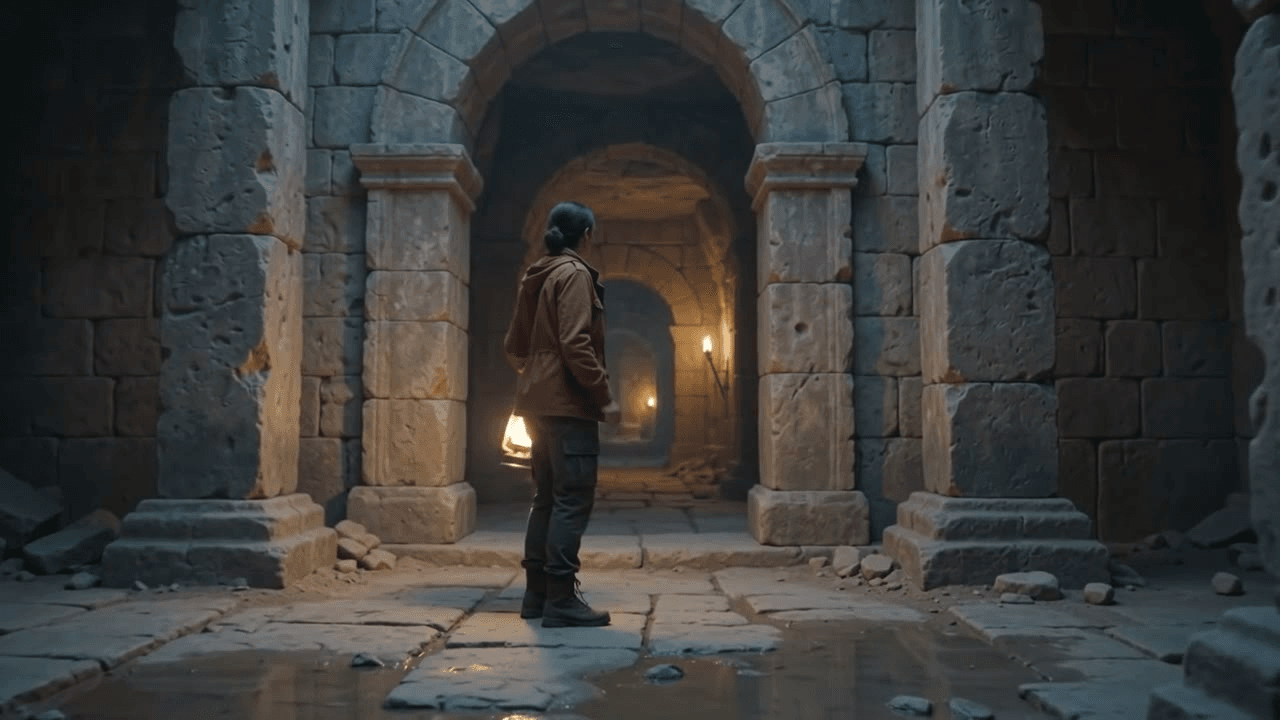
Gemini Omni Flash 1.1 锚点帧:探险者、提灯和砂岩地下墓穴
实际生成的锚点帧:在延展之前,探险者、提灯、砂岩环境和初始镜头方向已确立。下方完成的示例使用已确定的 10 秒、16:9、720p 设置。
步骤 1:创建锚点片段
打开 Gemini Omni Flash 文生视频。这第一次运行不只是制作一个漂亮的片头。它定义了每次延展都必须保留的视觉要素。
plaintext1A cinematic continuous shot inside ancient sandstone catacombs at blue hour. A woman explorer in a rust-red field jacket carries a brass lantern and walks toward a tall archway. Dust moves through the lantern beam, shallow puddles reflect the pillars, realistic footsteps and a quiet low wind. The camera tracks behind her at walking pace, then arcs to a three-quarter profile as she looks toward a faint warm light beyond the arch. Keep her face, red jacket, lantern, lighting, and lens language consistent for the next scene. No captions, no cuts.
选择 10 秒、16:9、720p 和 思考级别:高。运行一次,然后将这段视频作为步骤 2 的源素材。
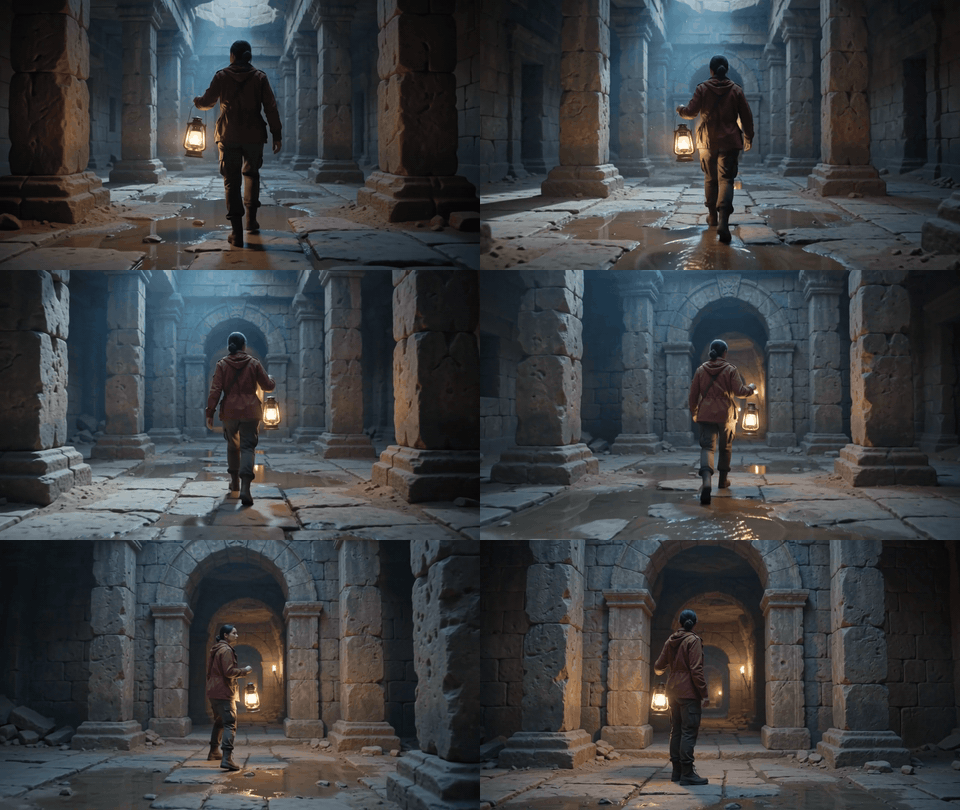
Gemini Omni Flash 1.1 10 秒基础片段:探险者提着提灯走入砂岩拱门
步骤 1 输出:10 秒 720p 锚点片段使用从后方跟拍并弧形运动到四分之三侧面的镜头,而不是简单的推拉镜头。
步骤 2:延展场景
打开视频编辑路线,上传步骤 1 的视频本身。静态末帧可以匹配单个画面,但它无法为延展提供源片段所携带的行走节奏、提灯摆动或声音。
plaintext1Continue directly from the final moment of the supplied video. Preserve the same woman, rust-red field jacket, brass lantern, sandstone textures, blue-hour lighting, camera height, and natural footsteps. She passes through the archway and notices pale gold book pages drifting in the air ahead. The tracking camera stays behind her, then makes a smooth rightward reveal. The wind becomes slightly warmer and paper rustles naturally. One continuous shot, no reset, no title text.
选择 10 秒、16:9、720p 和 思考级别:高。将完成的延展作为步骤 3 的源素材。
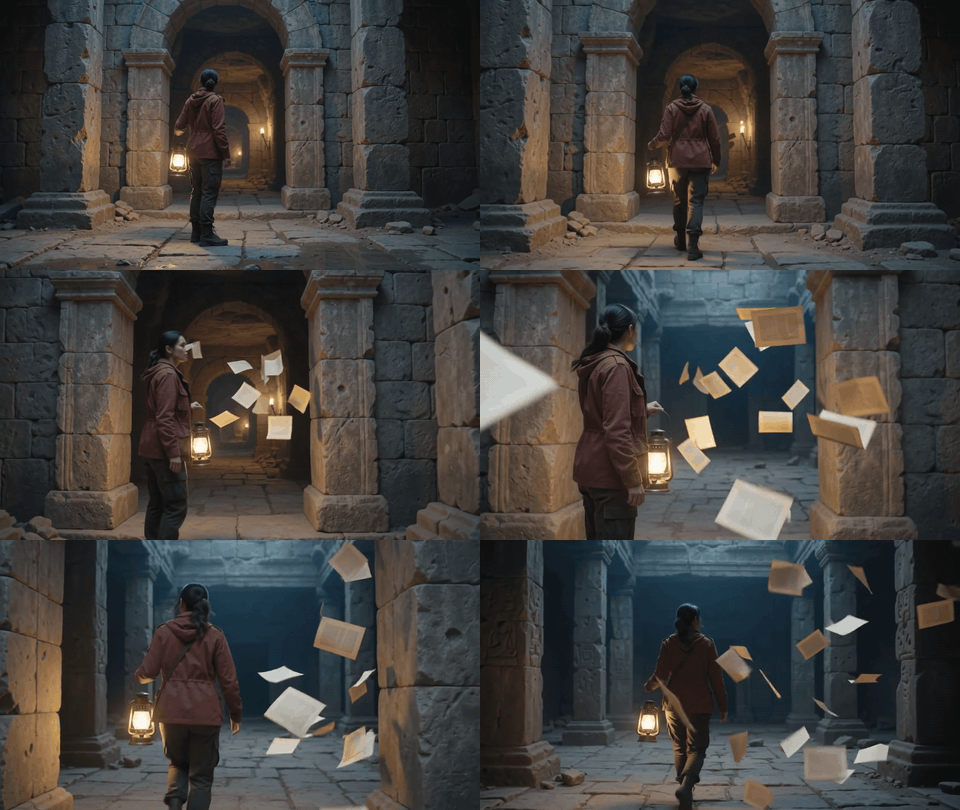
步骤 2 输出:探险者和提灯保持一致,向右的揭示镜头跟随书页穿过光束。
步骤 3:Gemini Omni Flash 1.1 图书馆揭示
上传步骤 2 的输出。保持已建立的镜头方向和色彩语言。这里场景发生了变化,因此提示词描述的是地点之间的过渡桥梁,而不是要求硬切重置。
plaintext1Continue directly from the supplied video. Preserve the explorer, red jacket, lantern, camera direction, warm-blue color grade, and the drifting pages. The camera follows her through the opening into a vast hidden library where tall shelves and books float weightlessly in a dark vaulted room. She reaches out and one page circles her lantern. Keep the movement physically plausible, with gentle paper flutter and a seamless continuous transition from catacomb to library. No cuts and no on-screen text.
选择 10 秒、16:9、720p 和 思考级别:高。保存此完成输出,用于最终延展。
步骤 3 输出:探险者、提灯、书页运动和镜头运动在全部三个画面中持续延续。
步骤 4:完成 40 秒 Gemini Omni Flash 1.1 场景
上传步骤 3 的输出,给故事一个结尾。对白需要精确写出,因为最终片段需要特定的话语衔接,而不是泛泛的环境音。
plaintext1Continue directly from the supplied video. Preserve the same explorer, wardrobe, lantern, floating library, lens, lighting, and paper motion. The camera begins behind the explorer, then curves around to face her as the books open a glowing path between the shelves. She pauses, looks toward the light, and walks into the path. End on a stable wide shot with the library architecture, moving books, lantern, and explorer all visible. Use an authentic camera orbit followed by a wide reveal, never a simple push-in. No dialogue, no subtitles, no logo.
选择 10 秒、16:9、720p 和 思考级别:高。按顺序拼接 4 段已完成输出,不要重叠。保留每一段的原始音频,然后将 40 秒结果作为单个视频发布。

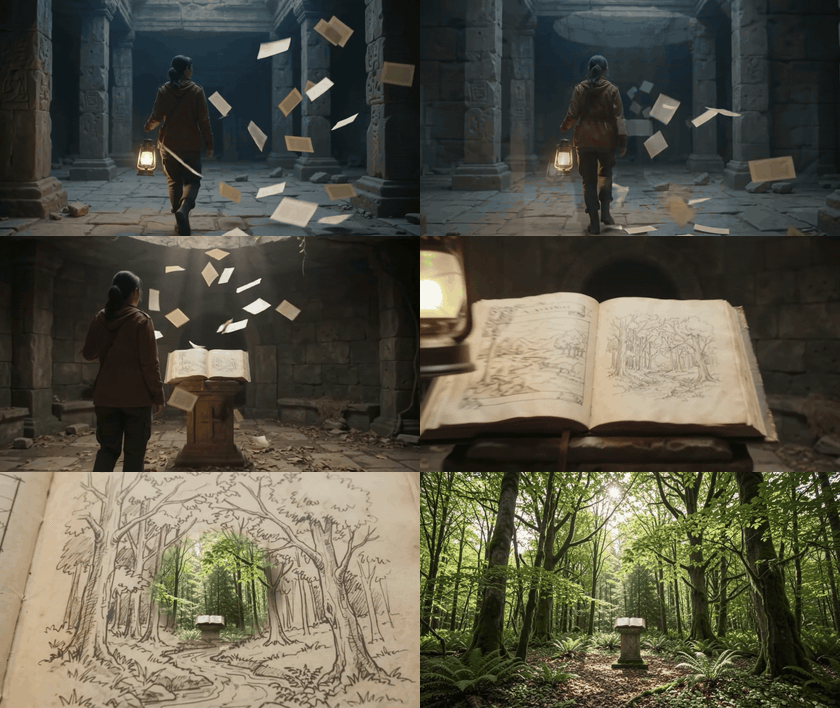
已完成的 40 秒 Gemini Omni Flash 1.1 序列中的四个时刻:地下墓穴接近、书页揭示、发光的书、漂浮图书馆全景
步骤 4 输出:已完成 40 秒视频的四个连续帧,以稳定的全景镜头结束,探险者、提灯、书籍和图书馆建筑全部可见。
Gemini Omni Flash 1.1 费用
10 秒和 40 秒运行的费用
Atlas Cloud 的公共模型目录在 2026 年 9 月 1 日检查时,未显示以下路线的推广标识。以下仅为按列出的起始费率计算的纯输出费用,不包含重试、失败运行、存储或后期编辑的报价。
td {white-space:nowrap;border:0.5pt solid #dee0e3;font-size:10pt;font-style:normal;font-weight:normal;vertical-align:middle;word-break:normal;word-wrap:normal;}
| 运行 | 列出的起始费率 | 输出长度 | 纯输出计算 |
| 文生视频锚点 | $0.125/s | 10 秒 | $1.25 |
| 视频编辑延展 | $0.14/s | 10 秒 | 每次 $1.40 |
| 40 秒主序列 | 1 个锚点 + 3 次编辑 | 40 秒 | $5.45 |
| 参考图生视频(骑手) | $0.135/s | 10 秒 | $1.35 |
| 文生视频(滑板测试) | $0.125/s | 8 秒 | $1.00 |
请为草稿预留预算。一个四段式故事在转场、台词或服装衔接不理想时,可能需要重跑。Google 还区分了低分辨率预览与更高分辨率的输出和放大,因此在序列确认可用之后,再单独评估分辨率作为交付决策。
权利与披露。 Google 表示生成的 Omni 视频带有 SynthID 水印。请使用你拥有或已获授权使用的参考图片、素材和声音。在发布平台要求时标注 AI 生成内容,切勿将生成场景呈现为真实新闻、真实产品事件或经核实的人类陈述。
常见问题解答
Gemini Omni Flash 1.1 最大视频长度是多少?
单次输出为 3 到 10 秒。Gemini Omni Flash 1.1 可以通过先生成一个片段、再以 10 秒增量延展的方式,累计达到 40 秒。
Gemini Omni Flash 1.1 可以一次生成 40 秒的视频吗?
不可以。40 秒的结果是由多个生成片段组成的序列。在本工作流中,它是 1 个 10 秒锚点加 3 个 10 秒延展。
如何将 Gemini Omni Flash 视频从 10 秒延展到 40 秒?
将紧邻的前一段视频上传到延展路线,然后重新说明必须延续的角色、服装、场景、镜头、运动和音频。重复 3 次,并按顺序拼接完成的片段。
Gemini Omni Flash 1.1 在视频延展时能保持同一角色吗?
它可以使用源上下文的最后 10 秒来支持连续性,但如果每次提示词都保留相同的视觉要素,角色稳定性会更好。对于特定人物或服装,在路线支持的位置添加参考图片。
Gemini Omni Flash 1.1 视频草稿应该使用什么分辨率?
使用你实际路线提供的草稿分辨率。此 Atlas Cloud 工作流使用 720p,这样你可以先判断 10 秒段的衔接,再单独做交付分辨率决策。
在 Atlas Cloud 上制作 40 秒 Gemini Omni Flash 视频的费用是多少?
按检查时的起始费率计算,1 个 10 秒文生视频锚点加 3 个 10 秒视频编辑,纯输出费用为 $5.45。重跑会增加总费用,因此请把 gemini omni flash 1.1 视频长度 计划视为最终序列及其草稿的预算。





