

想做口播 IP 的人,大多卡在同几步:要出镜,要布景,要多机位,还要会剪辑。
这些现在都不难了。
视频里那个对着镜头讲话的我,人是生成的,房间是生成的,四个机位也是生成的,声音是我自己的克隆声。整条视频,我一次剪辑软件都没打开。
这次让我开口说话的,是字节新出的 OmniHuman 2,已经上线 Atlas Cloud。官网价每秒 0.056 美元,不到上一代 OmniHuman 1.5 的一半。
但数字人只是其中一块。真正难的,是一集接一集地做下去:每一集画面从哪来,每句话配什么画面、什么时候进什么时候出,动效、音效、配乐放哪。
所以这篇讲的是一整套「口播 IP 内容体系」。整套流程我都在一个 Claude 对话里跑完:Claude Opus 5.5 加上 Remix skill 负责拆片、排分镜,口播稿和合成也是 Opus 5.5 来做,所有 AI 生成的部分,都由它去调 Atlas Cloud MCP 里的 400 多个模型。
它分两部分:
- 第一部分只做一次:形象、布景、机位、声音。做完,这就是你的数字人。
- 第二部分每集都做:口播稿 → 数字人视频 → 分镜表 → B-roll → 合成。
先从找对标开始。
一、找对标,拆对标
第一步,找一个好对标。可以是你喜欢的口播博主,也可以是你想做的题材里,数据特别好的那条口播。
我这次选的是 Adli 的一条剪辑教程(shout-out)。
然后把它交给 Remix skill 去拆。口播视频大体分两部分:
- A-roll:人对着镜头讲的部分
- B-roll:中间穿插进来的画面
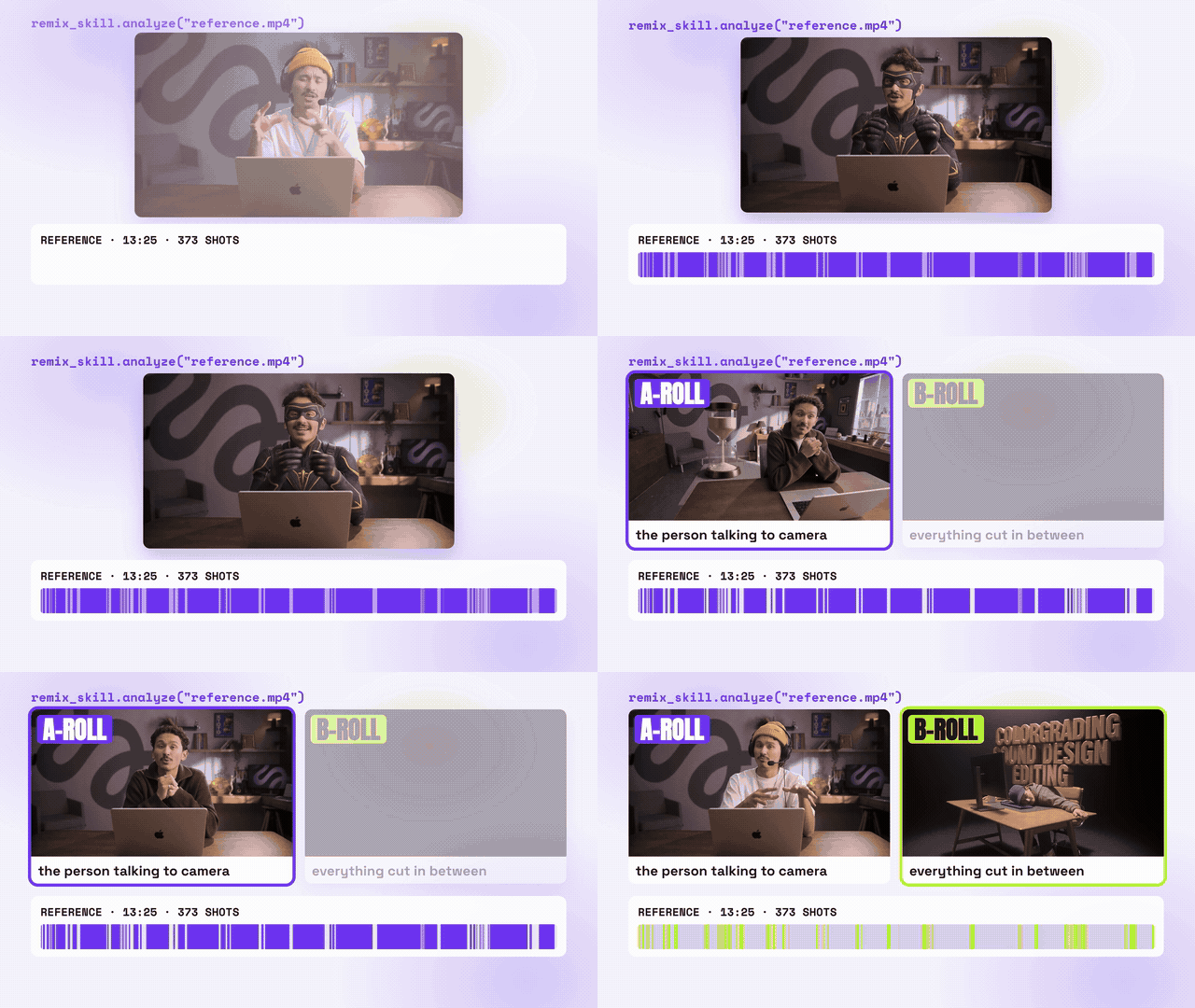
样片分析里,这条片子的招牌特征有三个,也是最吸引我的三点:
- 人出镜的时间占了八成
- 它有好几个机位,差不多两秒切一次
- 所有信息都叠在人旁边,人一直在画面里
这三点决定了后面要准备什么:八成时间是 A-roll,那 A-roll 的人和场景就得先做扎实;要多机位,就得多做几个角度;信息叠在人旁边,那布景里人的两侧就要留出干净的位置。
二、第一部分:A-roll 资产(只做一次)
1. 形象:一张模卡
先给自己做一张极简模卡:正面全身、背面全身、脸部特写。
准备一张清晰的正脸照,有全身照更好,让 Opus 5.5 通过 Atlas Cloud 的 MCP 调 GPT Image 2.5 出图。发型、衣服都可以在这一步定,我是额外给了一张发型参考(脸遮住)和一张服装图。
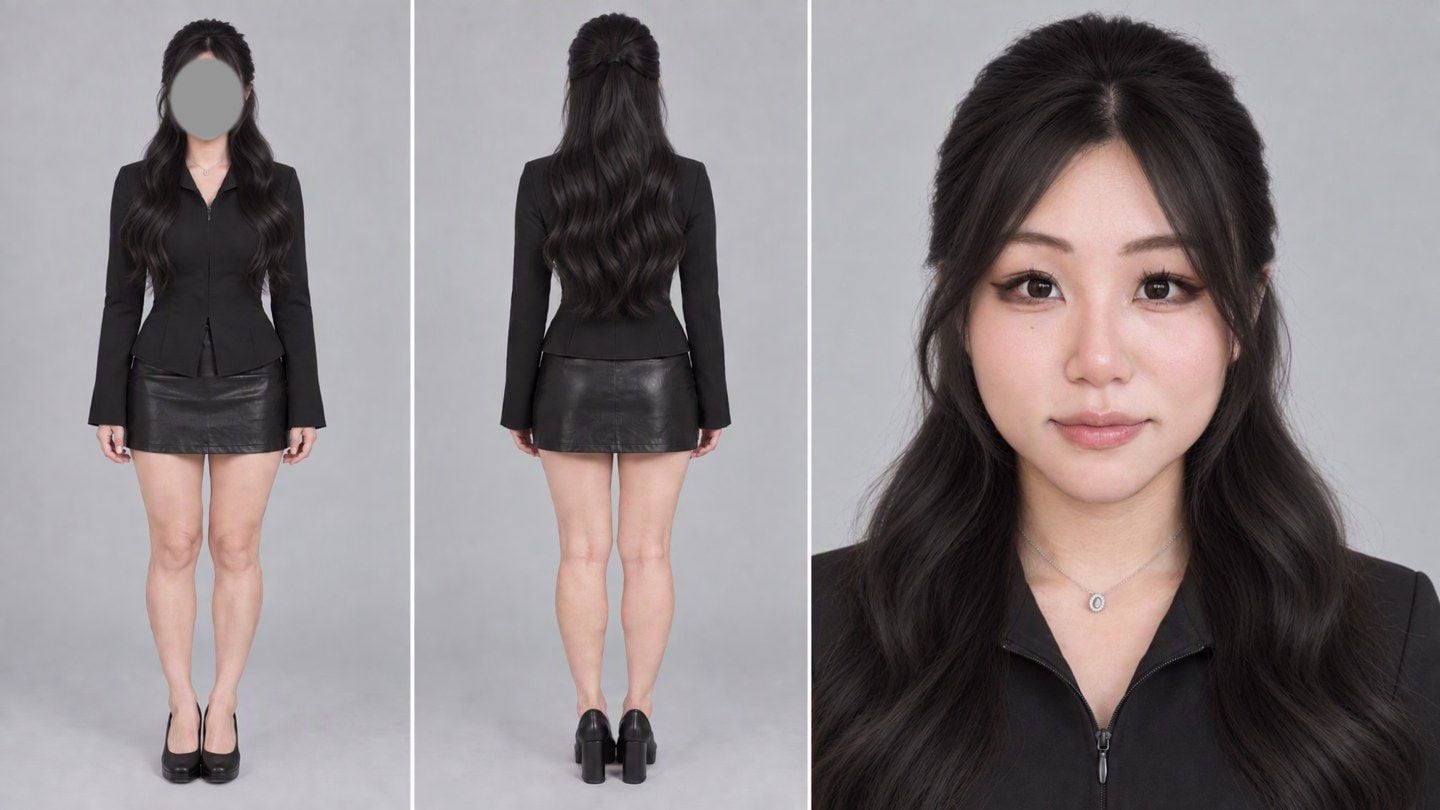
提示词原文(四张输入:正脸照 / 全身照 / 发型参考 / 服装):
text1Image 1 is the only authority on this woman's identity: her face, facial features, skin tone. Image 2 is ONLY a reference for her real body shape and proportions — ignore its pose, clothes, phone, mirror and room. Image 3 is ONLY a hairstyle reference — the face in it is hidden on purpose; take nothing from that person except the hairstyle. Image 4 is ONLY the outfit. 2 3Same woman in every panel, one consistent person. Keep her face from Image 1: same eye shape and spacing, eyebrows, nose, lip shape, jawline and chin, same skin tone. Light, natural retouching like a good portrait photographer: gently even out the skin and remove small blemishes, a slightly slimmer face and a slightly slimmer figure, but keep real skin texture with visible pores — not plastic, not waxy, not oily, no glossy AI shine, no enlarged eyes, no doll face. She must still be clearly recognisable as the woman in Image 1. 4 5Hair, identical in every panel, from Image 3: long soft loose waves past the chest, half-up with the top section pulled back smoothly at the crown, soft wispy see-through curtain bangs framing the face, natural dark brown. 6 7Wardrobe, identical in every panel, from Image 4, entirely solid black: a fitted black long-sleeve jacket-shirt with a pointed collar and a concealed front zip, cinched at the waist, with a short peplum hem; the front of the hem has only a small, narrow split — the jacket stays closed, no skin at the waist. Long, slightly flared sleeves. A plain black leather mini skirt. Simple black shoes. No jewellery except what is in Image 1. 8 9Neutral relaxed expression, lips closed, calm eyes looking into the camera. 10 11ONE minimal model casting card, 16:9, three clean panels edge to edge with thin light gaps, NO text, NO logos, NO labels, NO numbers: left panel — full-body standing shot from the FRONT, arms relaxed at her sides, head to shoes in frame; middle panel — full-body standing shot from directly BEHIND, back of the head and the half-up hair visible, head to shoes in frame; right panel — the widest panel, head-and-shoulders face close-up facing the camera. 12 13Uniform flat light-grey seamless studio background, soft even diffused light, sharp focus, realistic photographic look, natural colour, no CG look.
这段提示词的思路就一条:四张图各管一件事,开头先说清楚谁管什么。正脸照只管身份,全身照只管比例,发型参考只管头发,服装图只管衣服。不说清楚的话,模型会把发型参考里那个人的脸、全身照里的镜子和手机一起带进来。
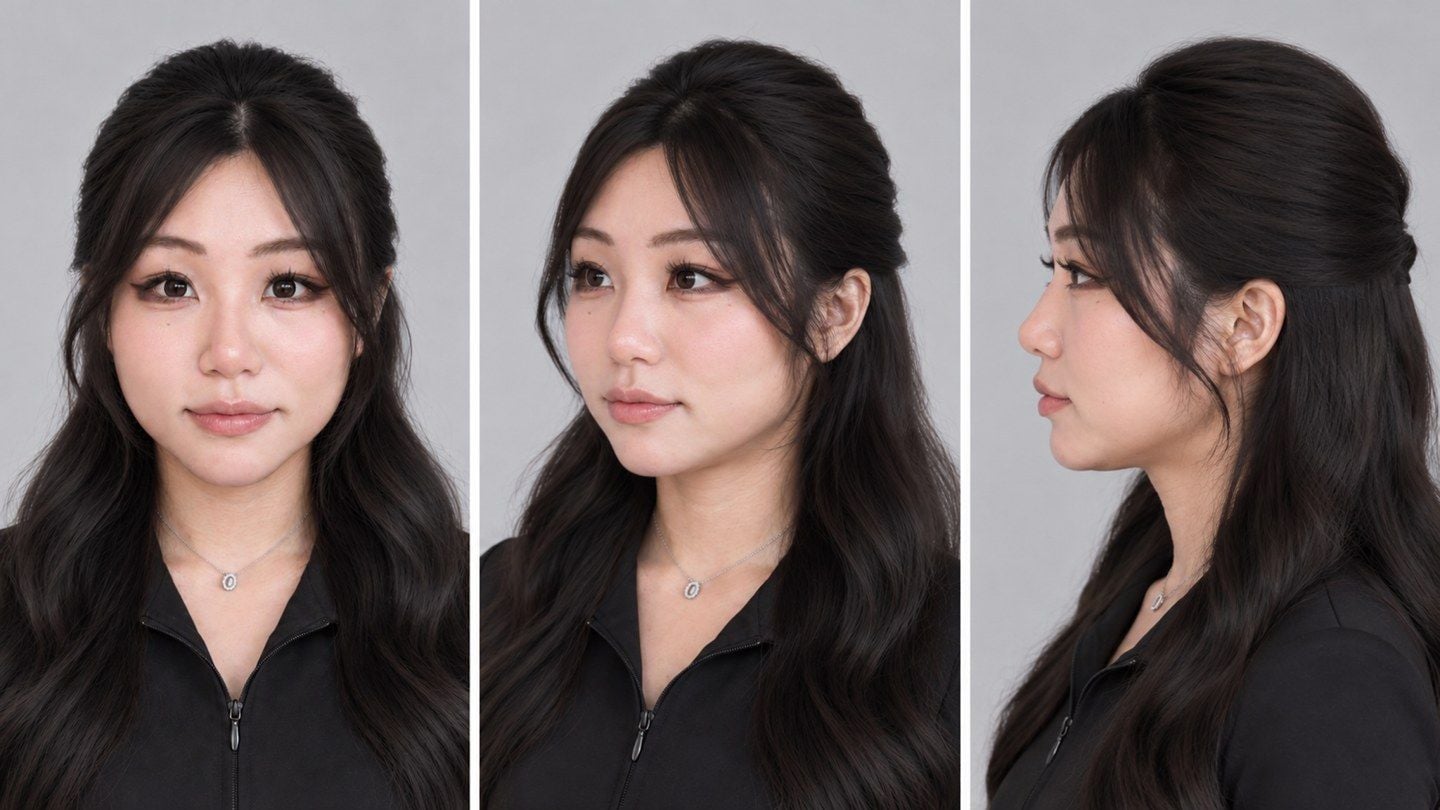
如果后面你也想做多机位,记得给模卡再补一张四分之三侧脸和纯侧脸,侧面拍出来的脸才稳。这张只从脸部特写出图:
text1Image 1 is a close-up portrait of a woman. Create a clean head-and-shoulders turnaround reference sheet of this exact same woman, 16:9, three equal panels side by side with thin light gaps, no text, no labels: left — facing the camera straight on; middle — a three-quarter view, head turned about 45 degrees to her left; right — a pure side profile, head turned 90 degrees to her left. Same framing and scale in all three panels (from the top of the hair to the shoulders), same neutral relaxed expression with lips closed, same long dark half-up wavy hair with soft see-through bangs, same black collared zip top and small necklace. Keep her identity exactly: same face width, soft rounded jawline and chin, cheek fullness, eye shape, nose bridge and tip, lip shape, skin tone. In the three-quarter and profile views her face keeps the same proportions — do not make the face narrower, the chin pointier or the neck longer. Plain light-grey seamless background, soft even studio light, realistic photographic skin with natural texture, light natural retouching, no plastic or waxy look.
2. 布景:先拆共同点,再写提示词
布景我是这么做的:把喜欢的几个口播画面截下来,连同自己的要求,一起丢给 Opus 5.5。它会先拆出这些画面的共同点:
| 共同点 | 6 张里出现 |
|---|---|
| 人居中、平视、正对镜头,中近景,人约占画面宽的三分之一 | 6/6 |
| 坐在桌后,桌面压住画面下沿,桌上有笔记本电脑 | 5/6 |
| 背景有纵深,人和背景墙之间有距离 | 6/6 |
| 浅景深,背景柔焦 | 6/6 |
| 画面里有暖色小灯当亮点 | 5/6 |
| 脸是画面里最亮、最干净的地方 | 6/6 |
| 有一两件说明「这是谁」的个人化物件 | 6/6 |
比起跟模型说一句「帮我做个好看的直播间」,这张表能直接搬进提示词。
我的要求很简单:桌上一台苹果笔记本,墙上挂 Atlas Cloud 的 logo、打紫色的光,房间再带一点女生的审美。模卡加上这段提示词,就出了我的正面主机位:
text1Image 1 is a model card of one woman: take her face ONLY from the large close-up on the right (the face in the left panel is hidden on purpose), and take her hairstyle, hair colour, outfit and body from the card. Image 2 is ONLY the shape of a logo for a glowing wall sign. 2 3Create a photorealistic 16:9 still of her as a YouTube creator talking to the camera in her own home studio, like a frame from a well-shot talking-head video. 4 5Framing: locked-off camera at her eye level, facing her straight on, medium close-up from about mid-thigh up — she sits behind a desk, centred, her body takes about one third of the frame width, her head in the upper third. The desk edge runs along the bottom of the frame. Space and depth: a real, spacious room — the back wall and shelves are several metres behind her, with clear distance between her and the background, and a little of the ceiling is visible at the top of the frame. Very shallow depth of field, like a portrait lens wide open at about f/1.4, slightly stronger blur than a normal portrait: she is sharp, and the room behind her falls into a strong, creamy blur with soft round bokeh from the lamps, while the glowing A and the big shapes of the room are still recognisable. 6 7Her: same face as the close-up in Image 1, same long dark half-up wavy hair with the soft see-through bangs, same black fitted zip jacket with the pointed collar. She sits upright and centred, shoulders square to the camera, head level and straight — not tilted. Relaxed, warm, natural expression, lips gently closed or a slight smile, looking into the lens, hands resting lightly on the desk. Light natural retouching: even skin, real skin texture with pores, slightly slim face and figure, no plastic or oily AI look. 8 9Desk: a light oak desk. A silver laptop sits on the desk to one side of her (you choose the side), opened, its lid facing the camera, angled so it never covers her body. A ceramic mug and one or two small things a creator would have; tidy, not cluttered. 10 11Back wall: a large glowing Atlas "A" sign in the exact shape of Image 2, mounted on the wall behind her, lit as a soft violet-purple neon / backlit light that washes the wall around it in purple. It sits behind her, partly framed beside her head, never cut by her head in an awkward way. 12 13The room should feel like it belongs to a woman creator with taste — soft, warm, gentle and aesthetic, not cute or childish — but keep it a little more minimal, with fewer objects and calm empty space between them: an open shelf with just a few art books, one ceramic vase with a couple of dried stems, one small sculptural object or film camera, and one warm glowing table lamp or mushroom lamp as a practical light. No more than that. Colour palette: soft lavender and purple from the sign mixed with warm amber pools from the lamps, cream and light wood. The room is a bit darker than her face; her face is the brightest, cleanest part of the frame, lit by a soft key light from the front. 14 15Realistic photography, natural colour, believable lens and light, no text, no other logos, no watermark.
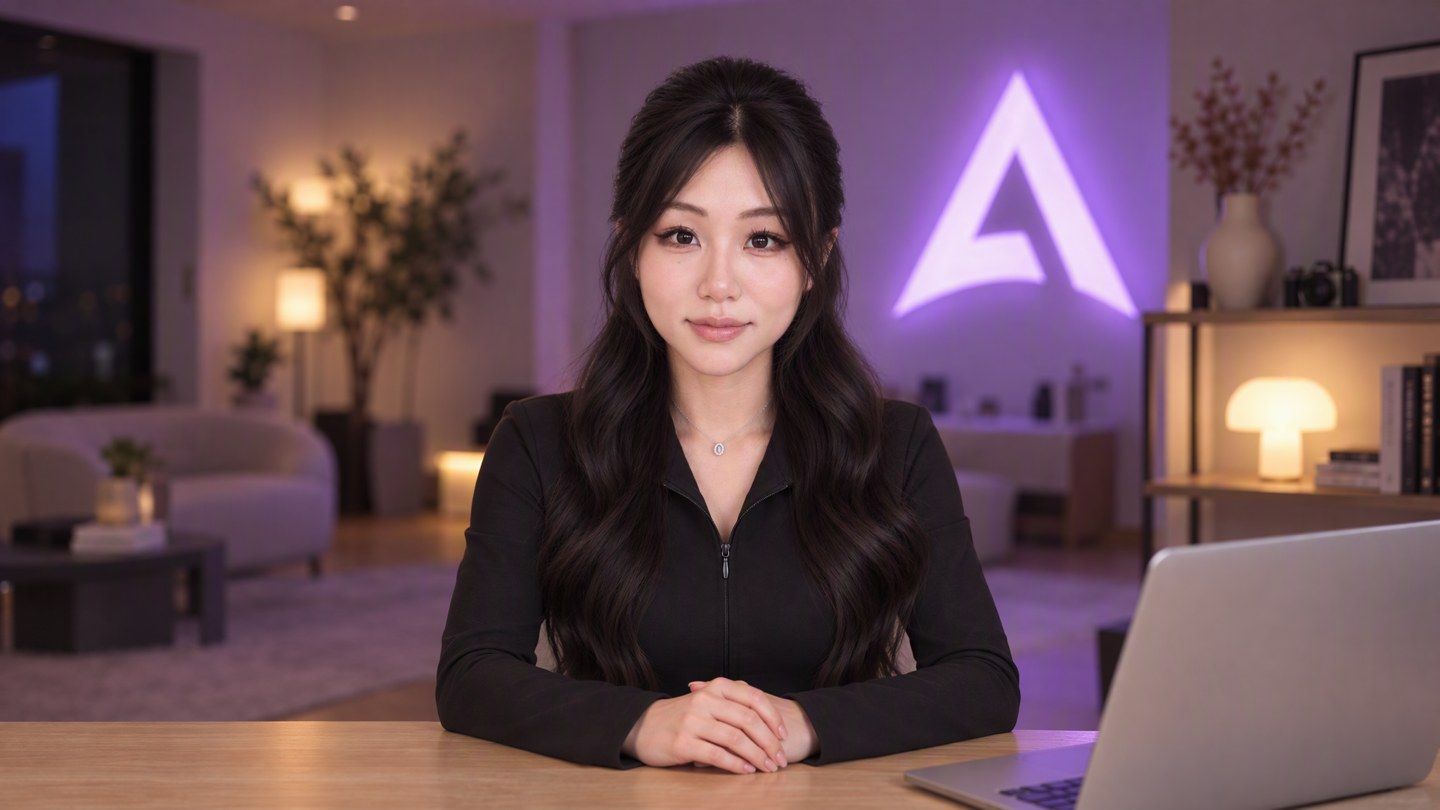
你会发现提示词里的取景、纵深、虚化、「脸最亮」,基本都是从那张共同点表里搬的。我自己加的就三样:笔记本、Atlas Cloud 的灯牌、女生的审美。
3. 机位:四个角度
样片有好几个机位,我也做了四个:正面、侧前、侧面特写,还有一个高机位的全景。
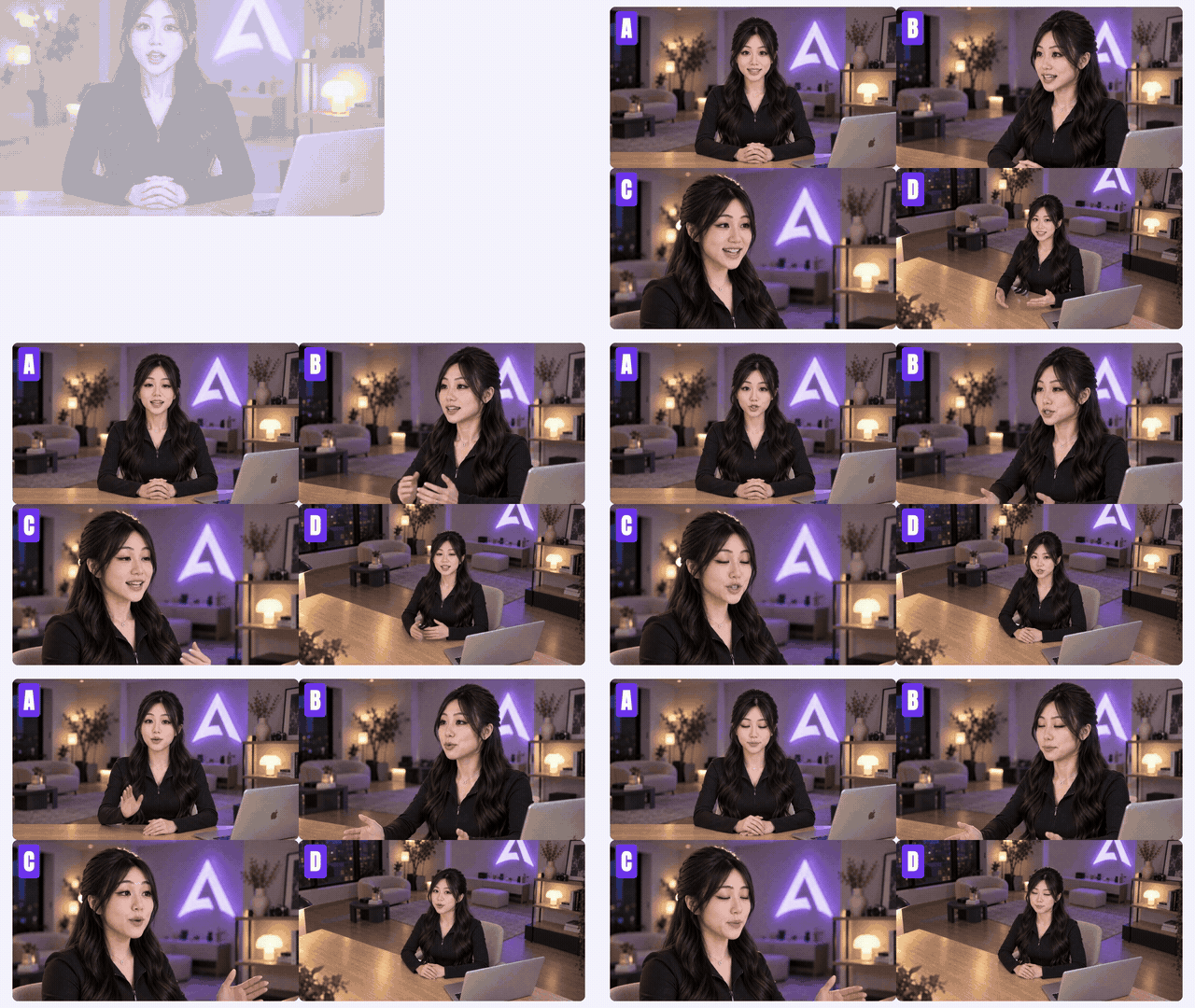
四个机位都是同一个房间、同一个时刻,从不同位置「重拍」出来的。上面那张头部转面就是给侧面机位用的:模卡里只有正脸的话,侧面的脸只能靠模型猜。
4. 声音:一段原声就够
声音我用的是自己的克隆声,也是让 Opus 5.5 在 MCP 里调 Seed Audio 1.0 做的。
只要一段原声就够,换一种语言,音色也还是你的。我录的是中文原声,这条视频的英文口播就是它说的:
text1Speaker A @audio1 keeps her own vocal timbre and speaks fluent natural English with a neutral accent, upbeat pace, crisp articulation, friendly and energetic like a YouTube tutorial creator. Clean dry studio vocal only — no background music, no sound effects, no room noise or reverb. She says: "…"
引号里放这一段要说的台词,@audio1 指的就是你上传的那段原声。
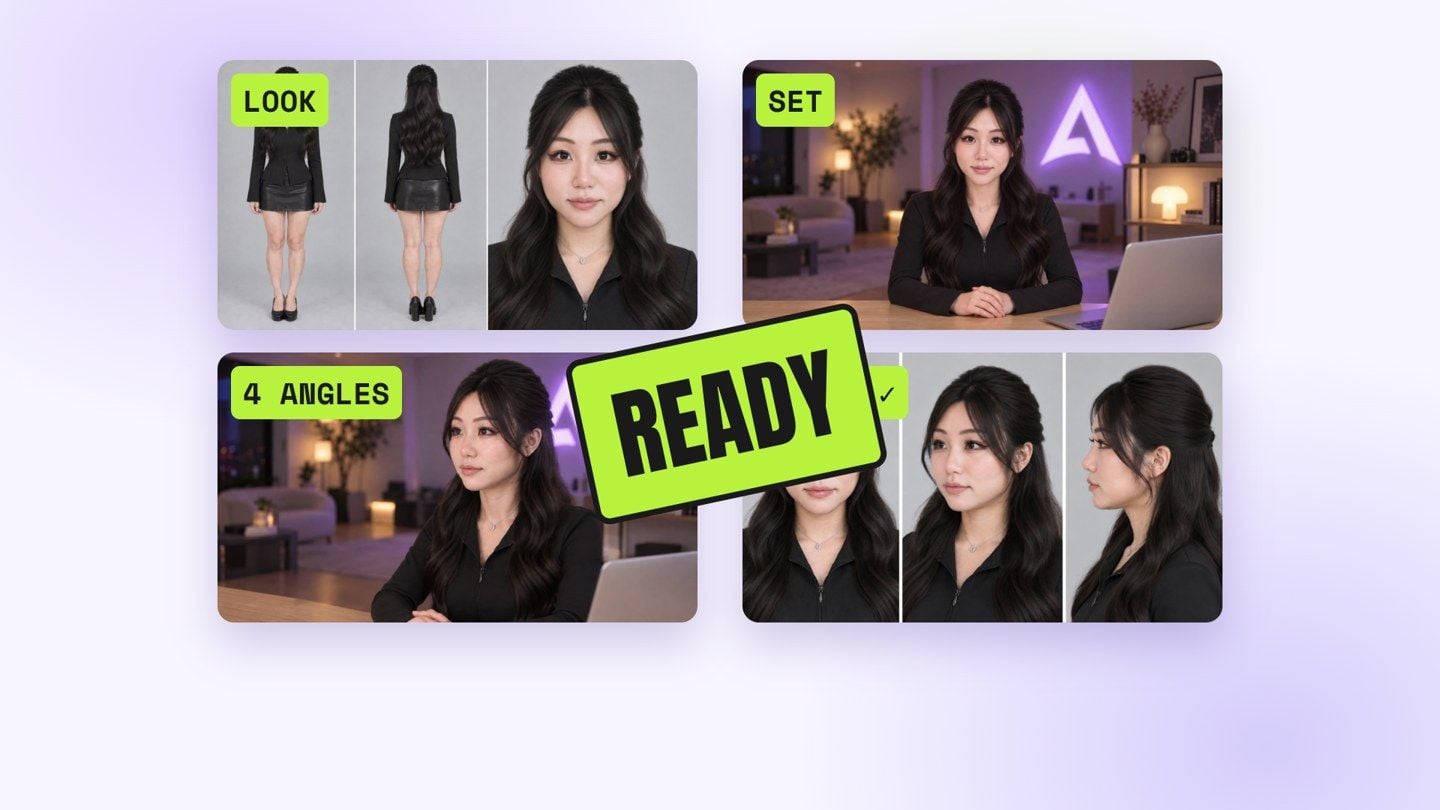
到这里,形象、布景、四个机位、声音,你的数字人就搭好了。以后每一集,都用这一套。
三、第二部分:每一集都这么做
1. 先写口播稿
口播稿是 Opus 5.5 按我这次的题材写的。
注意,口播稿这一步一定要在生成数字人视频之前做完。因为数字人动起来,靠的就是这段口播的音频。稿子改一句,后面的数字人视频就得重跑。
2. 生成数字人视频:OmniHuman 2
数字人这一步用的是 OmniHuman 2。用起来很简单:一张图,一段音频,就够了。
提示词是可选的,填上能让表演更生动。不用写台词,只写神态和动作。我正面机位用的是这段:
text1Locked-off static camera, same framing as the image, no zoom, no camera movement, no cuts. She sits at the desk and talks straight to the camera like an engaged, relaxed YouTube host. Her performance feels natural and alive: expressive face with eyebrows, eyes and smile reacting to what she says, natural blinks, head moving freely with the rhythm of her speech, shoulders shifting with her breath. She uses her hands naturally while talking, with relaxed conversational gestures that rise on the stressed words and settle back on the desk in the pauses; hands keep natural anatomy with five fingers. Movements stay subtle and believable, never exaggerated. Clear mouth shapes that match every word. Background stays softly out of focus and unchanged.
侧面机位只改一句:把「对着镜头说话」换成「头和眼睛保持图里的朝向,看向侧边的另一台机位,不看这个镜头」。这样切到侧机位,人还是在跟正面那台机器说话,不会突然扭头看你。
它一次最长能吃五分钟的音频。所以我的做法是:每个机位都用整段口播各跑一遍,剪的时候按分镜随便切,口型永远是对的。
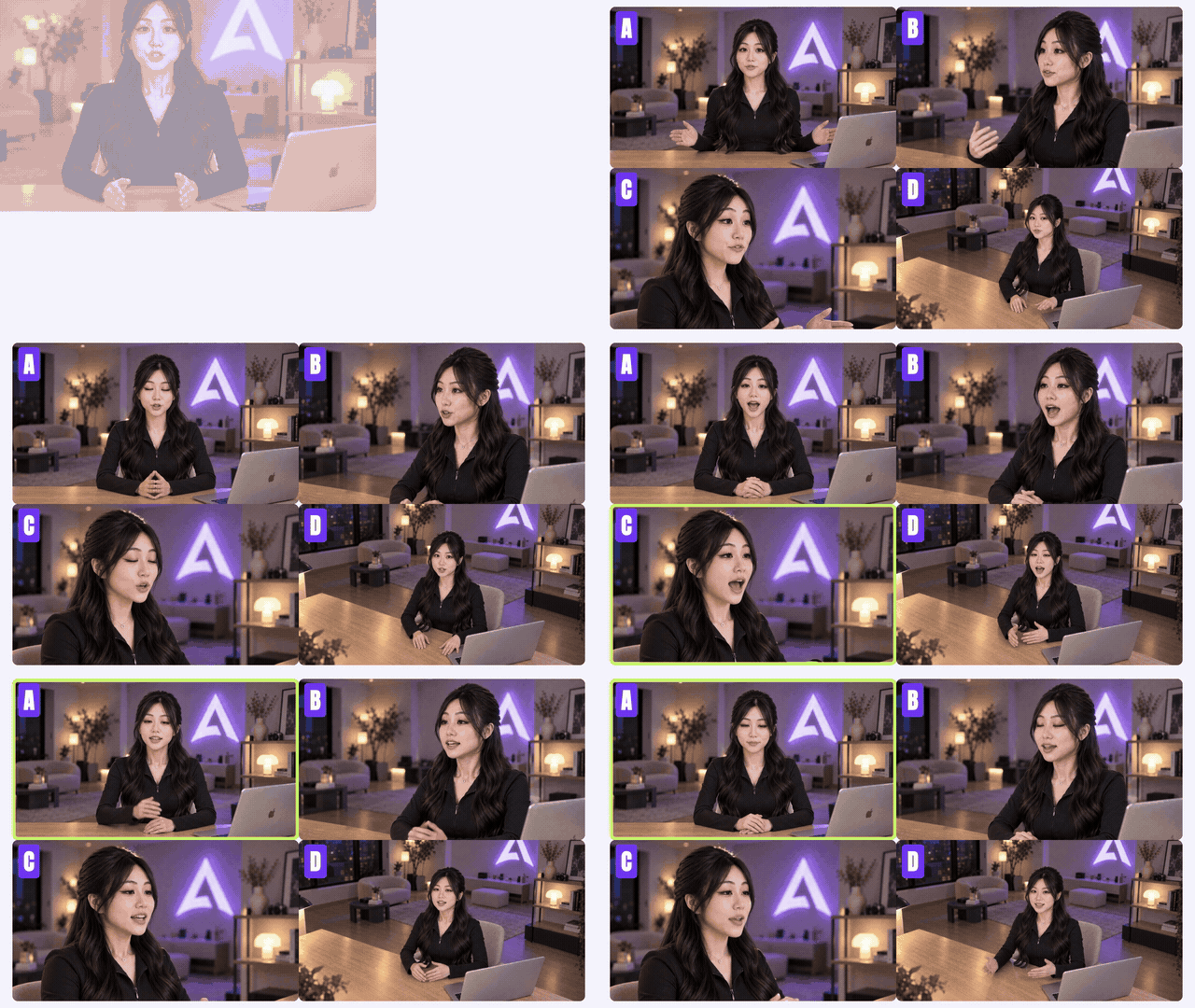
我也拿同一张图、同一段约 30 秒的音频,在几个数字人模型上跑了一遍:
| 模型 | 官网价(720p) | 这次耗时 |
|---|---|---|
| OmniHuman 2 | $0.056 / 秒 | 5 分 28 秒 |
| OmniHuman 1.5 | $0.12 / 秒 | 8 分 29 秒 |
| Kling 2.6 Pro(数字人) | $0.0952 / 秒 | 13 分 12 秒 |
| InfiniteTalk | $0.06 / 秒 | 9 分 23 秒 |
| VEED Fabric 1.0 | $0.165 / 秒 | 4 分 01 秒 |
价格为 Atlas Cloud 官网标价,截至 2026-10-21;耗时是我这一次的实测,会随排队情况浮动。
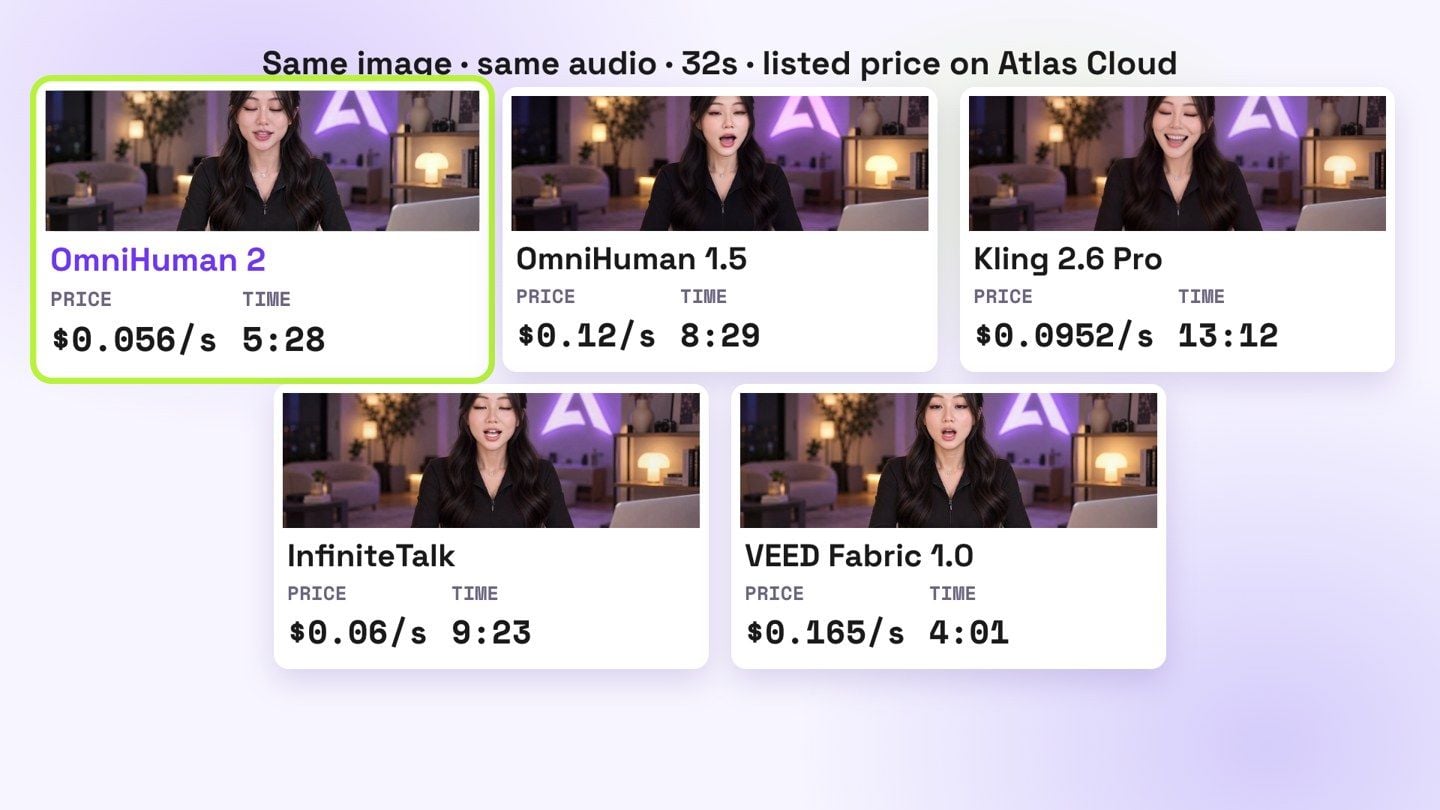
按官网价,OmniHuman 2 一条三十秒是 1.68 美元,五分钟左右就出片了。
3. 分镜表:Remix skill 来排
Remix skill 会结合我们的口播稿,参考样片的结构和节奏排出分镜表:每一句用哪个机位、旁边叠什么信息,都标好。样片的三个招牌特征,在这一步落到每一句上。
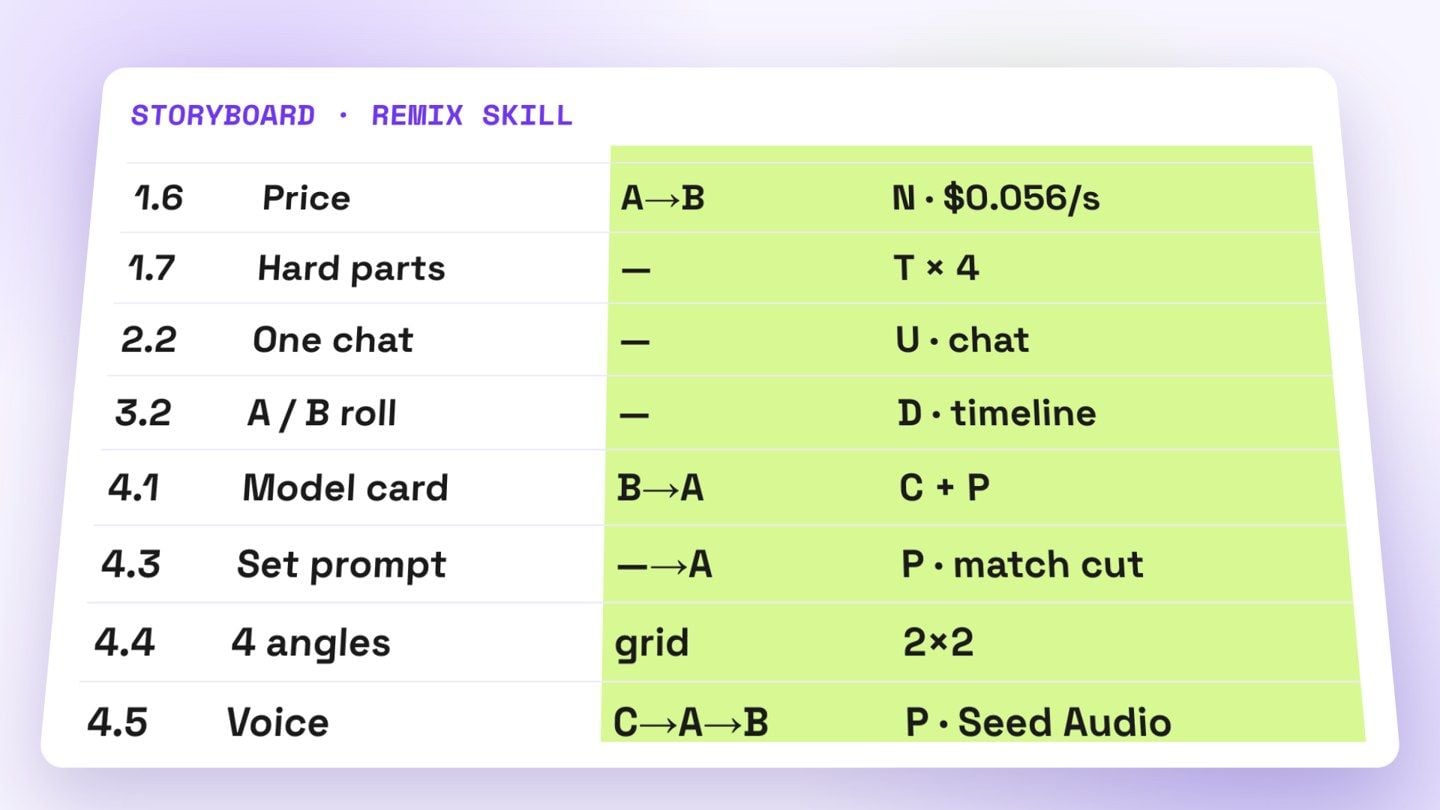
下载 Remix skill(免费,.zip)。解压后把 skills/ 里的三个文件夹放进 Claude 的 skills 目录(Claude Code 是 ~/.claude/skills/),然后丢给 Claude 一条样片,让它复刻。
4. B-roll:三个来源
- 你自己拍的素材,交给 Opus 5.5 去挑
- 没有的画面,用 Atlas Cloud 的 MCP 直接生成
- 图表、界面、文字动效这类,让 Opus 5.5 直接用代码画出来
这一块怎么挑、怎么生成,上一期讲得很细:爆款视频做不出来?不用剪辑软件,给 AI 一条样片,一键复刻成你的片子!
5. 合成:HyperFrames
最后合成,我用的是 HyperFrames。安装很简单,在 Claude 对话里说一句「帮我安装 HyperFrames」就行。
Opus 5.5 会按前面的样片分析和 Remix skill 排的分镜表,把编排、动效、音效、配乐一次做完。开头说的那几个难点,素材从哪来、怎么编排、动效和声音,都是在这一步解决的。
最后
你看到的这条视频,就是这么做出来的。下一集,我只需要换一个题材。
一个人做 IP,以前卡在出镜、布景、剪辑,卡在没有团队、没有预算。现在这些都能交出去了。
工具谁都能用,最后让别人记住你的,是你的判断,和你真正想说的东西。
去做你自己的那一集吧。
本文用到的地址:





