Seedream 5.0 Pro is a leading image generation model made for production work. It gives you precise, controllable output you can use directly in design, marketing, e-commerce, and product workflows, so what you get back is closer to a finished asset than a rough draft. It is available now on Atlas, and you can go from an idea to an on-brand image in minutes. 
1 Why Seedream 5.0 Pro
Most AI image tools give you a good-looking first draft. Then you spend hours reworking it by hand before it is actually usable.
Seedream 5.0 Pro was built to close that gap. It shifts image generation from making pretty pictures to controllable production: you decide what changes and where, hold products and characters consistent across a set, and render dependable text and dense layouts, with results that look photographed rather than generated. That means fewer regenerations, far less manual cleanup, and files you can use straight away.
2 What you can do
Four things turn Seedream 5.0 Pro from a generator into a production tool.
Precise, controllable editing
Tell Seedream exactly what to change, and where. You can point to a region with coordinates, lock a color by its number, mark a spot with a box, point, or arrow, or sketch a quick correction. You can also split an image into separate layers and move, scale, or rearrange each one on its own.
What this means for you: You can fix one detail without regenerating the whole image, and keep a product or character looking the same from one shot to the next.
 Before Before | 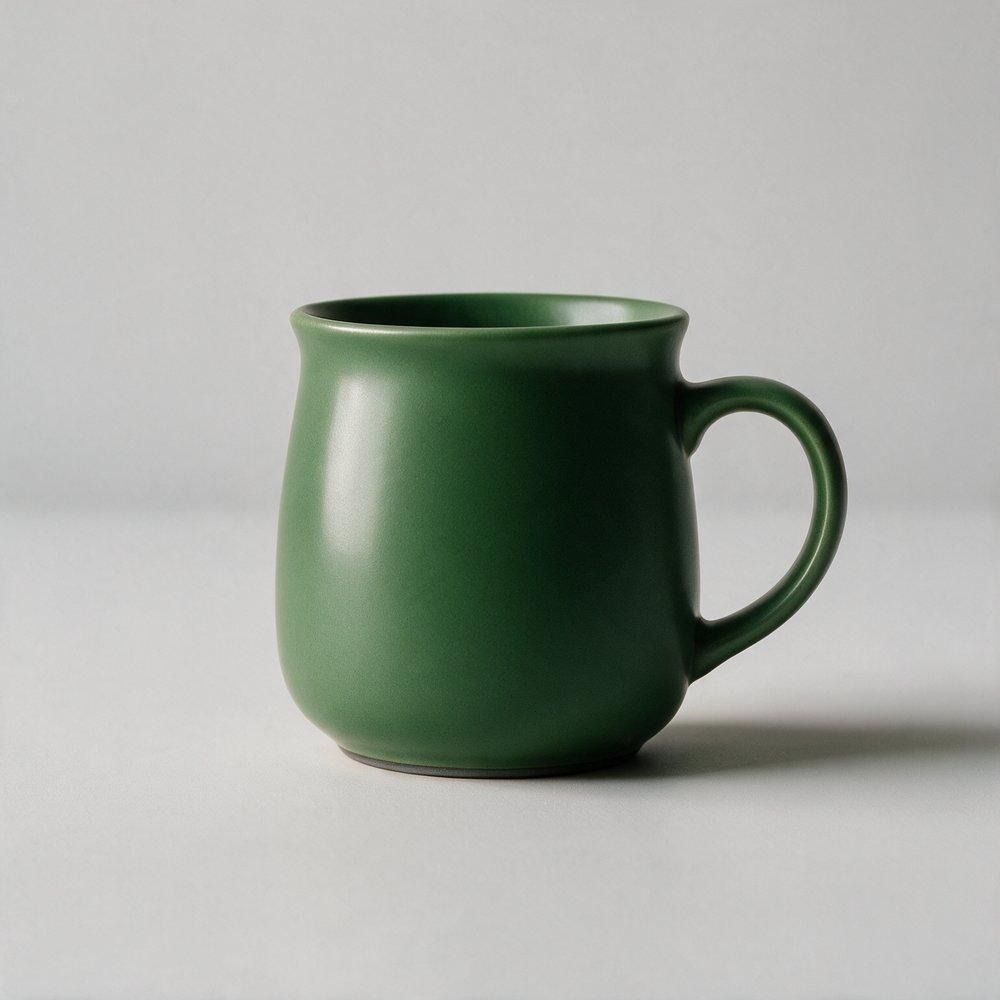 After: glaze recolored, nothing else touched After: glaze recolored, nothing else touched |
|---|
A single controlled edit — only the mug's glaze color changed; background, lighting, and framing stay identical.
Production-ready output
Seedream handles the dense, information-heavy work that trips up most models: infographics, data reports, menus, posters, and slide pages, with the text, numbers, and layout rendered clearly inside the image.
What this means for you: You can turn a brief or a set of figures into a finished, on-brand layout without rebuilding it in a separate design tool. 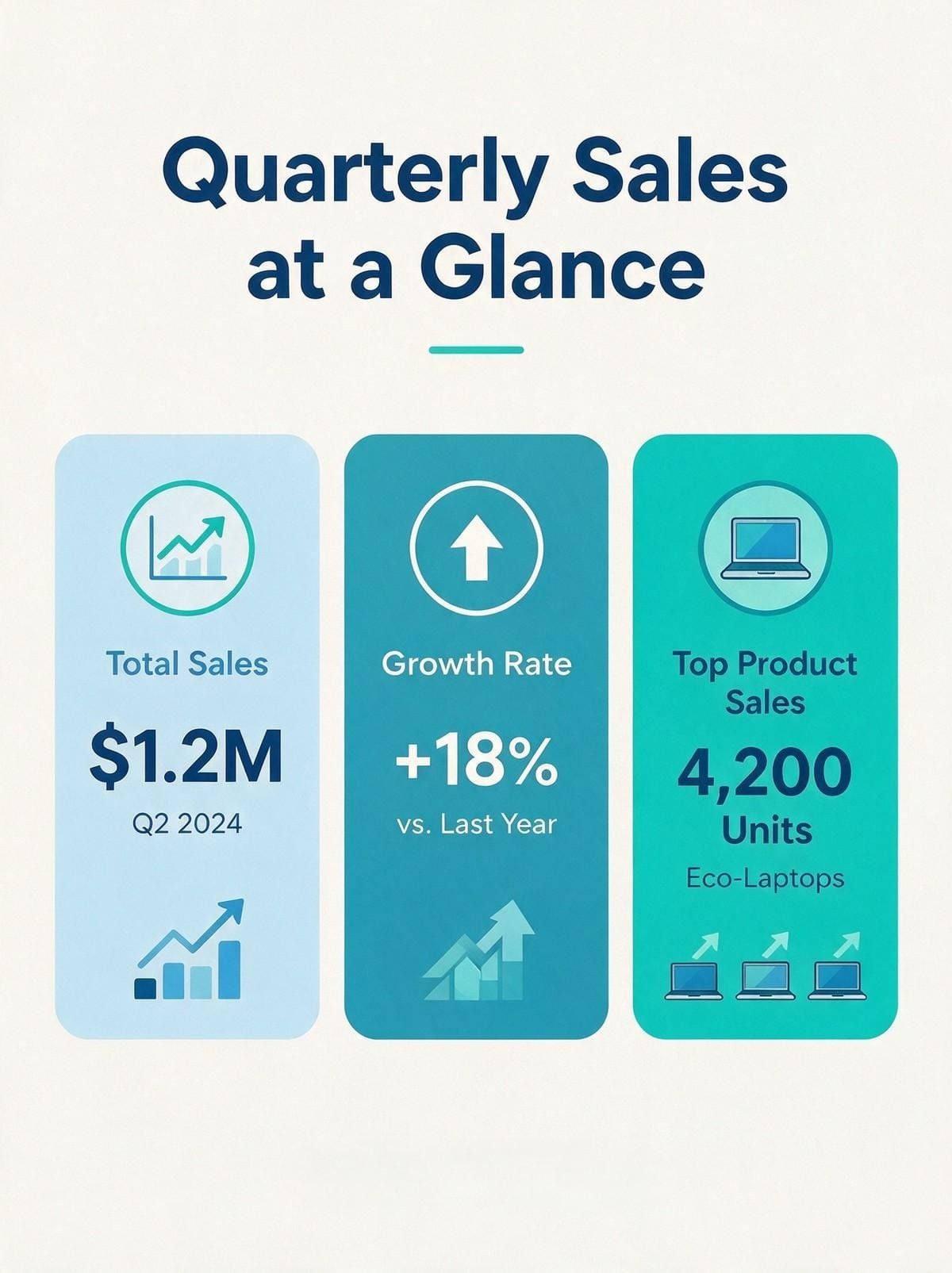 Generated infographic with legible in-image text, numbers, and layout.
Natural, cinematic results
Seedream produces scenes with the atmosphere, depth, and sense of story you expect from film and television. Its portrait retouching stays natural and consistent, so the subject still looks like themselves.
What this means for you: Use it for hero imagery, campaign visuals, and retouched portraits that look professionally shot. 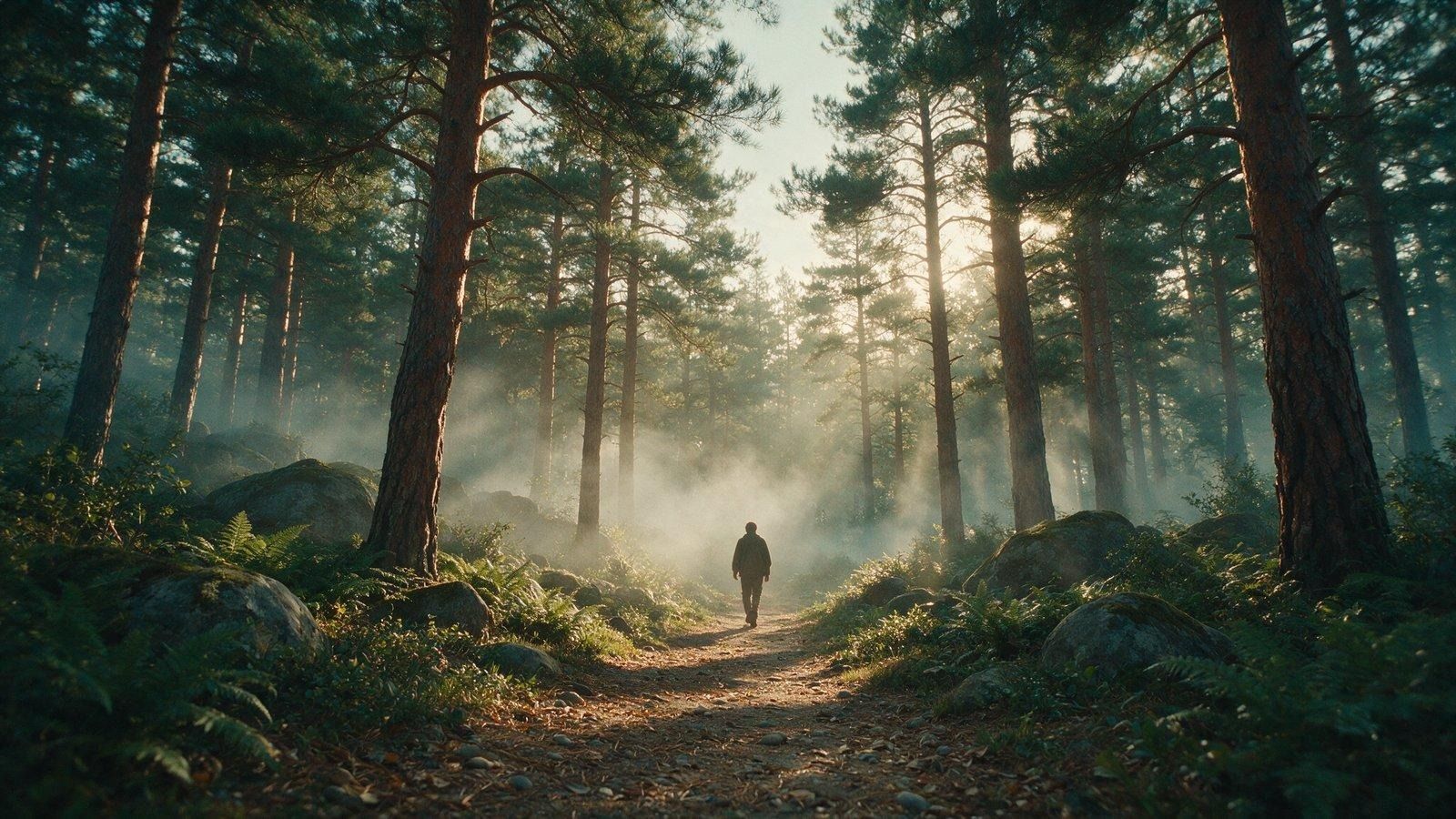 Cinematic scene with volumetric light, depth, and a 35mm film grade.
Native multilingual and culturally aware
Seedream renders reliable text in 14 languages, including Arabic, Korean, Thai, French, Russian, and Japanese. It also reproduces local clothing, patterns, and cultural detail accurately, not just the words.
What this means for you: You can localize creative for global markets without garbled text or cultural missteps. 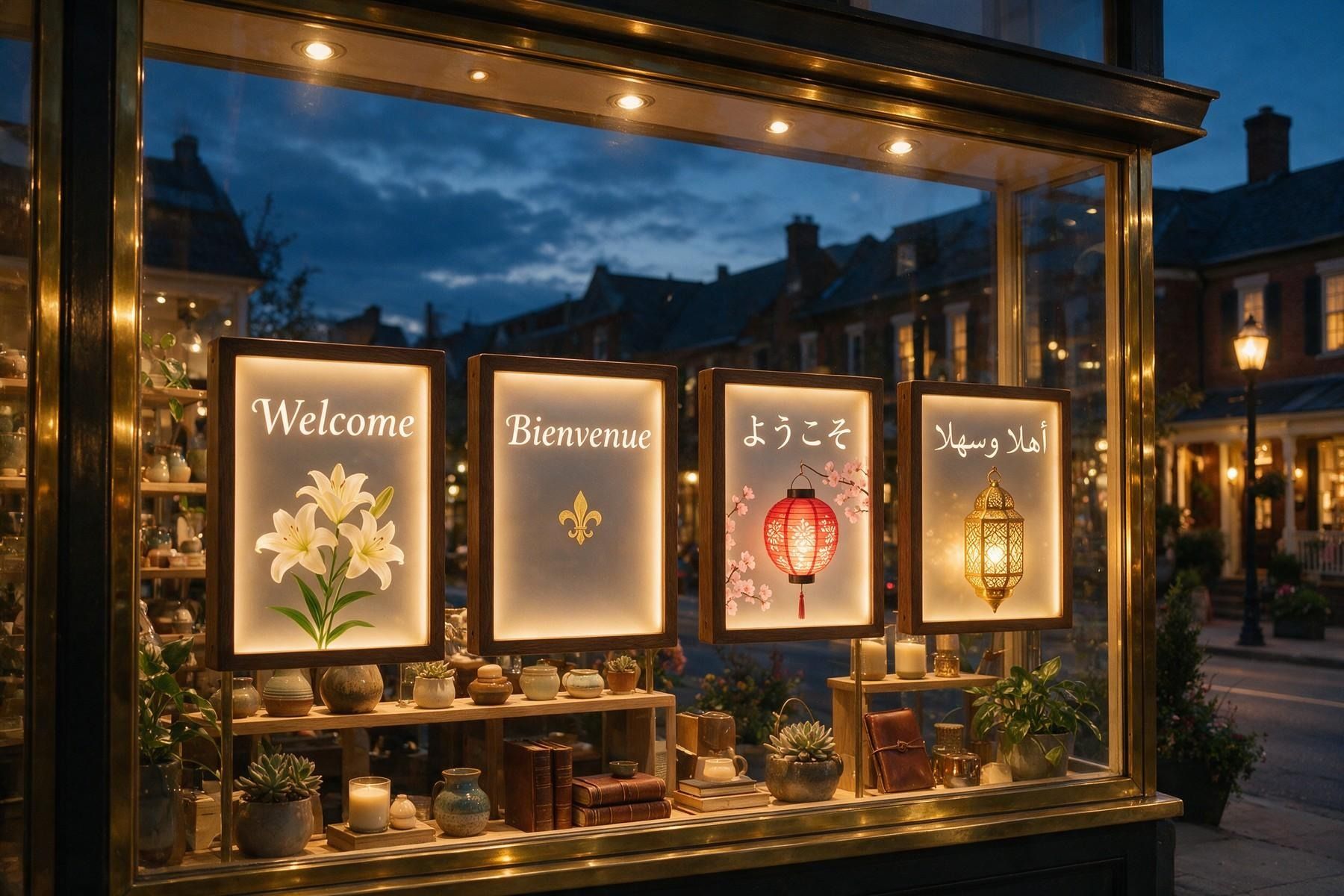 One storefront scene with accurate in-image text in English, French, Japanese, and Arabic.
3 Who it's for
Seedream 5.0 Pro earns its place anywhere visual content is produced at volume:
- E-commerce and consumer goods: product imagery, promo banners, and seasonal campaigns.
- Advertising and marketing: posters, social creative, and brand key visuals.
- Portrait and product photography: retouching and enhancement at scale.
- Games and entertainment: concept art, characters, and worlds.
- Content and communications: reports, decks, and explainer graphics.
4 How the control works
Production-ready output comes down to a few simple controls, and you can combine any of them with an ordinary written prompt:
- Point to a spot: mark a box, point, or arrow, or give coordinates, to edit just that area.
- Name a color: enter a color number to lock an exact brand shade.
- Sketch it: rough doodles or blocks of color become finished, realistic objects.
- Combine references: pull the objects, styles, and palettes from several images into one.
- Separate layers: break a design into layers you can edit one at a time (coming soon).
5 Works with your stack
Stills are only the start. Images from Seedream 5.0 Pro pair directly with Seedance (2.0, 2.0 mini, and 2.5), so you can set your creative in motion and take a still concept through to finished video without leaving the workflow.
| Get started on AtlasYou can be generating in minutes:Sign in to Atlas.Select Seedream 5.0 Pro.Start creating: describe what you want, then refine it with the controls above.▶ Start free on Atlas[ insert your Atlas sign-up link here ] |
|---|





