What is Vidu Q3 ?
Vidu Q3 by Shengshu Technology turns 1-4 images into consistent, high-quality video. It comes with smart camera switching, built-in audio, and sharp 1080p quality — perfect for making animations, short films, and storytelling content.
Vidu Q3 Price Snapshot on Atlas Cloud
| Model | Input Type | Price (per Sec) | Original Price |
| Vidu Q3 | image-to-video | USD 0.035 | USD 0.05 |
| Vidu Q3 Pro | image-to-video | USD 0.036 | USD 0.06 |
| Vidu Q3 Turbo | image-to-video | USD 0.06 | USD 0.07 |
What Makes Vidu Q3 Different?
-
16-Second Continuous 1080p Video
Vidu Q3 generates up to 16 seconds of continuous video at 1080p resolution and 24fps in a single pass — the longest continuous generation window among leading competitors. Runway Gen-4.5 caps at around 10 seconds; Kling 2.5 Turbo tops out at 10–15 seconds. That extra length matters when you need a complete narrative arc without manual stitching.
-
Native Audio-Visual Synchronization
Most video generation tools treat audio as an afterthought — a separate step bolted on after the visuals are done. Vidu Q3 generates lip-synced dialogue, sound effects, and background music simultaneously within a single inference pass. No post-production dubbing. No manual frame alignment. The output is ready to use.
-
Native Camera Control
Vidu Q3 supports frame-level directorial commands — push-ins, pans, tracking shots — baked directly into the generation pipeline. You describe the camera movement in your prompt, and the model executes it. This is not a post-processing effect; it's generated motion, giving creators genuine cinematic control from the first frame.
-
Smart Cut Scene Detection
Multi-shot storytelling used to require manual editing. Vidu Q3's built-in scene boundary detection and automatic narrative transitions handle scene changes within a single generation, producing fluid multi-shot sequences without human intervention.
-
Multimodal Input Flexibility
Vidu Q3 accepts both text and image inputs, with configurable start and end frame controls. Feed it a product photo and a script, and it will animate the scene with synchronized audio. Feed it a storyboard frame and let it complete the sequence. The flexibility makes it suitable for everything from scripted advertising to visual style transfer.
-
Pro & Turbo Variants for Every Use Case
The Q3 Pro delivers premium visual accuracy, making it the go-to pick for brand campaigns, film pre-vis and critical high-stakes presentations.
Industry Benchmark Performance
Vidu Q3 holds an ELO rating of 1220–1244 on the Artificial Analysis Video Arena, ranking #2 globally behind Sora 2.
| Rank | Model | Developer | ELO Score | Release |
| #1 | Sora 2 | OpenAI | ~1250+ | Pre-2026 |
| #2 | Vidu Q3 | Shengshu Tech & Tsinghua | 1220–1244 | Jan 30, 2026 |
| #3 | Runway Gen-4.5 | Runway | ~1200 | 2025 |
| #4 | Kling 2.5 Turbo | Kling AI | ~1190 | Late 2025 |
With native audio integration and camera control, Vidu Q3 outperforms even Sora 2. It strikes the ideal balance across video runtime, audio-video sync, and cinematic control—setting a new industry benchmark for creative potential.
Real-World Use Cases
Commercial Advertising
Back in the day, creating a 15-second product ad meant separate shoots, dedicated voiceover recordings, and endless editing rounds. With Vidu Q3, the entire workflow gets streamlined into one single generation: product visuals, voiceover narration, and background music are all produced at once. DTC brands and marketing teams can now test multiple creative concepts in hours, not days.
Social Media Content Creation
Boasting the fast performance of Q3 Turbo and seamless scene transitions powered by Smart Cut, the tool excels at continuous high-volume short-form content production. Independent creators can maintain consistent posting across Reels, TikTok and YouTube Shorts without relying on a large internal production team.
Film & Cinematic Pre-Visualization
Directors and cinematographers can use Vidu Q3's native camera control to generate pre-vis footage before arriving on set. Tracking shots, push-ins, and scene transitions can be validated in advance, reducing on-set communication overhead and preventing costly composition mistakes.
Architectural & Product Visualization
Static renders become dynamic presentations. Feed Vidu Q3 a product rendering or architectural image, specify camera movement and ambient audio, and receive a polished walkthrough video — without commissioning a dedicated animation pipeline.
Educational Video Production
Instructional content teams can generate narrated, visually synchronized video lessons at scale. Vidu Q3's audio-visual co-generation means the voiceover, visuals, and scene transitions are all aligned from the start, eliminating the back-and-forth between scriptwriters, voice actors, and editors.
Why Access Vidu Q3 Through Atlas Cloud?
Atlas Cloud is a full-modality AI infrastructure platform. Through a single OpenAI-compatible API, you get access to Vidu Q3 alongside 300+ frontier models — text, image, video, and multimodal — with no separate accounts, no multiple API keys, and no ops overhead.
Every model on Atlas Cloud shows per-generation pricing directly on the Run button in the Playground. What you pay for is exactly what you get.Enterprise users gain access to dedicated compliance support, reliable SLA commitments, and seamless integration with mainstream tools including ComfyUI and n8n.
How to Get Started
Option 1 — Try in the Playground Search for Vidu Q3 in the Atlas Cloud Playground. No code required. Run your first generation in under two minutes. New users start with $1 free credits.
Option 2 — Integrate via API
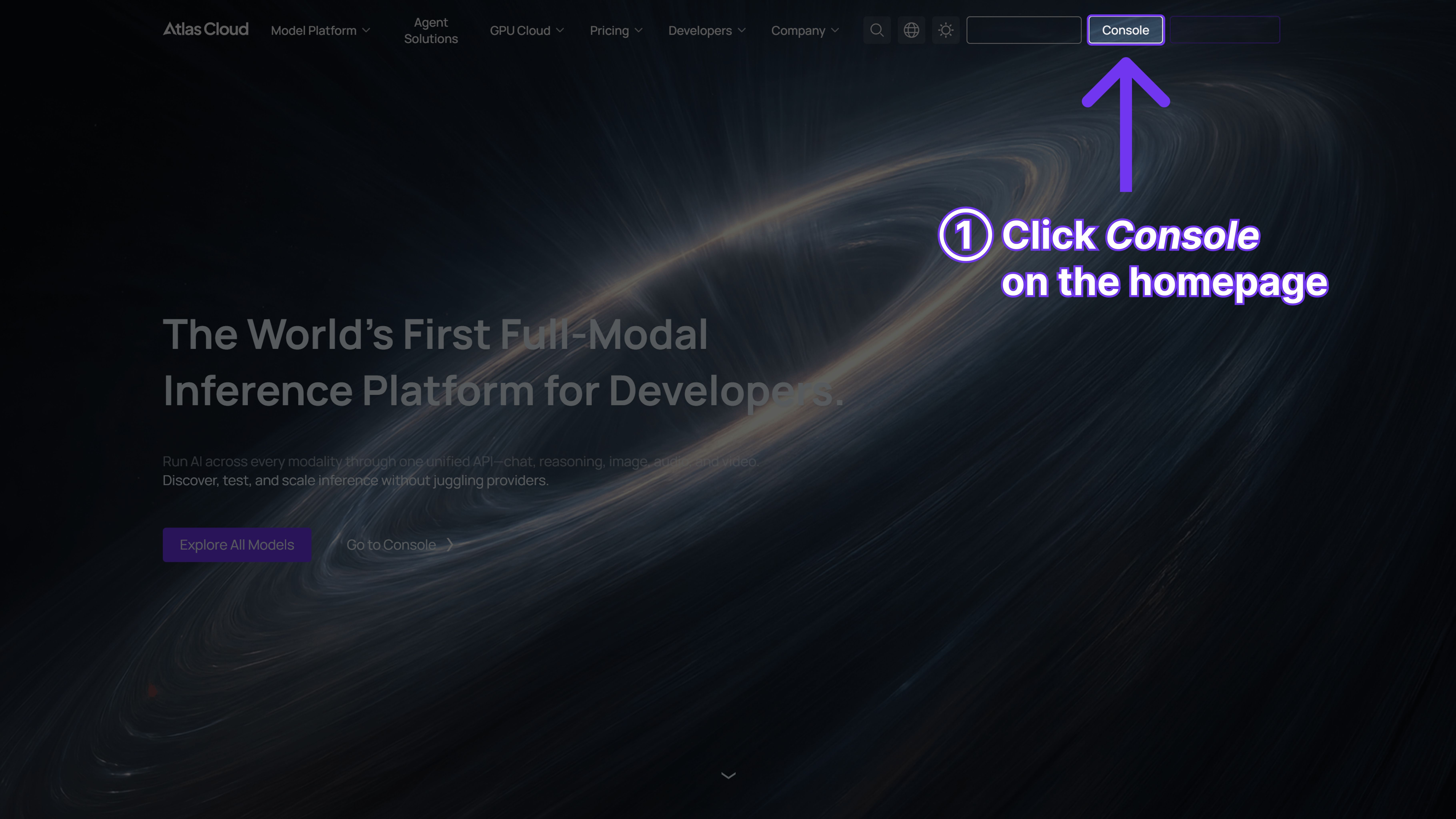
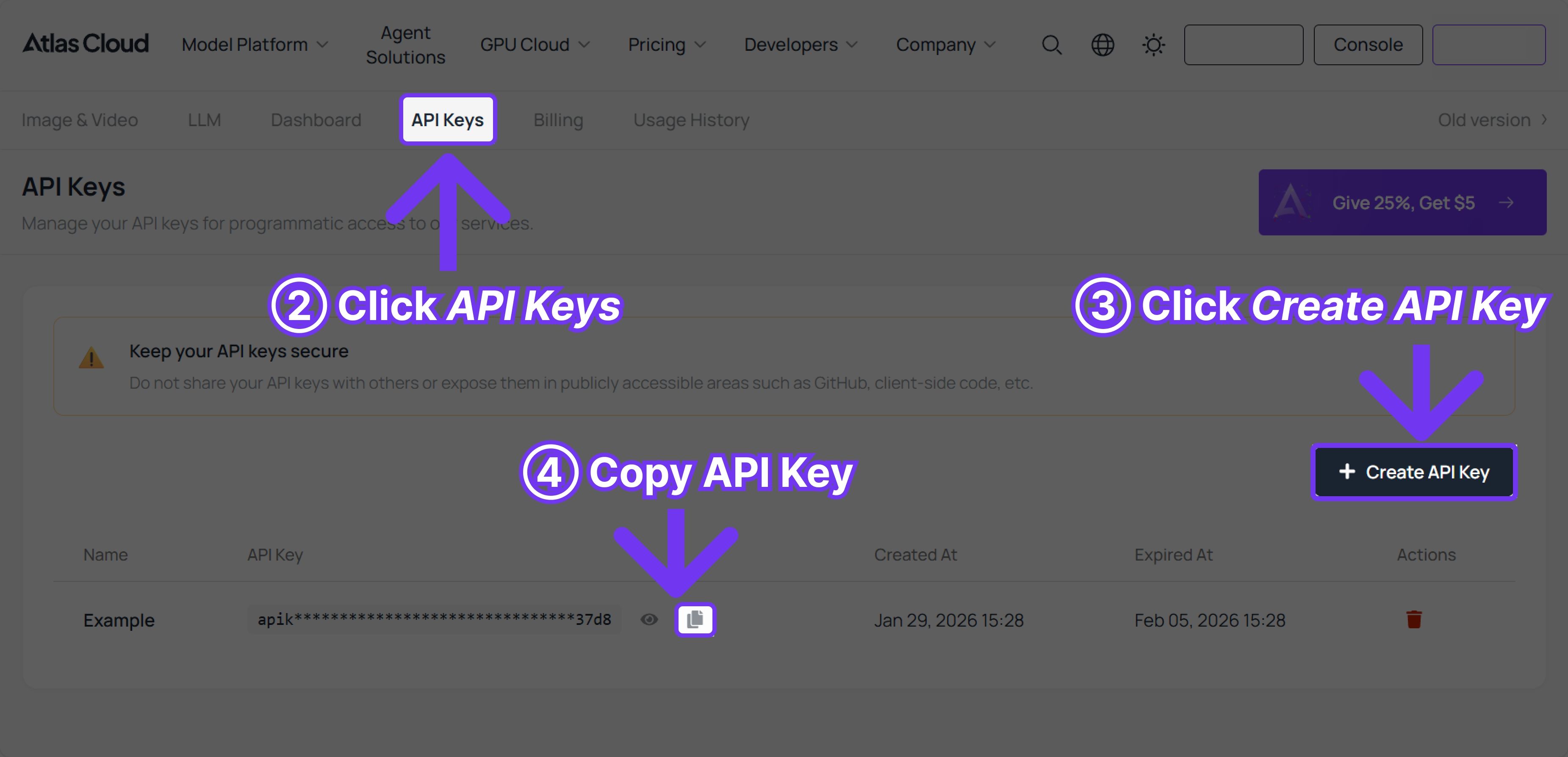
Step 1: Get your API key
Create an API key in your console and copy it for later use.


Step 2: Check the API documentation
Review the endpoint, request parameters, and authentication method in our API docs.
Step 3: Make your first request (Python example)
plaintext1import requests 2 3url = "https://api.atlascloud.ai/api/v1/model/generateVideo" 4headers = { 5 "Authorization": "Bearer $ATLASCLOUD_API_KEY", 6 "Content-Type": "application/json" 7} 8data = { 9 "model": "vidu/q3/pro", 10 "prompt": "An astronaut walking on Mars, dust storm in the background, native breathing sounds and wind, slow cinematic zoom-in.", 11 "reference_image_url": "https://your-domain.com/character.jpg", 12 "duration": 16, 13 "camera_control": "zoom_in" 14} 15 16response = requests.post(url, headers=headers, json=data) 17print(f"Task submitted! ID: {response.json()['data']['id']}")
FAQ
What is the maximum video length Vidu Q3 can generate?
16 seconds of continuous video at 1080p, 24fps — the longest single-pass generation among leading competitors.
Does audio-visual sync require post-processing?
No. Lip sync, sound effects, and background music are generated natively in a single inference pass. The output is immediately usable.
When should I choose Q3 Pro vs Q3 Turbo?
Choose Q3 Pro for brand campaigns, film pre-vis, and high-fidelity outputs. Choose Q3 Turbo for rapid iteration, high-volume social content, and cost-sensitive workflows.
Does Vidu Q3 support image inputs?
Yes. Vidu Q3 accepts both text-to-video and image-to-video inputs, with configurable start and end frame controls.
Is pricing transparent on Atlas Cloud?
Yes. Per-second pricing is displayed directly on the Run button before you generate. No hidden fees. No opaque credit systems.