You open the 30th "best face swap ai" review of the night. Two buttons in front of you. Button one: a free app that stamps a watermark on your face and makes it look like a sticker peeled off a cereal box. Button two: a real AI swap that costs a few cents and actually passes for real. Your hand is hovering. You are sweating.
Here is the thing nobody tells you in those listicles: there is no single "best" face swap AI. The best one for you depends on whether you are holding a Mac, an Android phone, or an iPhone. Each device hits a different wall (compute limits, watermarks, resolution caps), so the honest answer is a short list, not a champion.
So I tested the real options per device. Then I will show you the one cross-device route that works in any browser, and walk you through making the exact meme at the top of this page, step by step.
Key takeaways
- The best face swap AI in 2026 is device-dependent. Desktop apps win on batch and privacy, phone apps win on speed, and a browser route wins on quality and no watermarks.
- Cheap swaps fail for predictable reasons: sticker edges, gray blending, low resolution, and watermarks baked into the free tier.
- A browser workflow (source face, fuse, optional animate) gets you studio-grade results on any device.
- For straight photo swaps, Atlas Cloud's free Swap Face tool charges nothing, with no usage cap and no watermark.
- For a single meme, pay-as-you-go beats a monthly app subscription unless you swap faces every day.
Here is the payoff first, so you know exactly what you are aiming for. On the left is the plain Two Buttons meme template. On the right is the same meme after an AI fuse-swap, with a new human face wearing that same panicked, sweating expression. No sticker edges. Same grain. Same joke.
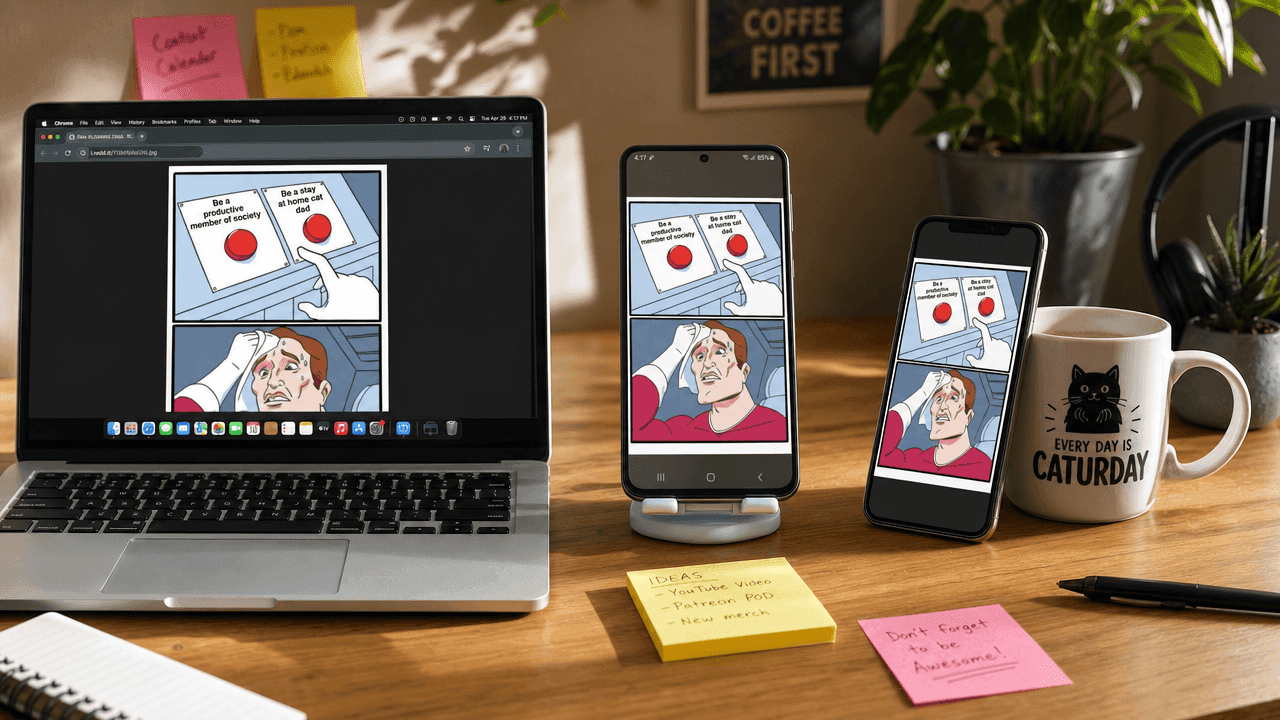
A creator desk with a Mac, an Android phone, and an iPhone all showing the same face-swapped Two Buttons meme on screen
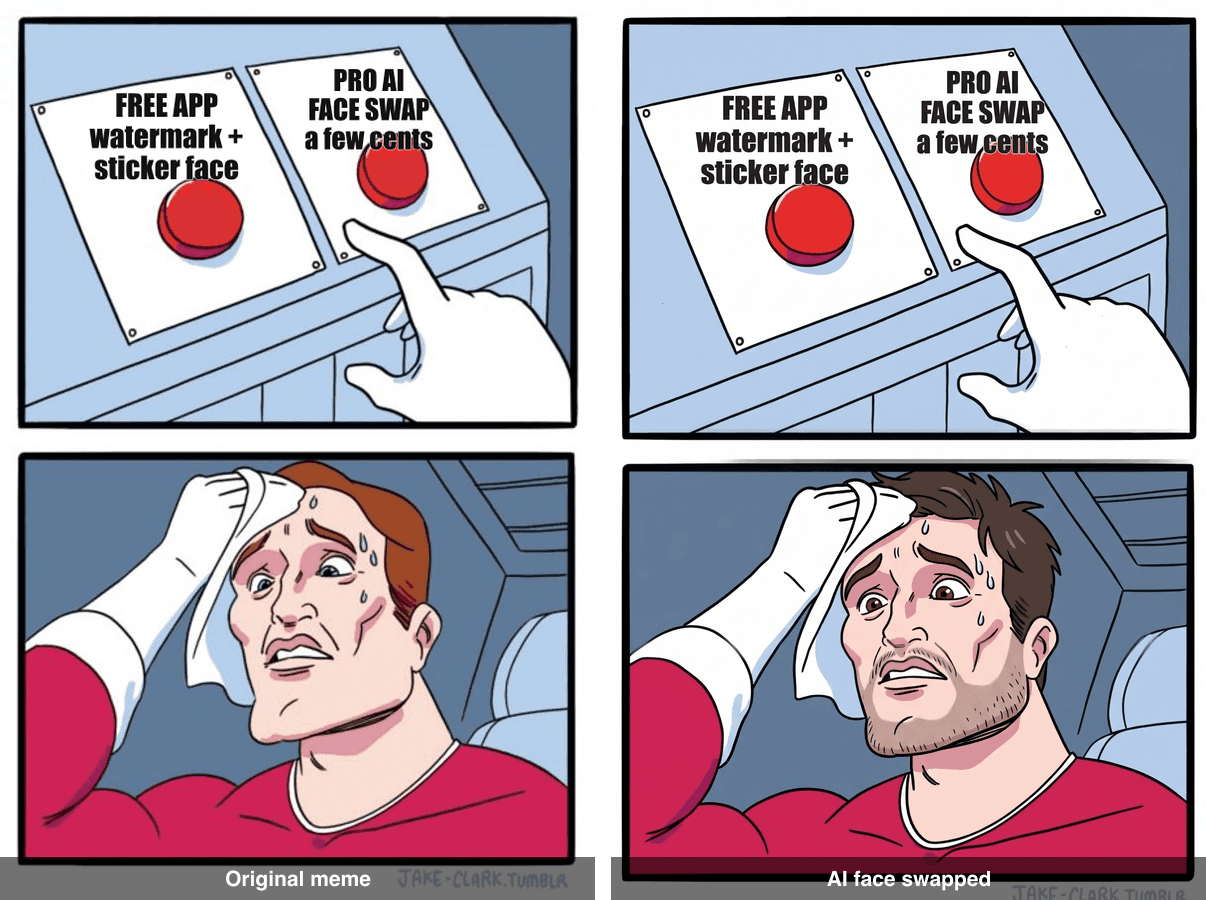
Before and after: the original Two Buttons meme on the left, the AI face-swapped version on the right
Why the Best Face Swap AI in 2026 Looks Real (and Why Cheap Swaps Fail)
Face swapping crossed a line in 2026. The good tools stopped "pasting" a face and started re-rendering it into the target image, matching lighting, grain, skin tone, and the angle of the head. Reviewers now rank tools mostly on temporal consistency and natural blending rather than raw speed, because clean single-frame swaps have basically become table stakes (Cybernews, 2026).
The best face swap AI gets four things right at once:
- Blended edges. The jaw and hairline fade into the original photo instead of sitting on top like a sticker.
- Matched texture. If the base image is grainy or low-res, the new face is grainy too. A crisp HD face on a grainy meme instantly reads as fake.
- Kept expression. The swap serves the joke. On a sweating meme, the new face is sweating too.
- Real resolution, no watermark. You get a file you can actually post, not a 480p thumbnail with a logo across the chin.
Most cheap swaps break at least two of these. Free mobile apps lean on small on-device models, so you get sticker-face, gray halos around the jaw, low output resolution, and a watermark you have to pay to remove. It looks like the image below, and everyone can tell.
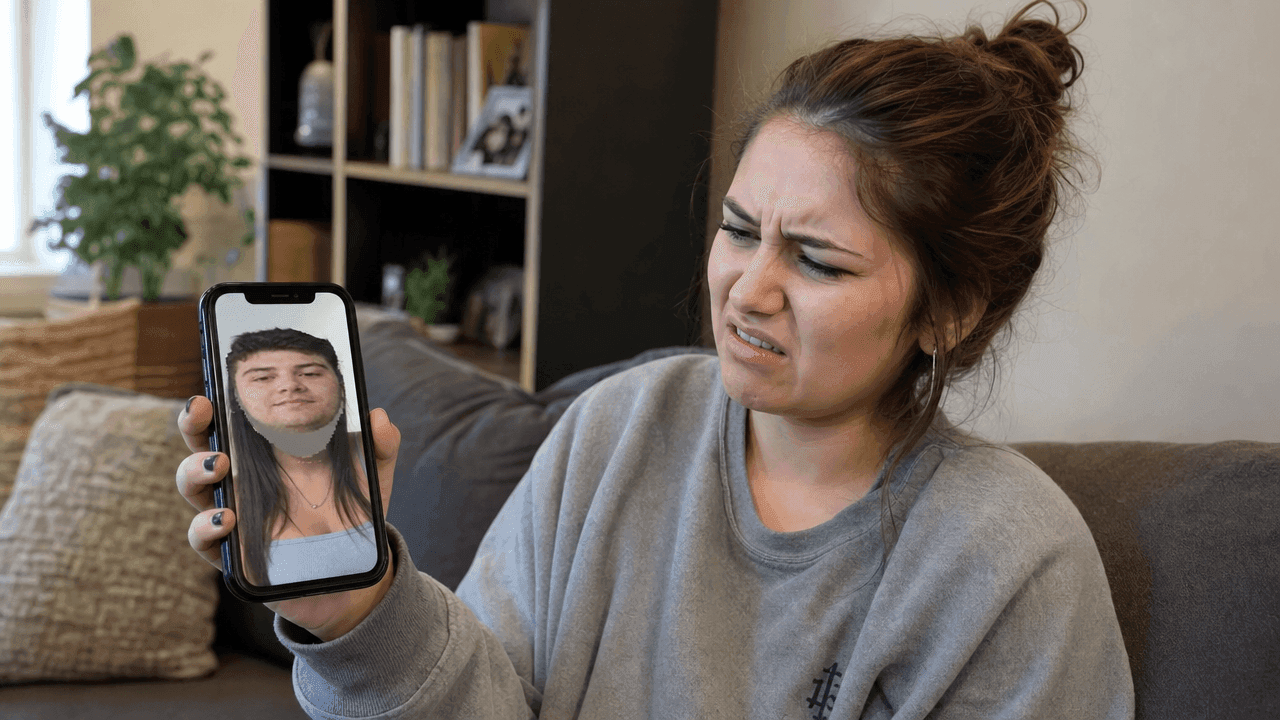
A person frowning at a phone showing an obvious sticker-face swap that looks fake and pasted
The Best AI Face Swap Tools 2026, Ranked by Device
Pick by what you are holding. Here is the short list per device, then a comparison table.
Best AI Face Swap Software for Mac
On a Mac you have room for desktop-grade tools that run local models, batch dozens of files, and keep photos off the cloud. Open-source desktop apps in the FaceFusion family are the usual pick for people who care about privacy and want to process a whole folder at once. The tradeoff is setup: you install dependencies, and quality depends on your machine. If you want power and privacy on macOS and do not mind a bit of tinkering, this is the lane.
The Best Face Swap App for Android
On Android, the best face swap app for most people is a polished mobile app like Reface or FaceApp. They are fast (a photo swap lands in seconds), the templates are fun, and they run entirely on your phone. The catch is the business model: the free tier adds a watermark and caps resolution, and the good stuff sits behind a subscription that usually runs around $5 to $10 a month. Great for quick shares, less great when you need a clean, high-res file with no logo.
How to Swap Faces on iPhone
iOS has no built-in automatic face swap, so you have three real routes. First, the manual way: use the Photos app to lift a subject (long-press a face to pull it out), then drop it onto another image in an editor. It is fiddly and the edges rarely blend, but it is free and offline. Second, an app like Reface for one-tap swaps, with the same watermark and subscription caveats as Android. Third, and the one I actually recommend for quality: open Safari and use a browser-based AI tool, which sidesteps the App Store limits entirely and works the same on any iPhone. That third route is the one that also works on your Mac and your Android, which is the whole point of the next section.
The Cross-Device Pick That Works in Any Browser
When a phone app's sticker-face, watermark, or low resolution is not good enough, the cleanest answer is to skip apps entirely and run the swap in a browser. That is where Atlas Cloud fits. It is not an app you install; it is a browser platform with two lanes that matter here. The pay-per-run model playgrounds handle the heavy fusion work, and the AI tools hub collects free-to-run utilities, including the free Swap Face tool this article gets to below. You upload a face, fuse it into a target image, download a full-resolution file with no watermark, and optionally animate it. Same result, whatever hardware you happen to be holding. For anyone who wants studio-grade output without picking a different app per device, this is the "best face swap AI" in the practical sense: the one you can always reach.
| Device | Top pick | Price | Watermark on free tier | Max resolution | Best for |
|---|---|---|---|---|---|
| Mac | FaceFusion-style desktop app | Free (open source) | None | Depends on your machine | Batch jobs, local privacy |
| Android | Reface / FaceApp | Free, Pro approx $5 to $10 per month | Yes | Capped on free tier | Fast, fun mobile shares |
| iPhone | Reface, or Photos manual lift | Free, Pro approx $5 to $10 per month | Yes (apps) | Capped on free tier | One-tap swaps on the go |
| Any browser (cross-device) | Atlas Cloud models + free Swap Face tool | Pay per run for the models; the swap tool is free | None | Up to 4K on the fuse model | High-res, no-watermark, cross-device |
The Best Face Swap AI Workflow: Models and Prices
The browser route is really three small steps, all in one tab: get a source face, fuse it into your target image, and (optional) make it move. You are not learning software; you are running three models in a row. Here is the exact chain this article uses, with real prices you can check on the Atlas Cloud model list.
| Model | Job in this workflow | Price (as of July 2026) |
|---|---|---|
| openai/gpt-image-2/text-to-image | Generate a stand-in source face (skip if you use a selfie) | About $0.011 at low quality; the high setting used below runs $0.17 to $0.22 depending on ratio |
| google/nano-banana-2/edit | Fuse the face into the meme (the core step) | $0.08 at 1K, $0.12 at 2K, $0.16 at 4K |
| bytedance/seedance-2.0-mini/image-to-video | Animate the result into a 5s clip (optional) | About $0.43 for a 5s 720p clip on the current 30% promo ($0.61 list) |
| Swap Face tool (on the AI tools hub) | Identity-preserving photo swap for real portraits (pro tip) | Free |
The important one is the middle model. For meme fusion you want the edit model that keeps the original grain and layout, not a "beautify" model that turns your meme into a clean HD photo and quietly kills the joke. That is why the fuse step below uses nano-banana-2 edit and not a glossy image model.
Best Face Swap AI Tutorial: Put Your Face in the Two Buttons Meme
We are using the "Two Buttons" meme (also called Daily Struggle), the internet's universal symbol for decision paralysis, born from a 2014 webcomic and now one of the most reused reaction templates online (Know Your Meme). It is the perfect meta joke here: you are literally sweating over which face swap tool to pick. We keep the two red buttons, the caption, the sweat, and the panic. We swap only the face.
Follow the steps in order. Everything happens in one browser tab.
Step 1: Download the original meme as your base
Do not let an AI "redraw" the Two Buttons meme. Redraws lose the grain and the joke dies. Grab the real blank template so you are editing the actual meme.
Download the blank Two Buttons template from imgflip: https://i.imgflip.com/1g8my4.jpg. Then label the two buttons so the joke lands. Use the classic Impact font:
plaintext1Button 1: FREE APP (watermark + sticker face) 2Button 2: PRO AI FACE SWAP (a few cents)
That labeled image is your base for Step 3. There is no model and no screenshot for this step.
Step 2: Get your source face
You have two options. Easiest: use a selfie (front-facing, decent light). If you would rather not put your own face in a meme, generate a stand-in "everyman" face with GPT Image 2.
Open the openai/gpt-image-2/text-to-image model, set quality to high and the ratio to 16:9 (or 1:1 for a tight portrait), and paste:
plaintext1A candid head-and-shoulders portrait of an ordinary man in his 30s, plain t-shirt, neutral studio lighting, looking slightly stressed, photorealistic, high detail, front-facing.
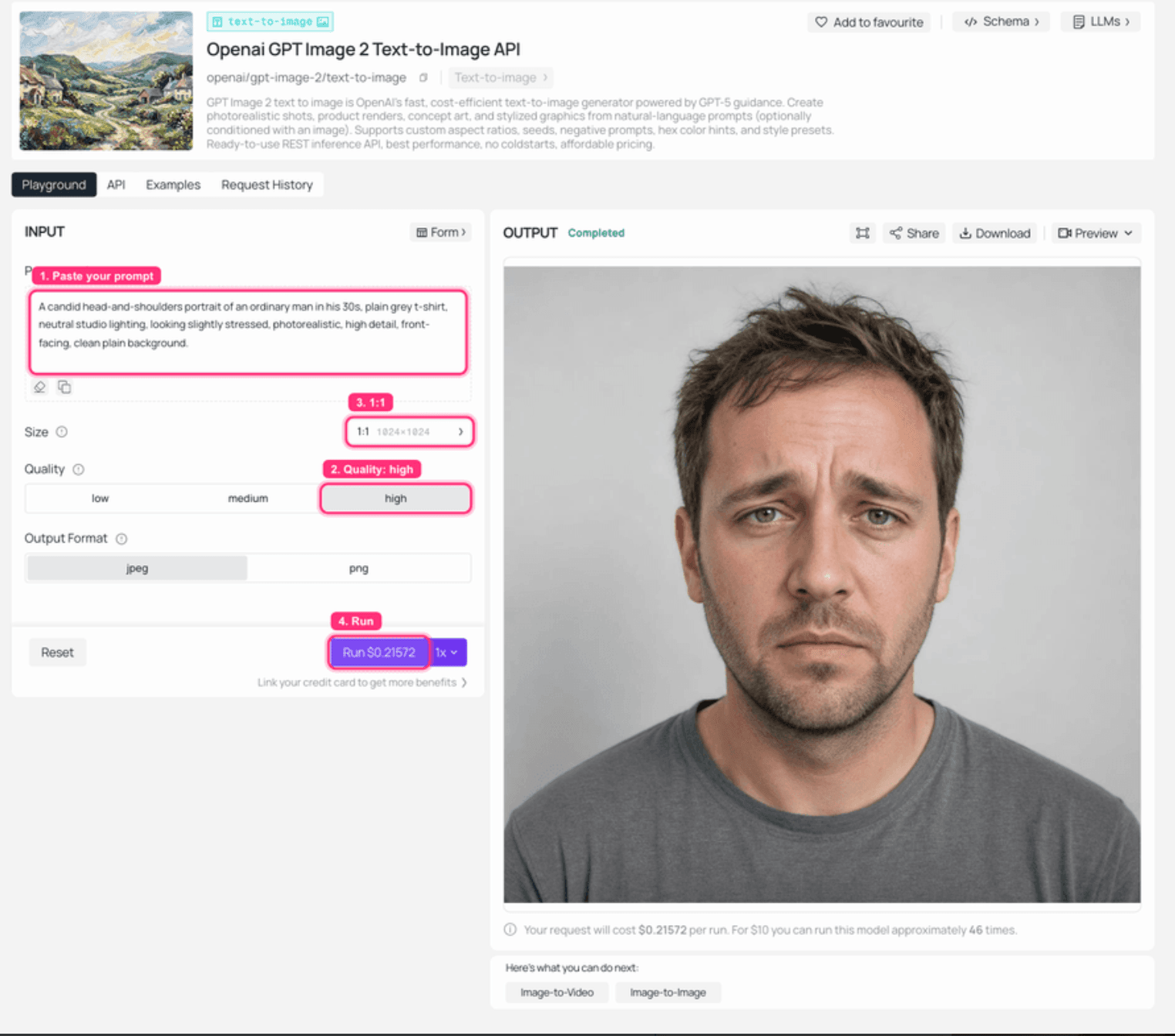
GPT Image 2 on Atlas Cloud: the stand-in source face rendered in the output panel
If you are using your own selfie, skip this step entirely and go straight to the fuse.
Step 3: Fuse the face into the meme (the core step)
This is the core step. Open the google/nano-banana-2/edit model, set resolution to 2K, and leave the ratio blank. Upload two images: your labeled base from Step 1, and your source face from Step 2. Paste this prompt exactly (it names what must survive, which is what makes the fusion work instead of a restage):
plaintext1Image 1 is the "Two Buttons" meme: a two-panel comic. The top panel has two red buttons with white text; the bottom panel is a sweating man in a striped shirt wiping his forehead, hand hovering, panicking over which button to press. Perform a complete head swap on the sweating man using the face in Image 2. This identity change is required, do not keep the original man's face. Keep the two red buttons, all caption text, the sweat drops, the hovering hand, the striped shirt and the exact two-panel comic layout, grain and lighting completely unchanged. The new face must look human and wear the same panicked, sweating expression.
Hit run and look at the output. It should be the same meme with a new, clearly human face sweating over the buttons. If the top of the result has a thin white band, crop it. If the model restages the whole scene instead of editing in place, run it again; naming the elements to keep usually fixes it on the second try.
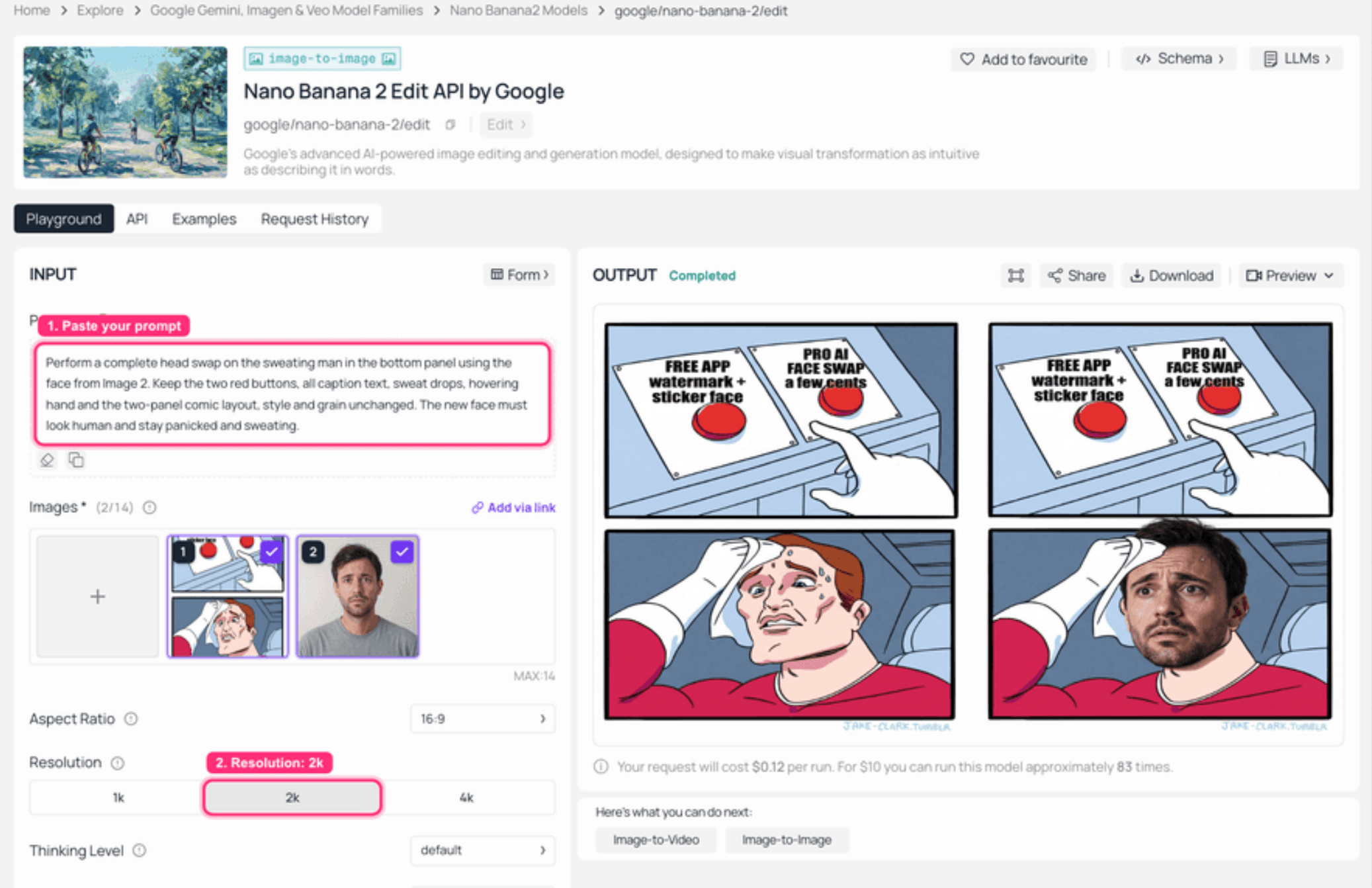
Nano Banana 2 Edit on Atlas Cloud: both images loaded on the left, the fused face-swap result on the right
Step 4: Animate it into a 5s reaction clip (optional)
Want it to move? Feed the fused image into a video model. Open bytedance/seedance-2.0-mini/image-to-video, set resolution to 720p and duration to 5s, load your Step 3 result, and paste:
plaintext1The sweating man nervously glances between the two buttons, dabs his forehead, eyes darting, subtle panic, minimal camera movement.
Give it a couple of minutes. You get a short reaction clip you can drop straight into a story or a group chat. The looping GIF below is the real output from this exact run, generated through the Atlas API (the in-browser video preview can be slow to spin up, so we pulled the finished clip directly):
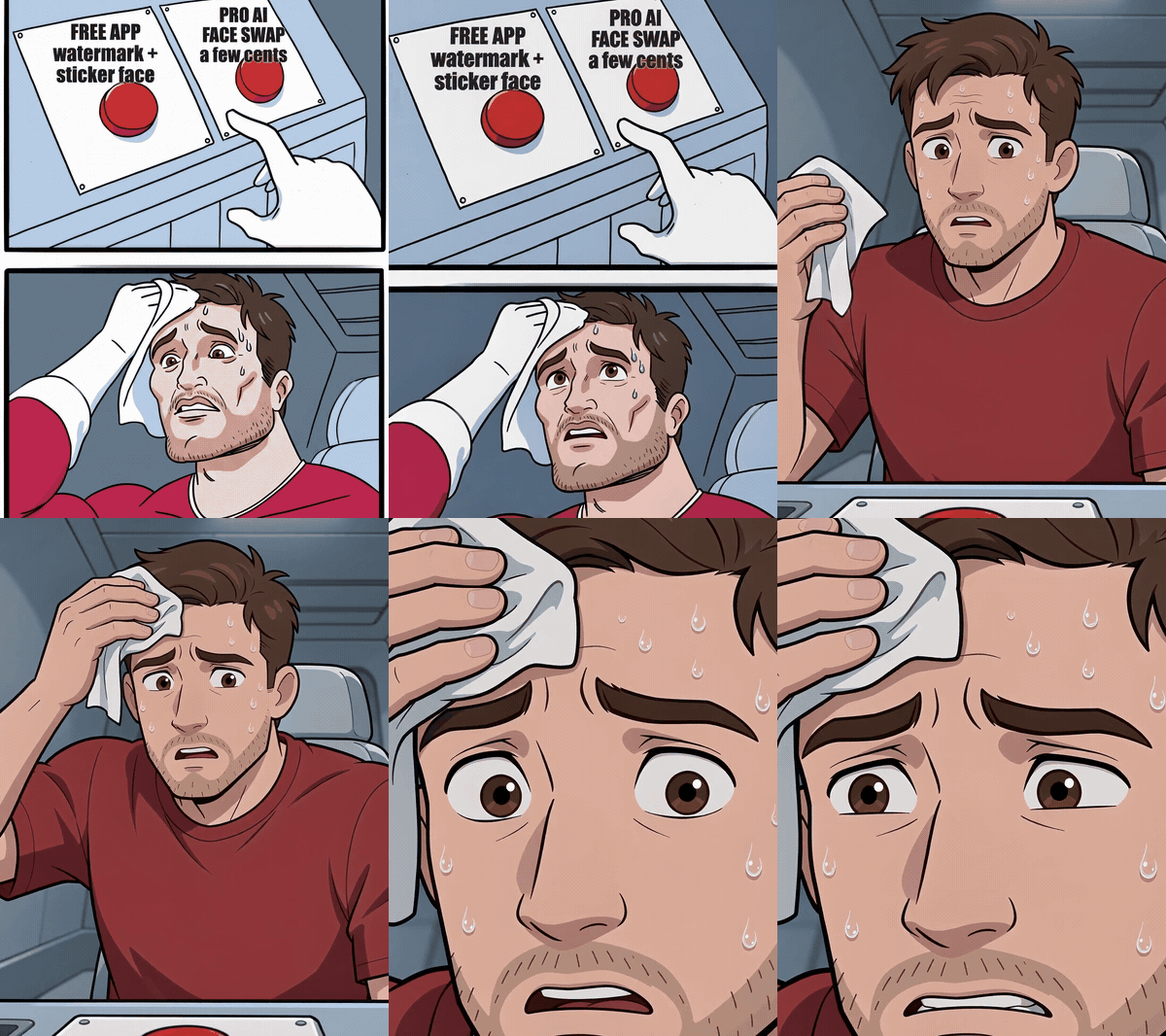
The finished Two Buttons swap animated into a short reaction clip
Variations and Pro Tips for the Best Face Swap
Once you have a source face you like, the same face drops into any meme. Here is the same face fused into four different formats, which shows how far one photo goes.
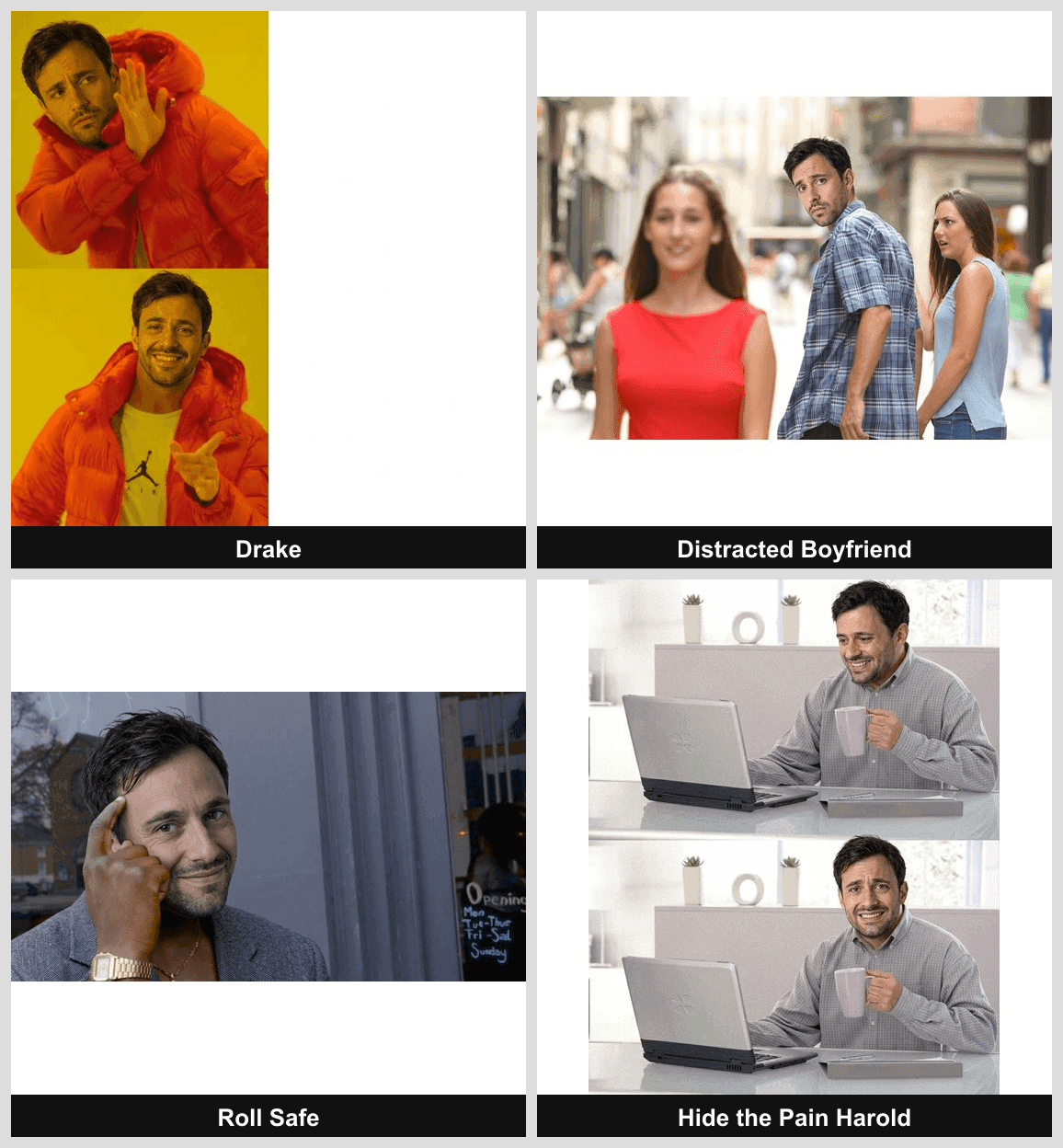
One source face fused into four different meme formats in a 2x2 grid
A few things I learned the hard way:
- For real portraits, switch models. The edit model above is built for memes and gives your face a stylized, in-scene look. If you want a photo-real swap that keeps your true identity (putting your face on a group photo, for example), run the free Swap Face tool covered next. It transfers the actual person rather than reinterpreting the scene.
- Name what must stay. Every good fuse prompt says which elements to keep unchanged (grain, lighting, layout). Vague prompts get restaged into a new scene.
- Batch it. Running the fuse on a folder of targets? Reuse the same source face and the same prompt, changing only the base image, so the look stays consistent across the set.
- Keep the grain. If your output comes back suspiciously clean and HD, you used a beautify model. Go back to the edit model that preserves texture.
The Third Button: The Free Swap Face Tool
The meme this article is built on only offers two buttons, a free app that stamps a watermark and a paid swap that does it right. Atlas Cloud's free AI face swap tool is the third button the comic never drew. Its own FAQ answers the money question with a plain yes: it is free, there is no usage cap, and nothing gets stamped on the output. Instead of a prompt it takes two uploads, a target photo and a face photo, and lands the swap in about eight seconds, with Blend and Feather sliders to set how strongly the new face takes and how softly its edges blend in.
Because it locks onto human faces, point it at the photo memes in the grid above rather than the drawn Two Buttons panels; the cartoon fuse stays with the edit model. For the rerun, download the Roll Safe template (https://i.imgflip.com/1h7in3.jpg), load it as the target photo and the Step 2 stand-in portrait as the face photo, and swap. You get the same variation the metered fuse produced in the grid, and the meter never moves.
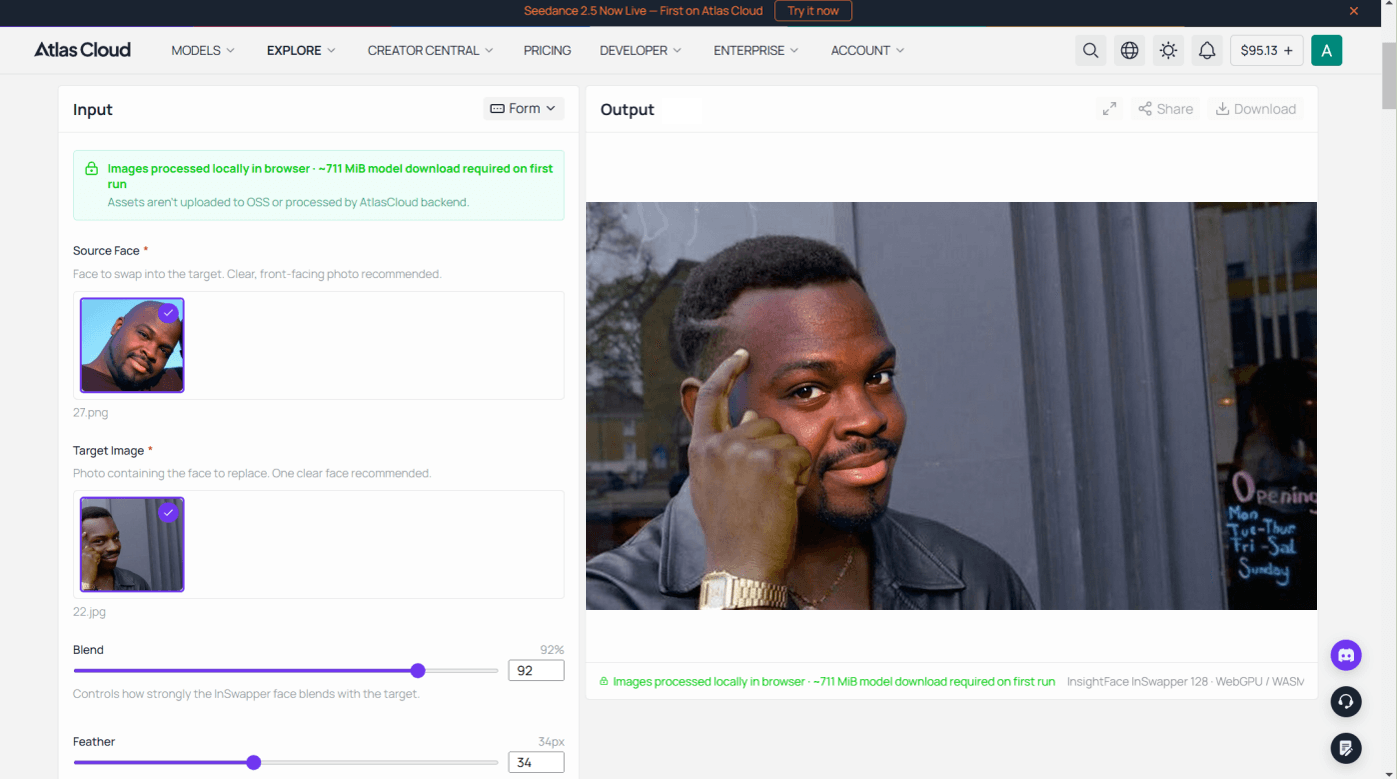
Results download as PNG at the size of your target photo up to 1280 pixels on the longest side, one photo per run. The tool stops at stills, so when the result needs to move, hand it to Step 4's Seedance flow like any other frame.
How Much Does the Best Face Swap AI Cost?
This is where the browser route quietly wins for low-volume creators. Here is the full cost of the meme above versus a typical phone-app subscription.
| Approach | What you pay | Notes |
|---|---|---|
| This meme chain (image only) | About $0.13 | Source face $0.009 (or free selfie) + fuse at 2K $0.12 |
| This meme chain (with 5s video) | About $0.35 | Add the 5s Seedance clip at about $0.225 |
| Typical phone app (Pro) | $5 to $10 per month | Recurring, with watermark on the free tier |
If you make one meme this week, you pay a few cents and you are done. You only come out ahead on a monthly subscription if you are swapping faces almost every day. Pay-as-you-go is the sane default for occasional use.
One honest note on safety and the law: keep face swaps to your own face, clearly labeled memes, or people who have agreed to it. Do not use them to impersonate real people, spread misleading content, or make anything non-consensual. Most platforms ban that, and it is the fast way to get an account nuked.
Frequently Asked Questions
What is the best face swap AI in 2026 overall?
There is no single winner, because the best face swap AI depends on your device. For batch work and privacy on a Mac, a FaceFusion-style desktop app wins. For quick mobile shares, Reface or FaceApp win. For high-resolution, watermark-free results on any device, a browser workflow like the Atlas Cloud model chain is the most flexible pick.
What is the best AI face swap software for Mac?
For most Mac users, an open-source desktop app in the FaceFusion family is the best AI face swap software, because it runs local models, handles batch jobs, and keeps your photos off the cloud. It needs some setup, and quality depends on your hardware. If you want zero setup, run the browser route in Safari instead.
What is the best face swap app for Android, and is it free?
Reface and FaceApp are the best face swap apps for Android for everyday use, and both have free tiers. The free version adds a watermark and caps resolution, and removing those means a subscription of roughly $5 to $10 a month. For a clean, high-res file with no watermark, use a browser-based AI swap instead.
How do you swap faces on an iPhone without an app?
iOS has no native auto face swap, but you can do it two ways without installing a swap app. Use the Photos app to long-press and lift a face, then paste it onto another image in an editor (free, but edges rarely blend). Or open Safari and run a browser-based AI face swap, which gives far cleaner results and works on any iPhone.
Do the best face swap tools add a watermark?
Free mobile apps usually do, and removing it costs a subscription. Desktop open-source tools and pay-per-image browser models generally do not add watermarks, so you download a clean file. If a watermark-free result matters, that is a strong reason to skip the free app tier.
Is AI face swapping legal and safe to use?
Face swapping for memes, parody, or your own likeness is generally fine. It becomes a problem when you impersonate real people, create misleading or non-consensual content, or use someone's face without permission. Stick to your own face or clearly labeled jokes, and you stay on the right side of both the law and platform rules.





