You have seen it a hundred times. Someone slaps their headshot onto Gigachad, the lighting is wrong, the edges glow, and the joke dies on arrival. The group chat replies "lol" out of pity.
Here is the thing nobody tells you: the best funny face swap is not a swap at all. It is a fusion. The face has to soak up the meme's grain, its lighting, its whole vibe, until the image looks like the meme was always about you.
So we tested it properly. One ordinary face, four iconic memes, a full meme-to-GIF pipeline, and a total bill of about 31 cents. Everything below is reproducible, prompts included.
Key takeaways
- We ranked the funniest face swap templates we tested: Gigachad wins, Woman Yelling at a Cat is a close second.
- Fusion beats pasting. If the face does not inherit the meme's grain and lighting, the joke flops.
- The full model chain runs three separate tools in sequence: a stand-in face, a meme fusion, and a short animation, and each step adds to the bill.
- The Swap Face tool skips all three models and fuses the face for free instead.
- At the end there is a copy-paste LLM prompt that turns your video into a shareable GIF in one step.
The Best Funny Face Swaps We Made This Week
Four classic templates, one completely average face, zero mercy. Here is the payoff up front.
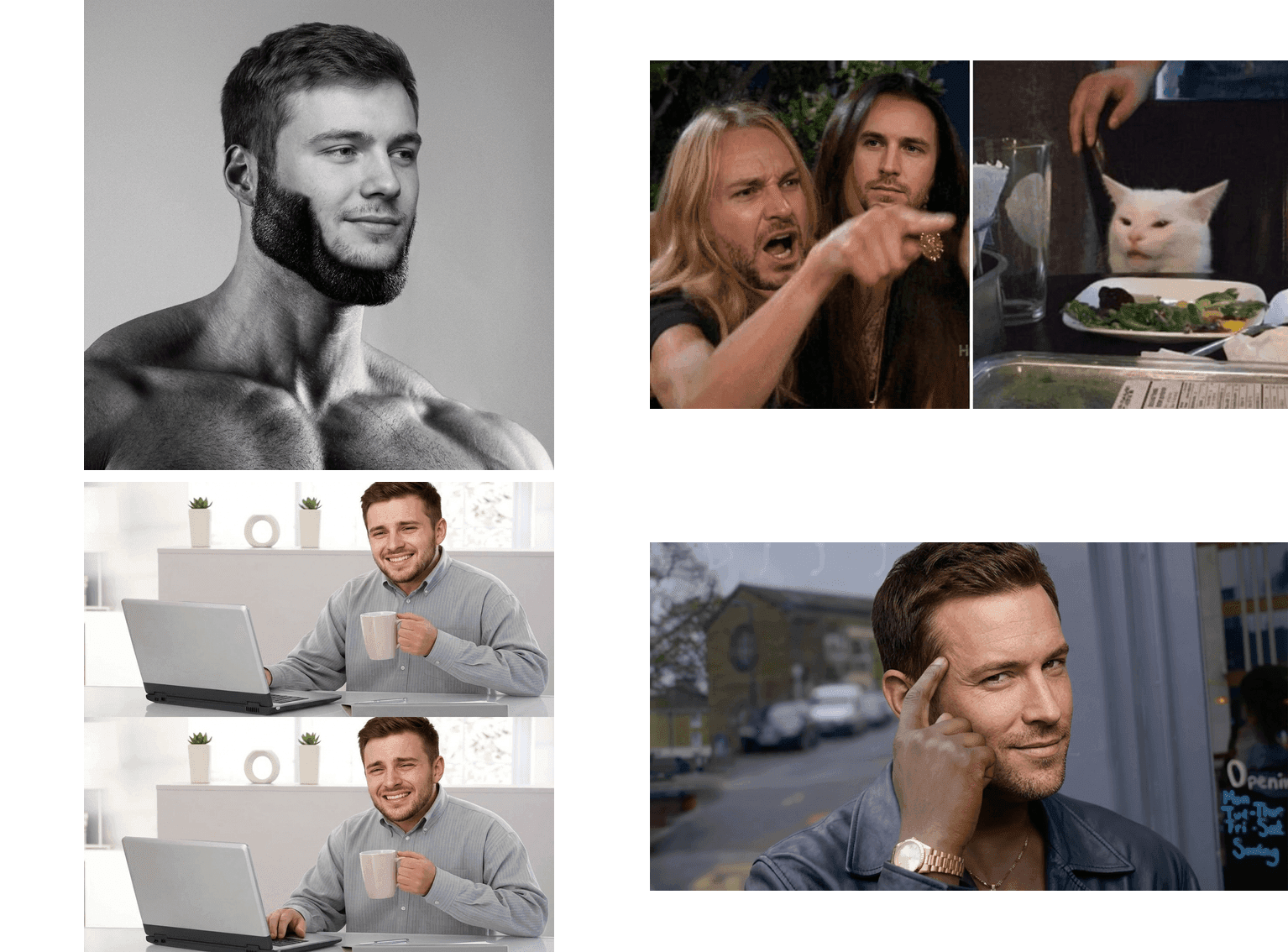
Best funny face swap results: one face fused into Gigachad, Woman Yelling at a Cat, Hide the Pain Harold and Roll Safe memes
Quick commentary, left to right, top to bottom:
- Gigachad. An ordinary guy's face on the internet's most famous jawline. The confidence is unearned and that is exactly why it works. Undefeated as a "yes, this is me" reply image.
- Woman Yelling at a Cat. We put the same face on both women. Screaming at a cat and calming yourself down at the same time. The duality of posting online.
- Hide the Pain Harold. The universal "I'm fine" face, except now it is your face. Instant Monday morning stand-up meme.
- Roll Safe. The temple tap of a man who has never been wrong. Perfect for captioning your worst life decisions as strategy.
Why Funny AI Face Swap Memes Are Everywhere (and Why Most Attempts Flop)
Funny AI face swap posts are having a moment. Scroll Reddit for ten minutes and you will find people dropping their own faces into concert photos, roommates fused into campaign posters, and entire office group chats rebuilt as meme templates. The tools finally got good enough that the joke lands before anyone squints at the edges.
The numbers back the vibe. The face swap app market hit $5.15 billion in 2024 and is projected to reach $17.8 billion by 2034 (market.us, 2025). Face swap and AI photo editing apps have passed 650 million cumulative downloads, and video-based swapping now makes up around 58% of total usage (SQ Magazine, 2026). Everyone is doing it. Most people are doing it badly.
Cats saw this energy coming years ago:
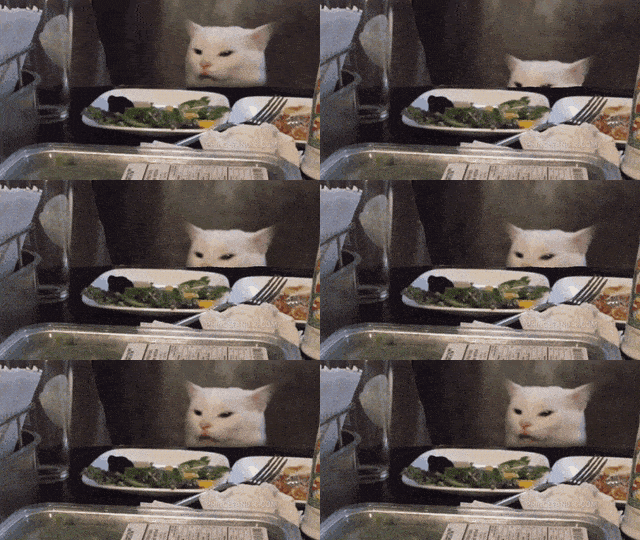
Smudge the cat at the dinner table, the reaction GIF half of the Woman Yelling at a Cat meme (via GIPHY)
Smudge, the calmest participant in internet history (GIPHY).
So why do most funny face swaps flop? We made a deliberately bad one to show you. Left: the classic sticker paste. Right: the same face properly fused.
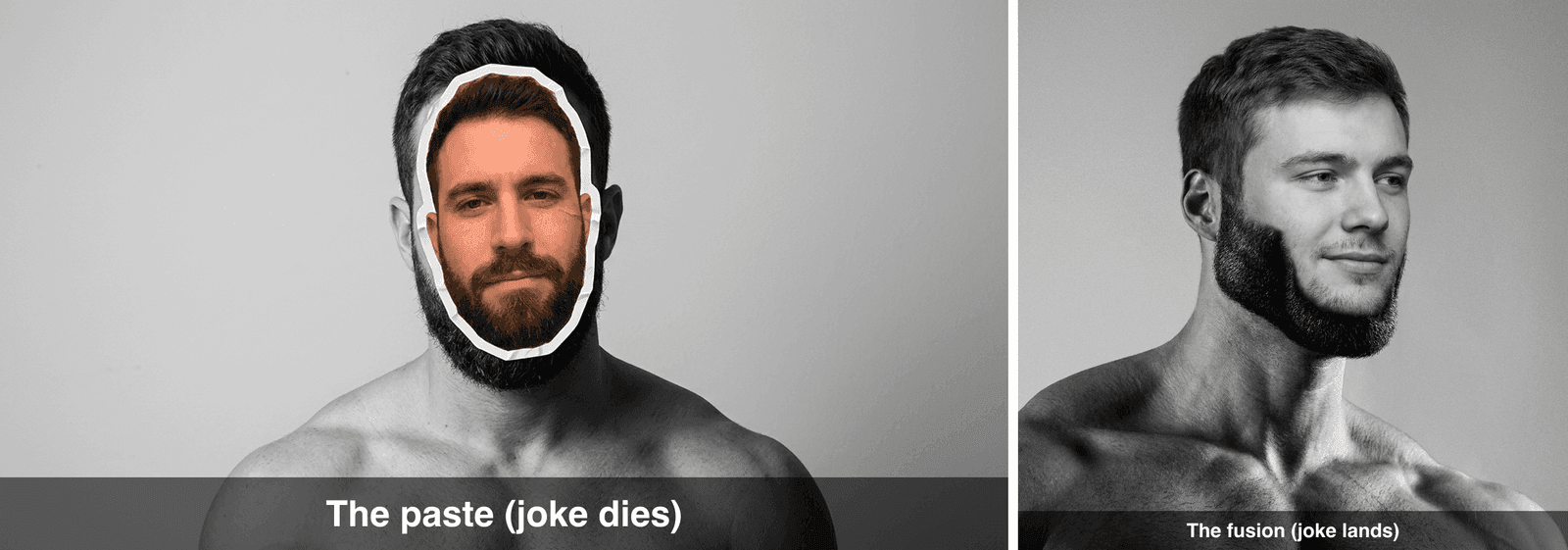
Face swap funny fail versus fusion: pasted sticker face on Gigachad next to a seamless fused version
Three things kill the joke every time:
- The lighting does not match. A warm selfie face on a black-and-white meme reads as a bad Photoshop job, not a punchline.
- The edges give it away. Hard cutlines and a slight glow around the jaw scream "sticker". Your eye catches it before your brain gets the joke.
- The tool "improves" the meme. Some editors upscale and beautify the whole image into clean HD. We tested this and a polished, noise-free Gigachad simply is not Gigachad. The crunchy grain is part of the joke. That is also why we do not use general beautify-happy edit models for meme work, even good ones.
Fix those three and a funny face swap stops looking like an edit and starts looking like a lost original.
The Meme Generator Face Swap Workflow We Use
Forget juggling five apps. Our whole meme generator face swap pipeline runs in one browser tab on Atlas Cloud, which hosts all three models we need side by side, plus a full lineup of ready-made AI tools, free face swap included. The model chain is short:
Original meme image → face fusion → 5-second video → GIF.
| Step | Model | What it does | Price (July 2026) |
|---|---|---|---|
| Face photo (optional) | GPT Image 2 | Generates a stand-in selfie if you do not want to use your own | $0.009 per image (list price) |
| Meme fusion | Nano Banana 2 Edit | Fuses the face into the meme, keeps grain and lighting | $0.08 at 1K, $0.12 at 2K, $0.16 at 4K |
| Animate | Seedance 2.0 Mini | Turns the fused meme into a short video | $0.045 per second, 20% off $0.056 as of July 2026 |
| Video to GIF | Any LLM (model list) | Writes the ffmpeg command that converts your clip | Fractions of a cent |
One important detail: the fusion step does not directly eat GIFs. That is fine. The reliable route is image first, motion second: fuse the face into a still meme, animate that still, then convert the video to a GIF at the end. Frame-by-frame GIF swapping tools exist, but they smear the face the moment anything moves.
Best Funny Face Swap Tutorial, Step by Step
Here is the exact chain we ran for the Gigachad demo, with every prompt you need. Copy, paste, laugh.
Step 1: Download the Original Meme Template
Rule one of meme fusion: always edit the real template, never an AI lookalike. People have seen these images ten thousand times. A regenerated fake reads as off instantly, even if nobody can say why.
Grab the originals here:
- Gigachad: the black-and-white Ernest Khalimov photo, documented on Know Your Meme. Save the classic 1280x720 version.
- Woman Yelling at a Cat, Hide the Pain Harold, Roll Safe:Imgflip hosts clean blank templates. Woman Yelling at a Cat, for example, lives at i.imgflip.com/345v97.jpg. Developers can pull the whole catalog from the free api.imgflip.com/get_memes endpoint.
Small templates are fine. A 500px meme is still a meme. The fusion model handles the rest.
Step 2: Get a Face Photo (Your Selfie Works, Here Is Our Stand-In)
Any well-lit, front-facing photo works. Phone selfie, LinkedIn headshot, whatever. For this article we did not want to volunteer a real friend for eternal Gigachad duty, so we generated a stand-in with GPT Image 2 on Atlas Cloud.
plaintext1Casual smartphone selfie of an ordinary man in his late 20s, short brown hair, slight stubble, friendly neutral expression, plain indoor background, natural window lighting, realistic, unremarkable everyday look
Settings: quality high, aspect ratio 1:1. One run, $0.009.
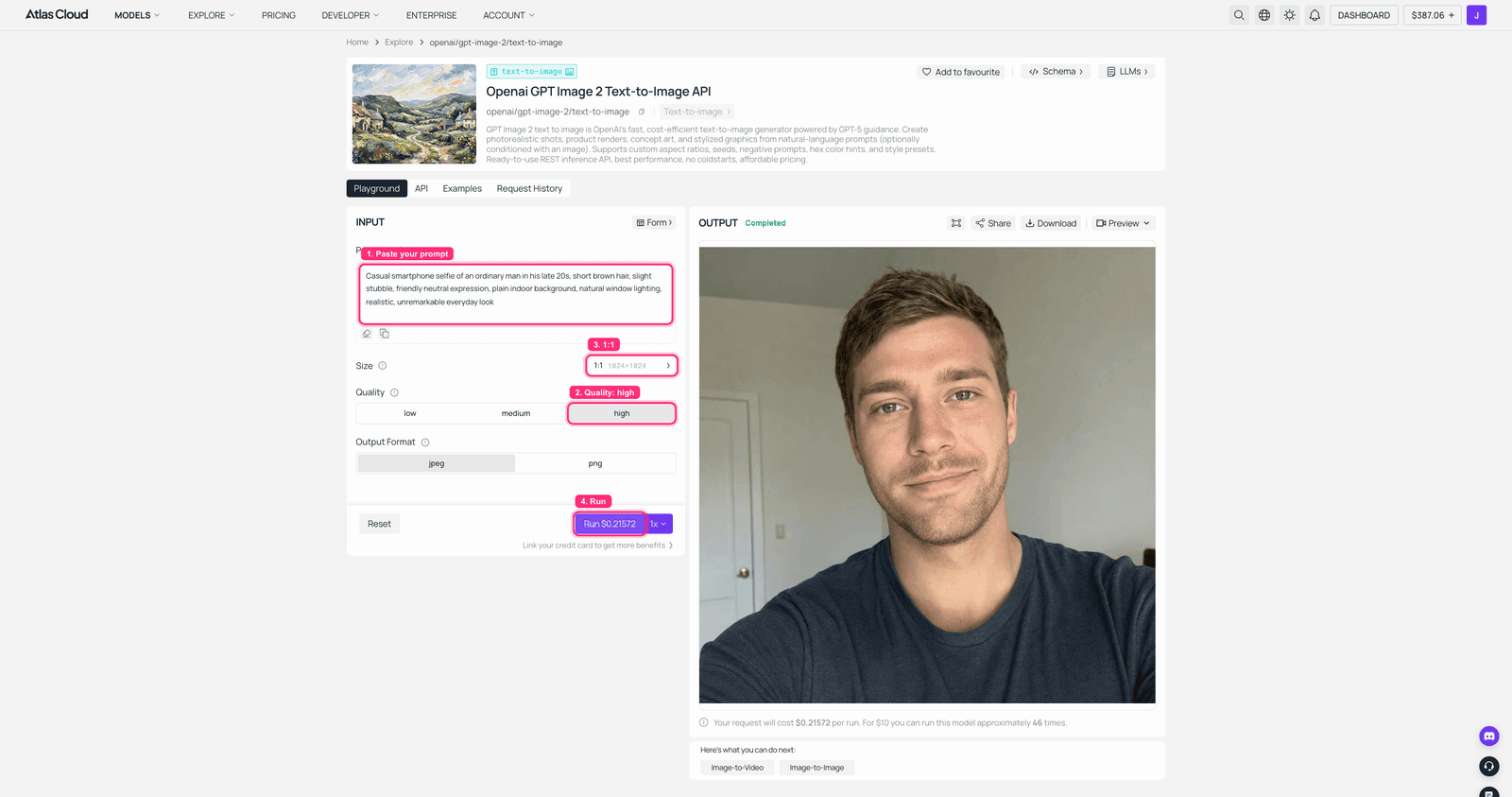
GPT Image 2 playground on Atlas Cloud with the selfie prompt filled in and the generated stand-in face in the output panel
GPT Image 2 on Atlas Cloud: same prompt, and every run invents a brand-new stranger.
Here is the volunteer we kept for the rest of this article. He does not know what is about to happen to him.

AI-generated ordinary male selfie used as the source face for the funny face swap demos
Step 3: Fuse the Face Into the Meme with Nano Banana 2
This is the step where funny face swaps live or die. Open Nano Banana 2 Edit, upload two images (the meme original, then the face photo), and use a prompt that names exactly what must survive the edit:
plaintext1Replace the man's face in the black-and-white photo with the face of the person in the selfie. Blend it seamlessly into the original photo: keep the exact black-and-white tones, heavy film grain, dramatic side lighting, low camera angle, and the chiseled jawline pose. The new face must keep the selfie person's own eyes, nose and mouth, but wear the same smug, confident expression. Do not change the background, framing, or any other detail.
Settings: both images loaded as references, resolution 1K ($0.08) for standard memes, 2K if you want print-your-poster quality. One face per run. If a template has two faces, like Woman Yelling at a Cat, run it twice and feed the first output back in.
The prompt structure matters more than the model settings. Name the grain, the lighting, and the camera angle as things to keep, and the model edits in place instead of redrawing the scene. Skip that and you get a clean HD stranger.
Result:
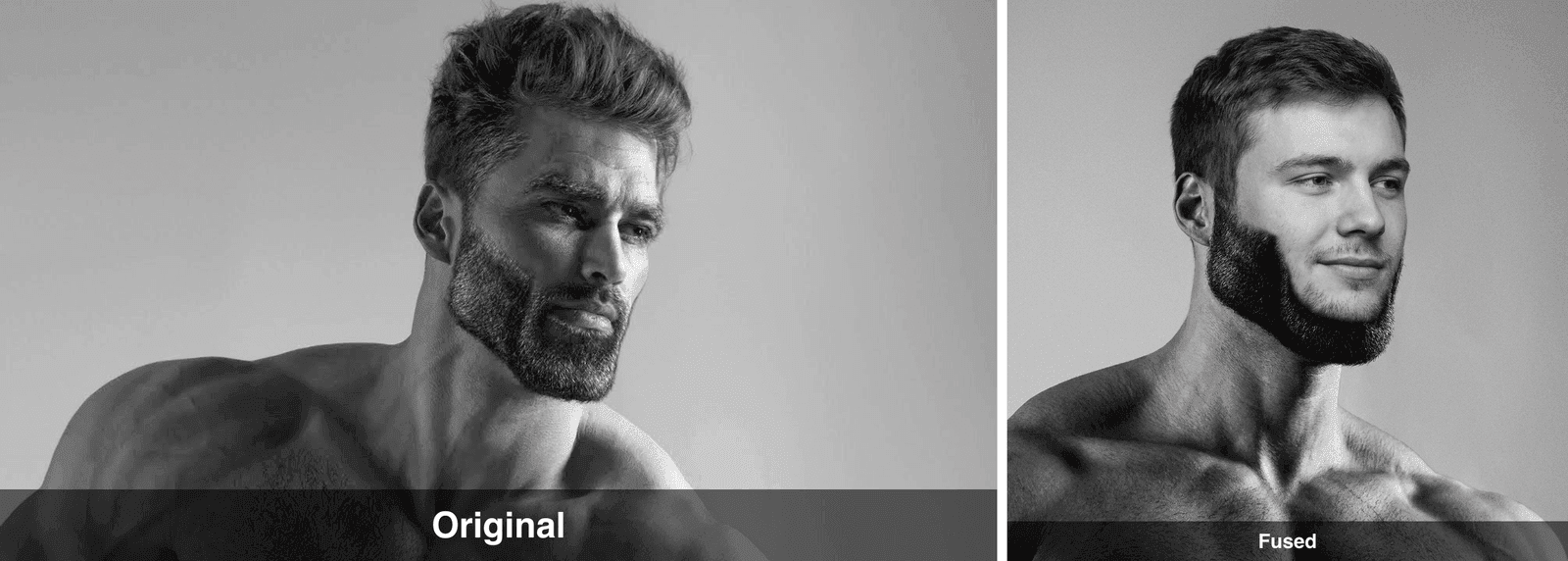
Best funny face swap before and after: original Gigachad meme next to the fused version with the ordinary man's face
The grain survived, the jawline survived, the smugness transferred at full strength. This is what fusion looks like: same photo, new protagonist.
Full transparency: our playground login expired halfway through capturing screenshots for this article, so this step and the next ran through the exact same models via the Atlas Cloud API instead. Identical prompts, identical settings, and the outputs you see here are the real results. In the playground it is even simpler: upload both images, paste the prompt, press Run.
The Swap Face Tool Gets You That Unearned Confidence for Zero Cost
Steps 2 and 3 together run two separate models and land around nine cents. The Swap Face tool collapses both into one pass. Upload the Gigachad template as the target and any face photo, yours or a friend's with their permission, and it fuses the two directly. No stand-in selfie to generate first, no edit model to prompt, and no charge.
The trade-off is honest. The engine maps 468 points on the face and takes about eight seconds per swap, but output tops out at 1280 pixels on the longest side, well under Nano Banana 2's 2048 ceiling, and it handles one face per pass, so Woman Yelling at a Cat still needs two runs just like Step 3. Two sliders, Blend and Feather, control how hard the new face sits in the frame. Push Feather up if the jaw edge still shows.
To keep the comparison fair, we fed it the exact same pair from this article: the Gigachad template from Step 1 and the stand-in selfie from Step 2. Same face, same meme, zero dollars this time.
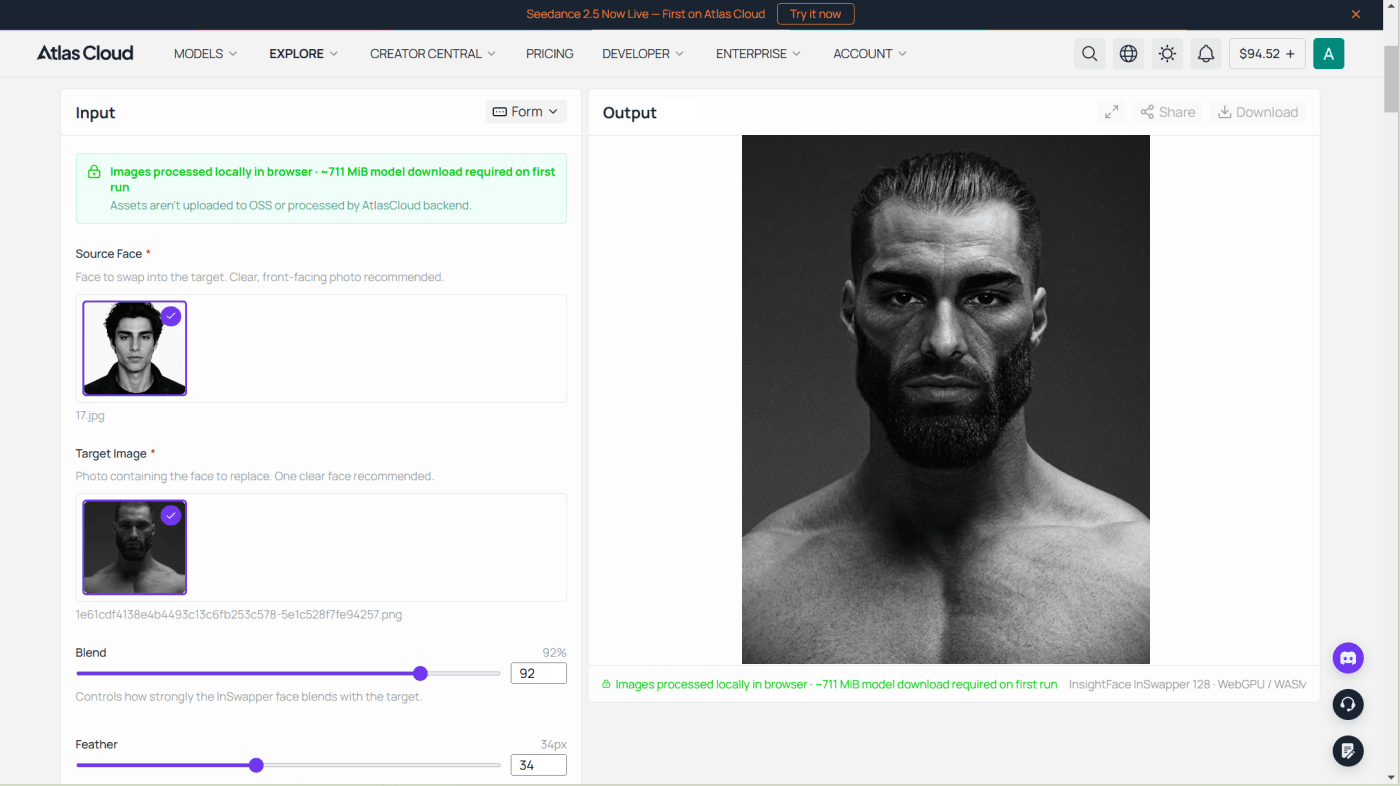
The output drops straight into Step 4 if you want it moving. If a still is all the group chat needs, stop right here.
Step 4: Animate It, Turn the Swap Into a 5-Second Video
A still meme is good. A meme that slowly turns to look at you is a weapon. Take the fused image into Seedance 2.0 Mini image-to-video:
plaintext1The man slowly turns his head toward the camera and gives a subtle, smug smirk, one eyebrow raised. Slow cinematic push-in. Keep the black-and-white film look and heavy grain exactly as in the input image.
Settings: upload the fused image, resolution 720p, duration 5 seconds. That is 5 x $0.045, about $0.23, and the render takes two to three minutes.
Here are four frames pulled straight from the 5-second clip Seedance returned:
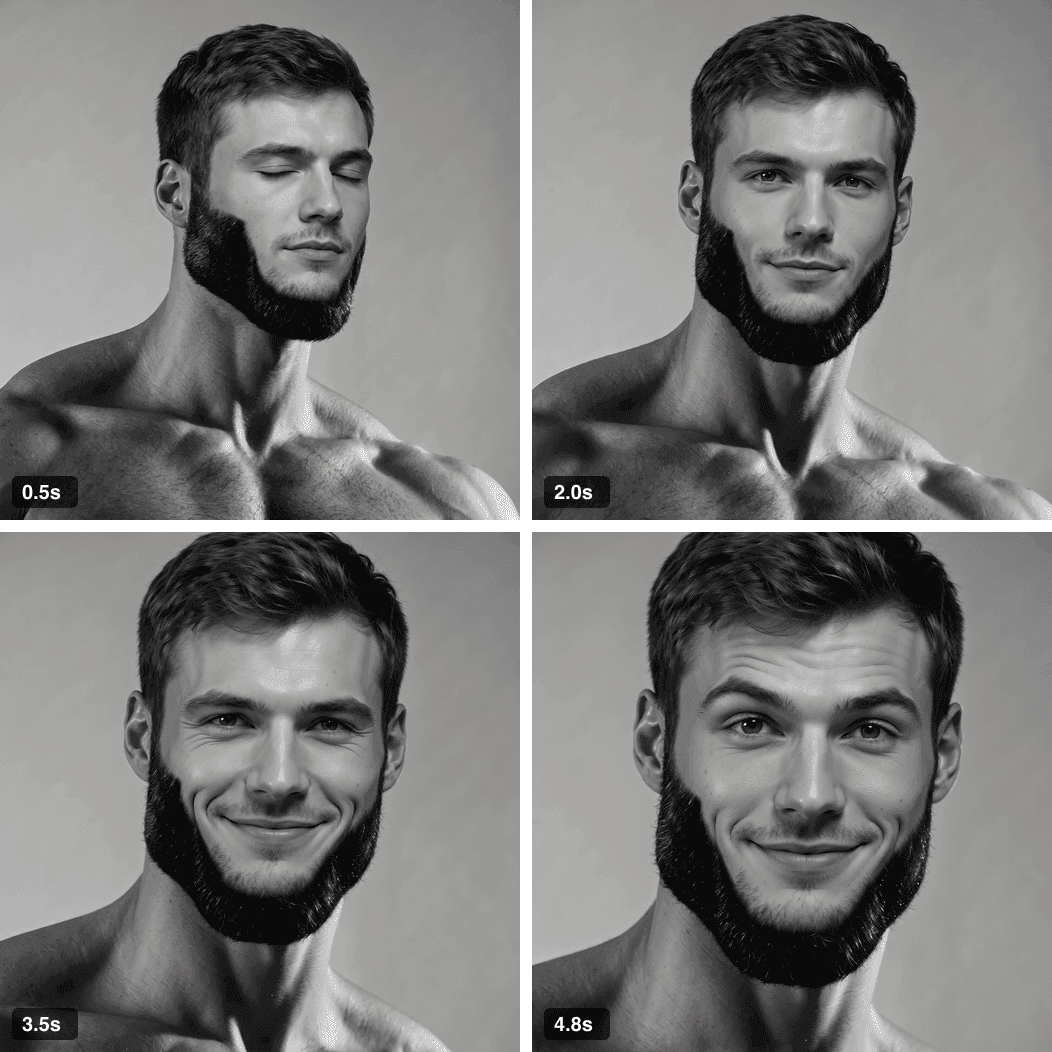
Four frames from the 5-second funny face swap video: the fused Gigachad slowly turns his head and smirks at the camera
He turns, he judges, he approves. All from one still image and one sentence of prompt.
Step 5: Convert the Video Into a GIF with One LLM Prompt
Group chats and Reddit comments want GIFs, not MP4s. You do not need to learn ffmpeg. Paste this into Claude, ChatGPT, or any LLM on Atlas Cloud's API, and it hands you the exact command:
plaintext1I have a 5-second 720p MP4 clip (gigachad-swap.mp4) and I want to post it as a GIF. Write me a single ffmpeg command that converts it to a high-quality looping GIF under 5 MB: use the two-pass palettegen/paletteuse method, scale to 480px wide, 12 fps, infinite loop. Then briefly explain what each flag does. If the result is over 5 MB, tell me which values to lower.
Run the command it gives you, and you get this:
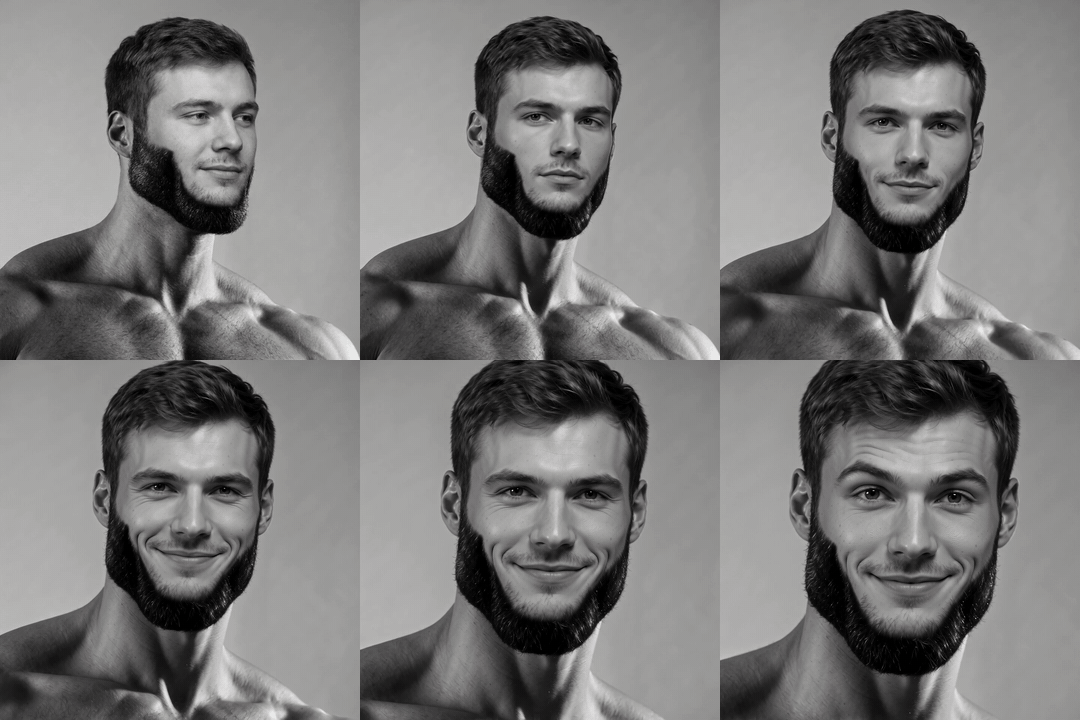
Final funny AI face swap GIF: the fused Gigachad slowly turns his head and smirks at the camera
Heads up: heavy film grain eats GIF compression for breakfast, so a grainy clip like ours needed a slightly smaller width and frame rate to duck under 5 MB. The LLM will walk you through that trade in one follow-up message. Clean, low-motion clips fit easily at 480px.
More Funny Faces for Face Swap: Templates That Never Miss
Once the pipeline works, every classic template becomes a costume. Here is our tested shortlist of funny faces for face swap duty, with the before-and-after receipts.
Woman Yelling at a Cat, the double-header. Two chained fusion runs put the same face on both women, and honestly it is funnier than the original argument:
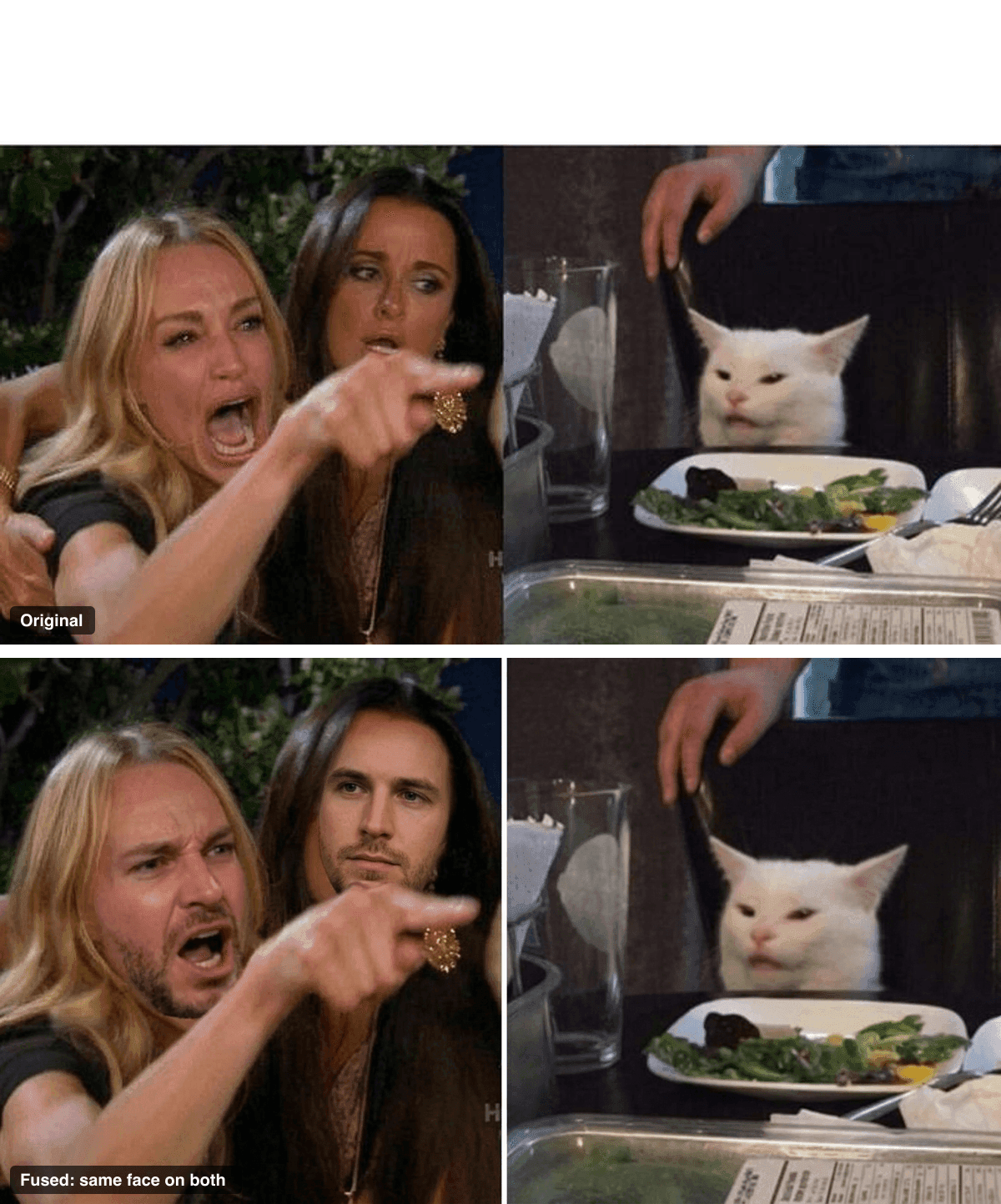
Funny face swaps on the Woman Yelling at a Cat meme: original template above, both women fused with the same man's face below
Hide the Pain Harold and Roll Safe, the workplace duo. One says "everything is fine", the other says "it cannot be a problem if you never open the ticket":
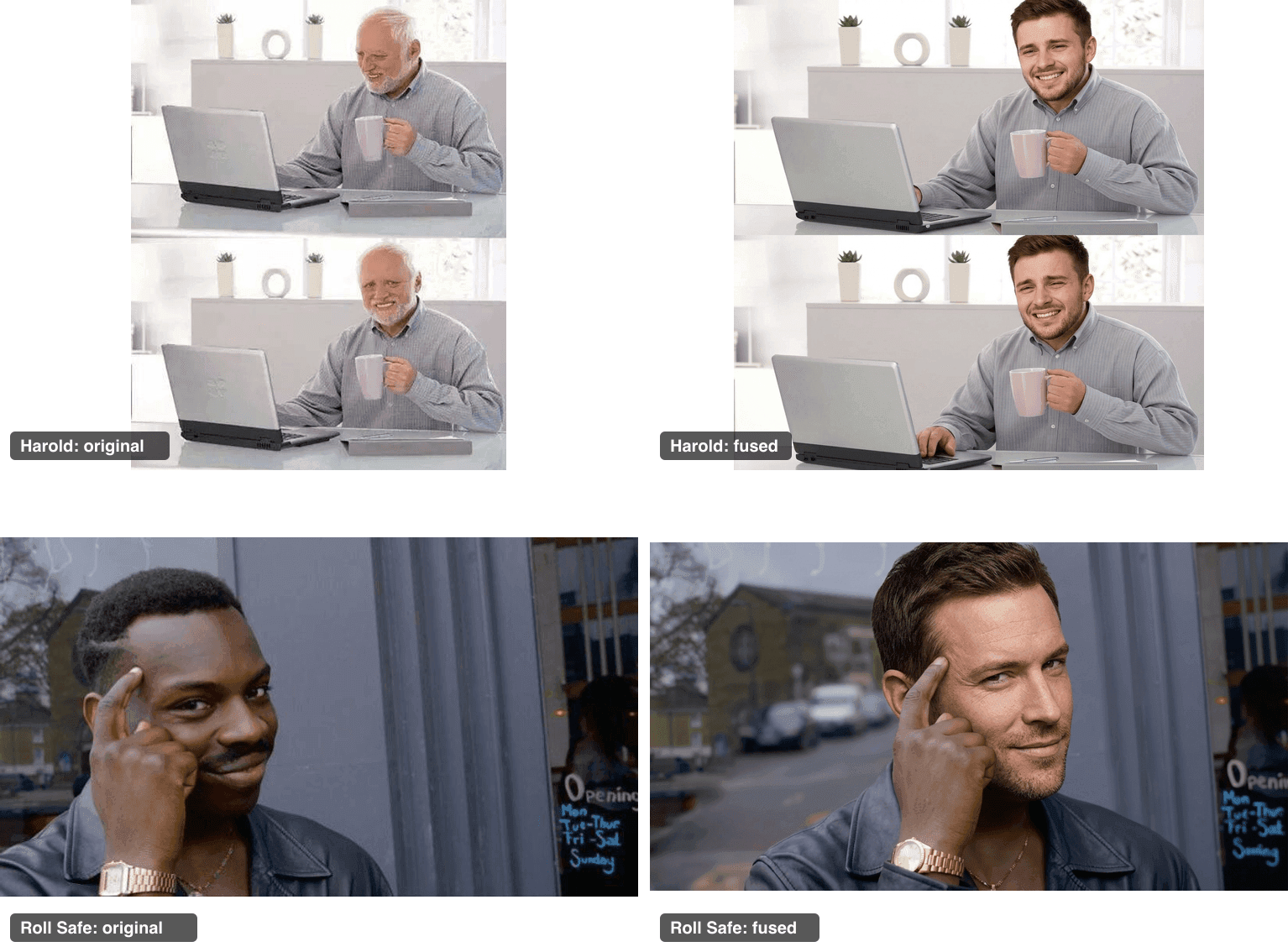
AI face swap funny results: Hide the Pain Harold and Roll Safe meme originals next to their face-fused versions
The cheat sheet:
| Template | Why it is funny | Fusion difficulty | Original source |
|---|---|---|---|
| Gigachad | Unearned confidence, self-deprecating gold | Easy, one run | Know Your Meme |
| Woman Yelling at a Cat | Two-panel argument, double the faces | Medium, two chained runs | Imgflip (345v97.jpg) |
| Hide the Pain Harold | Corporate suffering behind a smile | Easy, one run | Imgflip |
| Roll Safe | Confidently terrible advice format | Easy, one run | Imgflip |
| Distracted Boyfriend | Three faces, endless labeling potential | Hard, models sometimes restage the scene | Imgflip |
One honest warning from testing: avoid templates featuring kids (Disaster Girl, Success Kid). Editing models refuse photos of children across the board, and that refusal is a feature, not a bug. Roll Safe fills the same "smart move" slot with zero drama.
And when your friends inevitably ask how you made all of this, you can just be about it:
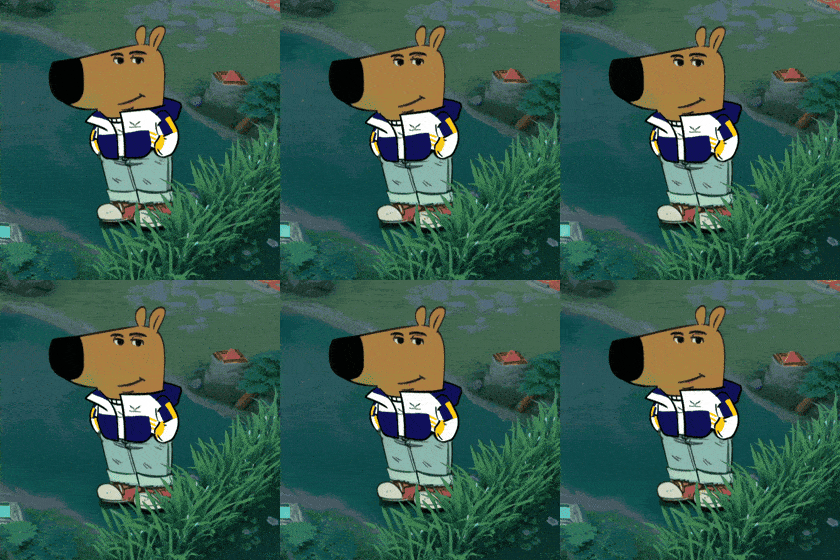
Chill guy meme GIF, the appropriate reaction after mastering the best funny face swap workflow (via GIPHY)
Post the meme, say nothing, remain chill (GIPHY).
What an AI Face Swap Funny Meme Actually Costs
The receipts for one complete meme, from blank template to looping GIF:
| Step | Model | Price | Our actual spend |
|---|---|---|---|
| Stand-in face (skip it if you use your selfie) | GPT Image 2, high quality | $0.009 per image | $0.009 |
| Meme fusion | Nano Banana 2 Edit, 1K | $0.08 per image | $0.08 |
| 5-second video, 720p | Seedance 2.0 Mini i2v | $0.045 per second (20% off, July 2026) | $0.225 |
| Video to GIF | Any LLM writes the ffmpeg command | Fractions of a cent | ~$0.00 |
| Total | about $0.31 |
Thirty-one cents per weaponized meme. Skip the video and a still fusion costs under a dime. The most expensive part of this hobby is explaining to your friends why their faces are suddenly everywhere.
Quick Legal and Etiquette Note
Three rules keep this fun instead of messy. Get a yes from friends before you swap their faces, even for a private group chat. Do not pass swapped images off as real events, keep them obviously comedic. And if a platform asks you to label AI-generated content, label it. The meme is funnier when nobody has to wonder.
Best Funny Face Swap FAQ
What is the best funny face swap tool?
Depends on the job. One-tap phone apps are fine for quick selfie giggles. For memes that survive scrutiny, a fusion-grade edit model beats every filter app we tried. We run Nano Banana 2 Edit for the swap, then Seedance 2.0 Mini when we want the meme to move, both in one Atlas Cloud tab.
How do I face swap a meme without it looking pasted on?
Name the things that must survive. Our prompt formula tells the model to keep the exact grain, lighting, and camera angle, and to give the new face the meme's expression. When the prompt protects the meme's texture, the model edits in place instead of redrawing a clean copy.
Can I do a funny face swap on a GIF directly?
Mostly no, and the tools that try tend to smear faces frame by frame. The reliable pipeline is the one in this guide: fuse the face into a still, animate the still with an image-to-video model, then convert the clip to a GIF with the ffmpeg command an LLM writes for you.
Why do AI tools refuse to swap some faces?
Photos of children are refused outright, which is exactly right. Famous faces combined with famous copyrighted stills also get blocked regularly. That is why our demo uses a generated stand-in face on classic meme templates, it sails through every time.
How much does a funny AI face swap meme cost to make?
About $0.31 for the full chain: $0.009 for a generated face, $0.08 for the fusion, and roughly $0.225 for a 5-second 720p video, at July 2026 prices. Using your own selfie and skipping the video drops it to eight cents.





