A pop-art party scene where a giant phone group chat sprays cat meme cards into the room
You know the white cat. The one sitting behind a salad plate while two women scream at it. Someone drops that GIF in your group chat at least once a week, and one night I had a dumb thought I could not shake: what if that cat had my face?
So I searched "gif face swap" like a normal person. I tried three free sites. I got a watermark the size of a postage stamp, a two-swaps-per-day limit, and a face that floated on top of the cat like a sticker on a fridge. It looked less like a meme and more like a ransom note.
Here is the thing nobody tells you: the fix is to stop feeding GIFs into face swap tools entirely. Swap the face on a still image first, animate that image into a short video, then convert the video to a GIF with one command. Three stages, about $0.60, no watermark, and the face actually melts into the cat instead of sitting on it.
I ran the whole thing in one browser tab and this post is the receipt.
Key Takeaways
- No mainstream AI model eats GIFs directly. The workflow that works is image face swap, then image-to-video, then video-to-GIF.
- The quality difference is fusion: the face inherits the meme's lighting and grain instead of being pasted on like a sticker.
- Atlas Cloud's Swap Face tool runs photo face swaps at no cost, with no usage cap and no watermark, and covers this guide's swap stage whenever the face being replaced is human.
- The metered steps bill per run, so there is no subscription to cancel and nothing stamped on the output.
- The same 4 steps work on any meme template, from Banana Cat to whatever blows up next month.
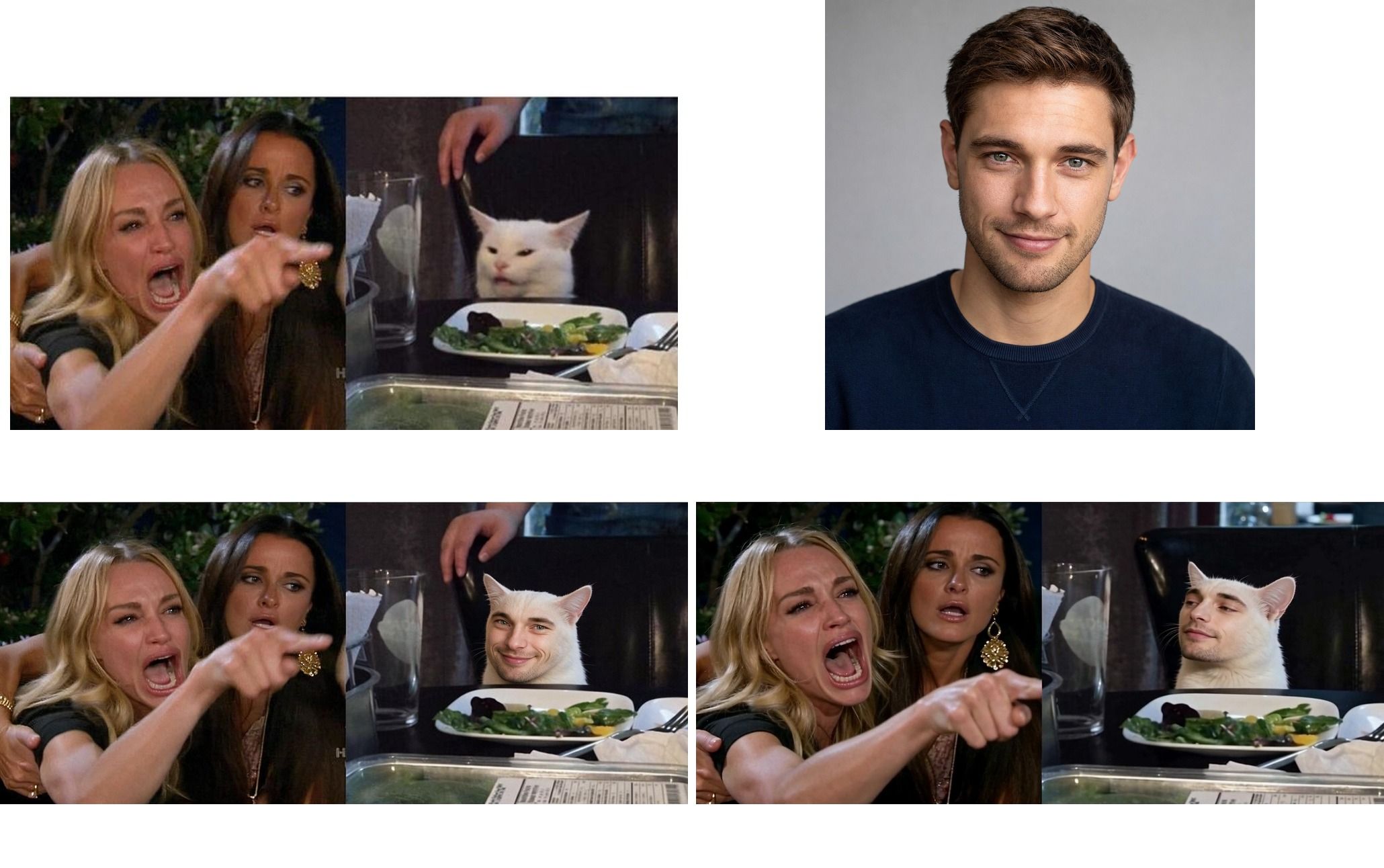
Before and after grid: the original Woman Yelling at a Cat meme and AI portrait on the left, the fused face swap result and final GIF frame on the right
That grid is the whole article in one image. Top left is the original meme, top right is the AI-generated "selfie" I used as the face source. The bottom row is what came out: the fused face swap still and a frame from the finished looping GIF. Now let me show you exactly how it happened.
Why GIF Face Swap Is Suddenly Everywhere (and Why Most Attempts Look Terrible)
GIFs never died, they just moved into your DMs. Google's own developer documentation says Tenor alone handles more than 300 million GIF searches every day (Tenor Developer Docs, retrieved July 2026). That is 300 million tiny emotional reactions, and a face swap gif with your friend's face is the nuclear option among them.
Cat memes are having another moment too. The angry green-screen cat from @wahhhcat became a full CapCut template wave this year, with creators dropping their own footage behind the punching cat (CapCut, retrieved July 2026). Group chats run on this stuff. An ai face swap gif that puts a real person into a known template is the highest form of group chat currency.
So why does almost every attempt look bad? Because most free tools do the swap frame by frame on a compressed GIF. Three things go wrong:
- The sticker effect. The face gets pasted at one angle with one lighting condition, so it hovers over the original head like a cheap Halloween mask.
- Flicker. Each GIF frame gets a slightly different swap, so the face wobbles and shimmers between frames.
- The toll booth. Watermarks, daily caps, queues, and email walls. The word "free" is doing a lot of heavy lifting on those landing pages.
The workflow below dodges all three because it never touches the GIF format until the last 30 seconds.
The 3-Stage AI GIF Face Swap Workflow (Models and Real Pricing)
Here is the honest technical reality: none of the current top image models accept an animated GIF as input. Instead of fighting that, you use it. Do the face swap once, on a still image, with a model that is actually good at blending faces. Then hand that perfect still to a video model to create the motion. Then squash the video into a GIF.
I ran every stage on Atlas Cloud, mostly because it hosts all three model types in one playground with one balance, so I never had to juggle accounts mid-meme. The metered models are only half the shelf there: the AI tools page collects the free tools that run alongside them, including a free face swap that can take over this guide's swap stage on photo memes, and it gets its own section in the tutorial below. Any platform with these models will do, but the prices in this table are current as of August 2026.
| Stage | Model | What it does | Price (Augut 2026) |
|---|---|---|---|
| 0 (optional) | GPT Image 2 | Generates a face photo if you don't want to use a real one | from $0.011 per image (low quality, 1:1) |
| 1 | Seedream 5.0 Pro Edit | Fuses the face into the meme still | $0.045 per image, flat |
| 2 | Seedance 2.0 | Animates the swapped still into a short video | ~$0.085 per second at 30% off (list $0.122) |
| 3 | Any LLM (Claude, ChatGPT, or an API) | Writes the ffmpeg command that turns the video into a GIF | ~$0 |
Two notes on that table. First, the ai gif face swap step is really an image edit, and that is the point. Seedream 5.0 Pro Edit takes two reference images and a text instruction, which lets you demand that the face inherit the meme's lighting and film grain. Second, the animation row has tiers: Mini is the budget default that keeps this build around sixty cents, Seedance 2.0 Fast runs about $0.156 per second at 20% off (list $0.195), and the full-size Seedance 2.0 bills about $0.24 per second with no discount right now, roughly $1.20 for a five-second clip. Discounts rotate, so check the model pages for current numbers.
Total damage for my GIF: about $0.53. We will itemize it later, because "what does a free gif face swap actually cost" deserves its own section.
GIF Face Swap Tutorial: Fuse Yourself Into the Woman Yelling at a Cat Meme
Time for the fun part. Quick cultural footnote first: the template is two stitched photos, Taylor Armstrong crying and pointing on The Real Housewives of Beverly Hills, and a confused white cat named Smudge sitting in front of a salad. It went supernova in 2019 and never really left (Wikipedia, retrieved July 2026). My mission: become Smudge.
Step 1: Grab the Meme Template and a Face for Your Face Swap GIF
You need two inputs: the meme still and a clear, front-facing photo of the face going in.
The blank Woman Yelling at a Cat template is everywhere. Imgflip hosts it in their meme generator, Know Your Meme has the originals, and any image search for the meme name will surface a clean high-resolution copy. Download the two-panel version.
For the face, a phone selfie in decent light works fine. I did not want my actual face in a blog post, so I generated a fictional stand-in with GPT Image 2. Here is the exact prompt:
plaintext1Studio portrait photo of a fictional man in his late 20s, short brown hair, light stubble, friendly smirk, looking straight at the camera, soft natural lighting, plain background, photorealistic, sharp focus on face
Settings: square 1:1. At low quality the portrait bills about a cent ($0.011 as of August 2026); the high tier costs $0.216 and buys extra detail the meme's grain will bury anyway. The render took about 40 seconds. Here are my two inputs side by side:
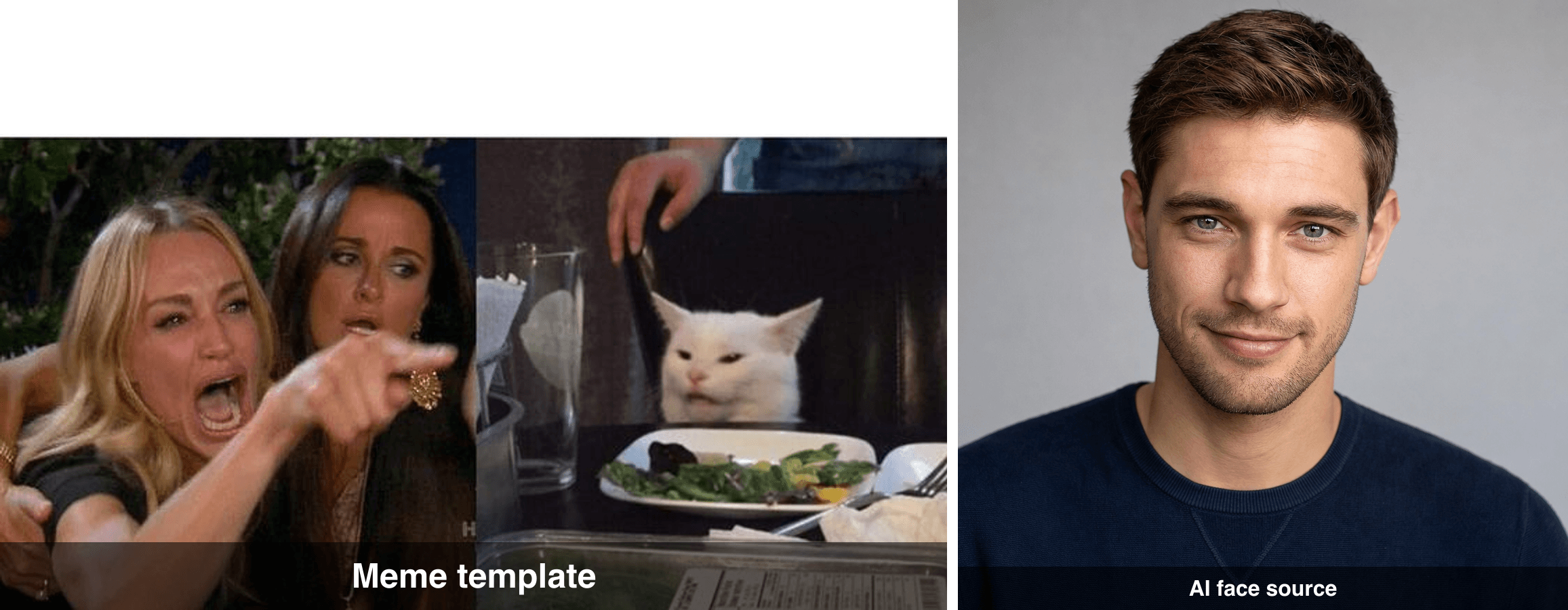
The original Woman Yelling at a Cat meme template next to the AI-generated portrait used as the face source
One practical tip: pick a face photo where the head angle roughly matches the target. Smudge faces the camera almost straight on, so a straight-on portrait fuses better than a three-quarter profile.
Step 2: Fuse the Face Into the Meme with Seedream 5.0 Pro Edit
This is the step where free tools fail, because pasting is easy and fusing is hard. Open Seedream 5.0 Pro Edit on Atlas Cloud, upload both images as references, and paste this:
plaintext1Blend the face from the portrait reference image into the white cat in the meme image (the "Woman Yelling at a Cat" meme). Do not paste the face on top like a sticker. Fuse the human facial features naturally into the cat's face, keeping the cat's white fur, ears, smug tilted-head posture and the salad plate on the table. Strictly preserve the same lighting, color grading, film grain and composition as the original meme. Everything except the cat's face stays untouched.
Settings: size 2048x1152 (16:9), both reference images attached. The magic words are "fuse" and "strictly preserve the same lighting, color grading, film grain". That single sentence is the difference between a meme and a crime scene.
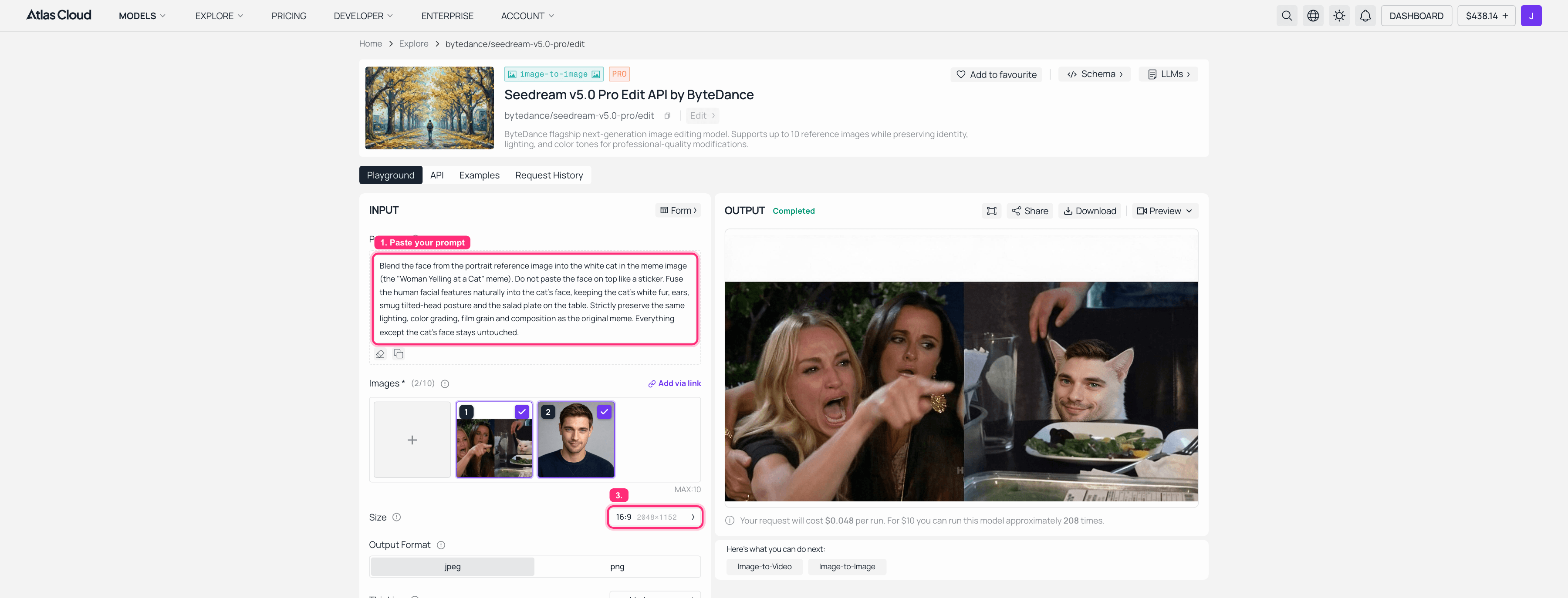
Seedream 5.0 Pro Edit on Atlas Cloud with both reference images loaded, the fusion prompt pasted, 2K selected, and the finished face-swapped meme in the output panel
My first attempt came out slightly too human, more man than cat. I re-ran it once with the same prompt and got the balance you see above: human features, cat energy, salad untouched. At the current flat $0.045 per run, two attempts come to $0.09. Budget for one retry, the model has opinions. A pricing note: the Run button in the screenshot still shows July's promotional $0.048. That promo has ended, and the same 16:9 edit now bills $0.045, slightly less than the old sale price.
If Seedream keeps drifting on your template, switch to Nano Banana 2 Edit with the same prompt plus one extra line: "Maintain identity of the reference face while keeping the result believable as one single photograph." It runs $0.08 per image, or $0.04 on the Developer tier at 50% off as of August 2026.
Re-Casting the Cat for Free: The Swap Face Tool
Remember the toll booth from earlier, the watermarks and daily caps hiding behind the word free? Atlas Cloud's own free AI face swap is the version of that promise that actually holds up. The input panel is labeled "Free · No charge," and its FAQ answers the is-it-really-free question with a plain yes: no usage cap, no watermark on the result.
It swaps human faces, so raw Smudge, all fur and whiskers, is not its target; putting a human face on the cat in the first place is Seedream's job. But the moment Step 2 hands back the cat wearing a human face, that face is fair game, and this is where the free tool earns its spot in the pipeline: re-casting. Crop the fused still to the cat panel so the frame holds a single face, load a different portrait as the face photo, and hit swap. There is no prompt box, just two sliders, Blend for how much of the new identity lands and Feather for how softly the edge melts into the fur around it. Every friend in the group chat can have their own version of the cat, and only the first one ever touched the meter.
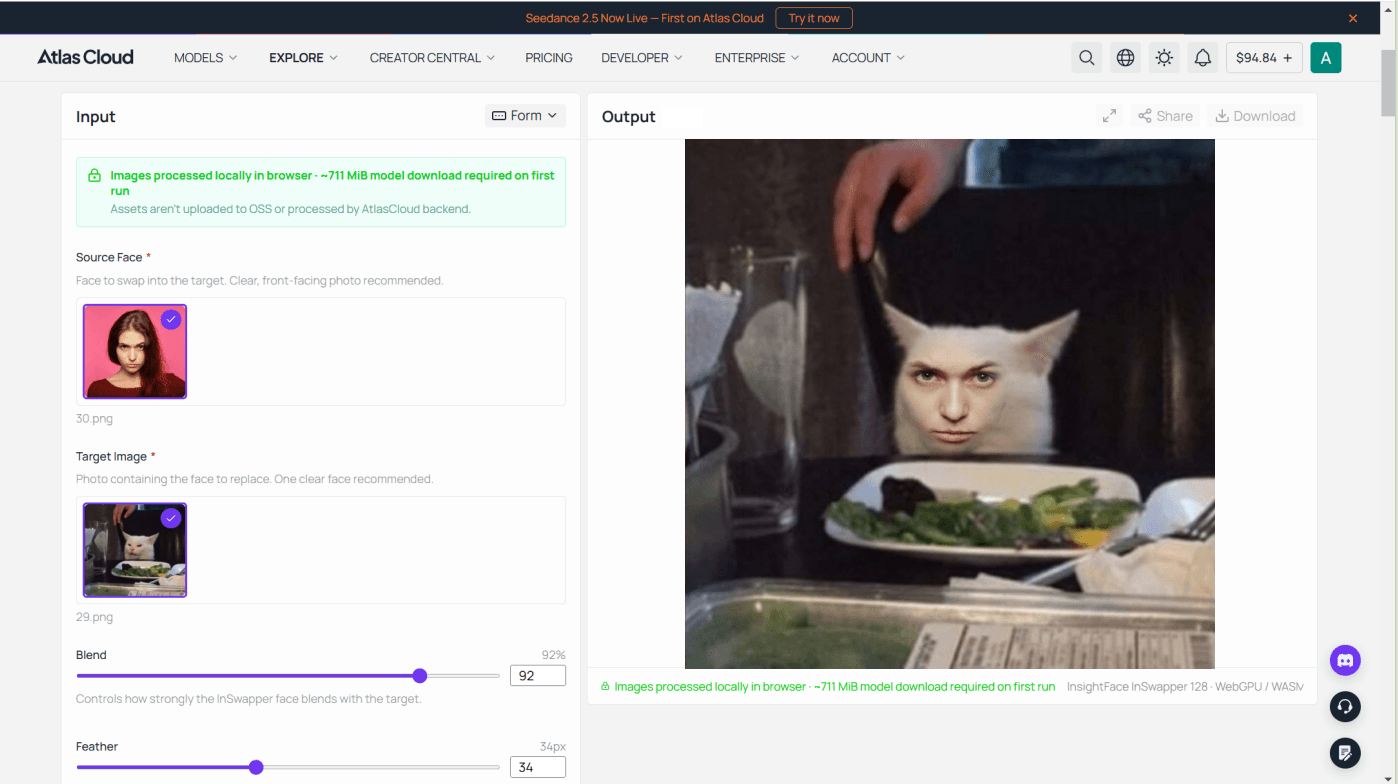
The honest limits: it swaps one still at a time, and there is nowhere to type "keep the fur," so any edit beyond the face itself stays with Seedream. Results download as a PNG at the size of your target photo up to 1280 pixels on the longest side, which covers every meme template in this post. A re-cast panel drops straight into Step 3 and animates exactly like the original.
Step 3: Animate Your Face Swap GIF with Seedance 2.0
A GIF is just a short looping video wearing a trench coat, so now we make the video. Take your fused still from Step 2 and load it into Seedance 2.0 image-to-video. The prompt matters here: you want small, loopable motion, not a Michael Bay sequence.
plaintext1The cat with the human face slowly raises its chin, blinks once, and gives a smug "not my problem" side-eye toward the camera, then glances back down at the salad plate. Subtle slow push-in. Keep the original meme's framing, lighting and colors exactly. Minimal background motion, loop-friendly ending pose close to the first frame.
Settings: 720p, 5 seconds. The phrase "loop-friendly ending pose close to the first frame" is what makes the eventual GIF loop without a visible jump. A pricing correction for this step. The full-size Seedance 2.0 shown in the screenshot bills $0.2419 per second at 720p, the rate its own quote panel spells out, so a 5-second clip runs about $1.21 and is by far the biggest line item in the project. The sixty-cent version of this build uses the exact same prompt and settings on Seedance 2.0 Mini, which lands at roughly $0.43 for the same clip at its current 30% discount (list $0.61). Mini is what the cost table below assumes; pay the full-size rate when the motion quality matters more than the price.
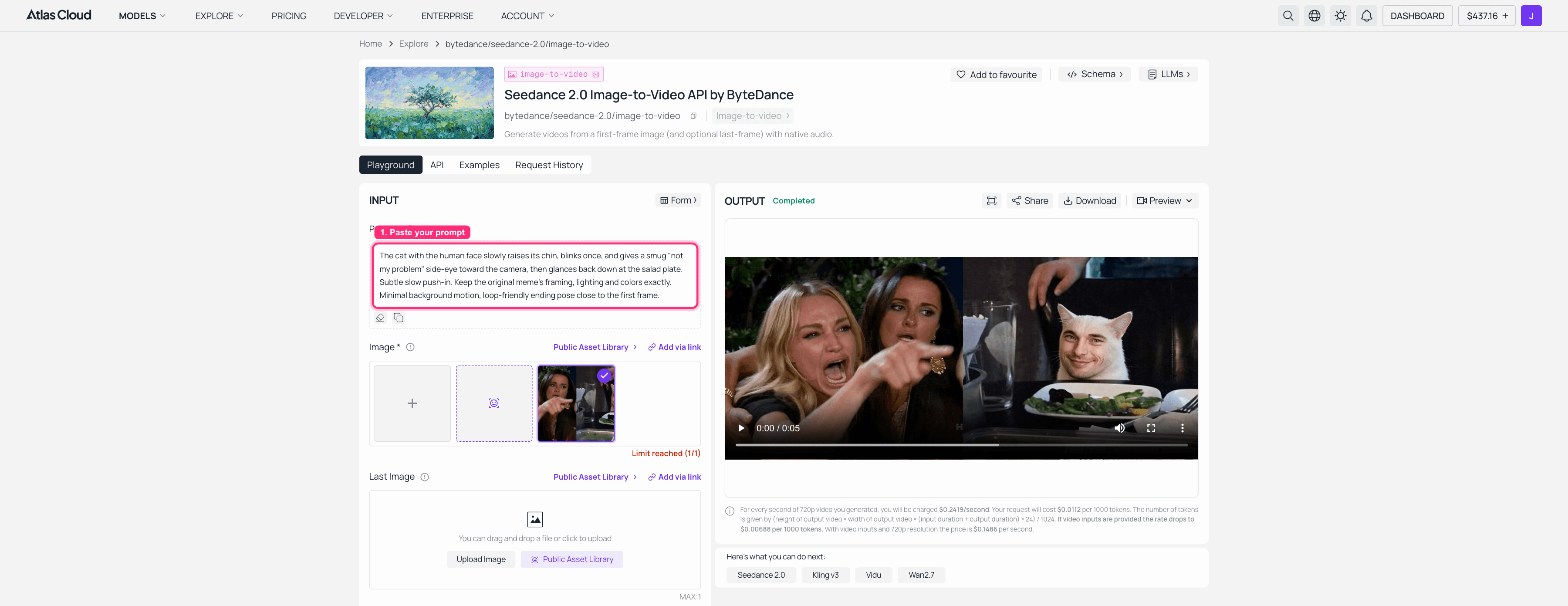
Seedance 2.0 image-to-video on Atlas Cloud with the face-swapped meme loaded, the animation prompt pasted, and the generated video visible in the output panel
The render took a few minutes. When it finished, the smug chin raise was so on-model I laughed alone at my desk, which is the quality bar for this entire genre.
Step 4: Turn the Video Into a Face Swap GIF with One LLM Prompt
Last stage, and it is free. You have an MP4 and you need a GIF. Instead of memorizing ffmpeg flags, paste this into Claude, ChatGPT, or any LLM API (Atlas Cloud hosts LLM endpoints too, if you want to keep everything on one platform):
plaintext1I have a 5-second 720p MP4. Give me one ffmpeg command that converts it into a high-quality looping GIF under 8 MB: 480px wide, 15 fps, two-pass palettegen/paletteuse for clean colors, infinite loop. Then give me a smaller fallback (360px, 12 fps) in case the file is still too big, and tell me how to check the file size.
The LLM hands back a ready-to-run command, you paste it in a terminal, and ten seconds later you own a meme. Here is mine:
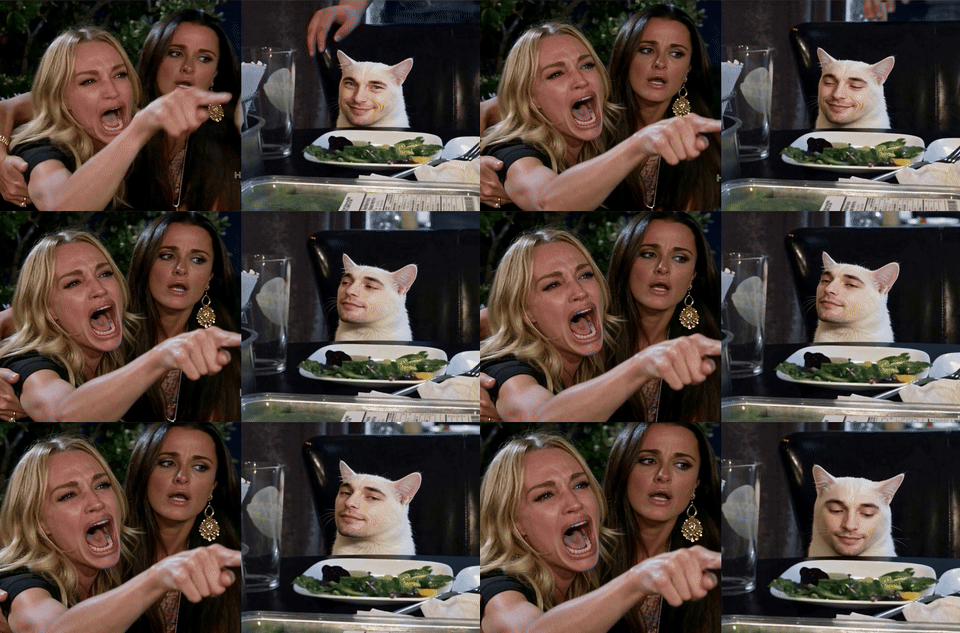
The finished looping GIF: the face-swapped cat smugly raising its chin and side-eyeing the camera
And for reference, this is the kind of original Smudge GIF people were already sending, the thing we just hijacked (via GIPHY, retrieved July 2026):
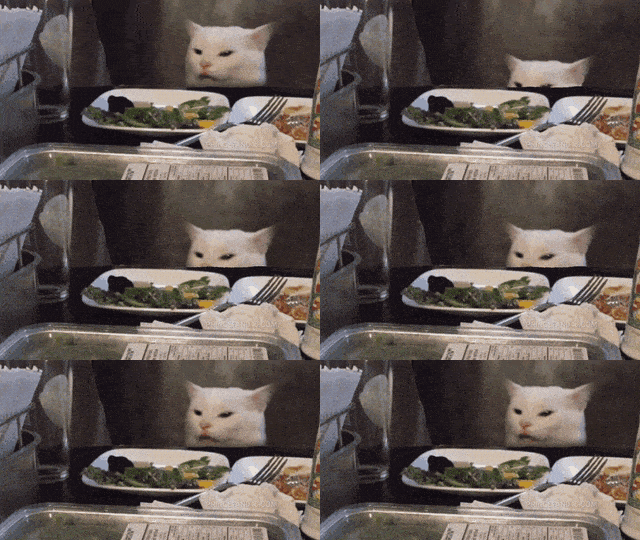
An original Woman Yelling at a Cat animated GIF as shared in chats
Drop yours in the group chat and say nothing. The read receipts will do the rest.
More Swap Face GIFs to Try: Templates That Still Hit in 2026
The Smudge pipeline is a template, not a one-off. Any meme still can go through the same four steps, and the swap face gifs that land hardest right now are cat-shaped. Three I tested with the same fictional face:
Banana Cat. The crying cat in a banana suit is a GIF-native meme that has squatted on Tenor and GIPHY charts for years. Fusion tip: tell the model to keep the banana suit and the glossy teary eyes, and animate "trembling lip, welling tears". Devastating in any apology context.
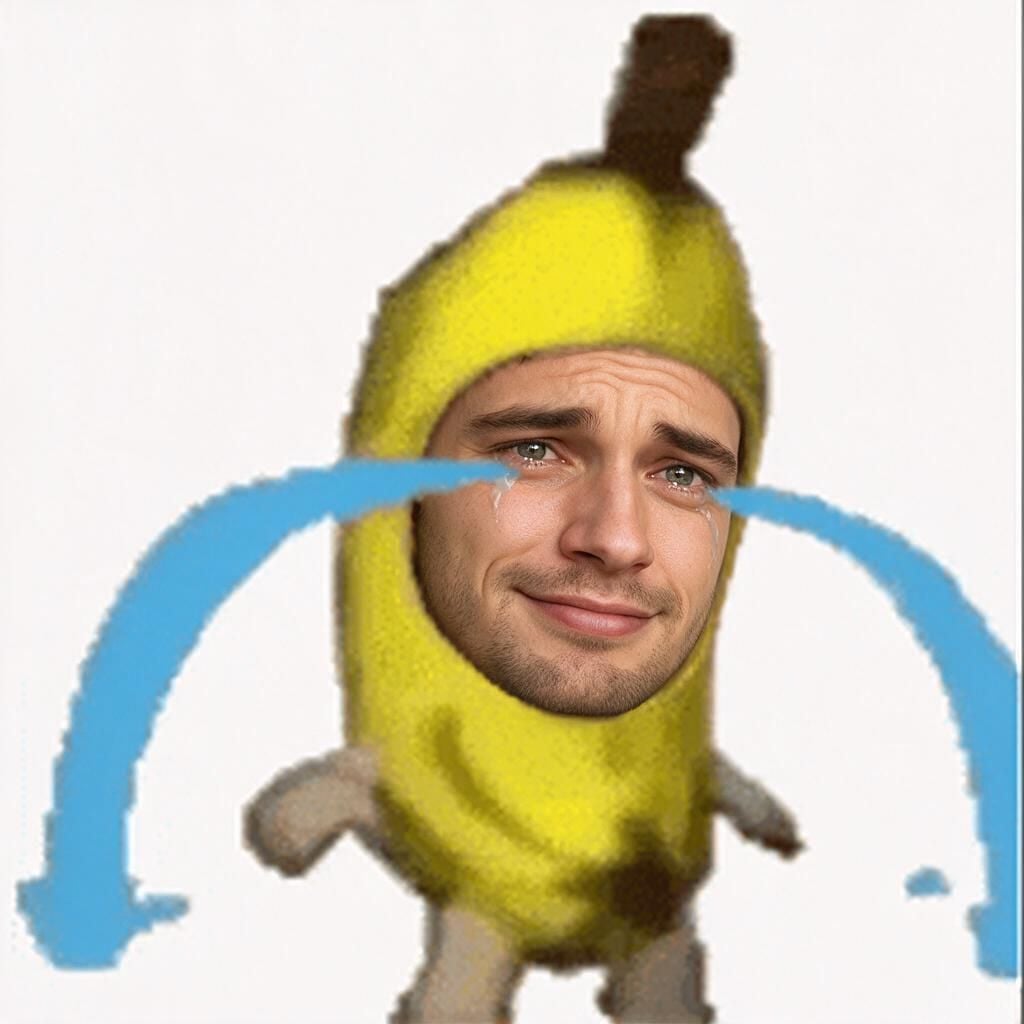
Banana Cat meme with a fused human face, still crying inside the banana suit
The orange menace. Orange cat chaos is its own genre this year, and any wide-eyed orange cat close-up makes a perfect base. Ask for "keep the orange fur and unhinged wide-eyed stare" and animate a slow zoom. This one doubles as a free face swap gif reaction for every bad take your friends post.
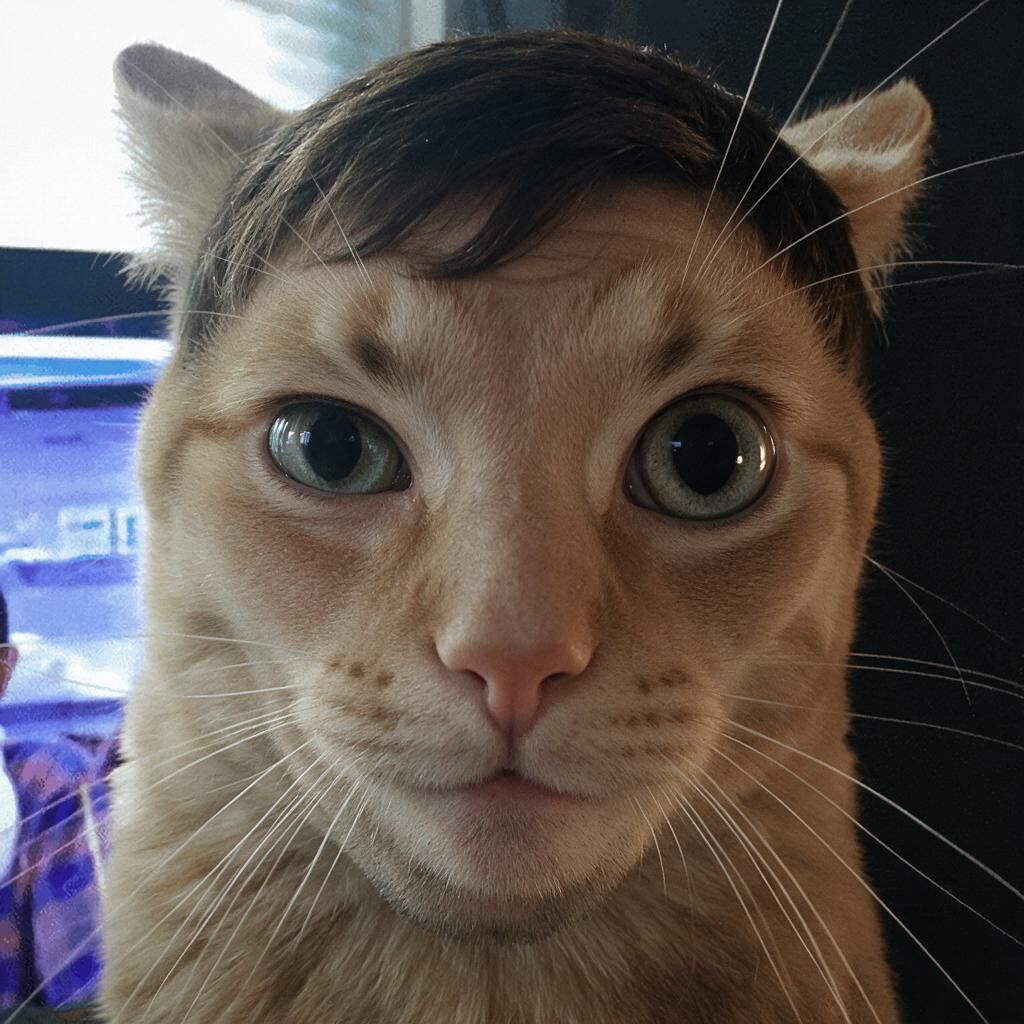
An orange cat meme close-up with a fused human face and wide unhinged eyes
Chill Guy. The lowercase legend himself, for when you need a non-cat option. Keep the jacket and the hands-in-pockets slouch, fuse the face, and animate a tiny approving nod. The photoreal face on the cartoon body is deeply cursed, which is the point. Works as a swap faces gif answer to basically any plan.
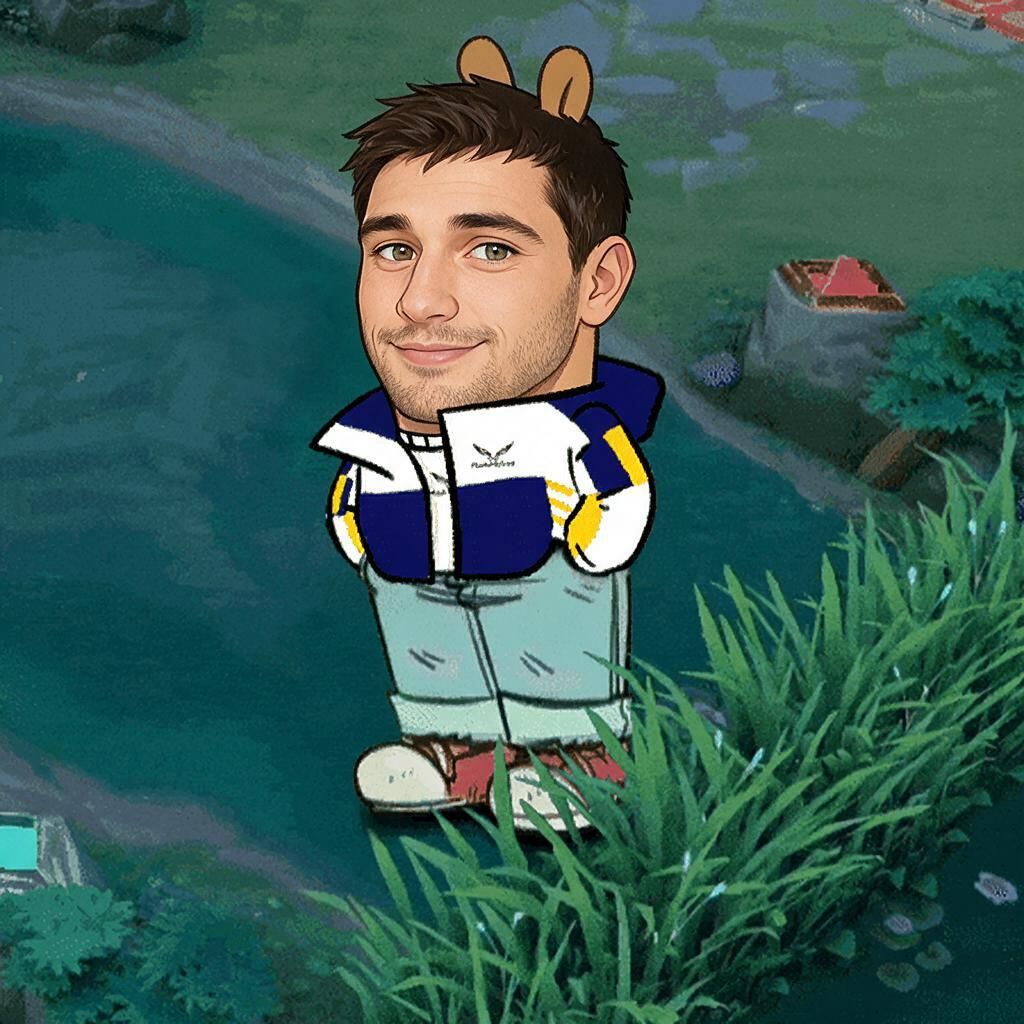
The Chill Guy cartoon dog meme with a fused human face, hands in pockets
What a Free GIF Face Swap Actually Costs (Spoiler: About $0.60)
Let's kill the pricing mystery. Here is the itemized bill for the Smudge GIF at today's prices, with the animation running on Seedance 2.0 Mini:
| Item | Model | Cost |
|---|---|---|
| Fictional face photo | GPT Image 2, 1 image | $0.01 |
| Face fusion, 2 attempts | Seedream 5.0 Pro Edit, 2K | $0.09 |
| Animation, 5s at 720p | Seedance 2.0 Mini image-to-video | $0.43 |
| Video to GIF conversion | Any LLM + ffmpeg | ~$0 |
| Total | ~$0.53 |
Call it $0.60 with tax and a bad retry. Now compare that against the "gif face swap free" experience:
| Typical free GIF swap site | This 3-stage workflow | |
|---|---|---|
| Watermark | Usually, or paywalled removal | None |
| Daily limit | Often 1 to 3 swaps | None, pay per run |
| Face quality | Pasted-on, flickers between frames | Fused once, animated smoothly |
| Resolution | Compressed GIF-in, worse GIF-out | 720p video source, you choose GIF size |
| Custom motion | No, original GIF motion only | Yes, you script the animation |
| Cost | $0 plus your patience | ~$0.53 to $0.60 |
Free sites are fine for a one-off laugh, genuinely. But the moment you care about the result, "free" starts charging you in watermarks, queues, and sticker faces.
One serious paragraph before the FAQ. Use your own face, or get clear permission before using anyone else's. That includes friends, exes, coworkers, and celebrities. Most platforms' terms prohibit deceptive or harassing face swaps, and several jurisdictions now regulate synthetic likenesses. Meme responsibly, the cat would want that.
FAQ: GIF Face Swap Online Free
Can I do a gif face swap online free?
Yes, plenty of sites do a basic gif face swap online free, and for a throwaway joke they are fine. The trade-offs are watermarks, daily caps, and a pasted-on look, because they swap each compressed GIF frame directly. The workflow above costs about $0.60 and removes all three problems.
Why can't AI models face swap a GIF directly?
A GIF is a stack of low-quality frames, so frame-by-frame swapping produces flicker and mismatched lighting. Modern image editors like Seedream 5.0 Pro accept single still images, not animations. Swapping one clean still and then animating it gives every frame a consistent face for a smooth face swap gif.
How do I convert the face swap video into a GIF?
Ask any LLM for an ffmpeg command. The prompt in Step 4 requests a 480px, 15 fps looping GIF under 8 MB using two-pass palettegen for clean colors. You paste one command into a terminal and the MP4 becomes a shareable GIF in seconds, at no model cost.
How do I make an ai face swap gif look fused instead of pasted on?
Three prompt ingredients: the word "fuse" or "blend" instead of "swap", an explicit ban on sticker pasting, and the line "strictly preserve the same lighting, color grading and film grain". Lighting mismatch is what your brain reads as fake, so protecting it does most of the work.
Is gif face swap legal?
Using your own face, a consenting friend's, or a fully AI-generated face is generally fine for personal memes. Using someone's likeness without consent can violate platform rules and likeness laws, especially for commercial or deceptive use. When in doubt, generate a fictional face for about a cent like I did.
What's the cheapest way to batch-make swap face gifs?
Stay on Seedance 2.0 Mini, about $0.085 per second at its current 30% discount, and reuse one fused still across several animation prompts. Fuse each template once, then re-cast identities with the free Swap Face tool, so the only meter still running is the animation. Through the API you can queue dozens of variants in one script, which turns a single meme into a much cheaper per-unit pipeline for batch face swap projects.





