You open the Hailuo app, type a shot, hit generate, and a number ticks down. You have no idea what that number means in money.
Nobody does. There is no page anywhere, official or otherwise, that says "MiniMax H3 costs X credits per video." The Hailuo H3 page quotes a dollars-per-second range. The plan page quotes credits per month. The two never meet, and the gap between them is where your budget goes to die.
So we did the boring thing. We took the official plan prices, divided by the official credit allowances, and built the table that should have shipped with the model. Then we rendered the same shot on a per-second API and compared the receipt.
Short version: one 15-second 2K clip is roughly 15% of an entry-plan month. Six clips and you are done until the reset, because those credits do not roll over.
Key takeaways
- There is no published credits-per-video table for H3. Hailuo's own H3 page quotes "about $0.073 to $0.120 per second, depending on plan" and never converts that into credits.
- A credit is worth $0.0150 on Standard, $0.0120 on Master. That comes from dividing the official monthly price by the official credit allowance. Everything else is arithmetic.
- A 15-second 2K H3 clip lands around 150 credits. On the $14.99 Standard plan that is roughly $2.25, and 15% of your 1,000 monthly credits.
- Credits expire monthly with no rollover. That is in Hailuo's own subscription terms, not a rumour.
- The same 15 seconds on a per-second API is $2.10 flat at $0.14/second. Not dramatically cheaper. The difference is that the number cannot be rewritten overnight.
- Draft at 768p, finish at 2K. The cheaper tier is $0.10 per second instead of $0.14, so a rough pass costs 29% less than the final one.
Here is the clip we priced to the cent. Before any theory, the thing itself. Five seconds, 2560x1440, native stereo audio, generated with MiniMax H3 Text-to-Video. Rain on a plastic awning, ceramic on wood, a low sizzle from the kitchen. All of it came out of the model in one pass.  MiniMax H3 Text-to-Video, 2K, 5 seconds, native audio. Billed per second: 5 x $0.14 = $0.70. No credits involved, no monthly bucket, no expiry date.
Seventy cents. Not "about 50 credits." Not "roughly 5% of your month." Seventy cents, on an invoice, before I hit run.
That is the entire argument of this article, and you just watched it.
Why MiniMax H3 credits per video is a number nobody will print
Credit systems are not a pricing model. They are a pricing interface, and the whole point of an interface is that the thing behind it can change while the interface stays the same.
MiniMax H3 launched July 31, 2026 as an omni-modal model: 2K output, 4 to 15 seconds, native stereo audio, text-to-video plus first and last frame control plus reference generation and motion transfer (MarkTechPost, August 2026). Genuinely impressive model. The billing shipped as a black box.  A creator in a dark home studio staring at an insufficient credits warning on a laptop while a half-finished video timeline glows on a second monitor
The failure mode is not the render. It is finding out mid-project that your month is gone.
Four things make the number unknowable, and only one of them is anyone's fault.
1. The credit table is explicitly not a commitment. Hailuo's own model page lists credit examples and then adds that "exact availability and pricing can vary by plan" (Hailuo AI, August 2026). That sentence is doing a lot of work. It means the numbers you see are illustrative, not contractual.
2. Resolution multipliers move. Threads on r/HailuoAiOfficial report a 6-second 1080p generation going from 25 credits to 80, which is a 3.2x jump on the same clip. Meanwhile the official Hailuo 2.3 page currently lists 1080p 6s at 50 credits. Community reports, an old number, and a current official number, three different values for one setting. Pick whichever one you want to budget against.
3. Credits expire. Membership credits expire monthly with no rollover; only separately purchased credits carry forward, and those expire on December 31st of the second calendar year after purchase (Hailuo AI Subscription Terms, August 2026). A slow month is not a saved month.
4. The grants and top-up tiers keep shifting. Subreddit threads report new-user credit grants stepping down from 1,000 to 500 to 125, the "7 days unlimited credits" promotion not behaving as unlimited, credits disappearing after an Android in-app purchase, and the $25 and $50 top-up tiers being removed. Some of that is normal promo churn. All of it makes a stable credits-per-video figure impossible.
To be fair on one point: the official terms do say credits are automatically refunded when a generation fails or gets rejected by content review. That is better than most credit systems. It still does not tell you what a video costs.
The one-tab workflow that trades MiniMax H3 credits per video for a per-second price
There is a version of this problem that simply does not exist, and it is not clever. It is just per-second billing.
On Atlas Cloud all three H3 endpoints are billed by the second of generated video, at a rate printed on the model page. No credit conversion, no monthly bucket, no expiry, no minimum spend. You run a 5-second clip, you are charged for 5 seconds. The playgrounds and the API sit behind the same login, so the storyboard image and the video render happen in one browser tab.
The workflow below uses two models. One cheap image model to lock the shot, one video model to buy the seconds. That order matters more than any pricing trick: the same composition mistake costs you $0.12 as an image and $0.70 as a clip.
| Model on Atlas Cloud | Job in this workflow | Verified price, August 2026 |
|---|---|---|
| OpenAI GPT Image 2 (text-to-image) | Storyboard the frame before you buy any seconds | Token-based. Listed from $0.009, and a 1280x720 frame at quality high bills around $0.12 |
| MiniMax H3 Text-to-Video | The 2K clip with native stereo audio | $0.14 per second at 2K, $0.10 at 768p |
| MiniMax H3 Image-to-Video | Animate a still you already own, 5 to 15s | $0.14 per second at 2K, $0.10 at 768p |
| MiniMax H3 Reference-to-Video | Hold one character across a shot list, 5 to 15s | $0.14 per second at 2K, $0.10 at 768p |
Two caveats so the table stays honest. GPT Image 2 is billed on tokens derived from size and quality, so the "from $0.009" figure on the page is a floor, not what a 720p high-quality frame actually costs. And MiniMax's own platform API is tracked at around $0.13 per second for 2K, so per-second billing here is not a discount play. It is a legibility play. The full current list of video models and rates sits on the models catalogue.
Step 1: Storyboard the shot before MiniMax H3 credits per video can touch you
Every dollar wasted on AI video gets wasted the same way: you write a vague prompt, pay for seconds, watch the composition come out wrong, and pay for seconds again. So spend twelve cents first.
Generate the first frame as a still. You are checking framing, lighting, wardrobe, and whether the model even understands the scene. A 1280x720 frame at quality high bills around $0.12, which is less than one second of 2K video, and a still tells you in five seconds whether the composition is worth animating.
Paste this into GPT Image 2:
text1Cinematic first frame, shot on 35mm film: a tiny neon-lit ramen counter in a rain-soaked Tokyo back alley at 2am. A weathered chef in a white towel headband stands behind the wooden counter holding a steaming bowl of tonkotsu ramen in both hands, mid-motion, about to set it down. Wet asphalt reflecting pink and cyan neon signage, rain streaking through warm lantern light, condensation on the plastic awning, hand-written menu strips taped to the wall behind him. Shallow depth of field, warm practical lights against cold blue night, visible film grain, moody teal and magenta grade. 2
Settings to pick: quality high, aspect ratio 16:9, size 1280x720. Do not go lower on quality here. A soft, muddy reference frame tells you nothing about whether the shot works.  Cinematic first frame of a neon-lit ramen counter in a rainy Tokyo back alley at 2am, chef holding a steaming bowl of tonkotsu ramen
The actual GPT Image 2 output from that prompt at quality high, 1280x720. Framing confirmed, neon reflections confirmed, steam confirmed. Now the shot is worth paying seconds for.
Step 2: Render 5 seconds at 2K without a MiniMax H3 credits per video guess
Now buy the seconds. Same scene, written as motion and sound instead of a still, because H3 generates the audio in the same pass and it responds to what you describe.
Paste this into MiniMax H3 Text-to-Video:
text1Rain-soaked Tokyo back alley at 2am, tiny neon-lit ramen counter. A weathered chef in a white towel headband sets a steaming bowl of tonkotsu ramen down on the wooden counter with a solid clack, steam billowing up and curling through pink and cyan neon light. Rain keeps falling behind him, drops running off the edge of the plastic awning. Slow push-in on the bowl with subtle handheld camera drift. 35mm film look, shallow depth of field, warm practical lights against cold blue night, visible grain. Ambient audio: heavy rain on plastic awning, distant city hum, the clack of ceramic on wood, a low sizzle from the kitchen. 2
Settings to pick: resolution 2K, aspect ratio 16:9, duration 5s. Text-only runs require an explicit aspect ratio, so do not leave it on adaptive, or the job gets rejected before it starts. Keep the first run at 5 seconds. If the motion or the audio is wrong, you would rather find out for $0.70 than $2.10. If you are still unsure about the shot, run it at 768p first for $0.50 and reserve 2K for the version you keep.
The clip at the top of this article is the output of exactly this run: same prompt, 2K, 16:9, 5 seconds, native audio, first attempt. Charged as 5 seconds, not as an unknown number of credits.
Step 3: Read the receipt and settle the MiniMax H3 credits per video math
This is the step everyone skips, and it is the only one that changes how you work.
Write down two numbers after every run: the duration in seconds, and the rate on the model page. That is your cost. For the clip above: 5 seconds at $0.14 = $0.70, plus one storyboard frame at roughly $0.12. Call it $0.82 for the whole demo, and I knew both halves of that before either job started.
Then do the conversion in the other direction, because that is what tells you whether a credit plan is worth it. Divide your monthly plan price by your monthly credit allowance to get your personal cost per credit. Multiply by the credits a run consumed. Now you have a dollar figure for a credit run, and you can put the two on the same line. 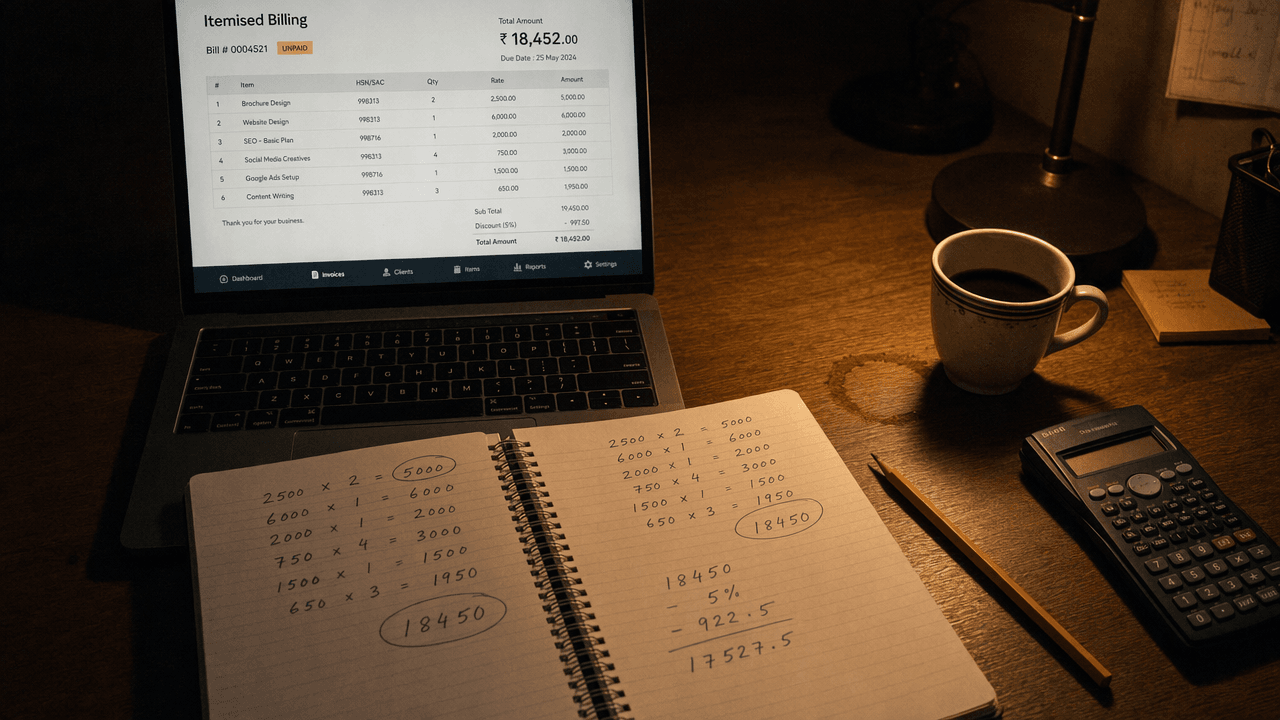 A creator's desk at night with an itemised per-second billing screen on a laptop, a notebook covered in per-second cost arithmetic, and a cooling cup of coffee
Two numbers per run: seconds, and rate. That is the whole accounting system, and it is the one thing a credit balance will not give you.
Do this for a week and something uncomfortable becomes obvious. The reason credit systems feel expensive is not usually the headline rate. It is the failed runs you cannot price, the expiry you forgot, and the tier you bought because the number sounded generous.
Scale one shot into a six-shot ad
One clip is a test. A shot list is a project, and this is where per-second billing stops being a philosophical point and starts being a spreadsheet you can actually fill in.
A six-shot, 60-second product spot at 2K, all in H3:
- Twelve storyboard frames on GPT Image 2, so six keepers and six rejects: about $1.45
- Six 768p drafts at 10 seconds each to check motion: 60 seconds x $0.10 = $6.00
- Six 2K finals at 10 seconds each: 60 seconds x $0.14 = $8.40
- Two reshoots, because shot 3 and shot 5 always need reshoots: 20 seconds x $0.14 = $2.80
Around $18.65, knowable before you start, drafts included. The same 80 seconds of finished and reshot 2K video on a credit plan is roughly 800 credits at the 10-credits-per-second rate, which is 80% of a Standard month for one ad, before you have paid for a single draft pass, and you cannot carry the remainder into next month.
For character continuity across those shots, Reference-to-Video is the endpoint that matters. All three H3 endpoints accept 5 to 15 seconds, so the 15-second hero shot is available wherever you need it.
MiniMax H3 credits per video: credits, seconds and dollars in one table
Here is the arithmetic, in the order you actually need it. Everything below is derived from official published numbers, and the derivation is shown so you can redo it when the numbers move.  An itemised paper receipt printed with per-second video billing lines lying next to an overturned glass jar spilling brass arcade tokens across a dark wooden desk under a single warm lamp
One of these you can read. The other one you can only count.
Step one, what a credit is worth. Divide the official monthly price by the official monthly allowance (Hailuo AI Subscription Terms).
| Hailuo plan | Price per month | Credits per month | Cost per credit |
|---|---|---|---|
| Standard | $14.99 | 1,000 | $0.0150 |
| Pro | $54.99 | 4,500 | $0.0122 |
| Master | $119.99 | 10,000 | $0.0120 |
Note what this already tells you: the expensive plan is only 20% cheaper per credit than the entry plan. You are buying volume, not a better rate.
Step two, credits per second of H3. Hailuo's H3 page quotes about $0.073 to $0.120 per second depending on plan (Hailuo AI, August 2026). Divide the top of that range by the Master cost per credit and you get 10 credits per second, which matches what early users report for 2K generations. That is the working figure below, and it is an estimate, not a published number.
Step three, the table. Credits to seconds to dollars, plus what it does to your monthly bucket.
| Clip | Credits at ~10/sec, 2K | Cost on Standard | Cost on Master | Per-second at $0.14/s | Share of a 1,000-credit month |
|---|---|---|---|---|---|
| H3 2K, 5s | ~50 | $0.75 | $0.60 | $0.70 | 5% |
| H3 2K, 10s | ~100 | $1.50 | $1.20 | $1.40 | 10% |
| H3 2K, 15s | ~150 | $2.25 | $1.80 | $2.10 | 15% |
Read the last column twice. A 15-second clip is 15% of an entry-plan month. Not 15% of a day, 15% of the month, and the leftovers vanish at reset.
Step four, the thing that should scare you. Here are the credit examples Hailuo publishes for Hailuo 2.3, converted to effective cost per second on the Standard plan.
| Setting, Hailuo 2.3 official examples | Credits | Cost on Standard | Effective cost per second |
|---|---|---|---|
| 768p, 6s | 25 | $0.37 | $0.062 |
| 768p, 10s | 50 | $0.75 | $0.075 |
| 1080p, 6s | 50 | $0.75 | $0.125 |
Same currency, same platform, and the effective rate per second doubles depending on which two dropdowns you touched. Nothing in the interface tells you that. Compare it to a single line on a model page that says $0.14 per second at 2K, and the appeal of boring pricing becomes clear. If you want the longer breakdown of the consumer plans themselves, we keep a separate Hailuo AI pricing guide updated alongside this one.
One honest caveat, because this article is about not being misled. Per-second billing at $0.14 is not the cheapest number on this page. The Master plan beats it on paper. What per-second billing buys you is a rate that is published, unattached to an expiring bucket, and not subject to a resolution multiplier somebody can change on a Tuesday. If your usage is high and steady and you trust the credit table to hold, the big plan is arithmetically fine. Most people's usage is neither.
Last updated August 3, 2026. Consumer credit costs change without notice. The per-second rates above are from the Atlas Cloud model pages as of this date.
Frequently Asked Questions
So what is the real MiniMax H3 credits per video number?
There is no official one. Working backwards from Hailuo's own published dollars-per-second range gives roughly 10 credits per second at 2K, so about 50 credits for 5 seconds and 150 for 15. Treat it as an estimate and verify against your own balance before and after a run.
Why does MiniMax H3 credits per video change without notice?
Because the credit table is a display layer, not a contract. Hailuo's model pages state that credit costs vary by plan, and the subscription terms reserve the right to modify the agreement at any time. Resolution multipliers and promotional grants are the two things users report changing most.
Is per-second billing cheaper than MiniMax H3 credits per video?
Not always. At $0.14 per second for 2K, per-second billing sits between the Standard and Master effective rates. It is cheaper than the entry plan, slightly more than the top plan, and unlike both it does not expire, does not require a subscription, and cannot be silently remultiplied.
Does native audio add to the MiniMax H3 credits per video cost?
No. H3 generates the stereo audio track in the same pass as the video, and billing is by second of output regardless. That is one of the genuinely good things about the model: you are not paying a separate voice or sound-design step.
Can I generate H3 at 768p to save money?
Yes, and it is the single easiest saving available. The 768p tier runs at $0.10 per second against $0.14 at 2K, so draft passes cost 29% less. Use it to check motion and audio, then re-run only the takes you are keeping at 2K.
Do unused Hailuo credits roll over to next month?
Membership credits do not. They expire monthly with no rollover. Separately purchased credit packs are different and stay valid through December 31st of the second calendar year after purchase. This is in the official subscription terms.
What is the cheapest way to test an H3 shot before committing?
Generate the frame as a still image first, for around $0.12, and only buy video seconds once the composition is right. Then run 5 seconds at 768p before you run 15 at 2K. Two habits, and they cut most of the waste out of AI video work regardless of how you are billed.





