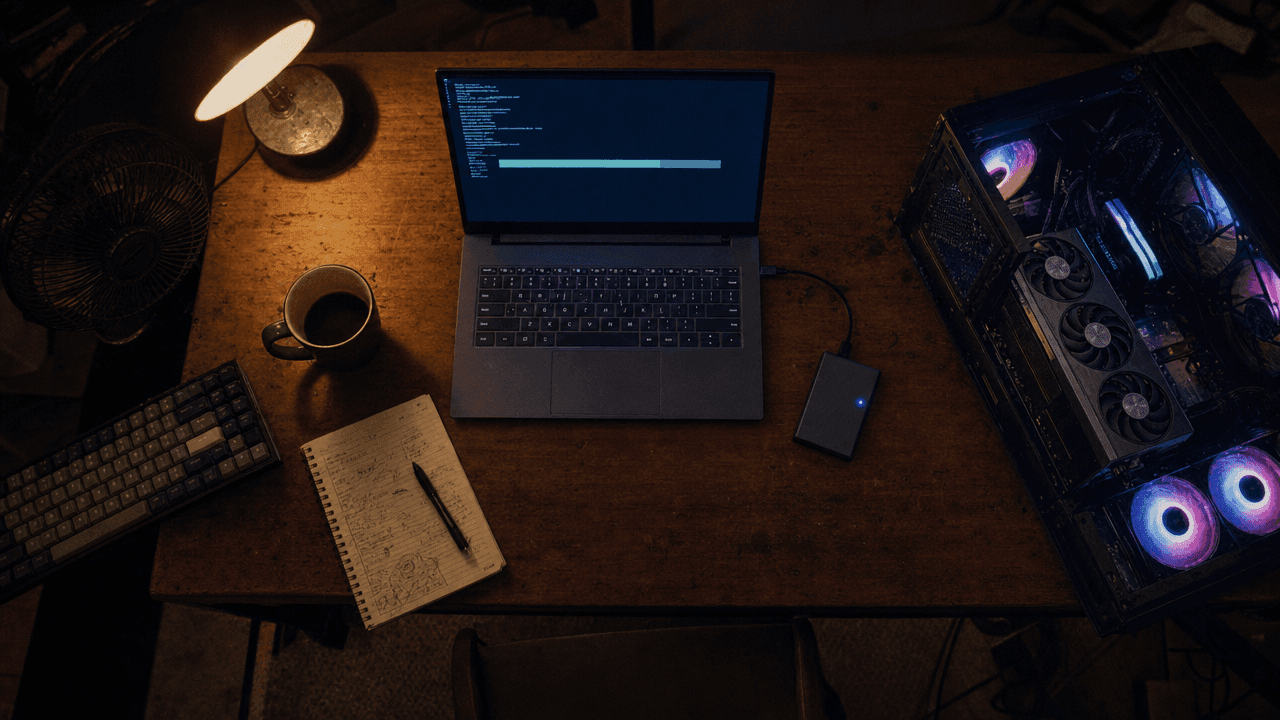
A desk at 3 a.m. with an open PC case, an external drive and a monitor showing a large download in progress
The weights are out. So let me answer the two questions that got the most replies under MiniMax's launch post, before anything else.
No, you do not need a supercomputer. Pick the right files and the download is 42.5 GB, not 123.6 GB. The model is 33B parameters, and roughly 13B of those sit in AdaLN modulation branches that inference does not even need to load.
Then I opened the LICENSE file. Line 10, before I ever got to the $20M revenue clause, is a list of countries. My country is on it. Probably yours too.
Key takeaways
- The MiniMax H3 open source weights are live on Hugging Face as
MiniMaxAI/MiniMax-H3, plus a ComfyUI-repackaged mirror atComfy-Org/MiniMax-H3. ComfyUI shipped native support the same day. - It is not one file. There are two task-specific checkpoints,
fl2va(text and image driven) andref2va(reference driven), 21 GB each in their smallest form. You only download the one your job needs. - 33B dense single-stream Transformer. Smallest working combination is 42.5 GB, down 66% from 123.6 GB at full precision. ComfyUI says a 12 GB card plus offloading can run it.
- Local generation is natively 768px on the short edge, not 2K. 2K comes from a second in-context regeneration pass.
- Commercial use is free but you must display "MiniMax H3" in your UI, and above $20M yearly revenue you need separate written authorization. And the license's Applicable Territory excludes the EU, the UK, South Korea and the United States. A hosted API is a different legal relationship.
One character, both checkpoints, one 3 A.M. Left side is what fl2va does. Right side is what ref2va does. Same person, same room, same night, two completely different jobs, and the fan whine you hear is generated in the same pass as the picture.
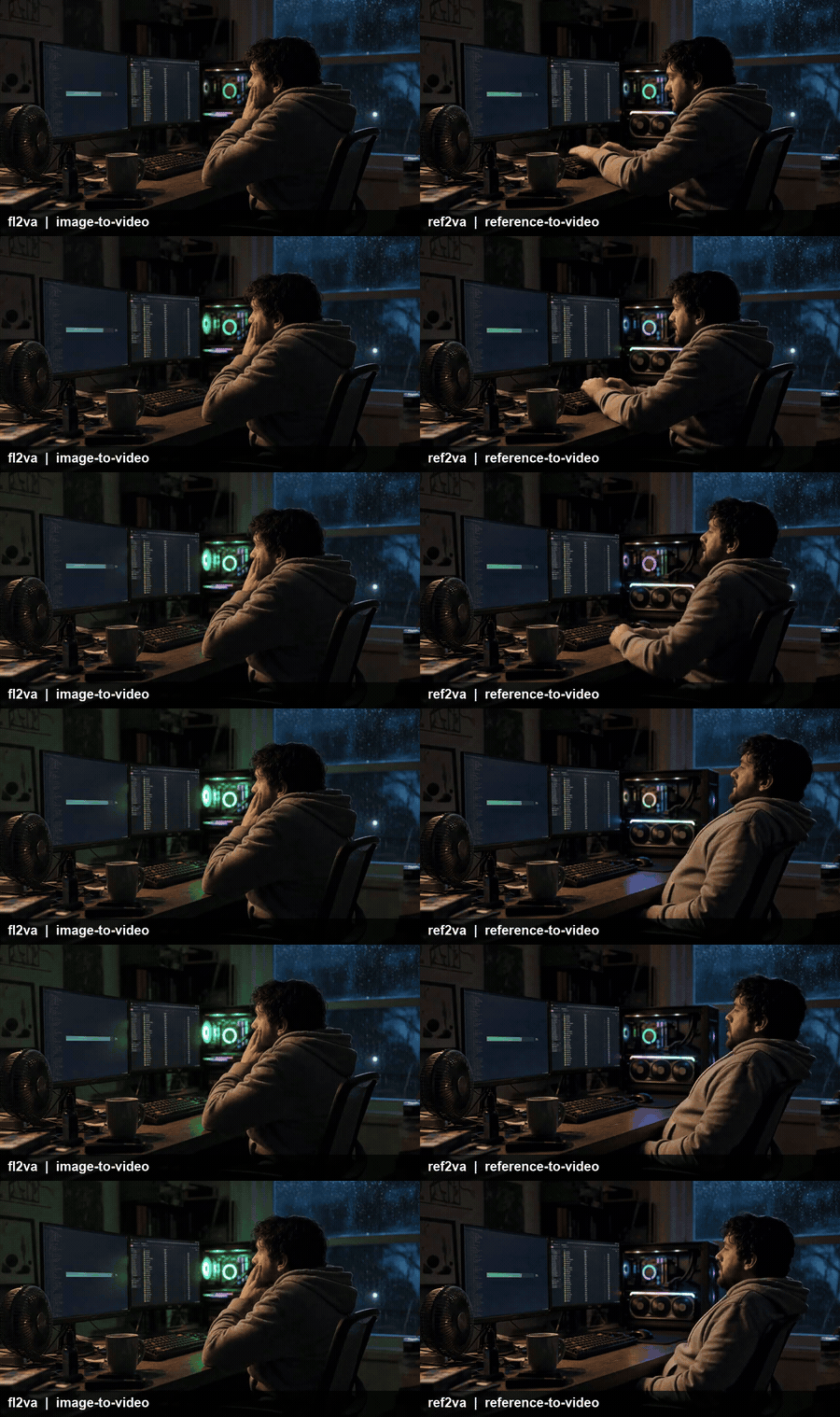
Left: image-to-video, the job the fl2va checkpoint does. Right: reference-to-video, the job ref2va does. Both rendered on MiniMax H3 with native stereo audio. Turn the sound on.
The first thing I asked this model to generate was a human being waiting for this model to finish downloading. It felt right.
MiniMax H3 Open Source Weights, Weighed: Two Checkpoints and a 42.5 GB Floor
Here is why this release got loud. Artificial Analysis put H3 at #1 in Video Editing and top three in both text-to-video and image-to-video, and said releasing the weights "would make it the leading open weights model by far" (Artificial Analysis, July 2026). That is a frontier-tier video model with a download button.
The honest other half: the same benchmark run has H3 trailing Google's Gemini Omni Flash in text-to-video, and behind both Seedance 2.0 and Gemini Omni Flash in image-to-video (South China Morning Post, July 2026). It is #1 at editing, not #1 at everything.
Now the part almost nobody checked before hitting git clone.
The parameter count nobody put in a headline. The model card describes H3-Omni-Transformer as "a 33B-parameter dense, single-stream Transformer, with approximately 13B parameters residing in AdaLN-related branches," and adds that because those modulation outputs can be precomputed and cached, "these parameters do not need to be loaded for inference-only deployment." That is where the pruned checkpoints come from. About 40% of the model turns into a lookup table when you are only doing inference.
Where most people burn 80 GB for nothing. The official MiniMaxAI/MiniMax-H3 repo is 498 GB if you pull all of it. The ComfyUI mirror is 343 GB. Both hold every precision variant of both checkpoints. You need four files, not four hundred.
| File | Size | What it is | You need it for |
|---|---|---|---|
| minimax_h3_fl2va_pruned_int8_convrot.safetensors | 20.97 GB | fl2va checkpoint, pruned + int8 | Text-to-video, image-to-video |
| minimax_h3_fl2va_int8_convrot.safetensors | 34.04 GB | fl2va, int8, unpruned | Same, higher fidelity |
| minimax_h3_fl2va_bf16.safetensors | 66.28 GB | fl2va, full precision | Fine-tuning, research |
| minimax_h3_ref2va_pruned_int8_convrot.safetensors | 20.97 GB | ref2va checkpoint, pruned + int8 | Reference-to-video only |
| minimax_h3_ref2va_int8_convrot.safetensors | 34.04 GB | ref2va, int8, unpruned | Same, higher fidelity |
| minimax_h3_ref2va_bf16.safetensors | 66.28 GB | ref2va, full precision | Fine-tuning, research |
| qwen3vl_32b_minimax_h3_nvfp4_awq.safetensors | 15.69 GB | Text encoder, 4-bit AWQ | Every workflow |
| qwen3vl_32b_minimax_h3_int8_convrot.safetensors | 27.14 GB | Text encoder, int8 | Every workflow |
| qwen3vl_32b_minimax_h3_bf16.safetensors | 51.51 GB | Text encoder, full precision | Every workflow |
| minimax_h3_video_vae_fp16.safetensors | 5.21 GB | Video VAE | Every workflow |
| minimax_h3_audio_vae_fp32.safetensors | 0.61 GB | Audio VAE | Every workflow (this is the sound) |
| Smallest working set, one task | 42.5 GB | pruned fl2va + nvfp4 encoder + both VAEs | The realistic download |
| Both checkpoints, smallest | 63.4 GB | add pruned ref2va | If you want all three modes |
| One task at full bf16 | 123.6 GB | bf16 everything | Research rigs only |
File sizes read directly from the Comfy-Org/MiniMax-H3 repository index, August 2026.
ComfyUI's own framing of the same number: "total memory footprint reduced by 66%, from 123.6 GB in full precision to 42.5 GB," which is what "enables a next-generation 2K video model to run locally on a GPU like the RTX 3060" (ComfyUI, August 2026). Take the 12 GB figure as their claim with dynamic offloading, not as a benchmark. I have not run it on a 3060, and offloading buys VRAM with system RAM and wall-clock time.
One thing "run it locally" quietly means: 768px. H3's native canvas is a 768px short edge, capped at 768x1344, per ComfyUI's H3 tutorial. Duration snaps to a 17-frame-per-block grid at 24fps. The 2K clips in the marketing come from H3-Regenerate-2K, a second pass that feeds the 768p result plus the original context back through the model. The model card is explicit that the full system is three modules: H3-Context-IR, H3-Base, and H3-Regenerate-2K. Local ComfyUI gives you H3-Base.
And the word "open" is doing three separate jobs here. Downloadable, yes. Commercially usable, conditionally. Runnable where you live, that depends on where you live. The Reddit thread calling this "actually a closed source model" is wrong on the first point and pointing at something real on the other two. Section 7 has the clause text.
Local MiniMax H3 Open Source Weights vs a Hosted API: Pick Your Path
Everything below this line, the whole four-step demo, runs in one browser tab on Atlas Cloud, which serves all three H3 endpoints plus the image model I used for the base frame. That is not the same thing as running the weights, and the difference matters more than usual with this model.
| Local weights | Hosted API | |
|---|---|---|
| Up-front cost | 42.5 GB download, a 12 GB+ GPU, a ComfyUI install | An API key |
| Time to first clip | An evening, optimistically | About two minutes |
| Cost per 5s clip | GPU time and electricity | $0.70 at $0.14/sec |
| Native resolution | 768px short edge, 2K via a regeneration pass | 2K direct, it is the only enum value |
| Fine-tune, LoRA, surgery | Yes, that is the whole point | No |
| Data never leaves your network | Yes | No |
| License exposure | You accept the Community License and its territory clause | You are a customer of a hosted service |
| If you are in the EU, UK, Korea or US | Section 7 | Unaffected by the weights license |
Rule of thumb: under about 100 clips a month, or if you need 2K straight out, or if you sit in an Excluded Territory, hosted wins on every axis. Above that, or if you intend to train on top of the checkpoint, or if the footage cannot leave your building, the 42.5 GB is worth the evening.
Prices verified from the live model pages, August 2026. All H3 endpoints bill per second of output, with no active discount.
| Model | What it does here | Price | Discount |
|---|---|---|---|
| MiniMax H3 image-to-video | Step 2, the fl2va job | $0.14 / sec at 2K | None |
| MiniMax H3 reference-to-video | Step 3, the ref2va job | $0.14 / sec at 2K | None |
| MiniMax H3 text-to-video | Step 4, the no-reference baseline | $0.14 / sec at 2K | None |
| GPT Image 2 text-to-image | Step 1, the base frame | $0.009 / image listed; the high quality 16:9 run I used quotes $0.1745 | None |
| Seedance 2.0 / Wan 2.7 / Kling v3.0 Turbo | Per-second reference points | $0.112 / $0.10 / $0.095 per sec | Kling 15% off |
One inconsistency worth knowing before you write code against it: the H3 readme still documents a 768p tier at $0.10/sec and a 5 or 10 second duration. The live schema disagrees. resolution has exactly one allowed value, 2K, and duration accepts any integer from 5 to 15. Write against the schema. There is a neat symmetry in that gap: the 768p tier is switched off on the hosted side, and 768p is precisely the native canvas you get when you run the weights yourself.
Step 1: Generate the Base Frame With GPT Image 2
Everything in this demo starts from one still. The scene is deliberately on the nose: a developer at 3 a.m. watching a 21 GB checkpoint download.
Model: openai/gpt-image-2/text-to-image. Settings: quality high, ratio 16:9.
plaintext1A photorealistic wide shot of a cluttered home office at 3 a.m., lit only by two monitors and the RGB glow from an open PC case on the desk. A tired developer in a gray hoodie sits slouched in a mesh chair, chin on hand, staring at the left monitor. The left monitor shows a dark terminal with a single visible download progress bar at about 78 percent. The right monitor shows a file browser. A cold half-full mug of coffee, a mechanical keyboard, and a small desk fan sit on the desk. Rain streaks the window behind him. Shallow depth of field, 35mm, warm monitor key light against cool blue window light, visible sensor grain. No text overlays, no watermarks. 2
Do not ask the image model to render the actual safetensors filenames. Long underscored strings come back as mush. Keep filenames in your captions.
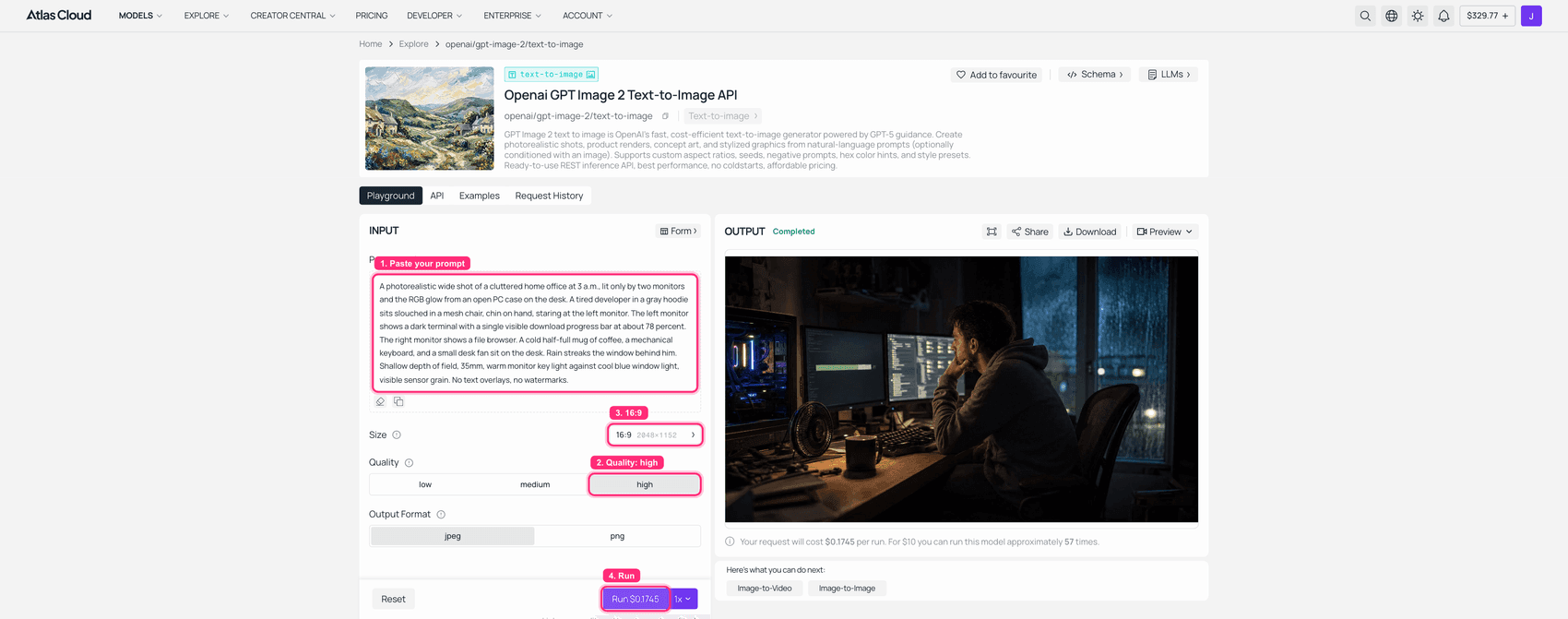
GPT Image 2 playground on Atlas Cloud with the 3 a.m. prompt typed and the finished base frame in the output panel
GPT Image 2 on Atlas Cloud: quality high, 16:9, the base frame rendered on the right. The high quality tier quotes $0.1745 for this run, well above the $0.009 list floor, so budget by tier.
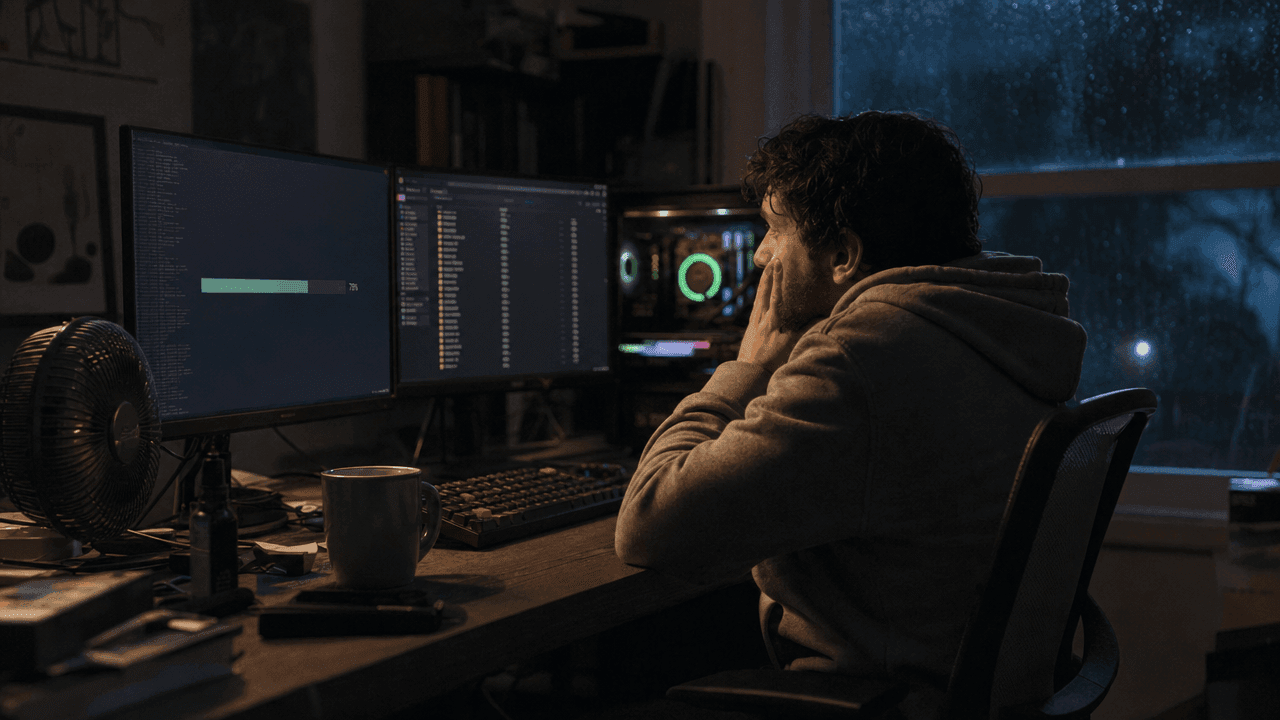
The generated base frame: a tired developer at 3 a.m. watching a download bar on the left monitor
The Step 1 output. This single frame feeds Steps 2 and 3.
Step 2: Image to Video, the Job the fl2va Checkpoint Does
This is the endpoint that corresponds to minimax_h3_fl2va_pruned_int8_convrot.safetensors. One first frame in, motion and sound out. Locally this is the file you would load; hosted, it is one API call.
Model: minimax/h3/image-to-video. Settings: image = the Step 1 frame passed as a data URL, resolution: 2K, duration: 5, ratio: 16:9.
plaintext1The developer stays still, only breathing and blinking, eyes fixed on the left monitor. The progress bar on the left monitor creeps forward. The case fans spool up and their RGB glow pulses brighter. A moment before the end he exhales and his shoulders drop. Locked-off camera, no camera movement, no zoom, no cuts. Audio: a low case-fan whine that rises in pitch, faint rain against the window, one soft two-note completion chime near the end. 2
Pass the image as a base64 data URL rather than a freshly generated storage URL. A brand new object URL can fail the upstream download check. Also note H3 actually obeys "locked-off camera," which is not universally true of video models in this class.
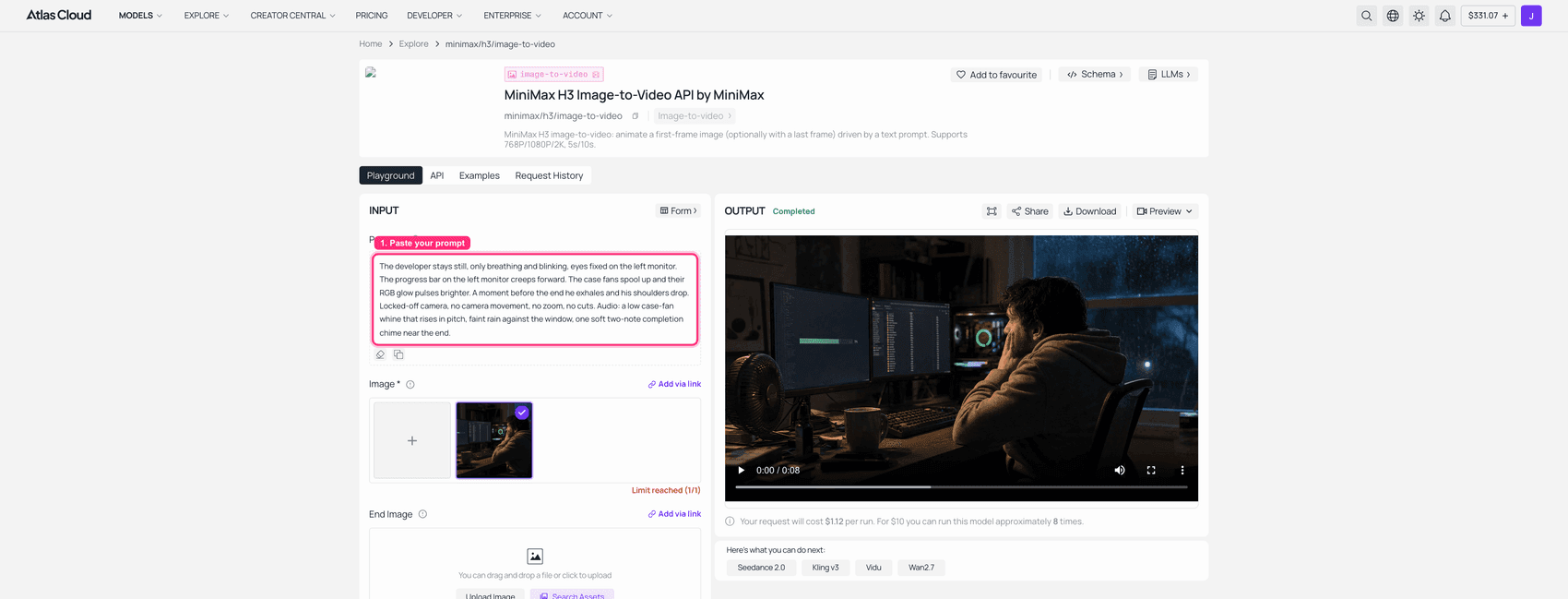
MiniMax H3 image-to-video playground on Atlas Cloud with the base frame loaded and a completed 2K clip in the output panel
MiniMax H3 image-to-video: base frame loaded, 2K, run completed. This capture used the endpoint default of 8 seconds, which is why the quote reads $1.12. My embedded clip below is the 5 second version at $0.70.
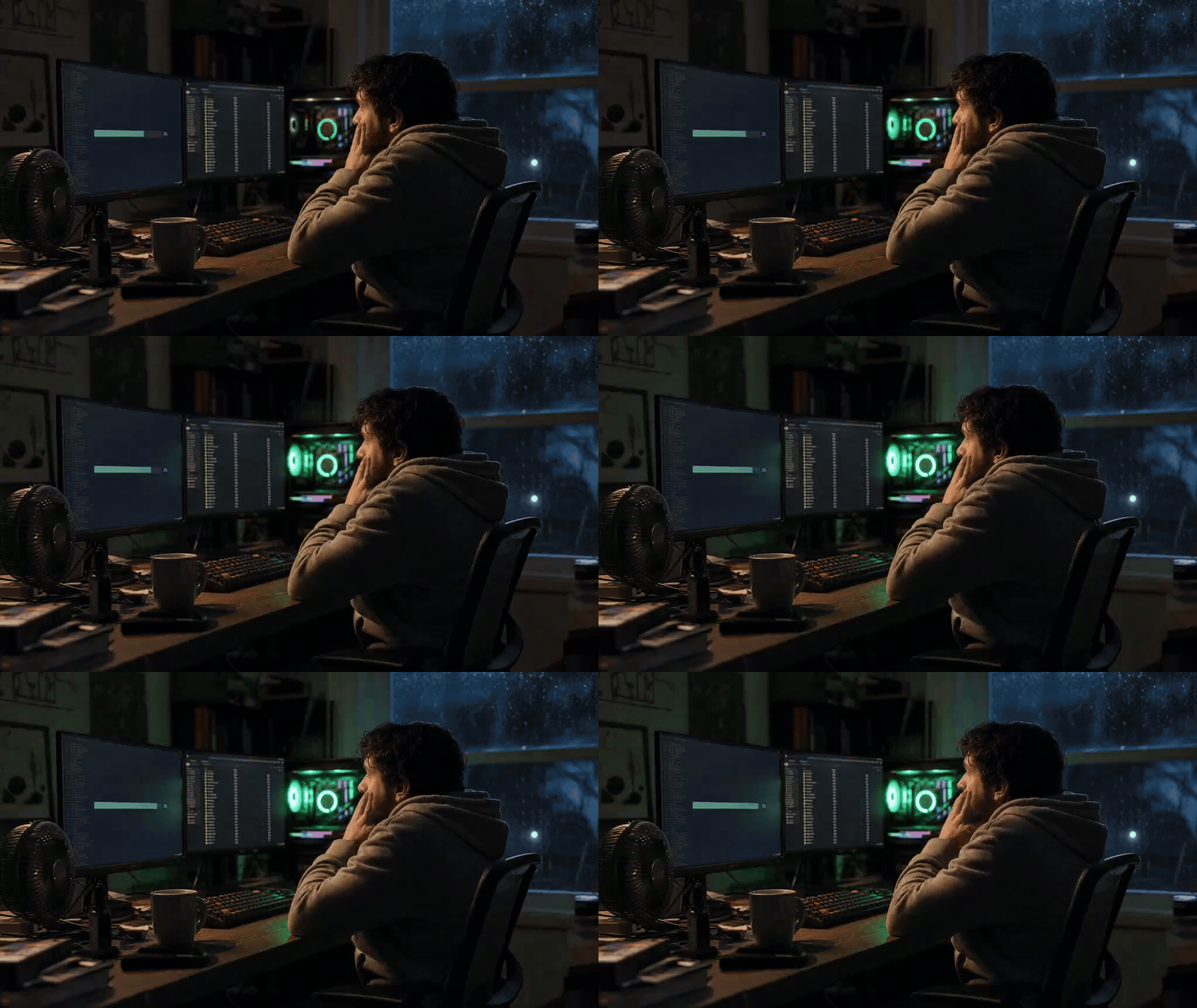
The fl2va job: one frame in, five seconds of motion plus stereo fan whine out.
Step 3: Reference to Video, the Job the ref2va Checkpoint Does
Different checkpoint, different file, different task. ref2va does not extend a first frame. It takes reference material and builds a new shot that keeps the identity and the objects consistent. That is why the repository ships two 21 GB files instead of one.
I gave it two references: the Step 1 frame for the person and the room, and a macro shot of a graphics card for the hardware.
Model: minimax/h3/reference-to-video. Settings: refers = both images, resolution: 2K, duration: 8, ratio: 16:9.
plaintext1Same man, same gray hoodie, same face, in the same dark home office. New shot: a medium close-up from the side as he leans back in the chair and lets out a long breath, the corner of his mouth lifting slightly. The graphics card in the second reference image is visible over his shoulder, its fans slowing down, RGB settling to a steady color. Keep his identity, hoodie, hair and the room's lighting consistent with the reference images. Locked-off camera. Audio: fan whine winding down, one keyboard keypress, rain continuing. 2
refers takes a mixed array of images, videos and audio, at least one image or video. Audio alone is rejected. This endpoint also accepts durations all the way to 15 seconds.
One trap on this endpoint specifically: set ratio explicitly. Leaving it on adaptive came back as 400 invalid params, ratio is required for t2va (text-only) and cannot be 'adaptive', four times in a row, including from the playground with both references clearly attached. With ratio: "16:9" in the API call it ran first time. This is also why the screenshot below is the reference image rather than a playground capture: I could not get the playground's Aspect Ratio control off adaptive, so the clip you see here came from the API with the settings above, not from a playground run.
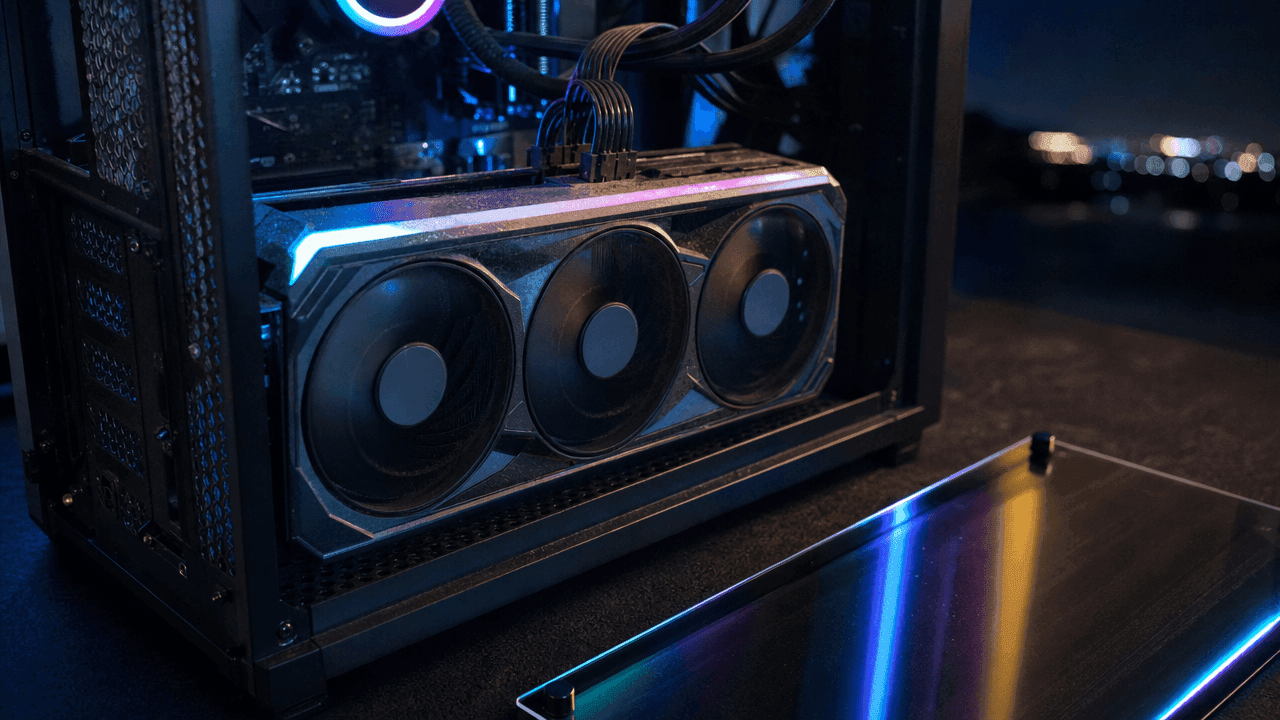
The second reference image: a macro shot of a triple-fan graphics card inside an open PC case at night
Reference image 2, generated in the same batch as the base frame, passed alongside the Step 1 frame.
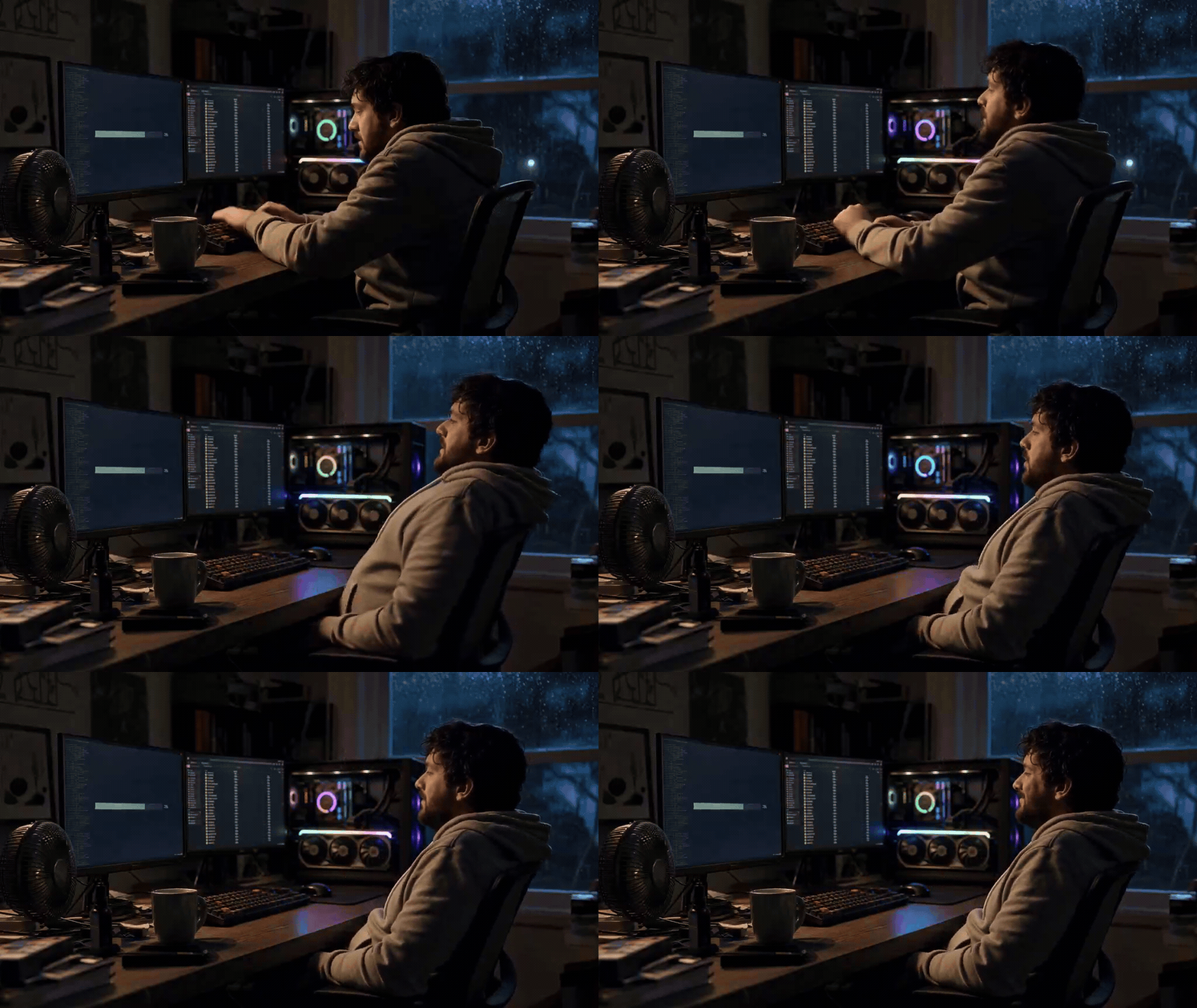
The ref2va job: a fresh take rather than a continuation. Same man, same hoodie, same room, and the graphics card from reference 2 now sitting in frame with its fans winding down. Note it interpreted "medium close-up" loosely and stayed fairly wide.
Step 4: Text to Video, the MiniMax H3 Open Source Weights Baseline
Same scene, described in words, no reference at all. This step exists to show you the thing the two checkpoints are actually for.
Model: minimax/h3/text-to-video. Settings: ratio is required here and cannot be adaptive, so 16:9. resolution: 2K, duration: 5.
plaintext1A tired developer in a gray hoodie at 3 a.m. in a cluttered home office, lit by two monitors and the RGB glow of an open PC case, watching a download progress bar crawl across the left screen. Rain on the window behind him. Locked-off 35mm shot, shallow depth of field, warm monitor light against cool window light, film grain. Audio: rising case-fan whine, faint rain, a soft completion chime at the end. 2
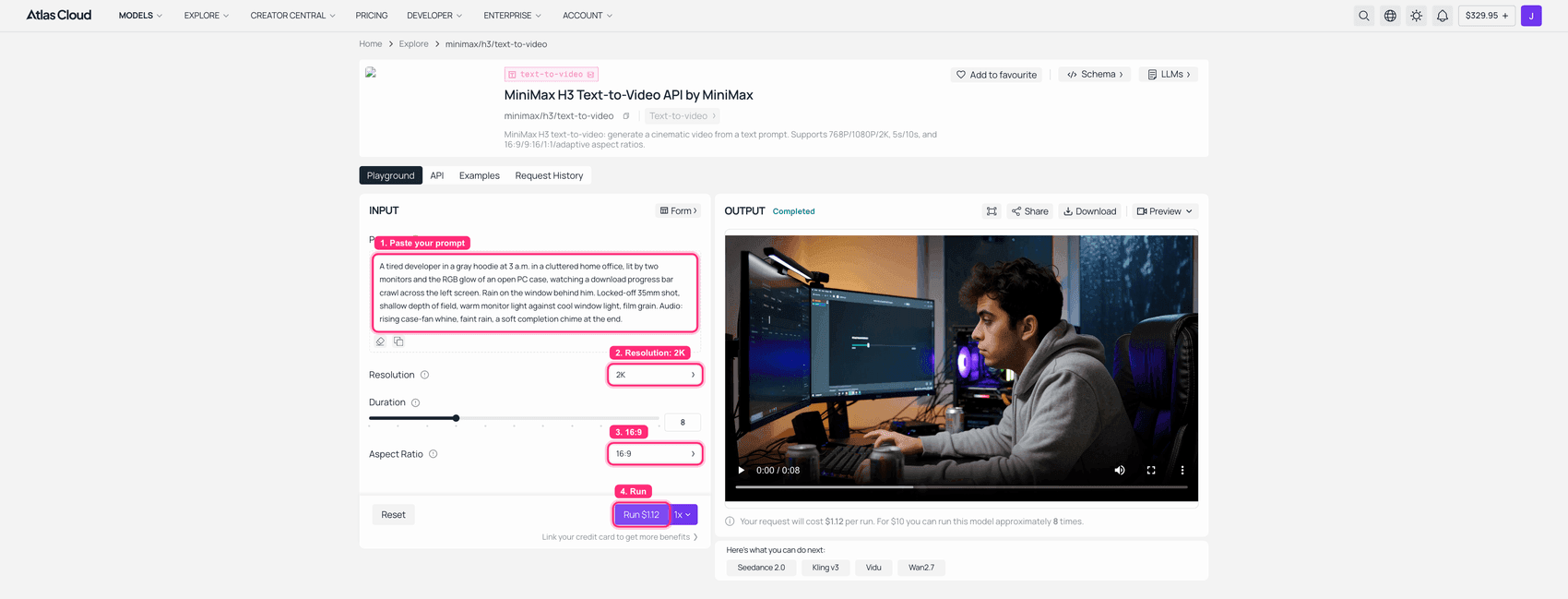
MiniMax H3 text-to-video playground on Atlas Cloud with the prompt typed and a completed clip in the output panel
MiniMax H3 text-to-video: no reference material, 2K, Aspect Ratio set to 16:9 because adaptive is rejected here, run completed. Same prompt, and already a different face than the one in Step 2.
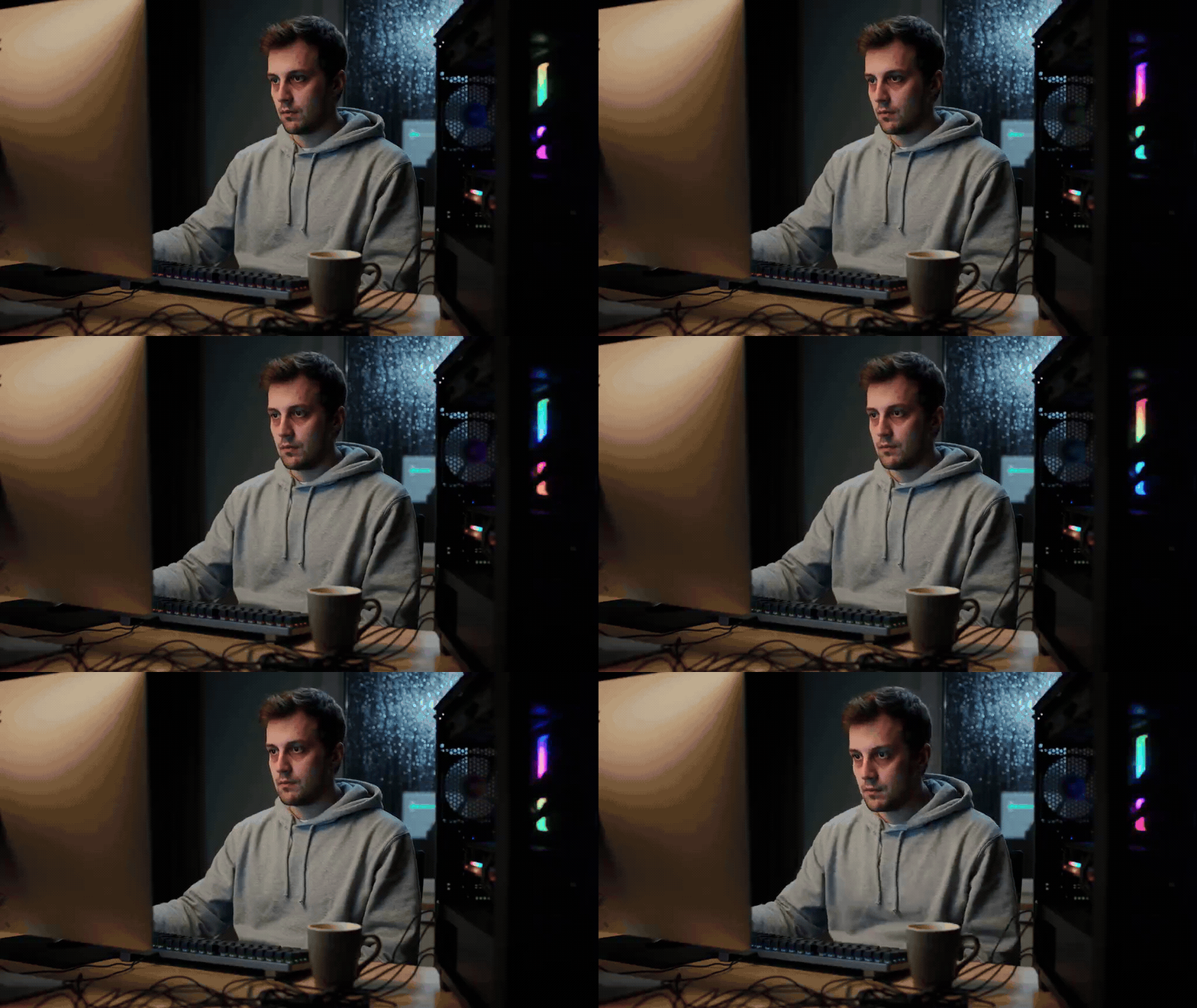
Same words, different human. Nice room, wrong guy. That gap is the entire argument for fl2va and ref2va existing as separate checkpoints.
One operational note if you script all three: upstream concurrency is roughly one task. Overlapping jobs come back as 429 rate limit exceeded (task concurrency). Run them in series. A 5 second 2K clip took about two minutes each time.
What MiniMax H3 Open Source Weights Cost, and What the License Actually Says
The cost question has two currencies. Hosted, a 5 second 2K clip is $0.70 and a 15 second one is $2.10, per second, no tiers, no discount. Local, the currency is gigabytes and hours: 42.5 GB down the pipe, a card that can hold it, and a 768p canvas unless you also run the regeneration pass. Somewhere north of a few hundred clips a month the arithmetic flips. Below that it mostly does not.
Then there is the third currency, which is legal review time. I read the whole LICENSE. Here is what is in it.

A desk lamp lighting a laptop showing a dense text document, next to a highlighted printout, reading glasses and a glass of water
The part of an open weights release that nobody screenshots for the launch thread.
| Clause | Section | What it says | What it means for you |
|---|---|---|---|
| Applicable Territory | I.3, I.5 | Worldwide, "excluding the Excluded Territories," defined as "the European Union, the United Kingdom, the Republic of Korea and the United States of America" | The community license does not grant you rights where most of this article's readers live |
| Territorial use ban | V.4 | You may not "use, reproduce, modify, distribute, or display the MiniMax H3 Works or any of their Outputs or results outside the Applicable Territory" | It reaches the Outputs, not just the weights |
| Separate licensing channel | II | MiniMax will "continuously evaluate the applicable laws" and invites parties in excluded regions to contact them for a license | It is "not yet," not "not ever." The repo ships an application form |
| Attribution | IV.2 | You "shall prominently display 'MiniMax H3' on the user interface" of any commercial product using it | A UI change, not a footnote |
| Revenue threshold | IV.1 | Above $20 million yearly revenue you need prior written authorization from [email protected] | Free commercial use has a ceiling |
| No model laundering | V.3 | You may not use H3 or its Outputs "to improve any other artificial intelligence model" | Rules out distillation into your own model |
| Redistribution | III.1, III.4 | Ship the agreement with it, include a NOTICE file, mark modified files | Standard, but it binds downstream users too |
| Text encoder | Additional Note | The encoder is Qwen3-VL-32B under Apache 2.0 | One component of the stack is genuinely OSI-open |
| Governing law | IX | Hong Kong SAR law, exclusive Hong Kong jurisdiction | Worth a line in your risk register |
Effective date on the agreement is August 2, 2026 (Hugging Face, August 2026).
Most launch coverage led with "open weights" and stopped there. To MiniMax's credit, they did not hide it: the repo carries its own docs/QA-about-License.md explaining that video models face a faster-moving regulatory picture than text models, naming the EU AI Act, UK and Korean rules, and ongoing US copyright litigation over generative video, and stating plainly that "the current limitation means 'not yet', not 'not ever'." The same document confirms the split that matters operationally: the API stays globally available because MiniMax controls the serving infrastructure, while open weights leave that control behind.
So if you are in San Francisco, Berlin, London or Seoul, the practical reading is not "you can never touch H3." It is "this particular license is not the instrument that lets you run these weights on your own box." Apply for the separate license, or use a hosted endpoint, where you are a customer of a service rather than a licensee of the weights.
I am not a lawyer and this is not legal advice. The clause text above is quoted so your actual counsel can go read the original in about ten minutes.
MiniMax H3 Open Source Weights: Frequently Asked Questions
Are the MiniMax H3 open source weights actually out, and where do I download them?
Yes, as of the start of August 2026. Two places. MiniMaxAI/MiniMax-H3 is the official repository, around 498 GB, containing the diffusers-format pipeline, both transformers, the text encoder, both VAEs, docs and reproducible scripts. Comfy-Org/MiniMax-H3 is the repackaged ComfyUI build, around 343 GB total, with the quantized single-file checkpoints most people actually want. If you are running ComfyUI, use the second one and download four files.
How many parameters does MiniMax H3 have, and do I need a supercomputer?
33B, in a dense single-stream Transformer. Around 13B of that sits in AdaLN-related branches whose outputs can be precomputed and cached, so inference-only deployments do not need to load them. That is what the "pruned" checkpoints are. No supercomputer. A 42.5 GB download and a serious consumer GPU.
Can I run the MiniMax H3 open source weights on 12 GB or 16 GB of VRAM?
The ComfyUI team says a 12 GB card can do it with dynamic offloading, using the pruned int8 fl2va checkpoint plus the nvfp4 AWQ text encoder. That is their claim, not a benchmark I ran. Two caveats: offloading trades VRAM for system RAM, so budget 64 GB of RAM and expect long render times, and your local canvas is 768px short edge, not 2K.
Are the MiniMax H3 open source weights really open source, or just open weights?
Open weights, precisely. The weights are downloadable and modifiable, which is more than any frontier video model offered a year ago. But the license is not OSI-approved, the training recipe and data are not published, commercial use carries attribution and revenue conditions, and the territory clause restricts where the grant applies. The one genuinely open component is the Qwen3-VL-32B encoder under Apache 2.0. Three separate layers, and "open" only cleanly describes the first.
Can I use the MiniMax H3 open source weights commercially, and what does the $20M line mean?
Yes, with two conditions. You must prominently display "MiniMax H3" on the user interface of the commercial product (Section IV.2). And if your commercial products and services generate more than $20 million in yearly revenue, you need separate prior written authorization from MiniMax before you use it, requested at [email protected] (Section IV.1). The threshold is on your revenue, not on your H3 usage.
Why does the MiniMax H3 license exclude the US and EU, and what are my options?
Per MiniMax's own license Q&A, because video generation sits in a faster-moving regulatory environment than text, specifically the EU AI Act, evolving UK and South Korean rules, and active US copyright litigation over generative video. Once weights are public, they cannot enforce safeguards downstream, so they scoped the grant instead of delaying the release. Options in an excluded region: apply for a separate license through the form in the repository, or use a hosted API, which is a different legal relationship and remains globally available. Have your counsel confirm which one fits before you deploy.
Verified August 3, 2026. Three things on the follow-up list: community GGUF and lower-bit quantizations (none exist for H3 yet), any change to the Excluded Territories list, and whether the hosted 768p tier that the readme still documents ever comes back.





