Higher resolution has always meant a higher bill. MiniMax H3 quietly breaks that rule. It renders straight to native 2K, and the per-second price sits below what a 720p clip costs on the video model most people reach for first.
That is the headline, but the resolution and the price are only half of what makes MiniMax H3 interesting. The other half is how it works: one model that reads text, image, video and audio together and returns a finished clip, picture and sound, in a single pass. Below is what it does, what it costs, and the exact prompts that produced every clip in this article.
Key takeaways
- MiniMax H3 renders native 2K (2560 by 1440) with a synchronized stereo soundtrack generated in the same pass, not stitched on afterward.
- Verified pricing on the model page (July 2026): 2K is $0.14 per second, 768p is $0.10 per second. For scale, Seedance 2.0 runs about $0.24 per second at 720p, so H3 gives a higher-resolution frame for a lower unit price.
- Three entry points (text, image, and reference to video) share one API key. Reference-to-video accepts up to nine mixed images, clips, and an audio track as identity anchors.
MiniMax H3 Runs in One Pass Instead of Three Tools
Making one finished clip usually means splitting the job. You generate a picture in one model, switch to a second model for audio, then open an editor to line the two up. Every handoff leaks a little of the original intent, and the timeline adds up fast.
MiniMax H3 collapses that. It reads the whole brief as one context: what the character looks like, how the motion runs, how the camera moves, the emotional key, and what the sound should feel like all go in together and come back as one clip. MiniMax frames the direction as a move away from task-specialized models toward general multimodal intelligence, and in practice it means fewer tools open at once.
Two things are worth stating plainly, because both are easy to verify in the output. First, the clips carry real sound: the showcase files below come out with a stereo audio track baked in, not added in post. Second, the resolution is genuinely 2K, 2560 by 1440 at 24 frames per second, not an upscale.
Three Ways to Run MiniMax H3 on Atlas Cloud
MiniMax H3 is live on Atlas Cloud with three entry points, and all of them answer to the same API key. Each one has a Playground you can try in the browser before writing a line of code.
| Entry point | Driven by | Inputs | Best for |
|---|---|---|---|
| Text-to-video | A text prompt alone | No reference material | Building a scene from scratch |
| Image-to-video | A first frame, plus an optional last frame | One or two still images | Animating a fixed frame you already have |
| Reference-to-video | A text prompt plus reference material | Up to 9 mixed images, video clips, and one audio track | Keeping a character, product, or style consistent across the clip |
The reference-to-video path is the flexible one. It treats your references as identity anchors, so a character, a product, or a look stays consistent while the prompt puts it into new scenes and motion. You can mix images and video clips, and add one audio track to sync the action to a beat. At least one image or video is required; audio on its own is not allowed.
Because every model on the platform shares one calling convention, moving to H3 from another video model is a matter of swapping the model field. Auth, polling, and result retrieval stay identical, which is the quiet benefit of running video, image, audio, and language models behind one key and one bill.
What MiniMax H3 Costs: 2K, 768p, and the Seedance Comparison
MiniMax H3 bills per second of generated video, by resolution. These figures come straight from the model page, checked on 31 July 2026.
| Resolution | Cost per second | An 8-second clip |
|---|---|---|
| 2K (2560 by 1440) | $0.14 | $1.12 |
| 768p | $0.10 | $0.80 |
Here is the part that reads backward at first. A native 2K second of H3 is $0.14. For comparison, Seedance 2.0, the platform's other flagship video model, bills about $0.24 per second at 720p. So H3 hands you a higher-resolution frame, at a lower price per second, than a lower-resolution clip costs on Seedance. Resolution up, unit price down, at the same time.
One honest note on the number, so nobody budgets wrong. There is no promotion behind H3's price. The 20% discount running on the platform right now is on the Seedream 5.0 Pro image model, not on H3, so $0.14 per second at 2K is the standing rate as of late July 2026. The 768p tier is listed at $0.10 per second; 2K is the tier live and callable today.
The MiniMax H3 Prompt Book: Showcases You Can Copy
Every clip below was produced by the prompt printed next to it. Copy one, swap in your own references, and run it. Each block also shows the reference images that went in, in the order the prompt calls them (image 1, image 2, and so on).
Brand films and film/TV
Trailers, TVC spots, and brand-texture films are the most direct fit, because they drop into an existing content pipeline with the least rework.
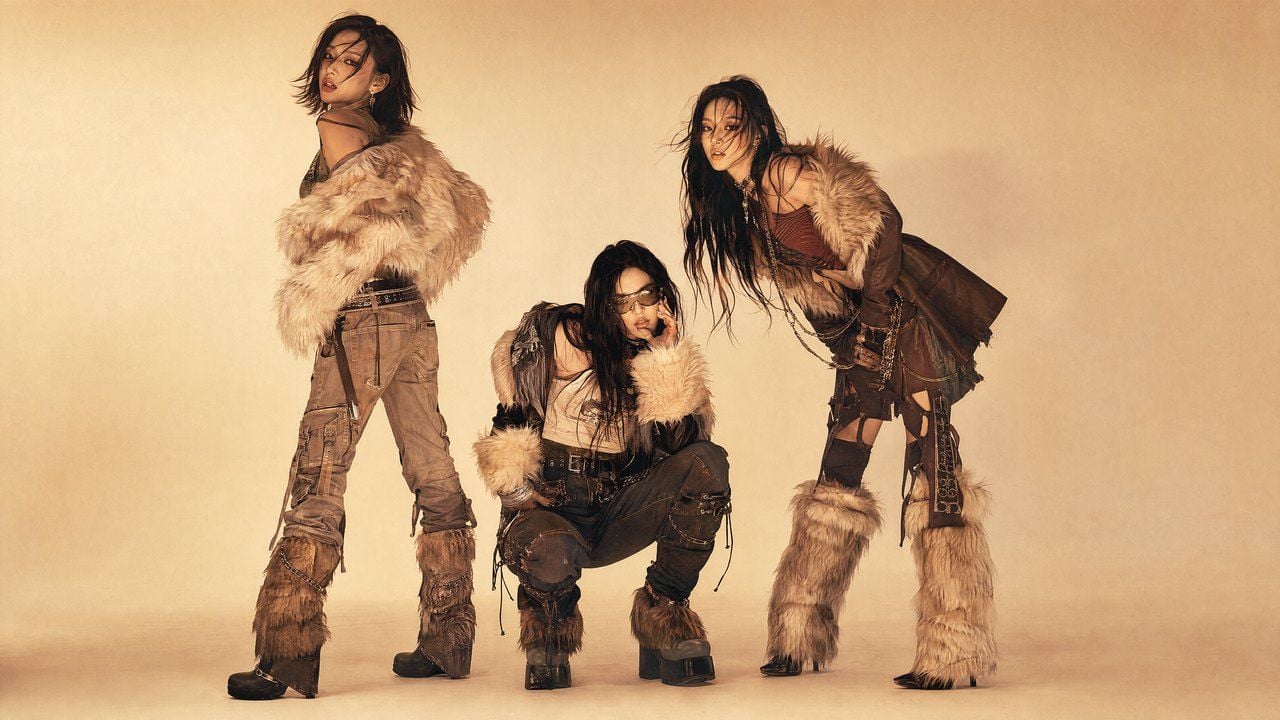
Reference inputs, image 1 for mood and style, image 2 for the lead character:
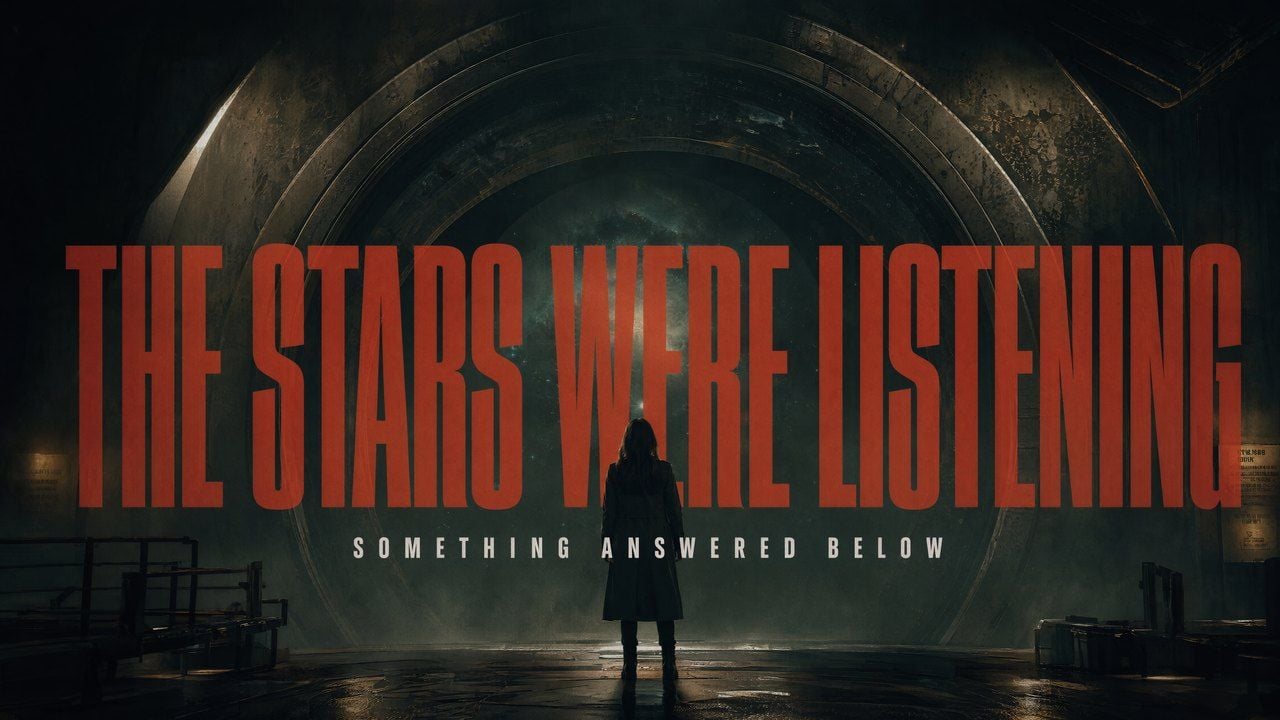 Reference image 1, overall mood and style
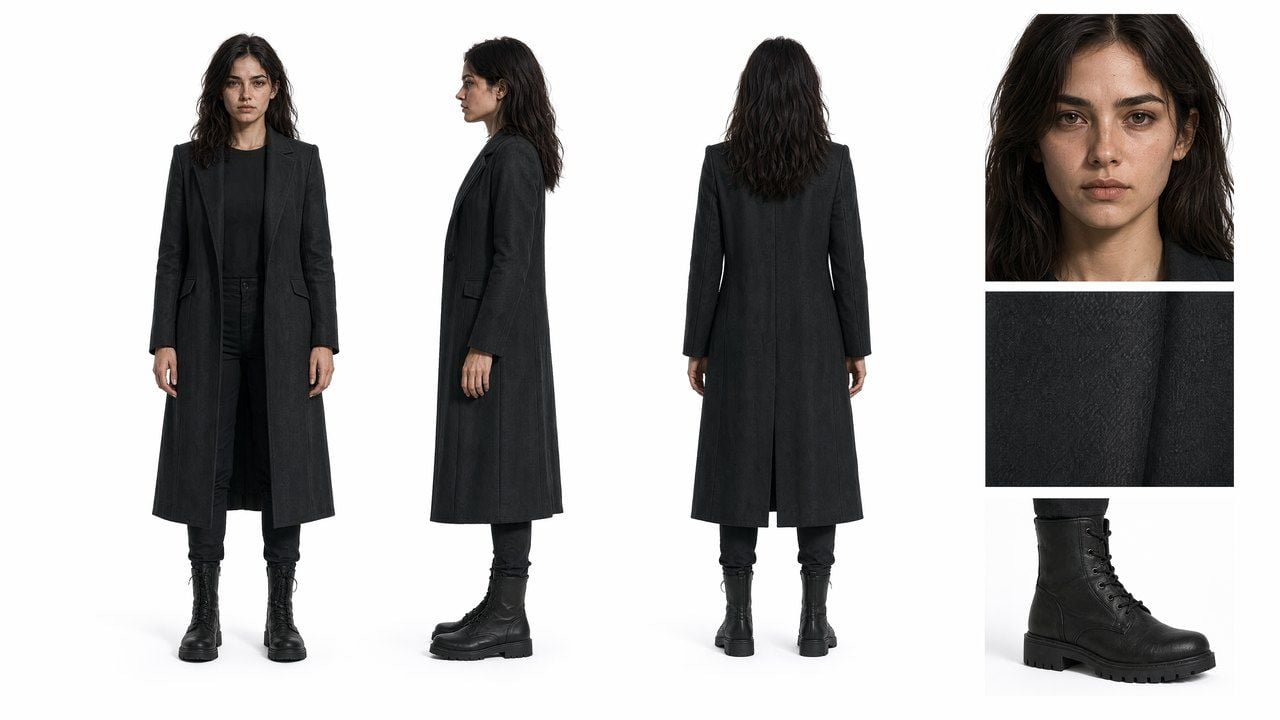 Reference image 2, the lead character
Plain1Realistic cinematic look, high-contrast light and shadow, tight pacing. Image 1 is the reference for overall mood and style. Image 2 is the reference for the lead character. Shot 1, ultra-wide establishing shot. A huge circular cosmic gate almost fills the frame; the figure is only a small silhouette in front of it, standing low and slightly right of center. The ground is wet and reflective; the center of the gate is pitch black. The camera pushes in slowly. A main title fades in from the edge of the darkness, blurred first then sharp: "THE STARS WERE LISTENING", extremely narrow, heavy, all caps, dark red mixed with rust red, with light grain and hazy edges. Audio: deep low-frequency pulse, distant metallic shudder, one soft hit as the text resolves. Hard cut.
Visual creative and content packaging
Creative shorts, title sequences, mood-driven music videos, and motion posters. This is where the model's handling of on-screen text and rhythm shows up most.
Light-suspense crime title sequence. Five style references set the retro-anime, comic-collage look; the model keeps every English credit legible and lands the transitions on the drum hits.
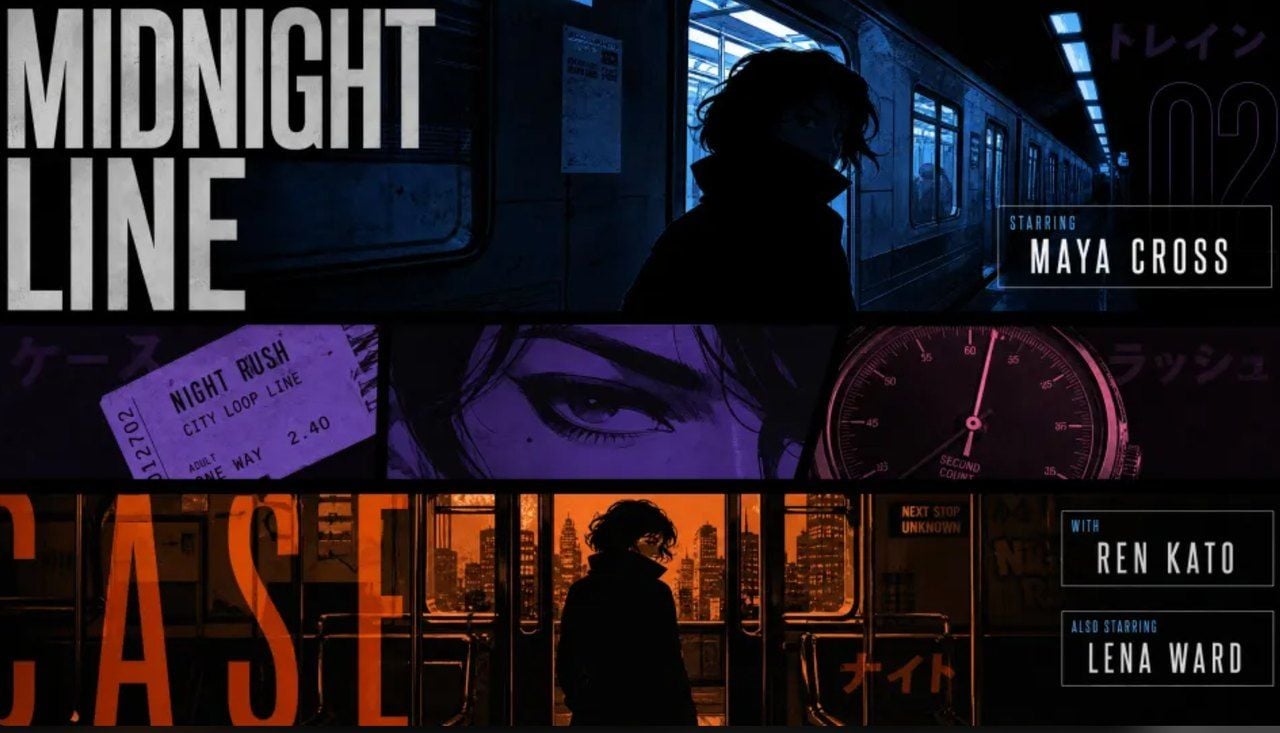 Style reference
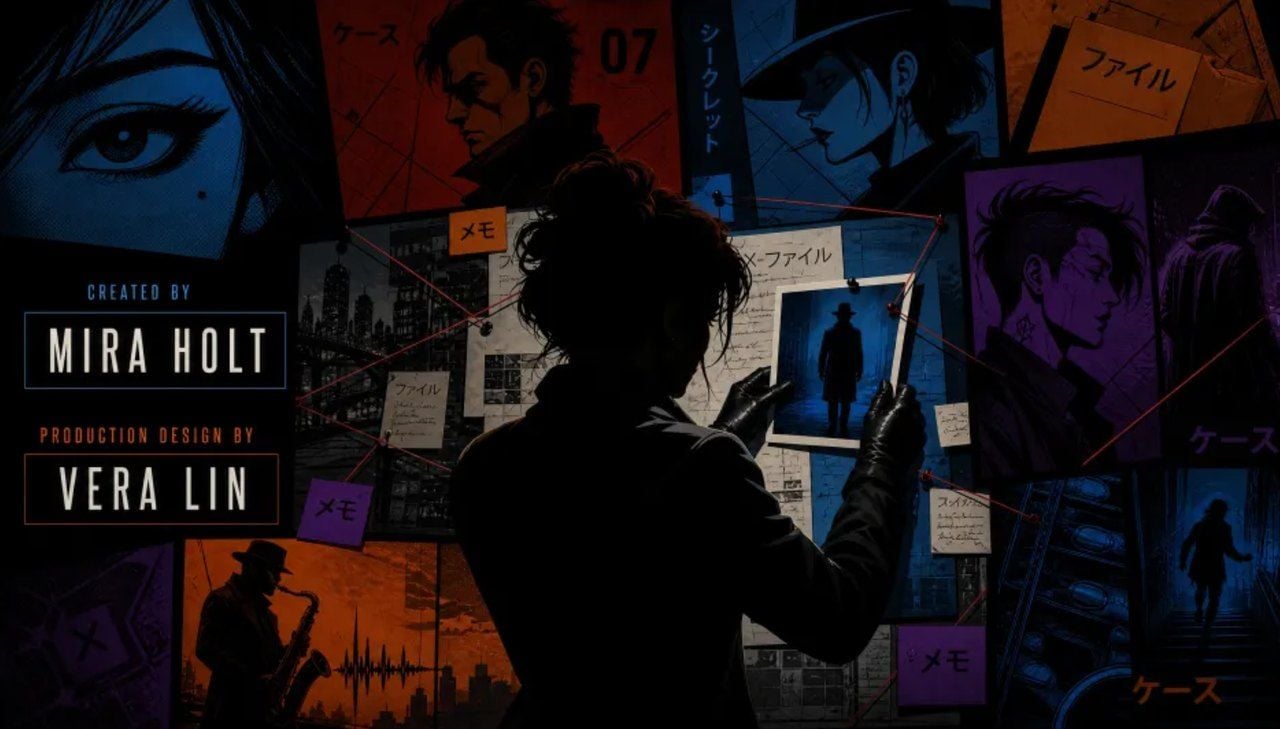 Style reference
Plain1Generate a 15-second 16:9 landscape opening title sequence for a light-suspense crime film. Overall style follows the visual language of these images: retro Japanese-anime title sequences, hard-edged silhouettes, comic collage, asymmetric split screens, strong geometric color blocks, English credits, a few Japanese katakana decorations, jazz-crime attitude. The mood is 60% suspense, 40% jazz: mysterious, cool, nimble, with an urban-crime feel, not horror, not heavy. The motion reads like motion-graphic collage: line frames appear first on black, split-screen boundaries swipe out fast, color blocks and panels paste in block by block; character silhouettes, prop close-ups and English credits slide in, pop, and mask-reveal in sequence on the drum hits. English credits must be clearly legible and may be animated. Do not add Chinese, no garbled characters, no misspelled English. Every English credit and role appears exactly once. Keep transitions varied: circular vinyl mask, vertical car-door cut, a long human shadow sweeping the screen, red-line cut, giant English letter mask, split-screen frame recomposition, hard color-block cut. All transitions land on the drum hits. No soft dissolves. BGM: original 15-second title music, 60% suspense, 40% jazz, built from a sustained bass tone, tense pizzicato strings, cold synth pulses, kick drum, sparse jazz brushes and short low-sax phrases. The first 2 seconds establish suspense with low frequencies and hi-hat; at 3 seconds a low drum beat enters; at 6 seconds a jazz bass groove joins; at 10 seconds a short sax riff appears; the last 2 seconds lock the frame with a tense chord plus a drum hit. Do not imitate any existing melody.
Live-action kitchen fused with hand-drawn animation. No reference material, text-to-video only. The prompt leans into imperfect phone-camera texture to keep it from looking like a commercial.
Plain115 seconds, 16:9 landscape. Live-action footage of a small kitchen at dusk fused with hand-drawn glowing animation. Sunset light still lingers at the window; the lived-in little kitchen has an old wooden table, a half-washed mug, a slightly fogged glass bottle, and a hanging dishcloth. The image carries the fine handshake of one-handed smartphone shooting, hesitation when focusing up close, exposure fluctuation from backlight, and slightly coarse noise in the shadows. Do not make it neatly composed like a commercial, it should feel like someone hurriedly filming something impossible at home. No giant eyes, no split mouths, no fangs, no threatening or pouncing motions, no sudden cut to black, no jump scares. Sound uses only kitchen room tone, the friction of the dishcloth, the light clink of the mug, water dripping from the tap, the shooter's footsteps and faint breathing, plus the hand-drawn creature's soft electronic tone and small cries.
Dark-pop, cyber-grunge music video. Two references set the type treatment and print texture; the cut stays hard, no dissolves.
 Type treatment reference
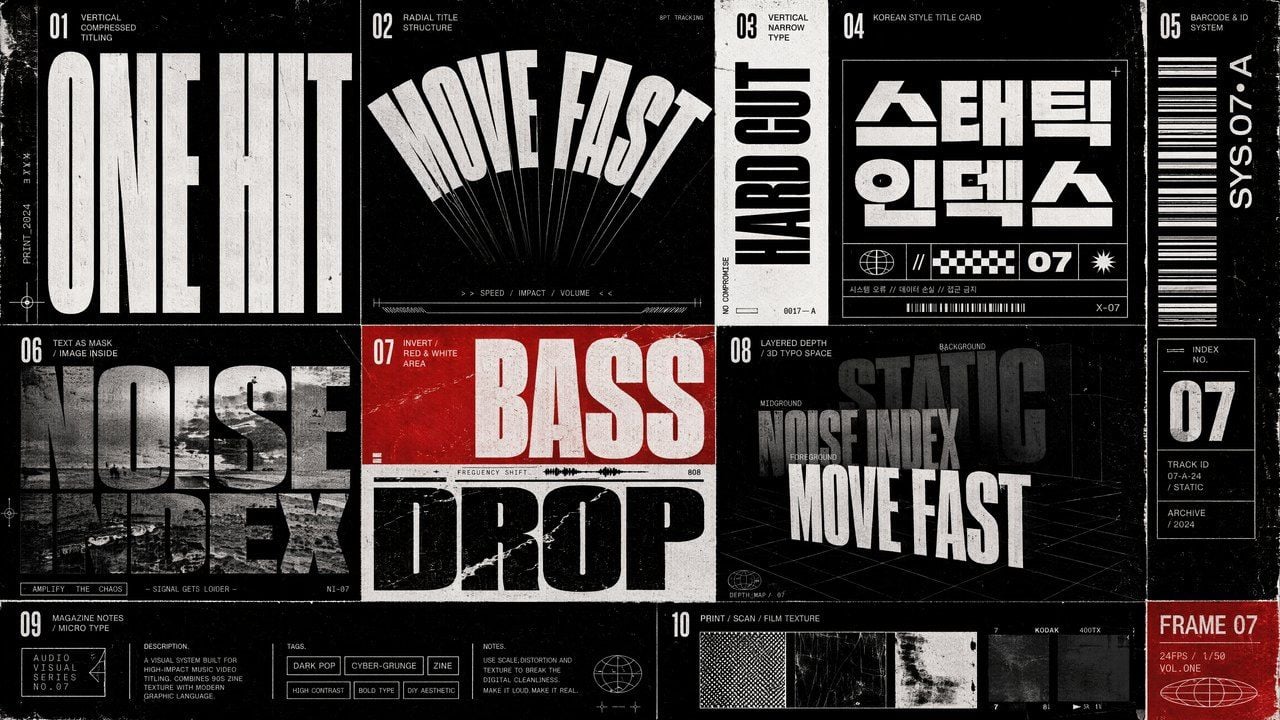 Type treatment reference
Plain1Style: dark-pop / cyber-grunge / rap music video, realistic high-fashion texture, film-magazine texture, high contrast but not cheap. Overall reference: late-90s to early-00s indie magazines, photocopier paper, film scans, underground music posters and zine collage aesthetics. The image has coarse grain, slight film jitter, halftone dots, printing burrs and scan misregistration. Fast cutting rhythm, hard cuts only, no fades and no soft transitions. Type-treatment style and texture follow the reference images.
Motion poster. One reference, the original static poster. The prompt keeps the layout and palette fixed and only animates the type entrance.
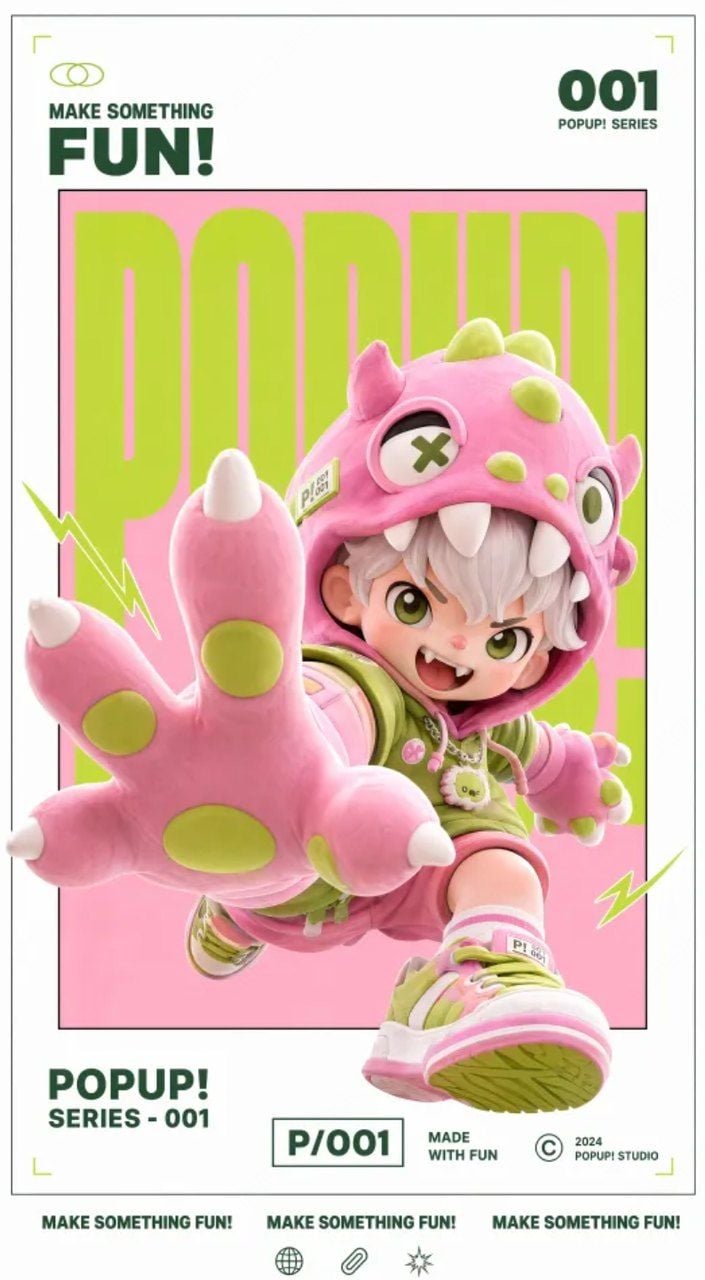 The original static poster
Plain1Make a motion-poster video. Keep the original image's gallery white frame, inner frame, red-white-black palette, 3D-figurine feel and layout structure unchanged; as the type comes in, add a nimble text-entrance sound effect.
Digital experience and game creative
Game UI, product interfaces, and interaction demos. The standout here is that H3 follows a prompt written as timed blocks.
Game equipment UI walkthrough, prompted per second. This is the one worth reading closely. The prompt is written as timed segments, and the model follows them: menu states, cursor clicks, panel slide-ins, an armament grid, a loading bar from 0% to 100%, then the full environment loading in around the character.
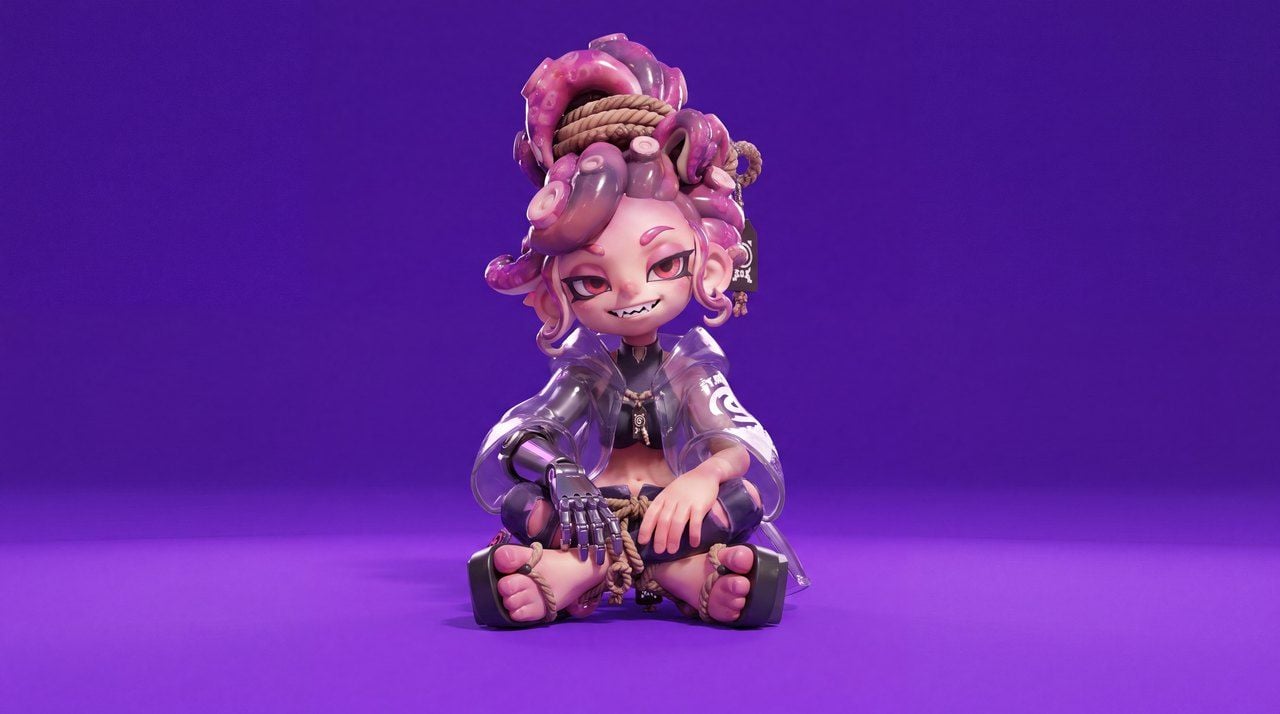 Reference image 1, the character
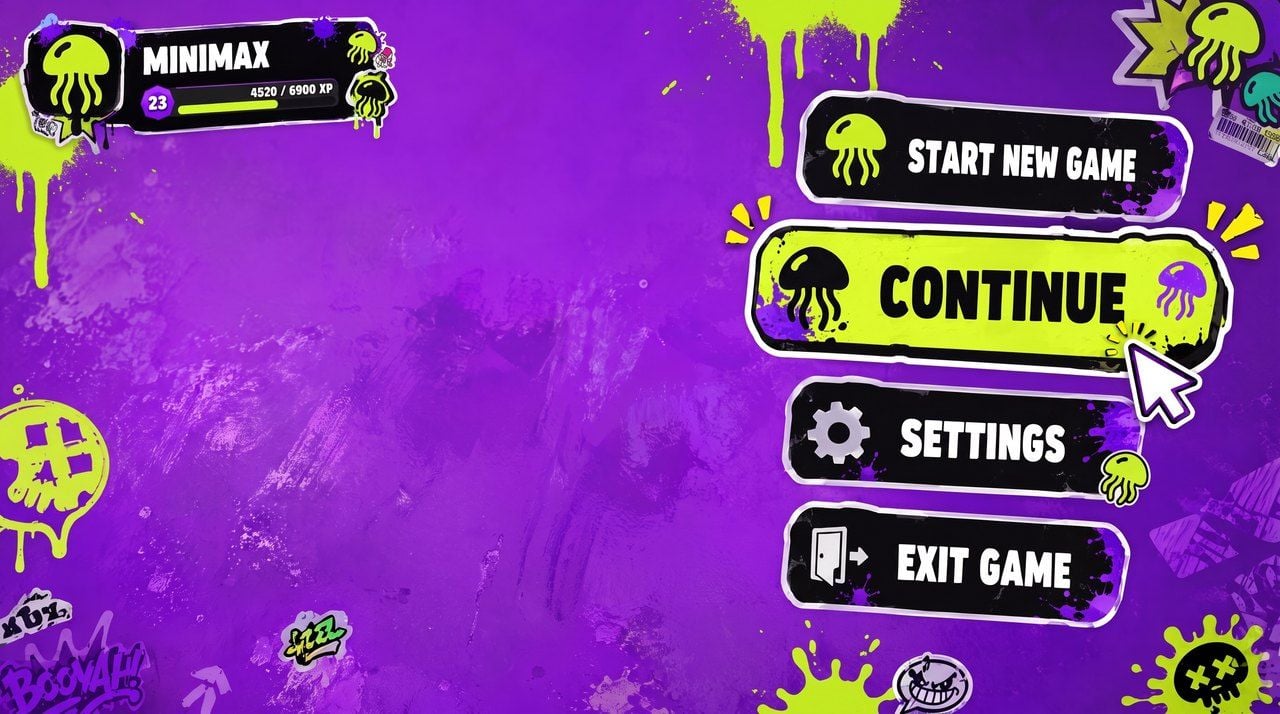 Reference image 2, the UI style
Plain1Character reference is Image 1, UI style reference is Image 2. 2 3[0s-2s] High-angle overhead shot. The character sits on a highly saturated bright purple floor, referencing Image 1, looking up into the camera. A game menu UI shows on the right: START NEW GAME, CONTINUE (highlighted), SETTINGS, EXIT GAME. Player profile MINIMAX shows in the top-left. The cursor clicks "CONTINUE". 4 5[2s-4s] Smooth zoom to her right arm. A UI panel slides in from the right and the "RIGHT ARM EQUIPMENT" panel appears. The selection highlights "PHANTOM GRIP", then slides to "CHRONOS CLAW". Her right hand mechanically reconfigures, fingers splitting apart, new claw-like knuckles locking into place, cyan LEDs flashing brighter. 6 7[4s-7s] The camera smoothly arcs around to her left side. A new UI slides in, the "ARMAMENT CUSTOMIZATION" grid, showing hand, forearm, elbow and upper-arm components. The selection cycles quickly through parts. Her left arm disassembles segment by segment, with exposed wiring and pistons visible during the swap. 8 9[7s-8.5s] The camera pulls back to a medium shot. The CONFIRM CONFIG button flashes. Click. All UI panels contract inward and vanish. The character unfolds her legs and now sits relaxed with one knee up. 10 11[8.5s-10s] A LOADING bar appears at the bottom, filling fast from 0% to 100%. The bright purple environment starts to darken, shadows creeping in from the edges, warm golden light seeping through. 12 13[10s-15s] As she stands, the full environment loads around her. A dense cyberpunk slum resolves: neon flickering, wet streets reflecting light, crowds moving, motorbikes weaving, stacked buildings extending toward distant skyscrapers. The camera settles into third person behind her. HUD elements fade in, with a minimap top-right and a health plus ammo counter bottom-left. A quest marker appears. She steps into the street.
Product landing page UI/UX demo. One product shot as the reference; the prompt asks for a scrolling, high-energy landing page.
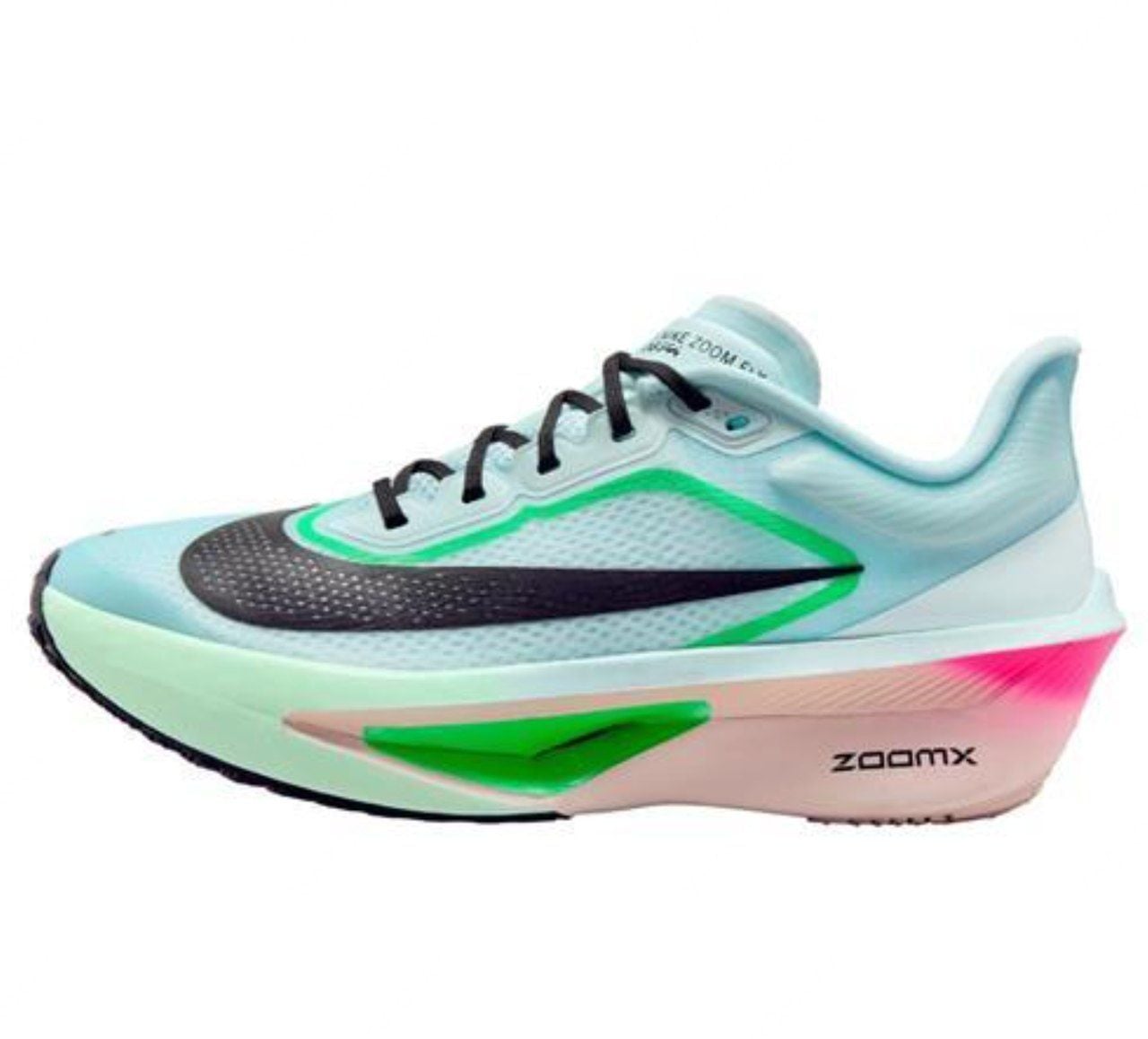 The product shot reference
Plain1A website page, website page UI design, website motion, the video shows a smooth downward page scroll. An explosive, high-energy Nike-official-site-style product landing page UI/UX demo video, whose core subject on display is the product in Image 1. The page uses rough, powerful, slanted oversized sans-serif type for loud layout. In the background, fast-moving light and shadow, dark carbon fiber or athletic breathable-mesh texture interweave and shift. The video shows a tightly paced downward page scroll, plus UI interactions such as strong visual scale-up and color inversion on hover.
Web UI motion, minimal prompt. Proof that the timed, detailed style is optional; a short instruction works too.
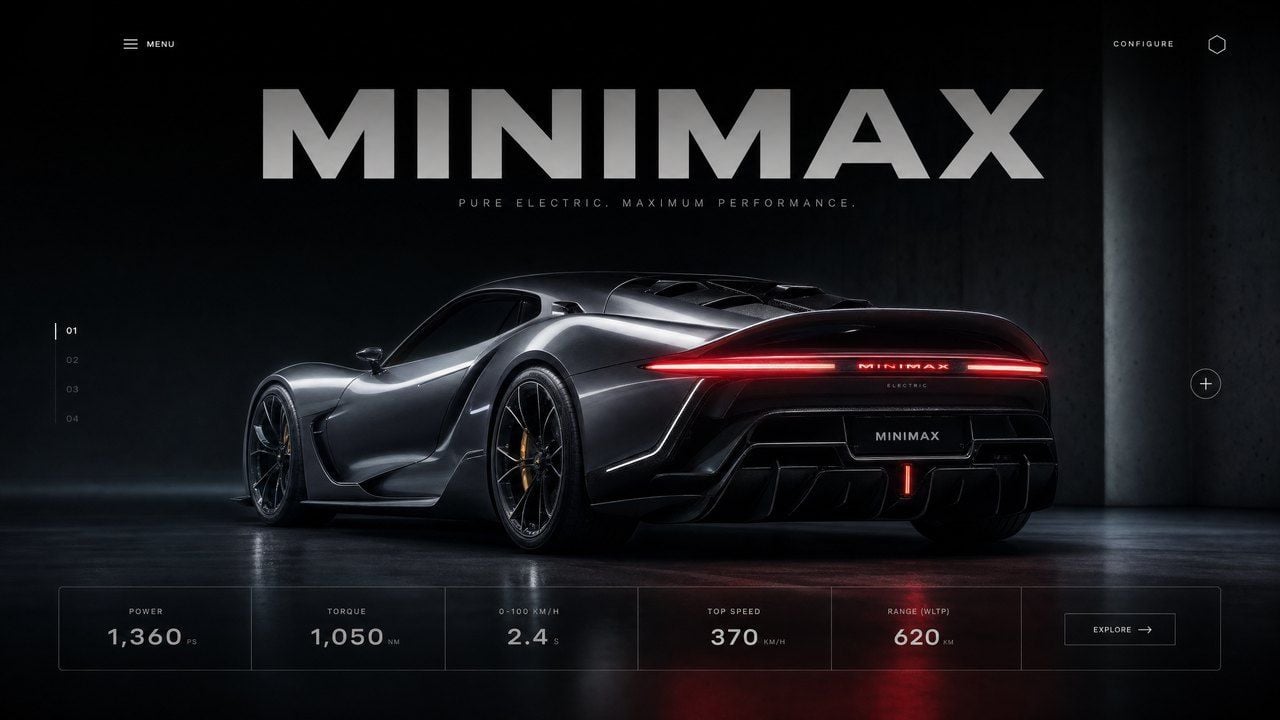 Reference image
Plain1Simulate a website UI design: first the headline at the top slides down into view, then the text bar below wipes upward, and the car's lights change from dark to red.
How to Start With MiniMax H3
There are two ways in, and neither one takes long.
Run it in the Playground. Sign in to Atlas Cloud and open MiniMax H3 right on the model page. Type a prompt, pick a resolution and duration, and generate, no code required. It is the fastest way to see whether the model fits your shot before you wire it into anything.
Or call the API in three steps.
- Get your API key. Open the Atlas Cloud console and create a key on the API Keys page. All three H3 entry points share the one key.
- Read the fields on the model page. Parameter reference and copy-paste code live on each entry point: text-to-video, image-to-video, and reference-to-video. The three take different inputs, so do not mix their request bodies.
- Fire the first request. One endpoint and one calling convention reach every model on the platform, so switching from another video model to H3 means changing the model field to the matching H3 entry point. Auth, polling, and result retrieval stay the same.
Beyond H3, the same key reaches video, image, audio, and language models you can combine, one API and one bill, so building a finished piece does not mean shuttling assets and invoices between vendors.
Frequently Asked Questions
What is MiniMax H3?
MiniMax H3 is MiniMax's multimodal video generation model, available on Atlas Cloud through three entry points: text-to-video, image-to-video, and reference-to-video. It reads text, image, video, and audio as one context and returns a finished 2K clip with synchronized sound in a single pass.
How much does MiniMax H3 cost?
MiniMax H3 bills per second of video. Verified on the model page in July 2026, native 2K (2560 by 1440) is $0.14 per second and 768p is $0.10 per second. An 8-second 2K clip therefore costs $1.12. There is no promotional discount on H3 at that time.
Does MiniMax H3 generate audio, or just video?
Both, together. The showcase clips come out of MiniMax H3 with a synchronized stereo audio track generated in the same pass as the picture, rather than added in a separate step. Prompts can direct the sound, describing music, sound effects, and timing alongside the visuals.
What is the difference between the three MiniMax H3 entry points?
Text-to-video works from a prompt alone. Image-to-video animates a first frame, with an optional last frame. Reference-to-video keeps a subject consistent using up to nine mixed reference materials, images, video clips, and one audio track. All three share one API key and one calling convention.
What resolution and clip length does MiniMax H3 support?
MiniMax H3 renders native 2K at 2560 by 1440 and 24 frames per second, with a cheaper 768p tier on the pricing sheet. Clips run from about 5 to 15 seconds, and aspect ratios include adaptive, 21:9, 16:9, 4:3, 1:1, 3:4, and 9:16.





