Your daily credits vanished before breakfast. Again. So you typed "pixverse local alternative" into Google, and nearly every result tried to sell you another cloud app with another credit meter. None of them answered the actual question: can this thing run on my own machine?
Here's the honest answer. PixVerse can't, but several open-source models can, and the specs are public. This guide covers what runs locally, what it costs in hardware and hours, and the API route that gets you PixVerse V6 itself without touching the consumer app's pricing.
Key Takeaways
- PixVerse publishes no model weights, so there is no offline version. Its own site lists V6 at $4.80 per minute.
- Real local options exist: FramePack officially runs on 6GB of VRAM, while Wan 2.2's 5B model needs a 24GB card like an RTX 4090.
- No GPU? Atlas Cloud hosts PixVerse V6 from $0.025 per second alongside 46 other text-to-video models on one pay-as-you-go API.
Why Do People Want a Local PixVerse Alternative?
PixVerse doesn't publish model weights, so there's nothing to download and nothing to run offline. The official pixverse.ai site describes a cloud-only platform, priced by the app or the API, never by the download. Anyone searching for a PixVerse alternative that runs locally is really searching for a different model entirely.
Why do people keep looking anyway? Reddit threads about AI video tools repeat the same three complaints. Free daily credits run out fast. Content filters block prompts that seem harmless. And per-clip costs pile up fast once you're iterating seriously, a pattern covered in detail in the PixVerse AI pricing breakdown.
Privacy matters too. A local model never uploads your source images. For client work under NDA, that alone can justify the hardware.
A PixVerse AI Alternative That Needs No GPU: Atlas Cloud
If buying a graphics card just for this isn't on the table, the fastest escape from app credits isn't a new app either. Atlas Cloud is a multimodal inference platform with over 300 models behind one API key, and it hosts PixVerse V6 itself starting at $0.025 per second. Same model, per-second billing, pay-as-you-go, and free credits to start.
Here's the full V6 price matrix as listed on Atlas Cloud:
| Quality | Without audio | With audio |
|---|---|---|
| 360p | $0.025/sec | $0.035/sec |
| 540p | $0.035/sec | $0.045/sec |
| 720p | $0.045/sec | $0.060/sec |
| 1080p | $0.090/sec | $0.115/sec |
Compare that against the $4.80 per minute figure on PixVerse's own site, which works out to $0.08 per second: six of the eight price points above sit below it. A 5-second 720p clip without audio costs $0.225 through Atlas Cloud. You can test it in the browser before writing any code: the PixVerse V6 playground on Atlas Cloud runs prompts against the live endpoint with duration, aspect ratio, and audio toggles.
And if you outgrow PixVerse, you don't migrate platforms. The Atlas Cloud text-to-video catalog lists 47 models, from Wan and Kling to Seedance and Veo, all priced per second in the catalog and reachable on the same key. That's the practical difference between switching apps and switching endpoints.
Free AI Video Generator Alternatives to PixVerse
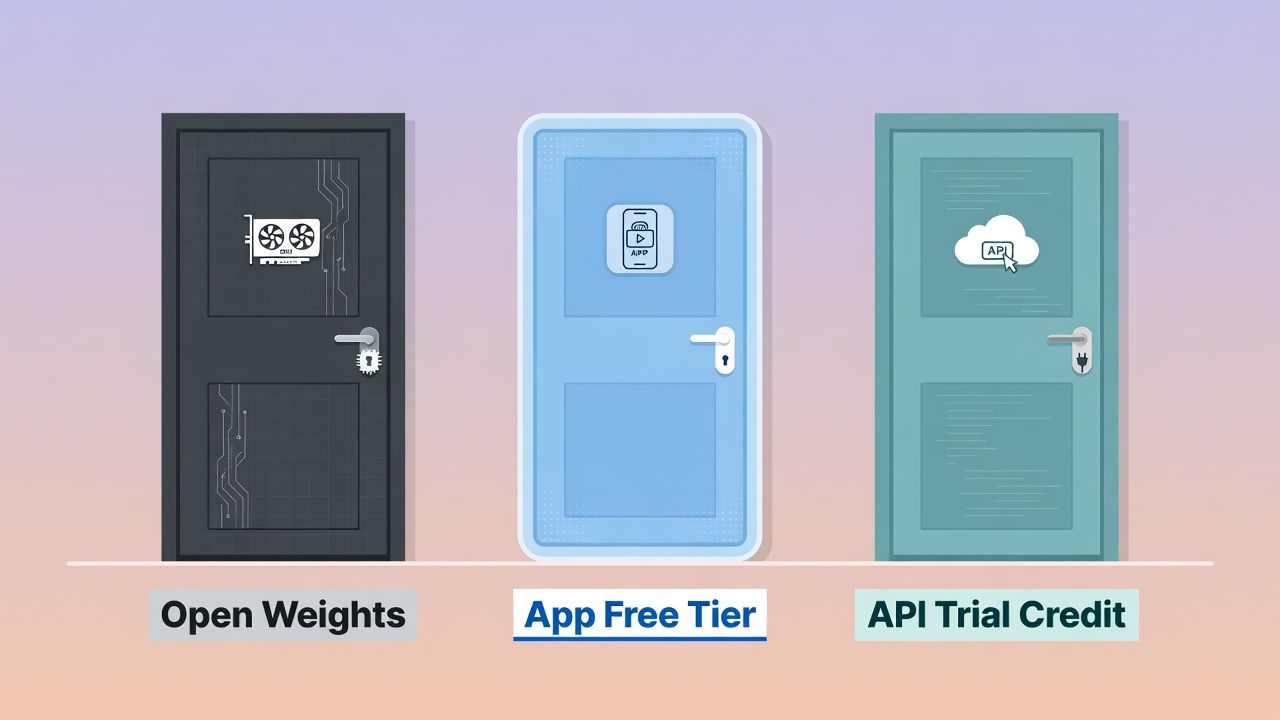
"Free" means three different things in this market, and mixing them up wastes money. PixVerse's own free plan refreshes 60 credits daily, which at roughly 25 credits per video funds about two watermarked clips, as the PixVerse AI free plan breakdown documents. That's one kind of free. There are two others.
Most free apps like PixVerse follow that first pattern: enough to taste, never enough to work. Open-weight models flip it. Download once, generate forever, no meter, with hardware and electricity as your only costs (project GitHub pages, 2026). Trial credits are the third kind, a one-time runway rather than a recurring drip.
| "Free" type | Where to get it | Real limit |
|---|---|---|
| Open weights | Wan 2.2, FramePack, LTX-Video (next section) | Your GPU and patience |
| App free tier | PixVerse app, similar consumer tools | About 2 watermarked clips a day, low resolution |
| API trial credit | The Atlas Cloud starter credits above | Starter allowance, then pay-as-you-go |
If you landed here searching "PixVerse alternative free," the table is the whole decision. Trial credits buy the highest quality per clip, free tiers buy convenience, and open weights buy unlimited volume. That last branch is the real answer to the local question, so let's look at those models next.
Open-Source Models That Work as Local PixVerse Alternatives
Four model families dominate the genuinely local route in 2026: Wan 2.2, FramePack, LTX-Video, and HunyuanVideo. All publish weights openly, and three of the four state explicit VRAM floors on their GitHub pages (retrieved July 2026). Those floors vary wildly, from 6GB to 80GB, so check the table before buying anything.
| Model | Size | Official VRAM floor | Output | License |
|---|---|---|---|---|
| Wan 2.2 TI2V-5B | 5B | 24GB (RTX 4090 class) | 720p @ 24fps | Apache 2.0 |
| Wan 2.2 T2V/I2V-A14B | 27B total, 14B active | 80GB | 480p & 720p | Apache 2.0 |
| FramePack | 13B | 6GB (RTX 30XX or newer) | Up to 60s @ 30fps | Apache 2.0 |
| LTX-Video | 13B & 2B distilled | Not published (H100 benchmarks) | Up to 4K, 50fps (latest release) | Open weights, OpenRail-M terms |
| HunyuanVideo | 13B+ | 45GB (544p), 60GB (720p) | 540p & 720p | Custom open license |
Read that VRAM column closely, because "local" has a ceiling. Only FramePack and Wan 2.2's 5B model fit consumer cards. The 14B Wan variants and HunyuanVideo want 45GB to 80GB, which is datacenter hardware, not the tower under your desk. For most home setups the real shortlist is two models, not five.
Alibaba's Wan 2.2 repository states the 5B hybrid model "can run on a GPU with at least 24GB VRAM," while the 14B variants need 80GB or multi-GPU setups. Community workflows with quantized weights report running on 8GB cards, though nothing below the official figure is guaranteed.
What if your card is older or smaller? FramePack was built for exactly that case: it needs only 6GB of VRAM on any RTX 30XX, 40XX, or 50XX GPU and can generate minute-long 30fps videos by predicting frames progressively. For speed-first setups, LTX-Video claims its distilled 13B model renders HD clips in 10 seconds on an H100, and its lighter 2B distilled variant is listed at 15 times faster inference than its non-distilled base.
Recent r/StableDiffusion threads asking which video generator to install locally converge on Wan 2.2 as the default pick, with FramePack as the add-on for longer clips. That's community consensus rather than an official benchmark, but it matches the spec sheets above.
Apps Like PixVerse: How the Big Cloud Models Compare
If the genuinely local shortlist is just two models, the cloud side is where the real variety lives. Most listicles ranking apps like PixVerse are comparing wrappers. Underneath, the market runs on about a dozen models, and their per-second prices span a 20x range, from $0.025 to $0.49 (Atlas Cloud text-to-video catalog, 2026). Comparing the models directly tells you more than comparing the apps built on them.
Here are the current per-second starting prices for the major text-to-video models, pulled from the Atlas Cloud catalog on July 14, 2026. Discounted prices are shown where a limited-time offer applies, with the list price in parentheses.
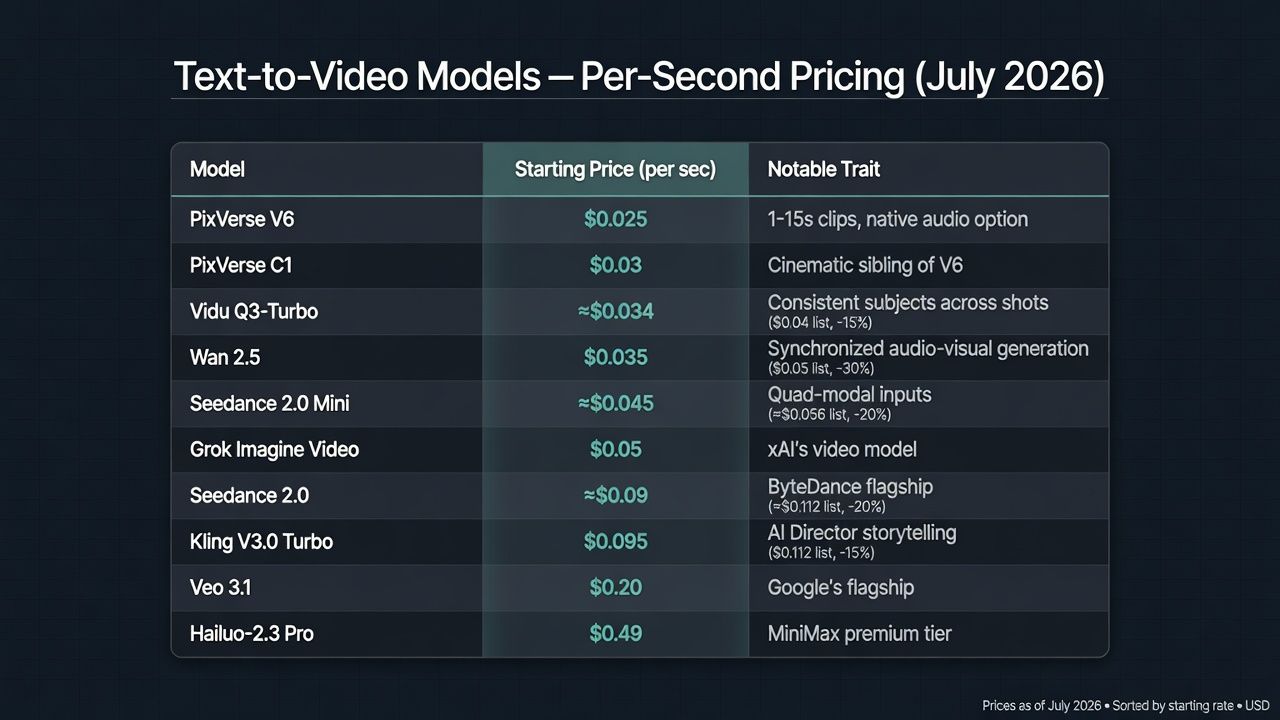
Notice what this table does to the usual PixVerse AI video generator alternatives debate. Kling, Veo, and Hailuo are the names most often pitched as upgrades, yet they cost 4x to 20x more per second than V6. Whether that premium buys visible quality depends on your content, which is exactly what the [INTERNAL-LINK: PixVerse V6 review → sibling post] tested shot by shot.
Local or Cloud: Which PixVerse Alternative Fits Your Workflow?
Match the tool to your constraint, not to a ranking. Local wins on privacy and unlimited volume. APIs win on speed, the quality ceiling, and zero maintenance. One hidden factor swings the decision more than any spec sheet: time.
The Render-Time Tax of Going Local
The local route charges you in render time, not dollars. FramePack, the lowest-barrier pick from the models table above, reports about 2.5 seconds per frame unoptimized on an RTX 4090, or 1.5 seconds with teacache (FramePack GitHub, 2026). A 5-second clip at 30fps is 150 frames. That's six minutes of rendering for five seconds of video, on a flagship card.
Laptop GPUs make it worse: FramePack lists RTX 3070 Ti and 3060 machines as four to eight times slower, which turns that same clip into at least a half-hour job. None of the listicles we reviewed while researching "best PixVerse alternatives" mention render time at all, and it's the single biggest difference between the local and cloud experience.
So when does buying a GPU actually pay off? Weigh it factor by factor.
| Factor | Local (Wan 2.2 / FramePack) | API (Atlas Cloud) |
|---|---|---|
| Upfront cost | 24GB GPU for official Wan 5B specs | None |
| Cost per 5s clip | Electricity only | From $0.125 (PixVerse V6, 360p) |
| Wait per 5s clip | Minutes on a 4090, longer on laptops | Cloud-rendered, no local load |
| Content rules | None | Per-model policies |
| Privacy | Everything stays on device | Standard cloud processing |
| Maintenance | Drivers, workflows, model updates | None |
Do the arithmetic before buying hardware. At PixVerse V6's $0.025 per second base rate, ten dollars covers 80 five-second 360p clips. If you already own a 24GB card, local generation is effectively free after setup. If you'd be buying one just for this, that money funds a very long runway of API generation first.
Which Setup Fits Your Workflow
The hardware floor decides for most people: FramePack's 6GB minimum covers most gaming laptops, while Wan 2.2's official 24GB spec rules out most of them (project GitHub docs, 2026).
| You are... | Best fit | Why |
|---|---|---|
| A marketer shipping daily content | API access | Volume pricing beats app credits, and there's no render queue on your laptop |
| A hobbyist with a 6GB+ gaming GPU | FramePack, then quantized Wan 2.2 | Zero marginal cost, full content control |
| A developer building a video feature | API with model choice | Swap models per use case without re-integrating |
| Handling NDA or sensitive footage | Local only | Source material never leaves the machine |
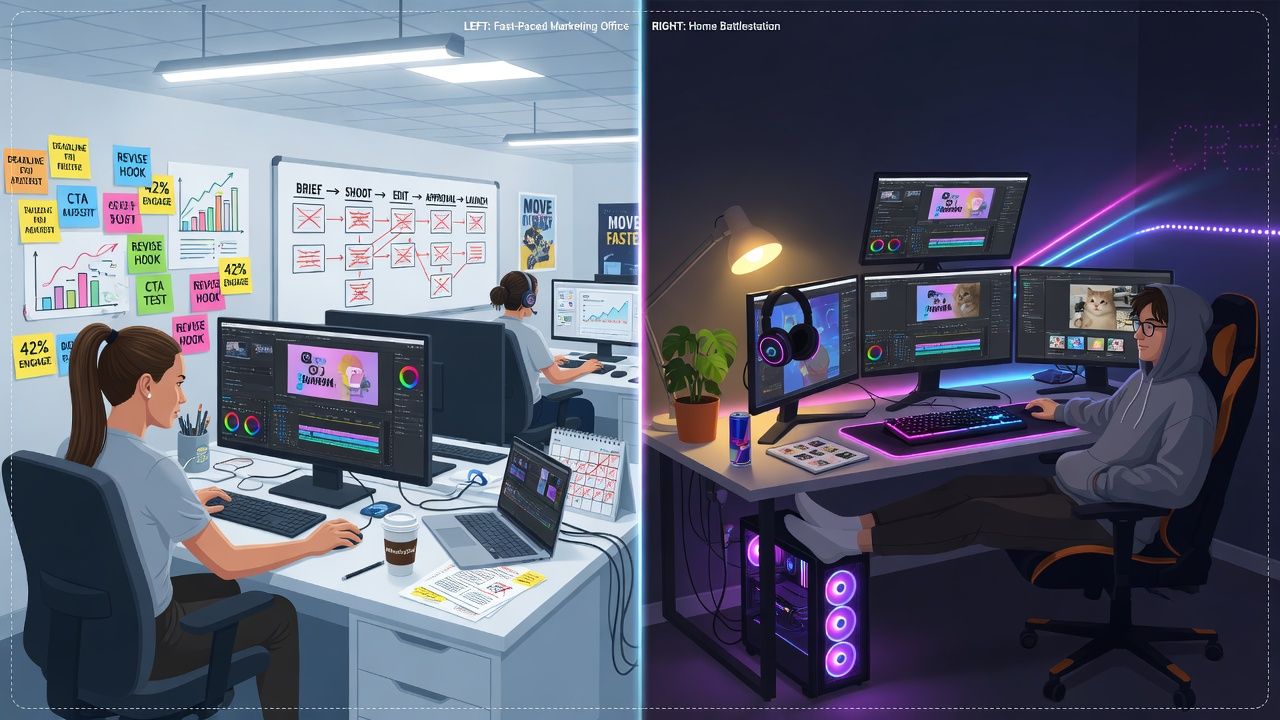
For marketers specifically, the calculus is lopsided. PixVerse AI alternatives for marketers get judged on cost per usable clip, and iteration speed dominates that number. Waiting six minutes per local render while a client waits on revisions costs more than any credit plan. Teams in that position usually land on API access with two or three models, using cheap tiers for drafts and premium tiers for finals.
Hobbyists should flip the logic. If the GPU is already in your machine, every clip is free, and the [INTERNAL-LINK: PixVerse image-to-video guide → sibling post] techniques transfer almost directly to Wan and FramePack workflows.
Frequently Asked Questions
Can I download PixVerse and run it offline?
No. PixVerse doesn't release model weights, and its official site describes a cloud-only platform. Any "local PixVerse" download you find elsewhere isn't the real model. The local route means open-source alternatives like Wan 2.2 or FramePack.
What's the best free PixVerse alternative for an 8GB graphics card?
FramePack is the safest bet: its documentation pairs a 6GB VRAM minimum on RTX 30XX or newer cards with minute-long 30fps generation (FramePack GitHub, 2026). Community-quantized Wan 2.2 builds also report running on 8GB cards, though the official floor is 24GB.
Do local open-source models match PixVerse V6 quality?
Not across the board. Wan 2.2's 5B model tops out at 720p and 24fps, while PixVerse V6 renders up to 1080p with optional synchronized audio, priced from $0.025 per second at 360p (official specs, 2026). Local models win on control and volume; hosted models still hold the ceiling on resolution and audio.
Are apps like PixVerse cheaper than using the models directly?
Usually not at volume. PixVerse's own site lists V6 at $4.80 per minute, while per-second access to the same model starts at $0.025, and rival models like Vidu Q3-Turbo sit near $0.034 (Atlas Cloud catalog, 2026). Consumer apps bundle convenience; direct model access bills only rendered seconds.
Conclusion
There is no local PixVerse, and there doesn't need to be. If you want generation on your own silicon, Wan 2.2 and FramePack are the community-proven picks, with a 6GB VRAM floor at the entry level and Apache 2.0 licenses all the way up. If you want PixVerse's actual output without the app's credit meter, the same V6 model bills per second through an API.
The wrong move is the one the listicles keep selling: hopping to another credit-metered app that solves none of the original complaints. Pick the constraint that brought you here, cost, control, or privacy, and both real answers are a short setup away. You can try the Wan 2.5 playground on Atlas Cloud in a browser tab right now, and the open-source route only asks for a weekend and a decent GPU.





