

You tried one free video. It was fun. Then a paywall showed up, and now you are staring at four plans, a credit counter, and a nagging question: what is this really going to cost?
Here is the honest version. PixVerse can cost nothing, or it can cost $199 a month, and most people pick the wrong tier because nobody explains credit math first. This guide fixes that. Every API and free-tier figure below comes straight from PixVerse's own platform docs and Atlas Cloud's live model pages.
You will get the full pixverse ai pricing picture: the free tier, the paid plans, the API, how to cancel, and why the "mod apk" shortcut is a trap.
Key Takeaways
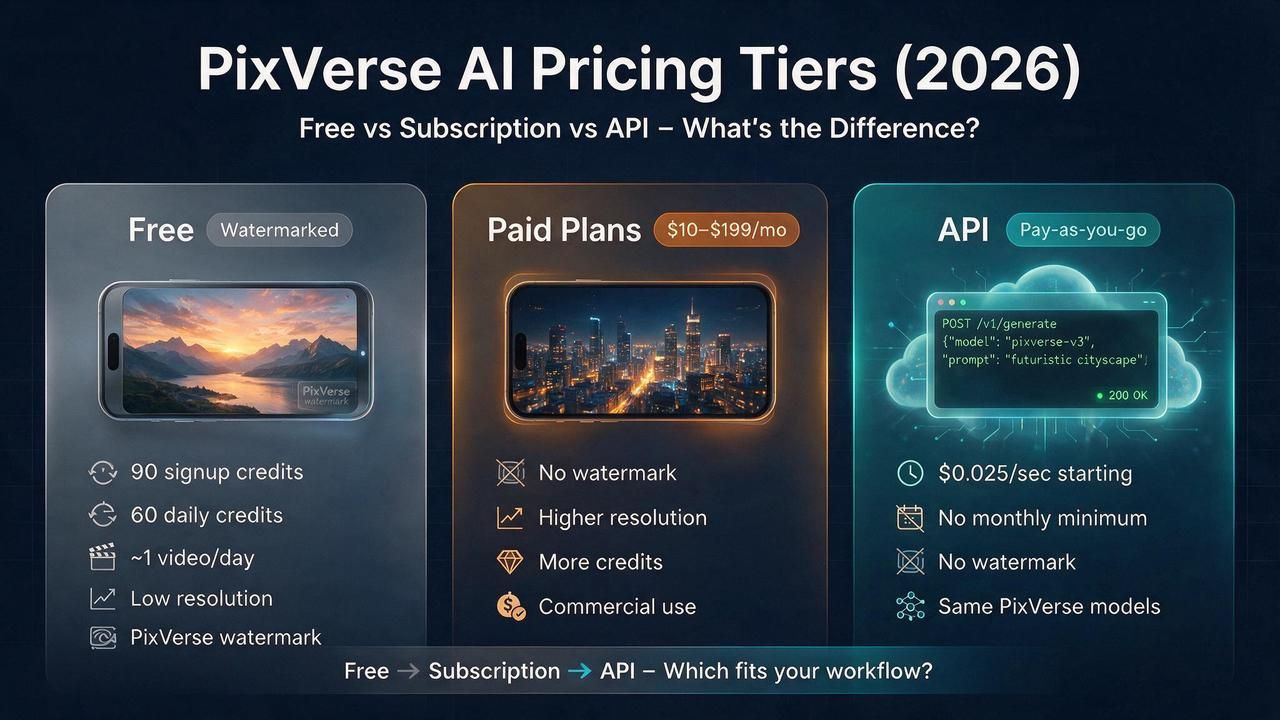
- PixVerse Platform Docs put new accounts at 90 signup credits plus 60 daily free credits, enough for roughly one watermarked video a day.
- Paid consumer plans run from a $10 Standard tier (about $8 per month billed annually) up to $199 Ultra, with credits, resolution, and watermark removal scaling by tier.
- PixVerse's developer API sells prepaid credits, either $100-per-month plans or pay-as-you-go packs from $10, working out to roughly $0.30 to $0.45 per five-second reference clip.
- The same PixVerse video models run on Atlas Cloud from $0.025 per second, pay-as-you-go, watermark-free, with no subscription.
How Much Does PixVerse Cost? Pricing Plans at a Glance for 2026
PixVerse costs $0 to start and tops out at $199 a month. Does PixVerse cost money, then? Only if you outgrow the free plan's 90 signup credits and 60 daily credits. Here is the full pixverse pricing plans map at consumer level, as PixVerse currently lists them. Annual billing lowers the effective monthly price, which is where the widely cited pixverse pricing $8 per month plan comes from: it is the Standard tier paid yearly.
| Plan | Monthly | Billed annually | Monthly credits | Max resolution | Watermark |
|---|---|---|---|---|---|
| Free (Basic) | $0 | $0 | 90 signup + 60/day | 540P | Yes |
| Standard | $10 | $8/mo ($96/yr) | 1,200 | 720p | No |
| Pro | $30 | $24/mo ($288/yr) | 6,000 | 4K | No |
| Premium | $60 | $48/mo ($576/yr) | 15,000 | 4K | No |
| Ultra | $199 | $149/mo ($1,788/yr) | 25,000 | 4K | No |
Treat the paid rows as a snapshot. PixVerse adjusts consumer tiers periodically, so the plan structure holds even when a specific figure shifts. The pattern that matters is simple: more money buys more credits, higher resolution, and no watermark. Everything else in this guide builds on that.
One distinction before the plan-by-plan read: these four paid tiers are consumer plans, billed to your own account for generating videos by hand in the web app or mobile app. PixVerse's developer API (Essential, Scale, Business) is a separate product with its own credit pool, covered in the next section. The two do not mix.
Which one fits you? Match the plan to your output, not your ambition. Here is the practical read on each pixverse ai pricing plan.
Standard ($10). The entry paid tier. It kills the watermark and gives 1,200 monthly credits, but caps at 720p. Good for social clips and pixverse ai image to video pricing on a budget, not for anything you project or print.
Pro ($30). The first tier with 1080p and 4K output, plus a real credit buffer at 6,000 monthly credits. This is the sweet spot for most creators who post regularly and need clean output.
Premium ($60). For heavy users. 15,000 credits and higher concurrency mean you can queue several renders at once. Worth it only if you generate daily.
Ultra ($199). Volume and priority processing at 25,000 credits. Overkill for individuals; it exists for studios and agencies. If you are asking whether you need Ultra, you do not.
The honest verdict on pixverse subscription cost: most people are best served by Standard or Pro. The higher pixverse ai subscription plans reward volume, and if you are chasing volume, the API math in the next section usually wins anyway.
PixVerse Free Credits: How the Daily Free Credits Actually Work
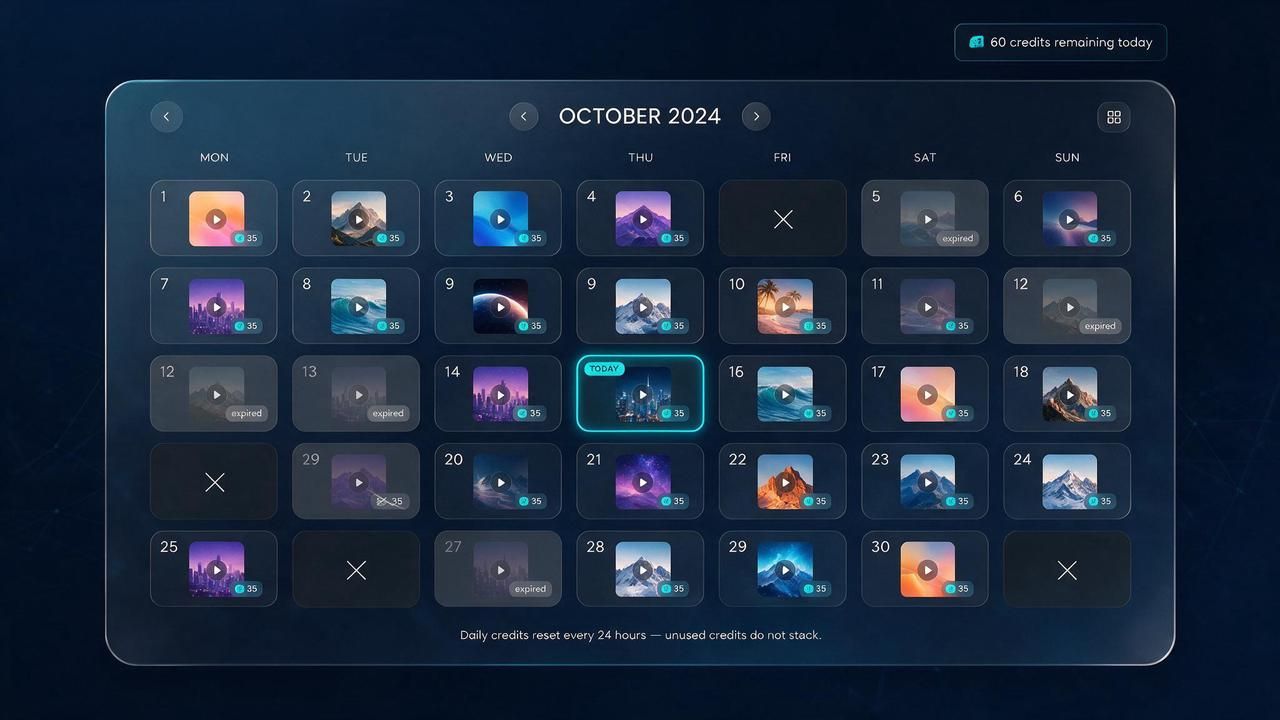
Now, for the question most people actually ask: what do you get for free? PixVerse free credits come in two buckets: a one-time 90-credit signup bonus and 60 pixverse daily free credits that refresh every day. PixVerse's docs price a typical video at about 35 credits, and as our PixVerse AI Free guide works out, that stretches the daily allowance to roughly one clip a day, or about 30 a month if you never miss a login.
Does that mean free forever? Basically, yes. The free tier is not a trial that expires. But two rules keep it honest, and both catch people off guard.
First, daily credits do not stack. They reset each day and unused ones vanish, so you cannot save a week of pixverse free credits per day and spend them all at once. Second, credits burn per attempt, not per keeper. A warped first take costs the same 35 credits as a perfect one. That is why pixverse ai daily free credits feel generous on paper and disappear fast in practice.
There is a quiet ceiling most guides miss. Because every free clip carries a watermark and a 720p cap, the pixverse free tier daily credits 2026 allowance is fine for personal fun and useless for client work. The free plan is a demo of the product, not a version of it. Anyone searching pixverse free credits 2026 hoping to run a business on daily refreshes hits that wall within a week.
PixVerse API Pricing vs Per-Second Video Pricing on Atlas Cloud
PixVerse API pricing runs on prepaid credits sold in two ways: membership plans from Essential at $100 per month for 15,000 credits (roughly 333 videos), scaling to Scale at $1,500 and Business at $6,000, or pay-as-you-go packs from $10 for 1,000 credits, roughly 22 videos. Neither route bills by the second.
Run the conversion and the catch appears. According to PixVerse's own video estimates, a five-second reference clip costs roughly $0.30 in Essential credits or $0.45 from the $10 pack, at sub-1080p resolution with no audio. Either way, you prepay a block and manage the credit card yourself. That is the problem a metered route solves, and it is where the platform I run comes in.
Atlas Cloud hosts the same PixVerse video models and bills purely per second, with no subscription and no prepaid block. You can browse the whole PixVerse model family on Atlas Cloud, where PixVerse V6 runs at a flat $0.025 per second and PixVerse C1 at $0.03 per second, both up to 1080p with native audio at the rate. Want to test before writing a line of code? The PixVerse V6 text-to-video playground lets you generate in the browser, then copy the API call when you scale.
The gap is easy to see in real numbers. A 5-second clip on Atlas Cloud V6 costs $0.125 at up to 1080p with audio, watermark-free, billed only when you generate. PixVerse's own credit routes price a lower-spec reference clip at $0.30 to $0.45, a 2.4x to 3.6x difference before counting the resolution and audio gap. For anyone generating at volume, per-second pixverse ai video generator pricing beats a prepaid credit block you have to size in advance. Atlas Cloud is one API across 300+ models, so swapping PixVerse for another video model is a one-line change, not a re-integration.
How to Cancel a PixVerse Subscription (iOS, Android, Web)
You cancel a PixVerse subscription wherever you bought it, not inside the PixVerse app itself. If you subscribed through the App Store, manage it in Apple settings; through Google Play, manage it in the Play Store; through the website, cancel in your account billing page. The rule surprises people who hunt for a cancel button in the app and cannot find one.
Here is the clean path for each, because the pixverse cancel subscription flow depends entirely on the billing channel.
On iPhone or iPad, open Settings, tap your name, tap Subscriptions, select PixVerse, and tap Cancel Subscription. According to Apple's subscription management guide, this is the only place an App Store subscription can be stopped. On Android, open the Google Play Store, tap your profile, go to Payments and subscriptions, then Subscriptions, pick PixVerse, and tap Cancel. Google's Play Store help confirms cancellations run through Google, not the app developer.
One thing to know before you cancel PixVerse subscription access: cancelling stops the next renewal but does not usually trigger a mid-cycle refund. Your plan and its credits typically stay active until the end of the period you already paid for. Refund requests for App Store or Play purchases go to Apple or Google directly, since PixVerse never touched that payment. Knowing how to cancel pixverse subscription cleanly is mostly about remembering which store holds the billing.
PixVerse AI Mod APK Premium Unlocked: Read This Before Downloading
Searches for a pixverse ai mod apk premium unlocked build promise unlimited credits for free. Skip them. These files are modified, unofficial copies of the app distributed outside Google Play, and the "pixverse ai unlimited credits" claim is bait, not a feature.
Why does this matter beyond the legal angle? Because the risk is real and personal. A pixverse premium apk from a random site is an unsigned binary you install with full phone permissions. Malware, credential theft, and hidden subscriptions are common payloads in cracked AI apps, and no "premium unlocked" label changes that.
There is also a plain functional reason a modded app cannot deliver what it advertises. Video generation happens on PixVerse's servers, not on your phone. Credits are counted and enforced server-side, tied to your account. A modified client can fake the interface, but it cannot mint real credits or bypass a server that checks your balance on every request. The scam fails at the exact step that costs money. You either hit an error or get your account flagged.
The genuinely free path is the one already on the table: the official free tier with its 60 pixverse free credits daily, or a metered API when you outgrow it. That is the real "premium unlocked," minus the malware.

Getting More Out of the Free Tier Without Burning Cash
The single best way to extend free usage is to stop wasting credits on bad attempts, since each failed generation costs the same 35 credits as a good one. Draft short and low, then commit. Generate a 5-second 540p test first, and only re-render your best take at full length and 1080p once you are on a paid tier.
Can you just farm more free accounts? Technically people try. Pixverse multiple accounts farming credits is a common tactic, but running multiple accounts to multiply pixverse daily credits violates PixVerse's terms and risks a ban, so it is not a strategy worth building on. The daily reset is the intended ceiling, and it resets at a fixed UTC time each day, not 24 hours after your last video.
Two habits genuinely stretch the free allowance. First, log in daily even when you have nothing to make, because unused pixverse free credits per day do not roll over, so a skipped day is credits gone for good. Second, write tighter prompts. Naming the subject, action, timing, and camera in one line cuts the reruns that drain your balance. For the prompt patterns that reliably land on the first try, our PixVerse image-to-video pricing and feature guide walks through the exact structure.
So, Is PixVerse Worth Paying For in 2026?
For casual creators, PixVerse is worth exactly $0, since the free tier's 60 daily credits cover occasional watermarked clips without a card on file. For anyone posting for a brand or shipping a product, the answer flips, and the smartest spend is rarely the consumer subscription at all.
Think of it as three doors. Just playing? Stay free forever and never spend. Posting regularly as an individual? A $10 Standard or $30 Pro plan removes the watermark and unlocks the resolution you need. Building at volume? Skip the credit-pack conversion math and pay per second instead.
That last door is the one most people overlook. For a full cost teardown that runs the per-second math against every plan, the hands-on PixVerse V6 review on Atlas Cloud does arithmetic in detail. Pick your door by volume, and the pixverse ai pricing 2026 question answers itself.
Frequently Asked Questions
Does PixVerse cost money, or is it actually free?
Both. PixVerse is free to start, with 90 signup credits plus 60 daily free credits worth roughly one video a day. Reported paid plans from $10 to $199 a month add credits, 1080p, and watermark removal once you outgrow the free tier.
How much are PixVerse's daily free credits, and do they roll over?
New accounts get 60 daily free credits plus a one-time 90-credit signup bonus. Daily credits reset each day at 0:00 UTC and do not roll over, so any unused balance expires. At about 35 credits per video, that is roughly one free clip per day.
What does the PixVerse API cost compared to Atlas Cloud?
PixVerse's own API sells prepaid credits, from $10 pay-as-you-go packs to a $100-per-month Essential plan, roughly $0.30 to $0.45 per five-second reference clip. On Atlas Cloud, the same PixVerse V6 model runs at $0.025 per second and C1 at $0.03 per second, watermark-free, with native audio in the rate.
How do I cancel my PixVerse subscription?
Cancel through the store that billed you. On iOS, use Settings then Subscriptions; on Android, use the Play Store's Subscriptions page; on the web, use your account billing settings. Cancelling stops renewal but usually leaves your plan active until the paid period ends.
Is a PixVerse mod apk with premium unlocked safe to use?
No. Cracked "premium unlocked" builds are unofficial files that commonly carry malware, and they cannot deliver unlimited credits because generation and credit counting happen on PixVerse's servers, not your device. The official free tier is the only genuinely free and safe route.
Conclusion
PixVerse pricing is less confusing once you ignore the noise. The free tier is real and permanent at roughly one watermarked video a day. Reported paid plans from $10 Standard to $199 Ultra scale credits, resolution, and watermark removal. And the developer API sells prepaid credit blocks, from $10 pay-as-you-go packs to $100-per-month plans.
The decision comes down to volume. Casual use stays free. Regular personal posting fits a Standard or Pro plan. High-volume or product work is a per-second API problem, where the same PixVerse models start at $0.025 per second on Atlas Cloud with no subscription and no credit block to prepay. Match the tier to what you actually generate, and you will never overpay for credits you let expire.





