TL;DR
Moving your pipeline to Seedance 2.5 isn't just a model update—it’s a transition to a fundamentally different data flow. To ensure your production environment is ready by late July, prioritize these three engineering pivots:
- Native 30-Second Sequences: Stop building "stitching" logic. The Seedance 2.5 API now handles full-duration 4K rendering natively, which means you can deprecate those error-prone frame-blending and synchronization scripts.
- Asset-Anchored Inputs: Shift your reliance from long-form text prompts to structured input arrays. Feeding the API your core visual assets (CAD schemas, character orthographics, and LUTs) is the only way to achieve consistent, brand-aligned output at scale.
- Asynchronous Event Handling: Do not attempt synchronous polling. Given the compute time for 4K assets, build your webhook listeners now to manage long-running tasks and prevent gateway bottlenecks.
Pro-tip: Focus your current staging cycle on validating these schemas right away; once endpoints drop in late July 2026, the competitive advantage will go to engineering teams who have already decoupled their ingestion from legacy five second constraints to ensure a flawless Day One deployment.
Stitching multiple short, five second clips together manually often leads to jarring continuity breaks where characters morph or lighting shifts unexpectedly. The upcoming Seedance 2.5 API shifts AI video from fragmented manual generation to a unified, automated 4K production pipeline. Instead of forcing teams to smooth over messy seams, this framework enables true single-pass generation. This means a single API call can return a coherent, native 30 second sequence with stabilized lighting, motion physics, and character identity.
Currently, the model is in a closed preview stage for select studio partners. General availability is coming soon via BytePlus, with the official deployment scheduled for mid-to-late July 2026. While the developer endpoints are not yet live, production teams should prepare their architectural infrastructure now to capitalize immediately on day one of the rollout. Stay tuned to official BytePlus channels for final release confirmation.
Preparing Your Infrastructure for Seedance 2.5 API Integration
Waiting until launch day to configure pipelines for 4K AI video assets often leads to server crashes, timeouts, and choked data pipelines. Moving from brief 5-second lower-resolution generations to stable, native 30-second clips increases the raw payload size by over 600%.
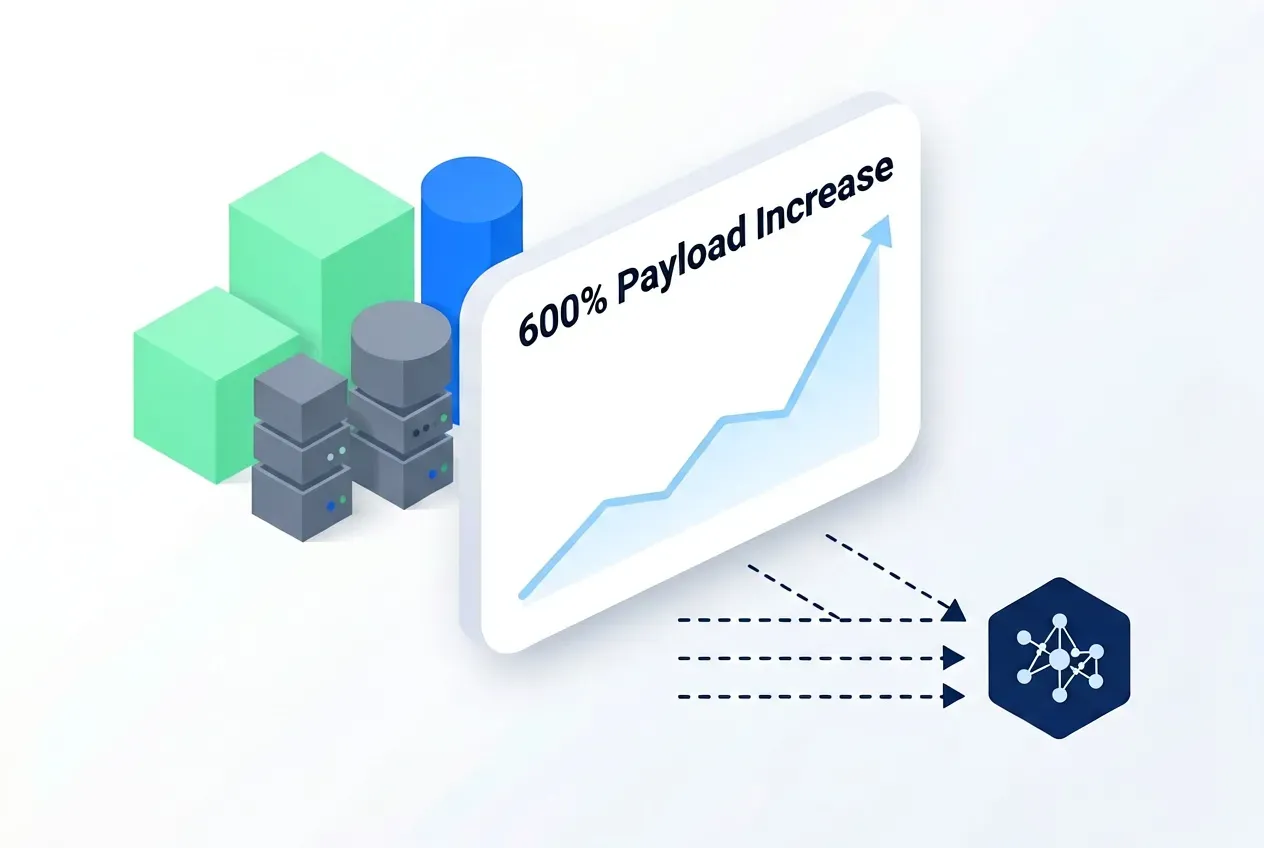
Handling this massive spike in data volume requires upgrading your current technical infrastructure. How do I prepare for this shift? Engineering teams need to drop old, text-only prompting pipelines right now. You must switch to a multimodal-first data model instead. This setup loads video, audio, and text at the exact same time so your system never slows down.
Technical Hardware and Staging Requirements
Because the new model handles ultra-high-definition rendering across longer timelines, local testing environments require substantial memory upgrades. The upcoming architecture demands specific local VRAM thresholds to parse preview payloads efficiently.
| Environment Component | Requirement for Preview Testing | Legacy 2.0 Benchmark |
| Minimum Local VRAM | 24 GB (e.g., RTX 4090 / A10G) | 12 GB to 16 GB |
| Recommended Local VRAM | 48 GB+ (e.g., A6000 / A40) | 24 GB |
| Primary Storage Link | NVMe PCIe Gen 4 / Gen 5 | Standard SATA SSD |
| Network Bandwidth | Dedicated 1 Gbps symmetric | 100 Mbps asymmetric |
Establishing API Readiness Before Launch
Build a strong staging environment today. This guarantees the new system launches without any downtime. Developers should prioritize asynchronous webhooks. Avoid using synchronous polling systems instead. Because a native 4K render can take several minutes to complete, synchronous requests will trigger gateway timeouts.
By building asynchronous queue listeners today, your pipeline will be fully optimized to receive the completed 4K video webhooks as soon as the access tokens drop. This preview stage is your window to refactor data schemas. Stay tuned for upcoming documentation updates, and ensure your database is ready for the incoming Seedance 2.5 API integration when it arrives mid-to-late July.
Leveraging 50 Multimodal Inputs for Scalable Automation
Typing out descriptive paragraphs for every single shot change scales poorly and routinely fails when trying to replicate exact corporate hex codes, clothing details, or complex spatial arrangements. Relying strictly on text prompts to govern complex scenes frequently results in a high failure rate where characters warp across frames.
True production efficiency requires shifting away from basic text descriptions toward asset-driven pipelines. The preview architecture of the upcoming system supports up to 50 concurrent multimodal inputs to guide a single video generation payload. This reference system allows developers to programmatically pass structured brand kits directly into the generation pipeline, removing manual guesswork entirely.
Structuring Asset-Driven Pipelines
Instead of manually editing outputs to fix visual drift, automation platforms can feed multiple reference vectors simultaneously into the Seedance 2.5 API payload. This multi-layered input approach locks down brand consistency across thousands of automated video variations.
- Character Sheet Arrays: Pass high-resolution, multi-angle orthographic turnarounds of a character or product to prevent physical morphing over 30 seconds.
- 3D Spatial Blockouts: Feed rough 3D environmental layouts or wireframes into the pipeline to anchor cameras to precise tracking paths and geometric boundaries.
- Color and Style Profiles: Inject explicit color lookup tables (LUTs) and vector brand assets to govern the lighting spectrum and textures of the output.
Multi-Input Pipeline Architecture
The upcoming release structures these inputs into specialized functional categories to maximize processing efficiency.
| Input Vector Category | Purpose | Core Asset Types |
| Identity Reference | Preserves subject features | Photo sets, character sheets, product CAD schemas |
| Environmental Anchor | Governs spatial geometry | 3D blockout files, depth maps, architectural blueprints |
| Stylistic Matrix | Enforces visual rules | Vector style guides, color swatches, lighting maps |
Structuring your asset data into this multi-input format today ensures you can deploy high-volume AI automation immediately when the endpoints open. Stay tuned for the preview release coming soon to streamline your media pipeline.
Note: While Seedance 2.5 provides granular control, professional workflows must still perform due diligence on IP-sensitive reference materials. The model’s strength lies in its ability to anchor brand consistency, but human-in-the-loop review remains the enterprise standard.
Architecting the Single-Pass 30-Second Generation Pipeline
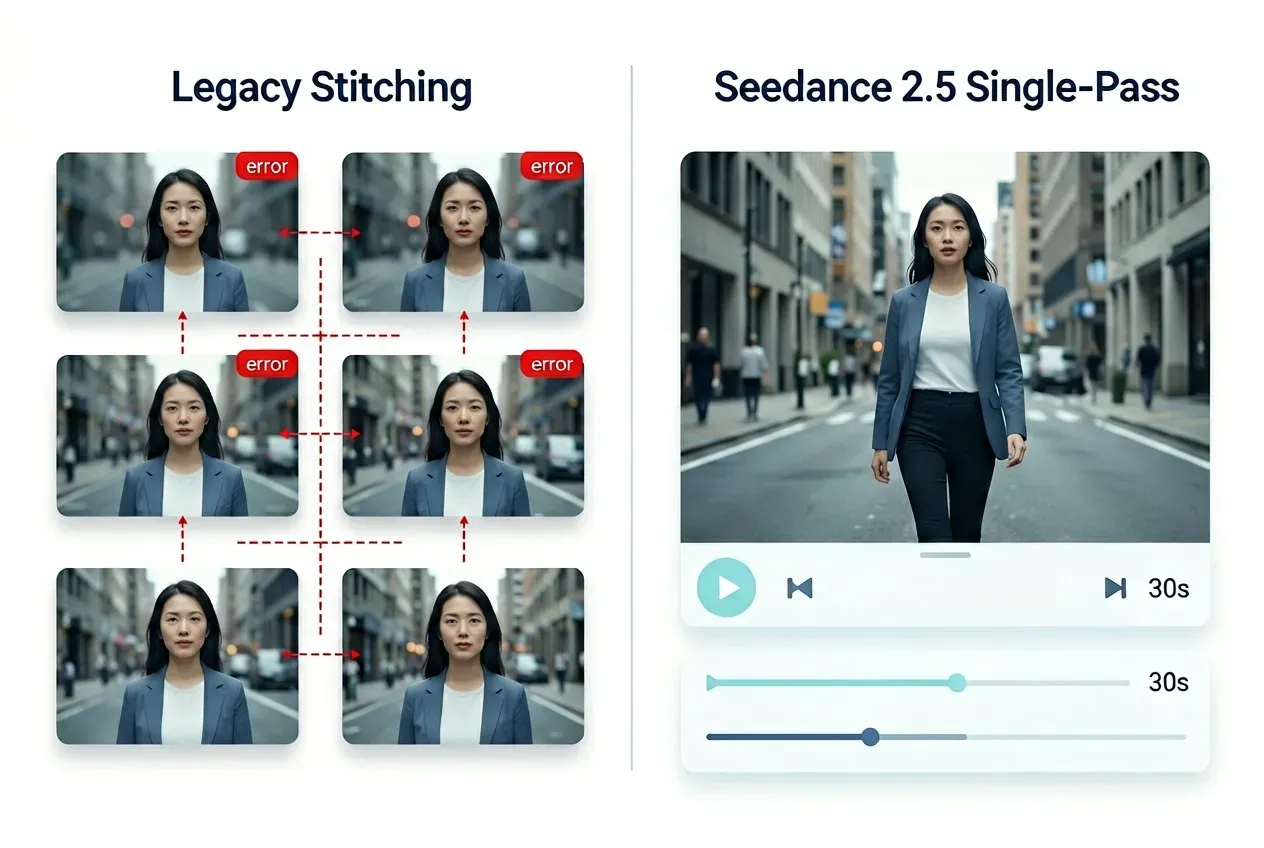
Building custom software scripts to stitch six separate 5-second video clips into a single half-minute ad frequently breaks down when sudden lighting shifts or erratic camera jitters occur at the seams. Engineering teams routinely waste up to 40% of their post-production budgets just cleaning up these digital transition glitches.
Transitioning your automation infrastructure to a single-pass 30-second video generation pipeline drastically simplifies back-end script logic. Instead of chaining together complex, sequential API requests and frame-matching algorithms, a single payload handles the entire duration natively.
Why Single-Pass Beats Multi-Clip Stitching
Is this really better than stitching? Legacy workflows require massive computing overhead to patch together mismatched frames. The upcoming Seedance 2.5 API architecture handles the timeline as a single continuous unit. This approach natively locks down environmental factors that stitching scripts always struggle to maintain.
- Physics Consistency: Kinetic energy and object mass stay steady for the full 30 seconds. They do not reset at fake 5-second marks.
- Volumetric Lighting: The light source stays fixed in 3D space. This stops sudden brightness flashes or color changes during camera moves.
- Smooth Camera Paths: Tracking shots and crane movements calculate over the whole duration. You do not need to use complex blending filters.
Backend Pipeline Optimization
By eliminating multi-clip assembly logic, developers can strip hundreds of lines of error-prone repair code from their webhooks, resulting in significant pipeline optimization benefits.
| Metric | Multi-Clip Stitching Workflow | Single-Pass Pipeline Preview |
| API Request Complexity | High (6+ interdependent requests) | Low (1 standalone payload) |
| Post-Gen Stitching Scripts | Required (Frame blending & color grading) | Eradicated (Native output) |
| Core Fail Points | Frame mismatches, seam stitching errors | Network timeout on large payloads |
Building asynchronous queues geared toward these long-form outputs now positions your platform perfectly for automated video workflows. Stay tuned for the preview documentation coming soon to help you integrate these direct 30-second generations mid-to-late July.
Implementing Precise Control with Region-Level Editing
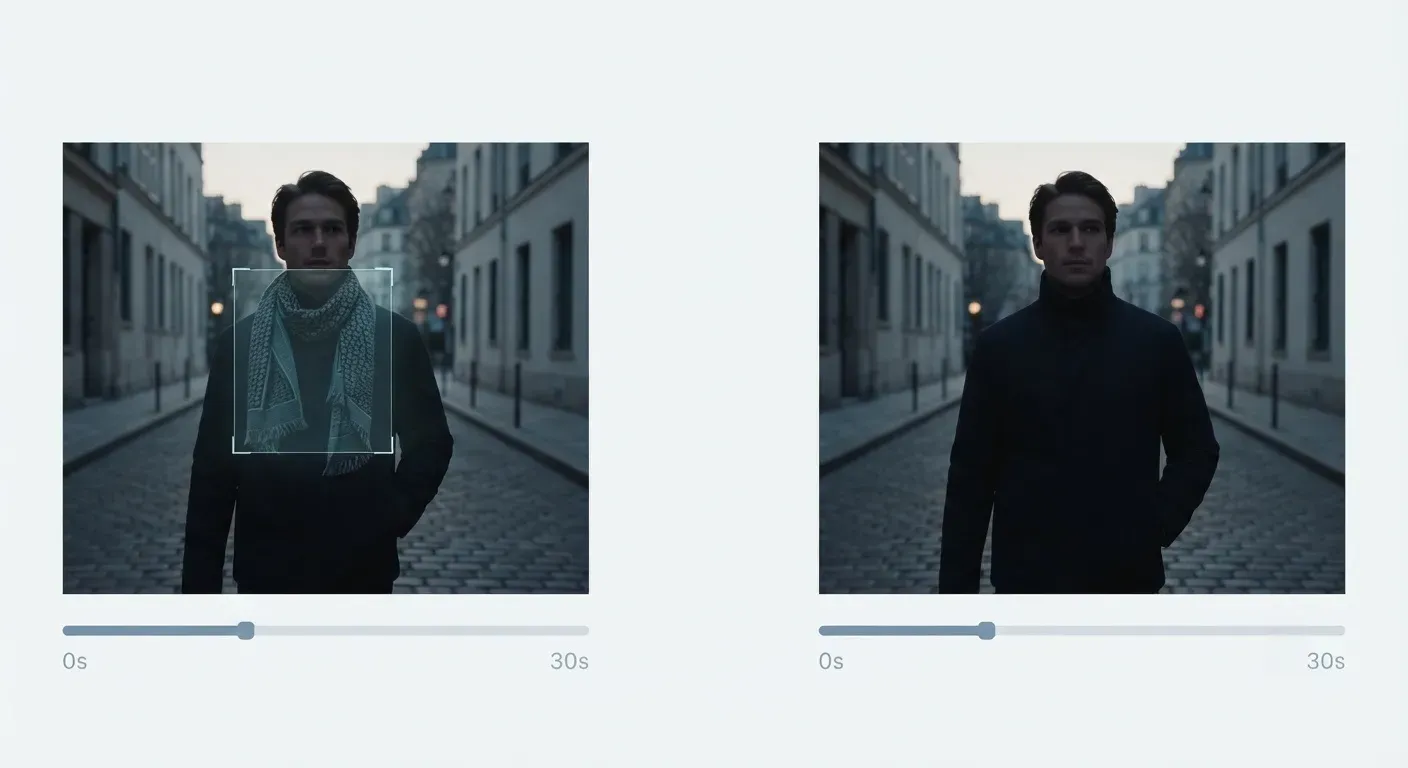
Re-generating a 30-second 4K video asset from scratch just to fix a tiny typo on a background product label wastes significant server compute time and blows through rendering budgets. Global campaign managers regularly encounter high localized editing overhead when adapting a single master video for multiple international markets.
The preview features of the Seedance 2.5 API resolve this issue by introducing targeted, region-level editing capabilities. Instead of treating video clips as rigid, unalterable blocks of pixels, developers can isolate particular elements programmatically. This targeted approach unlocks automated localization and scalable variance testing.
Programmatic Masking and Localized Variations
By passing coordinate-based bounding boxes or alpha masks into the API payload, automation scripts can isolate precise portions of a frame. The model then alters only the specified area while locking down the rest of the 30-second sequence. This functionality drastically changes how marketing teams handle regional adaptations.
- Product Label Swapping: Swap out a beverage bottle label for different regional brands without disturbing the surrounding hand physics or ambient environmental lighting.
- Text and Signage Localization: Automatically detect text containers within video backgrounds and re-render them with translated copy for localized AI generation.
- Wardrobe and Asset Modification: Modify little character details or specific background elements to align with local market regulations.
Performance and Computational Efficiency
Targeted region-level editing provides significant performance advantages over traditional full-clip rendering methods by processing only the isolated pixels.
| Operational Metric | Full Video Re-Generation | Region-Level Mask Editing Preview |
| Compute Token Consumption | 100% full payload cost | 15% to 35% localized payload cost |
| Generation Turnaround Speed | 5 to 7 minutes for 4K | 60 to 90 seconds |
| Background Pixel Drift | High probability of micro-shifts | 0% change outside the mask |
Integrating programmatic video editing logic into your current staging environment prepares your product suite for seamless asset adjustments.
Seedance 2.5 is arriving soon via BytePlus. Follow Atlas Cloud for exclusive first looks and release updates; in the meantime, our Seedance 2.0 API remains fully operational to keep your current production pipelines running strong.
Establishing Workflow Stability for High-Volume Production
Deploying unoptimized automation scripts on launch day frequently results in a cascading waterfall of failed webhooks and rejected payloads due to malformed input arrays. When handling thousand-unit batches, a microscopic syntax error in your data schemas can instantly stall a high-volume media department.
Is Seedance 2.5 ready for enterprise? Operating successfully at scale requires prioritizing AI workflow stability long before endpoints are officially opened. Utilizing the upcoming preview phase to stress-test your data validation layers ensures your platform handles heavy corporate demands without breaking under load.
Building the Asset Brief Methodology
Instead of sending raw, unstructured metadata directly to generation scripts, engineering teams should establish a structured Asset Brief validation framework. This system acts as a strict internal gatekeeper. It sanitizes and formats text prompts, character sheets, and spatial data into standardized matrices prior to server transmission.
- Pre-Flight Syntax Validation: Automatically check that character reference vectors match required resolution and aspect ratios before sending the payload.
- Token Allocation Constraints: Limit frame durations and asset counts programmatically to match your enterprise tier budgeting bounds.
- Failover Backups: Store local source assets in high-availability cloud buckets to easily resubmit requests if a network packet drops.
Strategic Infrastructure Milestones
Constructing this architectural foundation today enables teams to switch over to the production Seedance 2.5 API immediately once it is available on BytePlus.
| Strategic Phase | System Objective | Primary Technical Focus |
| Preview Architecture | Establish AI workflow stability | Construct Asset Brief validators and mock testing modules |
| Mid-to-Late July Rollout | Deploy production pipeline | Connect live endpoints via BytePlus and map active webhooks |
| Enterprise Scaling | Maximize render output | Optimize multi-region routing and load balancing layers |
Designing these data guardrails during the current staging period minimizes deployment friction. Stay tuned for official onboarding announcements coming soon to prepare your studio for enterprise AI video automation.
Next Steps and Preview Access Roadmap
Access update — no longer preview-only. The Seedance 2.5 endpoints this guide builds against are now live on Atlas Cloud, so you can point your automated, webhook-driven pipelines at a real unified API today.
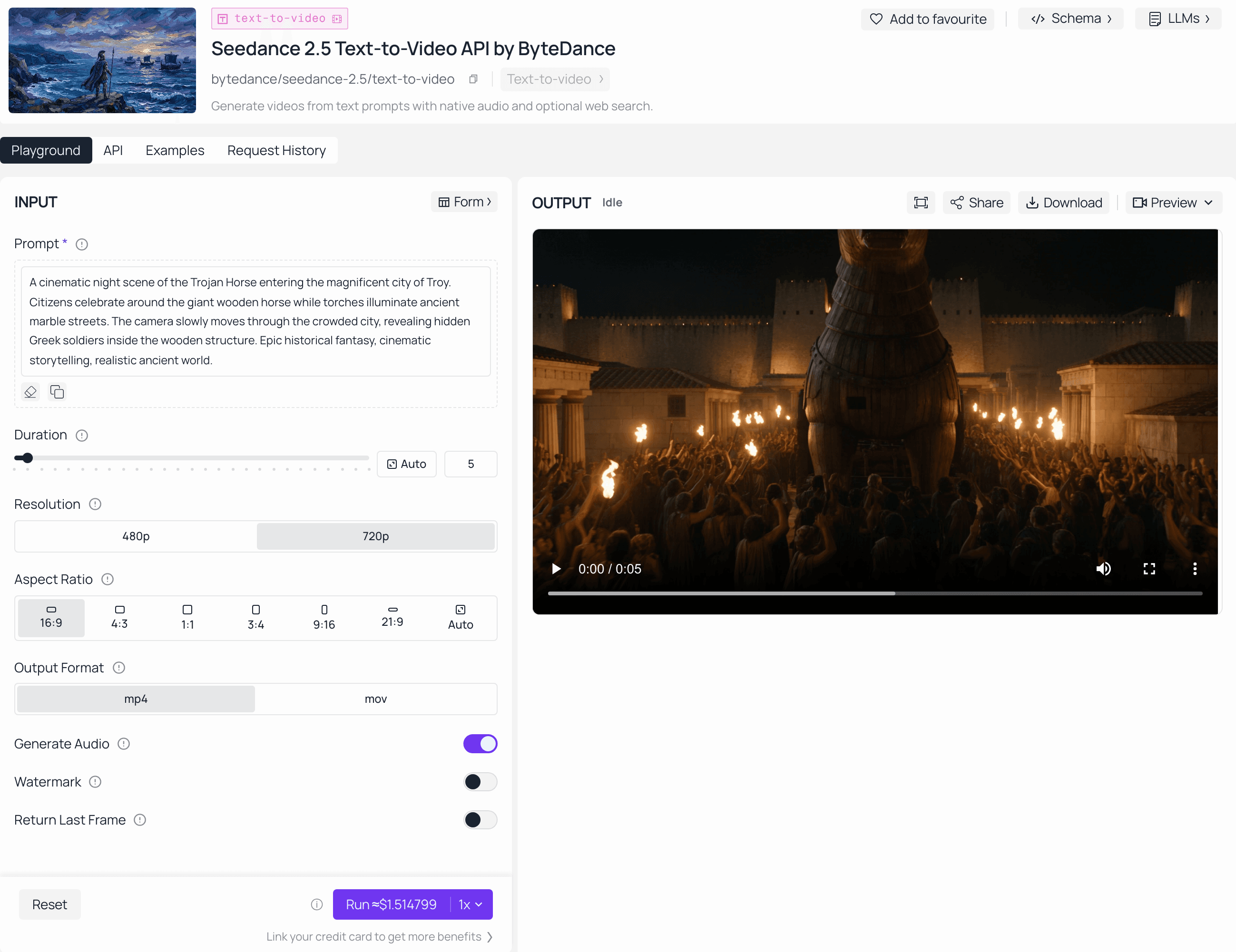
Scrambling to re-write pipeline schemas during a major systems launch frequently leads to broken endpoints, missed production deadlines, and extended service outages.
The upcoming Seedance 2.5 API launch is coming soon, and engineering teams should use this window to audit their technical infrastructure. Aligning your internal systems with multi-input schemas and asynchronous webhook listeners ensures immediate compatibility.
Onboarding Strategy and Timeline
Preparing early allows systems to switch to live processing seamlessly during the mid-to-late July 2026 rollout.
| Milestone Phase | Infrastructure Priority |
| Internal Systems Audit | Map 50 multimodal input arrays |
| Async Infrastructure | Configure webhook listeners for 4K video payloads |
| Production Shift | Connect live tokens at launch |
While developer access is restricted during the AI video preview stage, staying tuned to official BytePlus channels is vital for getting the latest launch details. Finalize your workflow automation staging environments today.





