Spending hours trying to upscale grainy, compressed AI clips only to watch text labels and human faces artifact into abstract smears is the current tax on video production. That bottleneck is disappearing. ByteDance announced its upgraded AI video model, Seedance 2.5, at the Volcano Engine FORCE conference, presenting a massive shift toward high-fidelity video production.
When is the Seedance 2.5 Release Date?
Release update: Seedance 2.5 launched on July 31, 2026, and the API is already live on Atlas Cloud — so you can start generating 4K clips now instead of only preparing for them.
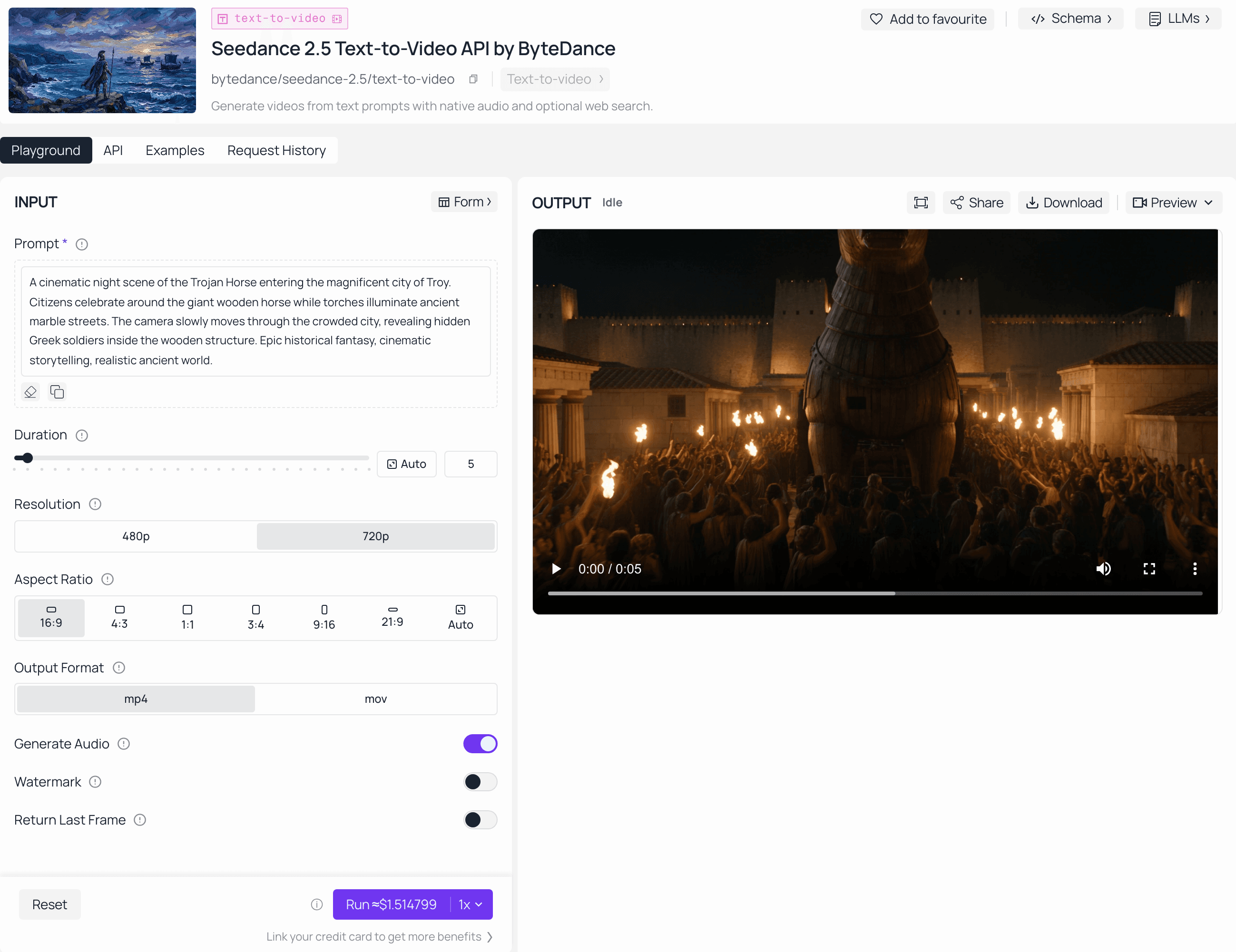
While speculation has circulated regarding the model’s rollout, the official deployment of Dreamina Seedance 2.5 is scheduled for mid-to-late July 2026 via BytePlus. Currently, the model is restricted to a closed enterprise beta for select partners as part of the official rollout preparation. We advise all professional creators to monitor official BytePlus announcements closely for the definitive release time, as official availability and API services will align strictly with the BytePlus global launch schedule.
Newly Update: Dreamina Seedance 2.5 officially deployed on July 31, 2026 via BytePlus. Quick Readiness Snapshot: Preparing for 4K AI Video
- Strategic Goal: Standardize prompt architectures now to minimize artifacting and drift.
- Hardware Target: 16GB+ VRAM and NVMe storage are critical for 4K processing.
- Action Plan: Use the Seedance 2.0 sandbox to lock in narrative continuity today.
- Official Rollout: Watch BytePlus channels for mid-to-late July updates. (Read on for our deep-dive 4K workflow framework.)
Why Professional Creators Must Prepare for 4K Generation Now
Waiting for the public dashboard to drop before adapting your workflow is a mistake. Moving to true 4K AI video generation demands an entirely new approach to asset staging and prompt structures. Instead of wrestling with external upscalers, creators will manage native 30-second clips directly.
| Feature | Seedance 2.0 Baseline | Seedance 2.5 Upgrade | Production Impact |
| Max Resolution | 1080p HD/4k | Native 4K | Eliminates post-generation artifacting |
| Clip Duration | 15 seconds | 30 seconds | Allows full narrative scene arcs |
| Reference Inputs | Up to 12 assets | Up to 50 assets | Keeps multi-character scenes stable |
| Prompt Accuracy | Baseline | 20% Improvement | Reduces wasted generation credits |
The sheer volume of data in a 4K frame means slight text ambiguities will cause noticeable physical distortions. Preparing 3D blockout meshes and organizing up to 50 multimodal references beforehand ensures you can leverage this high-fidelity video engine the moment public access opens.
Seedance 2.5 Release Timeline (Confirmed)
Relying on internet forum rumors to schedule commercial client projects usually leads to missed deadlines and broken budgets. The chatter surrounding ByteDance AI models is no exception. Official confirmation arrived when Seedance 2.5 launched on July 31, 2026.
While the following roadmap reflects observed development trends and industry-standard deployment logic, please note that these projections are not official service commitments. Official release windows remain subject to BytePlus’s internal scheduling and final public announcements.
| Deployment Phase | Projected Horizon | Target Audience | Feature Focus (Preview) |
| Closed Enterprise Beta | Active (Since May 2026) | Studio Partners | Core stability & 4K tests |
| Public Developer API | Estimated Late Q3 2026 | Enterprise Developers | Scaled reference inputs |
| Global Interface Rollout | Estimated Late Q4 2026 | General Public | CapCut ecosystem integration |
Important Note on Availability: The milestones listed above are projections based on industry patterns and technical development cycles. They do not constitute an official service release schedule from BytePlus. BytePlus has not confirmed specific launch dates for the Developer API or Global Interface. Users are advised to rely exclusively on official BytePlus communications for the definitive rollout timeline.
Tracking these shifting AI video trends 2026 shows that ByteDance prioritizes infrastructure stability over rushing the market. The highly anticipated Seedance 2.5 update changes how hardware handles high-resolution rendering, forcing engineers to iron out data center bottlenecks before opening the floodgates to regular creators.
Why 4K Resolution Changes the AI Video Game
Exporting a commercial project only to find that a character's fingers melt together or background structures warp during a panning shot ruins hours of rendering time. With standard 1080p videos, the lower pixel count easily hides small glitchy mistakes. But when you switch to ultra-high resolutions, everything changes. Those tiny algorithmic flaws have nowhere left to hide and stand out instantly.

The transition to a true 4K resolution shifts the criteria for acceptable AI video quality. When an asset contains four times the pixel density of standard high-definition formats, traditional video artifacts become glaringly obvious to the viewer. Micro-jitters along high-contrast edges, geometric morphing in facial geometry, and drifting physics calculations appear magnified when displayed on larger screens.
Achieving genuine broadcast-quality AI video requires models to calculate physical object continuity with absolute structural precision. If a model fails to maintain geometric consistency, the increased clarity serves only to spotlight the technical defects.
| Quality Metric | 1080p Resolution Limits | 4K Generation Fidelity |
| Edge Sharpness | Blurs slight frame-to-frame movement shifts | Exposes fine-line flickering and motion tracking errors |
| Texture Detail | Blends micro-textures into flat, compressed surfaces | Requires consistent fabric weave and skin pore tracking |
| Anomalies | Shaky background details often pass unnoticed | Structural drifting ruins commercial usability |
| Motion Stability | Fast camera pans hide localized model tearing | Demands perfect spatial awareness across all frames |
Because of these stringent demands, tracking raw generation fidelity becomes the primary focus for production studios. High resolution is not simply a matter of multiplying pixels; it dictates a completely standardized mathematical framework for tracking physical lighting, complex reflections, and anatomical details across multiple consecutive frames. For professional teams, mastering the prompt constraints that keep these 4K details locked into place is the only path to creating truly stable, client-ready content.
Essential Preparation Strategies for 4K Workflows
For low-resolution drafts, AI generator works well if you type a vague prompt like "cinematic forest scene with a knight" and click render. But if you run that same loose phrase on an ultra-high-definition canvas, you get a total mess. The armor plates melt together and the leaves flicker like crazy. High-resolution frames force the underlying model to fill millions of extra pixels with contextual data. If your text description lacks explicit detail, the system synthesizes random background noise to compensate, breaking structural consistency.
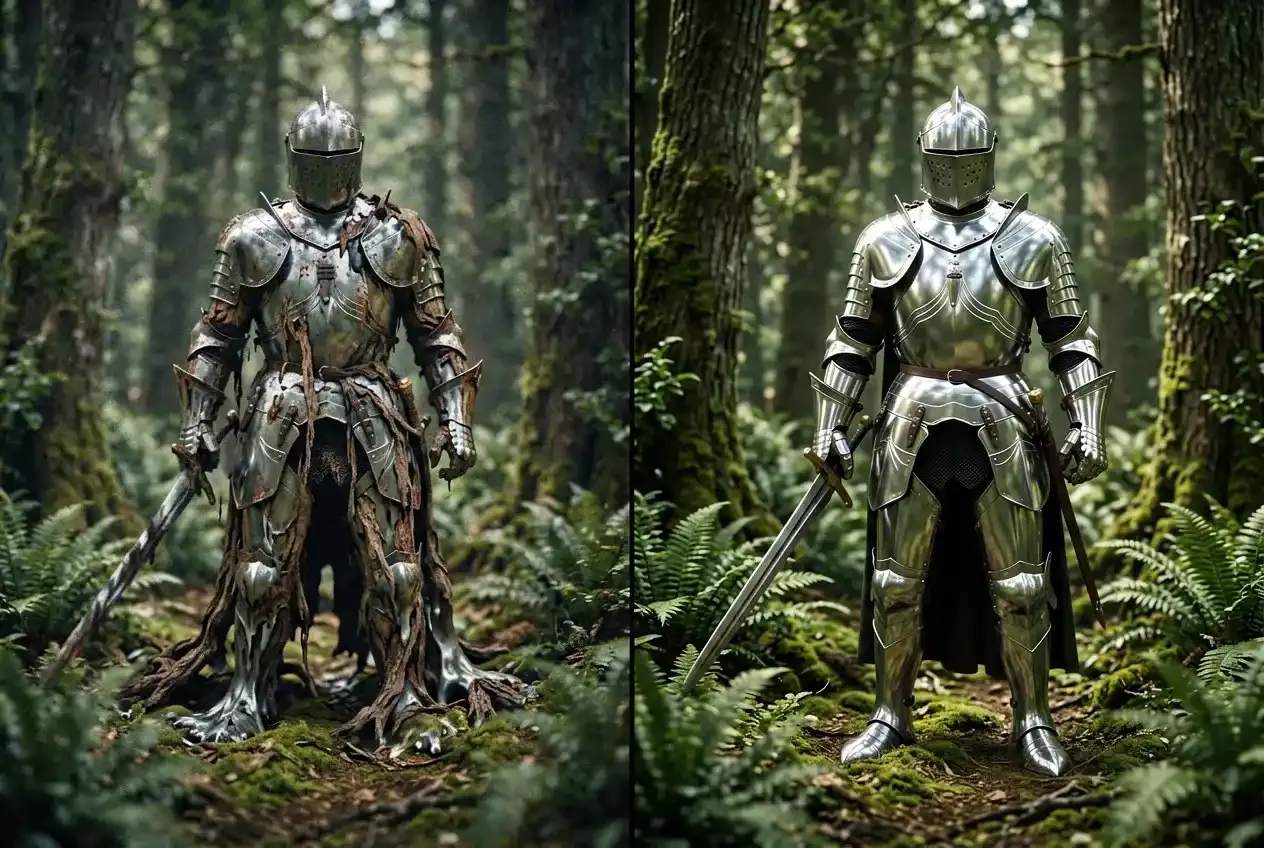
Creators frequently ask the critical question: Will Seedance 2.5 support 4K? Official feature breakdowns confirm native 4K processing, meaning your pre-production habits must change immediately. Practicing structural scripting with current Seedance 2.0 architectures is the most effective way to train your workflow for the 2.5 transition. Building a reliable pipeline requires moving beyond simple descriptions toward an integrated AI video planning methodology.
The 4K Prompt Engineering Framework
To avoid burning rendering credits on distorted outcomes, professional teams utilize a structured AI prompting guide built specifically for high-density rendering. Your text inputs must dictate exact lighting directions, material textures, and environmental boundaries.
- Macro Geometry: Explicitly map out focal lengths, camera angles, and movement speeds.
- Micro-Texture Constraints: Define surfaces precisely, specifying details like brushed aluminum, matte linen texturing, or wet asphalt reflections.
- Environmental Rigidity: Anchor background items by stating light sources and weather variables to prevent frame-to-frame asset drifting.
Maintaining Asset Uniformity
High-resolution outputs require strict control over multi-shot consistency. When a character moves across sequential frames, subtle model drifting becomes highly noticeable.
| Planning Component | Production Target | 4K Prompt Engineering Protocol |
| Character Consistency | Static physical markers | Standardize clothing patterns, scar placements, and facial structures across all scene scripts. |
| Lighting Continuity | Fixed lumen levels | Specify global illumination variables like 5600K kelvin temperature or exact sunset timestamps. |
| Spatial Grounding | Non-shifting backgrounds | Define the depth of field and room dimensions to lock down background structural walls. |
Systematically refining your approach to scene composition now ensures your assets remain perfectly intact when the 4K pipeline goes live.
Optimizing Your Hardware and Creative Setup
Your timeline freezing up or crashing with out-of-memory errors mid-render is bound to happen if you run ultra-HD videos on weak computers. Just one 30-second raw 4K clip eats up several gigabytes of space, creating a massive data traffic jam. If your machine cannot move files from your drive to your screen fast enough, your editing workflow grinds to a halt.
Transitioning to high-resolution generation means upgrading your workspace to handle demanding local 4K video hardware configurations. Professional pipelines require a specialized hardware layout to stitch, preview, and review ultra-dense frame structures smoothly.
Minimum vs. Recommended AI Workstation Requirements
Balancing system performance requires aligning your hardware specifications directly with the heavy data processing demands of advanced model generations.
| Component | Minimum Specification | Recommended Specification | Direct Workflow Impact |
| Graphics Processing | 12GB VRAM | 16GB+ VRAM (e.g., RTX 4080 / 5080) | Prevents out-of-memory crashes during multi-shot 4K generation |
| System Memory | 32GB DDR5 RAM | 64GB+ DDR5 RAM | Allows concurrent running of local AI models and editing software |
| Local Storage | SATA SSD | PCIe 4.0/5.0 NVMe M.2 SSD | Speeds up frame cache reading and multi-shot asset transfers |
| Monitoring Panel | Standard 1080p | 100% sRGB Calibrated 4K Display | Identifies fine-line edge artifacts and color shifts before exporting |
Configuring the Optimal Video Editing Setup
Selecting the proper GPU for AI video generation remains the most important step in rebuilding your workspace. High-resolution multi-frame generation maps complex pixel matrices across spatial vectors, a process that completely exhausts low-tier graphical units.
- VRAM Management: Prioritize a 16GB "safety buffer" of video memory strictly for rendering to avoid the frustration of dropped frames.
- Optimizing Throughput: Direct your scratch disk traffic to a high-speed NVMe drive to eliminate timeline stuttering.
- Ensuring Visual Fidelity: Rely on hardware-calibrated monitoring to maintain broadcast compliance, ensuring your shadows and highlights translate perfectly across different viewing environments.
Assembling a highly capable creative setup prevents physical performance barriers from derailing your production pipeline before your source files ever reach the editing timeline.
Testing the Waters: Scaling from 2.0 to 2.5
Blowing your whole monthly credit budget just to see your main character's clothes shift colors between shots is a painful way to learn about video continuity. Many creators plan to wait for ultra-high-definition engines to launch before practicing their scene-building techniques. However, treating a high-resolution pipeline as an experimental playground results in massive amounts of wasted data and slow production times.
Creators looking to adapt their systems frequently ask: Is Seedance 2.5 available yet? As confirmed by official enterprise beta roadmaps, the 2.5 engine remains in a closed partner testing phase, meaning the public cannot access its 4K dashboard directly today. Because of this restricted rollout, utilizing the current Seedance 2.0 interface serves as the most efficient platform for establishing your production habits.
Leveraging 2.0 as a Production Sandbox
Using lower-resolution tests like 720p or 1080p outputs allows you to prototype your environments without draining computing resources. This phase acts as essential model training for your personal prompting workflow. Locking in your environmental coordinates and camera physics at a lower resolution ensures that your master files remain stable when you eventually scale up the pixel count.
A Structured Framework for Workflow Iteration
Mastering complex, multi-shot storytelling requires separating your creative sequencing from the final high-resolution rendering pass. Following a phased preparation strategy prevents structural errors from slipping into your final exports.
- Phase 1: Storyboard Layout: Generate low-resolution, rapid drafts to lock in camera angles, pacing, and basic framing parameters.
- Phase 2: Continuity Locking: Fine-tune your prompt seed numbers and text inputs to guarantee character uniformity across successive clips.
- Phase 3: High-Fidelity Transition: Import your pre-verified prompt structures directly into the 2.5 architecture once global access opens.
plaintext1[Seedance 2.0 Sandbox] ──> [Fix Motion & Consistency] ──> [Deploy on Seedance 2.5 4K Engine]
Taking this careful step-by-step approach to your workflow keeps your project safe from random rendering glitches. It ensures you can jump right into pro-level AI video creation the exact second the new model rolls out to the public.
Future-Proofing Your Creative Output
Pitching a commercial video project to a client only to have them reject it due to blurry background compression artifacts is a harsh reality for studio teams. High-fidelity rendering is rapidly shifting from a luxury upgrade to a mandatory benchmark for commercial survival. Treating ultra-high-definition output as a simple export toggle misses the fundamental reality of the changing media landscape.
The upcoming transition requires an intentional restructuring of your production assets, prompting workflows, and studio hardware. Studios that continue to rely on loose, low-resolution prototyping habits will struggle to manage the strict structural constraints demanded by high-resolution calculations.
Final Production Readiness Checklist
| Action Item | Operational Goal | Immediate Next Step |
| Standardize Prompting | Eliminate asset drift | Build modular 1080p templates |
| Audit Workstation | Prevent render crashes | Verify 16GB+ VRAM configuration |
| Monitor Rollout | Secure early access | Track official BytePlus updates |
Mastering the current suite of tools ensures you can immediately build professional-grade content when the updated infrastructure goes live.





