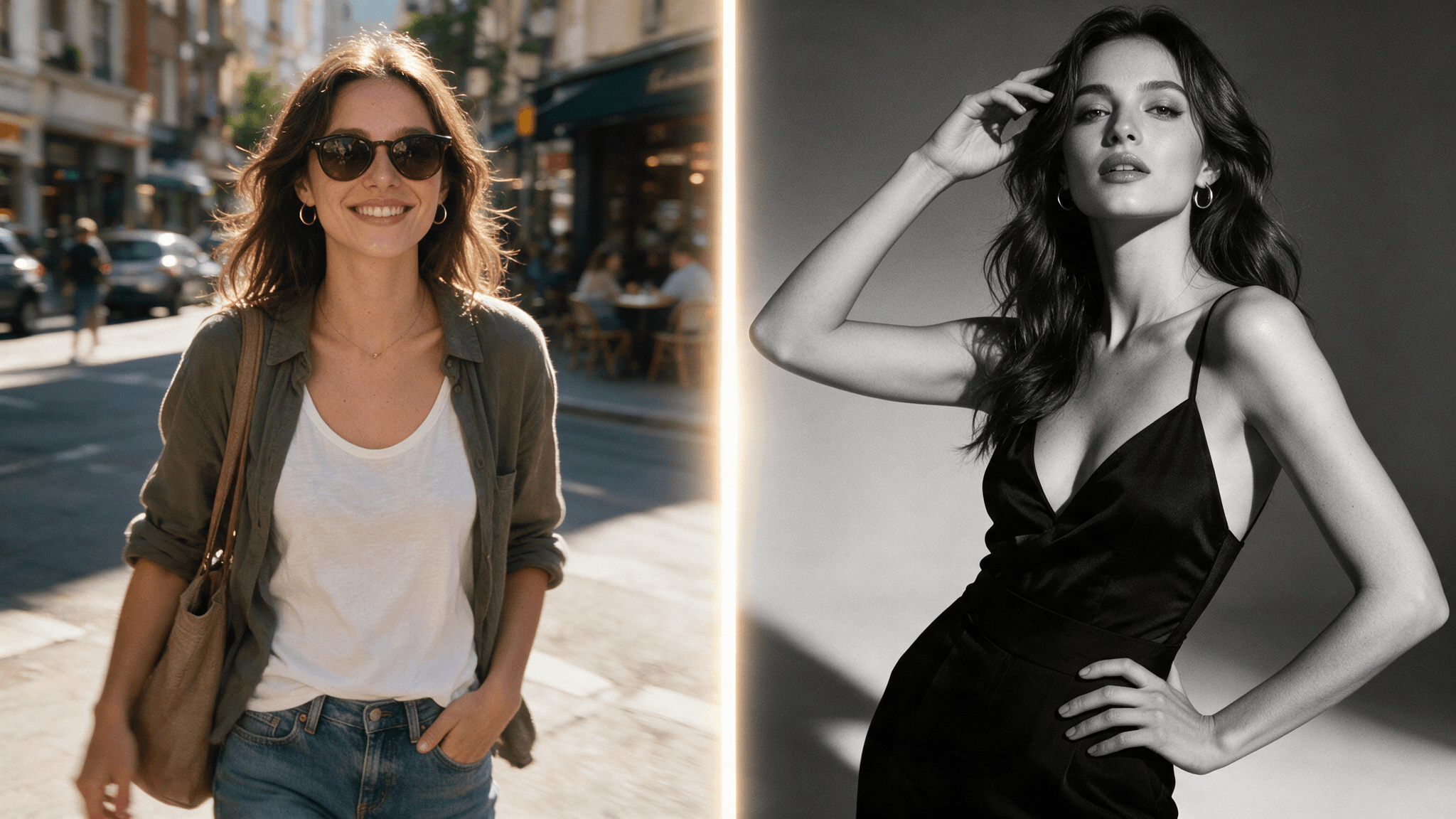
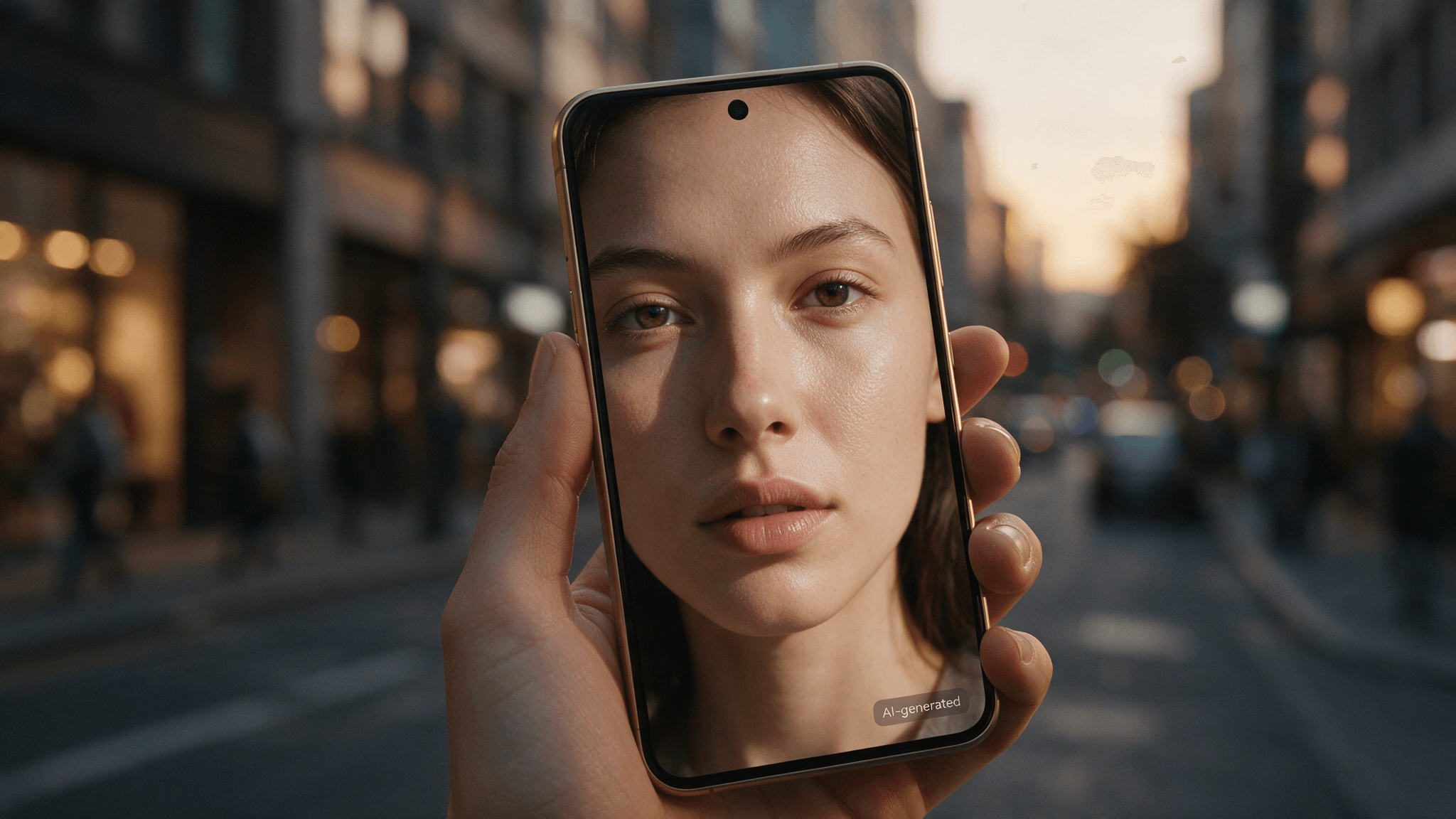
You've probably already scrolled past a Seedream 5.0 Pro portrait without noticing. That's the whole story. The tell-tale AI sheen — plastic skin, airport-lounge lighting, dead eyes — is exactly what this model's viral examples don't have. Creators keep posting portraits whose captions lead with the same promise — ultra-realistic — and the frames keep backing it up.
This article takes that claim seriously. It pulls the freshest prompt-sharing posts, breaks down why they work, rebuilds them into a reusable realism framework, and says plainly where the illusion still cracks.
Key Takeaways
- The two looks driving the buzz are opposites: casual smartphone snapshots and polished fashion editorials. Seedream 5.0 Pro holds up in both because it obeys "camera language" in prompts.
- Realism comes from one coherent camera contract per image — for phone-style shots that means specified imperfections like grain and off-center framing, not quality words like "8K masterpiece."
- On Atlas Cloud, Seedream 5.0 Pro runs from $0.045 per image as of July 20, 2026, so $10 buys roughly 222 test portraits.
- Known limits: one image per run, long small text is still its hardest category, and realistic human portraits carry a disclosure responsibility.
The "It Doesn't Look AI" Wave Around Seedream 5.0 Pro Portraits
The examples keep stacking up. Within a single 12-hour stretch this July, three prompt-sharing accounts posted Seedream 5.0 Pro portraits across three different genres — and all three read as photography first, AI second.
| Creator | Posted | The look | What sells it |
|---|---|---|---|
| @saniaspeaks_ | July 20, 2026 | Ultra-realistic smartphone portrait, four-image set | Phone-camera framing; soft natural features instead of rendered gloss |
| @Naiknelofar788 | July 19, 2026 | Hyper-realistic luxury editorial portrait | Studio perfection that follows real lighting logic |
| @ZunairaAi | July 20, 2026 | Monochrome 9:16 fashion poster, run head-to-head against Nano Banana Pro | Cinematic black-and-white grading in a print-ready vertical format |
None of this appeared from nowhere. When Seedream 5.0 first previewed back in February 2026, creator Jerrod Lew ran close-up face tests and flagged the details most models fake badly: sweat, small hairs, and how lighting actually behaves on skin. The Pro release built on that same foundation — BytePlus, ByteDance's enterprise arm, put realistic images and portraits among the headline capabilities in its API launch post.
Why Seedream 5.0 Pro Portraits Read as Real
Here's the uncomfortable truth about AI-looking images: they fail by being too good. Perfect skin, perfect symmetry, perfect studio light in a supposedly candid shot. Your brain flags the inconsistency in milliseconds, even if you can't name it.
Seedream 5.0 Pro closes that gap from two directions.
First, texture. The model renders skin at the micro-detail level — sweat, stray hairs, the way light actually sits on a face — instead of the smoothed "beauty filter" default. That's exactly what Lew's February close-ups documented, and it's the foundation the July portraits build on.
Second, obedience. Its flagship strength is prompt adherence: subject relationships, spatial constraints, and lighting direction get followed with high fidelity. That matters for realism more than it sounds. A photo looks real when every element agrees about the same physical scene — one coherent lighting scheme, one lens, one moment. A model that follows lighting instructions literally can be told to be imperfect, and it will comply. The model's documentation calls this out directly: portrait generation with strong lighting logic and shallow depth-of-field control, tuned for editorial-grade imagery.
That's the core trick behind every viral example in this article. These prompts don't stop at asking for a beautiful image — they describe a camera, and the model honors the contract.

Testing Seedream 5.0 Pro Portraits on Atlas Cloud
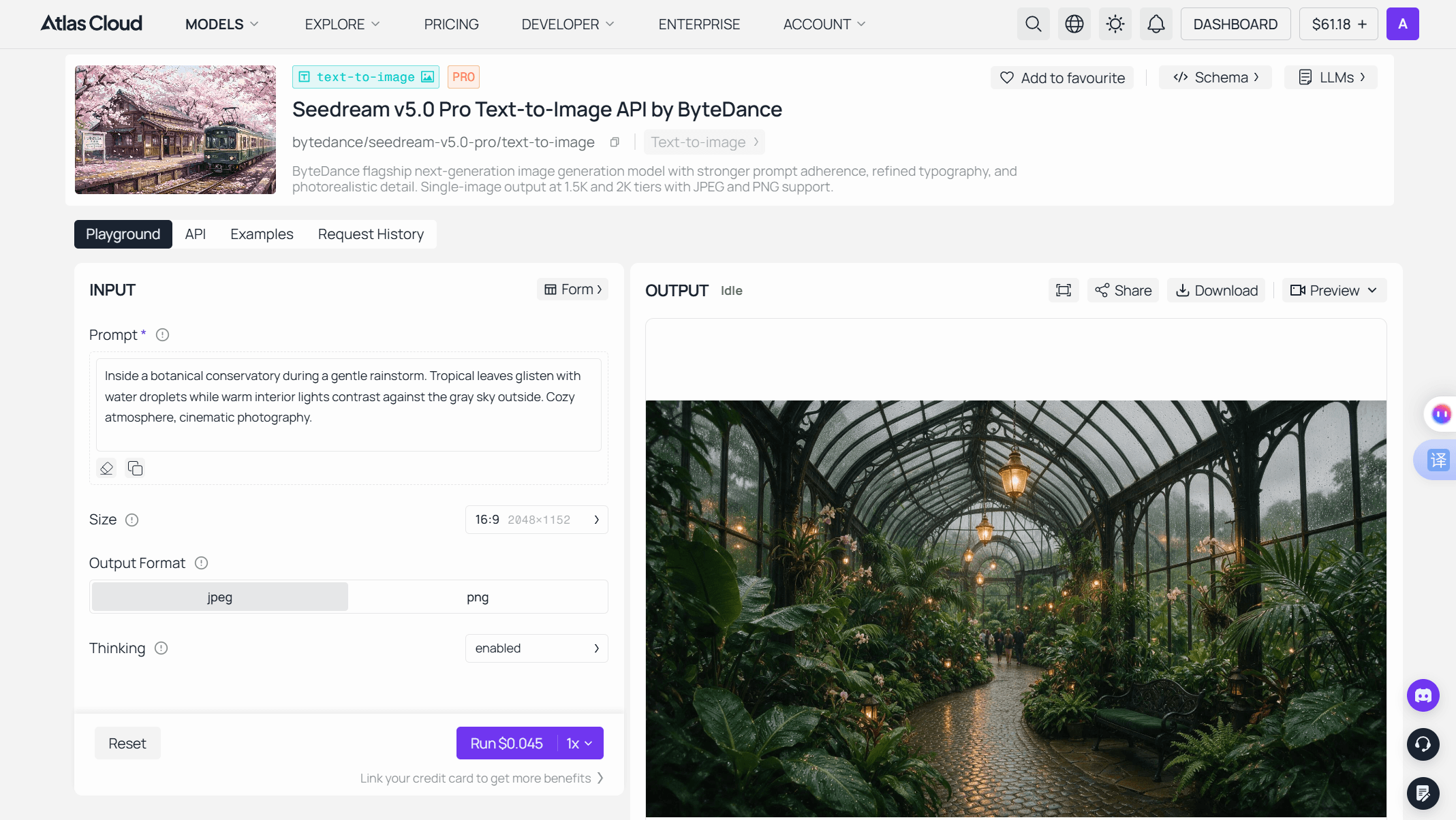
Everything in this article is reproducible for pocket change. Seedream 5.0 Pro runs on Atlas Cloud, alongside the rest of the ByteDance model family, and the Seedream 5.0 Pro playground lets you paste any prompt from this article and get a portrait back without writing code. A "Thinking" toggle in the playground enables the model's reasoning pass before generation, and the same endpoint is available over the API for anything you want to automate.
Verified pricing and output specs as of July 20, 2026:
| Spec | Seedream 5.0 Pro on Atlas Cloud |
|---|---|
| Price per image | From $0.045 ($10 ≈ 222 runs) |
| Output tiers | 1.5K (up to ~2.36M pixels, e.g. 2048×1152) and premium 2K (up to 2048×2048; 16:9 keyword mode reaches 2848×1600) |
| Images per run | Exactly 1 — no four-image grid |
| Aspect ratios | Any ratio from 1:16 to 16:1 |
| Output formats | JPEG or PNG, hosted URL or Base64 |
| Prompt help | Built-in automatic prompt optimization |
There are two ways in — click or code.
Method 1: run it directly in the playground. From signup to first portrait, the flow takes about two minutes:
-
Create an account at the Atlas Cloud console and add credit — pay-as-you-go, no subscription tier to pick.
-
Open the playground and paste a prompt into the Prompt field. Any recipe from this article works as-is; leave the Thinking toggle on so the model runs its reasoning pass on complex briefs.
-
Set the size for portrait work. The default is 16:9 at 2048×1152 — landscape. Switch to 3:4 for a classic portrait crop or 9:16 for a poster or phone-wallpaper frame.
-
Pick the output format: PNG for design handoff, JPEG for web delivery.
-
Hit Run. The button shows the exact per-run cost before you commit, so there's no surprise billing mid-experiment.
-
Iterate from the output panel. Download or share the result, or push it straight into the image-to-image or image-to-video follow-up actions without leaving the page — that's the handoff point for face-locking a keeper in Seedream 5.0 Pro Edit, covered in the FAQ below.
Method 2: wire it into your code over the API. Same account, three steps.
Step 1 — create your API key. Generate a key from the console dashboard and copy it into your environment; keep it server-side, never in client code.

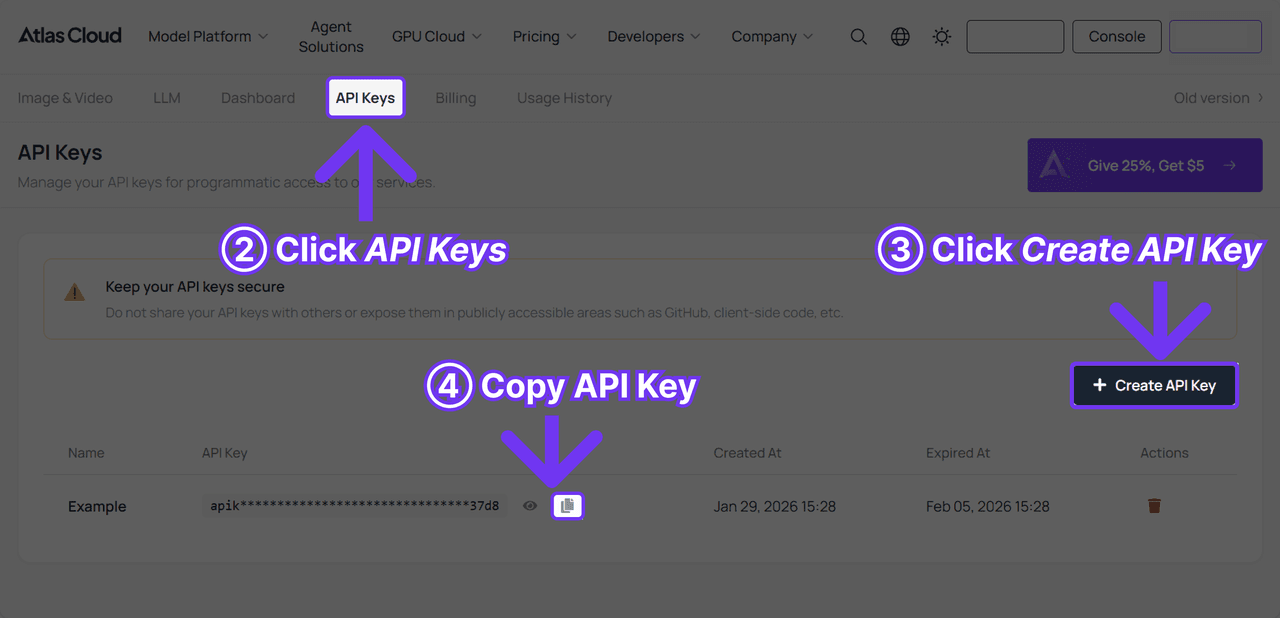
Step 2 — read the endpoint reference. The API documentation covers the Seedream 5.0 Pro endpoint, request parameters, authentication header, and response format.
Step 3 — send your first request. Pass your prompt, size, and output format in the request body — the same fields the playground form exposes, so a prompt that worked in the browser ports over unchanged. The model page's API tab shows the exact schema, and Request History keeps your past runs on record for reference.
The payoff is scope. Atlas Cloud is built as One API: one key, one calling convention, every model in the catalog. When a new portrait model lands, switching is a one-line change to the model name in the request body — no re-integration, no new SDK.
Two workflow notes. The 1.5K tier is the drafting tier: portrait iteration is cheap enough to run ten variations of one idea. And because each run returns a single composed image rather than a grid, what you're testing is the model's first answer — which is exactly what a production pipeline gets.
The Seedream 5.0 Pro Phone-Photo Look: Prompt Anatomy
Start with the example that kicked off this article. The prompt behind the @saniaspeaks_ set opens with "Ultra-realistic smartphone photo of..." before describing the subject — skin, eyes, lips, hair — in concrete physical nouns rather than mood words.
That opening clause is doing most of the work. "Smartphone photo" isn't a style request; it's a physics request. It implies a small sensor, a wide lens, deep focus, ambient light, casual framing. The model applies the whole bundle at once.
The subject description does the rest. Notice what the prompt specifies: *smooth fair skin, soft natural facial features, large expressive brown eyes, glossy pink lips, long straight silky black hair with wispy side-swept bangs*. The prompt does say "beautiful" — once, as a framing word. Then every claim gets cashed out in properties a camera could record: glossy, silky, wispy. The model can't render "beautiful," but it can render wispy bangs, and enough recorded properties add up to the same verdict.
Here's how to steer that same anatomy toward other phone-camera moods, including the low-light night look:
| Target mood | Prompt language that triggers it |
|---|---|
| Daylight candid | "smartphone photo", "casual snapshot", "natural window light", "slightly off-center framing" |
| Night street | "handheld smartphone photo at night", "neon signs and streetlights", "visible high-ISO grain", "slight motion blur on background" |
| Flash party shot | "direct flash photo at night", "harsh flash shadows on wall behind", "slightly overexposed skin" |
| Golden hour | "phone photo at sunset", "warm backlight with lens flare", "subject squinting slightly" |
| Mirror selfie | "mirror selfie", "phone partially covering face", "bathroom lighting, mild color cast" |
The pattern across all five rows: each adds a defect a real phone would produce. Grain, blur, harsh flash, color cast. Counterintuitively, every flaw you specify makes the output more convincing, because flaws are what over-polished AI images lack.
Seedream 5.0 Pro Fashion Editorial Portraits: The Opposite Bet
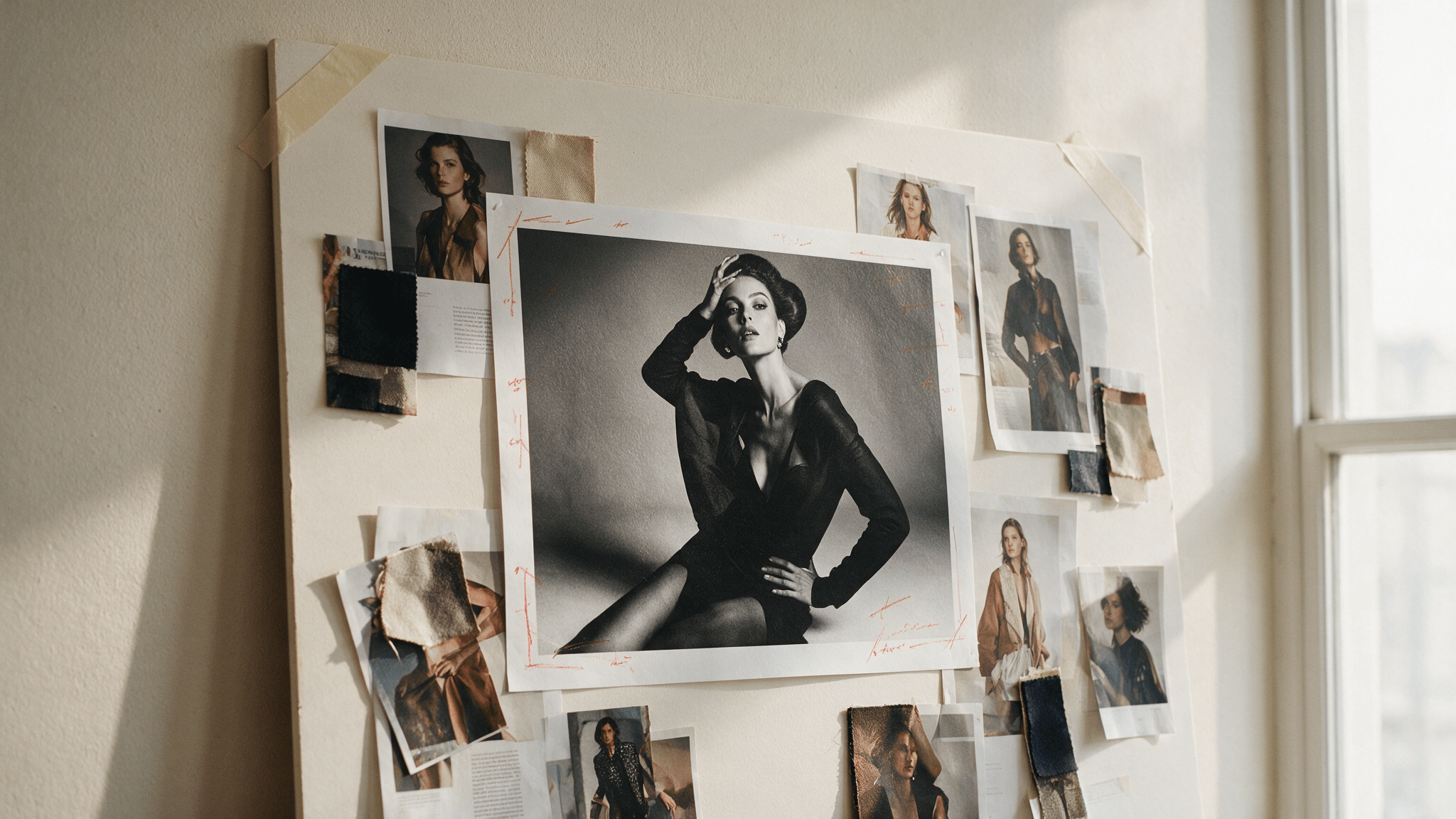
Editorial realism inverts the phone-photo trick. Now perfection is allowed — magazine covers really are lit by three softboxes and retouched for hours — but the perfection must follow studio logic instead of AI logic.
The July 19 example nails this register. The prompt behind that editorial portrait asks for a hyper-realistic luxury editorial portrait with "flawless porcelain glass skin" — language that would scream AI in a candid photo but reads as intentional retouching in a fashion context. Frame type sets expectation; expectation sets what counts as real.
The monochrome poster test pushes the same idea into print design. @ZunairaAi's prompt specifies an "IMAX-level Netflix-style cinematic monochrome fashion poster" in a 9:16 vertical composition — and ran the identical brief through Seedream 5.0 Pro and Nano Banana Pro as a side-by-side. Whichever frame you prefer, the takeaway is that Seedream 5.0 Pro's output lands in poster-ready shape: correct vertical format, coherent black-and-white grading, editorial posing.
For editorial work specifically, three of the model's strengths compound. Shallow depth-of-field control gives you the medium-format lens look. Typography rendering — a documented family strength across 15 in-image text languages — means a masthead or coverline can be generated in the frame instead of composited later. And the full 1:16 to 16:1 aspect range covers everything from a magazine spread to a bus-stop poster without cropping.
A Reusable Realism Framework for Seedream 5.0 Pro Prompts
Strip the viral examples to their skeleton and the same six slots appear every time. Fill each slot deliberately and you can rebuild the effect for any subject:
| Slot | What it does | Example fill |
|---|---|---|
| 1. Camera contract | Sets sensor, lens, and context physics | "smartphone night mode photo" / "85mm editorial studio portrait" |
| 2. Subject | Concrete physical description, no mood words | "woman in her 60s, silver bob, linen shirt" |
| 3. Texture cues | Material adjectives a camera records | "visible skin pores", "flyaway hairs", "matte fabric" |
| 4. Lighting | One coherent scheme with direction — single or mixed, as long as it fits the scene | "single window light from left", "mixed neon and sodium streetlight" |
| 5. Honest flaws | The imperfections that defeat AI-sheen | "slight grain", "soft focus on far ear", "off-center framing" |
| 6. Format | Aspect ratio and tier | "9:16 vertical, 2K tier" |
Three anti-patterns to cut from old prompt habits. Quality-word spam ("8K ultra HD masterpiece, best quality") adds nothing here — the model already targets its resolution tier, and those tokens push output toward the generic render look you're avoiding. Contradictory contracts ("candid iPhone photo, studio softbox lighting") force the model to average two physics models, which is precisely the inconsistency human eyes flag. And slot 5 scales with genre rather than disappearing: a fashion editorial may only need visible skin texture and a real lens's soft focus falloff, but dropping the slot entirely returns you to render-perfection — the fastest way to make Seedream 5.0 Pro look like every other image model.
If a slot feels hard to fill, leave it terse and switch on prompt optimization: the built-in optimizer expands short prompts into fully specified instructions before generation.
Where Seedream 5.0 Pro Realism Still Breaks
An honest test names the failure modes. Four are worth planning around.
Single-image discipline cuts both ways. One run returns one image — great for cost predictability, but there's no grid of four to cherry-pick from. Realism work is iterative, so budget for reruns; at $0.045 each, ten attempts on one concept still costs under fifty cents.
Long blocks of small text are the Seedream family's weakest category — the model's own documentation concedes the gap, and frames the Pro tier as targeting it rather than having closed it. A poster masthead renders cleanly; a paragraph of fine print will wander. For text-dense layouts, generate the image and set body copy in a design tool.
Resolution tops out at the 2K class. For social feeds and web editorial that's more than enough. For a print campaign at large physical sizes, plan an upscale pass.
And the responsibility question, which gets sharper the better these portraits get. These are photorealistic humans who don't exist, and they travel fast — the @saniaspeaks_ set drew 37 replies within hours of posting. Label AI-generated portraits where platforms provide the tag, and don't generate real, identifiable people without consent. The realism is the product; the disclosure is the price.
Frequently Asked Questions
What is the best Seedream 5.0 Pro prompt structure for realistic phone photos?
Lead with the camera contract ("ultra-realistic smartphone photo"), describe the subject in physical material terms, then add at least two honest flaws — grain, motion blur, harsh flash, or a color cast. The imperfections carry the realism; skip them and you get the default AI polish back.
How much does Seedream 5.0 Pro cost per portrait?
From $0.045 per image on Atlas Cloud as of July 20, 2026, which works out to roughly 222 generations per $10. Each run returns exactly one image, covering the 1.5K tier and the premium 2K tier (up to 2048×2048, or 2848×1600 in 16:9 keyword mode).
Can Seedream 5.0 Pro keep the same face across multiple portraits?
Not within the text-to-image endpoint itself — each run is independent. The companion Seedream 5.0 Pro Edit model handles this: it accepts up to 10 reference images while preserving identity, lighting, and color tones, so you can lock a face from your best generation and carry it across a series.
Do I need to disclose that a Seedream 5.0 Pro portrait is AI-generated?
Treat disclosure as the default. Major social platforms now ask for AI labels on photorealistic synthetic media, and portraits at this realism level are exactly what those policies target. Beyond platform rules, generating recognizable real people without consent is off-limits regardless of labeling.
Conclusion
The phone-photo wave and the editorial wave look like opposite genres, but they prove one capability twice. Seedream 5.0 Pro treats a prompt as a physical scene description and renders it consistently — casual sensor and casual flaws in, casual realism out; studio optics and studio polish in, editorial realism out. That's why the viral examples don't look AI: their authors stopped prompting for beauty and started prompting for cameras. The framework above is that habit, written down. Ten test portraits cost less than a coffee, and the only real rule is the one that gets easier to forget as the results improve: say what's synthetic, because increasingly, nobody can tell.





